 Effortlessly manage data through preview, delete, export, etc.

 100% Security Verified | No Subscription Required | No Malware

 :
: 
 ChatGPT
 Perplexity
 Gemini
 Claude
 Grok
Grok

I’m moving to a new phone and I’m worried I’ll lose years of family chat history and photos if I do things in the wrong order. What should I back up first, and when is it actually safe to erase the old phone?
Reddit user, r/whatsapp
Moving family chats to a new phone sounds simple, but missing one step can lead to lost messages, broken media links, or incomplete history. AI can help you map a safer sequence and verification gates, but it can’t access your device or confirm what truly transferred—so you still need real tools and on-device checks to execute reliably.
In this article
- Part 1. Plan the move without missing critical steps
- What “clean” family chat migration means
- Why order matters more than buttons
- The point-of-no-return actions to avoid
- What you’ll verify before cleanup
- Part 2. What the AI needs to know
- Part 3. Use AI prompts to build a safer workflow
- Part 4. When to stop planning and start execution
- Part 5. Execute the workflow safely with Dr.Fone
Part 1. Plan the move without missing critical steps
You’re upgrading phones and want your family chats to land cleanly: the right conversations, the right media, the right group memberships, and the right message history.
The uncertainty usually isn’t “what button do I press,” but “what order prevents mistakes”—especially when different apps handle chat history, media, and backups differently.
The point-of-no-return moment is when you erase/reset the old phone, uninstall the chat app, or overwrite an existing backup. Don’t get anywhere near that until your verification checks are complete.
Part 2. What the AI needs to know
Share the specifics below so the AI can produce a workflow that matches your exact setup.
- Old phone model + OS version (Android/iPhone)
- New phone model + OS version (Android/iPhone)
- Which chat apps matter most (e.g., WhatsApp, LINE, WeChat, Telegram, iMessage/SMS)
- What “organized” means to you (keep everything as-is vs. clean up before moving)
- Approx. chat size and media volume (e.g., “8 GB WhatsApp media”)
- Whether you need cross-platform migration (Android → iPhone, iPhone → Android)
- Whether you must keep the old phone active during transfer (work/2FA constraints)
- Your backup constraints (limited iCloud/Google storage, slow Wi‑Fi, no PC access, etc.)
- Your risk tolerance and deadline (same-day move vs. can stage over a week)
Part 3. Use AI prompts to build a safer workflow
Use the prompts below to make the AI produce a step-by-step plan with clear verification gates before any irreversible actions.
3-1. Level 1: Basic Prompt
I’m moving to a new phone and want to organize my family chats so nothing critical is lost.
Create a simple, safe sequence of steps that prioritizes preservation first and cleanup second.
Include what not to do until I confirm everything moved correctly.
3-2. Level 2: Advanced Prompt
Build me a structured workflow to organize family chats before moving to a new phone.
Split it into Preparation / Execution / Verification, and mark each step as Critical or Optional.
Also list the top risks (lost media, partial history, overwritten backup, account lockouts) and the “stop points” where I should pause and verify before proceeding.
3-3. Level 3: Evidence Prompt
Here’s my situation: old phone (Android, Samsung S21), new phone (iPhone 15), primary family chats (WhatsApp + SMS), media size (WhatsApp ~6 GB), time window (2 hours tonight), cloud storage (iCloud 50 GB free, Google Drive nearly full).
Create a workflow with checks before/during/after, including:
- what evidence to capture before moving (e.g., screenshots of chat storage totals, last backup time)
- what to verify on the new phone (e.g., spot-check 3 family groups, confirm oldest message date in one key thread)
- what to avoid until verification is complete (e.g., uninstalling WhatsApp on old phone, resetting old phone, overwriting an existing backup)
Include a short checklist I can print.
3-4. Prompt Refinement
Convert the plan into a two-column checklist: “Do” vs “Verify,” and add a pass/fail criterion for each verification item.
Identify the single highest-risk irreversible step in my case and add a hard gate: “Do not proceed unless these 3 checks pass.”
Rewrite the workflow for my exact constraint: I can’t be logged out of the old phone for more than (30 minutes). Adjust sequencing accordingly.
Add a rollback plan: if verification fails, list the safest way to pause, recover, and retry without overwriting backups.
Produce a minimum-viable move (must-have chats only) and a full move (everything), with different verification depth for each.
3-5. AI plan vs. real device constraints
| Planning item (AI can help) | Reality constraint (AI can’t do) |
|---|---|
| Draft a safe sequence with verification gates | Read your actual chat database, backups, or device state |
| Identify likely failure points and “do-not-do-yet” moments | Prevent you from tapping “Erase” or overwriting a backup |
| Define what evidence to capture (screenshots, timestamps, counts) | Confirm that media, history depth, and group state truly transferred |
| Produce checklists for before/during/after | Execute transfer/backup/restore actions on the phone or apps |
AI improves planning, but it cannot execute actions on your devices or validate outcomes; your tools and your checks determine what’s actually preserved.
Part 4. When to stop planning and start execution
- You can clearly state your source of truth (which phone/backups currently contain the most complete chat history).
- You have a verification checklist that includes at least one history-depth check and one media check.
- You’ve identified the irreversible step you will not do early (reset/erase old phone, uninstall app, overwrite backup).
- You’ve confirmed prerequisites that commonly derail moves (power, storage space, stable network, account access/2FA readiness).
If those are true, you’re no longer guessing—you’re ready to follow the plan without improvising mid-transfer.
Part 5. Execute the workflow safely with Dr.Fone
Execution now matters because this is where most losses happen: people move too fast, skip verification, or trigger an irreversible change before confirming the new phone is complete. To carry out the plan, you can use Dr.Fone - WhatsApp Transfer for the actual transfer or backup/restore workflow.
 Transfer WhatsApp across Android & iOS.
- Backup & restore WhatsApp to PC securely.
- Preview & export chats selectively.
- Works with all iPhone & Android models.
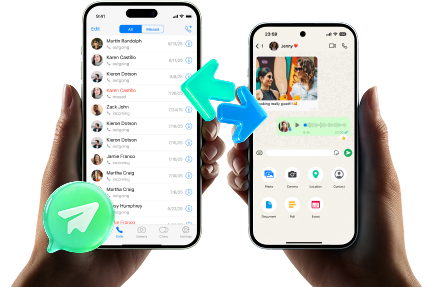
Keep your AI-generated plan in front of you, and don’t deviate from the order you planned—especially when you reach any overwrite/replace choices. AI can guide what to do and what to verify, but it can’t see your screens, operate the tool for you, or confirm that what you selected is correct.
-
Step 1 Pre-execution snapshot (evidence + readiness)
Action: Capture your evidence (last backup time, chat storage totals, and 2–3 “must-keep” threads to spot-check later) and ensure both phones have enough battery and storage.
Limitation: AI can tell you what to capture, but it can’t see your screens or confirm the values are accurate.

-
Step 2 Start the planned transfer / backup-restore path
Action: Use Dr.Fone to perform the planned chat transfer or backup/restore operation according to your chosen path (same-platform vs cross-platform), without deviating from the order you planned.
Limitation: AI cannot operate Dr.Fone for you or confirm which on-screen options you selected—follow your verification gates before proceeding to any overwrite/replace choices.

-
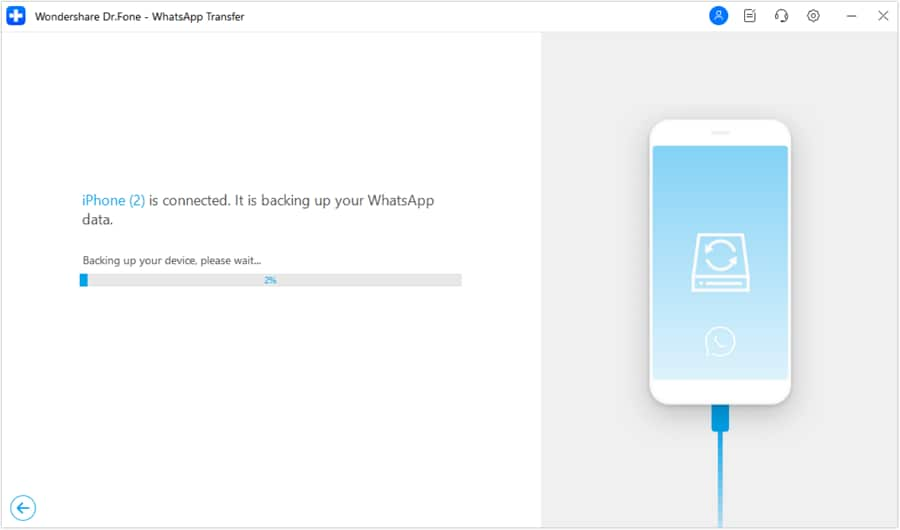
Step 3 Let the process complete without interruptions
Action: Keep the connection stable and don’t multitask with account actions (like logging out) unless your workflow explicitly requires it.
Limitation: AI can’t confirm progress states—watch the real progress indicators and wait for completion before switching to verification.
-
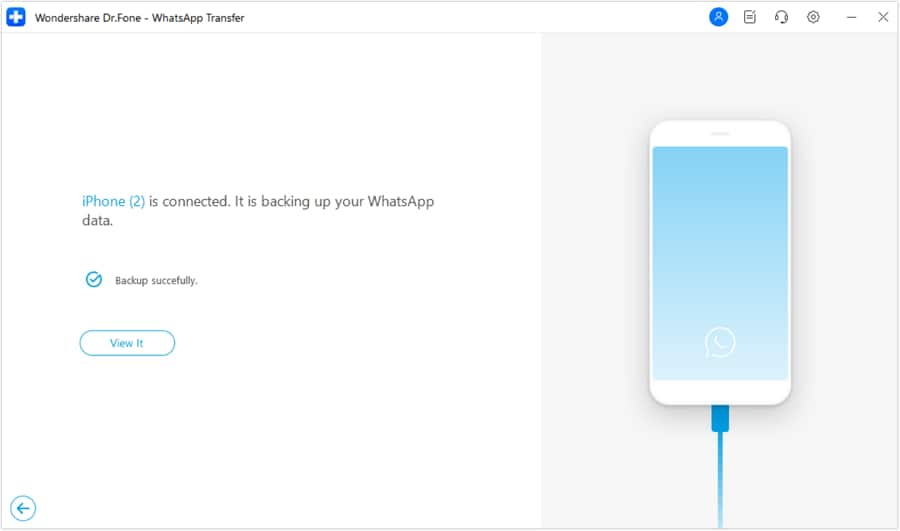
Step 4 Verify before any irreversible cleanup
Action: On the new phone, verify the agreed checks (key family groups present, message history depth spot-check, recent media opens correctly), and only then consider cleanup on the old phone.
Limitation: If verification is incomplete, do not reset/erase the old phone or overwrite backups—those actions can be irreversible and may prevent recovery.




Conclusion
Use AI to design a cautious, verification-led workflow (with clear stop points before anything irreversible), then use Dr.Fone to carry out the actual transfer and only proceed to cleanup after your checks pass.
FAQ
-
What’s the biggest risk when moving family chats to a new phone?
Overwriting an existing backup or erasing the old phone before confirming the new phone has complete history and accessible media. -
What should I verify first on the new phone?
Presence of your most important family groups, then history depth (oldest message date in at least one key thread), then media playback/opening for a few recent and older items. -
Should I “clean up” chats before moving?
Usually no—preserve first, verify second, then clean up after the new phone is confirmed complete. -
How do I handle the point of no return safely?
Define it in advance (erase/reset/uninstall/overwrite), and treat it as blocked until every verification item is marked pass. -
Can AI tell me if my transfer worked?
No. AI can only suggest what to check; only your on-device verification can confirm the result.
 Add Wondershare Dr.Fone as a preferred source on Google





