 Effortlessly manage data through preview, delete, export, etc.

 100% Security Verified | No Subscription Required | No Malware

 :
: 
 ChatGPT
 Perplexity
 Gemini
 Claude
 Grok
Grok

Exporting WhatsApp chats sounds simple until you miss a dependency (media, attachments, or an account login) and realize a “small” export didn’t include what you needed.
Forum user
AI can help you decide what to export first by building a clear sequence, defining what “critical” means for you, and adding verification checks before you touch anything.
AI can’t access your phone, open WhatsApp, or run exports—so once the plan is solid, you still need real device tools to execute safely.
In this article
- How to plan exports without missing critical steps
- Why “what to do first” is the real uncertainty
- How to avoid missing attachments and older media
- Define your point of no return
- Write the export order + verification checks
- What the AI needs to know
- Using AI prompts to build a safer workflow
- AI plan vs. real device constraints
- When to stop planning and start execution

Part 1. How to Plan which whatsapp chats should i export first Without Missing Critical Steps
You’re moving to a new phone (or preparing for a reset/repair) and you need certain WhatsApp chats saved first—maybe legal messages, work threads, or family photos—without guessing what will matter later.
The uncertainty usually isn’t which chat is important, but what to do first: whether to prioritize chats with attachments, how to avoid missing older media, and how to confirm the export actually contains what you expect.
There’s also a point of no return: if you uninstall WhatsApp, factory reset, or overwrite backups before verifying exports, you may permanently lose chats or media you meant to keep.
Part 2. What the AI Needs to Know
Share the context below so the workflow can be planned with the right priorities and checks.
- Your goal (move to new phone, legal record, storage cleanup, device reset/repair)
- Your phone type(s) (Android to Android, iPhone to iPhone, Android to iPhone, iPhone to Android)
- WhatsApp size and risk (approx. chat count, storage size, any “must-not-lose” threads)
- What “export” means for you (readable transcript, media included, searchable archive, proof/audit trail)
- Time constraints (today, before travel, before trade-in/reset)
- Any constraints (limited storage, weak internet, no access to old SIM, work device policies)
- What you can’t risk (losing media, losing timestamps, losing participants, missing voice notes)
- Your verification needs (spot-checking, counts, sample dates, file open tests)
Part 3. Using AI Prompts to Build a Safer which whatsapp chats should i export first Workflow
Use the prompts below to force a clear sequence, define critical vs optional, and add checks before any irreversible step.

3-1. Level 1: Basic Prompt
Help me decide which WhatsApp chats to export first and in what order. I want a short checklist that prioritizes high-risk chats (important messages and media) and includes a verification step before I do anything irreversible.
3-2. Level 2: Advanced Prompt
Design a planning workflow for exporting WhatsApp chats in a safe order.
Split it into Preparation / Execution / Verification, and mark each step as critical or optional; include “stop points” where I must verify before continuing (especially before uninstalling WhatsApp, resetting, or overwriting backups).
3-3. Level 3: Evidence Prompt
I’m exporting WhatsApp chats because (trade-in tomorrow) and I can’t risk losing (client approvals + family media). My devices are (Android old phone → iPhone new phone), WhatsApp is about (12 GB), and the highest-risk chats are (Work: “Client A Project”, Family: “Parents”, Legal: “Landlord”).
Create a plan that tells me which chats to export first and why, plus checks before/during/after export: file checks (e.g., open .txt/.zip), sample date checks (e.g., confirm messages from “Jan 2024”), media spot-check (e.g., verify 10 photos + 2 voice notes), and a rule for when to repeat the export.
3-4. Prompt Refinement
Create a decision tree that classifies chats into Tier 1 (must export now), Tier 2, Tier 3, based on (media volume, legal risk, business impact, uniqueness of data). Output the tree, then apply it to my chat list.
Give me a “verification matrix” with columns: Chat name / What must be present / How to verify / Pass criteria / What to do if it fails.
Write a step-by-step sequence that avoids ambiguity: each step must start with a verb, include a “done when” condition, and include a “do not proceed if” warning.
Identify the top 5 ways exports fail in my situation (device storage limits, missing media, partial history, wrong account, overwritten files) and add one prevention check for each.
Part 4. AI Plan vs. Real Device Constraints
| AI can plan | Real constraint |
|---|---|
| Prioritize chats by risk and importance | Exports depend on available storage and device performance |
| Define verification checks and pass/fail criteria | You must manually confirm files open and contain expected content |
| Build “stop points” before irreversible actions | Devices/apps can overwrite data if actions happen too early |
| Create a repeatable workflow for multiple chats | Actual export options vary by OS, WhatsApp version, and settings |
AI improves planning and reduces missed steps, but it cannot run exports, access chat databases, or validate files on your device.
Part 5. When to Stop Planning which whatsapp chats should i export first and Start Execution
- You can name your Tier 1 chats and explain why each is critical (legal, work, irreplaceable media, timeline evidence).
- You have a written export order (what goes first, second, third) and a matching file naming scheme to prevent overwrites.
- Your verification criteria are explicit (what you’ll open, what dates/media you’ll spot-check, what counts as “good enough”).
- You have identified the point of no return you will not cross until verification passes (reset, uninstall, deleting WhatsApp data, wiping old phone, overwriting backups).
If those are true, planning is complete enough to begin careful execution.
Which whatsapp chats should i export first: Execute the Workflow Safely with Dr.Fone
Execution now matters because the main risks are operational: exporting the wrong threads first, overwriting files, and crossing an irreversible step before confirming your evidence is intact.
 Transfer WhatsApp across Android & iOS.
- Backup & restore WhatsApp to PC securely.
- Preview & export chats selectively.
- Works with all iPhone & Android models.
To perform the device-side actions safely, you can use Dr.Fone - WhatsApp Transfer to lock in your WhatsApp data state before any risky changes, then follow your AI-made priority order and verification checks.
-
Step 1 Open the WhatsApp transfer/backup tool
Launch the software and enter the WhatsApp transfer/backup area so you can run the real device workflow (AI can’t access your phone or account state).

-
Step 2 Find the WhatsApp backup option you need
Select the appropriate WhatsApp backup/transfer option for your situation (for example, when you need a safe starting point before resets or device changes).

-
Step 3 Run the operation and monitor progress
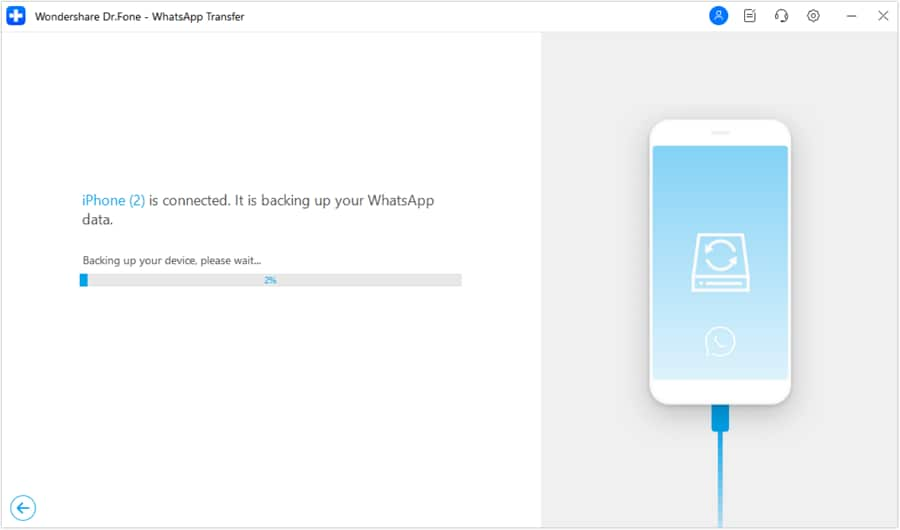
Execute the backup/transfer in the same priority order you planned (Tier 1 first), and avoid overwriting by using your file naming scheme.
-
Step 4 Finish, then verify before any irreversible action
After completion, apply your verification checks (open files, confirm date ranges, spot-check media) before you uninstall WhatsApp, reset the phone, or wipe the old device.
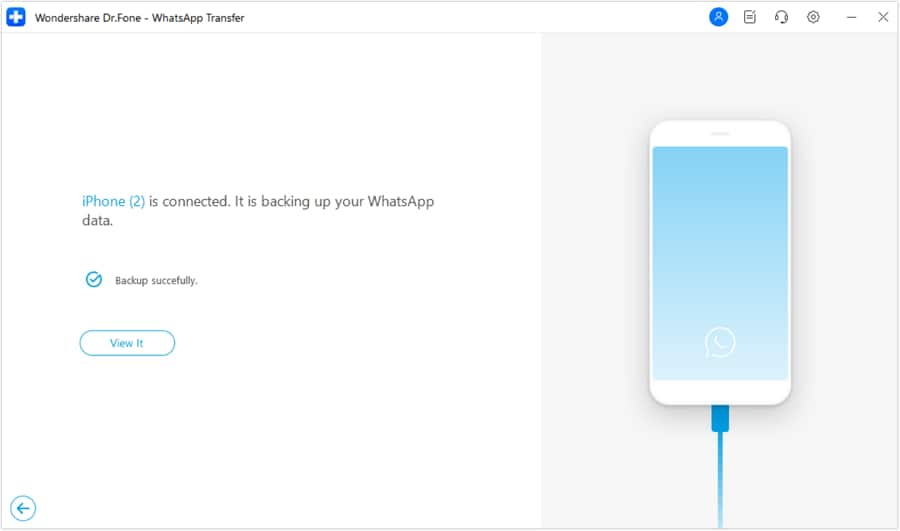
Limitation reminder: AI can define pass/fail criteria, but you must perform the real file opens, spot-checks, and the final “safe to wipe” decision based on what you observe.




Conclusion
Use AI to decide the export order, define Tier 1 chats, and set verification pass/fail checks; then use Dr.Fone to execute the real device operations safely—without crossing irreversible steps until verification is complete.
FAQ
-
What chats should I export first if I’m not sure what I’ll need later?
Start with chats that have legal/work impact, irreplaceable media, and long history (older timelines are harder to reconstruct). -
What’s the biggest verification mistake people make?
They verify “a file exists” instead of verifying “the right content exists” (correct chat, correct date range, media present, readable/openable). -
When is the point of no return?
When you reset the phone, uninstall WhatsApp, clear WhatsApp storage, or overwrite a backup/export—any of these can make missing data unrecoverable. -
Should I export chats with lots of media before text-only chats?
Usually yes, because media-heavy chats are more likely to hit storage limits or incomplete transfers, so you want time to re-run before deadlines. -
Can AI tell me whether my export is complete?
No. AI can only give you a checklist; completeness requires you to open files, spot-check media, and confirm date ranges on real outputs.
 Add Wondershare Dr.Fone as a preferred source on Google





