 Effortlessly manage data through preview, delete, export, etc.

 100% Security Verified | No Subscription Required | No Malware

 :
: 
 ChatGPT
 Perplexity
 Gemini
 Claude
 Grok
Grok

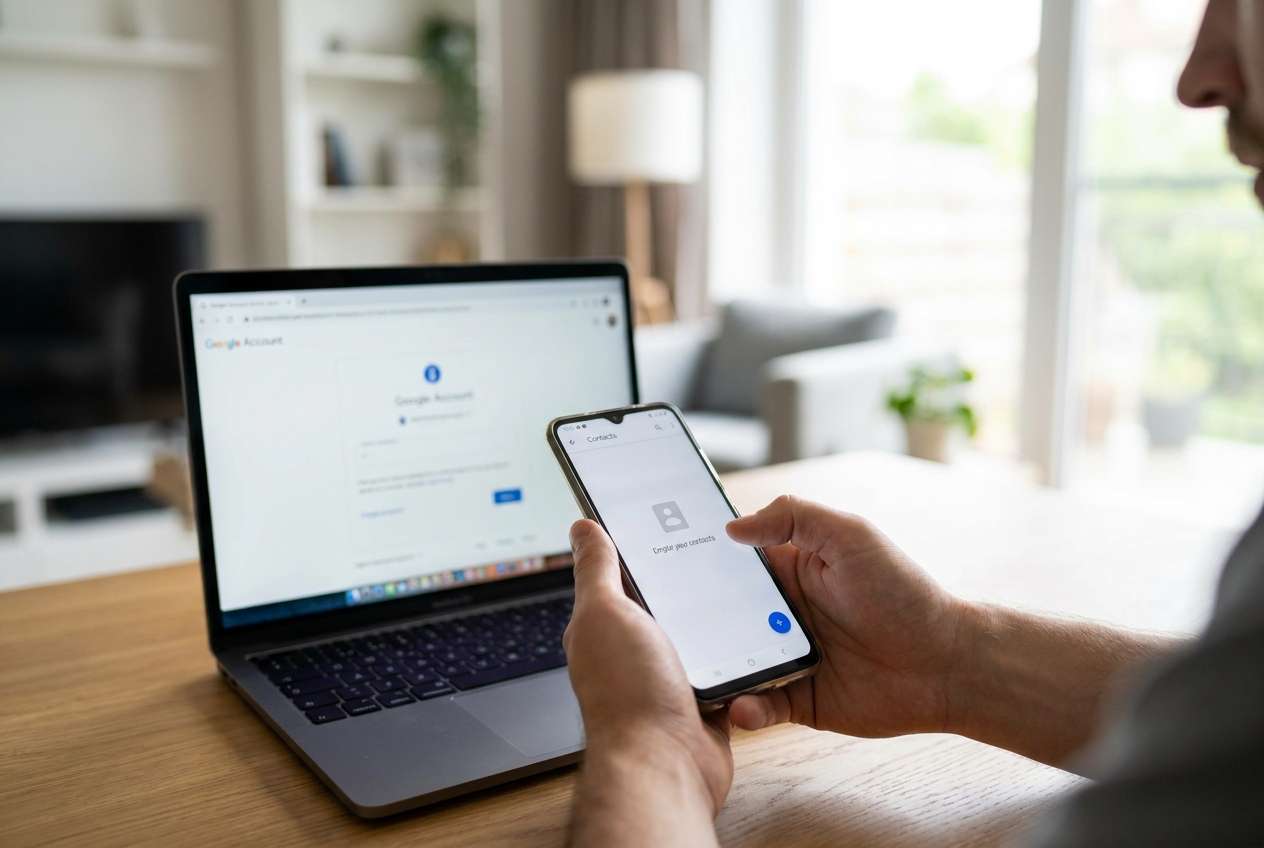
Right after I hit “Sync now,” a Google sync conflict popped up—and then my entire contacts list looked like it disappeared. I can’t tell if they’re deleted, hidden, or just not syncing.
Google Support Community user
Contacts can vanish right after a Google sync conflict—often after you tap “Sync now”, switch Google accounts, or restore a backup on a phone like a Pixel 7 or Samsung Galaxy S23. It may look like your address book was erased, but it’s not always clear whether the contacts are deleted, hidden, or simply not syncing.
AI tools (like ChatGPT or Gemini) can help you map symptoms to likely causes, ask the right verification questions, and prioritize low-risk checks before you change more settings.
AI can’t see your phone’s real sync state or confirm what’s stored locally vs. in the cloud, so repeated trial-and-error (toggling sync, clearing data, removing accounts) can make the situation harder to reverse.
In this article
- Part 1. Why android contacts disappeared after google sync conflict happens and what it means
- How a sync conflict happens
- Common triggers
- What “disappeared” can mean in practice
- Before you prompt the AI
- Part 2. Using AI prompts to diagnose missing Android contacts safely
- Part 3. When to stop troubleshooting Google Contacts sync conflict and avoid risks
- Part 4. Android contacts disappeared after google sync conflict: resolve it safely with Dr.Fone
- Part 5. Step-by-step: recover contacts from an Android device (optional)
Part 1. Why android contacts disappeared after google sync conflict happens and what it means
A sync conflict usually means two sources disagree: contacts on your device, contacts in your Google account, and sometimes contacts from apps like WhatsApp, Samsung Cloud, or an Exchange account. During conflict resolution, one “version” can overwrite another, or the Contacts app may switch which account/group it shows.
This often happens after a re-login, device migration, OS update, or restoring a backup, where the Contacts app briefly shows fewer entries. You may notice nothing changes after several minutes, and it’s unclear whether syncing is still in progress or already “completed” with the wrong result.
What it means in practice: your contacts might be (1) still in Google but not displayed, (2) in a different Google account than you think, (3) filtered out (labels/groups), (4) removed from Google and propagated to the phone, or (5) still on-device but no longer indexed or accessible through the app.
1-1. Before You Prompt the AI
Collect a few specifics first so the AI can narrow causes without guesswork:
- Phone brand/model and Android version
- Which contacts app you use (Google Contacts, Samsung Contacts, etc.)
- What changed right before the issue (sync, restore, account change)
- Whether contacts are missing everywhere or only in the phone app
- Any other accounts enabled (Exchange/Outlook, SIM, Samsung/Xiaomi cloud)
Part 2. Using AI prompts to diagnose missing Android contacts safely
2-1. Level 1: Basic Prompt
My Android contacts disappeared after a Google sync conflict. Ask me the minimum questions needed to determine whether they’re (a) hidden by account/filter, (b) in a different Google account, (c) deleted from Google and synced, or (d) still stored locally but not showing. Then give me the safest checks to do first.
2-2. Level 2: Advanced Prompt
Act as a mobile data triage assistant. My contacts disappeared after a Google sync conflict.
1) List the top 6 likely causes and rank them by probability.
2) For each cause, list 2–3 confirming signals and 1 low-risk test.
3) Flag any step that could propagate deletions or overwrite data.
4) End with a “do-first / do-later / avoid” checklist.
2-3. Level 3: Evidence Prompt
Help me diagnose missing contacts after a Google sync conflict using evidence-based triage.
Device info
- Android phone model: (e.g., Samsung Galaxy S23)
- Android version: (e.g., Android 14)
- Contacts app: (e.g., Google Contacts / Samsung Contacts)
What happened
- Trigger action: (e.g., tapped “Sync now”, re-added Google account, restored backup)
- Time it started:
- Any warnings shown: (e.g., “Sync error”, “Conflicts found”)
Current observations
- Are contacts missing in the phone app only, or also at contacts.google.com?
- Do “All contacts” vs a specific Google account show different counts?
- Are labels/groups visible but empty?
- Are SIM contacts still present?
- Are other Google items syncing normally (Gmail/Calendar)?
Risk constraints
- I want to avoid steps that could sync deletions across devices.
Output:
1) A ranked list of likely causes with reasoning tied to my evidence
2) A safest-next-3-steps plan
3) A list of actions to avoid until I confirm where the contacts still exist
2-4. Prompt Refinement
Use these follow-ups to force clearer branching and reduce risky guessing:
“What single question would most quickly tell you whether the contacts are gone from Google or just hidden on-device?”
“Separate causes into Display/Filter, Account mismatch, Cloud deletion, and Local database/app issue—then rank within each category.”
“If I answer that contacts are missing at contacts.google.com too, how does your ranking change? Show the updated top 3.”
“List the key evidence I should capture (screenshots, counts, exact toggles) before I change any sync settings.”
“Which steps could propagate deletions to my other devices, and how do I reduce that risk while checking?”
2-5. AI Output vs Reality
AI can guide your reasoning, but your phone’s state may differ from what the AI assumes:
| AI suggests | What you should verify on the device |
|---|---|
| “It’s probably a filter issue” | Check account scope, “All contacts,” labels/groups, and default account settings |
| “They’re in another Google account” | Confirm the signed-in Google email and whether multiple accounts are toggled in Contacts |
| “Google deleted them” | Check contacts.google.com and any trash/recent changes history if available |
| “It’s a local app/database glitch” | Compare different contacts apps, and confirm whether any contacts still exist locally |
AI helps you choose the least risky fork (display vs account vs cloud vs local). Execution still depends on what your device and Google account actually show in real time.
Part 3. When to stop troubleshooting Google Contacts sync conflict and avoid risks
Stop “trying random fixes” once your next action could overwrite the only remaining copy of your contacts.
- Contacts are also missing at contacts.google.com, suggesting the cloud source may be affected
- You’re tempted to remove and re-add the Google account (can trigger destructive re-sync)
- You see signs of ongoing sync loops (counts changing repeatedly, sync errors returning)
- You can’t confirm whether any contacts still exist locally on the device vs only in the cloud
Once you’ve used AI to narrow the most likely scenario, the next step is shifting from diagnosis to a controlled execution path that prioritizes preserving recoverable contact data.
Part 4. Android contacts disappeared after google sync conflict: resolve it safely with Dr.Fone
If the AI-driven triage suggests your contacts may still exist on the device (or were removed locally after the conflict), you’ll want an execution tool that focuses on recovering data from the Android device rather than more sync toggling. Dr.Fone - Data Recovery (Android) can be relevant at this stage because it’s designed to help you scan for recoverable contact data and proceed carefully, following the product’s guided flow, instead of relying on repeated account changes that might propagate losses.

Part 5. Step-by-step: recover contacts from an Android device (optional)
If you decide device-level recovery is the appropriate next move, follow a controlled flow to reduce avoidable changes and interruptions during scanning.
 Scan Android phones and tablets directly.
- Preview and recover only what you want.
- Supports WhatsApp, photos, videos, contacts, and more.
- Works with 6000+ Android devices.

-
Step 1 Stabilize the sync situation
Pause further sync experiments and avoid removing accounts until you’ve decided whether you’re targeting cloud restoration or device-level recovery.

-
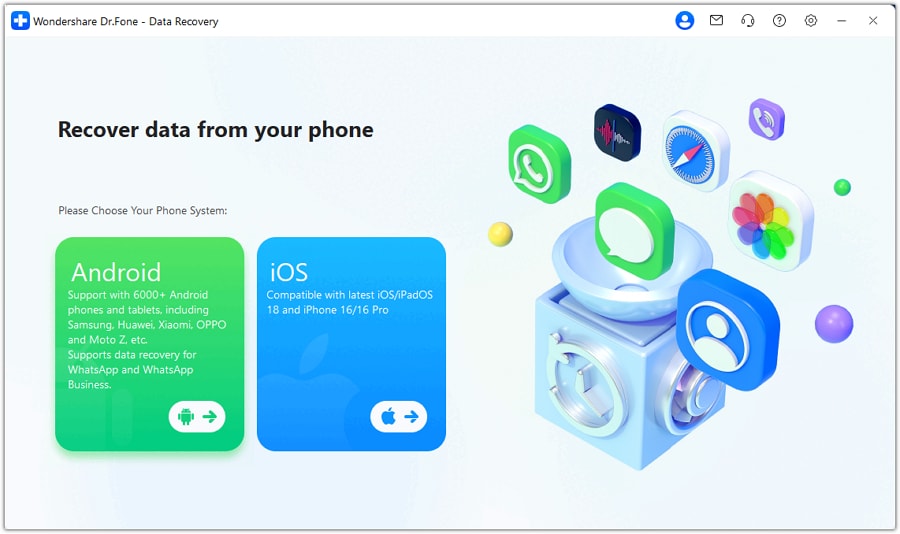
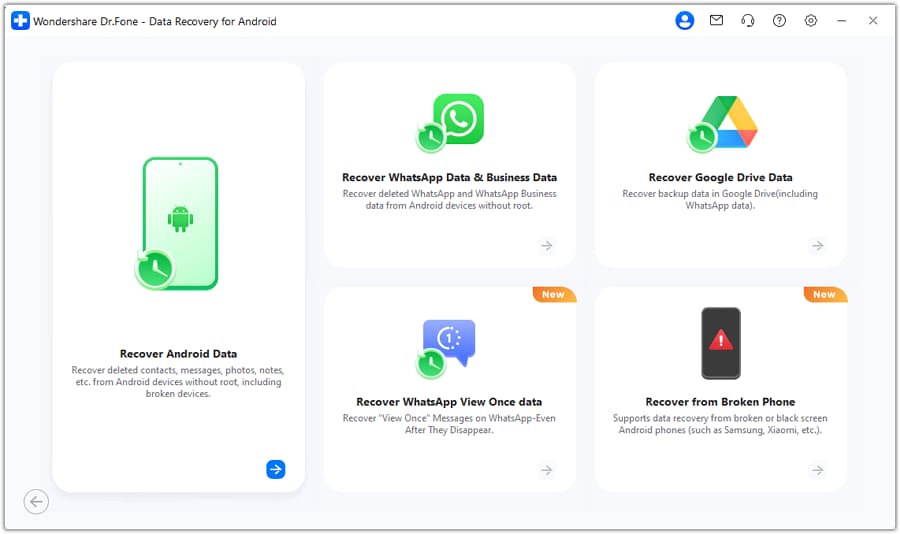
Step 2 Open the Android data recovery module
Launch the Android data recovery module and choose the option aligned with recovering data from the Android device, keeping the phone powered and connected reliably.
-
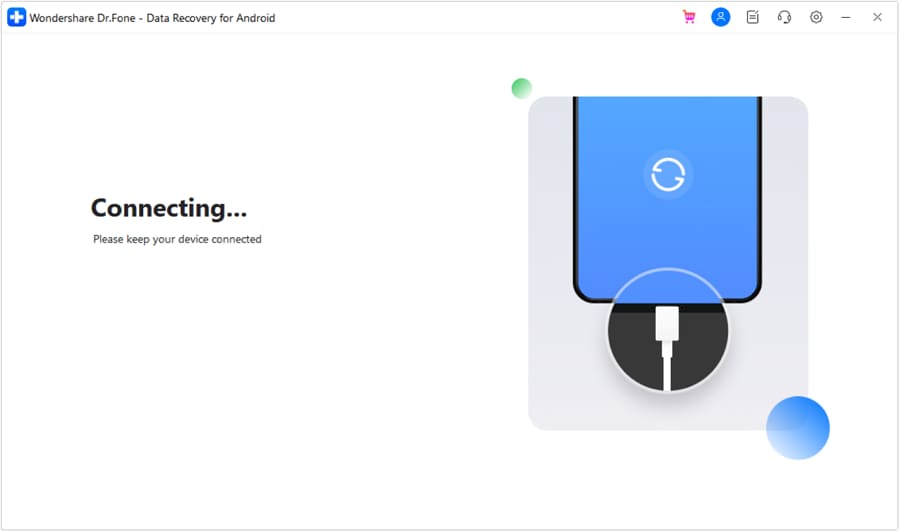
Step 3 Connect your Android phone by USB
Connect the device and follow the on-screen permissions steps carefully; avoid disconnecting mid-process to reduce scan interruptions.
-
Step 4 Select “Contacts” for scanning
Choose Contacts (and only other items you truly need) to keep the process focused and reduce unnecessary changes or time.
-
Step 5 Preview results and recover selectively
Review what’s found before proceeding so you can restore only what’s relevant and avoid overwriting clean contact lists.




Conclusion
AI prompting is most useful here for turning “contacts disappeared” into a clear, ranked set of causes and safe verification steps; once you’ve identified the most likely scenario, tools like Dr.Fone help with the execution side when device-level contact recovery is the appropriate next move.
FAQ
-
Why did my contacts disappear right after a sync conflict?
Because one contact source (device, Google account, or another account like Exchange/SIM) can overwrite another during conflict resolution, or the Contacts app can switch what it displays. -
How do I know if contacts are deleted or just hidden?
Check whether they appear at contacts.google.com and whether switching the Contacts app view to “All contacts” or a different account changes the count. -
Is removing and re-adding my Google account safe?
It can be risky during a conflict because it may trigger a fresh sync that propagates deletions or overwrites; verify where contacts still exist first. -
Why do some contacts still show in WhatsApp but not in Contacts?
Some apps cache contact info or use app-specific address books, so their visibility doesn’t guarantee the system Contacts database is intact. -
What if contacts are missing in Google and on the phone?
Treat it as a potential data loss event: stop high-risk sync changes, confirm account history where possible, and consider device-level recovery steps if local remnants may exist.
 Add Wondershare Dr.Fone as a preferred source on Google





