 Effortlessly manage data through preview, delete, export, etc.

 100% Security Verified | No Subscription Required | No Malware

 :
: 
 ChatGPT
 Perplexity
 Gemini
 Claude
 Grok
Grok

I tried to “clean up” WhatsApp Business fast and nearly deleted a client thread I needed for invoices and proof. Now I want a safer way to prioritize chats without risking anything important.
Forum user
A careful plan helps you sort Business WhatsApp chats by importance without accidentally losing client history.
Sorting business chats sounds simple until one missed step causes you to delete a thread you needed for invoices, disputes, or compliance. The risk usually comes from acting fast (delete/clear/export) before you’ve confirmed what’s safely backed up.
AI helps by turning a vague goal (“clean up my WhatsApp Business”) into a clear workflow: criteria for “important,” a consistent labeling scheme, a sequence that reduces rework, and verification checks before you touch anything irreversible.
In this article
- How to plan sorting without missing critical steps
- Define what “important” means
- Choose the right order (backup → sort → verify)
- Set a point-of-no-return rule
- Create a verification checklist
- What the AI needs to know
- AI prompts to build a safer workflow
- AI plan vs. real device constraints
- When to stop planning and start execution

Part 1. How to Plan Sorting Without Missing Critical Steps
You’re using WhatsApp Business for leads, active clients, suppliers, and internal coordination—and your chat list has become a single long feed where urgent items get buried. You want a “priority view” without breaking your record-keeping.
Even after AI suggests “use labels, pin chats, archive old threads,” you may still be unsure about order: Should you back up first? Do you export chats? What should you verify before you start deleting or clearing anything?
1-1. Define what “important” means for your business
“Important” should be tied to business risk and operational value (e.g., VIP clients, unpaid invoices, open disputes, proof of agreements, compliance-related threads). If you can’t define it quickly, you’ll apply labels inconsistently and create more cleanup work later.
1-2. Choose a safe order: prepare safeguards before sorting
A safer sequence is: define criteria → prepare safeguards (backup/restore plan) → apply sorting actions (labels/pins/archive) → verify results → only then consider deletion/clearing if required.
1-3. Set a clear “point-of-no-return” rule
The point of no return is when you delete a chat or clear chat history (especially if media is removed too). Don’t reach that step until you’ve verified you can restore what you’d regret losing.
1-4. Build verification checks you will actually perform
Verification should be measurable and repeatable (sample size, keywords to search, media spot-checks). If your checklist is vague, you’ll skip it under time pressure.

Part 2. What the AI Needs to Know
Share the context that determines what “importance” means and what you can’t afford to lose.
- Your goal (inbox clarity, faster follow-up, compliance, handover to staff, etc.)
- Device(s) and platform (Android/iPhone, single phone or multiple)
- WhatsApp variant (WhatsApp Business vs standard WhatsApp)
- Approximate scale (e.g., 50 chats vs 2,000 chats; media-heavy vs text-only)
- Your priority criteria (VIP clients, unpaid invoices, open tickets, hot leads, legal/risk threads)
- Your current tools inside WhatsApp (labels, pinned chats, archive, starred messages, search habits)
- Backup expectations (need a recoverable checkpoint before cleanup, retention requirements)
- Any constraints (shared device, business policies, storage limits, limited time window)
Part 3. Using AI Prompts to Build a Safer Workflow
Use the prompts below to force a clean sequence: define criteria → prepare safeguards → apply sorting actions → verify results before any deletion.
3-1. Level 1: Basic Prompt
Help me plan a safe way to sort my WhatsApp Business chats by importance.
I want a simple sequence that uses WhatsApp Business features (labels/pins/archive) and avoids losing critical client history.
Include a short checklist of what to verify before I delete or clear anything.
3-2. Level 2: Advanced Prompt
Design a structured workflow to sort WhatsApp Business chats by importance.
Split it into **Preparation / Execution / Verification**, and label each step as **critical** or **optional**.
Include risk notes (what can go wrong), and define a “stop point” before any irreversible actions like deleting chats or clearing history.
3-3. Level 3: Evidence Prompt
I run a small business and use WhatsApp Business on (Android, Samsung S22).
I have (~600) chats with lots of images and voice notes; the biggest risk is losing proof of agreements and payment confirmations.
My importance tiers are: **Tier A (VIP + active invoices), Tier B (active leads), Tier C (vendors/internal), Tier D (inactive/archive)**.
I can spend (90 minutes) today and (30 minutes weekly) afterward.
Build a workflow with:
- A labeling/pin/archive scheme that matches those tiers (e.g., labels: “A-VIP”, “A-Invoice Due”, “B-Lead Hot”, “D-Archive”)
- Checks **before/during/after** each phase (e.g., “confirm backup exists,” “spot-check 5 chats,” “confirm search finds a key invoice keyword like ‘invoice #1042’”)
- A clear rule for when it’s safe to delete anything (if at all), and what to do instead if I’m uncertain (e.g., archive instead of delete)
3-4. Prompt Refinement (Follow-up Prompts)
Convert my “importance tiers” into exact rules: define 5 decision questions I should ask per chat, then map each answer pattern to a label and an action (pin / label / archive / leave).
Produce a verification checklist with measurable checks (sample size, keywords to search, and how to confirm media is still accessible) before any deletion.
Create a weekly maintenance routine that takes 20–30 minutes and prevents the list from getting messy again, including what to do with new leads vs resolved clients.
Identify the top 10 failure modes (e.g., accidental deletion, missing backup, mislabeling, archiving the wrong thread, losing media context) and add prevention steps to the workflow.
Part 4. AI Plan vs. Real Device Constraints
| AI plan output | Real device constraints |
|---|---|
| A clean sequence with “stop points” and decision rules | Your phone/app state may differ; AI can’t see your current settings, storage, or backups |
| Labeling and priority taxonomy | WhatsApp chat ordering is limited; some “sorting” is behavioral (pins/labels/search), not true reordering |
| Verification checklist (spot checks, searches) | Only you can confirm what’s actually present, readable, and complete on-device |
| Backup-first safety approach | Backups/restores require real tools and may overwrite data if done in the wrong order |
AI improves the plan and reduces avoidable mistakes, but it cannot execute changes, confirm outcomes, or access your chats—execution has to happen on the real device with real tools.
Part 5. When to Stop Planning and Start Execution
- You have a written “importance definition” (tiers + examples) that you can apply consistently in under 15 seconds per chat.
- You’ve chosen actions per tier (pin/label/archive) and you’ve decided whether deletion is allowed (and under what conditions).
- You have a verification checklist you can actually perform (spot-check count, search terms, and a rollback plan).
- You have a clear point-of-no-return rule: no clearing history or deleting chats until backup verification is complete.
If all four are true, planning is done and you can move to controlled execution with safeguards in place.
Recommended Tool: Execute the Workflow Safely with Dr.Fone
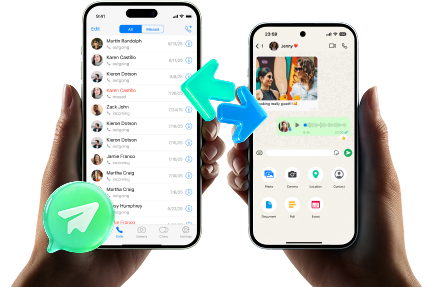
Execution matters now because this is where mistakes become permanent—especially if you delete chats, clear histories, or attempt a restore without confirming what it will overwrite. If you need a recoverable checkpoint before cleanup, Dr.Fone - WhatsApp Transfer can help you back up and restore WhatsApp/WhatsApp Business data as part of your safeguards.
 Transfer WhatsApp across Android & iOS.
- Backup & restore WhatsApp to PC securely.
- Preview & export chats selectively.
- Works with all iPhone & Android models.
Use the checkpoint approach: back up first, then do your labels/pins/archive inside WhatsApp Business, then verify. Only consider deletion/clearing after your verification criteria passes; if anything looks wrong, restore from your checkpoint (being careful about overwrite risk).
-
Step 1 Create a recoverable checkpoint before cleanup
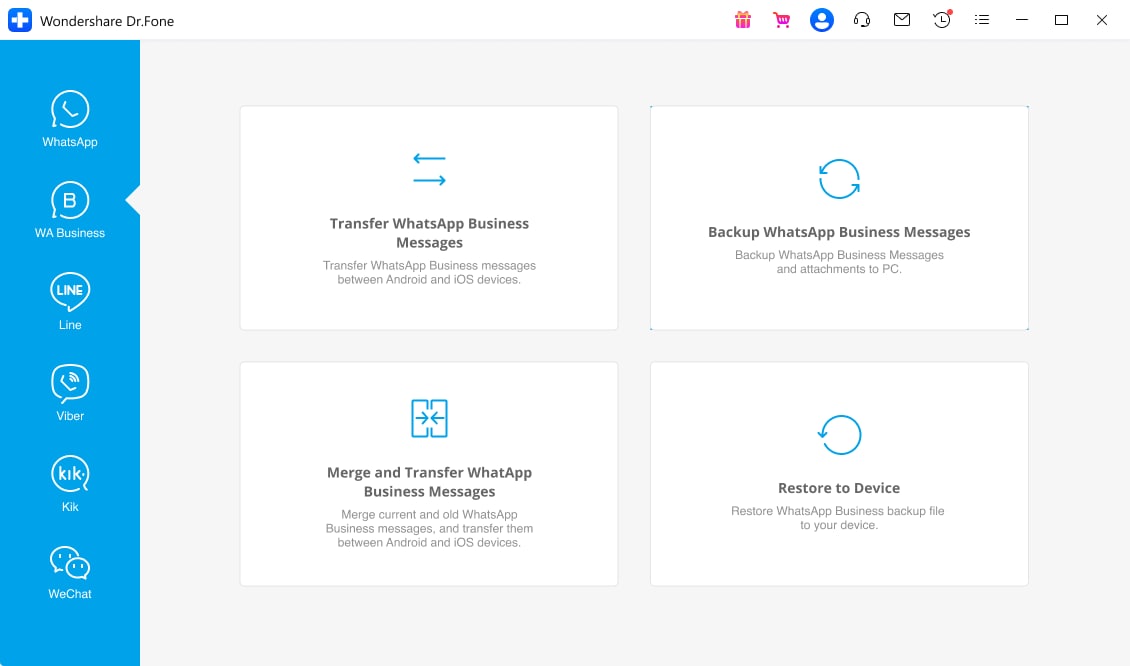
Open Dr.Fone and choose the WhatsApp transfer/backup tool so you can create a restore path before making changes.

-
Step 2 Select WhatsApp Business and start a backup/transfer task
Pick the WhatsApp Business option, confirm you’re working with the correct account/device, and proceed to create the checkpoint.
-
Step 3 Confirm source/destination (or backup target) before you proceed
Double-check the selected devices/targets to avoid backing up the wrong phone or overwriting the wrong data during a later restore.

-
Step 4 Verify, then sort in WhatsApp Business; restore only if needed
Run your verification checks (spot-check priority chats, search key terms, confirm critical media loads). Apply labels/pins/archive in WhatsApp Business, and only take irreversible steps if every check passes. If something is missing, use the checkpoint to restore—making sure you understand what will be replaced.




Conclusion
Use AI to define “importance,” sequence the work, and set verification gates; then use real tools for execution—especially creating and validating a backup checkpoint before any irreversible changes.
FAQ
-
What’s the biggest risk when sorting WhatsApp Business chats by importance?
Accidentally deleting or clearing a chat you later need for proof, invoicing, or disputes—especially if you didn’t verify a recoverable backup. -
Is archiving safer than deleting?
Yes. Archiving is typically reversible, while deletion/clearing history can be irreversible unless you have a verified backup and a safe restore path. -
How do I verify I’m safe before I delete anything?
Do a spot-check: open a sample of Tier A chats, confirm key messages and media load, and search for known keywords (invoice numbers, client names) before any irreversible action. -
Can AI confirm my WhatsApp backup is correct?
No. AI can only tell you what to check; only you (and your tools) can confirm the backup exists, is complete, and is restorable. -
When should I do this workflow (timing-wise)?
When you have uninterrupted time to complete backup + verification in one session; avoid starting if you’ll be forced to rush into deletion or restore decisions.
 Add Wondershare Dr.Fone as a preferred source on Google





