 Effortlessly manage data through preview, delete, export, etc.

 100% Security Verified | No Subscription Required | No Malware

 :
: 
 ChatGPT
 Perplexity
 Gemini
 Claude
 Grok
Grok

My tablet was fine yesterday, but after I updated a few apps, my study apps started crashing instantly. I don’t know if it’s the apps, WebView, or the system update.
Reddit user, r/androidtablets
Your Android tablet may suddenly close or freeze when you open study apps (notes, LMS, flashcards, PDFs), even though the same apps worked yesterday. This often happens right after you tap Update/Install, restart the tablet, or install a new system update—then nothing changes after several minutes, and it’s unclear what’s actually failing.
AI (like ChatGPT or Gemini) can help you organize symptoms, narrow likely causes, and prioritize low-risk checks based on what you observe on your device.
AI can’t “see” your tablet or safely run repairs for you, and trial-and-error (random resets, cache wipes, reinstalls) can increase disruption or data loss. Use AI to decide what to try next—then use a dedicated tool to carry out system-level actions carefully.
In this article
- Part 1. Why android tablet crashes when opening study apps happens and what it means
- App layer vs system layer vs device environment
- A common trigger pattern after updates/restart
- What “shared dependency” usually means
- Before you prompt the AI: what to collect
- Part 2. Using AI prompts to diagnose android tablet crashes when opening study apps safely
- Part 3. AI output vs reality: what to verify on the tablet
- Part 4. When to stop troubleshooting android tablet crashes when opening study apps and avoid risks
- Part 5. Android tablet crashes when opening study apps: fix or resolve it safely with Dr.Fone
Part 1. Why android tablet crashes when opening study apps happens and what it means

If a Galaxy Tab S7 or Lenovo Tab P11 crashes only when launching study apps, it usually points to one of three areas: the app layer (corrupt app data, bad update), the system layer (WebView/OS component conflicts), or the device environment (low storage, overheating, unstable SD card).
A common trigger is: you updated one or more apps (or Android System WebView), tapped Restart now, and afterwards study apps start closing immediately, looping on a splash screen, or showing “App keeps stopping.”
What it “means” is less about one specific app and more about a shared dependency (WebView, Play services, permissions, storage, or a system framework) that multiple study apps rely on—especially if several unrelated apps started crashing around the same time.
1-1. Before You Prompt the AI
Collect these basics first so the AI can rank causes accurately:
- Tablet brand/model and Android version
- Which study apps crash (one app or many) and when (on launch vs after login)
- Exact error text (if any) and whether you see a black screen, freeze, or instant close
- Recent changes (system update, WebView update, new SD card, new keyboard/launcher, VPN)
- Storage free space and whether the tablet feels hot or slow
Part 2. Using AI prompts to diagnose android tablet crashes when opening study apps safely
2-1. Level 1: Basic Prompt
My Android tablet crashes when opening study apps. Ask me the minimum questions you need to narrow the likely causes, then give me the safest first checks to try that won’t risk data loss.
2-2. Level 2: Advanced Prompt
Diagnose this: my Android tablet crashes when opening study apps.
Rules:
- First, list 6–10 possible causes.
- Then rank the top 5 causes by likelihood based on my answers.
- For each ranked cause: give 1–2 low-risk checks, what result confirms/denies it, and what to avoid.
Start by asking me only the highest-impact questions (max 8).
2-3. Level 3: Evidence Prompt
Act as a triage assistant for “android tablet crashes when opening study apps”. Use the details below to categorize the issue and propose a lowest-risk path.
Device:
- Tablet model: (e.g., Galaxy Tab S7)
- Android version:
- Storage free space:
- SD card in use: (yes/no)
- Battery/heat symptoms: (warm/hot/normal)
Problem pattern:
- Apps affected: (e.g., Google Classroom, OneNote, Quizlet)
- Crash timing: (on launch / after sign-in / when opening a PDF)
- Error message: (exact text)
- Started after: (e.g., system update / app update / restart / new accessory)
What I already tried:
- Force stop / clear cache / reinstall:
- Safe Mode tested: (yes/no)
- Updated Android System WebView / Chrome: (yes/no)
- Network changes (VPN/proxy/Wi‑Fi): (none/describe)
Output format:
1) Categorize: app-specific vs shared dependency vs system corruption vs storage/SD vs account/network
2) Top 3 likely causes with reasoning tied to my details
3) Low-risk next steps in order, with stop points if risk increases
4) What evidence to collect next (settings screens, logs, exact app versions)
2-4. Prompt Refinement
Use these follow-ups to make the AI’s diagnosis more precise:
“What 5 questions would most quickly separate app-specific crashes from shared dependency issues?”
“Rank the causes again assuming multiple apps crash on launch, not just one.”
“Separate your hypotheses into categories: WebView/Chrome, Play services, storage/SD, permissions, OS-level corruption.”
“What single piece of evidence would most strongly confirm each top cause (and where do I find it in Settings)?”
“Given my answers, what should I avoid doing because it increases the chance of losing app data?”
Part 3. AI output vs reality: what to verify on the tablet
AI helps you reason; your tablet still needs real-world verification:
| What AI suggests | What you must confirm on-device |
|---|---|
| “It’s likely Android System WebView/Chrome conflict.” | Whether WebView/Chrome updates correlate with when crashes began, and whether updating/disabling resolves it. |
| “Storage pressure is causing app crashes.” | Actual free space, large cache size, and whether crashes stop after freeing space. |
| “A single app update is corrupt.” | Whether only one app crashes and whether clearing app data changes behavior. |
| “System components may be unstable.” | Whether crashes persist in Safe Mode or after basic checks, indicating deeper system instability. |
AI can propose a low-risk order of checks, but it can’t apply system-level remediation or guarantee outcomes. Once symptoms point to system instability (especially across many apps), you’ll need an execution tool to perform controlled system repair steps.
Part 4. When to stop troubleshooting android tablet crashes when opening study apps and avoid risks
Stop and switch to a safer execution path if you see any of these signals:
- Crashes affect multiple unrelated apps, not just one study app
- The tablet reboots, boot-loops, freezes, or becomes unstable beyond the app you opened
- Safe Mode doesn’t change the behavior, suggesting it isn’t just a third‑party conflict
- You’re about to try high-risk actions (factory reset, random firmware files) without a clear diagnosis
Once you’ve used AI to narrow the likely cause to a system-level problem, the next step is to apply a controlled repair approach rather than escalating guesswork.
Part 5. Android tablet crashes when opening study apps: fix or resolve it safely with Dr.Fone
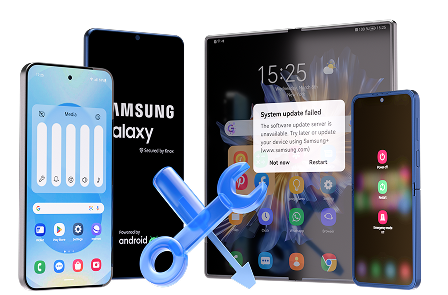
When your diagnosis points to broader Android instability (especially if many apps crash on launch), Dr.Fone - System Repair (Android) is relevant because it’s designed to carry out structured system repair actions without relying on trial-and-error. This is particularly useful for Samsung devices (including tablets) under the Repair Samsung Phone Issues capability, where the goal is to restore system stability so apps can open normally again—after you’ve already identified likely causes and stop signals with AI.
 Fix Android instantly – no skills needed.
- Solve boot loop, black screen, won’t turn on, etc.
- High success rate for all system issues.
- User-friendly interface with easy-to-follow steps.
-
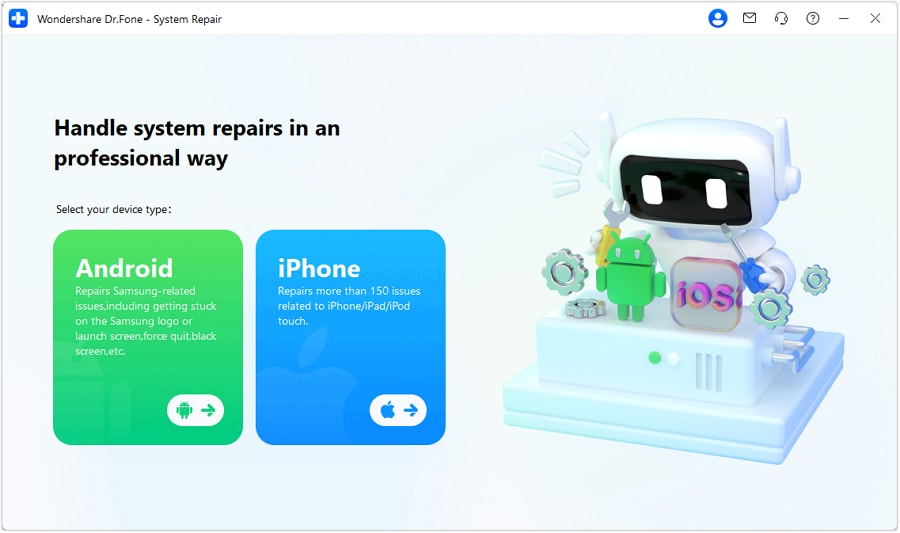
Step 1 Confirm the device scope
Identify your tablet brand/model and whether the issue is system-wide to choose the appropriate repair path.

-
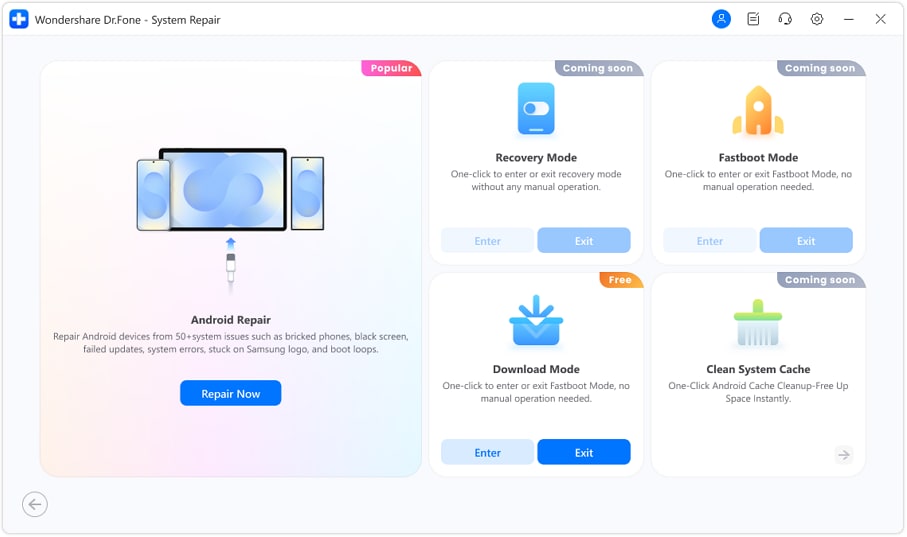
Step 2 Connect the tablet to a computer
Use a stable USB connection (avoid hubs/loose cables) to prevent interruptions during system operations.
-
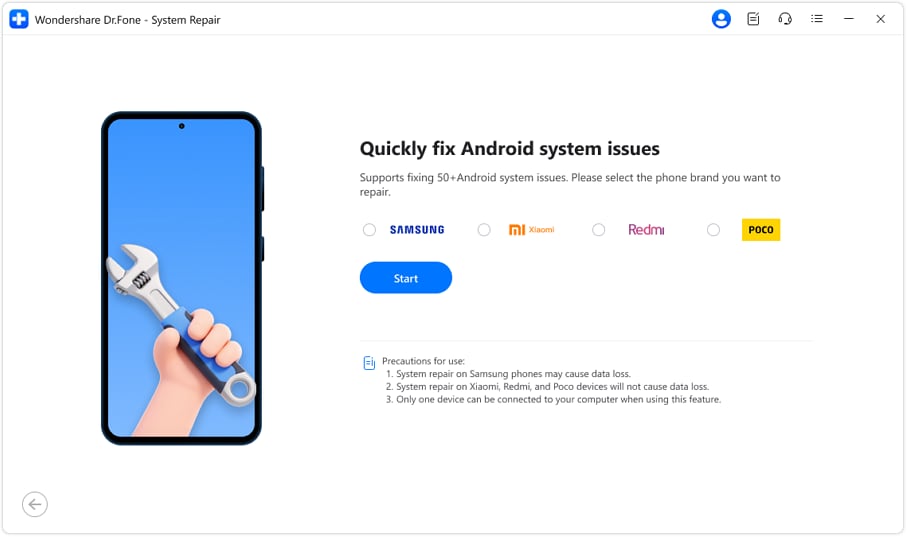
Step 3 Run System Repair (Android)
Follow the guided prompts to address system-level faults; avoid disconnecting the device mid-process.
-
Step 4 Re-test study apps after repair
Open the previously crashing apps and verify launch, sign-in, and file-opening behavior before changing other settings.
-
Step 5 Update core components cautiously
Re-apply updates in a controlled order (OS components first, then apps) so you can pinpoint what re-triggers the crash if it returns.




Conclusion
Use AI to structure your observations, rank the most likely causes of app crashes, and choose the lowest-risk next checks; when the evidence points to system instability, hand off execution to Dr.Fone – System Repair (Android) to apply a controlled repair approach and then re-validate app behavior.
FAQ
-
Why do multiple study apps crash at the same time on my Android tablet?
It often indicates a shared dependency issue (Android System WebView, Chrome, Play services), low storage pressure, or broader system instability rather than one broken app. -
Is clearing app data safe for study apps?
It can remove local app content, offline files, or sign-in state; use it only after confirming what the app stores locally and after trying lower-risk steps like force stop and clear cache. -
What does it mean if apps still crash in Safe Mode?
Safe Mode reduces third-party interference; if crashes continue, the cause is more likely system components, corrupted frameworks, storage/file system issues, or OS-level instability. -
Can an SD card cause apps to crash when opening files?
Yes—if apps read textbooks, PDFs, or downloads from an unstable or corrupted SD card, crashes can occur when opening content; testing without the SD card can clarify. -
When should I consider system repair instead of reinstalling apps?
If several unrelated apps crash, basic checks don’t help, or instability extends beyond one app, reinstalling repeatedly usually won’t resolve a deeper system-level issue.
 Add Wondershare Dr.Fone as a preferred source on Google





