 Effortlessly manage data through preview, delete, export, etc.

 100% Security Verified | No Subscription Required | No Malware

 :
: 
 ChatGPT
 Perplexity
 Gemini
 Claude
 Grok
Grok

I tapped “Merge duplicates / Clean up” in Contacts, and right after that my list looked like it shrank—some names vanished and a bunch of numbers/emails were missing.
Google Contacts Help Community user
Contacts can disappear right after a duplicate-merge cleanup—often after you tap Merge, Clean up, or Fix & manage in the Contacts app or Google Contacts. It may look like the list “shrunk,” entire names vanished, or only some numbers/emails remain, and nothing changes after several minutes.
An AI assistant (like ChatGPT or Gemini) can help you describe symptoms clearly, separate likely causes, and choose low-risk checks based on what you did right before the loss. But AI can’t confirm what’s truly gone versus hidden/synced differently, and trial-and-error can overwrite recoverable data—so diagnose first, then execute carefully.
In this article
- Why contacts “disappear” after duplicate merge cleanup
- Before you prompt the AI
- Level 1: Basic prompt
- Level 2: Advanced prompt
- Level 3: Evidence prompt
- Using AI prompts to diagnose missing contacts
- AI output vs reality (what to verify)
- When to stop troubleshooting
- Recover deleted Android contacts with Dr.Fone

Part 1. Why contacts deleted during duplicate merge cleanup happens on Android
This usually happens when the “duplicate merge” action consolidates records and picks one version as the “primary” contact, while other linked entries (extra numbers, labels, or accounts) get removed or de-linked. It’s especially common if your contacts were spread across multiple sources (Google, SIM, device storage, Samsung account, work profile).
If you recently migrated from an older phone (even an iPhone 13 or iPhone 14) and then cleaned duplicates on Android, the merge rules can behave unexpectedly because fields arrive with different formats (country codes, name order, multiple email slots).
What you see (“deleted”) may also be filtered (wrong account view), unsynced (sync paused), or replaced by a newer cloud state—so the meaning of “gone” depends on where the contact originally lived.
1-1. Before You Prompt the AI
Gather the basics so the AI can narrow causes without risky guesses:
- Phone model + Android version
- Contacts app used (Google Contacts / Samsung Contacts / other)
- Where contacts were stored (Google account / device / SIM / work profile)
- What you tapped (merge all, selected merge, cleanup suggestion)
- Whether the contacts are missing everywhere or only on the phone
- Recent events (OS update, account sign-out, new phone, restore)
Part 2. Using AI prompts to diagnose missing contacts after duplicate merge
2-1. Level 1: Basic Prompt
My Android contacts disappeared after I used duplicate merge/cleanup. Ask me the minimum questions needed to determine whether they’re truly deleted or just filtered/sync-related, and suggest the safest first checks that won’t overwrite recoverable contact data.
2-2. Level 2: Advanced Prompt
Act as a diagnostic assistant. My contacts went missing after a duplicate merge cleanup in Android.
1) List the top 5 most likely causes, ranked by probability.
2) For each cause, give one quick verification check and one low-risk action.
3) Flag actions that could overwrite data (e.g., clearing storage, re-syncing that may replace local data).
4) End with a “stop now” threshold if the situation suggests risk of permanent loss.
2-3. Level 3: Evidence Prompt
Help me diagnose missing contacts after duplicate merge cleanup. Use my details to separate: (A) filtering/view issue, (B) sync/account issue, (C) true deletion, (D) app/database corruption. Then recommend the lowest-risk next step for each path.
Evidence:
- Phone model: (e.g., Samsung Galaxy S23 / iPhone 13 Pro)
- Android version: (e.g., Android 13)
- Contacts app: (Google Contacts / Samsung Contacts / other)
- Account(s) on phone: (e.g., Gmail + work profile)
- Default contacts storage: (Google / Device / SIM / unknown)
- What I tapped: (e.g., “Merge duplicates” → “Merge all”)
- What changed: (e.g., 1,200 contacts → 600; notes/emails missing)
- Are they missing on contacts.google.com too?: (Yes/No/Not checked)
- Any recent migration/restore?: (e.g., moved from iPhone 14, used Smart Switch)
- Time since merge: (minutes/hours/days)
- Any other symptoms: (crashes, blank contacts list, can’t search)
2-4. Prompt Refinement
Use these follow-ups to force clearer, safer reasoning:
What 3 questions would most change your diagnosis if answered?
Rank the causes again assuming contacts are still visible on contacts.google.com.
Separate steps into ‘view/filter checks’ vs ‘sync checks’ vs ‘device database checks’—no overlap.
What single piece of evidence best distinguishes true deletion from a display/sync issue?
List actions I should avoid for now because they could overwrite recoverable contacts.
Part 3. AI Output vs Reality
AI can help you plan, but it can’t see your device state or your cloud account contents.
| AI suggests | Reality check you should do |
|---|---|
| “It’s probably just the wrong account view.” | Confirm which account is selected in Contacts and whether “All contacts” is enabled. |
| “Sync is paused or mis-synced.” | Verify the Google account is signed in and check if contacts exist on the web. |
| “Duplicates merged and discarded fields.” | Inspect a few affected contacts to see what fields were removed or consolidated. |
| “Contacts were deleted.” | Look for signs of removal across devices/accounts before taking actions that overwrite data. |
AI narrows the likely path; execution still depends on what’s actually stored locally vs in your accounts, and the wrong “fix” can replace older contact data with a newer empty state.
Part 4. When to stop troubleshooting deleted contacts after merge cleanup
Stop early if your next step could make recovery harder.
- You’re about to clear Contacts/Contacts Storage data or do a factory reset to “refresh sync.”
- The contacts are missing across accounts and devices, and you can’t confirm where they were stored.
- Your contacts list shows newer changes overwriting older info (names/notes disappearing progressively).
- The Contacts app shows crashes, blank lists, or indexing issues that suggest database corruption.
Once you’ve used AI to narrow the most likely cause, hand off to a purpose-built tool to perform the recovery steps in a controlled way rather than experimenting with high-risk toggles.
Part 5. Recover deleted Android contacts after duplicate merge with Dr.Fone
If your checks suggest the contacts are truly gone (not just filtered or unsynced), the next practical move is to attempt Android contact data recovery from the device rather than repeatedly re-syncing and potentially overwriting what’s still recoverable. Dr.Fone - Data Recovery (Android) is relevant here because it’s designed to scan for recoverable data on Android and help you export what it finds, which is safer than trial-and-error “reset and hope” approaches.
 Scan Android phones and tablets directly.
- Preview and recover only what you want.
- Supports WhatsApp, photos, videos, contacts, and more.
- Works with 6000+ Android devices.

You can use the Recover Data from Android Device workflow following the official Dr.Fone Android Data Recovery guide.
-
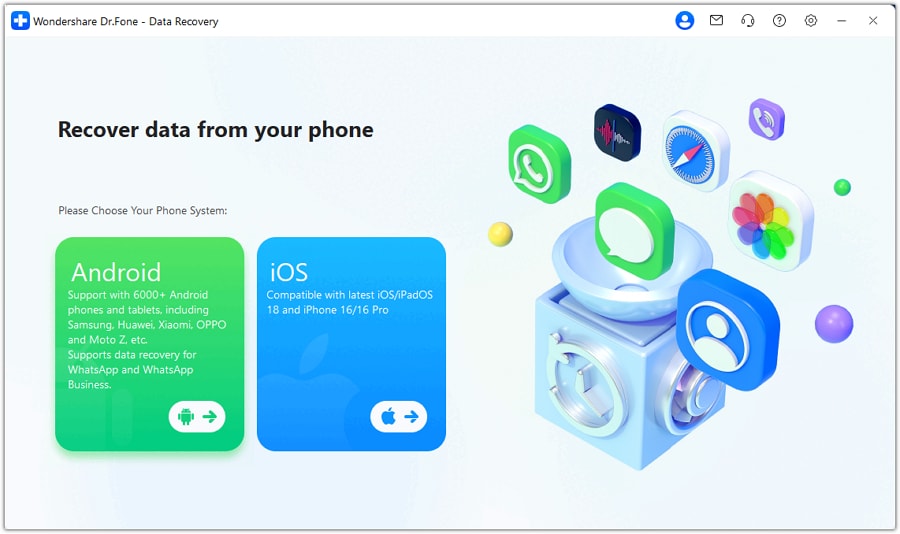
Step 1 Install and open Dr.Fone
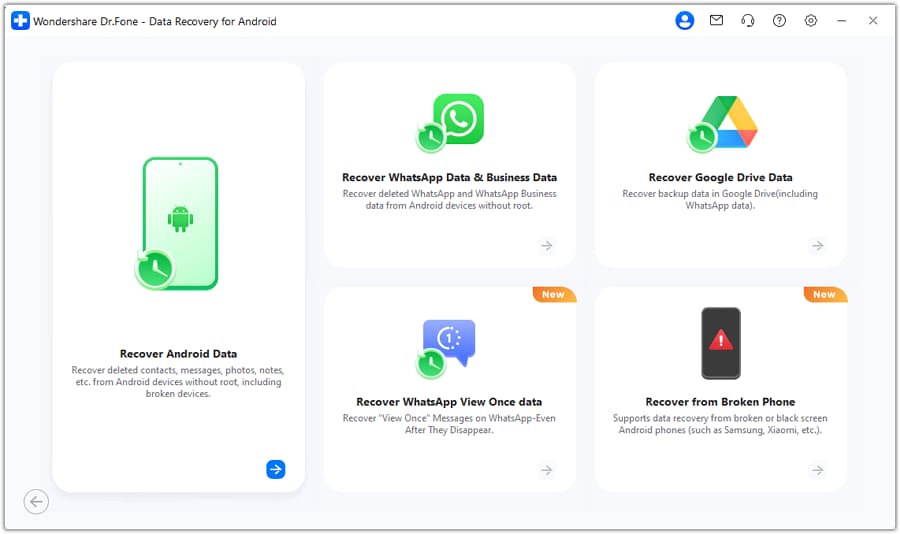
Launch Dr.Fone on your computer and select Data Recovery (Android) to start a controlled recovery flow.

-
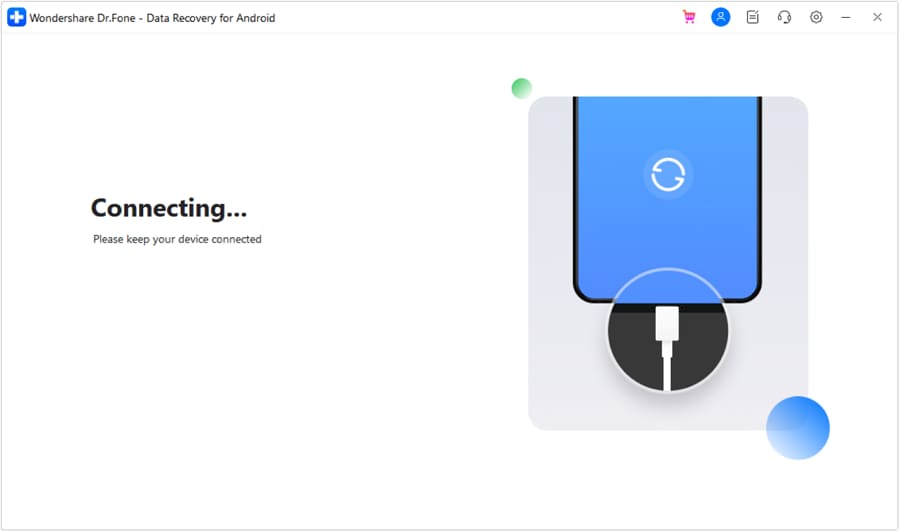
Step 2 Connect your Android device
Connect via USB and follow on-screen prompts carefully, avoiding account removals or resets during the process.
-
Step 3 Select Contacts as the target type
Choose Contacts (and only other types you truly need) to keep the scan focused and reduce unnecessary changes.
-
Step 4 Run the scan and review results
Let the scan complete, then preview found contacts to confirm which entries are recoverable before saving anything.
-
Step 5 Recover and save to your computer
Export recovered contacts to your computer first to preserve a clean copy before you make further sync or cleanup changes.




Conclusion
AI is most useful here for structuring the problem—what changed, where contacts were stored, and which low-risk checks separate “hidden/sync” from “deleted”—and then you can hand off to Dr.Fone - Data Recovery (Android) to carry out the recovery workflow safely once you’ve minimized overwrite risk.
FAQ
-
Are my contacts really deleted, or just hidden after merging duplicates?
Often they’re filtered by account/view or consolidated into fewer entries; checking the selected account and “All contacts” view helps distinguish hiding from deletion. -
Does duplicate merge cleanup remove phone numbers and emails inside a contact?
It can, depending on which record is chosen as the primary; some fields may be discarded if they’re judged redundant or conflicting. -
Should I turn sync off and on to get contacts back?
Only after you confirm where the “correct” contact set exists (phone vs web); toggling sync can replace local data with a newer cloud state. -
If contacts are missing on the web too, what does that indicate?
It suggests the issue may be account-level deletion or replacement, not just a device display problem—avoid risky steps that overwrite local remnants. -
Can I recover contacts without factory resetting my Android phone?
Yes—attempt recovery first; factory resets and aggressive cleanup steps can reduce the chance of retrieving older contact data.
 Add Wondershare Dr.Fone as a preferred source on Google





