 Effortlessly manage data through preview, delete, export, etc.

 100% Security Verified | No Subscription Required | No Malware

 :
: 
 ChatGPT
 Perplexity
 Gemini
 Claude
 Grok
Grok

I bought a used iPhone and after erasing it, it’s still asking for the previous owner’s Apple ID. I’m stuck at activation and can’t finish setup.
Apple Support Community user
Buying a used iPhone (for example, an iPhone 13 or iPhone 14) and discovering it’s still tied to the previous owner’s Apple ID is frustrating—especially when it happens right after you tap Erase All Content and Settings, Install Now, or restart during setup. You may see Activation Lock, repeated sign-in prompts, or an activation screen that won’t complete.
AI (like ChatGPT or Gemini) can help you describe what you’re seeing, narrow whether this is truly an Apple ID ownership lock vs an iOS activation/system glitch, and suggest the lowest-risk next checks based on your exact screen text and steps taken.
AI can’t verify ownership, contact Apple, or remove someone else’s Apple ID from a device. Trial-and-error actions (random resets/restores) can also make recovery harder, so the goal is to diagnose carefully before you change anything.
In this article
- Why this happens and what it means
- Activation Lock vs activation/system glitch
- Before you prompt the AI: what to capture
- What it means in practice for buyers
- What not to do (to avoid making it worse)
- Using AI prompts to diagnose safely
- When to stop troubleshooting
- Fix or resolve it safely with Dr.Fone
- Conclusion
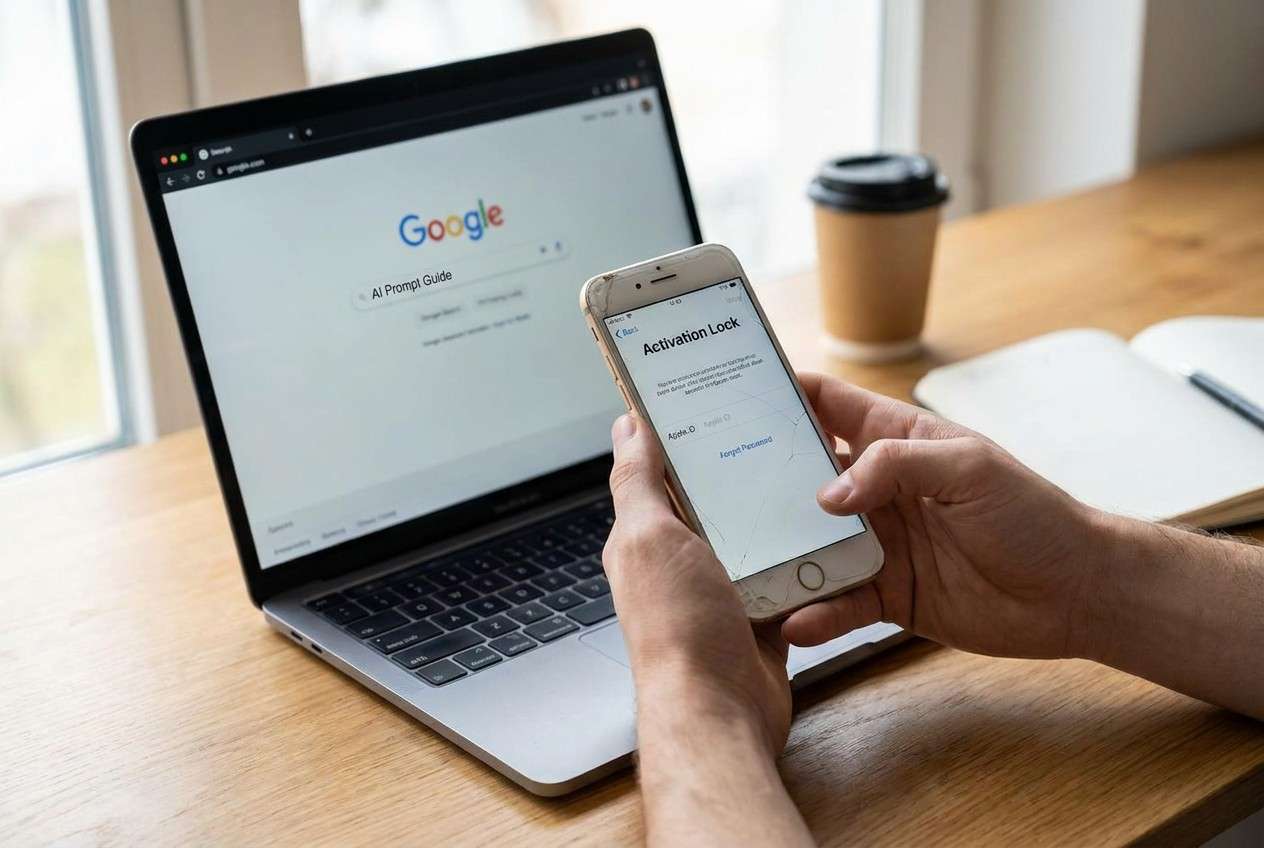
Part 1. Why seller did not remove apple id from used iphone Happens and What It Means
This usually happens when the previous owner didn’t sign out of iCloud and turn off Find My iPhone before selling, or the device was erased incorrectly. After a reset, the iPhone may display Activation Lock asking for the prior Apple ID and password.
In some cases, it looks like an Apple ID problem but is actually an activation or system issue (e.g., stuck on “Hello,” can’t activate, looping setup, or failing after an update/restore). From the buyer’s perspective, nothing changes after several minutes, and it’s unclear whether the phone is still “setting up” or blocked.
What it means in practice: if you see a clear Activation Lock screen with an unfamiliar Apple ID, the legitimate path is getting the seller to remove the device from their account (or providing proof of purchase to Apple). If you’re seeing activation failures without a locked Apple ID shown, you may be dealing with an iOS issue instead.
1-1. Before You Prompt the AI
Capture the exact on-screen wording first, then use this checklist:
- iPhone model and iOS version (if shown)
- Exact screen text (Activation Lock email hint, “Unable to Activate,” “Verification Failed,” etc.)
- What you did right before it happened (reset, restore, update, SIM change)
- Whether you can reach the Home Screen or Settings
- Whether the Apple ID shown is yours, the seller’s, or unknown
- Any error codes from Finder/iTunes
Part 2. Using AI prompts to diagnose Activation Lock on a used iPhone safely
2-1. Level 1: Basic Prompt
I bought a used iPhone, and it’s asking for an Apple ID I don’t recognize. Here’s the exact text on the screen: “[paste exact text].” I did “[what I did right before this happened].” Tell me if this is Activation Lock vs an activation/system error, and what the safest next step is that doesn’t risk data loss.
2-2. Level 2: Advanced Prompt
Diagnose this used-iPhone setup problem and rank the most likely causes.
Symptoms: [Activation Lock / unable to activate / stuck on Hello / looping setup / etc.]
Exact wording: “[paste]”
What happened right before: [reset/restore/update]
Current state: [can/can’t reach Home Screen, can/can’t open Settings]
Constraints: I want the lowest-risk steps first; avoid any step that could lock me out further.
Output format:
1) Rank top 3 causes with confidence %
2) What evidence would confirm/refute each cause
3) Safest next step for each cause
4) Clear “stop” line if it’s an ownership/Activation Lock issue
2-3. Level 3: Evidence Prompt
Act as a diagnostic assistant for a used iPhone that may be tied to a previous Apple ID. Ask me only for the missing details you need, then decide which branch applies: Activation Lock, Apple ID password/2FA issue, iOS activation/server issue, or iOS system/setup corruption.
Evidence I have:
- iPhone model: (e.g., iPhone 13 Pro)
- Region/carrier: (e.g., US / unlocked)
- iOS version shown: (e.g., iOS 17.x)
- Screen name: (e.g., Activation Lock / Hello / iPhone Locked to Owner)
- Apple ID displayed: (e.g., a***@gmail.com / none shown)
- Errors/codes: (e.g., “Unable to Activate”, 4013, 9)
- What I tried: (e.g., restart, Wi‑Fi change, SIM swap, Finder restore)
- Can I sign in with my Apple ID anywhere: (Yes/No)
- Can I access Settings > [Apple ID] or is it stuck in setup: (Yes/No)
Then produce:
1) The most likely branch and why
2) The minimum-risk next steps in order
3) What not to do (to avoid lockout or extra risk)
4) If it’s Activation Lock, the correct resolution path (seller/iCloud removal/Apple proof of purchase)
2-4. Prompt Refinement
If the AI answer feels generic, push for specifics with:
What 3 questions would you ask to confirm whether this is true Activation Lock vs a failed activation?
Rank the causes again, but separate ownership lock from technical activation failure.
List the exact on-screen phrases that strongly indicate Activation Lock, and what phrases suggest an iOS issue instead.
What single piece of evidence would change your recommendation the most in my case?
Given my constraints (no seller contact yet / no proof of purchase), what is the lowest-risk path to avoid wasting time?
2-5. AI Output vs Reality
Use AI outputs as a decision aid, then verify on-device:
| What AI suggests | What you should verify on the iPhone |
|---|---|
| “It’s Activation Lock” | The screen explicitly says remove iCloud activation lock / Locked to Owner and shows an unknown Apple ID hint |
| “It’s just an Apple server issue” | Whether activation fails on multiple networks/SIMs and whether Apple’s system status shows issues |
| “Restore will fix it” | Restoring won’t remove ownership lock; it may simply return you to the same locked screen |
| “It might be iOS corruption” | Symptoms like setup loops, repeated crashes, or restore errors (not an unknown Apple ID prompt) |
AI can map symptoms to likely causes, but it can’t perform checks inside the device or complete system-level actions—so treat it as the “diagnose and plan” layer, not the execution layer.
Part 3. When to stop troubleshooting iPhone linked to previous Apple ID
Stop and change approach if any of the following is true:
- You see a clear Activation Lock / Locked to Owner screen with an Apple ID you don’t own.
- The seller can’t or won’t remove the device from their iCloud account (or provide the correct credentials).
- You’re about to try repeated restores, random Apple ID attempts, or paid “unlock” services you can’t verify.
- You don’t have proof of purchase and your next step would be irreversible (more resets, account changes, or questionable tools).
Once you’ve identified whether this is an ownership lock vs a technical iOS issue, you can hand off the execution to the right path: seller/Apple for ownership, or system-level repair steps for iOS stability/activation problems.
Part 4. Seller didn not remove apple id from used iphone: Fix or Resolve It Safely with Dr.Fone
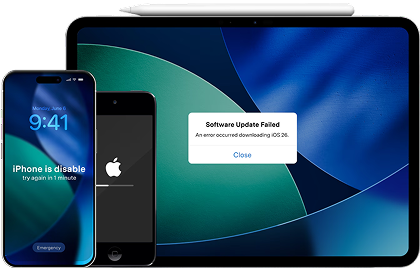
If your AI diagnosis points to an iOS system/setup problem (for example: activation loop, stuck during setup, restore failures) rather than a true Activation Lock, a system repair workflow is the practical next step to try—because it focuses on getting iOS back to a stable state without guessing through repeated restores. Dr.Fone - System Repair (iOS) is relevant here as an execution tool for repairing iOS issues, especially when you need a guided way to address system errors that can block activation or setup progress. If the phone is genuinely locked to the previous owner’s Apple ID, the correct resolution is still account removal by the seller or Apple with proof of purchase.
 Fix iOS issues, no data loss.
- One-click repair for all iOS problems.
- Solve recovery mode, Apple logo, black screen, etc.
- Upgrade or downgrade iOS without iTunes
4-1. Steps (execution with Dr.Fone – System Repair (iOS))

-
Step 1 Open Dr.Fone and connect your iPhone
Launch Dr.Fone on your computer and keep the iPhone connected with a stable cable to avoid interruptions mid-process.

-
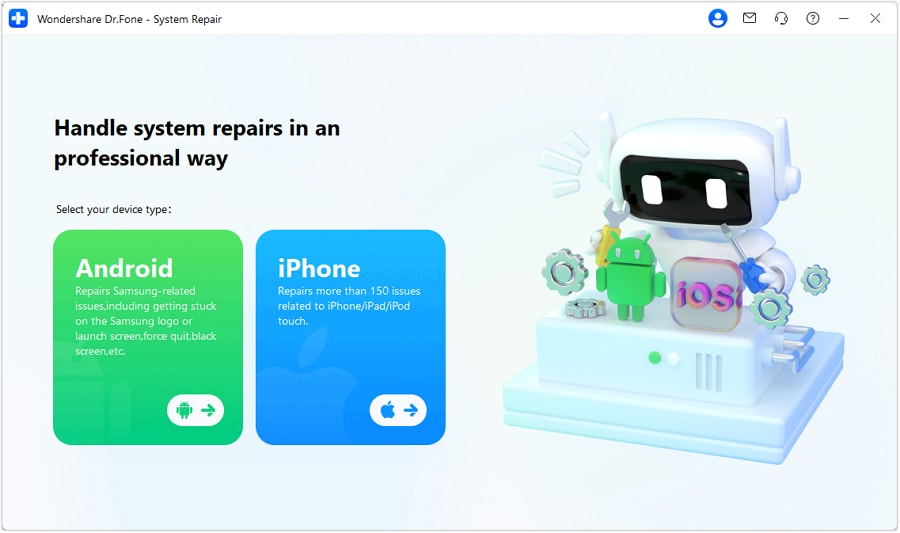
Step 2 Choose System Repair (iOS)
Select the System Repair feature and choose iOS when prompted.
-
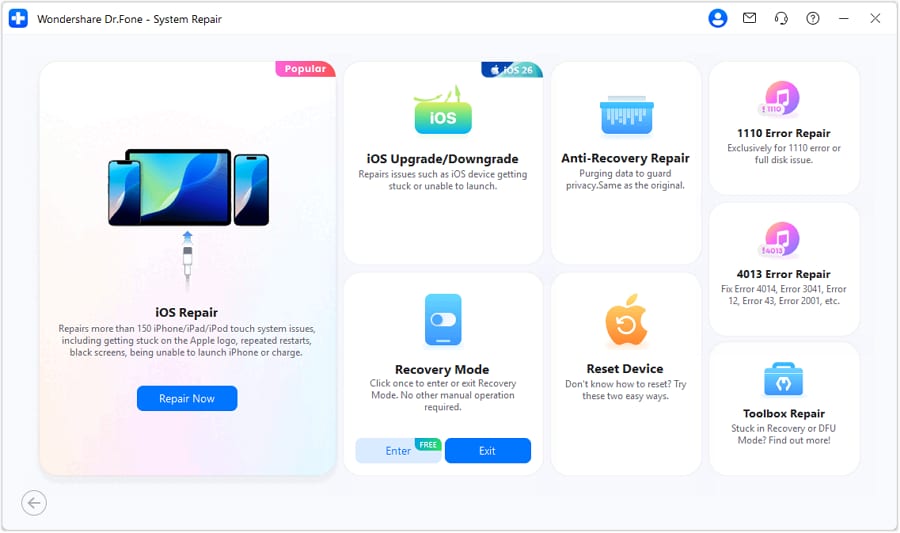
Step 3 Continue to iOS repair
Proceed into the iOS repair workflow so the tool can prepare the correct repair path for your device state (setup loop, activation loop, restore failures, etc.).
-
Step 4 Start with Standard Mode and follow the guided firmware/repair flow
Start with the standard repair option first (lowest-risk approach where possible), then follow the on-screen prompts to complete firmware download and repair. After the device reboots, re-check whether setup/activation can complete normally; if Activation Lock remains, pivot to seller/iCloud removal steps.
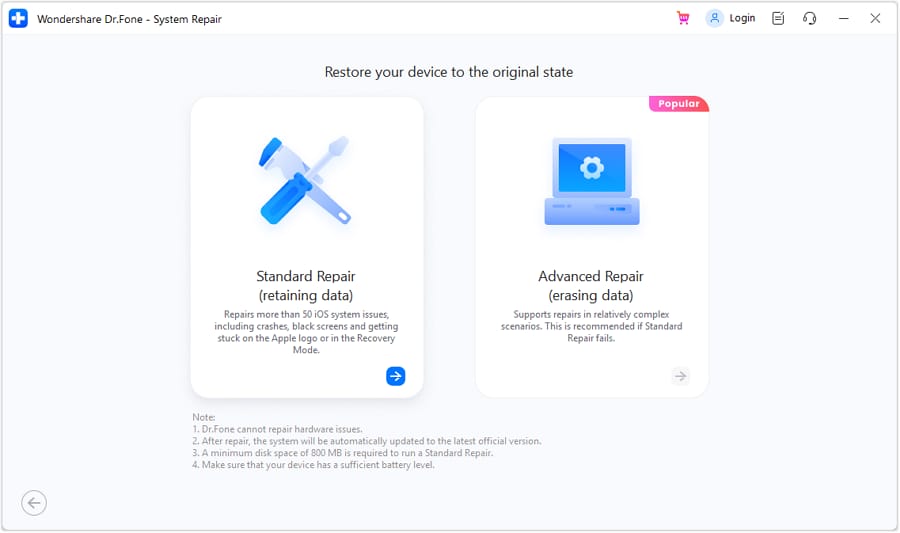
For a step-by-step walkthrough of the screens you’ll see, use the Dr.Fone System Recovery guide within the product help resources.




Conclusion
Use AI to classify what you’re seeing—ownership lock vs technical iOS failure—then avoid risky trial-and-error resets. If it’s truly Activation Lock, the path is seller/Apple verification; if it’s an iOS stability or setup problem, you can hand off execution to a system repair tool like Dr.Fone to address the device’s iOS state and re-check activation afterward.
FAQ
-
Can I remove the previous owner’s Apple ID myself if I don’t know the password?
If the device is on Activation Lock, the legitimate resolution is the seller removing it from their iCloud account (or Apple with valid proof of purchase).
-
How do I tell the difference between Activation Lock and an activation error?
Activation Lock shows a clear ownership message (often with an Apple ID hint). Activation errors usually say “Unable to Activate” or fail during setup without showing an unknown Apple ID.
-
Will restoring with Finder/iTunes remove the previous Apple ID?
No. A restore can erase the device, but Activation Lock remains if Find My is still enabled on the previous owner’s account.
-
What should I ask the seller to do to fix it properly?
Ask them to sign in to iCloud.com, go to Find Devices, select the iPhone, and remove it from their account (or erase and remove from account).
-
When is iOS system repair a reasonable next step?
When the issue looks like a technical failure—setup loops, repeated crashes, restore errors, or activation not completing—without a definitive Activation Lock screen tied to an unknown Apple ID.
 Add Wondershare Dr.Fone as a preferred source on Google





