 Effortlessly manage data through preview, delete, export, etc.

 100% Security Verified | No Subscription Required | No Malware

 :
: 
 ChatGPT
 Perplexity
 Gemini
 Claude
 Grok
Grok

I read mixed answers: some people say “yes, everything comes back,” but others warn that apps reinstall and the data is gone. I just need a way to prove what my backup really contains before I reset my phone.
Forum user
Phone backups can include “app data” in some cases, but the details vary by phone type, backup method, and each app’s own rules—and missing one step can leave you thinking you’re protected when you’re not.
AI is useful here to map a workflow: what to check first, what evidence to collect, what to test on a second device, and where the risky points are.
AI can’t look inside your actual backup file, toggle device settings, or restore anything for real—so once the plan is clear, you still need real tools to perform and validate the backup and restore.
In this article
- How to Plan “Does My Phone Backup Include App Data” Without Missing Critical Steps
- What “app data” can mean
- Why answers conflict
- The point-of-no-return moment
- What you must prove before erasing
- What the AI Needs to Know
- Using AI Prompts to Build a Safer Workflow
- AI Plan vs. Real Device Constraints
- When to Stop Planning and Start Execution
Part 1. How to Plan does my phone backup include app data Without Missing Critical Steps

You’re trying to answer a deceptively simple question: “If I back up my phone, will my apps come back with their data (logins, game progress, chats, settings)?” You might be switching phones, troubleshooting, or preparing for a reset.
The uncertainty usually starts after you read mixed answers: some people say “yes, everything comes back,” while others warn that “apps reinstall but data is gone.” Both can be true depending on backup type and whether each app stores data locally, in cloud accounts, or blocks backup.
The point-of-no-return moment is when you erase or factory reset the phone (or overwrite an older backup) before you’ve proven the backup actually contains what you need—because after that, the original on-device data may be unrecoverable.
Part 2. What the AI Needs to Know
Share the specifics so the plan can be accurate and testable:
- Phone OS and model (e.g., iPhone 13 on iOS 17.5 / Samsung S22 on Android 14)
- Your backup method(s) you plan to use (cloud backup, computer backup, both)
- The apps that matter most (banking, authenticator, messaging, games, work apps)
- What “app data” means for you (login state, message history, game progress, files, settings)
- Whether apps use their own cloud sync (and which account you’re signed into)
- Whether you use 2FA/authenticator apps or passkeys that must be migrated carefully
- Your time constraints and device access (do you have a second device to test restore?)
- Your risk tolerance (must-not-lose vs nice-to-have data)
- Any current issues (phone storage full, backup failing, device unstable)
Part 3. Using AI Prompts to Build a Safer does my phone backup include app data Workflow
Use the prompts below to force a clear sequence, define verification evidence, and identify “stop signs” before any irreversible action.
3-1. Level 1: Basic Prompt
I need a planning checklist to confirm whether my phone backup includes app data and how to verify it safely.
Ask me only the minimum questions needed, then give me a short sequence of checks I should do before I reset or switch phones.
3-2. Level 2: Advanced Prompt
Build a structured workflow to determine whether my backup will restore app data, separated into Preparation, Execution (planning only), and Verification.
Mark steps as critical vs optional, and include clear stop conditions (e.g., do not factory reset until X is proven).
3-3. Level 3: Evidence Prompt
Here’s my context: I’m moving from (Android 14, Samsung S22) to (Android 14, Pixel 8). I care most about (WhatsApp chats, Google Authenticator codes, a banking app login, a game save). I plan to use (cloud backup + computer backup).
Create a plan with checks before/during/after backup and restore and specify the evidence I should capture at each step (e.g., “screenshot backup timestamp,” “list of apps with cloud sync enabled,” “test restore on spare device”).
Also flag any app types that commonly don’t restore local data and what alternative export/sync steps I should plan.
3-4. Prompt Refinement
Rewrite the workflow as a decision tree with yes/no branches, ending in either “safe to erase” or “do not erase yet,” and list the exact evidence needed at each branch.
Separate “app data” into categories (local app storage, account/cloud data, device-level settings) and tell me which category each of my key apps likely falls into, with a verification method for each.
Give me a minimum viable verification plan if I only have (30 minutes) and no spare device, and a gold-standard verification plan if I do have a spare device.
List the top 10 failure modes (e.g., backup completed but excluded apps, encryption mismatch, overwritten backup, 2FA lockout), and add a prevention check for each failure mode.
Part 4. AI Plan vs. Real Device Constraints
| AI can help you plan | Real-world constraint you must handle |
|---|---|
| Identify which apps are high-risk for non-restoring data | Some apps block backup/restore by design or require in-app export |
| Define evidence to collect before you erase anything | You must actually perform the backup and confirm timestamps/status |
| Create a safe test-restore strategy | You need a device/tools to run a restore and observe results |
| Add stop conditions to prevent irreversible loss | Only you can enforce “no reset/no overwrite” until verification passes |
AI improves planning and reduces missed steps, but it cannot access your phone, inspect the backup contents, or run a restore to prove outcomes.
Part 5. When to Stop Planning does my phone backup include app data and Start Execution
- You can name the exact backup method(s) you’ll use and what each one is expected to preserve.
- You have a written list of must-not-lose apps/data and their per-app retention plan (backup vs in-app export vs cloud sync).
- You have verification criteria (what “success” looks like) and the evidence you will capture (timestamps, screenshots, restored app state).
- You’ve identified the irreversible moment you’re avoiding (factory reset, overwriting an older backup, wiping the old phone) and the stop condition that blocks it.
If those are true, you’re no longer guessing—you’re ready to execute the workflow carefully.
Does my phone backup include app data: Execute the Workflow Safely with Dr.Fone
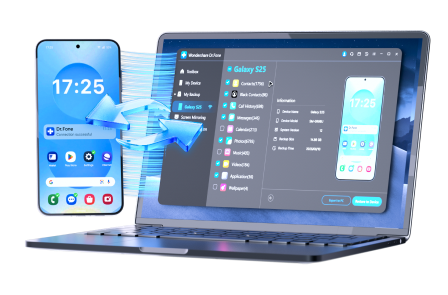
Execution matters now because the only reliable answer is evidence from your devices: a completed backup plus a verified restore outcome for the apps you care about. If you want a practical way to run backups and restores in a controlled, checkable way, consider Dr.Fone Basic - Data Manager.
 Easily manage data through preview, delete, export, etc.
- Transfer all data between devices.
- Robust backup solutions for reliable data protection.
- Mirror screens to PC for meetings, teaching, and control.
-
Step 1 Create a verified backup record (don’t overwrite anything important)
Run the backup method you selected and make the backup easy to distinguish (clear name/date) so you can tell it apart from older backups later.
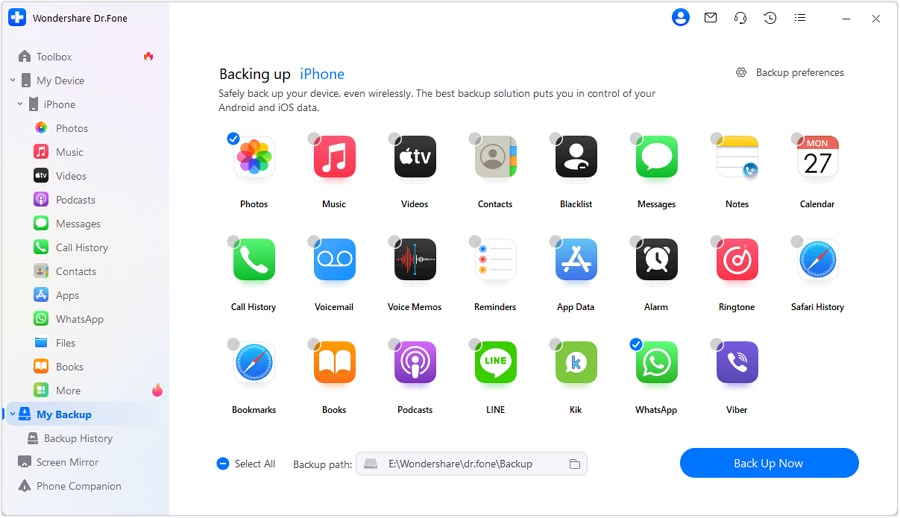
Reminder: A successful backup status is not proof that every app’s data will restore. Treat this as “backup created,” not “data verified.”
-
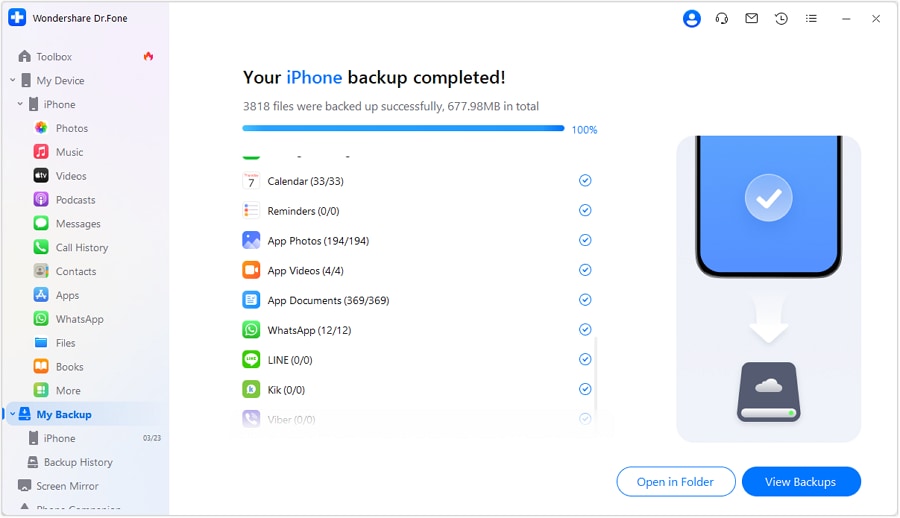
Step 2 Complete the backup and capture evidence
Finish the backup process and capture the evidence you planned to collect (for example, timestamps and completion status) so you can later prove which backup you’re testing.

-
Step 3 Run a controlled restore test before any point of no return
Restore to a test target (ideally a spare device) or a controlled scenario where you can check the exact apps you care about (logins, chats, game progress, settings) without risking existing data.
Risk note: Restoring onto a primary device without a plan can overwrite data. Treat restore as high-risk until you’ve confirmed the target and scope.
-
Step 4 Only after verification, proceed with the irreversible action
After your verification checklist passes, complete the final restore/migration workflow you planned. Only then proceed with a reset/wipe if it’s truly required.
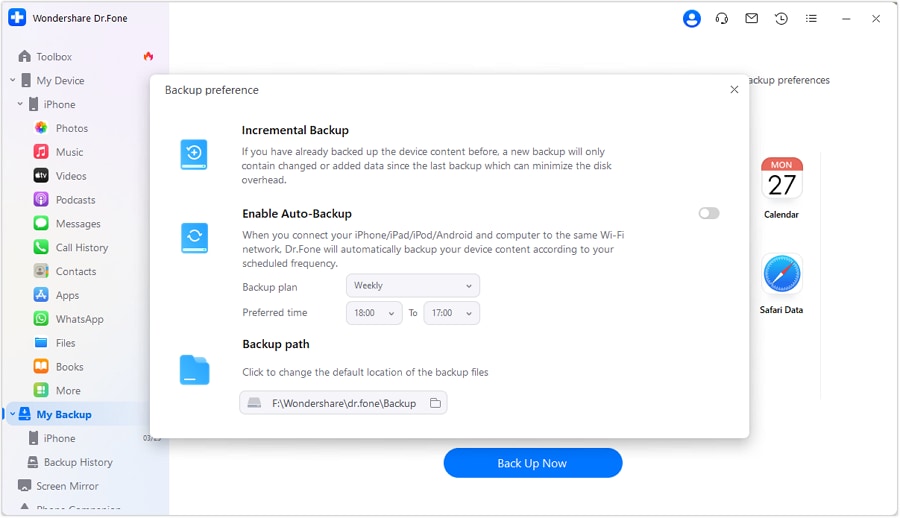
If any critical app fails verification, stop and switch to that app’s export/sync or recovery method before erasing anything.




Conclusion
Use AI to define what “app data” means for your apps, identify risks, and create a verification-first sequence with clear stop conditions; then use a real tool to execute the backup/restore and confirm the outcome before you take any irreversible steps.
FAQ
-
Does a phone backup always include app data?
No. Many backups reinstall apps but do not guarantee local app data (especially for banking, authenticator, some games, and certain messaging data unless separately synced/exported).
-
Why do some apps restore perfectly while others don’t?
Because “app data” may live in different places: local storage (may not be backed up), the app’s cloud account (restores after login), or device-secure storage (often restricted).
-
What’s the most dangerous mistake in this process?
Factory resetting or wiping the old phone (or overwriting the only good backup) before you’ve validated restore results for your must-not-lose apps.
-
How can I verify without a spare phone?
Use stronger evidence collection (backup timestamps, app-level sync status, exported data files) and delay irreversible actions. When possible, arrange temporary access to another device for a real restore test.
-
When should I stop trusting “backup completed successfully”?
When your critical apps involve 2FA, encrypted message histories, or app-specific exports. “Backup completed” is a status, not proof of recoverability.
 Add Wondershare Dr.Fone as a preferred source on Google





