 Effortlessly manage data through preview, delete, export, etc.

 100% Security Verified | No Subscription Required | No Malware

 :
: 
 ChatGPT
 Perplexity
 Gemini
 Claude
 Grok
Grok

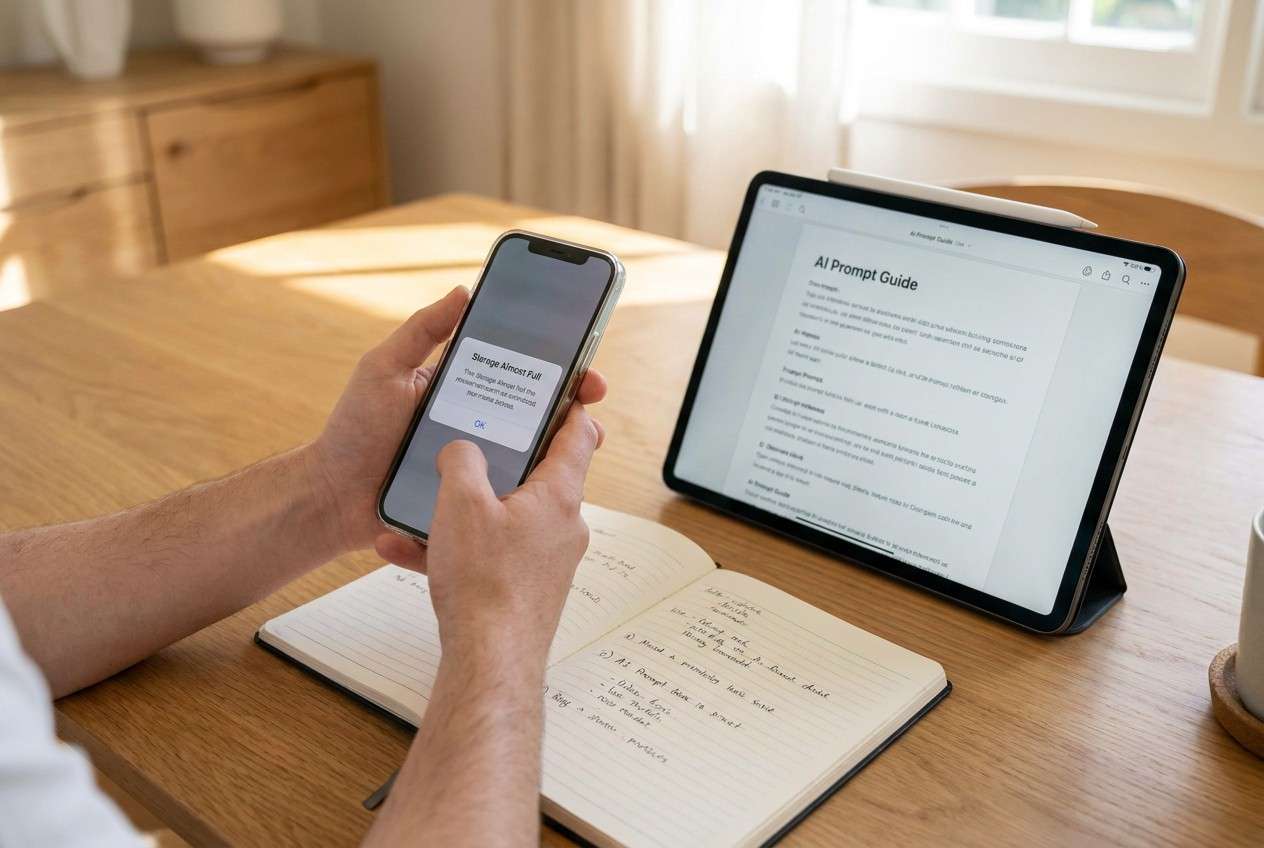
“My phone says storage full. I started deleting stuff, but now I’m scared I’ll erase something that isn’t backed up.”
Reddit user, r/Android
A “storage full” cleanup can spiral into accidental data loss if you delete first and verify later. Missing one step—like confirming what’s already backed up—can turn a quick cleanup into a recovery problem.
AI can help you structure the workflow: what to check, what to clean first, what to postpone, and where the irreversible moments are. The goal is a sequence you can follow under pressure without skipping verification.
AI can’t see your phone, confirm your cloud status, or actually move files. Once the plan is clear and verified, you still need real device tools to execute safely.
In this article
- How to plan a storage-full cleanup without missing critical steps
- Why “order” matters more than “what to delete”
- Reversible wins vs. irreversible actions
- The point-of-no-return moment
- What to confirm before permanent deletion
- What the AI needs to know
- Using AI prompts to build a safer workflow
- When to stop planning and start execution
- Execute the workflow safely (step-by-step)
Part 1. How to Plan a Storage-Full Cleanup Without Missing Critical Steps
You open your phone to take a photo, install an update, or receive a large file—and everything fails because storage is full. You start deleting apps and photos, but you’re not sure what’s safe, what’s duplicated, or what’s only stored locally.
After an AI answer, the uncertainty usually isn’t “what to delete,” it’s the order: whether to back up first, where to look for the biggest wins, and how to confirm items are truly backed up before removal.
The point-of-no-return moment is when you empty Recently Deleted/Trash (or run any “erase/cleanup” that permanently removes items). That step should never happen until verification checks are complete.
Part 2. What the AI Needs to Know
Share just enough detail for the AI to design a safe, checkable sequence.
- Phone OS and model (e.g., iPhone 13 iOS 17 / Samsung Galaxy S22 Android 14)
- Current free space and total storage (e.g., 0.8 GB free of 128 GB)
- What’s consuming space (screenshots of Storage breakdown, or the top 5 categories)
- What data is most valuable (photos, chats, notes, work files, recordings)
- Your backup situation (iCloud/Google Photos/OneDrive/local PC—what you think is backed up)
- Your time constraint (e.g., “need 10 GB free in 30 minutes”)
- Your tolerance for risk (low/medium/high)
- Tools available (PC/Mac access, cable, external drive, cloud storage space)
- Apps/services with large caches (messaging apps, video, social, downloads)
- Any compliance needs (e.g., “must securely erase sensitive files”)
Part 3. Using AI Prompts to Build a Safer Cleanup Workflow
Use these prompts to force a clear order, verification gates, and an explicit “do not cross” line before irreversible deletion.
3-1. Level 1: Basic Prompt
Create a safe, step-by-step plan to free up space on my phone without losing important data.
Prioritize actions that are reversible first, and list what I must verify before deleting anything.
Include a short checklist of “stop points” before irreversible deletion.
3-2. Level 2: Advanced Prompt
Design a structured workflow for a phone storage-full cleanup with three phases: Preparation, Execution, Verification.
In each phase, label steps as critical vs optional, and include a “point of no return” step that must be blocked until prerequisites are confirmed.
Also include fallback options if backups are incomplete or storage won’t free up fast enough.
3-3. Level 3: Evidence Prompt
Here’s my context: (Android 14, 128 GB, 0.6 GB free).
Storage shows: (Photos 38 GB, Videos 22 GB, Apps 29 GB, “Other” 15 GB, Downloads 6 GB).
I need (at least 12 GB free today) and I’m (low risk tolerance).
I have (a Windows PC + cable) and (Google Photos installed, not sure if everything is synced).
Build a plan with checks before/during/after each major action.
For each category (photos/videos/apps/other/downloads), list:
- what to check first (e.g., “confirm cloud sync count matches device count”)
- the safest cleanup action
- how to confirm success (example: “free space increases by ~X GB”)
- what NOT to do yet (example: “don’t empty Trash/Recently Deleted until verification passes”)
3-4. Prompt Refinement
Convert the plan into a single-page checklist with “Go/No-Go” gates before each irreversible step (Trash emptying, permanent delete, secure erase, factory reset).
Ask me only 10 questions max, in priority order, that remove ambiguity about backups, duplicates, and where the biggest space wins are.
Produce a decision tree: if (cloud sync confirmed) do A; if (cloud sync unconfirmed) do B; if (PC unavailable) do C.
Rewrite the workflow to target two outcomes: (1) free 5 GB quickly in 10 minutes, (2) free 20+ GB safely in 60–90 minutes, with different verification rigor.
List the top 8 failure modes (e.g., “believed photos were backed up but weren’t”) and attach a prevention check to each one.
3-5. AI Plan vs. Real Device Constraints
| AI can help with | But real device/tools must do |
|---|---|
| Map the safest sequence and checks | Actually move/export/delete items on the phone or PC |
| Suggest verification gates | Confirm sync/backup state in real time via device/cloud services |
| Estimate where space will come from | Handle misleading categories (e.g., “Other/System” may not shrink quickly) |
| Warn about irreversible steps | Prevent accidental Trash emptying or permanent deletion during execution |

Part 4. When to Stop Planning and Start Execution
- You have identified the top 2–3 space drivers and the fastest reversible wins (usually large videos, downloads, app caches).
- You have a backup/transfer target defined (cloud, PC/Mac, external drive) and enough capacity to store what you’ll move.
- You have explicit verification criteria (what “confirmed backup” means, and how you’ll prove it).
- You have written down the blocked irreversible step you will not do yet (e.g., “Do not empty Recently Deleted/Trash until counts match and samples open from backup location.”)
At this point, hesitation usually increases risk—because rushed, unstructured deletion starts happening.
Part 5. Execute the Workflow Safely (Step-by-Step)
Execution now matters because the safest plan still fails if files aren’t actually exported, backups aren’t actually created, or deletions aren’t controlled and verifiable.
-
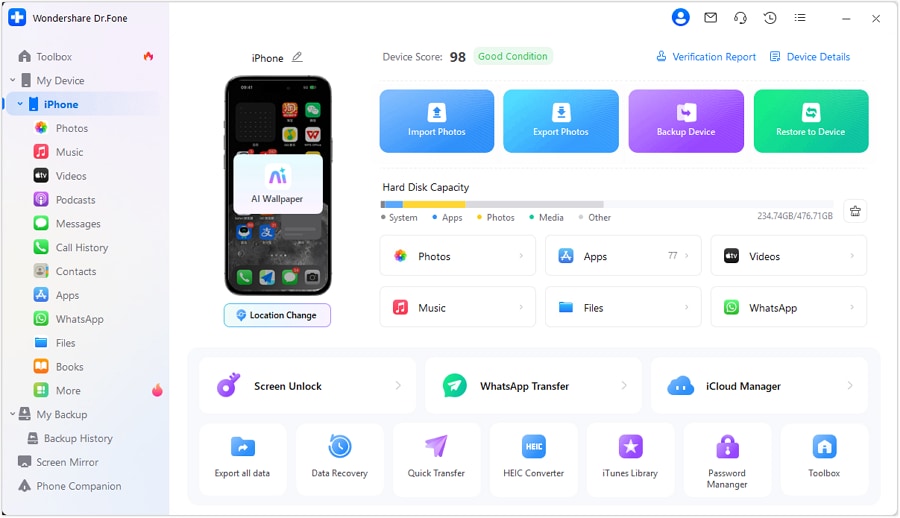
Step 1 Secure a recoverable copy first
Before you remove anything major, create a backup/export of your highest-value data (typically photos/videos, plus any supported app data) to a computer.
Verification gate: Open a few exported items on the computer (recent + older) and confirm they play/view correctly.
-
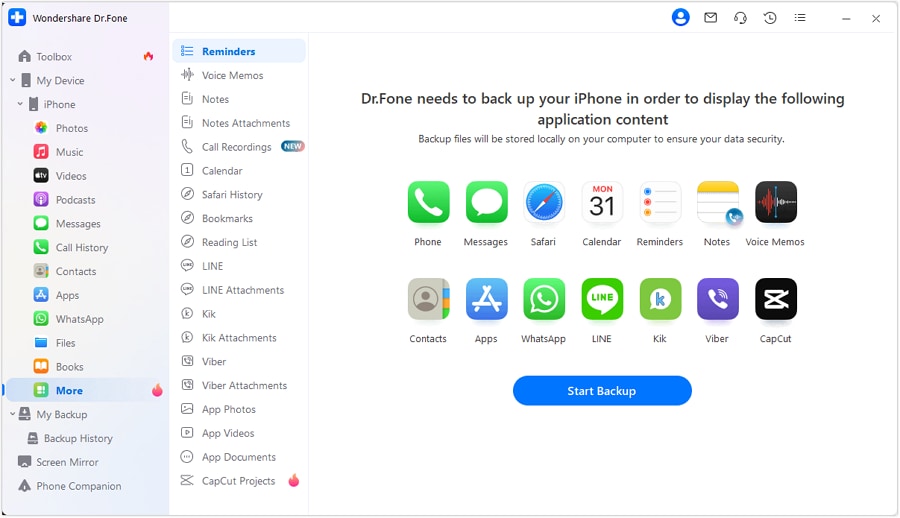
Step 2 Review categories and target the biggest reversible wins
Prioritize reversible actions first (downloads, non-essential large videos, app caches where applicable) and keep the irreversible step blocked.
Verification gate: After each batch, confirm free space increases and confirm the kept items still open as expected.
-
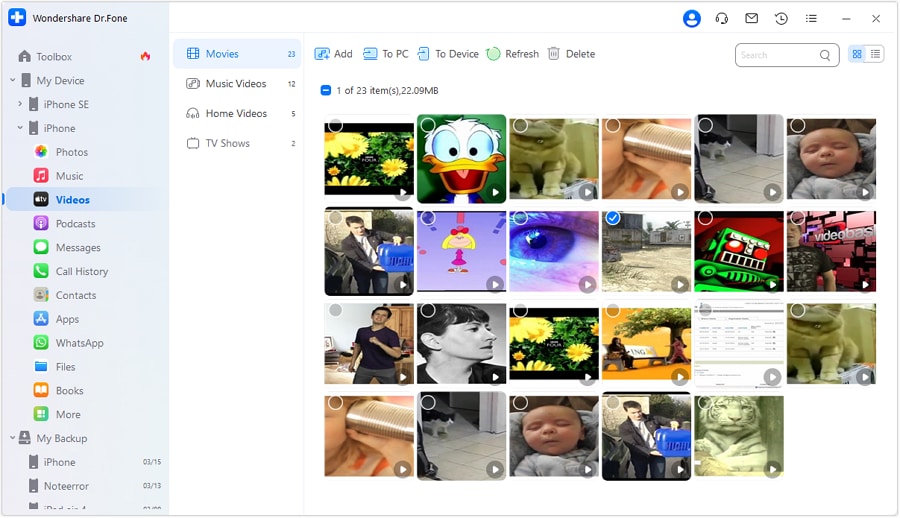
Step 3 Remove the biggest space consumers in a controlled order
After backups are verified, delete selected files in measured batches, starting with the largest items (often videos), and avoiding permanent deletion until checks pass.
Verification gate: Track the expected vs. actual space recovered after each category.

-
Step 4 Perform irreversible cleanup only after verification
Only after you confirm backups/transfers, proceed to irreversible actions (emptying Trash/Recently Deleted, permanent delete, or any erase-style cleanup) while tracking free space improvements.
Verification gate: Confirm backup counts/samples again, then do irreversible cleanup last.
Recommended tool to execute safely
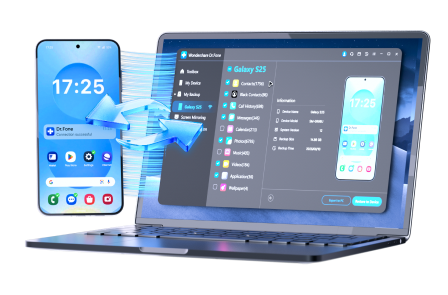
Once your AI-generated plan is clear, you still need a device-capable tool to do the real work (backup/export/managed deletion). If you want a more controlled workflow, Dr.Fone Basic - Data Manager can help you manage files with preview-based decisions instead of rushed, blind deletion on the phone.
 Easily manage data through preview, delete, export, etc.
- Transfer all data between devices.
- Robust backup solutions for reliable data protection.
- Mirror screens to PC for meetings, teaching, and control.
Pros
- Helps you back up/export before deleting, which supports a “verify-first” workflow.
- More controlled selection/management compared with rushed deletion on a small screen.
- Works well when you need to move large items (e.g., videos) off the phone quickly.
Cons
- You still must manually verify exported items and backup status—software can’t “guess” what matters to you.
- Requires time and (often) a computer/cable to execute the safest flow.
- Irreversible deletion is still irreversible—final confirmation must be done carefully.
Whatever tool you use, keep your “blocked step” rule: don’t empty Trash/Recently Deleted until you’ve confirmed usable copies exist outside the phone.




Conclusion
Use AI to design a cleanup workflow with verification gates and a clear “do not cross” irreversible step; then use real tools to perform the backups/transfers and controlled deletions the plan depends on.
FAQ
-
What’s the single highest-risk mistake during storage cleanup?
Deleting (or emptying Trash/Recently Deleted) before you’ve proven a usable backup/transfer exists. -
How do I “prove” my photos/videos are backed up?
Match counts where possible, open a sample of recent and older items from the backup destination, and confirm originals exist outside the phone (PC/cloud) before deleting locally. -
Should I start by deleting apps or clearing caches?
If you need fast relief with low risk, caches/downloads are usually safer first. Apps can be reinstalled, but app data may not be recoverable unless backed up properly. -
Why doesn’t storage drop right away after deletion?
Items may still be in Recently Deleted/Trash, or the system category may not recalculate immediately. Verify where deleted items go and confirm space changes after each batch. -
Can AI tell me exactly what to delete?
No. AI can propose a safe order and checks, but it cannot inspect your device contents or confirm what’s backed up.
 Add Wondershare Dr.Fone as a preferred source on Google





