 Effortlessly manage data through preview, delete, export, etc.

 100% Security Verified | No Subscription Required | No Malware

 :
: 
 ChatGPT
 Perplexity
 Gemini
 Claude
 Grok
Grok

My phone gets noticeably hot when I fast charge. Is that actually hurting the battery, or is it normal?
Reddit user, r/AndroidQuestions
Generic “is fast charging bad?” answers usually miss the real problem: you’re choosing between convenience now and battery health later, under your own habits and constraints.
AI can help by turning “I’m worried about heat” into a structured comparison: how often you fast charge, how hot your phone actually gets, what you value most (battery longevity vs speed), and what changes would reduce risk without killing convenience.
AI can’t verify your exact temperatures, your case/ambient conditions, or how your phone throttles charging in real use—so after you decide, your daily workflow and a bit of observation still matter.
In this article
- How to Compare Fast-Charging Heat vs Battery Health
- Set your real priority
- Identify heat triggers that matter most
- Pick a default + an exception rule
- Fast vs slow: quick pros/cons
- What the AI Needs to Compare
- Using AI Prompts to Evaluate More Clearly
- AI Recommendation vs Real-World Fit
- When to Stop Researching and Make the Call
Part 1. How to Compare Fast-Charging Heat vs Battery Health
You’re not deciding whether fast charging exists—you’re deciding how to use it: default mode every day, occasional “emergency top-ups,” or switching to slower charging most of the time.
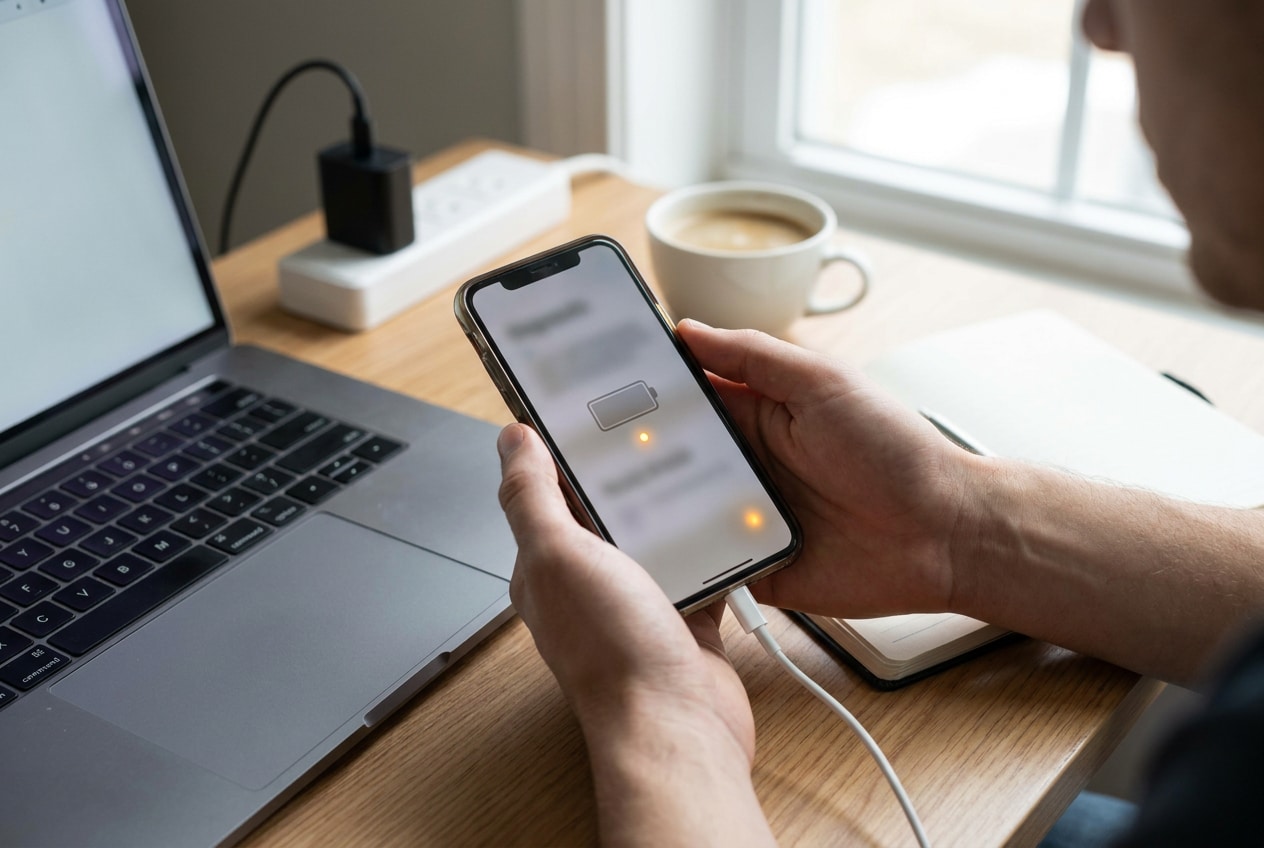
The uncertainty usually comes from mixed advice: “heat is the enemy of batteries” is true in principle, but modern phones manage charging speed, temperature, and battery protection differently—and your routine (gaming while charging, hot car, thick case, wireless charging) can matter more than the watt number.
The practical tension: fast charging solves real timing problems, but if it regularly makes your phone uncomfortably warm, you may be trading long-term battery health for short-term convenience.
When fast charging can be a good fit
- You mostly use it for short “time-crunch” top-ups, not as the default every day.
- Your phone stays only slightly warm and doesn’t feel hot to the touch.
- You can avoid stacking heat sources (gaming, sunlight, thick case) while charging.
- Convenience and time certainty matter more than maximizing long-term capacity retention.
When fast charging is likely to feel risky
- Your phone becomes noticeably warm/hot during fast charging on a regular basis.
- You often charge in heat-heavy contexts (car, summer travel, direct sun, thick case).
- You frequently use the phone hard while charging (navigation, hotspot, gaming).
- You plan to keep the phone for multiple years and want to minimize avoidable wear.

Part 2. What the AI Needs to Compare
To compare your options fairly, the AI needs your real charging context, not just your phone model.
- Your main goal: maximum battery lifespan, maximum convenience, or a balanced approach
- How you charge today: wired fast / wired slow / wireless / car charging
- When you fast charge: morning rush, mid-day top-ups, overnight, travel
- Heat triggers: gaming/navigation while charging, direct sunlight, hot room, thick case
- Your acceptable “friction”: willing to plug in earlier, carry a charger, or change routines
- Replacement horizon: keeping the phone 1 year vs 3+ years
- Your risk tolerance: “avoid any avoidable wear” vs “battery is replaceable”
- Signs you’ve noticed: phone gets hot to touch, charge slows down, battery drain feels worse
Part 3. Using AI Prompts to Evaluate More Clearly
Use the prompts below to force a decision based on trade-offs, not fear or vague tips.
3-1. Level 1: Basic Prompt
I’m deciding whether to use fast charging daily or switch to slower charging most of the time.
Compare the trade-offs based on battery heat, long-term battery health, and convenience, and tell me which approach fits which type of user.
3-2. Level 2: Advanced Prompt
Help me choose between these options: (A) fast charge whenever I need it, (B) slow charge by default and only fast charge in “time-crunch” moments, (C) avoid fast charging entirely.
Ask me the minimum questions needed, then compare the options by: heat exposure likelihood, impact on battery longevity (qualitative), daily convenience, and “regret risk” (what I might wish I’d done differently after 6–12 months).
Explain who each option suits better.
3-3. Level 3: Evidence Prompt
Here’s my context: [phone model], [typical ambient temp], [case yes/no], [wired/wireless], [average charge sessions/day], [when I charge], and whether I [game/use maps] while charging.
My phone feels [cool/warm/hot] during charging and I plan to keep it for [X years].
Recommend A/B/C and explain what I gain and what I give up with each option.
Also identify one key assumption (about my heat levels or usage pattern) that—if wrong—would change your recommendation.
3-4. Prompt Refinement (Follow-ups)
Use these follow-ups to pressure-test the recommendation against your real heat and lifestyle constraints.
Assume my phone gets noticeably warm during fast charging. How does that change your recommendation vs if it stays only slightly warm?
Rank the biggest drivers of battery wear in my routine (heat while charging, charging to 100%, deep discharges, wireless heat, using the phone while charging). Then tell me the single easiest change with the highest impact.
If I must keep “fast charging” for convenience, design a damage-minimizing routine (when to fast charge, when to slow charge, what to avoid during charging) with clear do/don’t rules.
What’s the most likely regret if I (1) keep fast charging daily or (2) switch to slow charging most of the time—given I keep my phone for [X] years?
Give me a decision rule: “If ___ happens (temperature/usage frequency), choose option A/B/C.” Keep it practical and observable without special tools.
Part 4. AI Recommendation vs Real-World Fit
| likely AI recommendation or conclusion | what real-life use may change or reveal |
|---|---|
| “Use slow charging by default; fast charge only when needed.” | Your schedule may make “only when needed” turn into “almost every day,” which changes the real heat exposure. |
| “Heat is the main risk, not fast charging itself.” | Your phone may feel fine in winter but run hot in summer, in the car, or with a thick case—seasonality can flip outcomes. |
| “Avoid wireless fast charging if heat is your concern.” | Wireless may be your only convenient setup (desk/bedside), so the practical best move might be repositioning, removing the case, or shorter top-ups. |
| “Don’t game/use navigation while fast charging.” | Your actual use case (rideshare, maps, hotspot) may make this unavoidable; you may need a different charging window or accessory instead. |
AI can clarify likely fit and trade-offs, but hands-on use, workflow friction, and daily habits still decide whether the choice feels sustainable.
Part 5. When to Stop Researching and Make the Call
- You can clearly state your priority in one sentence (e.g., “I’ll trade some battery longevity for morning reliability,” or the reverse).
- You’ve chosen a default routine (slow vs fast) and defined the exception rule (when fast charging is allowed).
- You know your main heat trigger (case, car, gaming, wireless, hot room) and have one concrete mitigation you’ll actually do.
- You’ve identified the “flip factor” that would change your choice (e.g., “If it gets hot to touch, I stop daily fast charging.”).
Once you can explain your choice as a routine—not a one-time opinion—you’re ready to stop comparing and live with the decision.
After Choosing: Switch or Prepare Smoothly with Dr.Fone
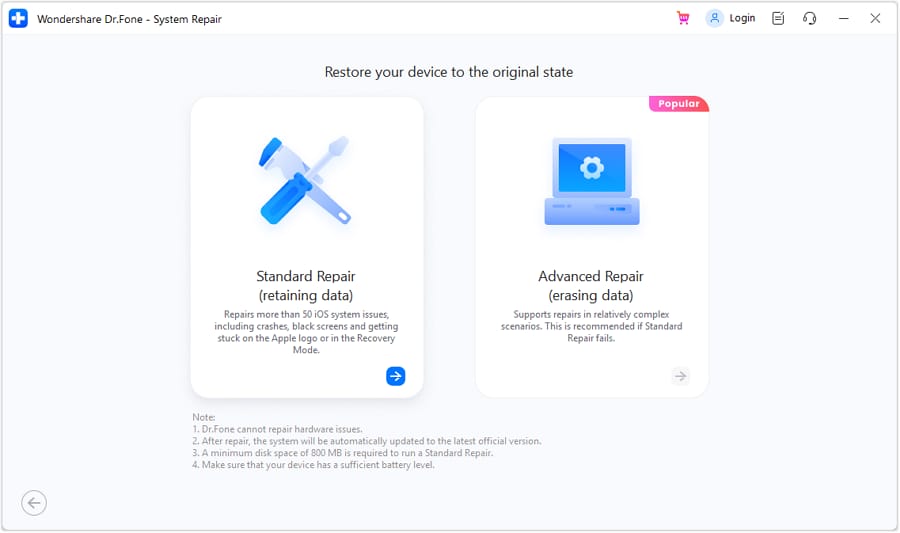
After you decide on a charging approach (or decide it’s time to switch phones), the practical follow-through is protecting your data, reducing clutter, and preparing the device for a clean transition. If your iPhone is already showing system instability after heat/charging stress (freezes, boot loops, stuck screens), Dr.Fone - System Repair (iOS) can help you repair iOS system errors so you can continue using the device or transition more smoothly.
 Fix iOS issues, no data loss.
- One-click repair for all iOS problems.
- Solve recovery mode, Apple logo, black screen, etc.
- Upgrade or downgrade iOS without iTunes
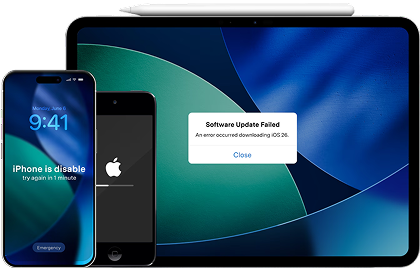
Below is a straightforward repair flow you can follow, then you can continue with the “practical follow-through” (backup/transfer/resale prep) once the device is stable.
-
Step 1 Open Dr.Fone and enter the toolbox
Launch Dr.Fone on your computer so you can access repair and device management tools in one place.

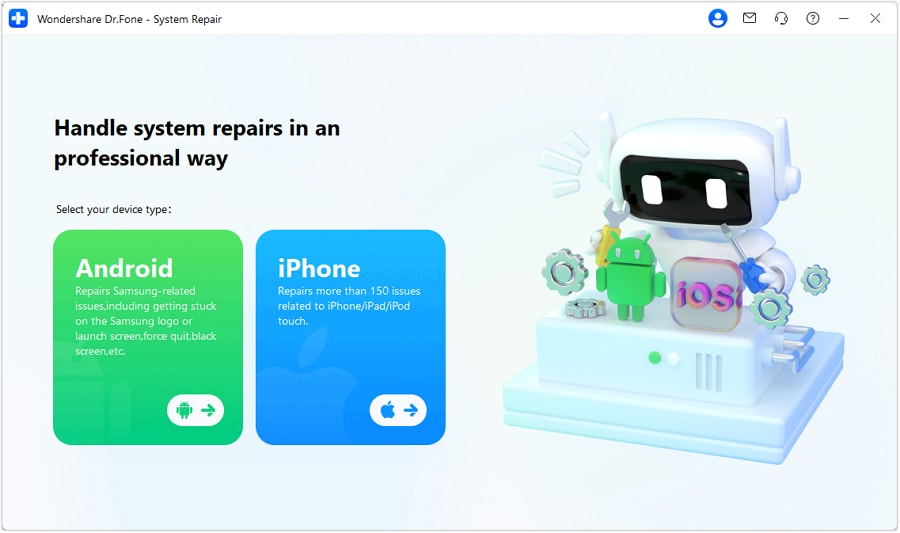
-
Step 2 Choose System Repair and select iOS
Go to the repair module and select iOS so the tool loads the correct repair path for your iPhone/iPad.
-
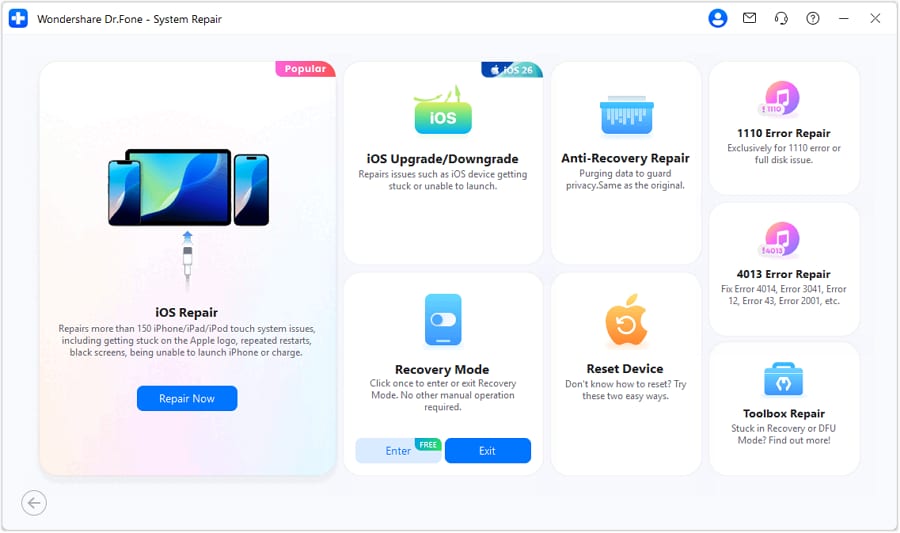
Step 3 Continue to iOS System Repair
Proceed into the iOS system repair workflow to address system-level issues that can block normal use.
-
Step 4 Use Standard Mode to complete the repair
Choose Standard Mode to attempt repair while prioritizing keeping your data intact, then follow the on-screen instructions to finish.
Back up and verify the essentials: Use Dr.Fone to back up key data (photos, messages, contacts) so a battery/charging decision doesn’t put important files at risk. A backup is only as good as what you select and verify—always confirm the items you care about are included.
Transfer cleanly if you’re switching phones: Use Dr.Fone to move your core data to the new phone in one guided flow to minimize missed items during setup. Some app-specific data may still require in-app logins or vendor tools after transfer.
Prep the old phone for resale or handoff: Use Dr.Fone to help you review and remove private data you don’t want lingering before you reset and sell/gift the device. Marketplace acceptance and account locks (e.g., device protections) may require additional steps beyond local cleanup.




Conclusion
AI is best used here as decision support: it helps you compare convenience vs heat-related wear and define a routine you’ll follow, but real daily use is the final proof—and if your decision leads to switching, transferring, or resale prep, Dr.Fone can help you execute that next step cleanly.
FAQ
-
Does fast charging itself ruin batteries, or is it mainly the heat?
Heat is the main accelerator of battery wear; fast charging can increase heat depending on phone design, charger quality, ambient temperature, and what you do while charging. -
What’s the biggest trade-off I’m really choosing?
Convenience and time certainty (fast top-ups) versus reducing heat exposure and stress over years of ownership (battery longevity and capacity retention). -
How do I avoid a generic “spec-based” decision?
Decide based on your routine: when you charge, whether the phone gets warm/hot, whether you multitask while charging, and how long you plan to keep the device. -
What’s a reasonable default if I’m unsure?
Slow charge by default, fast charge for time-crunch moments, and avoid stacking heat sources (gaming/sunlight/thick case) during fast charging. -
If I choose to switch phones because I’m worried about battery health, what should I prepare?
Back up first, transfer only what you actually need, then clean and reset the old phone for resale—this is where a tool like Dr.Fone can help streamline the process.
 Add Wondershare Dr.Fone as a preferred source on Google





