 Effortlessly manage data through preview, delete, export, etc.

 100% Security Verified | No Subscription Required | No Malware

 :
: 
 ChatGPT
 Perplexity
 Gemini
 Claude
 Grok
Grok

I just want my work chats separated from personal, but I’m terrified I’ll restore the wrong thing and wipe my current messages.
Reddit user, r/whatsapp
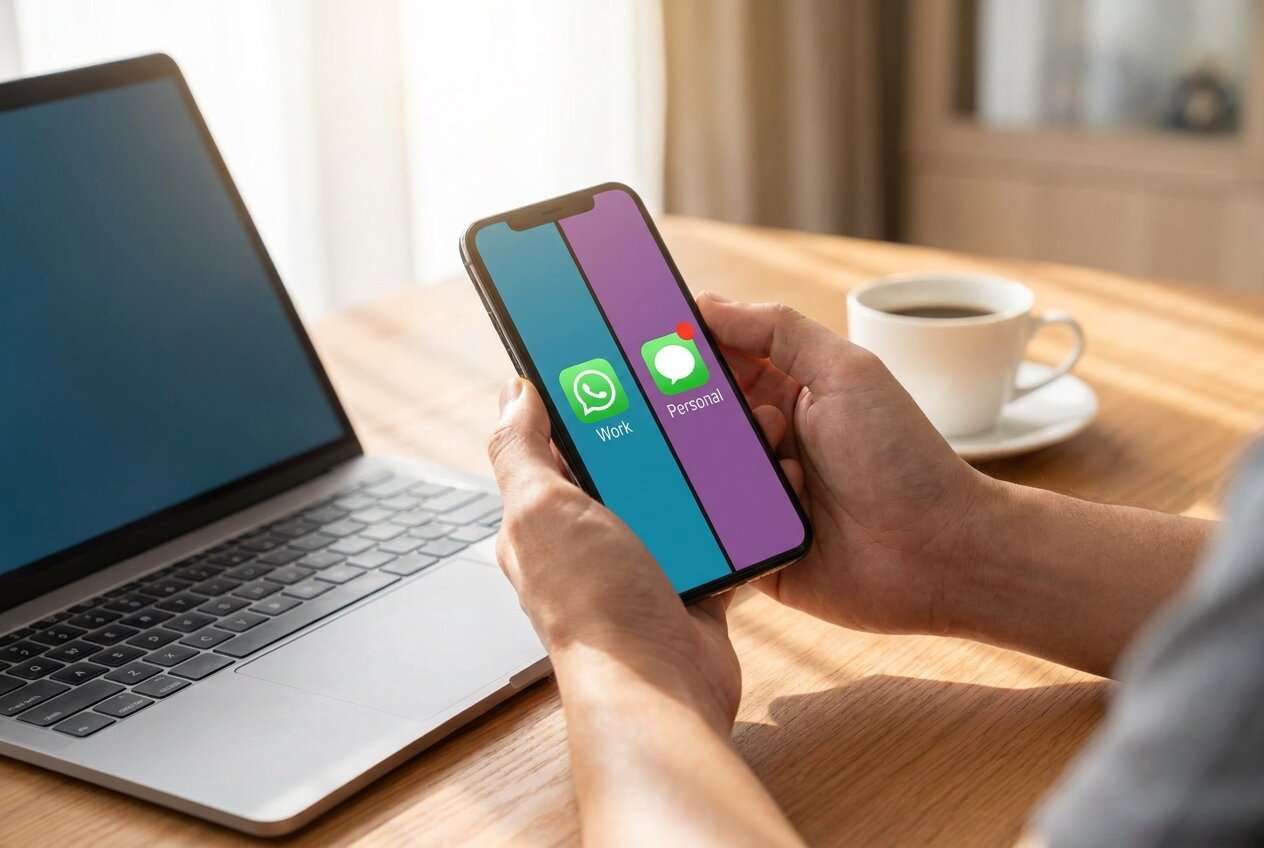
Separating work and personal chat threads on your phone sounds simple, but one missed step can lead to overwritten chat history, lost media, or work messages ending up in the wrong account.
AI helps by turning a vague goal (“split my chats”) into a clear workflow: what to decide first, what to verify next, and what not to touch until you’ve confirmed your backups and account setup.
AI can’t access your phone, apps, or backups, so it can’t perform the separation, confirm what transferred, or prevent an overwrite—execution requires real device tools after the plan is locked.
In this article
- How to plan separation without missing critical steps
- Why sequence errors matter
- The “point of no return” actions
- What AI can and can’t do
- Planning goal: verification gates first
- What the AI needs to know
- Using AI prompts to build a safer workflow
- AI plan vs. real device constraints
- When to stop planning and start execution
Part 1. How to Plan separate work and personal chat threads on phone Without Missing Critical Steps
You’re trying to keep work conversations separate from personal ones—maybe you’re switching to a new phone, adding a work profile, or you’ve been using one messaging app/account for everything and it’s become unmanageable.
1-1. Why sequence errors matter
After an AI answer, the uncertainty usually isn’t “what’s possible,” but “what order do I do it in?” Small sequence errors matter here (e.g., logging into the wrong account first, enabling sync at the wrong time, or restoring the wrong backup).
1-2. The “point of no return” actions
The point-of-no-return moment is typically when you restore a backup or migrate chats in a way that overwrites the current chat database (or when you delete/uninstall a chat app assuming everything is safely stored). You should not reach that moment until verification is complete.
1-3. What AI can and can’t do
AI can make your plan safer (clear order, checkpoints, and verification), but it cannot access your device state, perform transfers, confirm what moved, or prevent overwrites.
1-4. Planning goal: verification gates first
The goal of planning is to force a workflow where checks happen before any restore/migration/uninstall/deletion, and to define what “success” looks like (accounts, threads, media, timestamps) before you touch anything irreversible.
Part 2. What the AI Needs to Know
Answer these so the AI can produce a workflow that matches your exact phone and chat setup.
- Phone OS and model (Android/iPhone; work profile supported or not)
- Which chat apps you mean (e.g., WhatsApp, Telegram, LINE, WeChat, Messenger, SMS)
- Whether “separate” means different accounts, different apps, different devices, or work profile/dual apps
- Current account situation (one account used for both? already have work + personal accounts?)
- Where you want each thread to end up (same phone vs two phones; which number/account is “work”)
- Backup status today (last backup date, where it’s stored, any encryption/password you know)
- Data volume and constraints (chat size, media size, storage available, time window)
- Compliance needs (must retain work chats? export requirement? company policy)
- Your risk tolerance (must not lose anything vs okay to start fresh for personal)
Part 3. Using AI Prompts to Build a Safer separate work and personal chat threads on phone Workflow
Use the prompts below to force a step-by-step plan with verification gates before any irreversible action.
3-1. Level 1: Basic Prompt
I need a safe plan to separate my work and personal chat threads on my phone. Ask me the minimum questions you need, then give me a short sequence of steps with a “do-not-cross” checkpoint before anything that could overwrite or delete chats.
3-2. Level 2: Advanced Prompt
Build a workflow to separate work and personal chat threads on my phone, and format it in three sections: Preparation, Execution, and Verification.
Mark each step as Critical or Optional, and include at least two “stop and confirm” checkpoints before any restore/migration, uninstall, or deletion action.
3-3. Level 3: Evidence Prompt
Here’s my context: phone OS (Android 14), chat apps (WhatsApp + Telegram), current state (one phone used for both), goal (work chats in a separate space/account on the same phone), constraints (must retain work chats for 1 year; storage free ~12 GB; time window 2 hours).
Create a plan that includes: checks before changes (backup type/date, encryption key availability), checks during migration/separation (account identity confirmations), and checks after (spot-check 10 threads, media sampling, search test).
Also list the exact “point of no return” actions I must not do until all checks pass (e.g., restoring a backup that could overwrite current chats).
3-4. Prompt Refinement
Output the workflow as a checklist with three columns: Step, Evidence to Collect, Pass/Fail Criteria.
Identify the top 5 failure modes for my situation and add a prevention step for each (no generic advice).
Ask me exactly 7 questions, then freeze assumptions and produce the final plan (no extra follow-up unless safety-critical).
Add an “identity verification” mini-check at every login/restore step (what account/number should I see on screen before proceeding?).
Part 4. AI Plan vs. Real Device Constraints
AI improves planning, but cannot execute transfers, create backups, log you in/out, or confirm what actually moved on your phone.
| AI workflow output | Real-world constraint you must handle |
|---|---|
| Backup/restore sequence | Apps/tools can overwrite local chat databases if done in the wrong order |
| “Separate accounts” idea | Some apps don’t support two accounts on one device without work profile/dual app support |
| Verification checklist | Only you can confirm what’s actually on-device (threads, media, timestamps) |
| Risk controls | Only device tools can create/restore backups; AI can’t access encryption keys or cloud states |
Part 5. When to Stop Planning separate work and personal chat threads on phone and Start Execution
- You can state the target end state in one sentence (what goes where, on which device/account).
- You’ve identified the single highest-risk moment (restore/migration/uninstall/deletion) and placed it after verification gates.
- You have a verification checklist you can complete in under 10 minutes (spot checks + account identity checks).
- You’ve confirmed you have what you need to recover (backup location, passwords/encryption keys, storage, time).
If those are true, planning is “done enough,” and the next step is controlled execution with your chosen device tool.
Separate work and personal chat threads on phone: Execute the Workflow Safely with Dr.Fone
Execution now matters because this is where most losses happen: restores can overwrite current chats, migrations can attach to the wrong account, and cleanup can delete the only local copy. If you need a dedicated tool to help with backup/transfer workflows, Dr.Fone - WhatsApp Transfer can help you run the steps on the real device after your plan is locked.
 Transfer WhatsApp across Android & iOS.
- Backup & restore WhatsApp to PC securely.
- Preview & export chats selectively.
- Works with all iPhone & Android models.
-
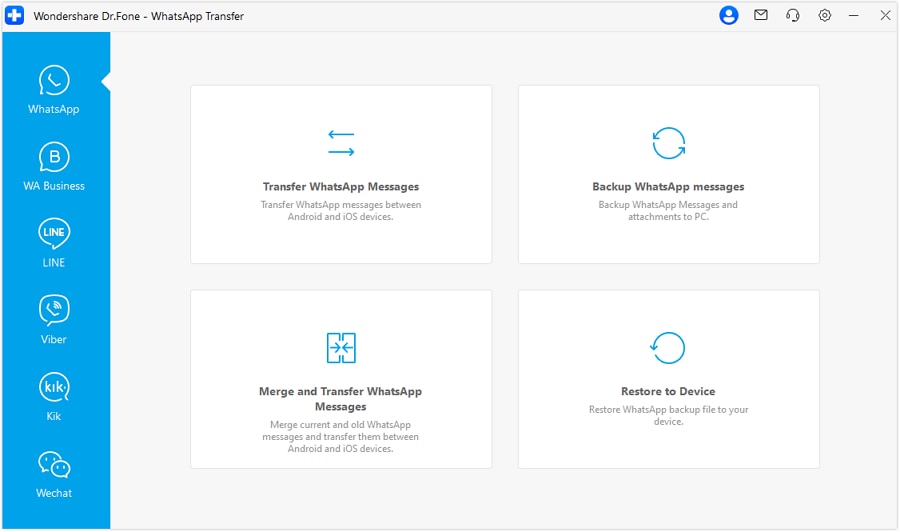
Step 1 Open the WhatsApp transfer tool on your computer
Start the tool you’ll use for execution first, so you can follow your plan in the correct order without improvising mid-way.

-
Step 2 Create a recovery-safe snapshot before changing anything
Make a fresh backup of the relevant chat data and confirm it completes successfully before changing accounts or moving anything. AI can tell you what to verify, but it cannot create the backup or confirm the backup is readable on your device.
-
Step 3 Perform the separation action you planned (transfer/restore/migration)
Run the transfer/restore/migration step you selected in your plan (the one that keeps work and personal threads separated by account/app/device space). AI cannot control what your phone prompts you with, and it can’t prevent you from selecting the wrong target (wrong phone, wrong account, wrong restore set).

-
Step 4 Verify first, then do cleanup only after verification passes
Use preview/restore outcomes (where applicable) and your manual spot-check list to confirm the right chats are in the right place before you delete anything or reset/uninstall apps. Cleanup is the high-risk/irreversible moment—once deleted/overwritten, recovery may be limited or impossible.




Conclusion
Use AI to design a cautious, verification-first workflow with clear stop points before any overwrite or deletion; then use Dr.Fone to execute the backup/transfer/restore steps on the actual device where the data lives.
FAQ
-
What’s the most common way people lose chats during separation?
Restoring or migrating in the wrong order and overwriting the current chat database, then deleting the old copy assuming it’s safely stored.
-
What should I verify before I do any restore/migration?
Backup existence and date, you have any required passwords/encryption keys, enough storage, and you can clearly identify the correct target account/number.
-
How do I know I’m not mixing work and personal threads again after separation?
Use identity checks at every login (account/number), then spot-check representative threads (recent, old, media-heavy) and run a search test for known work-only terms.
-
When is it safe to uninstall or delete the old chats?
Only after your post-move verification passes and you’ve confirmed you can restore from your new backup if needed.
-
Can AI tell me if my backup is valid?
No—AI can define the checks, but only real tools and on-device confirmation can show the backup completed correctly and contains what you need.
 Add Wondershare Dr.Fone as a preferred source on Google





