 Effortlessly manage data through preview, delete, export, etc.

 100% Security Verified | No Subscription Required | No Malware

 :
: 
 ChatGPT
 Perplexity
 Gemini
 Claude
 Grok
Grok

“It dies too fast.” I don’t want random tips—I want a clear comparison of the most likely causes and the trade-offs of each fix.
Forum user
Battery drain rarely has one “best” answer, because the right fix depends on when it drains, what you’re doing, and how much inconvenience you can tolerate.
AI helps by turning vague complaints (“it dies too fast”) into a structured comparison of likely causes and the trade-offs of each fix (time, risk, cost, disruption).
AI can’t feel your real daily friction or confirm hardware issues from text alone, so after you narrow the best path, you still need quick real-world checks—and sometimes a switch/reset plan to finish cleanly.

In this article
- How to compare battery drain based on real priorities
- What “priority-based comparison” means
- Common competing causes to compare
- How trade-offs affect the “best” fix
- How to decide without guessing
- What the AI needs to compare
- Using AI prompts to evaluate battery drain more clearly
- When to stop researching and make the call
- After choosing a path: execute smoothly with Dr.Fone
Part 1. How to Compare why my phone battery drains fast Based on Real Priorities
If your phone battery drains fast, you’re usually choosing between multiple “plausible” explanations: an app running wild, settings that don’t match your routine, a weak signal causing constant radio use, or battery health that’s simply worn out.
The tension is that many fixes overlap (turning off features, deleting apps, updating software), but they have different costs: you might lose convenience, break a workflow, or spend time troubleshooting only to discover the battery needs replacement anyway.
A priority-based comparison keeps you from chasing random tips: you decide what matters most (fastest relief, lowest risk, preserving features, or longest-term solution) and evaluate fixes against that.
Part 2. What the AI Needs to Compare
Share the details below so the AI can rank likely causes and the most sensible next action.
- Phone model and OS version (Android/iOS + version)
- Battery health indicators (iPhone Battery Health %, Android battery diagnostics if available)
- Drain pattern (idle overnight vs during use; specific times/locations)
- Top battery users (screenshots or a list from Battery settings)
- Recent changes (new apps, updates, new earbuds/watch, new SIM/carrier, travel)
- Connectivity context (weak signal areas, 5G on/off, hotspot use, VPN)
- Charging habits (fast charging, wireless charging, heat while charging, charger/cable type)
- Heat exposure (gaming, car dashboard, direct sun)
- Your constraints (can’t lose notifications, can’t factory reset right now, budget for replacement)
Part 3. Using AI Prompts to Evaluate why my phone battery drains fast More Clearly
Use these prompts to force a clear comparison between competing causes and fix paths, based on what you’re willing to trade.
3-1. Level 1: Basic Prompt
My phone battery drains fast. Compare the most likely causes for my situation and list the top 3 fixes to try first, in order, with brief reasons.
3-2. Level 2: Advanced Prompt
Act like a troubleshooting planner. Using my details, compare these fix paths: (1) settings + usage changes, (2) app cleanup/restrictions, (3) connectivity changes (Wi‑Fi/5G/VPN), (4) software update/reset, (5) battery replacement, (6) phone upgrade.
Rank them by impact vs effort vs risk, explain trade-offs, and tell me which path fits best if I prioritize: [speed / minimal disruption / lowest cost / preserving features].
3-3. Level 3: Evidence Prompt
Here’s my context: [phone model, OS version, battery health %, battery usage list, drain pattern, weak-signal context, recent changes]. I need a recommendation on what to do next.
For each of your top 2 recommended paths, explain what I gain and what I give up (time, convenience, feature loss, data risk, money). Also name one key assumption you’re making that—if wrong—would change your recommendation.
3-4. Prompt Refinement
Based on my battery stats, is the drain more consistent with screen time, background activity, or cellular radio/poor signal? Explain the logic, not generic tips.
If I refuse to turn off key features (Bluetooth, location, push email, 5G), what’s the best “minimal-disruption” plan and what result should I realistically expect?
Give me a two-day experiment plan: what to change on Day 1 vs Day 2 to isolate the cause, and what outcomes would confirm or rule out each hypothesis.
What are the most common “false fixes” for my symptoms that make people feel busy but don’t address the root cause?
Under what conditions should I stop tweaking settings and instead choose battery replacement or a new phone? Use clear thresholds (battery health, heat, idle drain rate, age).
3-5. AI Recommendation vs Real-World Fit
| Likely AI recommendation or conclusion | What real-life use may change or reveal |
|---|---|
| “A specific app is the culprit—restrict background or uninstall.” | You may need that app for work; restrictions can break notifications or syncing. |
| “Weak signal/5G is driving drain—change connectivity settings.” | Your commute/home coverage may make this unavoidable; the only fix might be carrier/network changes. |
| “Battery health suggests wear—replace the battery.” | A fresh battery can still drain fast if overheating, rogue apps, or OS bugs persist. |
| “Do a reset/clean setup to eliminate software issues.” | Restoring from backup can reintroduce the same problem; setup time and account re-logins are the real cost. |
AI can clarify likely fit and the cleanest trade-offs, but hands-on use, workflow friction, and daily habits ultimately determine whether the “best” fix actually feels worth it.
Part 4. When to Stop Researching why my phone battery drains fast and Make the Call
- You can name the top suspected cause (apps vs screen vs signal vs battery wear) and the evidence that supports it (battery stats + pattern).
- You’ve chosen the fix path that matches your priority (fast relief vs minimal disruption vs longest-term solution), not just the most popular tip.
- You’ve run at least one short isolation test (e.g., a day with app limits, or a day with changed connectivity) and the result clearly moved the needle—or clearly didn’t.
- You know your “flip factor” (the one thing that would change your plan), such as battery health being below a threshold or drain happening mostly in low-signal areas.
Once those are true, you’re no longer guessing—you’re deciding.
Part 5. After Choosing why my phone battery drains fast: Switch or Prepare Smoothly with Dr.Fone
After you decide on a path like a clean reset, replacing the phone, or preparing a device for resale, the practical risk becomes data loss, messy transfers, and leaving personal data behind. If you’re dealing with iOS system issues (for example, after an update) and want a more controlled way to repair the system first, Dr.Fone - System Repair (iOS) can help you proceed with less guesswork.
 Fix iOS issues, no data loss.
- One-click repair for all iOS problems.
- Solve recovery mode, Apple logo, black screen, etc.
- Upgrade or downgrade iOS without iTunes
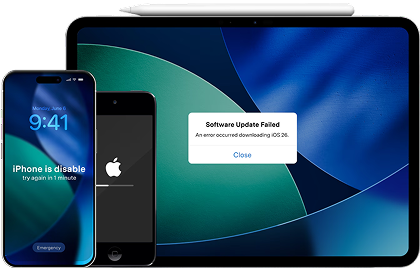
If your next step is a repair attempt, a reset, or a clean re-setup, plan for two realities: you may need to retry steps, and you may need a fallback if the plan doesn’t work as expected.
-
Step 1 Open Dr.Fone and enter the toolbox
Start Dr.Fone on your computer so you can choose the appropriate module before making major changes.

-
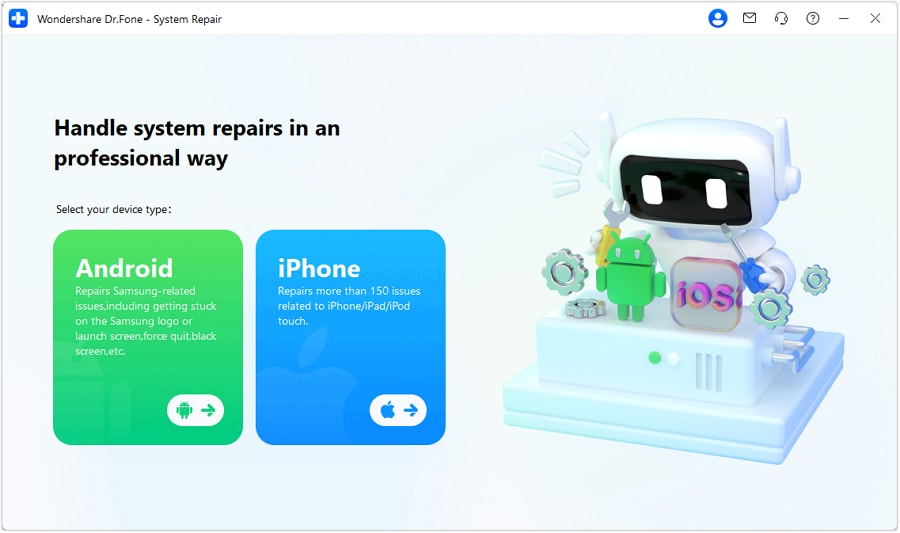
Step 2 Go to System Repair and select iOS
If you suspect an iOS software issue is contributing to abnormal drain, navigate to System Repair and choose iOS.
-
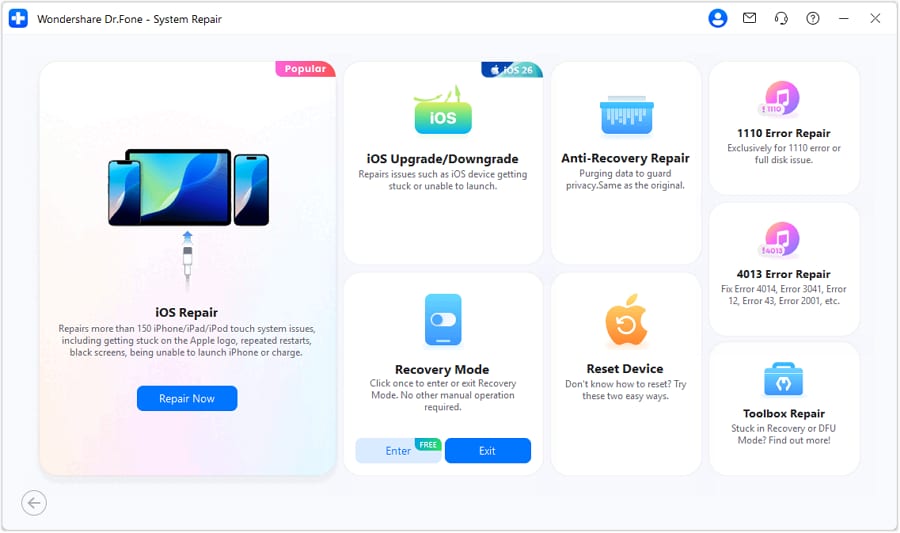
Step 3 Continue to iOS repair
Proceed through the iOS repair flow and follow the on-screen instructions carefully.
-
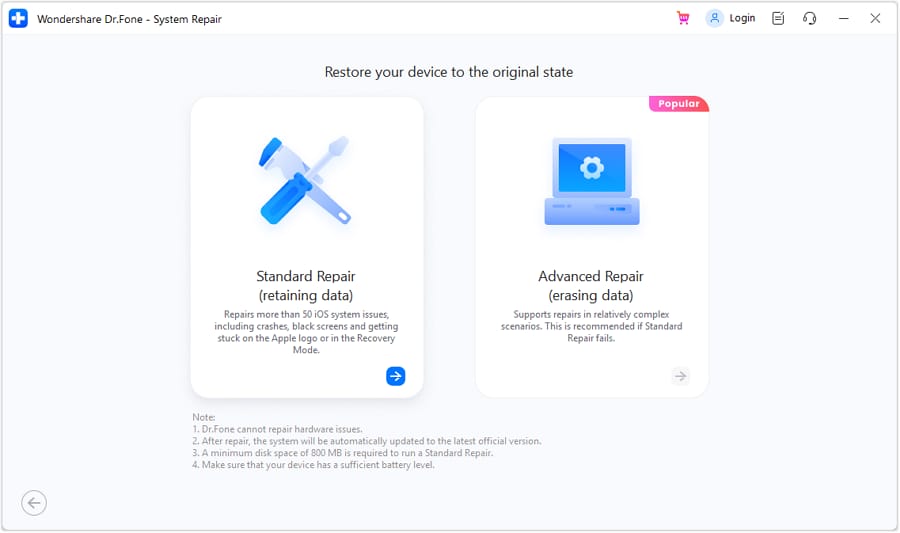
Step 4 Use Standard Mode when you want the lowest disruption
Choose Standard Mode when you want a safer path that aims to avoid data loss while addressing system-level issues.




Conclusion
AI is useful for comparing likely causes and fix paths based on your priorities, but real use is the final proof—and once you’ve decided to reset, switch, or resell, Dr.Fone can help you execute the transition more safely and cleanly.
FAQ
-
Can I trust AI to tell me the exact reason my battery drains fast?
AI is best at narrowing likely causes from your symptoms and battery stats; it can’t confirm hardware faults or real device behavior without diagnostics and real-world testing.
-
What’s the single most important trade-off when choosing a fix?
Disruption vs certainty: quick setting tweaks are low-risk but may be minor; resets or replacements are higher-effort but can deliver clearer, longer-term outcomes.
-
How do I avoid a generic “turn everything off” answer?
Tell the AI what you refuse to compromise (notifications, location, Bluetooth, 5G) and ask it to propose a minimal-disruption plan with realistic expectations.
-
What’s an assumption that often flips the recommendation?
Battery health: if it’s significantly degraded (or the phone overheats easily), “optimize settings” may be a temporary bandage compared to replacement or upgrading.
-
If I reset or switch phones, what should I prepare first?
Back up what you can’t afford to lose, list critical apps/accounts, and plan how you’ll restore 2FA codes, authenticator apps, and work profiles.
-
Does selling or trading in change what fix I should choose?
Yes—if resale/trade-in is likely, you may favor a clean reset and data cleanup sooner, and invest less time in deep troubleshooting on an aging device.
 Add Wondershare Dr.Fone as a preferred source on Google





