 Effortlessly manage data through preview, delete, export, etc.

 100% Security Verified | No Subscription Required | No Malware

 :
: 
 ChatGPT
 Perplexity
 Gemini
 Claude
 Grok
Grok

After an iOS update, CarPlay suddenly started asking for permissions again and some apps disappeared. I reconnect over and over, but nothing changes.
Reddit user, r/CarPlay
After an iOS update, CarPlay can suddenly ask for permissions again, lose access to contacts or messages, or stop showing apps—especially on common models like iPhone 13 or iPhone 14. This often happens right after you tap Install Now and the phone restarts, and then nothing seems to change no matter how many times you reconnect.
AI (like ChatGPT or Gemini) can help you describe the symptoms precisely, narrow likely causes, and decide which checks are low-risk versus which could reset settings or remove data.
AI can’t verify what your car head unit is doing, and trial-and-error can accidentally wipe network settings, remove vehicle pairings, or change privacy toggles in ways that are hard to undo—so the goal is careful diagnosis first.
In this article
- Part 1. Why CarPlay permissions change after an iOS update (and what it means)
- What “permissions changed” usually means
- What it looks like in real use
- Why it’s confusing
- Before you prompt the AI
- Part 2. Using AI prompts to diagnose safely
- Part 3. When to stop troubleshooting and avoid risks
- Part 4. Fix or resolve it safely with Dr.Fone (screen mirroring)
- Part 5. AI output vs reality: what to verify on-device
Part 1. Why carplay permissions changed after ios update happens and what it means
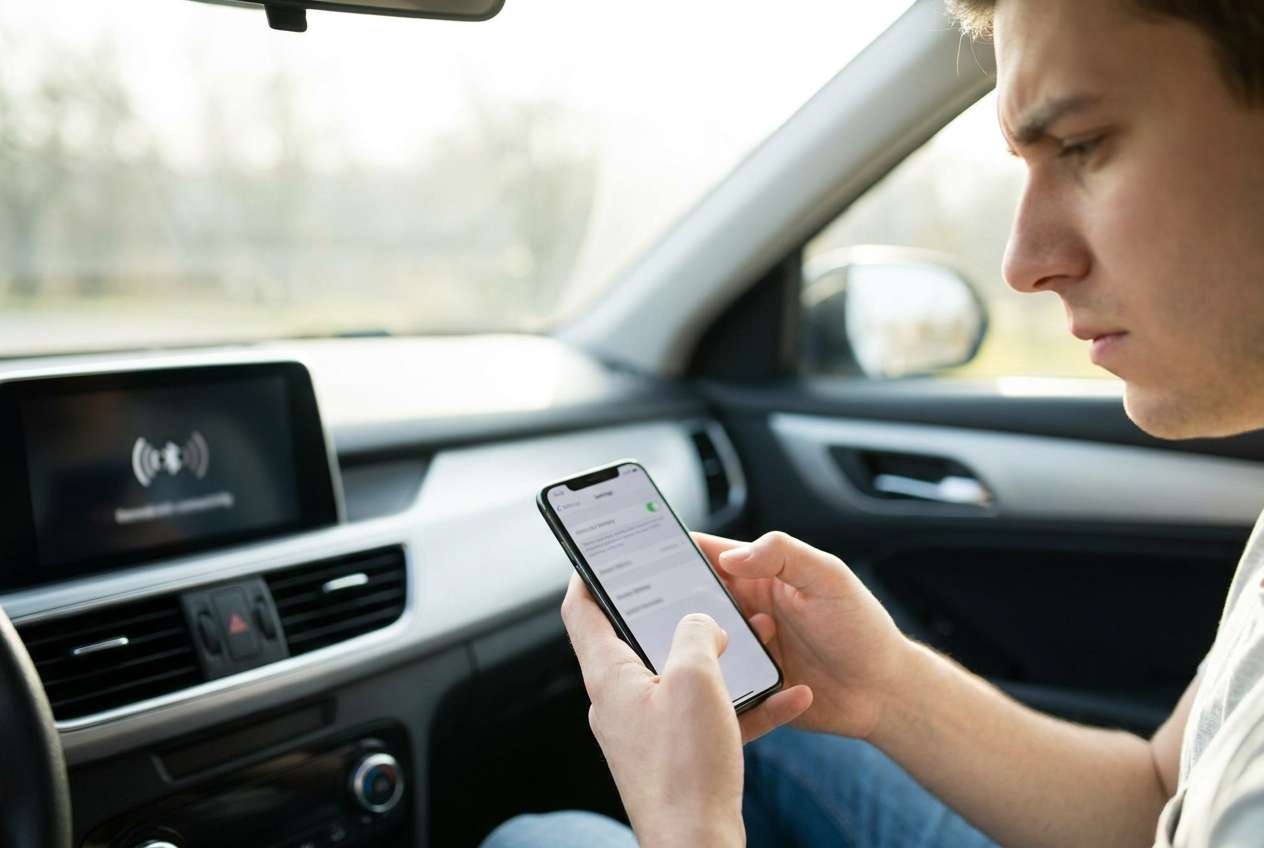
If CarPlay permissions changed after iOS update, it usually means iOS re-evaluated privacy, USB access, or app-level permissions during the update. The result can look like CarPlay “forgot” what it was allowed to read (contacts, messages) or which apps it can show.
In practice, you might see repeated prompts (“Allow CarPlay while locked?”), missing apps on the CarPlay home screen, Siri-related changes, or a car that no longer recognizes the iPhone until you approve something again.
What makes this confusing is the uncertainty: CarPlay can fail due to iPhone-side privacy toggles, the car’s saved pairing profile, or even a cable/port negotiation issue that only surfaced after the update.
1-1. Before You Prompt the AI
Capture a few specifics first so the AI can rule things out quickly:
- iOS version before/after the update (if you know)
- iPhone model and car/head unit model (or year)
- Wired CarPlay or wireless CarPlay
- What changed: prompts, missing apps, messages not reading, Siri not working
- What you already tried (new cable, reboot, “Forget This Car,” etc.)
Part 2. Using AI prompts to diagnose carplay permissions changed after ios update safely
2-1. Level 1: Basic Prompt
My CarPlay permissions seem to have changed after an iOS update. Ask me the minimum questions needed to narrow the cause, then give me the safest first checks (no resets yet). My symptoms: [describe prompts/missing apps/connection behavior]. iPhone: [model], iOS: [version], CarPlay: [wired/wireless], Car: [model/year].
2-2. Level 2: Advanced Prompt
Diagnose “CarPlay permissions changed after iOS update” using a ranked list of likely causes.
Inputs: iPhone [model], iOS [version], CarPlay [wired/wireless], car/head unit [model/year], symptoms [exact prompts + what doesn’t work].
Output format:
1) Top 5 causes ranked by likelihood
2) For each cause: the key evidence that would confirm/deny it
3) The lowest-risk next step first (avoid anything that resets network/settings unless clearly justified)
4) What NOT to change yet and why
2-3. Level 3: Evidence Prompt
Act like a diagnostic assistant. I’ll provide evidence; you infer the most likely cause of CarPlay permission changes after an iOS update and propose low-risk next steps.
Device info
- iPhone model: (e.g., iPhone 13 Pro)
- iOS version now: (e.g., 17.5.1)
- CarPlay type: (wired / wireless)
- Car/head unit: (e.g., 2021 Toyota Camry OEM unit)
Trigger
- What I did right before: (e.g., tapped Install Now, phone restarted overnight)
Symptoms (exact)
- Prompts shown: (quote the wording if possible)
- What changed: (missing apps / contacts not available / messages not reading / Siri broken)
- Time behavior: (works briefly then fails / never works)
What still works
- Charging over cable: (yes/no)
- Bluetooth calls: (yes/no)
- Regular USB data with computer: (yes/no/unknown)
Settings checks I already did
- CarPlay in Settings > General > CarPlay: (car listed? yes/no)
- Screen Time restrictions for CarPlay: (on/off/unknown)
- Siri status: (on/off/unknown)
- “Allow CarPlay While Locked”: (on/off/unknown)
Constraints
- I want to avoid data loss and avoid resetting network unless necessary.
Your output
- Rank causes + confidence (high/medium/low)
- The 3 safest next steps
- The 2 most informative checks to run next
2-4. Prompt Refinement
Use these follow-ups to make the AI’s output more actionable:
What 3 questions do you still need answered to differentiate between a permissions issue and a connection negotiation issue?
Split causes into categories: iOS privacy/permissions, Screen Time restrictions, car/head unit pairing profile, cable/port/hardware.
Re-rank your causes assuming Bluetooth calls work but CarPlay apps are missing—what changes?
What single setting change would produce the strongest evidence without resetting anything?
List the exact iOS settings paths I should verify, and what each path would imply if it’s toggled off.
Part 3. When to stop troubleshooting carplay permissions changed after ios update and avoid risks
Stop and reassess if your next step increases the chance of losing configurations or creating new issues.
- You’re about to reset Network Settings without clear evidence it’s network-related (especially if wireless CarPlay isn’t even used).
- You keep “forgetting” the car / re-pairing but prompts and missing apps return immediately with no new clues.
- CarPlay failures coincide with broader instability (random reboots, overheating, storage nearly full), suggesting a bigger iOS problem.
- You can’t reproduce the issue consistently and you’re making multiple changes at once, so you can’t tell what helped or hurt.
Once you’ve used AI to identify the most likely branch (permissions vs restrictions vs pairing vs hardware), move to controlled execution—one change at a time.
Part 5. AI Output vs Reality: what you should verify on-device
AI can help you reason, but it can’t “see” your device. Use this reality-check:
| What AI suggests | What you should verify on-device |
|---|---|
| “CarPlay needs permission again after update” | Whether prompts repeat, and which permission wording appears |
| “It’s likely Screen Time blocking CarPlay” | Screen Time restrictions status and any content/privacy limits |
| “The car pairing profile is stale” | Whether the car still appears under iPhone CarPlay list and vice versa |
| “It’s a cable/USB handshake problem” | Whether charging works, whether another cable/port changes behavior |
AI can narrow the decision tree; the execution gap is that only real device checks (and sometimes re-pairing) confirm the cause.
Part 4. Carplay permissions changed after ios update: fix or resolve it safely with Dr.Fone
When CarPlay permissions change after an iOS update, a practical next step is to mirror your iPhone to a PC so you can verify settings paths, capture exact prompts, and avoid mis-tapping while you compare your current configuration against what the AI expects. Dr.Fone Basic - Screen Mirroring is relevant here because it focuses on executing the on-screen review process (showing your iOS screen on a computer) while you apply the AI’s checklist carefully and document what you see. You can follow the official mirroring flow described in the Dr.Fone screen mirroring guide while you validate permissions and CarPlay-related toggles.
 Easily manage data through preview, delete, export, etc.
- Transfer all data between devices.
- Robust backup solutions for reliable data protection.
- Mirror screens to PC for meetings, teaching, and control.
-
Step 1 Launch Screen Mirroring
Open Dr.Fone and choose the option to mirror iOS to PC, keeping your iPhone unlocked to avoid permission pop-ups being hidden.
-
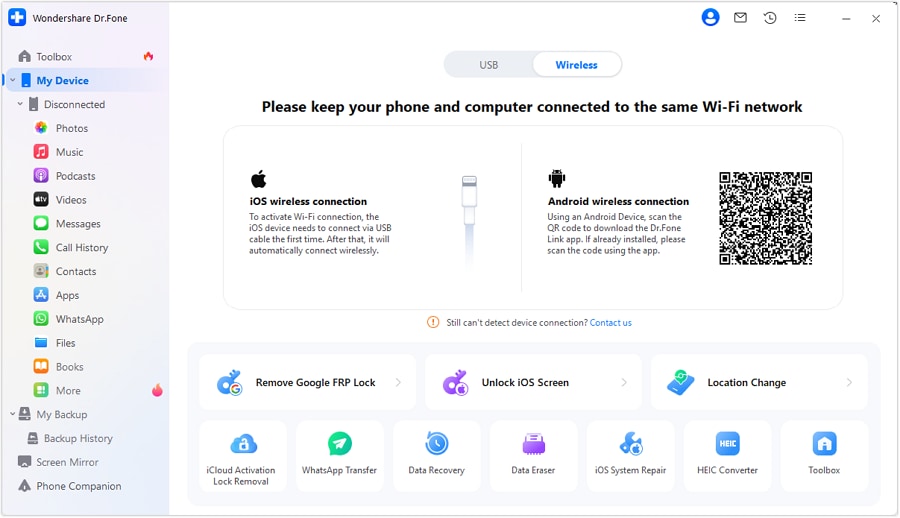
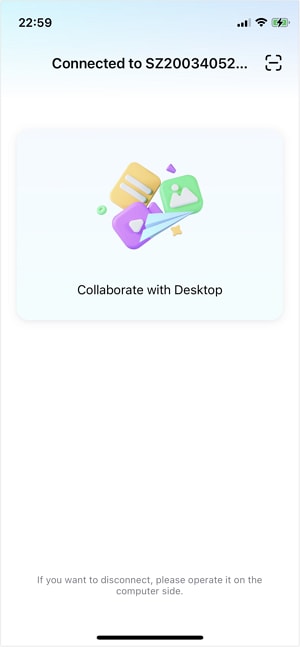
Step 2 Connect iPhone to the PC
Use a stable connection method supported by your setup, and don’t switch cables/ports mid-session to keep observations consistent.
-
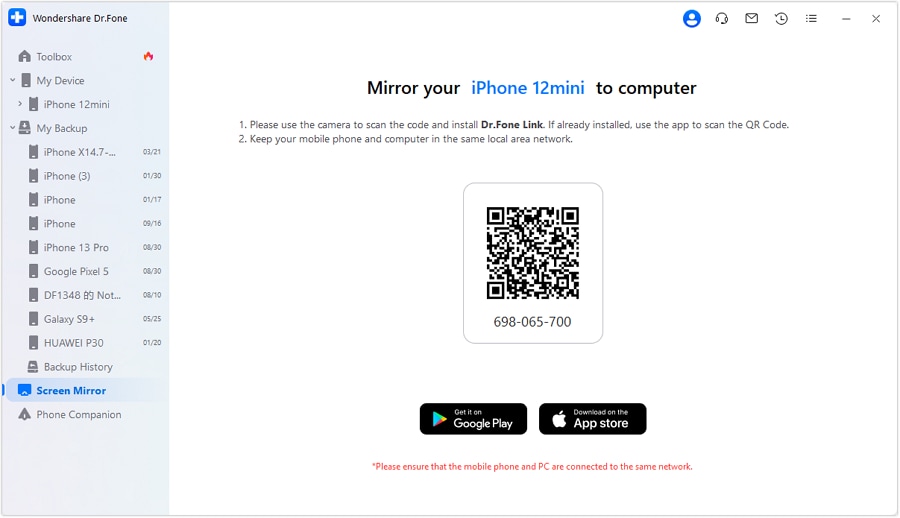
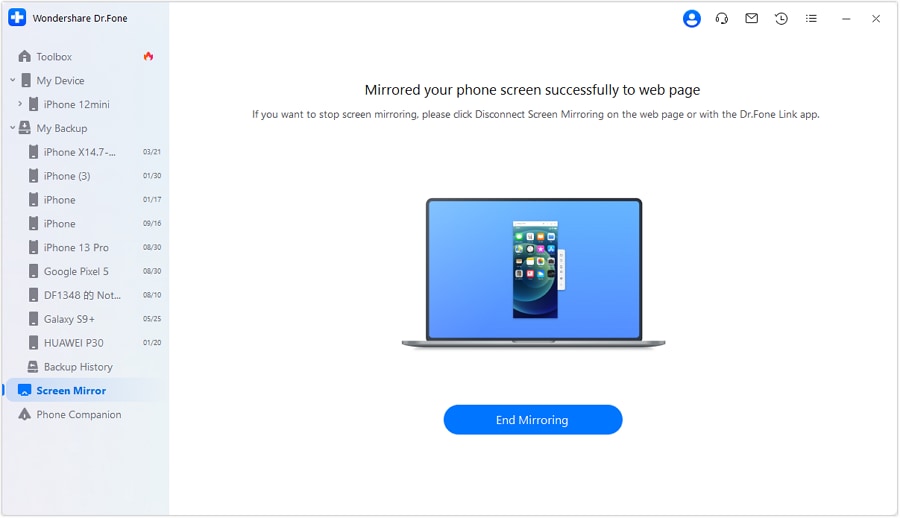
Step 3 Mirror and verify key settings
Navigate iOS settings while mirrored so you can double-check CarPlay-related prompts and toggles with fewer mistakes.
-
Step 4 Record the exact symptoms
Capture the precise wording of prompts and which screens are missing/disabled so your AI diagnosis can be updated accurately.
-
Step 5 Re-test CarPlay once per change
After each single adjustment, reconnect to CarPlay to see whether the symptom changes before trying the next step.




Conclusion
Use AI to turn “CarPlay permissions changed after iOS update” into a clear set of hypotheses and low-risk checks, then use a practical execution step—like mirroring your iPhone to a PC with Dr.Fone—to verify settings precisely and document the exact prompts and changes you observe.
FAQ
-
Why did CarPlay ask for permissions again after the iOS update?
Updates can re-check privacy, lock-screen access, Siri permissions, or device pairing profiles, which may trigger new prompts or revert behavior that previously “just worked.” -
Which iOS settings are most likely tied to CarPlay permissions?
Common culprits include CarPlay device entries, Siri settings, Screen Time restrictions, and lock-screen permission prompts (depending on what feature stopped working). -
Does “Forget This Car” remove anything important?
It typically removes the pairing/profile and may require setting CarPlay up again; it’s reversible, but repeated re-pairing without diagnosis can add confusion. -
Is resetting Network Settings necessary for CarPlay permission problems?
Not always; it’s higher-impact because it can remove Wi‑Fi networks and Bluetooth pairings, so it’s best saved for cases where evidence points to connection-layer issues. -
How can screen mirroring help with CarPlay troubleshooting?
Mirroring helps you follow settings paths carefully, capture exact prompts, and compare what you see against the AI’s diagnostic questions without rushing on a small screen.
 Add Wondershare Dr.Fone as a preferred source on Google





