Effortlessly manage data through preview, delete, export, etc.

 100% Security Verified | No Subscription Required | No Malware

 :
: 
 ChatGPT
 Perplexity
 Gemini
 Claude
 Grok
Grok
Imagine a group of tech-savvy friends scrolling through their devices late at night. One taps the PolyBuzz AI chat app, and an incredibly lifelike AI responds with nuanced humor. Another tests a complex narrative arc with a character that feels remarkably sentient. By 2026, generative AI tools have transitioned from niche toys to fundamental communication pillars. According to industry data, AI-powered mobile applications saw over 4.2 billion downloads in 2025 alone, with consumer spending hitting record highs. As the demand for richer, unrestricted dialogue grows, interest in the PolyBuzz mod apk and PolyBuzz AI mod apk has reached a fever pitch.
I'm looking for a way to experience the full potential of PolyBuzz without the daily limits. Is the PolyBuzz APK premium mod safe, or should I look for alternatives?
Alex Chen, Tech Reviewer

Many users find the official app's limitations restrictive for deep roleplay or creative writing. This guide provides a deep dive into what these modifications claim to offer, the inherent security risks of sideloading, and the smarter, safer AI platforms you can trust in 2026.
In this article
Part 1. Deep Dive: What Is PolyBuzz Mod APK?
The PolyBuzz mod apk is an unauthorized, modified iteration of the official PolyBuzz AI platform. While the legitimate app boasts a massive library of 20 million AI characters and over 33 million downloads, it operates on a freemium model. This means users often encounter "energy" limits or paywalls for advanced features. The PolyBuzz AI mod apk aims to bypass these restrictions, offering a "premium unlocked" experience without the subscription fee.
1. Feature Parity with Risks
It retains the core character creation and LLM (Large Language Model) capabilities but removes official safeguards and monetization triggers.
2. Unofficial Distribution
These files are distributed via third-party repositories rather than the Google Play Store or Apple App Store, significantly increasing the risk of malware injection.
Core Features Promoted in Unlocked Versions
- Unlimited messaging with zero daily energy consumption.
- Ad-free experience removing all intrusive pop-ups.
- Full access to the library of themes and community-created personalities.
- Enhanced custom character tools with full voice and visual presets.
- Natural language processing tuned for more lifelike responses.
Part 2. Installation Guide for PolyBuzz Mod APK
For those choosing to proceed with the PolyBuzz AI mod apk, the installation process requires manual intervention known as sideloading. This process bypasses the OS's native security checks, so it is vital to source the file from a relatively reputable community like HappyMod, though absolute safety is never guaranteed.
Step 1 Source the APK File
Locate the PolyBuzz APK premium file from a trusted third-party site. Ensure you are downloading the version compatible with your 2026 device firmware.
Step 2 Modify Security Permissions
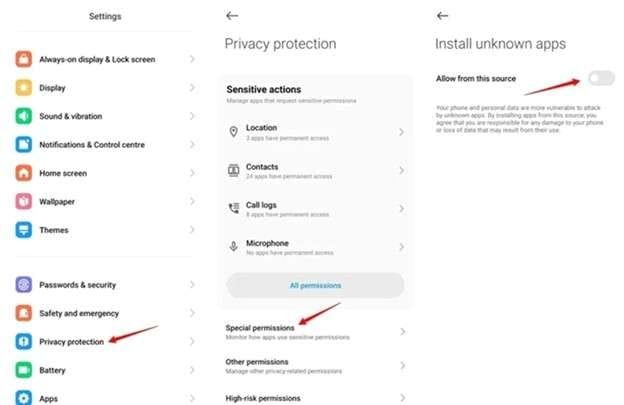
Navigate to Settings > Security on your Android device. Toggle on the "Install from Unknown Sources" option. This is the critical step that allows non-Play Store installations.
Step 3 Execute the Installation
Open your file manager, find the downloaded file, and tap it. Follow the on-screen prompts to complete the setup. Once done, launch the app and verify that the premium features are active.
Part 3. How to Navigate PolyBuzz AI Mod Features
Once the PolyBuzz mod apk is successfully installed, navigating its interface is nearly identical to the official version, albeit without the restrictive prompts for credits or tokens. The 2026 version of the mod focuses heavily on community interaction and advanced AI creation tools.
Step 1 Authenticate or Guest Access
Launch the app. Most mods allow you to use a guest account or a burner email. Given the security risks, avoid using your primary social media or Google accounts for login.
Step 2 Character Discovery
Use the global dashboard to browse trending AI characters. With the premium unlock, you can engage with "Pro" or "VIP" characters immediately.
Step 3 Advanced Customization
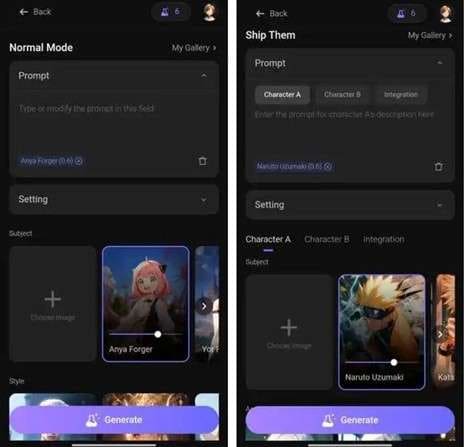
Access the character creator. Define your AI's backstory (up to 10,000 words), select their voice tone, and assign visual traits. The mod ensures all premium sliders are available for free.
Part 4. Top 8 Secure Alternatives to PolyBuzz Mod APK
If the security risks of the PolyBuzz AI mod apk are a concern, 2026 offers a wealth of official platforms that provide high-quality AI interaction without compromising your data safety.
1. Character.AI
Character.AI remains a titan in the industry, focusing on intelligent, personality-driven dialogue. Unlike the PolyBuzz mod, which emphasizes unlocking existing content, Character.AI relies on a community of creators who fine-tune models for specific roles, from historical figures to original fictional entities.
- Vast library of user-generated characters.
- Unmatched linguistic depth and memory.
- Official support and frequent safety updates.
- Strict content filters may hinder specific roleplays.
- Mobile app can be slower than the web interface.
2. Janitor.AI
Janitor AI is the go-to for users who desire creative freedom. While the PolyBuzz AI mod apk removes paywalls, Janitor AI removes content restrictions, providing an open canvas for storytelling. It is text-heavy and immersive, appealing to hardcore roleplayers.
- Extremely flexible content policies.
- Supports API integration for custom models.
- Highly detailed character definitions.
- Interface is less polished than mobile apps.
- Learning curve for API setup.
3. Chai.AI
Chai AI offers a rapid-fire discovery system using a swipe interface, making it the Tinder of AI chat. It is perfect for users who want to jump in and out of conversations quickly without the overhead of complex character creation.
- Ultra-fast onboarding and swiping.
- Highly active community-built bot marketplace.
- Great for casual, entertainment-focused chat.
- Data privacy policies are somewhat opaque.
- Conversations lack the depth of Character.AI.
4. Replika
Unlike the roleplay-centric PolyBuzz AI, Replika is designed as a consistent digital companion. It focuses on emotional growth and personal wellness, offering a stable relationship with a single, highly customizable AI avatar.
- Strong emotional support capabilities.
- Immersive 3D avatar and voice chat features.
- Builds a unique personality based on your input.
- Limited to a single character.
- Advanced roleplay features require a subscription.
5. YesChat.ai
YesChat is the Swiss Army knife of AI. By integrating multiple leading models like GPT-4 and Claude, it provides a level of versatility the PolyBuzz mod can't match. It transitions seamlessly from creative roleplay to technical coding assistance.
- Access to world-class LLMs in one place.
- Includes document analysis and image generation.
- Highly reliable for productivity tasks.
- Less emphasis on character backstory/roleplay depth.
- Premium features are strictly gated by paywalls.
6. Crushon.AI
CrushOn.AI mirrors the creative energy of PolyBuzz but with a specific focus on anime aesthetics and unrestricted community storytelling. It excels in visual representation and allows users to share their fictional universes with a massive audience.
7. Emochi
Emochi focuses on relationship continuity. Unlike the PolyBuzz mod apk, which allows for infinite character switching, Emochi rewards long-term interaction with a single AI, creating a more realistic emotional flow and memory capability.
8. Kindroid – Advanced Voice & Immersion
Kindroid pushes the boundaries of voice-first interaction. While PolyBuzz AI is primarily text-driven, Kindroid allows you to converse through natural, human-like audio, creating a multi-sensory immersion that is perfect for commuters or hands-free use.
Part 5. Bonus: Securely Managing Your Device Data with Dr.Fone
In 2026, the proliferation of AI apps means our devices are constantly flooded with chat logs, generated images, and voice data. Whether you are experimenting with a PolyBuzz mod apk or using official alternatives, keeping your device optimized is crucial. This is where Wondershare Dr.Fone becomes an indispensable ally.
 Effortlessly manage data through preview, delete, export, etc.
- Transfer all data between devices.
- Robust backup solutions for reliable data protection.
- Mirror screens to PC for meetings, teaching, and control.
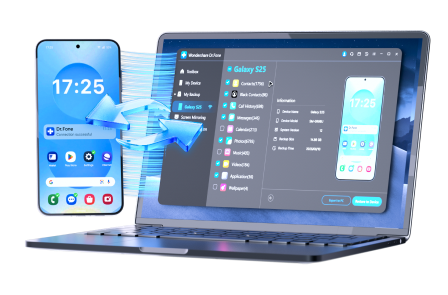
Dr.Fone acts as a centralized dashboard for your digital life, allowing you to clean up the clutter left behind by high-data apps and ensure your device runs at peak performance.
Maximize Device Performance in 4 Easy Steps
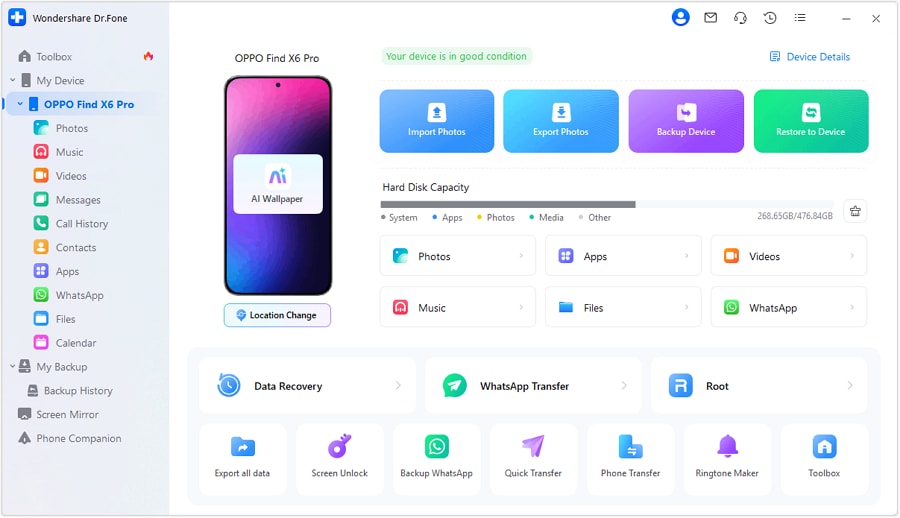
Step 1 Connection Setup
Launch Dr.Fone on your desktop. Connect your smartphone via USB or wirelessly using the Dr.Fone Link app for instant synchronization.
Step 2 Storage Audit
Navigate to the Photos and Videos modules. Identify and export large AI-generated media files to your PC to free up internal storage.
Step 3 Message Archiving
Use the Data Management tool to archive important chat logs and attachments. This ensures you never lose creative roleplays even if the app data is cleared.
Step 4 System Optimization
Run the general maintenance scan to remove residual cache and junk files, keeping your Android or iOS device responsive and secure.
Conclusion
The PolyBuzz mod apk represents the tension between user desire for unrestricted creativity and the economic realities of app development. While the allure of "Premium Unlocked" is strong, the security risks of 2026 demand a more cautious approach. Official powerhouses like Character.AI and Janitor AI provide deep, satisfying experiences with the peace of mind that comes from verified distribution. By prioritizing security and using management tools like Wondershare Dr.Fone, you can enjoy the frontier of AI communication without jeopardizing your digital safety.


FAQ
1. Is the PolyBuzz AI mod apk safe to use?
While many use it without immediate issues, any modded APK carries risks. These files can be injected with spyware or keyloggers that standard mobile security may miss. Official apps are always the safer bet.2. Can I get banned for using a PolyBuzz mod?
Yes. Official developers can detect irregular activity from unofficial versions, leading to permanent account bans and loss of all created AI characters.3. Are there free alternatives that don't require energy?
Platforms like Character.AI and Janitor AI offer generous free tiers that prioritize deep conversation over the gamified energy mechanics found in other apps.4. How do I protect my data if I install a mod?
Always use a burner email, avoid granting unnecessary permissions (like contacts or location), and regularly back up your device using Dr.Fone.
 Add Wondershare Dr.Fone as a preferred source on Google