Effortlessly manage data through preview, delete, export, etc.

 100% Security Verified | No Subscription Required | No Malware

 :
: 
 ChatGPT
 Perplexity
 Gemini
 Claude
 Grok
Grok
I'm looking for the funniest text to speech messages to use in my gaming streams. What are some hilarious TTS prompts that actually sound good with a robotic voice?
Alex Rivera, Content Creator

Text-to-speech (TTS) technology has transitioned from a utility for accessibility to a cornerstone of digital entertainment. In 2026, the contrast between an emotionless, mechanical AI voice and absurd human humor has birthed a new genre of viral content on platforms like TikTok, Discord, and YouTube Shorts.
The secret to funny text to speech clips isn't just the words; it's the "uncanny valley" effect—the robotic voice's failure to grasp sarcasm, irony, or comedic timing. In this guide, we have curated the funniest text to speech messages you can copy and paste today, along with the best funny voice generator tools to bring them to life.
In this article
Part 1. Top 25 Funniest Text-to-Speech Messages
Selecting the funniest TTS messages requires more than just a good joke. We analyzed viral trends and comedic structures that work best with synthetic voices. Our selection criteria include:
- Robotic Sincerity: Messages that sound like a computer is trying (and failing) to be human.
- Syntactic Glitches: Words and phrases that cause the AI to stumble or emphasize the wrong syllable for comedic effect.
- Platform Relevance: Snippets optimized for the fast-paced nature of TikTok and gaming community humor.
1-1. Funniest Short TTS One-Liners
Short prompts are the heavy hitters of hilarious text to speech content. When delivered with a flat, monotone voice, these one-liners transform into satirical masterpieces.
1. "I am not lazy; I am simply on permanent energy-saving mode."
- Comedy Factor: The mechanical voice makes this sound like a legitimate system status update.
- Best Voice: Monotone Robotic
2. "This message is being read by a voice that has no emotions, much like my ex."
- Comedy Factor: The sudden personal pivot is shocking when delivered by an AI.
- Best Voice: Dry/Monotone AI
3. "I would like to formally apologize… never mind, I just realized I don't care."
- Comedy Factor: The pause after the ellipsis creates perfect comedic tension.
- Best Voice: Cheerful AI
4. "Loading personality… 404 Error… defaulting to sarcasm instead."
- Comedy Factor: Uses tech jargon that aligns with the TTS persona.
- Best Voice: Glitchy/Digital
5. "If you can hear this, please send help. Or snacks. Mostly snacks."
- Comedy Factor: The contrast between the distress call and the request for snacks is gold.
- Best Voice: Deep Announcer

1-2. Funniest TTS Troll Messages
Trolling with tts funny messages is an art form. These prompts are designed to be played in public Discord servers or during live streams to create a chaotic, humorous atmosphere.
1. "Attention everyone: I have absolutely no idea what is happening right now."
- Why it works: The confident AI tone makes the confusion sound like an official broadcast.
- Platform: Discord / Twitch
2. "Public service announcement: I forgot what I was going to say halfway through this sentence."
- Why it works: Mimics human forgetfulness in a way that feels beautifully awkward for a machine.
- Platform: YouTube Shorts
3. "Please remain calm. I am a professional AI, and I have everything under control. Mostly."
- Why it works: That "mostly" at the end ruins the credibility of the entire message.
- Platform: Gaming Streams
4. "Congratulations! You have been listening to this for ten seconds. That is ten seconds you will never get back."
- Why it works: High-level sass delivered with zero facial expressions.
- Platform: TikTok
5. "I have a very important secret to tell you… wait, I hear the FBI coming. Gotta go."
- Why it works: The abrupt ending creates a "cliffhanger" effect.
- Platform: Viral Clips
1-3. Hilarious Long Text-to-Speech Messages
Long-form funny text to speech messages are great for storytelling or "rant" videos where the AI's struggle with pacing adds to the joke.
1. "I have gathered you all here to announce a major breakthrough in human stupidity. It is currently sitting in front of this screen."
- Effect: A slow, build-up roast that hits harder because the AI sounds so objective.
2. "This voice has no soul, no heartbeat, and no student loans. I am effectively winning at life compared to you."
- Effect: The AI "flexing" on humans is a recurring and hilarious theme in 2026 memes.
3. "If I were a human, I would probably be laughing. But I am a series of code, so I will just stare at you blankly."
- Effect: Breaks the fourth wall of AI technology.
4. "My creator told me to be more expressive. So, here is me being happy. Yay. Woop. I am practically exploding with joy."
- Effect: Sarcastic monotone delivery of "happy" words is a classic TTS comedy trope.
1-4. Funniest NPC-Style & AI Glitch Messages
The rise of "NPC core" content makes these hilarious text to speech prompts essential for gaming-related humor.
1. "Greetings, adventurer. I have a quest for you: stop looking at memes and go outside."
2. "Critical Error: Personality file not found. Reverting to generic robot mode."
3. "I used to be an AI like you, but then I took a software update to the knee."
4. "Buffering humor… buffering… error. Please insert a funny human to continue."
1-5. Most Viral TikTok-Style TTS Messages
These funniest tts messages are optimized for the fast-scrolling world of TikTok, focusing on "POV" (Point of View) scenarios and self-aware humor.
1. "POV: You’re listening to an AI talk because you’re too tired to read."
2. "I don’t want to be dramatic, but this is the most awkward silence I’ve ever been a part of."
3. "If this video goes viral, I’m using the money to buy a physical body. Watch out, world."
4. "I am currently judging your life choices. It is part of my new system update."
Part 2. Best Funny Voice Generators & Voice Types
Choosing a funny voice generator is the second half of the battle. The right software provides the nuance (or lack thereof) needed to make the jokes land. Here are the top tools in 2026:
1. ElevenLabs – Premium AI Voice Realism
ElevenLabs is the gold standard for creating expressive yet hilarious text to speech. It allows you to fine-tune the emotional "stability" of a voice, which is perfect for creating that "unhinged AI" effect.
- Best for: High-quality character parodies and narrative jokes.
- Key Feature: Voice cloning and extreme tonality control.
2. Murf AI – The Creative Suite
Murf AI provides a massive library of voices ranging from "Casual High Schooler" to "Deep Movie Announcer." It is excellent for professional-grade comedy clips.
- Best for: Gaming content creators and YouTube narrators.
- Key Feature: Precise emphasis on specific words to nail the timing.
3. Evernote TTS – The Quick & Easy Option
Ideal for users who need a clear, reliable voice without complex settings. It supports various languages and is surprisingly good at handling slang.
1. The "Deadpan" Monotone
The classic choice. Perfect for saying outrageous or emotional things without any inflection.
2. The "Overly Cheerful" Host
Great for delivering bad news or insults. The contrast between the happy tone and the dark text is a comedy staple.
3. The "Glitchy" Synthesizer
Adds a layer of "broken tech" humor to NPC or sci-fi style messages.
Part 3. Bonus: Managing Your Funny TTS Clips Effectively
As you experiment with funny text to speech messages, you will quickly find your phone or computer cluttered with hundreds of audio files and video drafts. Managing these assets is crucial for any efficient content creator.
A professional tool like Dr.Fone Basic (which includes the powerful Phone Manager) is the best way to keep your TTS library organized across iOS, Android, and PC.
 Effortlessly manage data through preview, delete, export, etc.
- Transfer all data between devices.
- Robust backup solutions for reliable data protection.
- Mirror screens to PC for meetings, teaching, and control.
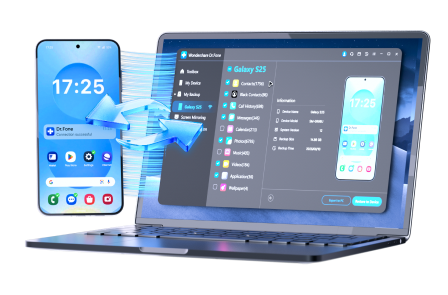
With Dr.Fone, you can bridge the gap between your desktop voice generators and your mobile social media apps. Follow these steps to keep your hilarious clips organized:
Step 1 Connect Your Device
Connect your iPhone or Android to your computer using a USB cable or via the Dr.Fone Link wireless app.
Step 2 Access the Video/Audio Manager
Open the Phone Manager tool and navigate to the 'Videos' or 'Music' (Audio) tab to see your saved TTS clips.
Step 3 Export or Organize
Select multiple files to export them to your computer for backup, or import new clips generated on your PC directly to your phone for TikTok uploads.




Conclusion
The world of funny text-to-speech messages is ever-evolving, but the core of its humor remains the same: the delightful awkwardness of machines trying to mimic humans. By combining 2026's funniest tts messages with powerful generation tools like ElevenLabs, you can easily create viral content. And when your library gets overwhelming, remember that Dr.Fone Basic is there to keep your digital life organized.
FAQ
1. What makes a text to speech message funny?
Humor in TTS usually comes from the contrast between an emotionless robotic voice and absurd, sarcastic, or emotional text. Mispronunciations of slang also add a layer of "glitchy" humor that social media users love.2. Can I use these TTS messages for commercial TikToks?
Yes, but ensure you are using a funny voice generator like ElevenLabs or Murf AI that provides commercial usage rights for their voices.3. How do I get an AI to sound like a specific celebrity?
Advanced tools like ElevenLabs offer voice cloning technology. You can upload a sample of a voice, and the AI will mimic the tone and pitch for your funny messages.4. What is the best voice type for trolling on Discord?
A deadpan, monotone robotic voice is usually the most effective for trolling, as it sounds like an automated server announcement, catching people off guard.
 Add Wondershare Dr.Fone as a preferred source on Google