 Effortlessly manage data through preview, delete, export, etc.

 100% Security Verified | No Subscription Required | No Malware

 :
: 
 ChatGPT
 Perplexity
 Gemini
 Claude
 Grok
Grok

I’m traveling soon and I don’t want a “best phone” list—I just need something that won’t die while I’m navigating, and still takes great photos without stressing me out.
Reddit user, r/travel
Generic “best phone” answers usually ignore the real travel trade-offs: navigation reliability, battery anxiety, and whether your camera actually delivers when moments happen fast.
AI can help by turning your travel style into a structured comparison—so you’re choosing based on what you’ll feel daily (charging access, photo habits, map dependence), not just what looks good on a spec sheet.
AI can’t verify hands-on comfort, screen readability in harsh sun, or the friction you’ll feel after day 5 on the road—so once you’re close, real-life fit and switching logistics still matter.
In this article
- How to compare based on real priorities
- Why travel priorities change the “best phone”
- The core tension: maps + battery vs camera workflow
- Pick the failure you fear most
- Turn feelings into a comparison framework
- What the AI needs to compare
- AI prompts to evaluate more clearly
- AI recommendation vs real-world fit
- When to stop researching and make the call
Part 1. How to Compare Best Phone for Travel with Maps Battery and Camera Based on Real Priorities
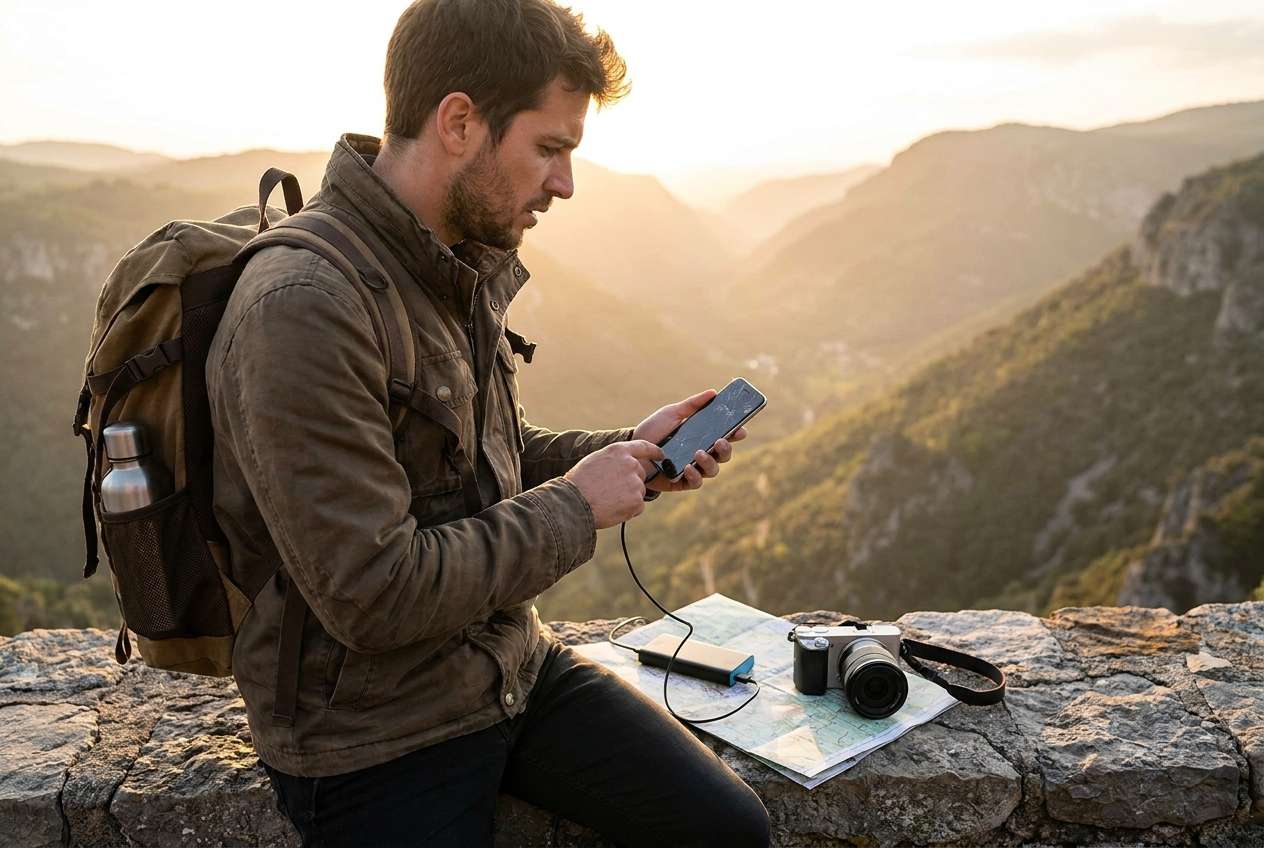
Travel phone choices get messy because “maps + battery + camera” means different things depending on how you travel. A city-break traveler with constant cafés will tolerate different battery trade-offs than someone doing long day trips with limited charging.
1-1. Why travel priorities change the “best phone”
Your “best” travel phone depends on your daily reality: how often you’re navigating, how long you’re away from outlets, and how quickly you need your camera to deliver without friction.
1-2. The core tension: maps + battery vs camera workflow
The tension is usually this: the phone that feels safest for navigation and battery may not be the one that gives you the photos you love (or the workflow you prefer), and the “best camera phone” can be a poor travel companion if it creates charging or storage stress.
1-3. Pick the failure you fear most
A cleaner comparison starts by deciding what failure you fear most on a trip: getting lost, missing photos, running out of battery at the wrong time, or dealing with annoying transfer/storage issues mid-trip.
1-4. Turn feelings into a comparison framework
Once you name your top risk, compare phones by how they behave in your day (signal drain, brightness, camera speed, storage/backup friction), not by isolated spec wins.
Part 2. What the AI Needs to Compare
Give the AI enough context to judge fit, not specs in isolation:
- Your travel pattern (weekend city trips vs multi-week, day hikes vs mostly urban)
- How often you rely on maps (constant navigation, occasional checks, heavy public transit use)
- Charging reality (power banks, long train days, limited outlets, overnight only)
- Camera priorities (fast candid shots, night scenes, video, zoom for landmarks, “share instantly” vs “edit later”)
- Your tolerance for “battery anxiety” (okay carrying a power bank vs want all-day confidence)
- Ecosystem constraints (Mac/Windows, AirDrop-style sharing needs, Google services reliance)
- SIM needs (dual SIM/eSIM, local SIM swapping comfort)
- Storage habits (shoot lots of video, offline maps/music, cloud reliance while traveling)
- Durability/peace of mind (case preference, screen size handling, repair/access while abroad)
- Budget and upgrade timing (buy now vs wait, keep 2–4 years vs short cycle)
Part 3. Using AI Prompts to Evaluate Best Phone for Travel with Maps Battery and Camera More Clearly
Use these prompts to force trade-offs into the open—so your final choice matches your travel reality.
3-1. Level 1: Basic Prompt
I’m choosing between [Phone A] and [Phone B] for travel. I care most about maps reliability, battery confidence, and camera results.
Ask me the key questions you need, then summarize which one fits me better and why.
3-2. Level 2: Advanced Prompt
Compare [Phone A], [Phone B], and [Phone C] for my travel use.
My priorities are: (1) navigation/maps reliability, (2) battery for long days, (3) camera for travel moments, (4) easy sharing/backup on the road.
Give me a trade-off matrix (what I gain/what I give up with each), then tell me who each phone suits best based on these priorities.
3-3. Level 3: Evidence Prompt
Here’s my travel profile: [countries/regions], trip length [X days/weeks], daily schedule [long walks/transit/hikes], charging access [limited/medium/easy], and I take photos like [quick snapshots/night scenes/video/zoom landmarks].
My current phone is [model] and my biggest pain points are [battery/map lag/storage/sharing].
Recommend the best choice among [Phone A / Phone B / Phone C]. For each option, explain what I gain and what I give up (maps, battery, camera, on-the-road sharing/backup).
Finally, name one assumption you’re making that—if wrong—would change your recommendation.
3-4. Prompt Refinement
If I get one thing wrong in my priorities, what’s the most likely regret (maps, battery, camera, or sharing/backup), and how do I test that risk quickly?
Assume I’m traveling on 12-hour days with intermittent signal. How does that change the ranking for navigation + battery, and what workarounds would I need for the weaker options?
If I care about camera speed and reliability (getting the shot fast), what questions should I answer that matter more than megapixels?
If I’m willing to carry a power bank, which phone becomes the best “camera + maps” pick—and what inconvenience am I accepting?
What would you recommend if I prioritize offline capability (offline maps, downloads) over “best possible photos,” and why?
What’s the dealbreaker checklist I should run in a store or during a 48-hour trial to confirm the winner?
Part 4. AI Recommendation vs Real-World Fit
AI can clarify likely fit, but hands-on use, workflow friction, and daily habits still decide satisfaction.
| likely AI recommendation or conclusion | what real-life use may change or reveal |
|---|---|
| “Pick the phone with the strongest overall balance for your stated priorities.” | Hand feel, one-handed use, pocket comfort, and whether you actually like using the camera app quickly. |
| “Choose the option that best matches your charging access (limited vs easy).” | Your real battery behavior: screen brightness in sun, roaming signal drain, and how often you forget to top up. |
| “Prioritize the camera style you prefer (natural vs punchy, photo vs video).” | Whether you consistently like the results without editing, especially for faces, night scenes, and motion. |
| “Ecosystem fit matters for sharing and backups on the road.” | Real friction: transferring clips, managing storage, hotspot behavior, and whether your workflow breaks while traveling. |
Part 5. When to Stop Researching Best Phone for Travel with Maps Battery and Camera and Make the Call
- You can clearly state your top failure to avoid (lost navigation, dead battery, missed photos, or messy backups) and which phone minimizes it.
- You’ve identified one trade-off you accept (e.g., carry a power bank, lighter camera ambitions, larger phone size, or higher cost) and you’re at peace with it.
- You’ve run a regret check: you know what you’ll miss by not choosing the runner-up—and it doesn’t feel like a trip-ruiner.
- You have a simple verification plan (store test or short trial) focused on your real risks: map visibility, battery drain pattern, camera speed, sharing/backup.
At this point, you’re no longer “comparing phones”—you’re choosing a travel setup you can trust.
Recommended: Switch or Prepare Smoothly with Dr.Fone
Once you’ve decided, the practical risk shifts from “which phone” to “will my data, photos, and travel essentials move cleanly—and will the old phone be handled safely.” If you need a straightforward way to move content between phones (especially across iOS and Android), Dr.Fone - Phone Transfer can help you transfer key data and reduce last-minute travel stress.
 Move data between iOS to Android and vice versa.
- Transfer contacts, SMS, photos, videos, music, and more types.
- Available with all phones with Android and iOS versions.
- Simple, click-through process.
If you’re leaving soon, focus on three practical outcomes: (1) transfer only what you’ll actually need on the trip, (2) reduce storage stress before you start shooting, and (3) secure the old phone for resale or backup.
-
Step 1 Open Phone Transfer
Open Dr.Fone on your computer and go to the phone transfer feature so you can start a guided switch workflow.

-
Step 2 Set the transfer direction
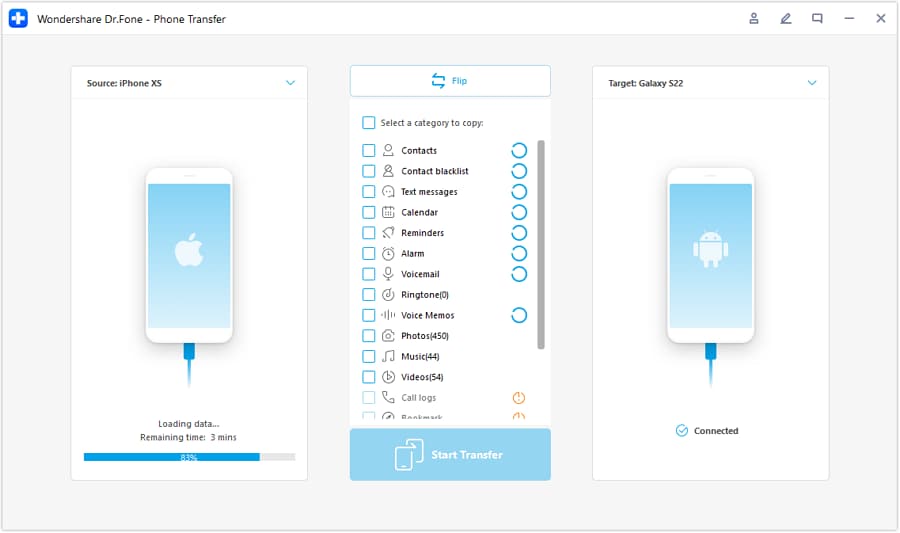
Connect both phones and confirm the correct source and destination (for example, iOS → Android or Android → iOS) before starting.
-
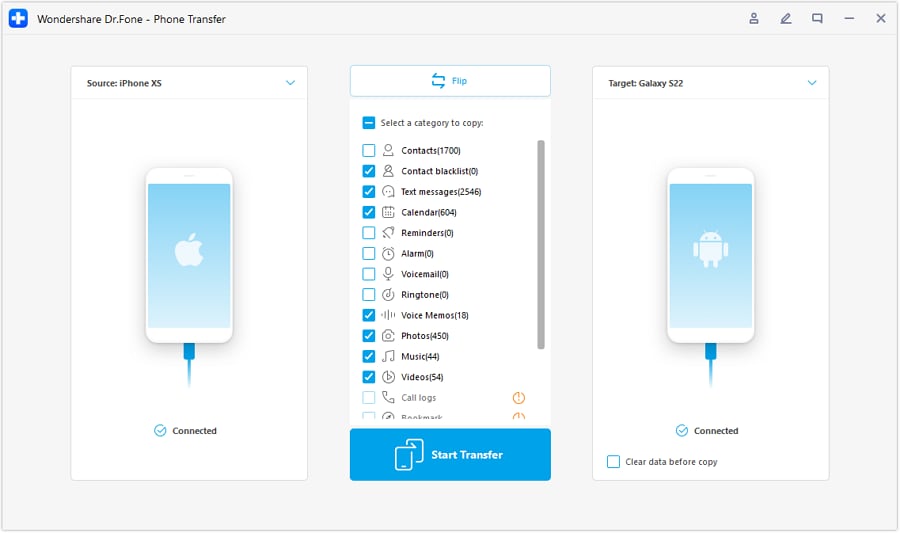
Step 3 Choose what to move (travel essentials first)
Select key data like photos, videos, contacts, and messages (where supported), then transfer and verify your essentials (maps apps, travel docs, authenticator access) are ready before you leave.
-
Step 4 Handle syncing prompts (if applicable)
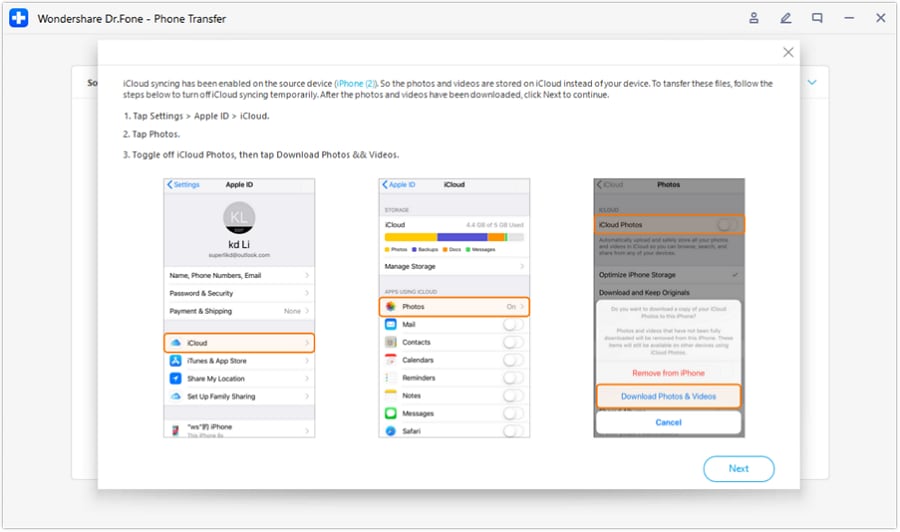
If you see prompts related to cloud syncing during transfer, follow the on-screen instructions (for example, temporarily disabling certain sync items) so the transfer can complete cleanly.

Storage cleanup to avoid mid-trip stress
Clean up storage so travel shooting doesn’t become stressful: remove duplicate/unneeded photos/videos and free space so offline maps, media, and new trip footage fit comfortably.
Cleanup choices are irreversible if you don’t back up first—confirm what’s important before deleting.
Prepare the old phone for resale or as a backup
Prep the old phone for resale or as a backup: back up what you need, then wipe personal data so the device is safe to sell, gift, or keep as an emergency travel backup.
Always verify sign-outs and factory reset steps for your device/account system; wipe processes vary by model and OS.




Conclusion
AI is best used here as decision support: it helps you name priorities, surface trade-offs, and spot regret risks—while real use is the final proof. Once you’ve chosen, tools like Dr.Fone can help you execute the switch, cleanup, or resale prep smoothly so your travel setup is ready when it matters.
FAQ
-
Can I trust AI to pick the “best” travel phone?
Trust it to clarify trade-offs and fit based on your inputs—not to validate real-world comfort, camera taste, or battery behavior in your exact conditions. -
What’s the single most important trade-off in a travel phone?
Usually it’s battery confidence vs camera ambition. If you push camera/video hard, you often accept more charging/heat/storage management while traveling. -
How do I avoid a generic spec-based decision?
Decide your “travel failure” to avoid (lost, dead, missed moments, messy backups), then compare phones on how they behave in your day: brightness, signal drain, camera speed, sharing, and offline needs. -
What should I test in real life before committing?
Do a 24–48 hour run: long navigation session, bright outdoor use, lots of quick photos/video, and a transfer/backup check to your preferred cloud/computer. -
If I’m switching ecosystems (Android ↔ iPhone), what should I prepare?
Plan for authentication apps, chat migration limits, photo library syncing, and accessory compatibility. The phone choice can be right and the switch can still be annoying without a checklist. -
How should I handle my old phone if I’m traveling soon?
Keep it as a backup until your new phone is stable, your accounts are re-authenticated, and your photos/docs are confirmed synced—then wipe it for resale or safe storage.
 Add Wondershare Dr.Fone as a preferred source on Google





