 Effortlessly manage data through preview, delete, export, etc.

 100% Security Verified | No Subscription Required | No Malware

 :
: 
 ChatGPT
 Perplexity
 Gemini
 Claude
 Grok
Grok

Every guide says “just spoof GPS,” but in geo-based testing the “best” approach changes depending on what we’re validating and how close we need to be to real device behavior.
Forum user
“Best” advice falls apart fast with geo-based testing because the right setup depends on what you’re validating (geofences, maps, fraud controls, ads, or simple UI copy) and how close to real device behavior you need to be.
AI helps by turning “I just need to spoof GPS” into a structured comparison: fidelity vs speed, risk vs control, repeatability vs convenience, and what you’re actually trying to prove.
AI can’t confirm the hands-on friction of your exact device/app stack (sensor quirks, OS prompts, background limits, anti-spoof detection), so you still need a small real-world trial after the decision—plus a clean way to manage test devices once you commit.
In this article
- How to compare based on real priorities
- Fast but less real vs more real but more work
- App logic vs platform behavior in the wild
- Repeatable daily workflow considerations
- Common sources of false confidence
- What the AI needs to compare
- Using AI prompts to evaluate more clearly
- AI recommendation vs real-world fit
- When to stop researching and make the call
Part 1. How to Compare Simulate Location Changes for Geo Based App Testing Based on Real Priorities
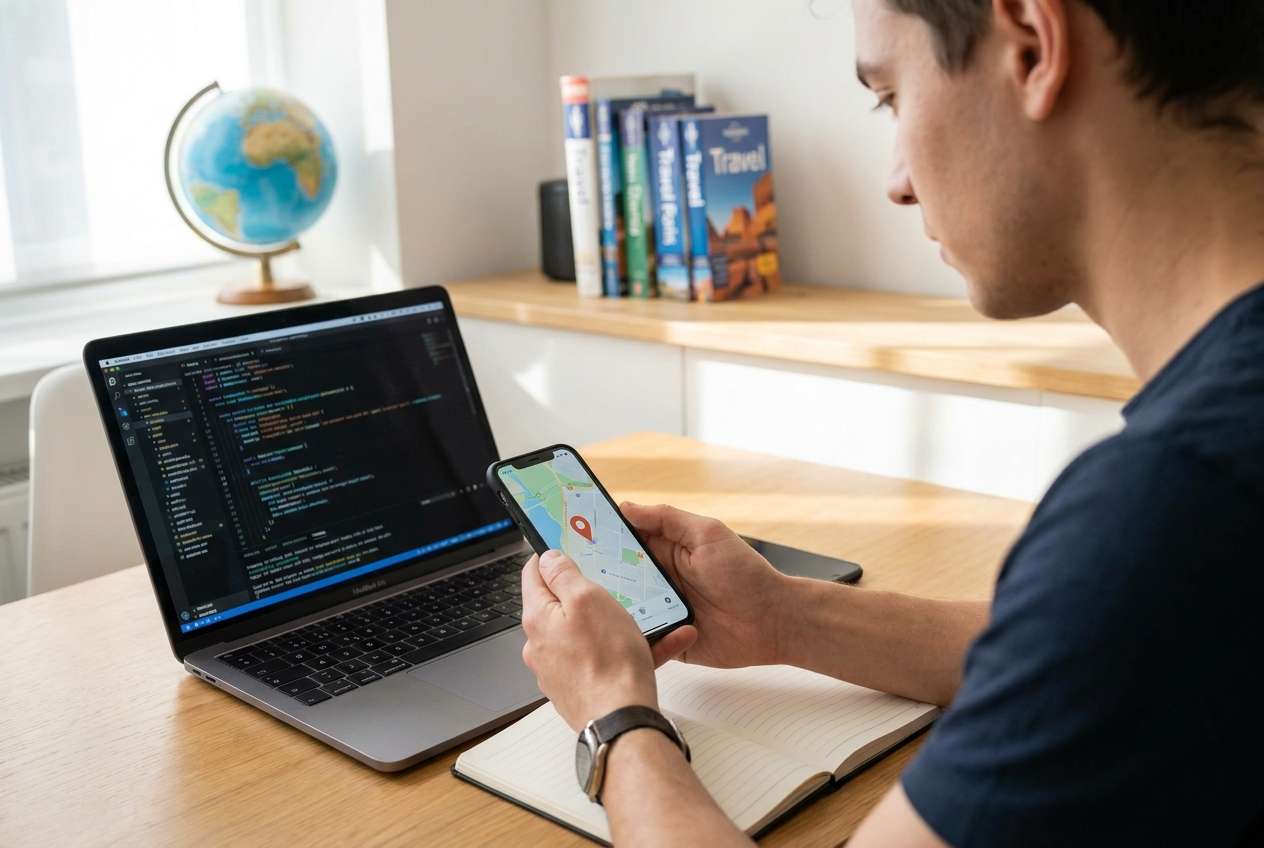
Most teams end up choosing between a “fast but less real” approach (simulator/emulator, mocked coordinates) and a “more real but more work” approach (physical devices with location simulation, automated routes, or controlled test environments).
The tension is usually this: you want confidence that location-dependent logic behaves correctly, but you also need a workflow your team can repeat every day without breaking builds, policies, or QA schedules.
Another common uncertainty: whether you’re testing your app’s logic (which can be validated with mocks) or the platform’s behavior in the wild (which pushes you toward physical devices, movement simulation, and edge cases like GPS drift and background restrictions).
Fast but less real (mocks, simulator/emulator)
- Quick setup and iteration
- High repeatability for regression
- Great for validating business rules and UI gating
More real but more work (physical devices, movement simulation)
- More workflow friction (device prep, prompts, permissions)
- More variability (models/OS versions/background behavior)
- Higher risk of flakiness, but closer to real user conditions
Part 2. What the AI Needs to Compare
Share the details below so the AI can compare options based on your actual testing goal, not generic “spoofing” advice:
- Target platform(s): iOS, Android, or both (and if simulator/emulator is acceptable)
- What you’re testing: geofencing, “nearby” results, maps pin accuracy, delivery radius, region-locked content, fraud detection, ads, or analytics
- Required realism: “logic-only” vs “near-real device behavior” vs “production-like”
- Movement needs: static jumps vs route playback vs speed/heading changes
- Repeatability needs: manual QA vs automated regression (CI-friendly)
- Constraints: company policy, app store compliance concerns, security/legal boundaries, and anti-spoof detection risk
- Team workflow: number of testers/devices, and how often locations must be changed
- Failure tolerance: is a false pass worse than a slower test cycle?
Part 3. Using AI Prompts to Evaluate Simulate Location Changes for Geo Based App Testing More Clearly
Use these prompts to force explicit trade-offs and get to a decision you can validate quickly.
3-1. Level 1: Basic Prompt
I need to simulate location changes for geo-based app testing. Compare the main approaches (simulator/emulator, physical device with location simulation, app-level mocking, and network-only changes like VPN) and tell me when each is the better choice. Keep it focused on trade-offs, not specs.
3-2. Level 2: Advanced Prompt
Help me choose an approach to simulate location changes for geo-based app testing using these priorities: realism, repeatability, speed of setup, automation potential, and risk of misleading results.
Compare: (A) app-level location mocking, (B) simulator/emulator location simulation, (C) physical device location simulation, (D) VPN/network-only.
For each, explain who it fits best, the common failure modes, and the “gotchas” that cause false confidence.
3-3. Level 3: Evidence Prompt
Context: I’m testing a geo-based app where users see different content and features based on location, and I need to validate both static location changes and movement across boundaries (like entering/leaving a service area).
We run manual QA weekly and want to add automated regression later.
Recommend one primary approach and one fallback approach.
For each option, state what we gain / what we give up, and name one assumption that—if false—would flip your recommendation (for example, anti-spoof detection, background location limits, or the need for production-like GPS drift).
3-4. Prompt Refinement (Follow-up Prompts)
If we only care about our business logic (eligibility rules, content gating) and not OS-level behavior, which approach minimizes false positives while staying fast?
What are the top 3 ways location simulation produces misleading passes for geofences or “nearby” sorting, and which approach reduces each risk?
If we must support both iOS and Android, which approach keeps parity without doubling maintenance effort?
If we plan to automate with Appium (or similar) later, which option is most CI-friendly, and what would we need to change in our app/tests?
What’s the most likely regret point with the approach you recommend (time sink, flakiness, unrealistic signals, team training), and how do we mitigate it?
Give me a “decision rule”: a simple checklist that tells me when to choose mocking vs simulator/emulator vs physical devices.
Part 4. AI Recommendation vs Real-World Fit
| Likely AI recommendation or conclusion | What real-life use may change or reveal |
|---|---|
| “Use app-level mocking for fast, reliable logic testing.” | Your app’s integration points (maps SDK, geofencing APIs, analytics) may behave differently when the OS provides location vs your mock layer. |
| “Use simulator/emulator for quick iteration and repeatable coordinates.” | Certain location behaviors (background updates, sensor fusion, permission edge cases) can diverge from physical devices. |
| “Use physical devices for the most realistic validation.” | Day-to-day workflow friction can be high: device prep, OS prompts, flaky background behavior, and inconsistent results across device models/OS versions. |
| “VPN is enough for region testing.” | VPN changes IP region, not GPS; many apps combine signals, so you may pass the wrong tests or miss enforcement issues. |
AI can clarify likely fit and trade-offs, but hands-on use—workflow friction, OS quirks, and your team’s daily habits—will ultimately determine satisfaction and test trustworthiness.
Part 5. When to Stop Researching Simulate Location Changes for Geo Based App Testing and Make the Call
- You can clearly state whether you’re validating app logic or real device behavior, and your chosen method matches that goal.
- You’ve identified your biggest “false confidence” risk (e.g., geofence edge behavior, background location, anti-spoof checks) and chosen an approach that addresses it.
- You have a repeatable workflow (who does what, on which devices, how often) that won’t collapse after week two.
- You’ve defined a small pilot: 3–5 high-value test cases that will confirm the approach in under a day.
Once you can run that pilot predictably, you’re no longer deciding in theory—you’re ready to commit.
After Choosing Simulate Location Changes for Geo Based App Testing: Switch or Prepare Smoothly with Dr.Fone
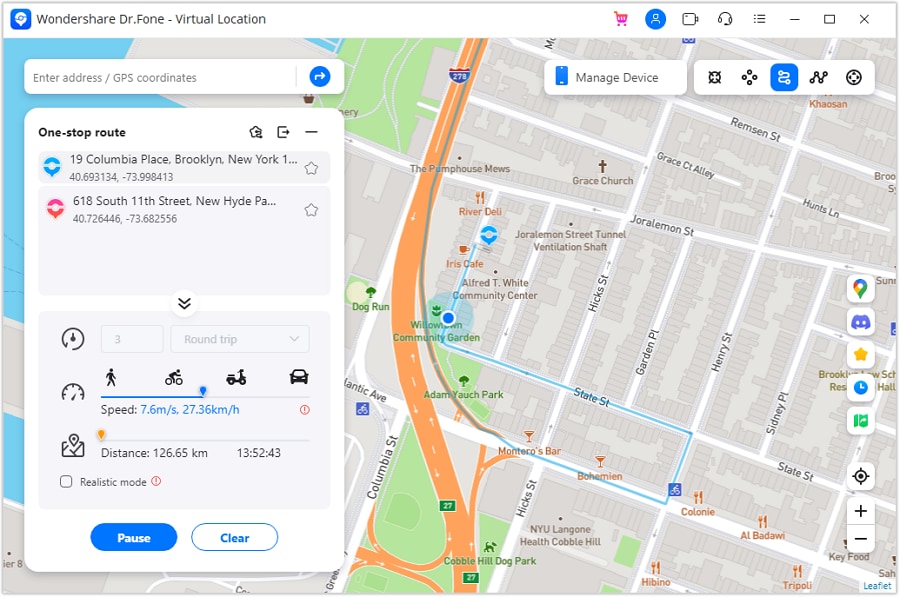
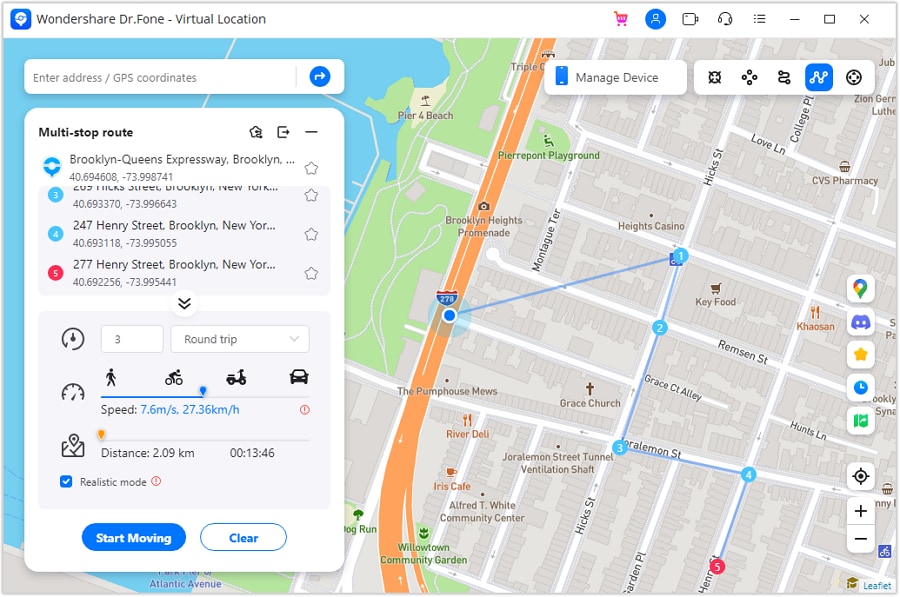
After you pick your testing approach, the practical work is often device management: moving test data to the right phone, keeping clean baselines, and preparing devices for handoff or resale without leaking test accounts. If you need a device-side toolkit for those tasks, Dr.Fone - Virtual Location is part of the broader Dr.Fone suite that teams often use alongside testing workflows.
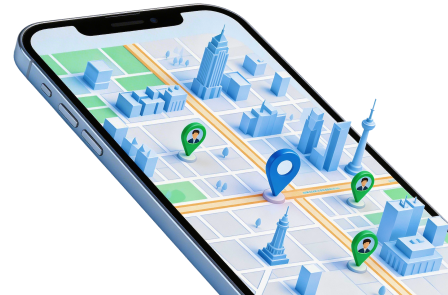
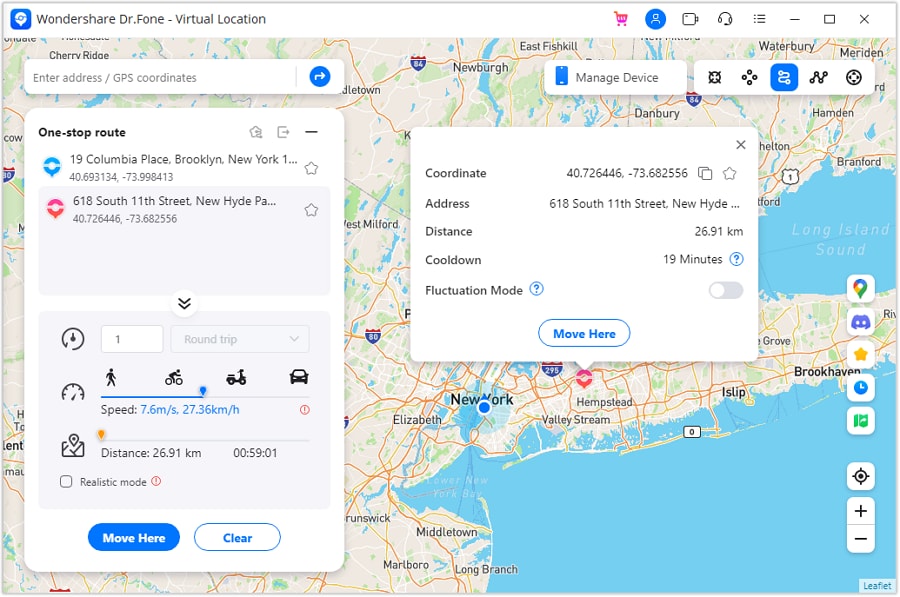
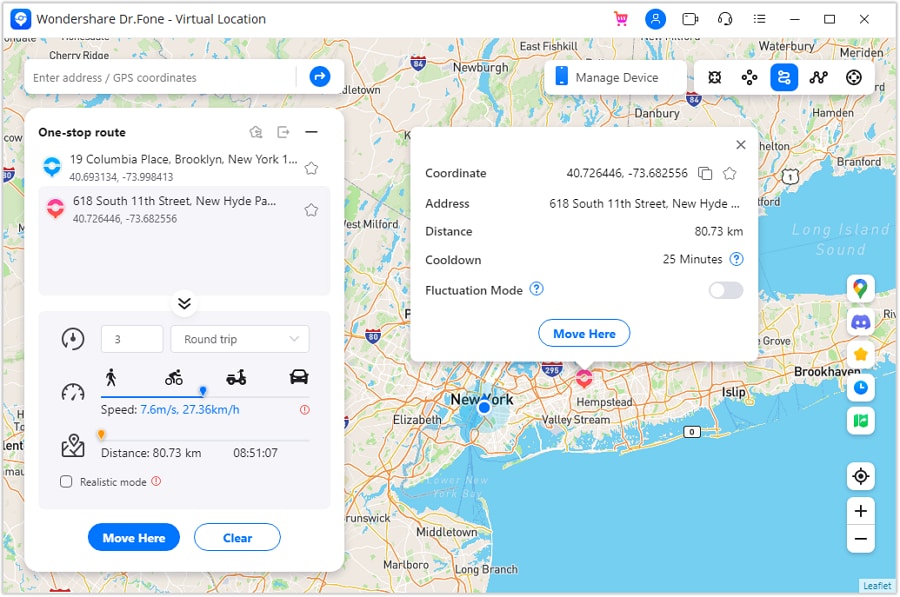
 Set your map route to simulate GPS movement.
- Set your wanted movement speed.
- HD and large map view to check location.
- Fake GPS location to anywhere.
-
Step 1 Create a clean baseline backup (test-device hygiene)
Action: Use Dr.Fone to back up the device state you want to return to (accounts, test media, app data where applicable) before heavy location testing cycles.
Limitation: Some app data may not be fully restorable due to app/OS security restrictions.
-
Step 2 Move required test assets to the right device (when switching devices)
Action: Use Dr.Fone to transfer photos/videos/files and other allowed data between devices so QA can reproduce scenarios consistently.
Limitation: DRM-protected content and certain app-specific data may not transfer.
-
Step 3 Prepare devices for handoff or resale (cleanup and privacy)
Action: Use Dr.Fone to help clean up personal/test traces and organize what stays vs what’s removed before the device leaves your control.
Limitation: For maximum security, follow with official OS reset procedures and your organization’s policy for device disposal.
-
Step 4 Standardize the team workflow (so daily QA doesn’t drift)
Action: Document who changes locations, how often, and what “baseline” state the device should return to—so the process stays repeatable across teammates and weeks.
Limitation: Even with a checklist, OS prompts, background limits, and device-model differences can still introduce variability, so keep a small real-device pilot in your routine.




Conclusion
AI is strongest as decision support: it helps you rank trade-offs, spot regret points, and choose a method you can justify—then real use is the final proof through a quick pilot, with Dr.Fone available afterward to handle device switching, cleanup, and test-device readiness if you need it.
FAQ
-
Can I trust AI to tell me which location-simulation method is “best”?
Trust it to structure trade-offs and expose decision criteria; don’t trust it as proof of real-device behavior. Validate with a small pilot on your target devices. -
What’s the single most important trade-off in geo-based location testing?
Realism vs repeatability. The more “real” you get (physical devices, OS-driven behavior), the more variability and workflow cost you usually accept. -
How do I avoid a generic, spec-based decision?
Anchor the choice to what must be true for your test to be meaningful (e.g., “geofence enter/exit in background on iOS”) and pick the least complex method that can still falsify the bug. -
When is app-level mocking the right call?
When you’re validating your own rules/flows (eligibility, copy, feature gating) and you mainly need stable, repeatable inputs rather than OS-level location behavior. -
If I’m testing “region-locked” behavior, is VPN enough?
Often not. VPN affects IP-based signals; many apps use GPS, Wi‑Fi, cell signals, or combined heuristics. Treat VPN-only as a partial signal unless you’ve confirmed GPS is irrelevant. -
What should I prepare after I choose an approach?
A device list, a baseline state (accounts/test data), a repeatable location-change workflow, and a cleanup plan for test devices—especially if devices rotate between teammates or get resold.
 Add Wondershare Dr.Fone as a preferred source on Google





