 Effortlessly manage data through preview, delete, export, etc.

 100% Security Verified | No Subscription Required | No Malware

 :
: 
 ChatGPT
 Perplexity
 Gemini
 Claude
 Grok
Grok

I keep reading “best outdoor phone” rankings, but none of them match how I actually hike and travel. I don’t need the “best specs”—I need the phone that won’t die or break on my worst day outside.
Reddit user, r/Android
Picking the “best” phone for outdoor use and battery longevity is hard because the right choice depends less on specs and more on how you actually camp, hike, work, or travel. Generic rankings can’t tell you which compromises you’ll regret.
AI can help you turn fuzzy preferences (like “good battery” or “durable”) into clear trade-offs—so you can compare options by priorities, failure risks, and real constraints.
AI can’t validate hands-on realities like glove usability, screen readability in your exact sunlight, or whether a phone feels secure in your grip. After you decide, the practical work—switching data, cleaning up storage, and preparing the old phone—still matters.
In this article
- How to compare based on real priorities
- The 3 common “solution types”
- Which failure you’re avoiding
- Why outdoor reliability is a system
- How to choose for your worst day
- What the AI needs to compare
- AI prompts to evaluate more clearly
- When to stop researching and make the call
- After choosing: switch or prepare smoothly with Dr.Fone
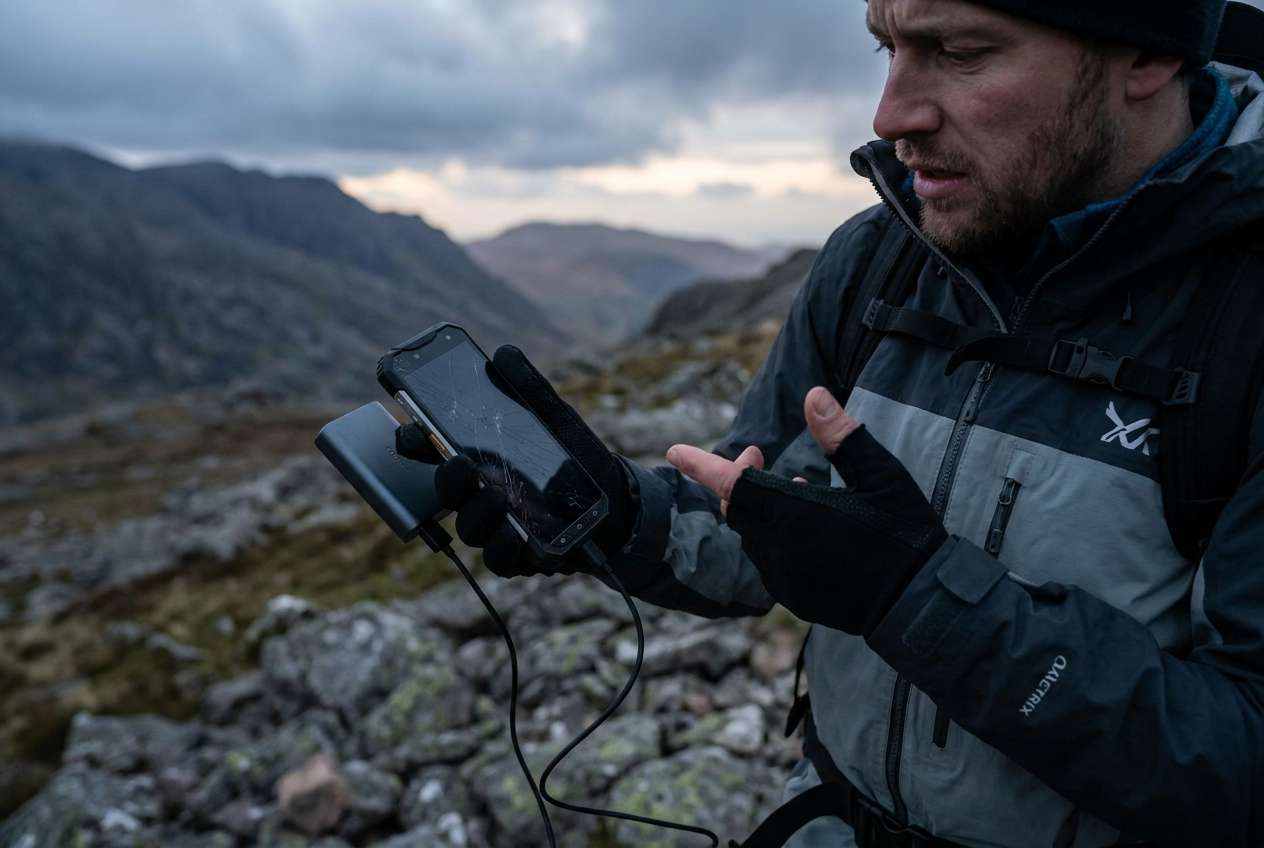
Part 1. How to Compare Best Phone for Outdoor Use and Battery Longevity Based on Real Priorities
Most people end up choosing between three “types” of solutions, not one perfect phone: a rugged-focused phone, a mainstream phone protected with a serious case, or a battery-first phone (often paired with a power bank). Each wins for different outdoor routines.
The uncertainty usually isn’t “which is the best phone,” but which failure you’re trying to avoid: dead battery before you get back, a cracked screen on day one, or a camera/GPS experience that’s frustrating when you need it.
The real tension: outdoor reliability is a system (phone + case + charging plan + habits). The “best phone for outdoor use and battery longevity” is the one that stays usable under your worst day, not your best day.
Part 2. What the AI Needs to Compare
Give the AI your candidates and your outdoor reality, not just model names:
- The 2–3 phones you’re considering (or “rugged phone vs flagship vs midrange big-battery”)
- Your typical outdoors day (hours off-grid, temperature range, sun glare, wet/dust exposure)
- How you use the phone outside (navigation brightness, photos/video, emergency calls, music, hotspot)
- Charging options (power bank size, vehicle charging, solar, none) and your tolerance for carrying gear
- Durability risk (drops, vibration, water, sand) and whether you’ll use a case/screen protector
- Battery expectations (must-last hours/days, acceptable nightly charging, low-power mode habits)
- Deal-breakers (weight, one-handed use, glove use, camera quality, budget, eSIM needs)
Part 3. Using AI Prompts to Evaluate Best Phone for Outdoor Use and Battery Longevity More Clearly
Use these prompts to force a decision based on trade-offs instead of vague “best phone” claims.
3-1. Level 1: Basic Prompt
I’m choosing between these options for the best phone for outdoor use and battery longevity: [Option A], [Option B], [Option C].
I care most about battery lasting through outdoor days and reliability in rough conditions—help me compare which fits my use better and why.
3-2. Level 2: Advanced Prompt
Compare [Option A] vs [Option B] vs [Option C] for outdoor use and battery longevity using my priorities below.
Priorities (ranked): [1] battery survival off-grid, [2] durability risk (drops/water/dust), [3] readability in sun, [4] navigation reliability, [5] camera, [6] weight/comfort.
Output: (1) who each option suits best, (2) key trade-offs, (3) what I’ll likely regret after 3 months, (4) the simplest setup (case/power plan) to make the winner reliable.
3-3. Level 3: Evidence Prompt
Here’s my real context: [describe a typical trip/workday, hours outdoors, temps, whether you’ll carry a power bank, your brightness/GPS/photo usage, and how often you drop phones].
My candidates: [A/B/C] and my budget is [budget].
Recommend one option for the best phone for outdoor use and battery longevity and explain:
- What I gain / what I give up with each option
- The biggest failure mode for each option (battery, breakage, overheating/cold, usability)
- One assumption you’re making that—if false—would flip your recommendation
3-4. Prompt Refinement
If I refuse to carry a power bank, how does your recommendation change—and what trade-off becomes non-negotiable?
Rank the options by “probability of ruining a trip/day” (dead battery, broken screen, unusable in sun, navigation issues). Explain your scoring.
What’s the most likely regret point with your top pick, and what mitigation (case, settings, habits) reduces it the most?
If my outdoor use is only 2 weekends/month (not daily), does the best choice shift toward comfort/camera vs ruggedness? Show the trade.
Compare two strategies: rugged phone vs mainstream phone + rugged case + power bank. Which is simpler in real life for my habits?
3-5. AI Recommendation vs Real-World Fit
| Likely AI recommendation or conclusion | What real-life use may change or reveal |
|---|---|
| “Pick the rugged-focused option if durability risk is highest.” | Rugged can feel bulky, camera/typing comfort may frustrate daily use enough that you stop carrying it. |
| “Pick the big-battery option if you’re off-grid for long stretches.” | Real battery depends on your brightness + GPS + temperature; your usage may drain it faster than expected. |
| “Pick the mainstream option with a serious case if you want balance.” | Case choice can make or break grip, pocket comfort, and button usability; a bad case creates daily friction. |
| “A power bank solves most battery anxiety.” | You may hate carrying it, forget it, or find cable management annoying—reducing the reliability you expected. |
AI can clarify likely fit and trade-offs, but hands-on use, workflow friction, and daily habits still decide satisfaction.
Part 4. When to Stop Researching Best Phone for Outdoor Use and Battery Longevity and Make the Call
- You can state your top two priorities (e.g., “must survive drops” and “must last a full day of GPS”) and you know which option best serves them.
- You’ve accepted the main trade-off you’re making (for example: “I gain durability, I give up pocket comfort/camera,” or the reverse).
- You’ve identified the single biggest failure mode you’re trying to avoid—and your choice reduces that risk most.
- You have a simple plan for the system (phone + case + charging plan) that you’ll actually follow.
At this point, you’re no longer “researching phones”—you’re choosing a setup you’ll reliably use.
Part 5. After Choosing Best Phone for Outdoor Use and Battery Longevity: Switch or Prepare Smoothly with Dr.Fone
Once you’ve decided, the highest-friction part is often the switch: moving data cleanly, reducing storage clutter that hurts performance, and preparing the old phone for resale or handoff without leaving anything behind.
 Move data between iOS to Android and vice versa.
- Transfer contacts, SMS, photos, videos, music, and more types.
- Available with all phones with Android and iOS versions.
- Simple, click-through process.
To make the transition smoother, you can use Dr.Fone - Phone Transfer as a controlled workflow for transfer, cleanup, and old-phone preparation.
-
Step 1 Transfer what matters (not everything)
Use Dr.Fone to move your key data (photos, contacts, and messages where supported) to your new phone in a controlled pass.

Limitation: Transfers can vary by phone/OS and app restrictions; some app data may require in-app login or cloud resync.
-
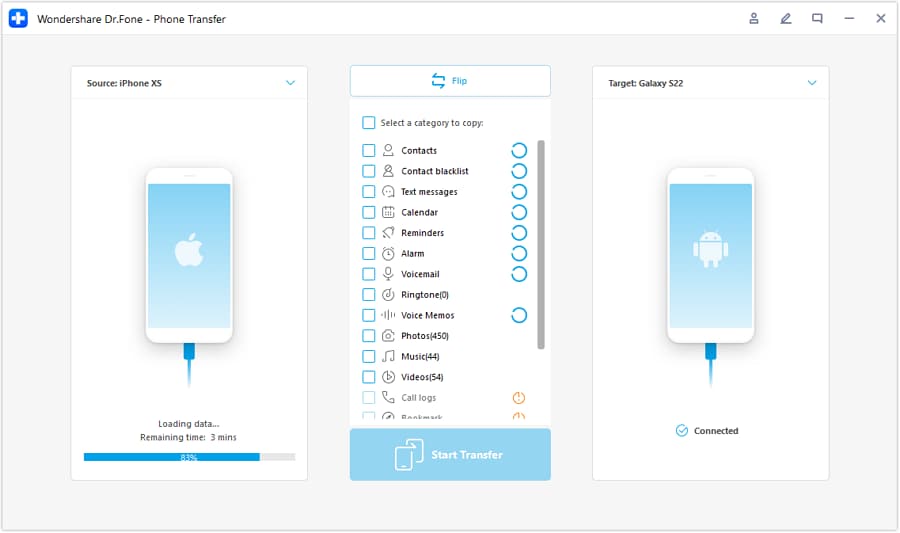
Step 2 Connect devices and set the transfer direction
Select the correct source and destination so the right phone receives the data.
-
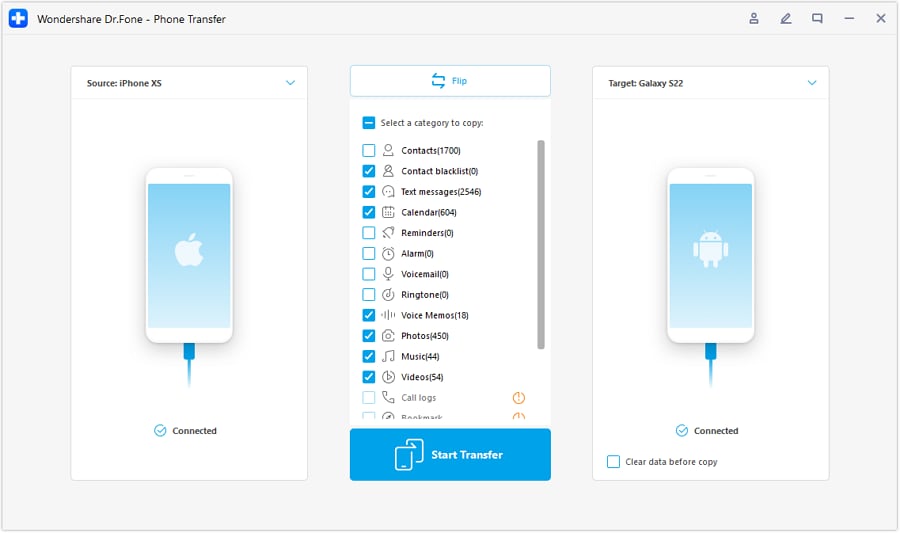
Step 3 Choose the data you want to move
Transfer the essentials first so your new phone starts clean and predictable.
-
Step 4 Reduce sync conflicts and finish setup checks
If needed, pause or adjust cloud syncing during transfer to avoid duplicates or conflicts, then verify your accounts and activation-lock status before resale or handoff.
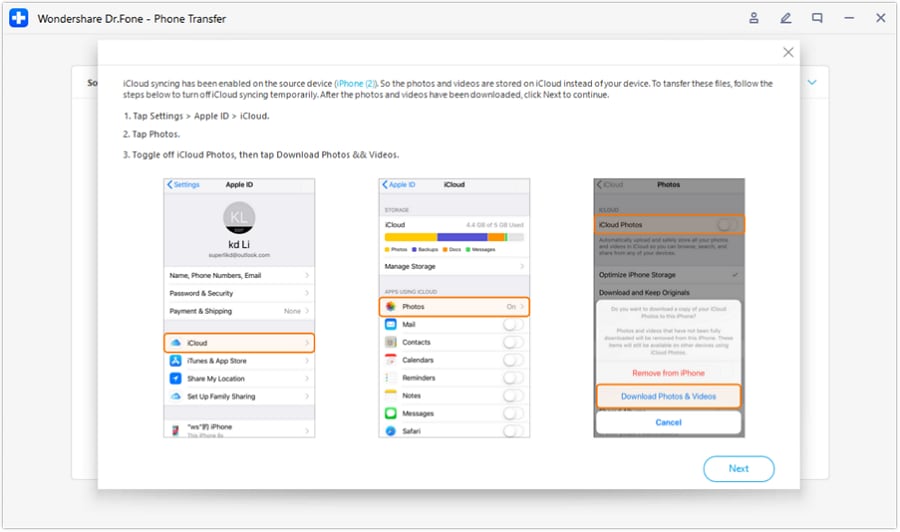
Limitation: Always confirm account sign-outs (Apple ID/Google) and activation-lock status; wiping alone isn’t the full checklist.
Cleanup won’t change hardware limits—battery longevity still depends on your usage, signal, and temperature—but starting with a lean, intentional setup makes real-world battery and performance easier to judge.




Conclusion
AI is best used here as decision support: clarifying priorities, exposing trade-offs, and reducing regret risk—while real-world use is the final proof. Once your choice is clear, Dr.Fone helps execute the practical next step: transfer, cleanup, and resale preparation without turning the switch into a second project.
FAQ
-
Can I trust AI to pick the best phone for outdoor use and battery longevity?
Trust it to structure trade-offs and highlight likely failure modes. Don’t trust it to confirm “feel” factors like glove use, glare in your exact environment, or whether you’ll actually carry extra gear.
-
What’s the most important trade-off in outdoor + battery choices?
Usually it’s simplicity vs flexibility: a rugged/battery-first approach can be simpler in harsh conditions, while a mainstream phone + accessories can be more flexible but depends on habits (case quality, power bank discipline).
-
How do I avoid a generic, spec-based decision?
Describe your worst-day scenario (hours off-grid, cold/heat, brightness + GPS load, drop risk) and force a “what you gain / what you give up” comparison tied to that scenario.
-
What assumption most often flips the recommendation?
Whether you’ll carry and use a power bank consistently. If yes, mainstream options become more viable; if no, battery-first choices matter more.
-
What should I prepare after choosing?
Make a short list: must-transfer data, essential apps/logins, your case/screen protector plan, and your charging plan (cables, power bank capacity, car/solar access).
-
If I’m selling my old phone, what’s the safest approach?
Back up first, sign out of key accounts, remove device from account lists, then wipe and confirm activation locks are cleared before handing it over.
 Add Wondershare Dr.Fone as a preferred source on Google





