 Effortlessly manage data through preview, delete, export, etc.

 100% Security Verified | No Subscription Required | No Malware

 :
: 
 ChatGPT
 Perplexity
 Gemini
 Claude
 Grok
Grok

I keep reading “best camera phone” lists, but none of them match how I actually shoot—handheld video, quick edits, and posting under time pressure. Specs don’t tell me which phone will be less annoying day to day.
Reddit user, r/Smartphones
Picking a creator-friendly phone camera is tricky because “best camera” answers ignore what you actually shoot, how you edit, and what you can tolerate day to day.
AI helps by turning vague preferences (like “cinematic,” “sharp,” or “good in low light”) into clear trade-offs you can rank—so you’re not stuck comparing spec sheets that don’t match your workflow.
AI still can’t verify real-world feel (handling, thermal behavior during long takes, autofocus reliability in your lighting, or app quirks), so once your decision is logically clear, real-life testing and smooth switching steps still matter.
In this article
- Part 1. Compare phones by camera features based on real priorities
- Think in workflows, not “best camera”
- Focus on keeper-rate and friction
- Expect trade-offs between wow shots and consistency
- Decide what matters most for your scenarios
- Part 2. What the AI needs to compare
- Part 3. Use AI prompts to evaluate more clearly
- Part 4. AI recommendation vs real-world fit
- Part 5. When to stop researching and make the call
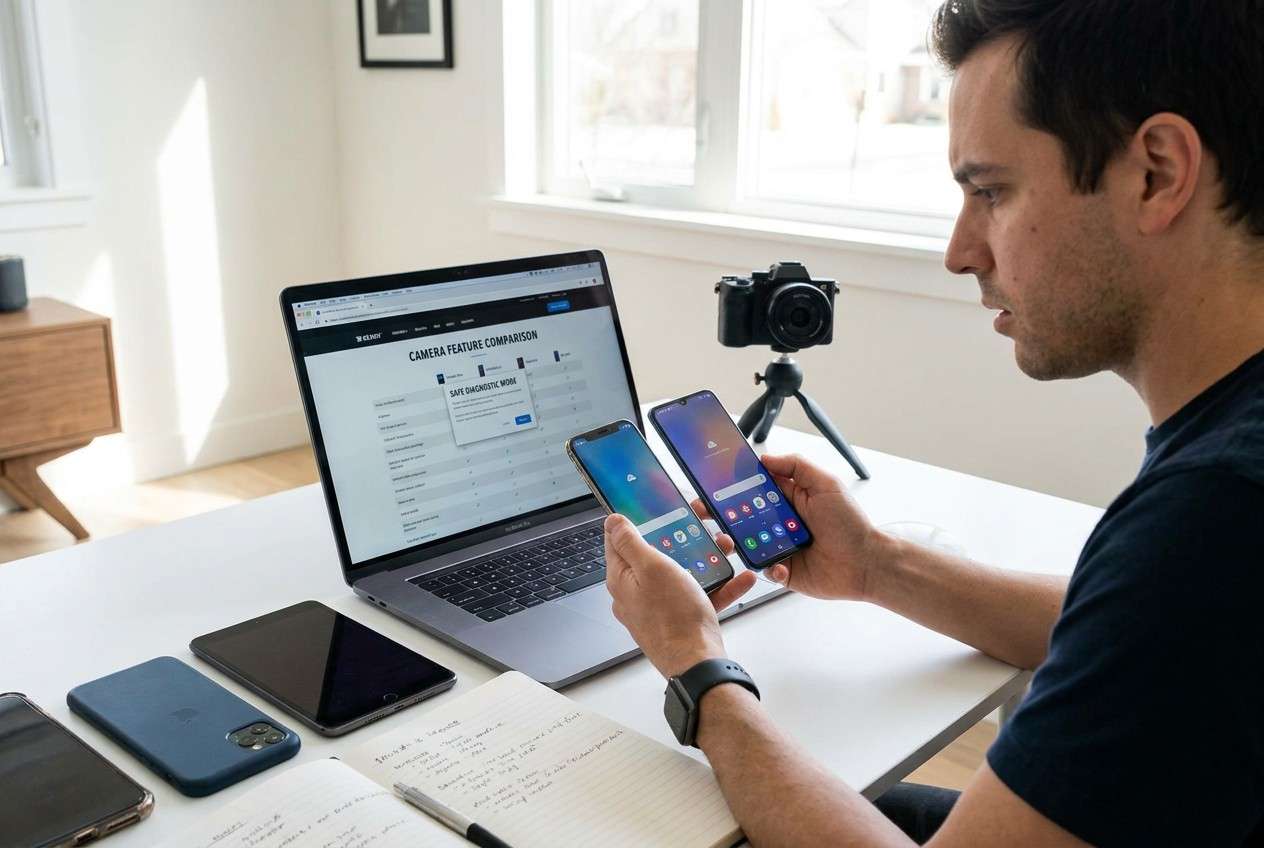
Part 1. How to compare phones by camera features for creators based on real priorities
If you create content, you’re rarely choosing “a camera.” You’re choosing a whole capture-to-publish workflow: shooting style (handheld vs tripod), audio setup, editing apps, and how often you upload under time pressure.
The uncertainty usually isn’t “which phone has a better camera,” but “which phone will produce usable footage more often with less friction”—especially across your most common scenarios (talking-head, events, food, travel, low light, fast movement).
The tension: one option might look great in ideal conditions but be slower to shoot with; another might be more consistent and easier to publish even if the “wow” shots look slightly less dramatic.
Part 2. What the AI needs to compare
Give the AI the context it would normally learn after watching you shoot for a week:
- The exact two (or three) phone models you’re considering
- Your creator format mix (e.g., 70% video / 30% photo; Shorts/Reels vs long-form)
- Your top shooting scenarios (indoor low light, outdoor harsh sun, moving subjects, concerts, food, vlogging)
- Your “must-haves” (reliable autofocus, strong stabilization, natural skin tone, clean low-light, good front camera)
- Your editing/publishing workflow (CapCut/LumaFusion/Premiere Rush, in-app edits, LUTs/color grading, external storage)
- Audio setup (built-in mic only vs wireless mic; any adapters you’re okay with)
- Pain points from your current phone (focus hunting, noise, motion blur, overheating, storage anxiety)
- Constraints (budget, storage tier, timeline, carrier, return window)
- Your tolerance for effort (tweaking settings vs “hit record and trust it”)
Part 3. Using AI prompts to evaluate more clearly
Use these prompts to force a priority-based comparison (not a spec dump).
3-1. Level 1: Basic prompt
I’m choosing between [Phone A] and [Phone B] mainly for creator camera use.
Ask me the minimum questions you need, then compare them based on my shooting scenarios (not specs alone) and tell me which fits better.
3-2. Level 2: Advanced prompt
Act as a decision assistant for creators choosing a phone camera workflow.
Options: [Phone A] vs [Phone B]. My content: [formats], my top scenarios: [scenario list], my workflow: [apps + upload], and my pain points: [list].
1) Identify the 6–8 criteria that actually decide creator satisfaction (e.g., stabilization behavior, autofocus reliability, low-light motion, skin tone consistency, front-camera video reliability, app workflow, thermal stability on long takes, audio accessory friction).
2) Rank those criteria by impact for my use.
3) Compare each phone on each criterion using cautious language and common creator trade-offs (no unverified claims).
4) Conclude: “Pick A if…, pick B if…”, plus one “best compromise” choice for me.
3-3. Level 3: Evidence prompt
Here’s my real context:
- Considering: [Phone A] and [Phone B]
- I shoot: [e.g., 4–6 Reels/week, 1 long video/week]
- Typical shoots: [e.g., indoor room lighting + handheld walking + occasional events]
- Editing/publishing: [apps + whether you color grade]
- Audio: [setup]
- Dealbreakers: [list]
- Nice-to-haves: [list]
- Current phone problems: [list]
Recommend one phone for me and justify it with:
- What I gain vs what I give up with each option (creator workflow, not specs)
- The most likely regret point if I choose the “wrong” one
- One key assumption you’re making that would flip your recommendation, and how I can test that quickly within a return window
3-4. Prompt refinement (follow-ups)
Force a decision: if I could only test ONE thing in-store or during a 48-hour trial to validate your recommendation, what would it be and why?
Give me a “regret forecast” for each phone: 3 realistic annoyances I might discover after 2 weeks of creator use, based on my workflow.
Re-rank the decision criteria with two modes: (A) speed to publish matters most, (B) maximum quality potential matters most. Does the recommendation change?
Where am I over-weighting spec sheet ideas (like megapixels/8K) versus outcomes (like keeper-rate in my lighting)? Call out the top 3 biases.
Design a 20-minute side-by-side shoot plan (specific shots and lighting) that matches my scenarios and will expose the real differences.
Part 4. AI recommendation vs real-world fit
| Likely AI recommendation or conclusion | What real-life use may change or reveal |
|---|---|
| “Choose the option that matches your dominant scenario (low light, motion, vlogging).” | Your actual keeper-rate may be driven by autofocus/stabilization behavior in your lighting, not the scenario label. |
| “Pick the phone with the smoother workflow and editing compatibility.” | Small friction (file transfers, app behavior, storage management, accessory adapters) can matter more than expected after a week. |
| “If you color grade, prioritize consistent color/skin tones and flexible footage.” | Your preferred look may come from your editing style; you might like the ‘less accurate’ look because it grades faster for you. |
| “If you shoot long takes, avoid the option more prone to heat/record limits.” | Your environment (outdoor heat, case, brightness, network use) can change thermal behavior dramatically. |
AI can clarify likely fit and the logic behind a choice, but hands-on use, workflow friction, and daily habits still decide whether you feel confident every time you hit record.
Part 5. When to stop researching and make the call
- You can name your top 3 creator scenarios and you know which phone is more likely to deliver a higher keeper-rate in those scenarios.
- You’ve identified one “make-or-break” criterion (e.g., autofocus reliability, stabilization, front-camera video consistency, low-light motion) and you have a plan to test it quickly.
- You can clearly state what you’re gaining and what you’re giving up with your preferred option—and you accept the downside.
- Your choice still looks right under your most realistic constraint (time to publish, storage, budget, or accessory setup), not just in an ideal world.
At this point, more reviews usually add noise; the next step is validating your single biggest risk and preparing for the switch.
Recommended: Switch or prepare smoothly after choosing a new phone
Once you’ve picked a phone, the practical work is protecting your content, moving what matters, and avoiding avoidable setup mistakes that can disrupt posting. If you’re changing devices, Dr.Fone - Phone Transfer can help you move key data in a more controlled way.
 Move data between iOS to Android and vice versa.
- Transfer contacts, SMS, photos, videos, music, and more types.
- Available with all phones with Android and iOS versions.
- Simple, click-through process.
Transfer creator-critical data first (so you don’t lose posting momentum)
Move your key items (photos/videos, contacts, and essential files) before you wipe or trade in your old phone.

-
Step 1 Open Phone Transfer
Install and launch Dr.Fone on your computer, then open the Phone Transfer feature to begin setting up a device-to-device move.

-
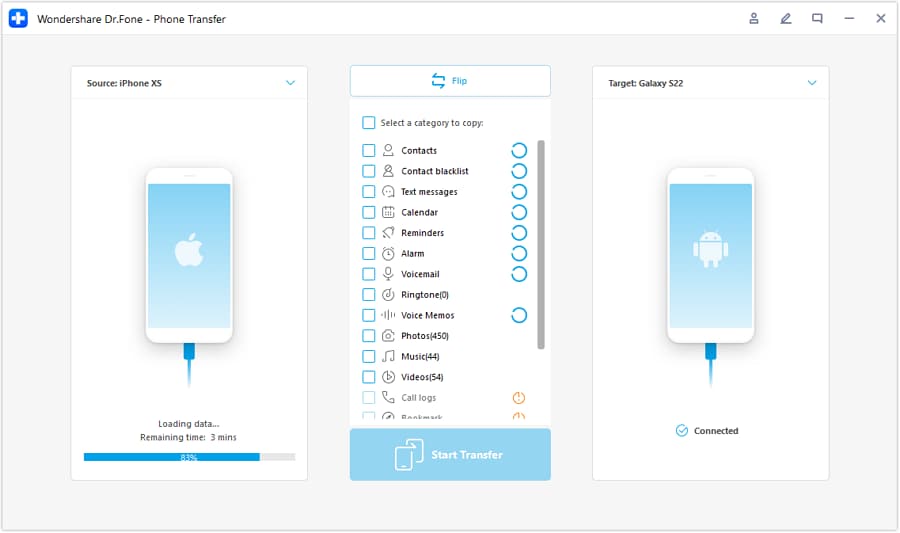
Step 2 Set the transfer direction
Connect both phones and confirm the source (old phone) and destination (new phone) are set correctly.
-
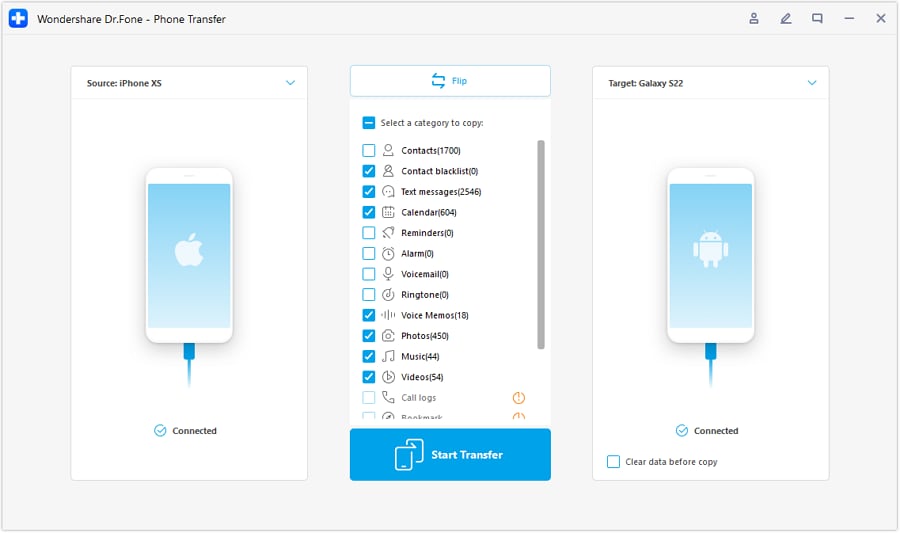
Step 3 Choose what to transfer
Select the data categories you want to move first (for creators, prioritize photos/videos and essentials you need to keep publishing).
-
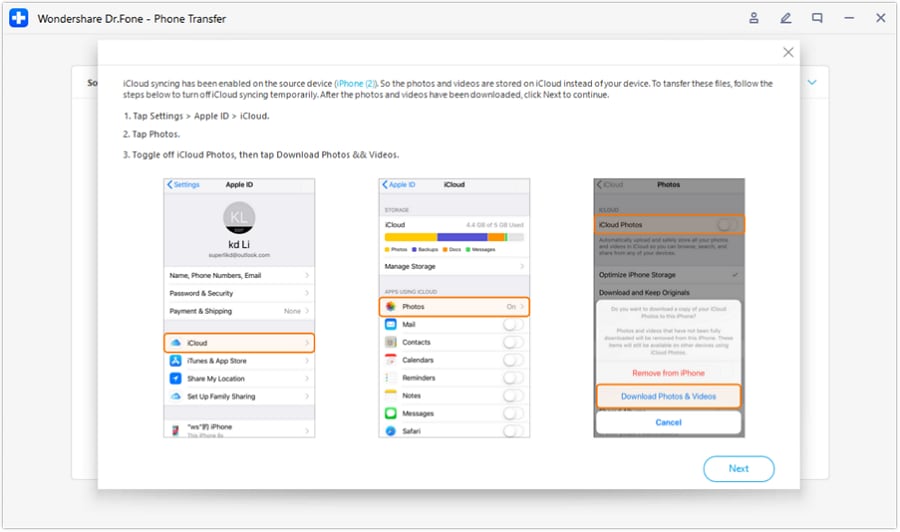
Step 4 Resolve any sync conflicts before starting
If prompted, pause any syncing that could interrupt the transfer, then proceed with the move.
Do a cleanup pass that protects your keeper shots
Before you migrate everything, do a quick pass on what you truly need for current edits and future posts so you don’t carry unnecessary clutter to the new phone.
Prep the old phone for resale or backup duty
Back up what you’ll want later, then erase personal data before selling or handing it down.




Conclusion
AI is best used to clarify priorities, expose trade-offs, and design a quick test that prevents regret; real-world use is the final proof, and tools like Dr.Fone help execute the post-decision switch, cleanup, or resale prep smoothly if you’re changing devices.
FAQ
-
Can I trust AI to pick the “best camera phone for creators”?
You can trust AI to structure trade-offs and highlight what to test, but not to confirm real-world reliability, feel, or app-specific quirks on your exact setup. -
What’s the most important creator trade-off to decide early?
Whether you value speed and consistency (high keeper-rate with minimal tweaking) or maximum potential quality (more tweaking/controlled shooting for the best result). -
How do I avoid getting trapped in spec-based decisions?
Anchor your comparison to your top three shooting scenarios and measure outcomes (keeper-rate, stabilization behavior, focus consistency, edit time), not headline specs. -
What should I prepare before I switch phones?
A short checklist: what must transfer (contacts, media, files), what must be re-authenticated (accounts/2FA), and what must be backed up (original footage, exports). -
If I’m selling my old phone, what’s the biggest “oops” risk?
Leaving accounts signed in or failing to back up originals—do backups first, then securely erase, then confirm sign-outs and device protections are removed.
 Add Wondershare Dr.Fone as a preferred source on Google





