 Effortlessly manage data through preview, delete, export, etc.

 100% Security Verified | No Subscription Required | No Malware

 :
: 
 ChatGPT
 Perplexity
 Gemini
 Claude
 Grok
Grok

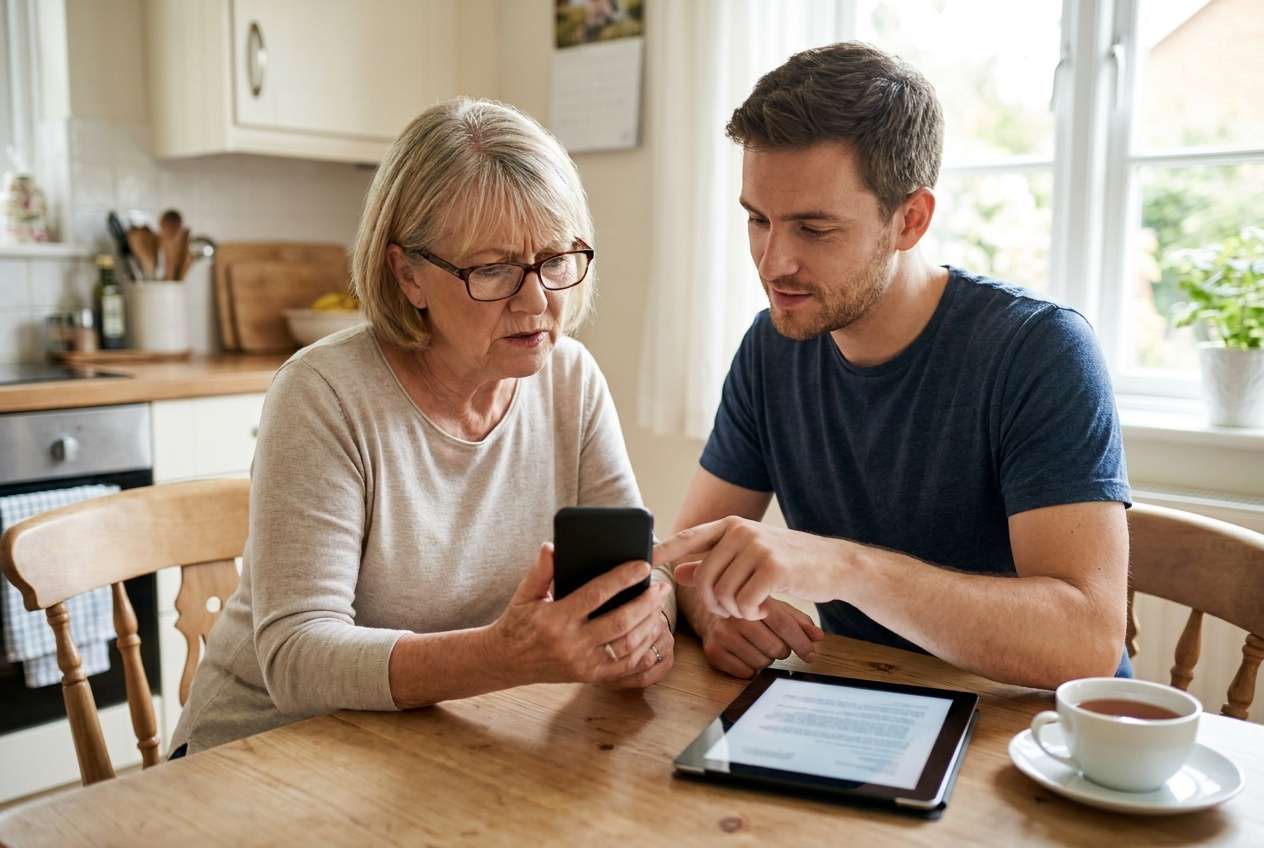
I’m not trying to buy the “best” phone—just one my parent can use without constant help. Calls, texts, photos… and fewer “something changed” moments.
Forum user
“Best phone” lists rarely match what actually matters for a parent who just wants things to work. AI can help by translating vague preferences (“easy,” “reliable,” “good camera”) into concrete trade-offs you can compare: setup burden, learning curve, calling/texting simplicity, photo sharing, and ongoing maintenance.
In this article
- How to compare iPhone vs Android for simple-needs parents
- What “simple” should mean (in real life)
- iPhone consistency vs Android variety
- Reduce support calls, not chase specs
- Make trade-offs explicit
- What the AI needs to compare
- AI prompts to evaluate more clearly
- When to stop researching and make the call
- After choosing: switch or prepare smoothly with Dr.Fone
Part 1. How to Compare iPhone or Android for Parents with Simple Needs Based on Real Priorities
If you’re choosing a phone for a parent, the real question usually isn’t “which is more powerful?” It’s “which one will cause fewer problems and fewer support calls?”
The tension is that iPhone tends to feel more consistent across models, while Android offers more variety (including simpler or cheaper devices)—but that variety can also create more differences in menus, settings, and update behavior.
This comparison becomes easier when you decide what “simple” means for your parent: fewer steps to answer calls, clearer text, safer defaults, easier photo sharing with family, or the ability to customize the home screen into something foolproof.
Why iPhone can feel “simpler”
- More consistent experience across models and updates
- Often fewer “where did that setting go?” moments
- Can reduce ongoing support calls when you’re the helper
Why Android can be “simpler” (with the right device)
- More choice in price and hardware (including budget-friendly options)
- Home screen can be configured into a very straightforward layout
- But the brand/software differences can increase day-to-day friction if not simplified
Part 2. What the AI Needs to Compare
Answer these so the AI can compare iPhone vs Android based on your parent’s reality, not generic advice:
- Current phone and comfort level (iPhone/Android/flip phone; “can text confidently” vs “mostly calls”)
- Must-do tasks (calls, SMS, WhatsApp, photos, video calls, maps, banking, medical apps)
- Vision/hearing/motor needs (bigger text, hearing aids, shaky hands, face/fingerprint preference)
- Who provides support (you in person, remote, rarely available) and how often
- Family ecosystem (other family members on iMessage/FaceTime vs WhatsApp; shared photo albums)
- Budget and replacement expectations (keep 4–5 years vs “good enough for 2 years”)
- Risk tolerance (accidental purchases, spam calls, confusing pop-ups, unwanted apps)
- Preference for “locked down and consistent” vs “customizable and flexible”
Part 3. Using AI Prompts to Evaluate iPhone or Android for Parents with Simple Needs More Clearly
Use these prompts to force a priority-based comparison instead of a spec argument.
3-1. Level 1: Basic Prompt
My parent needs a simple smartphone mainly for calls, texts, and photos.
Compare iPhone vs Android for this use, focusing on day-to-day ease and how much help they’ll need from me.
3-2. Level 2: Advanced Prompt
Act as a decision assistant.
Compare iPhone vs Android for a parent with simple needs using these categories: learning curve, accessibility (text size/hearing/one-handed use), safety from scams/accidental installs, consistency of settings, photo/video sharing with family, and long-term maintenance (updates, storage cleanup, troubleshooting).
Then conclude: who iPhone fits better, who Android fits better, and what trade-offs I’m accepting with each.
3-3. Level 3: Evidence Prompt
Here’s my parent’s context:
- Current phone: [model + iPhone/Android/flip]
- Comfort level: [what they can/can’t do confidently]
- Must-do tasks: [top 5]
- Issues today: [missed calls, confusing notifications, storage full, etc.]
- Family setup: [who uses iPhone/Android; FaceTime/WhatsApp; shared photos]
- Support: [how often I can help + remote/in-person]
- Budget & how long they’ll keep it: [details]
Based on that, recommend iPhone or Android.
Explain what they gain and what they give up with each choice, and name one key assumption that—if false—would flip your recommendation.
3-4. Prompt Refinement
If my parent forgets steps easily, which platform is more forgiving after the first week, and why?
What are the top 3 regret points families report with iPhone for parents, and the top 3 with Android—based on likely friction (not specs)?
Rank what matters most for this parent: (1) fewer mistakes, (2) clearer screen, (3) easiest photo sharing, (4) lowest cost, (5) least maintenance.
Then re-run the recommendation.
Assume I can only provide support once per month.
Which choice minimizes “I’m stuck” moments, and what setup choices reduce them further?
What would make Android the better choice even if the family mostly uses iPhones?
Give concrete examples.
What would make iPhone the better choice even if budget is tight?
Give concrete examples.
3-5. AI Recommendation vs Real-World Fit
| Likely AI recommendation or conclusion | What real-life use may change or reveal |
|---|---|
| “iPhone is best if you want consistency and fewer support calls.” | Your parent may dislike gestures, Face ID behavior, or the back button difference if they’re used to Android. |
| “Android is best if you need budget flexibility and simpler home-screen setups.” | The specific brand’s software (and preinstalled apps/alerts) can feel cluttered unless you simplify it carefully. |
| “Choose based on the family’s messaging/video calling habits.” | Your parent might prefer whatever their close contacts actually use daily (WhatsApp vs Messages), regardless of platform. |
| “Either works if you set up accessibility and limit distractions.” | The smallest friction (notification overload, storage-full warnings, app updates) can still create ongoing confusion. |
AI can clarify likely fit and trade-offs, but hands-on comfort, workflow friction, and daily habits decide satisfaction—especially for accessibility, notifications, and “what happens when something goes wrong.”
Part 4. When to Stop Researching iPhone or Android for Parents with Simple Needs and Make the Call
- You can state the top 3 priorities (e.g., “easy calling,” “no confusion,” “simple photo sharing”) and both options were judged against those, not specs.
- You know who will support the phone and how often, and you picked the option that matches that support reality.
- You’ve identified the biggest likely regret point for each option and can live with the one you’re choosing.
- You’ve written a “success test” for week 1 (e.g., parent can answer calls, return a missed call, send a photo, join a video call, and read messages comfortably).
Once you can predict the first-week experience—and the most likely frustration—you’re ready to choose, not just compare.
Part 5. After Choosing iPhone or Android for Parents with Simple Needs: Switch or Prepare Smoothly with Dr.Fone
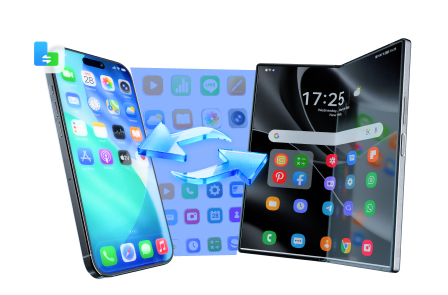
After the decision, the biggest risk is a messy transition: lost photos, duplicated contacts, missing chats, or a device that’s technically “new” but not actually simpler to use. A clean switch (or a clean reset for resale) is what makes the choice stick—and tools like Dr.Fone - Phone Transfer can help streamline the process.
 Move data between iOS to Android and vice versa.
- Transfer contacts, SMS, photos, videos, music, and more types.
- Available with all phones with Android and iOS versions.
- Simple, click-through process.
5-1. Step 1: Transfer the essentials (contacts, photos, messages where possible)
Action: Use Dr.Fone to move core data to the new phone so your parent starts day one with familiar people and memories already in place.
Limitation: Some app data (especially certain chats or app-specific histories) may have platform or app restrictions and won’t transfer perfectly.
-
Step 1 Open Phone Transfer
Launch Dr.Fone and open the Phone Transfer feature on your computer.

-
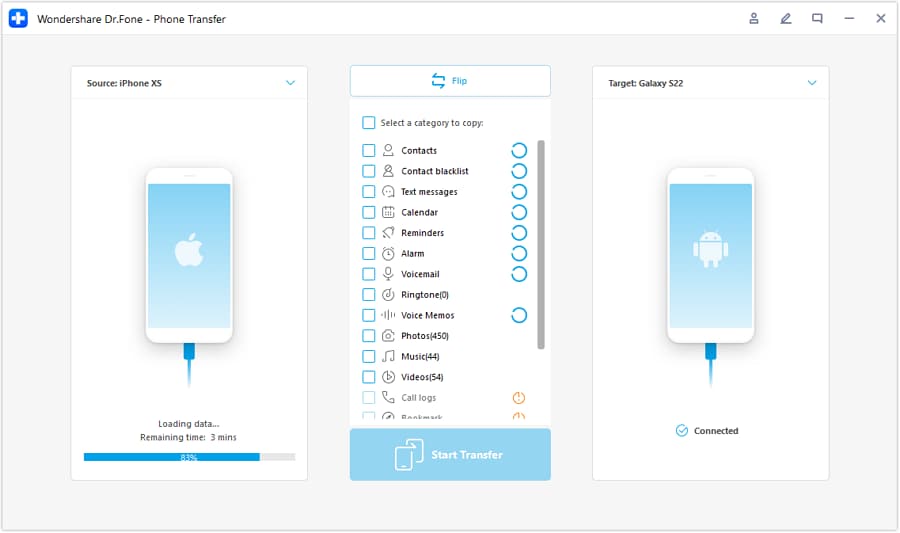
Step 2 Set the transfer direction
Connect both phones and confirm which one is the source and which one is the destination (iOS to Android or Android to iOS).
-
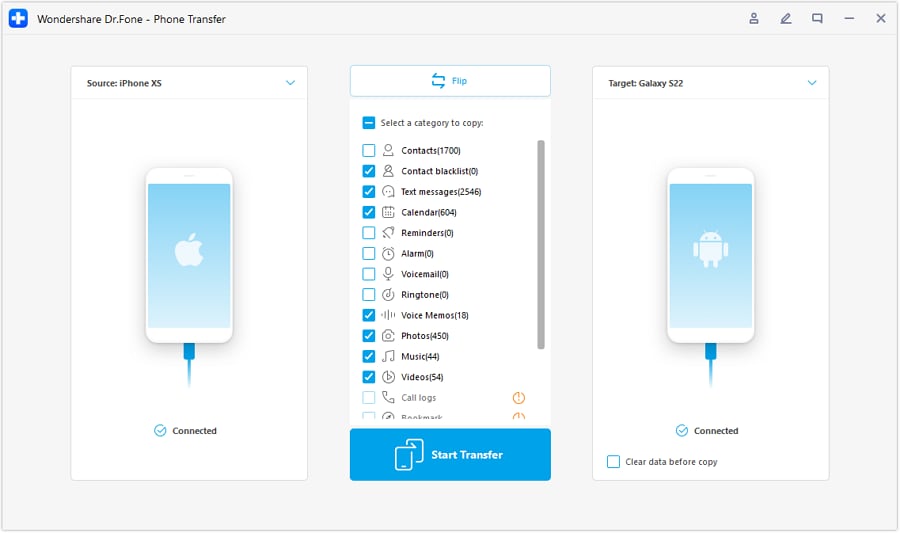
Step 3 Choose what to move
Select the data types you want to transfer (for example, contacts and photos first) and start the transfer.
-
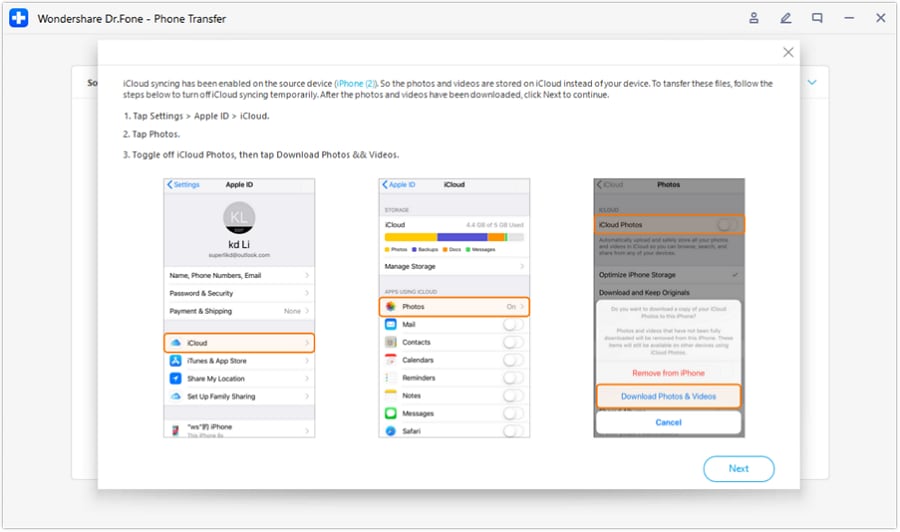
Step 4 Avoid sync conflicts during transfer
Follow any on-screen guidance (such as temporarily disabling iCloud syncing) to prevent conflicts or incomplete transfers.
5-2. Step 2: Reduce clutter before handoff
Action: Use Dr.Fone to help remove obvious junk (duplicate photos or unnecessary files) so storage warnings don’t become an early “this phone is broken” moment.
Limitation: Cleanup still requires judgment—deleting the wrong items can cause confusion, so review what’s being removed.
5-3. Step 3: Prepare the old phone for backup, hand-me-down, or resale
Action: Use Dr.Fone to help with device data handling so the old phone can be safely cleared when you’re confident the new one is complete.
Limitation: Always confirm you have the backups you need before wiping anything; a wipe is not reversible.




Conclusion
AI is best used here as decision support: it helps you compare real-life trade-offs and pick the option that fits your parent’s needs and your support reality. Real use is the final proof—and once you decide, a careful switch/cleanup process (with a tool like Dr.Fone if needed) is what turns the decision into a smooth day-to-day experience.
FAQ
-
Can I trust AI to tell me whether iPhone or Android is “easier”?
You can trust AI to map trade-offs and likely friction points from your inputs, but not to guarantee comfort—your parent’s habits and accessibility needs decide the real ease. -
What’s the single most important trade-off for “simple needs” parents?
Support burden vs flexibility: iPhone often reduces variability; Android can be simpler if you choose a clean model and set it up carefully. -
How do I avoid a generic spec-based decision?
Decide your “week-one success test” (calls, texting, photos, video calls, readability) and judge each option by how reliably your parent can do those without help. -
What should I prepare before buying or switching?
List critical contacts, confirm where photos live (phone vs cloud), identify the must-have apps, and decide how you’ll handle passwords and account recovery. -
Does switching platforms increase the chance of missing data?
Yes—platform changes can complicate messages/chats and app histories. Plan the transfer steps and confirm what will and won’t move before you wipe the old device.
 Add Wondershare Dr.Fone as a preferred source on Google





