 Effortlessly manage data through preview, delete, export, etc.

 100% Security Verified | No Subscription Required | No Malware

 :
: 
 ChatGPT
 Perplexity
 Gemini
 Claude
 Grok
Grok

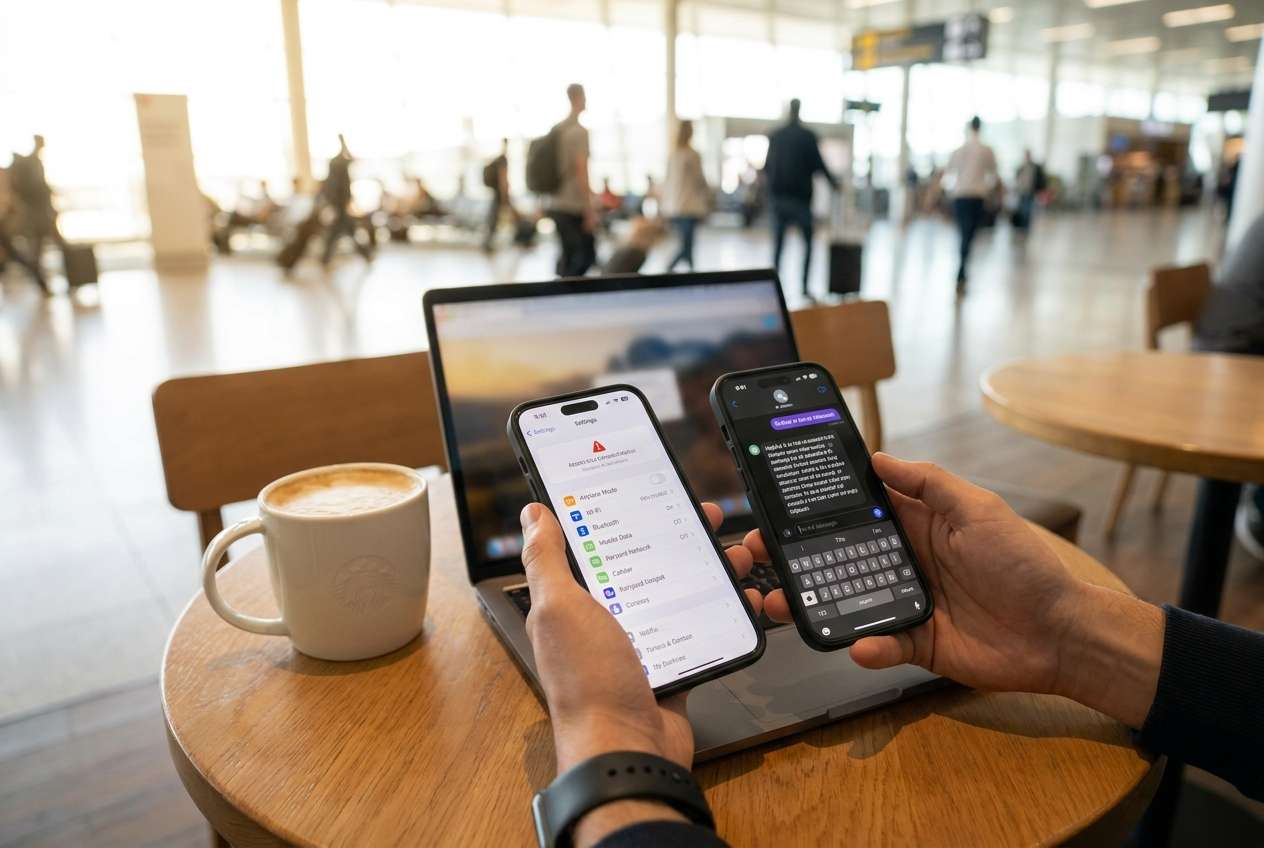
I’m stuck between buying a second phone for travel/work or just making one phone “good enough” with eSIM and profiles. I don’t want more hassle—just less risk.
Reddit user, r/digitalnomad
Generic “best phone” advice doesn’t answer the real question here: whether splitting your life across two devices will reduce risk and friction—or just add cost and hassle.
AI can help by turning fuzzy preferences (privacy, convenience, security, budget, battery anxiety, work boundaries) into a clear set of trade-offs you can actually choose from.
AI can’t confirm hands-on realities like carrier reliability abroad, your company’s device rules, or how annoying two-factor prompts become across two devices—so once you’re close to a decision, real-world constraints still matter.
In this article
- How to compare a second-phone setup based on real priorities
- One phone vs two phones: what you’re really choosing
- Risk reduction vs management overhead
- Where friction actually shows up (2FA, messaging, charging)
- Use-case > specs
- What the AI needs to compare
- AI prompts to evaluate the decision (Level 1–3 + refinement)
- AI recommendation vs real-world fit (and when to stop researching)
- After choosing: switch or prepare smoothly
Part 1. How to Compare Should I Buy a Second Phone for Travel or Work Based on Real Priorities
You’re usually deciding between one phone that does everything (with eSIM/dual SIM, profiles, and better habits) versus two phones (a “primary” and a “travel/work” device) to reduce risk and separate contexts.
The tension is practical: two phones can lower exposure (loss/theft, work tracking, border scrutiny, distraction), but they also increase management (charging, updates, logins, messaging continuity, photos, authenticator apps).
The “right” answer often depends less on specs and more on how your accounts, authentication, travel patterns, and employer policies create friction—or eliminate it.
Two phones (primary + travel/work)
- Better separation for work boundaries, tracking concerns, or higher-risk travel.
- Lower blast radius if one device is lost, stolen, searched, or compromised.
- Easier to keep “clean” app sets (work-only, travel-only) on the second device.
One phone with separation (eSIM/dual SIM + profiles)
- Less daily friction: fewer devices to charge, update, carry, and manage.
- Better continuity for messaging, banking, and 2FA flows that assume one primary device/number.
- Typically lower total cost and fewer “cross-device” login prompts.
Part 2. What the AI Needs to Compare
To make this decision cleanly, give the AI a few grounded details:
- Your goal: travel security, work-life separation, backup reliability, or all of the above
- Where you travel/work: countries, trip length, risk level, connectivity constraints
- Your authentication setup: authenticator app(s), hardware keys, SIM-based 2FA, recovery methods
- Work requirements: MDM/company portal, compliance rules, email/chat tools, BYOD vs company-issued
- Your “must-not-break” flows: banking, maps/ride-share, boarding passes, WhatsApp/iMessage/SMS
- Tolerance for friction: charging two devices, carrying two devices, duplicate apps, updates
- Budget and timeline: buy now vs wait, expected lifespan, resale plans
- Preferred setup options you’re considering (pick 2–3)
Part 3. Using AI Prompts to Evaluate Should I Buy a Second Phone for Travel or Work More Clearly
Use the prompts below to force a priority-based comparison (not a spec war).
3-1. Level 1: Basic Prompt
I’m deciding whether to buy a second phone for travel or work, or keep one phone and use eSIM/dual SIM plus profiles.
Compare the two options based on convenience, security/privacy, cost, and daily friction.
Ask me any missing questions that would change the recommendation.
3-2. Level 2: Advanced Prompt
Help me decide between:
Option A: two phones (primary + travel/work phone) vs Option B: one phone with separation (eSIM/dual SIM, work profile, stricter backups/security).
1) List the top trade-offs that matter in real life (authentication, messaging continuity, app access, device loss, work tracking, charging/management).
2) Tell me who Option A fits better and who Option B fits better.
3) Give me a “decision rule” I can use (e.g., if X and Y are true, choose A; otherwise choose B).
Keep it practical and focus on likely friction points.
3-3. Level 3: Evidence Prompt
Here’s my context:
- Travel/work pattern: [where, how often, trip length]
- Main worry: [theft/border checks/work tracking/distraction/backup failure]
- Must-have apps/flows: [banking, maps, messaging, 2FA, work apps]
- Work rules: [BYOD, MDM required, company-issued available, restrictions]
- My tolerance for carrying/charging two phones: [low/medium/high]
- Budget: [range]
Based on this, recommend two phones or one phone with separation.
For each option, explain what I gain and what I give up in everyday use (not specs).
Identify one key assumption that could flip your recommendation, and tell me what I should check to confirm it.
3-4. Prompt Refinement
If my top priority is “I cannot lose access to banking + 2FA while traveling,” how does that change the recommendation—and what setup reduces lockout risk the most?
What are the top 5 “regret points” people discover after buying a second phone (or after not buying one), and which apply to my situation?
Give me a weighted score comparison using my priorities: security/privacy, continuity of messaging/2FA, simplicity, and total cost.
Show the weights you chose and let me edit them.
What’s the minimum viable setup for each option (two-phone setup vs one-phone setup) that avoids the common failure modes?
If I buy a second phone, should it be a “travel-only” device, a “work-only” device, or a “backup/emergency” device—based on my constraints?
Part 4. AI Recommendation vs Real-World Fit (and When to Stop Researching)
4-1. AI Recommendation vs Real-World Fit
| Likely AI recommendation or conclusion | What real-life use may change or reveal |
|---|---|
| “Two phones are best for separation and risk control.” | You may hate daily friction: charging, updates, carrying, and constant cross-device logins/2FA prompts. |
| “One phone with eSIM/profile separation is simpler and good enough.” | Work MDM policies or travel risk may make “good enough” feel unsafe (or non-compliant) in practice. |
| “Get a second phone mainly as a travel backup/emergency device.” | Your critical apps may not work smoothly without your primary SIM, primary number, or primary authenticator. |
| “Avoid the second phone unless you have a clear use-case.” | The first serious incident (lost phone, account lockout, border scrutiny) may make you wish you’d separated earlier. |
AI can clarify likely fit, but hands-on use, workflow friction, and your daily habits (charging, account hygiene, how you handle 2FA) still decide satisfaction.
4-2. When to Stop Researching Should I Buy a Second Phone for Travel or Work and Make the Call
- You can state your top 2 priorities (e.g., “reduce travel risk” and “avoid work tracking on my personal device”) and you know which option serves them better.
- You’ve identified your top 2 failure modes (e.g., “2FA lockout abroad” and “work MDM on personal phone”) and have a plan to prevent them.
- You’ve tested the hardest workflow once (messaging + 2FA + email/work app access) in a “day-in-the-life” simulation for each option.
- You know your “flip factor” (the one assumption that would change your choice) and you’ve verified it (policy, carrier, app behavior, or travel constraint).
At this point, you’re not choosing a phone—you’re choosing a system you’ll live with.
Part 5. After Choosing Should I Buy a Second Phone for Travel or Work: Switch or Prepare Smoothly
Once you decide, the next pain point is execution: moving the right data, not moving the wrong data, and leaving each device clean and purpose-fit (especially if one becomes work-only, travel-only, or resale-ready).
Product Recommendation
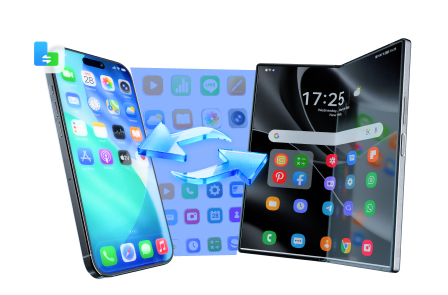
If you’re moving to a two-phone setup (or repurposing a device), Dr.Fone - Phone Transfer can help you transfer only what you need, then support backup and cleanup so each device stays aligned with its role.
 Move data between iOS to Android and vice versa.
- Transfer contacts, SMS, photos, videos, music, and more types.
- Available with all phones with Android and iOS versions.
- Simple, click-through process.
5-1. Transfer only what matches the new setup
Action: Use Dr.Fone’s phone transfer tools to move the data categories you actually want on the second device (e.g., contacts and essential photos) rather than cloning everything by default.
Limitation: Transfers don’t automatically make your account/2FA setup “clean”—you still need to re-check logins and recovery methods.
5-2. Create a backup before you split devices
Action: Use backup features to make a restorable snapshot so a failed migration (or a lost travel phone) doesn’t become a data-loss event.
Limitation: A backup isn’t the same as verified recovery—test restoring at least one item type you care about.
5-3. If you’re repurposing or selling a device, erase intentionally
Action: Use data eraser tools to wipe the device you’re reselling or converting to travel-only so old accounts, caches, and leftovers don’t linger.
Limitation: Erasing is irreversible—confirm you’ve moved what you need and signed out of key accounts before you wipe.
5-4. Quick transfer walkthrough (example flow)
-
Step 1 Open Phone Transfer
Launch Dr.Fone and enter the Phone Transfer feature so you can choose the source and destination devices.

-
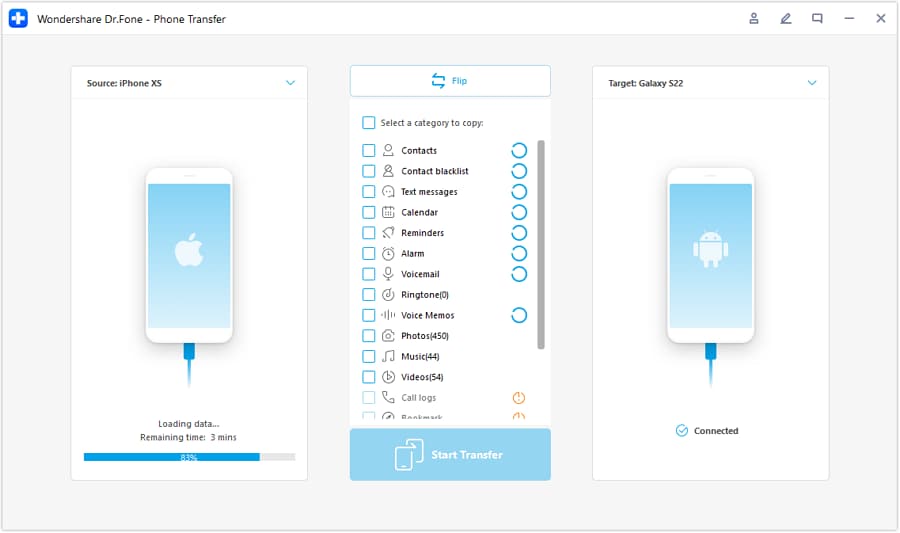
Step 2 Set the transfer direction
Select the correct path (for example, iOS to Android) before you start moving data.
-
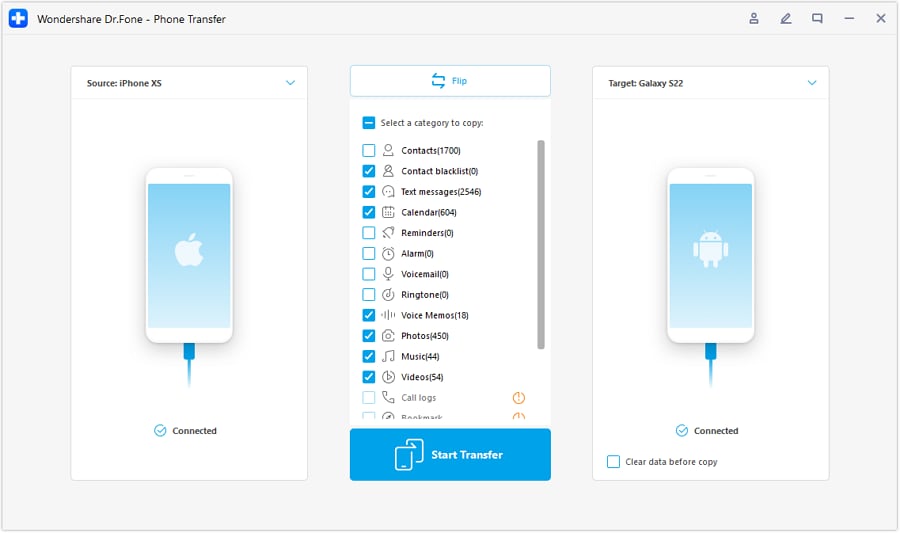
Step 3 Choose what to transfer
Pick only the data types that match your new two-phone (or work/travel) separation plan.
-
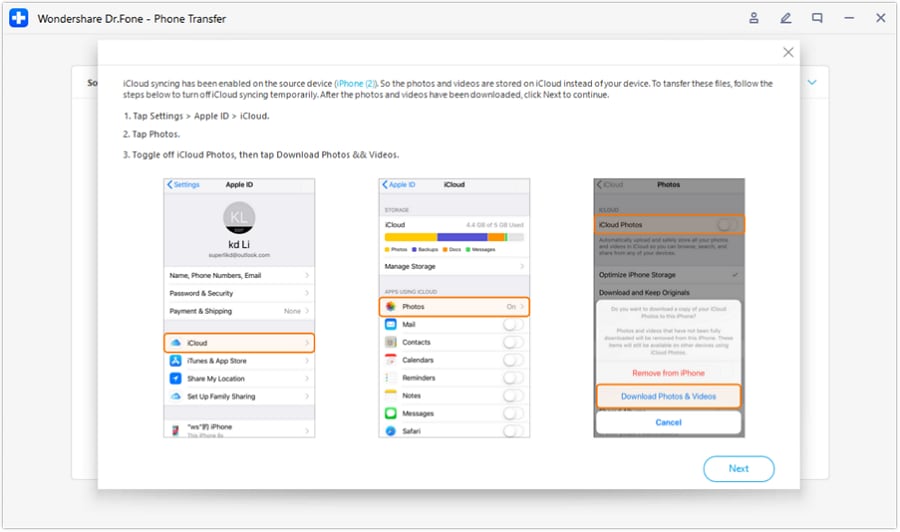
Step 4 Prevent sync conflicts during transfer
Follow the on-screen instructions to avoid syncing conflicts that can interrupt or complicate the transfer.




Conclusion
AI is best used here as decision support: it helps you surface trade-offs, identify flip factors, and choose the setup you’ll actually stick with—then real-world use proves it, and tools like Dr.Fone help you execute the switch, backup, or cleanup smoothly once the choice is made.
FAQ
-
Can I trust AI to tell me whether I should buy a second phone?
Trust it to structure trade-offs and expose regret points; don’t trust it to confirm carrier quirks, employer policy enforcement, or app-by-app friction without you validating those constraints. -
What’s the single most important trade-off in this decision?
Usually: risk reduction and separation (two phones) vs continuity and simplicity (one phone). The “best” choice is the one that prevents your most expensive failure mode. -
How do I avoid making this a spec-based decision?
Force the comparison through workflows: 2FA, messaging, banking access, work apps, travel SIM/eSIM, and what happens when a phone is lost. If you can’t describe the workflow, specs won’t save you. -
What assumption most often flips the recommendation?
Whether your work environment effectively requires MDM/deep control (pushing you toward separation), or whether your travel risk is low and your biggest problem is day-to-day friction (pushing you toward one phone). -
What should I prepare right after choosing?
A short checklist: account recovery methods, 2FA placement, which apps/data belong on which device, and a backup/restore plan before you migrate anything. -
If I’m buying a second phone partly for resale value later, what matters?
Plan your data separation early so you can wipe cleanly; keep backups and avoid mixing personal/work data on the device you expect to sell.
 Add Wondershare Dr.Fone as a preferred source on Google





