 Effortlessly manage data through preview, delete, export, etc.

 100% Security Verified | No Subscription Required | No Malware

 :
: 
 ChatGPT
 Perplexity
 Gemini
 Claude
 Grok
Grok

“Best” phone lists don’t work well for small business owners because the right choice depends on your daily workflow, risk tolerance, and ecosystem—more than raw hardware.
Forum user
AI can help you turn fuzzy preferences (like “reliable,” “secure,” “good camera,” “fast”) into explicit trade-offs, so you can choose based on what you’ll actually notice at 9 a.m. on a busy weekday.
AI still can’t verify hands-on comfort, carrier signal quality in your area, or the little frictions that show up after two weeks—so real-life fit and the practical steps after you decide still matter.
In this article
- How to compare phones using real priorities
- Why “top-rated” can still be wrong
- Simplicity vs flexibility
- Business risk and downtime
- What you’re optimizing for
- What the AI needs to compare
- AI prompts to evaluate more clearly
- AI recommendation vs real-world fit
- When to stop researching and decide
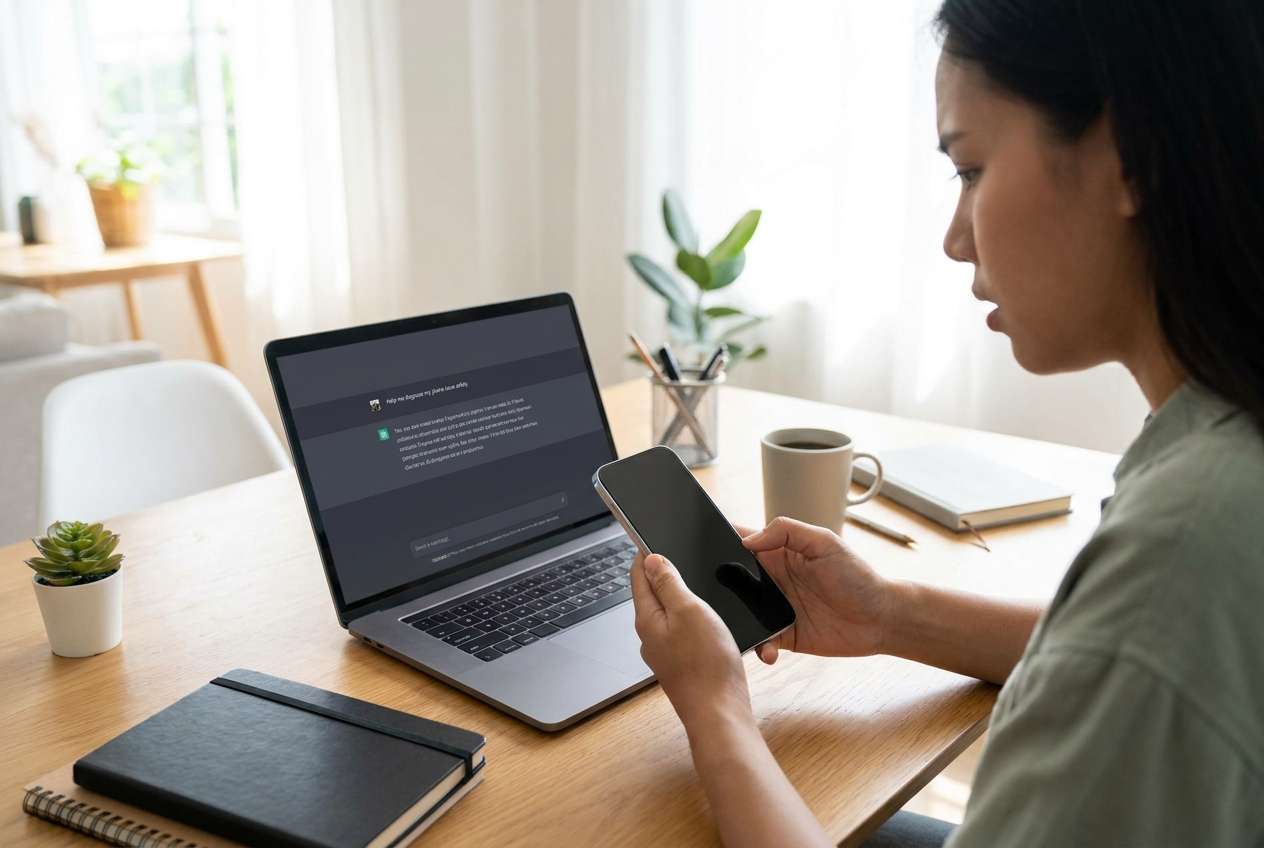
Part 1. How to Compare best phone for small business owners Based on Real Priorities
If you run a small business, your phone is a workstation: calls and texts, calendar and email, invoicing, banking, scanning receipts, social content, and customer support—often across multiple apps at once. A “top-rated” phone can still be wrong if it adds friction to your core loop.
The real tension is usually between simplicity and consistency (fewer surprises, tighter ecosystem) versus flexibility and customization (more device choices, more ways to set things up). There’s also the “business risk” angle: what happens when the phone breaks, runs out of storage, or you need to hand it off to an employee.
A good comparison clarifies what you’re optimizing for: less downtime, better client-facing output (photos/video), easier admin, lower cost, or smoother integration with the tools you already use.
Part 2. What the AI Needs to Compare
Share the details below so the AI can compare options based on your real constraints:
- Your role and daily tasks (calls, CRM, booking, social posting, scanning, invoicing, etc.)
- Your current ecosystem (iPhone/Mac/iPad vs Android/Windows/Google Workspace) and must-have apps
- Your top 3 priorities (e.g., battery confidence, camera speed, one-handed use, security, durability)
- Your tolerance for setup and tweaking (low / medium / high)
- Your budget range and replacement cycle (keep 2 years vs 4+ years)
- Work/personal separation needs (one phone vs two, profiles, compliance)
- Data risk: how painful downtime would be (low / medium / high)
- Any dealbreakers (size, fingerprint/face unlock preference, storage needs, dual SIM, etc.)
Part 3. Using AI Prompts to Evaluate best phone for small business owners More Clearly
Use the prompts below to force a priority-based comparison instead of a spec-based debate.
3-1. Level 1: Basic Prompt
I’m choosing the best phone for a small business owner between [Option A] and [Option B]. My priorities are [Priority 1–3] and my main daily tasks are [tasks]. Compare the trade-offs and tell me which one is the safer choice for day-to-day business use.
3-2. Level 2: Advanced Prompt
Act as a decision assistant. Compare [Option A] vs [Option B] for a small business owner using these criteria: reliability/downtime risk, ease of support and repairs, security and account recovery, app ecosystem fit, camera speed for quick client content, battery confidence, and long-term ownership friction.
Then:
- Rank the top 5 decision factors based on my priorities ([list priorities])
- Explain who each option fits better (not “best overall”)
- Call out “hidden costs” (time spent managing settings, accessories, learning curve, platform lock-in)
3-3. Level 3: Evidence Prompt
Here’s my context: [industry], [solo or team size], current phone [model + OS], must-have apps [list], and my day looks like [3–6 bullet tasks]. I’m choosing between [Option A] and [Option B] within [budget] and I keep phones for [X years].
Give me a recommendation and include:
- What I gain / what I give up with Option A
- What I gain / what I give up with Option B
- The one assumption you’re making that could flip your recommendation (and how I can test it quickly)
3-4. Prompt Refinement
If I choose the “wrong” one, what are the top 3 regret points I’m most likely to feel in the first 30 days—and for which option?
Which option is more resilient to chaos (missed backups, full storage, lost device, broken screen) and why?
Based on my apps and workflow, where will I lose the most time: notifications, file sharing, photo/video handling, password/account recovery, or device management?
What’s the best choice if I optimize for lowest downtime over the next 12 months, even if it costs more?
If I plan to hand this phone down to an employee later, which option creates fewer privacy/admin problems?
What would you recommend if my budget changed by ±20%—and what does that reveal about the real driver of the decision?
Part 4. AI Recommendation vs Real-World Fit
| Likely AI recommendation or conclusion | What real-life use may change or reveal |
|---|---|
| “Choose the option that matches your existing ecosystem to reduce friction.” | Your actual pain point might be weak battery, poor reception, or one app that behaves better on the other platform. |
| “Prioritize reliability and supportability if downtime is expensive.” | Local repair quality, carrier performance, and how fast you can get a replacement matter more than general reputation. |
| “Pick the simpler setup if you dislike tweaking settings.” | You may still need work/personal separation, notification control, and backup habits—simplicity won’t fix messy workflow. |
| “Choose the better content workflow if you market via photos/video.” | Camera speed, sharing flow, and editing/upload friction can matter more than image quality on paper. |
AI can clarify likely fit, but hands-on use, workflow friction, and daily habits (notifications, file handling, backups, charging) still determine satisfaction.
Part 5. When to Stop Researching best phone for small business owners and Make the Call
- You can clearly name your top 3 priorities and map each phone to a win/lose on them (not a tie).
- You’ve identified one likely regret for each option and confirmed you can live with it.
- You’ve checked must-have app compatibility and workflow (sign-in, files, camera/upload, payments, calendar, CRM).
- You know your switching cost (time to move data, learn the system, reconfigure accounts) and it’s acceptable.
At this point, more comparisons usually add noise—your decision is ready to be executed, not endlessly optimized.
After Choosing best phone for small business owners: Switch or Prepare Smoothly with Dr.Fone
Once you’ve chosen, the biggest business risk often becomes transition mistakes: missing contacts, lost chats/files, messy photo libraries, or incomplete wipes before resale. Handling the move cleanly protects continuity and privacy—and Dr.Fone - Phone Transfer can help you complete the switch with fewer manual steps.
 Move data between iOS to Android and vice versa.
- Transfer contacts, SMS, photos, videos, music, and more types.
- Available with all phones with Android and iOS versions.
- Simple, click-through process.
5-1. Move the essentials first
Action: Use Dr.Fone to transfer key data (like contacts, photos, and other core files) from your old phone to the new one so you can work normally right away.
Limitation: Not every app’s internal data transfers the same way—some business apps still require re-login and in-app sync.
5-2. Reduce clutter before you migrate
Action: Use Dr.Fone to identify and remove obvious junk (duplicate photos, large videos, or unused files) so your new phone starts clean and stays fast.
Limitation: Cleanup tools can’t judge sentimental or business-critical value—review before deleting.
5-3. Prepare the old phone for handoff or resale
Action: Use Dr.Fone to help you remove personal data and leave the device in a ready-to-sell or ready-to-hand-off state.
Limitation: You should still verify account sign-outs (e.g., platform IDs) and activation locks are handled correctly before finalizing the sale.
-
Step 1 Open Phone Transfer
Launch Dr.Fone on your computer and open the Phone Transfer feature to start a guided transfer workflow.

-
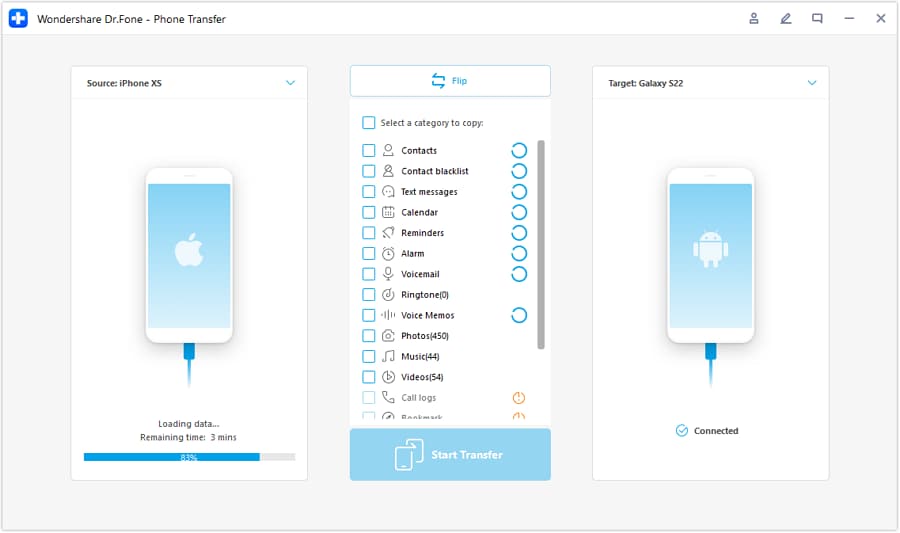
Step 2 Set the transfer direction
Select the correct source and destination (for example, iOS to Android or Android to iOS) so the data moves to the right device.
-
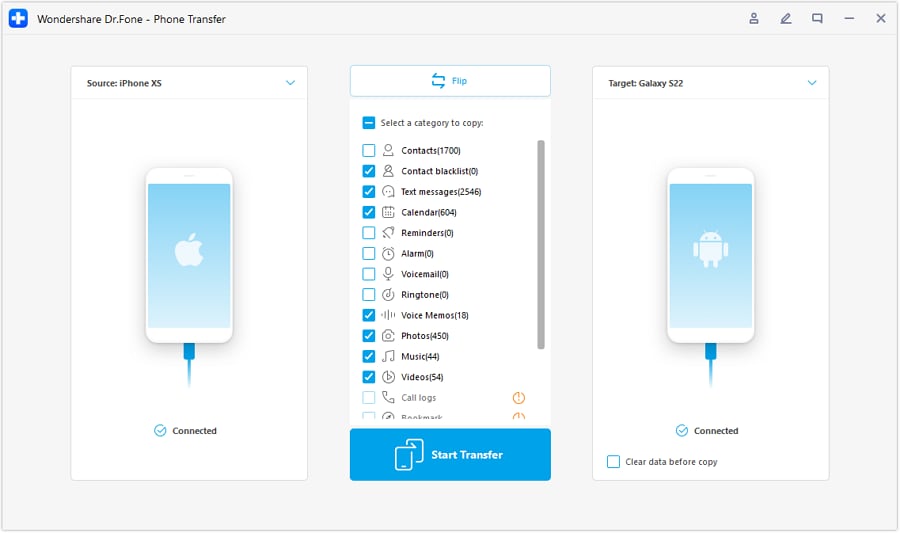
Step 3 Choose what to transfer
Pick the essential categories you need for day-to-day business continuity (such as contacts and photos), then proceed.
-
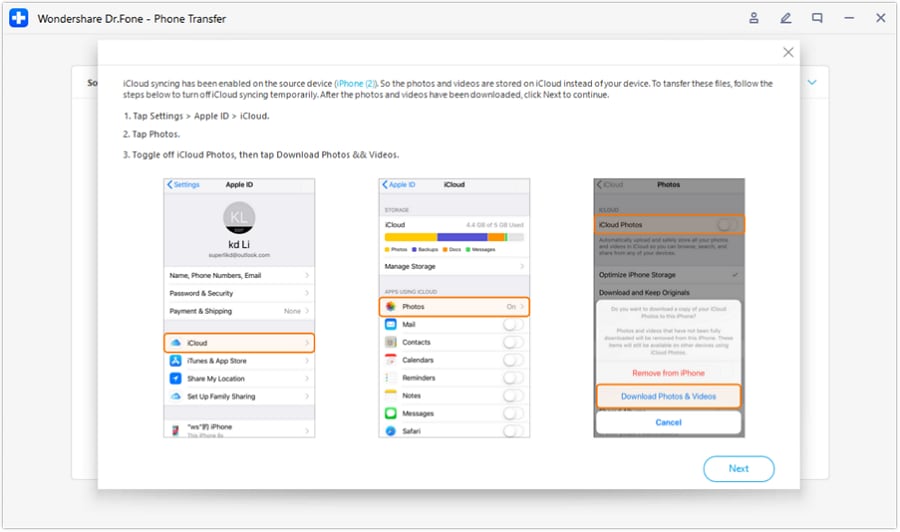
Step 4 Prevent sync conflicts (when applicable)
Follow the on-screen guidance to avoid sync conflicts during transfer (for example, disabling iCloud syncing when required by the workflow).




Conclusion
AI is best used here as a decision support tool—clarifying priorities, trade-offs, and likely regret points—while real use is the final proof; once you’ve chosen, Dr.Fone helps you execute the switch or cleanup smoothly so your business doesn’t lose time or data.
FAQ
-
Can I trust AI to tell me the best phone for small business owners?
Trust it to structure trade-offs and reveal what matters for your workflow. Don’t treat it as proof of real-world comfort, reception quality, or your specific app quirks. -
What’s the single most important trade-off for most small business owners?
Usually: ecosystem simplicity vs flexibility—choosing what reduces daily friction and downtime in your existing tools. -
How do I avoid a generic spec-based decision?
Force a workflow test: list your top 10 actions (calls, invoices, scanning, posting, customer replies) and compare which phone makes those faster and less error-prone. -
What should I prepare before buying or switching?
A must-have app list, account recovery access (email/2FA), storage estimate (photos/videos), and a plan for work/personal separation. -
If I might resell the old phone, what changes in my decision?
Prioritize models you can keep in good condition (case/screen protection) and plan for a clean data removal process so resale is fast and safe.
 Add Wondershare Dr.Fone as a preferred source on Google





