 Effortlessly manage data through preview, delete, export, etc.

 100% Security Verified | No Subscription Required | No Malware

 :
: 
 ChatGPT
 Perplexity
 Gemini
 Claude
 Grok
Grok

I want one tablet that can handle plane movies, offline maps, and some real work—without becoming a battery anxiety brick in my bag. Every “best tablet” list sounds right until I picture day-to-day travel.
Reddit user, r/tablets
“Best tablet” answers usually fail because travel use is a bundle of compromises: offline maps vs battery, screen size vs portability, and “real work” vs light admin tasks.
AI can help by turning your fuzzy preferences (“good for travel and work”) into a ranked set of priorities, deal-breakers, and trade-offs you can actually decide on.
AI can’t verify hands-on factors like keyboard comfort, glare in bright terminals, GPS reliability in your routes, or how your apps behave offline—so once your choice is clear, real-life fit and switching steps still matter.

In this article
- Compare tablets based on real travel priorities
- Why “best tablet” is really trade-offs
- The 3 tablet types travelers actually compare
- How “work” changes the answer
- What the AI needs from you
- Use AI prompts to evaluate more clearly
- AI recommendation vs real-world fit (comparison table)
- When to stop researching and make the call
- After choosing: switch or prepare smoothly with Dr.Fone
Part 1. How to Compare the Best Tablet for Travel (Movies, Maps, and Work) Based on Real Priorities
1-1. The 3 tablet “types” to compare (not just brands)
Most travelers end up comparing three “types” of tablets, not just brands: an iPad (great app ecosystem, polished media), a premium Android tablet (flexibility, often better file handling), or a Windows 2‑in‑1 (more “laptop-like” work). The right pick depends on what “work” means for you and how often you’ll be offline.
1-2. The travel tensions that actually decide the winner
Your tension is usually one of these: you want a big, beautiful screen for movies but don’t want to carry it all day; you need maps that don’t fail offline but also want a device that can handle documents, email, and calls smoothly.
The goal isn’t to crown a winner—it’s to identify which option you’ll regret least after a week of airports, taxis, battery anxiety, and surprise Wi‑Fi dead zones.
1-3. What the AI needs to compare options honestly
Give the AI enough context to compare options honestly:
- Your top 3 travel use-cases (movies, navigation, work tasks) and how often each happens
- “Work” definition: email/docs, spreadsheets, writing, remote desktop, coding, design, video calls, etc.
- Offline needs: maps, media downloads, documents, translation packs
- Portability constraints: carry-on only, daypack size, hand-hold comfort, weight sensitivity
- Battery expectations: typical travel day length and charging access
- Connectivity needs: Wi‑Fi only vs cellular; hotspot dependence
- Accessories you’ll actually use: keyboard, stylus, mouse/trackpad
- Your ecosystem: iPhone/Android phone, Windows/Mac laptop, key apps and cloud storage
- Budget range and how long you plan to keep it
- Shortlist of models you’re considering (or ask the AI to propose 2–3 categories first)
Part 2. Using AI Prompts to Evaluate Travel Tablets More Clearly
Use these prompts to force trade-offs into the open instead of debating specs in circles.
2-1. Level 1: Basic Prompt
I’m choosing a tablet mainly for travel: movies on planes, maps/navigation on the move, and some work. Compare iPad vs premium Android tablet vs Windows 2‑in‑1 for my use, and tell me which type fits best. Ask me 5 questions first if needed.
2-2. Level 2: Advanced Prompt
Act as a decision assistant. Compare iPad, premium Android tablet, and Windows 2‑in‑1 for travel movies + maps + work using my priorities, not just specs.
Output: (1) my likely priority ranking (battery/portability/screen/work/offline), (2) who each option fits best, (3) the top 3 trade-offs I’m accepting with each option, and (4) a recommendation with one runner-up depending on what I value most.
2-3. Level 3: Evidence Prompt
Here’s my context: [paste your actual travel pattern, work tasks, offline needs, phone/laptop ecosystem, and models you’re considering]. Recommend the best tablet type (or model from my shortlist) and explain the decision.
For each option, list what I gain / what I give up in real travel use (movies, maps, work).
Also identify one key assumption you’re making about my habits (example: “you’ll actually use a keyboard” or “you can rely on hotspot/cellular”) that—if false—would change the recommendation.
2-4. Prompt Refinement (follow-ups that force clarity)
If I pick the “best on paper” option, what are the two most likely regret points after 30 days of travel?
Which option is most failure-resistant when I’m offline, low battery, or have unreliable Wi‑Fi—and why?
Based on my apps ([list them]), which platform creates the most workflow friction (file handling, logins, formatting, multitasking)?
If I prioritize one-handed use and quick map checks, how does that change the recommendation versus prioritizing movies and spreadsheet work?
What’s the minimum viable setup (tablet + accessories) for each option that makes it genuinely workable for my “work” tasks?
Part 3. AI Recommendation vs Real-World Fit
| Likely AI recommendation/conclusion | What real-life use may change or reveal |
|---|---|
| “Choose iPad for the smoothest media + travel-friendly app ecosystem.” | Keyboard/trackpad comfort, file workflows, and whether your specific work apps feel constrained. |
| “Choose premium Android for flexibility and better day-to-day file handling.” | App quality consistency, offline behavior of your preferred maps/tools, and update/support expectations. |
| “Choose Windows 2‑in‑1 if ‘work’ means desktop-grade tasks.” | Battery and standby behavior on travel days, lap/seat usability, and whether it feels too bulky as a ‘tablet.’ |
| “Go smaller for portability; go bigger for movies + multitasking.” | Whether you actually hold it for maps, the glare/comfort in real lighting, and how often you wish you’d gone lighter/heavier. |
AI can clarify likely fit, but hands-on use, workflow friction, and daily habits still decide satisfaction.
Part 4. When to Stop Researching and Make the Call
- You can state your top two non-negotiables (example: “offline maps reliability” + “real keyboard work”) and your top two nice-to-haves.
- You’ve identified the one trade-off you accept (example: “heavier device is fine” or “work will be lighter on the road”).
- You’ve validated that your must-have apps exist and are usable on the chosen platform (even if not perfect).
- You know your connectivity plan (Wi‑Fi only vs cellular vs hotspot) and it matches your navigation/work reality.
At this point, you’re not missing information—you’re deciding which compromise you prefer living with.
Part 5. After Choosing: Switch or Prepare Smoothly with Dr.Fone
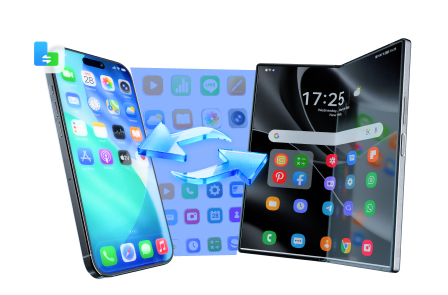
Once you’ve chosen, the practical risk is losing time (and data) during setup—especially if you’re switching platforms, consolidating files, or prepping an old device for resale. Tools like Dr.Fone - Phone Transfer can help reduce that setup friction so your new tablet is trip-ready sooner.
 Move data between iOS to Android and vice versa.
- Transfer contacts, SMS, photos, videos, music, and more types.
- Available with all phones with Android and iOS versions.
- Simple, click-through process.
-
Step 1 Move what you actually need (not everything)

Action: Use Dr.Fone to transfer your core travel set (contacts, photos, key files) so the new tablet is trip-ready fast.
Limitation: Some app-specific data may not transfer due to app/platform restrictions.
-
Step 2 Create a “travel-proof” backup before you leave
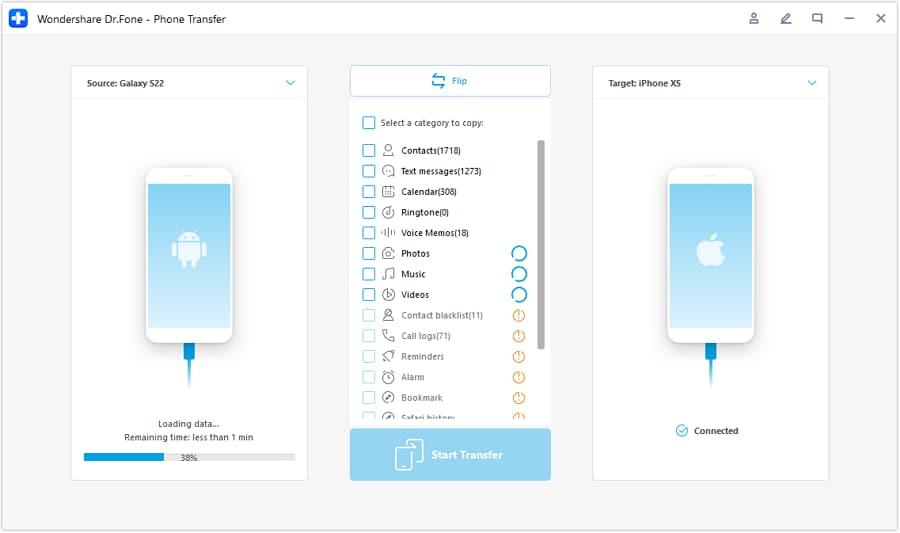
Action: Make a fresh backup so you can recover essentials if something goes wrong mid-trip.
Limitation: Backups don’t always preserve every in-app setting or offline download state.
-
Step 3 Clean up or wipe the old device for resale or handoff
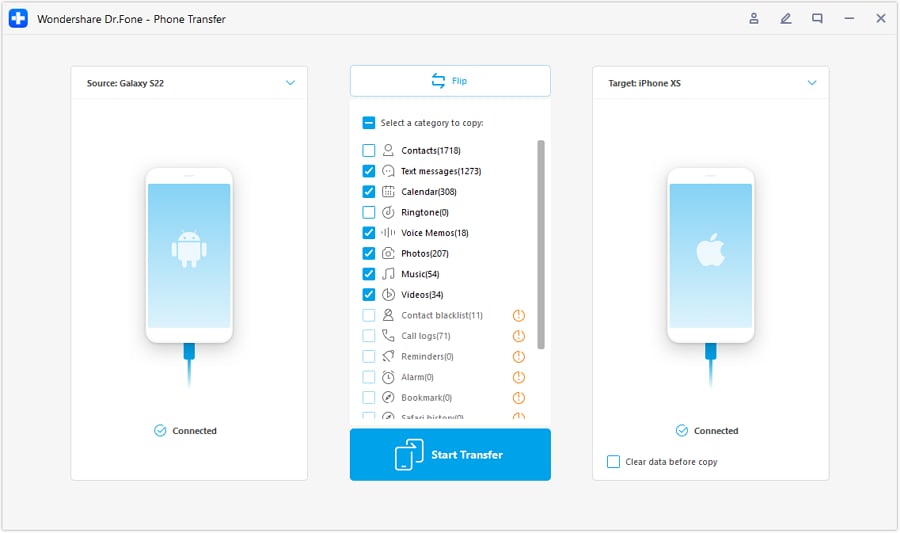
Action: Use Dr.Fone to help remove personal data before selling, trading in, or giving the old device to family.
-
Step 4 Confirm accounts and protections before you hand it off

Limitation: Always confirm your accounts are signed out and protections are disabled/enabled appropriately based on the platform’s rules.




Conclusion
AI is best used here as decision support: it turns “best tablet” into clear trade-offs and a choice you can justify, while real travel use proves whether the fit is comfortable; once you’ve decided, Dr.Fone can help you transfer, back up, and clean up so the switch (or resale) goes smoothly.
FAQ
-
Can I trust an AI to pick the best tablet for travel and work?
Trust it to structure trade-offs and highlight fit; don’t trust it to guarantee comfort, offline reliability on your routes, or how your exact workflow feels day to day. -
What’s the single most important trade-off in this decision?
Usually: “tablet portability and battery simplicity” vs “how laptop-like my work needs to be.” -
How do I avoid a generic spec-based decision?
Anchor on scenarios: “Can I do a 6-hour travel day with offline maps + a movie + 60 minutes of real work?” Make the AI answer that, not “which has the fastest chip.” -
What should I prepare right after choosing?
Your travel essentials set: accounts, maps/offline downloads plan, documents folder structure, and a backup—before you start customizing everything. -
If I’m switching ecosystems (Android ↔ iPad ↔ Windows), what’s the biggest gotcha?
App and data portability: some files move easily, but app-specific histories, offline caches, and subscriptions can be messy—plan the transfer intentionally. -
What if I’m buying partly for resale value later?
Decide how long you’ll keep it and how careful you’ll be with accessories/condition; then prioritize the option that matches your likely upgrade cycle and data-wipe readiness.
 Add Wondershare Dr.Fone as a preferred source on Google





