 Effortlessly manage data through preview, delete, export, etc.

 100% Security Verified | No Subscription Required | No Malware

 :
: 
 ChatGPT
 Perplexity
 Gemini
 Claude
 Grok
Grok

I keep reading “best camera phone” threads, but they don’t match how I actually shoot—kids indoors, quick shares, and almost no editing. Specs aren’t helping me decide.
Forum user
“Best camera” answers usually ignore the way you actually shoot—your lighting, subjects, editing habits, and where your photos end up.
AI can help by turning fuzzy preferences (like “natural look” or “good at night”) into explicit trade-offs and a decision that matches your priorities.
It can’t confirm hands-on feel, real-world focus speed in your typical scenes, or the friction of your daily workflow—so after you narrow the choice, real use (or at least a realistic trial plan) still matters.
In this article
- Compare iPhone vs Samsung based on real priorities
- Consistency vs flexibility
- Subjects and lighting that matter
- Workflow and sharing friction
- What AI can’t verify for you
- What the AI needs to compare
- AI prompts to evaluate more clearly
- When to stop researching and decide
- After choosing: switch or prepare smoothly
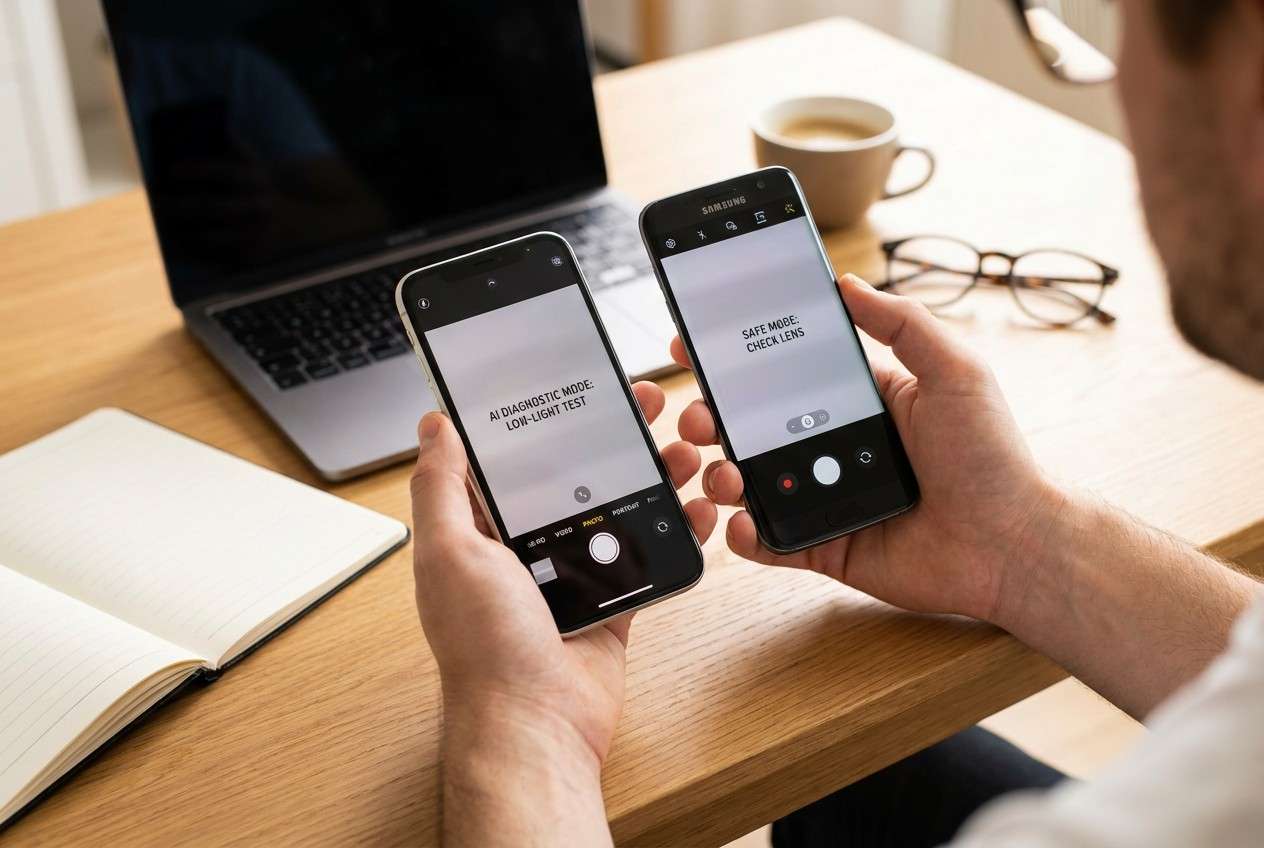
Part 1. How to compare iPhone vs Samsung for photography based on real priorities
If you’re deciding between iPhone and Samsung for photography, the hard part usually isn’t “which has the better camera”—it’s which one better fits how you shoot: people vs travel, quick snapshots vs deliberate editing, indoor lighting vs bright daylight.
A common tension is consistency vs flexibility. Many people want photos that look great with minimal effort, but also want options (zoom range, manual-style control, or a particular “look”) when scenes get tricky.
Another source of uncertainty is output: if your photos mostly live in iMessage/Instagram or you rely on cross-device sharing, your “best” choice may be the one that reduces friction—not the one that wins a spec comparison.
Part 2. What the AI needs to compare
Give the AI enough context to map trade-offs to your real shooting habits:
- Your current phone (model) and the two options you’re considering (exact models if possible)
- What you photograph most (kids/pets, food, landscapes, concerts, travel, documents, etc.)
- Your top 3 pain points today (blur, low light, skin tones, motion, zoom, shutter lag, etc.)
- Your editing style (none / quick tweaks / Lightroom-heavy / RAW-first)
- Your “photo look” preference (natural, punchy, warm, true-to-life, social-ready)
- Where photos are used (Instagram, prints, client work, family albums, messaging)
- Your ecosystem/workflow needs (Mac/iPad, Windows, Google Photos, cloud sharing)
- Your tolerance for learning settings vs wanting point-and-shoot reliability
Part 3. Using AI prompts to evaluate iPhone vs Samsung for photography more clearly
Use these prompts to force a priorities-first comparison instead of a specs-first argument.
3-1. Level 1: Basic prompt
I’m choosing between an iPhone and a Samsung phone mainly for photography.
Ask me the minimum questions needed, then compare them based on my shooting habits (not benchmarks) and tell me which one is the safer fit.
3-2. Level 2: Advanced prompt
Help me decide between [iPhone model] and [Samsung model] for photography using a priorities framework.
Create a side-by-side comparison that weights: (1) consistency of results, (2) motion/low-light reliability for my typical scenes, (3) zoom usefulness for what I shoot, (4) editing flexibility, and (5) sharing/workflow friction.
Conclude with “who this is for” for each option and the top 3 trade-offs I’m actually accepting.
3-3. Level 3: Evidence prompt
Here’s my context: [what you shoot most], [lighting conditions], [top pain points], [editing style], [where photos go], [ecosystem constraints].
Based on this, recommend iPhone or Samsung and explain what I gain and what I give up with each choice in my specific use.
Also name one key assumption you’re making (about my habits or priorities) that would flip your recommendation.
3-4. Prompt refinement (follow-ups)
Rank my priorities explicitly from 1–7 and show how the ranking changes the recommendation if I swap #1 and #2.
List the top 5 “regret risks” for each option (the kind of annoyance I’ll notice after 30 days), and how to test each risk quickly.
If I mostly shoot [kids/pets/night events/travel], which phone is more forgiving when I don’t have time to retry a shot?
Explain why in plain language.
Assume I will not edit 80% of photos.
Which choice minimizes disappointment, and what look differences should I expect?
Assume I will edit 80% of photos.
Which choice gives me more control without extra workflow friction?
Give me a 10-minute in-store test plan (scenes + what to check) that maps directly to my priorities, not generic camera tests.
3-5. AI recommendation vs real-world fit
| Likely AI recommendation or conclusion | What real-life use may change or reveal |
|---|---|
| “Pick iPhone if you want consistent, low-effort results.” | You may still dislike the default look for your skin tones or indoor lighting, or find it too “processed” for your taste. |
| “Pick Samsung if you want flexibility (more shooting modes/zoom options).” | You may not actually use the extra options, or you may find it takes more trial-and-error to get your preferred look quickly. |
| “Your workflow/ecosystem should decide if photo quality feels close.” | Sharing, backups, and cross-device access can become the daily pain point that matters more than small photo differences. |
| “Your main subjects should decide (motion, night scenes, travel).” | Your specific scenes (school gyms, dim restaurants, concerts) can expose focus/motion differences that AI can’t verify without your tests. |
AI can clarify likely fit and trade-offs, but hands-on use, workflow friction, and daily habits are what determine satisfaction after the novelty wears off.
Part 4. When to stop researching iPhone vs Samsung for photography and make the call
- You can name your top 3 photography priorities and you know which phone serves each one better (even if it loses elsewhere).
- You’ve identified at least one deal-breaker risk for each option and you have a plan to test or accept it.
- You understand your “what you gain / what you give up” trade-off and it matches how you actually shoot week to week.
- If the two are close, you’ve chosen a tiebreaker (workflow, resale, comfort, app habits) and you’re willing to optimize around it.
At this point, more research usually repeats the same arguments—you’re ready to decide and move into setup and transition planning.
Part 5. After choosing iPhone vs Samsung for photography: switch or prepare smoothly with Dr.Fone
Once you’ve picked iPhone or Samsung, the next friction is rarely the camera—it’s getting your photos and essentials moved safely (or cleaning up properly if you’re selling your old device). For the transition, Dr.Fone - Phone Transfer can help you move key content with a clearer checklist-driven workflow.
 Move data between iOS to Android and vice versa.
- Transfer contacts, SMS, photos, videos, music, and more types.
- Available with all phones with Android and iOS versions.
- Simple, click-through process.
-
Step 1 Open Phone Transfer and start with a “must-have” checklist
Use Dr.Fone to focus on transferring what you’ll actually need first (for example: photos, contacts, and other supported content), instead of trying to move everything blindly.

-
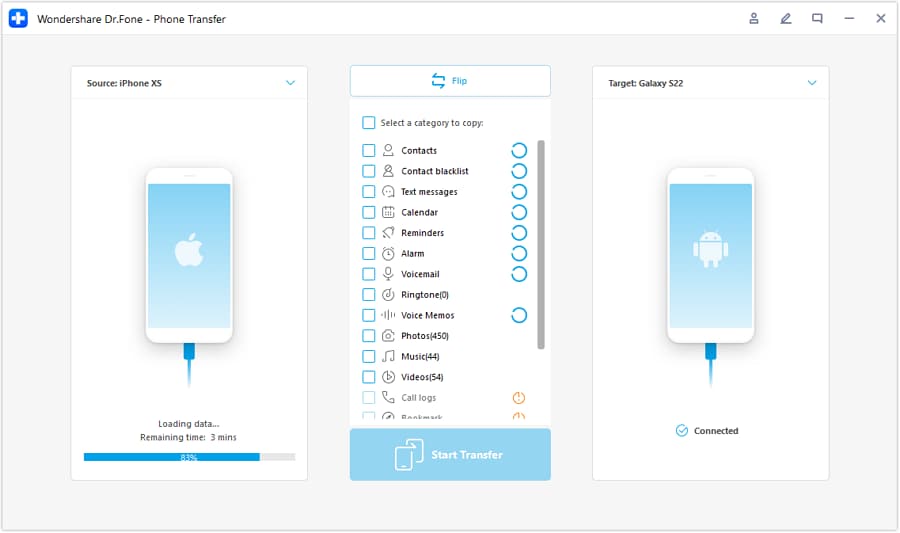
Step 2 Set the correct transfer direction (old phone → new phone)
Connect both phones, then confirm the transfer path matches your switch (iPhone to Samsung or Samsung to iPhone) before you proceed.
-
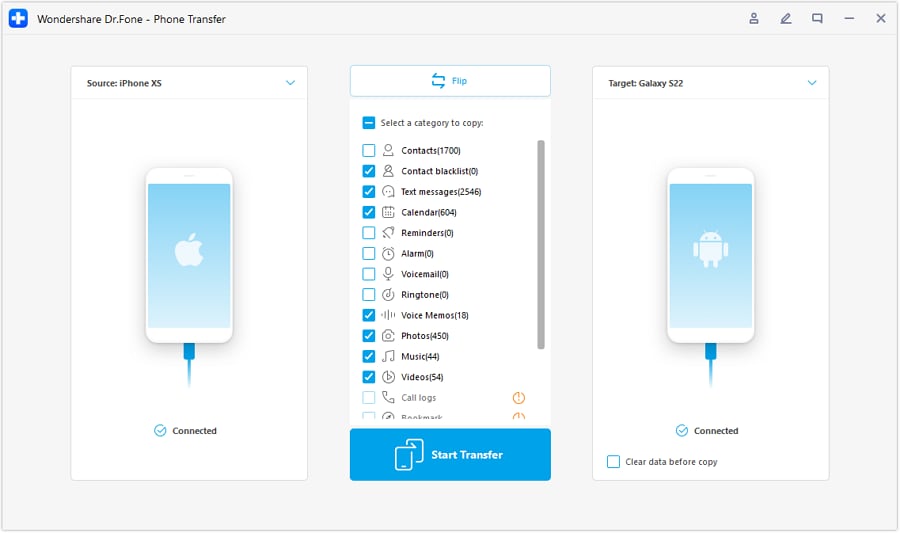
Step 3 Choose what to transfer and verify the result
Select the data categories you truly care about, run the transfer, and then spot-check essentials (albums/favorites/important folders) so you don’t discover gaps later.
-
Step 4 Reduce sync conflicts (and finish resale prep only after confirmation)
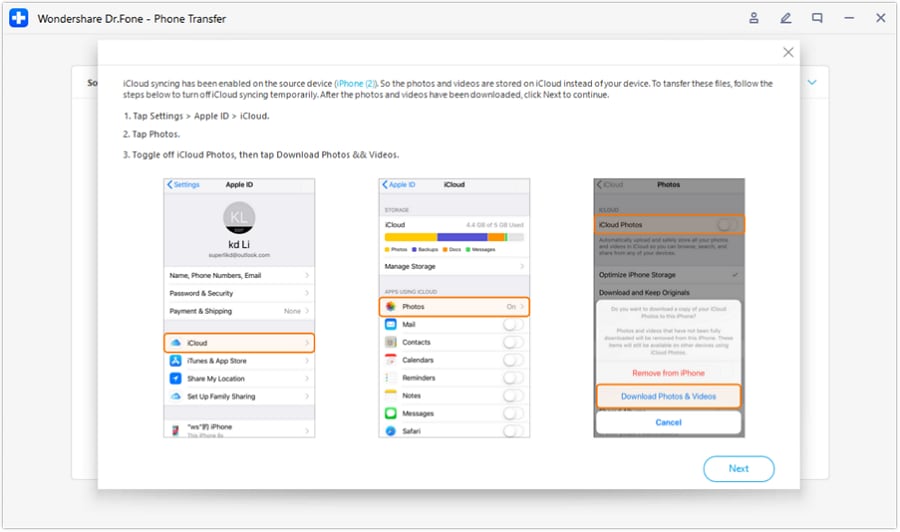
If iCloud/Google sync is involved, avoid competing sync behavior during the move. After you confirm the new phone has what you need, you can proceed with cleanup and resale/hand-off preparation.




Conclusion
AI is best used here as decision support: it clarifies priorities, makes trade-offs explicit, and reduces “what if” ambiguity—while real-world use is the final proof. Once you’ve chosen iPhone or Samsung, tools like Dr.Fone can help with the practical follow-through: transferring what matters, backing up safely, and preparing the old device for resale or hand-off.
FAQ
-
Can I trust AI to pick the better camera phone for me?
Trust it to structure the decision and expose trade-offs. Don’t trust it to confirm real-world behavior in your exact scenes without your testing. -
What’s the most important trade-off in iPhone vs Samsung for photography?
Usually it’s consistency and simplicity vs flexibility and control—plus how much your sharing/editing workflow matters day to day. -
How do I avoid getting stuck in spec comparisons?
Force the decision through your subjects, lighting, and editing habits. If a feature doesn’t change your weekly photos, it shouldn’t drive the purchase. -
What should I test in real life before committing?
Test your most common “failure scenes”: moving kids/pets, dim indoor lighting, night streets, portraits under mixed light, and any zoom scenario you actually use. -
What should I prepare after choosing?
A short transfer checklist (photos/albums, contacts, authenticator apps, key files), a verified backup, and a plan to wipe and unlock the old phone if you’re selling it.
 Add Wondershare Dr.Fone as a preferred source on Google





