Bypass iCloud Activation Lock and Android FRP without password.

 100% Security Verified | No Subscription Required | No Malware

 :
: 
 ChatGPT
 Perplexity
 Gemini
 Claude
 Grok
Grok
I recently performed a factory reset on my used Android phone, but now I'm stuck on the Google verification screen. What is the safest FRP bypass APK download available to get back into my device?
Alex Peterson, Tech Support Specialist

Finding yourself locked out of your own Android device after a factory reset is a common frustration in 2026. This barrier, known as Factory Reset Protection (FRP), is a security measure designed to prevent unauthorized access. However, for those who have forgotten their credentials or purchased a secondhand phone, the frp bypass apk remains a popular search term to regain access.
While various apk bypass frp methods exist, navigating the sea of downloads requires caution. This comprehensive guide explores the mechanics of the frp bypass 2.0 apk, its implementation steps, and why professional tools are increasingly the preferred choice for modern security patches.
In this article
Part 1. Deep Dive: What Is FRP Bypass APK and How Does It Work?
The frp bypass apk is a specialized utility designed to circumvent Google's Factory Reset Protection. Originally introduced by Google to deter theft, FRP locks the device to the last synced Google account after a reset. The frp apk works by exploiting specific system entries or browser loopholes to access the device's internal settings without the original password.
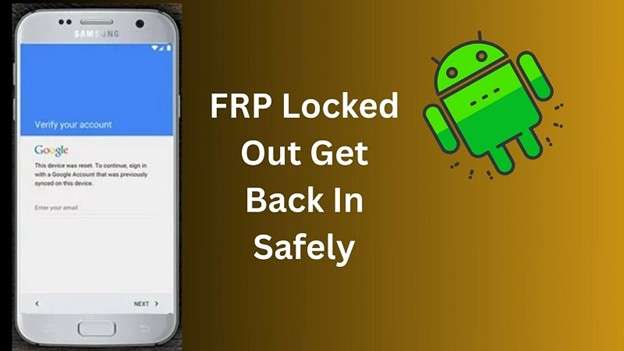
Once inside the settings menu via the fr bypass apk, users can typically add a new Google account or disable the protection entirely. However, as of 2026, security patches have made these exploits more difficult to execute, often requiring specific versions like the frp bypass 2.0 apk to be effective on older firmware.
1-1. Essential Features of Modern FRP APK Tools
When searching for a bypass factory reset protection apk, you should look for tools that offer the following core functionalities:
- Account Circumvention: The primary ability to skip the Google verification screen entirely.
- Cross-Brand Compatibility: Support for various Android brands including Samsung, Motorola, and LG.
- Lightweight Design: These tools are typically small in size and do not require heavy system resources.
- Cost-Efficiency: Most traditional APK-based bypass methods are offered for free.
1-2. Where to Safely Download FRP Bypass APK
Security is paramount when initiating an frp bypass download. Because these files are not available on the Google Play Store, they must be sourced from third-party repositories. Safe sources include established communities like vnrom, addrom, or iToolab, which are known for maintaining clean files for the Android modding community.

1-3. Step-by-Step Usage Guide for FRP Bypass Tools
There are two primary ways to deploy an apk bypass frp solution depending on whether you have access to a computer or need to perform the operation directly on the locked device.
Method 1: Desktop Download and SD Card Transfer
This is often the most reliable method if the device allows for SD card mounting during the setup phase.
Step 1 Obtain the File
Visit a reputable site like vnrom on your PC and download the latest FRP Bypass APK file.
Step 2 Transfer to SD Card
Copy the downloaded file to a physical SD card and insert it into the locked Android phone.
Step 3 Installation
Locate the file using the device's default File Manager (if accessible through exploits) and proceed with the installation.
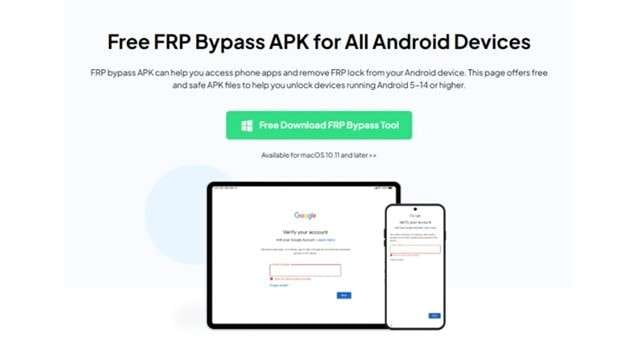
Method 2: Direct Device Download via Browser Exploits
This method utilizes TalkBack or voice assistant features to reach a browser window from the lock screen.
Step 1 Trigger Voice Assistance
Enable TalkBack by pressing both volume keys. Use voice commands to open "Google Assistant" and then "Open Chrome."
Step 2 Browser Download
Inside Chrome, navigate to a trusted frp apk provider and download the version compatible with your Android build (e.g., Android 11 or 12).
Step 3 Execute Bypass
Install the tool, open it, and navigate to settings to add a new account, which overrides the old FRP lock.
1-4. Analyzing the Pros and Cons of Manual APK Methods
Before proceeding with an frp bypass download, it is essential to understand the trade-offs involved in using manual exploits versus professional software.
| Criteria | FRP Bypass APK | Professional Software |
|---|---|---|
| Success Rate | Moderate (Varies by patch) | High (98%+) |
| User Interface | Technical/Complex | Simple GUI |
| Data Security | Risky (3rd party files) | Guaranteed Safe |
| Update Frequency | Rare | Regular Updates |
- Completely free to use for most versions.
- Requires no external PC in direct download mode.
- Supports a vast range of legacy Android models.
- Provides instant access to internal settings.
- Often patched on Android 14 and Android 15.
- Higher risk of malware from unverified downloads.
- Technical steps can be confusing for beginners.
- Success depends heavily on specific firmware version.
Before attempting risky technical manual methods, you may want to check out our free frp bypass strategies for various Android device brands.
Part 2. FRP Bypass APK Not Working? Professional 2026 Recovery Solution
If the FRP Bypass APK fails to execute on your modern Android device, it is likely due to the 2026 security patches implemented by Google. In these instances, Dr.Fone - Screen Unlock (Android) is the gold standard for bypassing Google account verification safely. It removes the need for technical exploits and provides a streamlined interface that handles the heavy lifting.
 Unlock Android phone in seconds.
- Remove PIN, pattern, password, fingerprint.
- Bypass Google FRP lock easily.
- Works on all Android brands & models.
- No tech skills required – user-friendly.

Unlike standard frp apk download methods, Dr.Fone is professionally maintained to keep up with the latest Android 15 security updates. It allows you to bypass FRP locks on Samsung, Xiaomi, Motorola, and OPPO devices with nearly zero risk to your hardware.
Core Advantages of Using Dr.Fone:
- Universal Support: Compatible with over 15 major Android brands.
- Latest OS Compatibility: Fully optimized for Android versions 5 through 15.
- Security Guaranteed: No risk of malware compared to random APK downloads.
- User-Friendly Guide: Simple on-screen instructions that anyone can follow.
How to Remove FRP Lock Using Dr.Fone Step-by-Step
Step 1 Launch and Connect
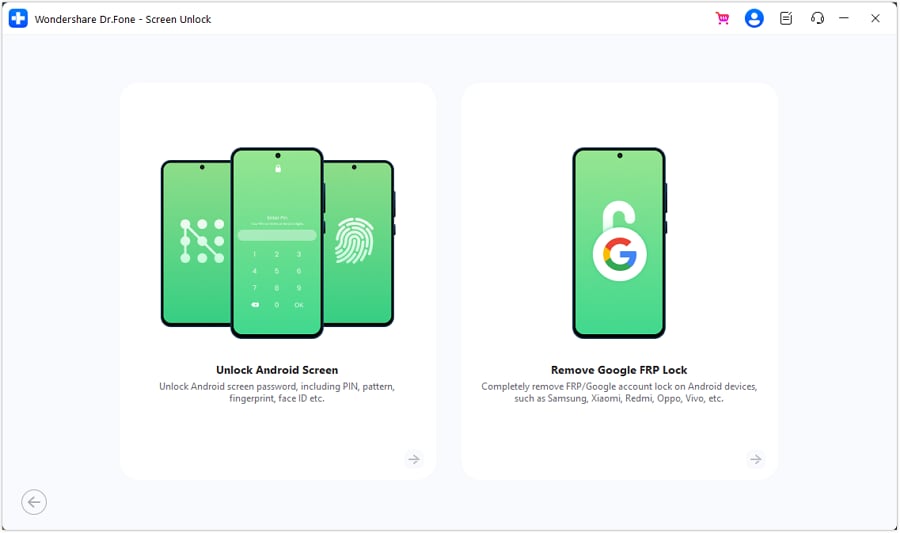
Open Dr.Fone - Screen Unlock (Android) on your PC. Select the "Android" device type and then choose the "Remove Google FRP Lock" module. Connect your device via USB.
Step 2 Follow On-Screen Instructions
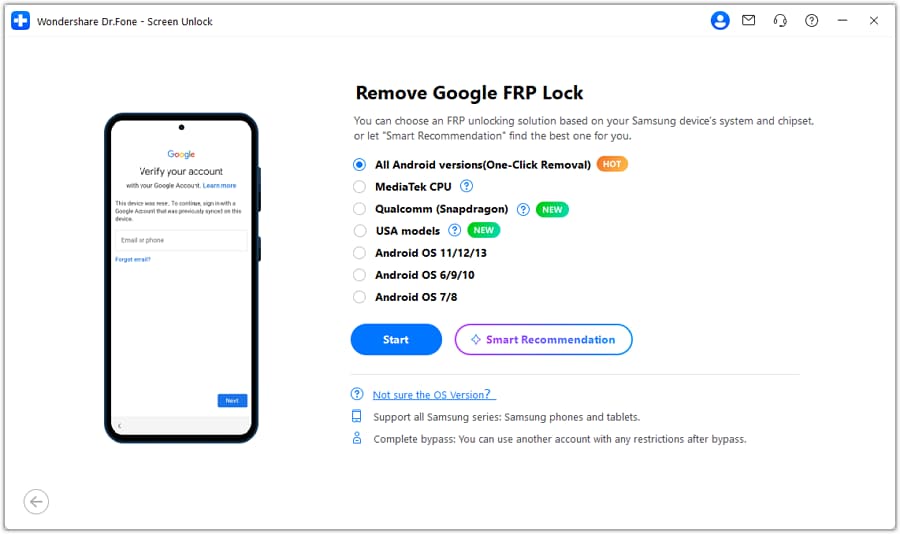
Select your brand (e.g., Samsung) and choose the appropriate chipset or OS version. The software will download the required drivers and guide you into the specific recovery mode needed to clear the lock.


Conclusion
Bypassing a Google lock in 2026 requires a balance of speed and safety. While an FRP Bypass APK can be a viable free solution for older devices, it often lacks the stability required for the latest Android versions. For a faster, more reliable experience that protects your device's integrity, professional tools like Dr.Fone – Screen Unlock (Android) are the recommended path. Choosing the right method ensures you regain access to your phone without the headache of security errors.
FAQ
1. What exactly does an FRP bypass APK do?
The FRP bypass APK is used to exploit vulnerabilities in the Android operating system to skip the Google Factory Reset Protection lock. It allows users to regain access to their phones after a reset if they have lost their original account details.2. Is it safe to perform an FRP APK download?
Safety depends on the source. Downloads from trusted repositories like vnrom or Dr.Fone are generally safe. However, unverified APK files can contain malware that could compromise your device's security or your personal data.3. Why does my frp bypass 2.0 apk keep failing on Android 15?
As of 2026, Android 15 includes highly advanced security patches specifically designed to block manual APK exploits. In these cases, manual APKs are often ineffective, and you may need a professional tool like Dr.Fone to bypass the updated security layers.4. Can I bypass FRP on Samsung devices without using any APK?
Yes. Using Dr.Fone - Screen Unlock (Android), you can bypass the Google lock on Samsung devices through a secure desktop interface. This method is much safer and more consistent than using the manual APK injection method.
 Add Wondershare Dr.Fone as a preferred source on Google