Bypass iCloud Activation Lock and Android FRP without password.

 100% Security Verified | No Subscription Required | No Malware

 :
: 
 ChatGPT
 Perplexity
 Gemini
 Claude
 Grok
Grok
Some VPN brands spend more time on ads than on product quality. ProtonVPN feels different. It comes from the privacy team behind Proton Mail, and that matters. The service focuses on security, clear policies, and useful apps instead of loud promises. It also offers one of the most talked-about free plans in the market. That alone gets attention. But free access is not enough. People want speed, streaming support, stable apps, and fair pricing, too.
This review assesses how well ProtonVPN meets those core demands across pricing, features, usability, device compatibility, and overall value. If you are considering ProtonVPN download, wondering about ProtonVPN for Windows, or curious if the free version is enough, this guide gives you a clear answer.
In this article
- Part 1. What Is ProtonVPN?
- Inside ProtonVPN Features That Matter Most
- Device Compatibility Across Screens That Matter
- Real World Performance and Daily Stability
- ProtonVPN Test Results That Matter
- Installation and Apps Made Simple
- Quick Installation Options
- ProtonVPN Free vs. ProtonVPN Plus at a Glance
- ProtonVPN Plans and Prices
- Part 2. Pros and Cons of ProtonVPN
- Part 3. Who ProtonVPN Fits Best in Real Use
- Part 4. Bonus Solution for iPhone Users Under MDM Restrictions
Part 1. What Is ProtonVPN
ProtonVPN launched in 2017 and quickly built a name for itself with a privacy-first design. It was created by the team behind Proton Mail and is based in Switzerland, which is known for its strong data laws. Its apps are open source and regularly audited. Features like Secure Core, a verified no-logs policy, and ProtonVPN free with unlimited bandwidth help it stand out from many rivals.
1-1. Inside ProtonVPN Features That Matter Most
ProtonVPN combines strong protection with tools that make daily use easier. Its feature set covers security, speed, privacy and streaming support without feeling overloaded.
Core security
- Uses strong encryption to protect user data
- Helps keep activity safe on public and unsecured networks
- Built to reduce the risk of data interception
Protocol support
ProtonVPN supports multiple protocols, so users can choose what fits them best.
- WireGuard for speed and efficiency
- OpenVPN for trusted protection
- IKEv2 IPsec for flexible secure use
This range helps improve performance for browsing, gaming and streaming.
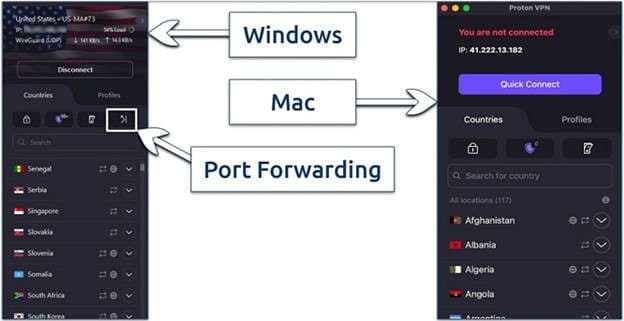
Privacy tools
The service includes several tools that strengthen privacy.
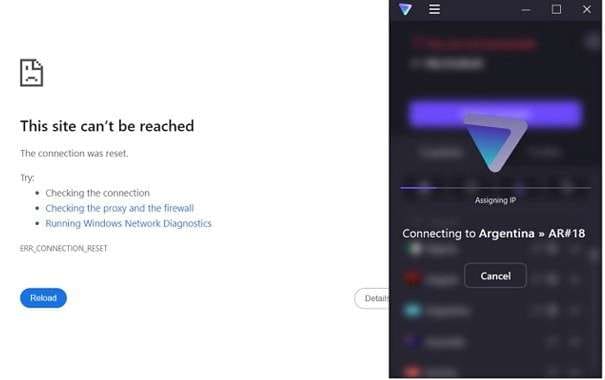
- Kill switch to stop leaks if the connection drops
- Split tunneling for selective routing
- Secure Core to route traffic through privacy-focused locations
- DNS leak protection to keep browsing activity hidden
- Stealth mode for use in restrictive regions
Extra features for convenience
ProtonVPN also adds features that improve day-to-day use.
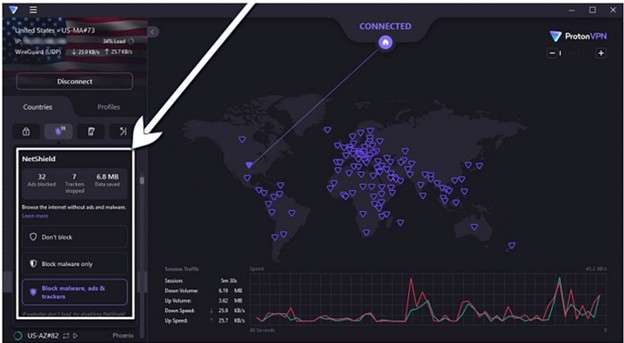
- NetShield to block ads and malware
- Smart DNS for better streaming support
- Up to 10 devices on one subscription
- Dedicated IP available at an extra cost
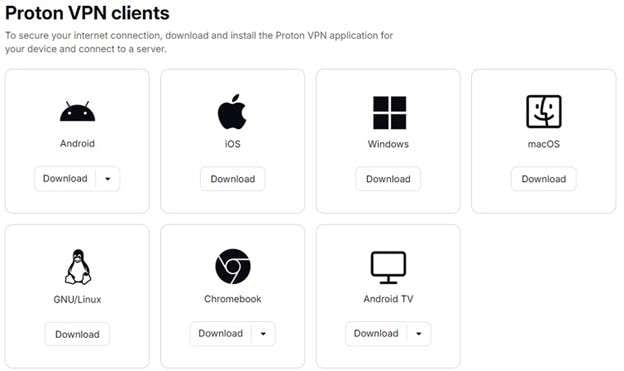
1-2. Device Compatibility Across Screens That Matter
ProtonVPN works on many popular devices, which makes it a practical choice for homes and solo users alike. The apps keep a similar look across platforms, so switching from phone to laptop feels easy. While some devices get more features than others, the overall support is strong.
| Device Platform | Compatibility Overview | Main Features | Notes |
|---|---|---|---|
| ProtonVPN for Windows | Full native app support | WireGuard, OpenVPN, IKEv2, Secure Core NetShield split tunneling kill switch | One of the most complete versions |
| ProtonVPN mac | Full desktop support | WireGuard, OpenVPN, IKEv2, Secure Core, NetShield, split tunneling kill switch | Strong feature set for Mac users |
| ProtonVPN Android | Full mobile app support | WireGuard, OpenVPN, IKEv2, Secure Core NetShield split tunneling kill switch | Smooth mobile experience |
| iPhone and iPad | Native app support | WireGuard IKEv2 Secure Core kill switch | Fewer features than Android and desktop |
| Linux | App plus command line tools | Secure Core NetShield multi-hop routing | Strong option for advanced users |
| Browsers | Extensions available | Quick secure browsing | Works with popular browsers |
| Routers | Manual setup on supported models | OpenVPN WireGuard support | Covers all WiFi devices |
| ProtonVPN tv | Via router setup | Shared VPN protection | Useful for smart TVs |
| Gaming Consoles | Via router setup | Shared VPN connection | Supports devices like Xbox, PlayStation, and Switch |
1-3. Real World Performance and Daily Stability
ProtonVPN provides a very user-friendly experience over desktop and mobile applications, routers, and browser extensions. No matter whether we use ProtonVPN for Windows, ProtonVPN Mac, or even ProtonVPN Android, the layout remains clean and familiar. New users will appreciate the Quick Connect and easy configuration, though power users won't lose any advanced setting options.
Performance Snapshot
| Area | What to Expect |
|---|---|
| App Experience | Consistent design across devices with simple navigation |
| Connection Speed | Fast enough for normal browsing, streaming, and daily use |
| Nearby Servers | Stronger speeds with better stability |
| Long-Distance Servers | Speeds can drop compared to nearby locations |
| Ping Times | Higher latency on far servers may affect gaming calls |
| WireGuard Support | Helps improve speed and connection efficiency |
| Secure Core | Adds privacy but may reduce speed on some routes |
| Reliability | Quick connection times and solid uptime |
1-4. ProtonVPN Test Results That Matter
To check real value, ProtonVPN was tested for speed, streaming access, privacy leaks, and kill switch protection. The results were strong overall. It handled security tests well and kept speeds solid in most regions.
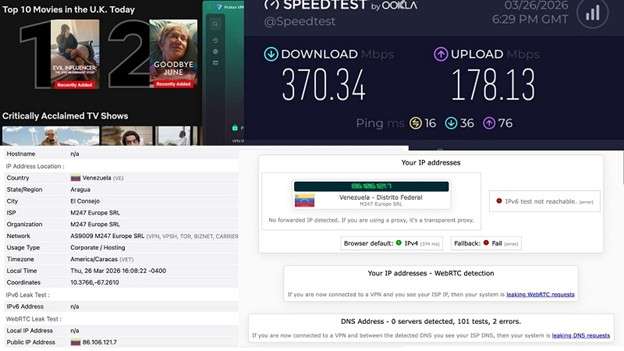
Quick Results Table
| Test Area | Result | What It Means |
|---|---|---|
| Speed Test | Passed | Small to moderate speed loss depending on distance |
| Netflix Test | Passed | Worked with U.S., Canada, U.K., and Australia libraries |
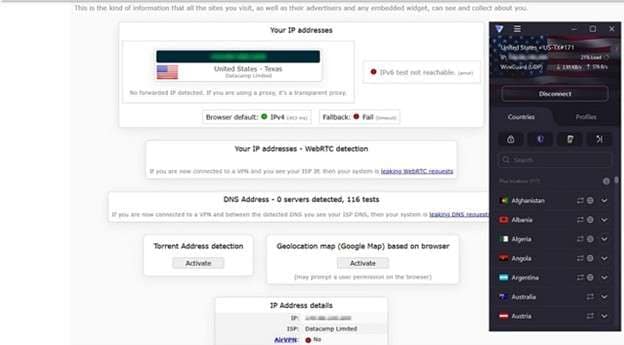
| DNS Leak Test | Passed | The real IP and location stayed hidden |
| WebRTC Leak Test | Passed | Browser-based IP leaks were blocked |
| Kill Switch Test | Passed | IP stayed protected during server changes |
Speed Performance
ProtonVPN reduced download speeds by about 14 percent on average. Nearby servers performed best. U.S. server speeds stayed fast with only a light drop. Europe and Australia servers slowed more, which is normal for long-distance connections.
| Server Region | Download Speed | Ping |
|---|---|---|
| No VPN | 370.34 Mbps | 16 ms |
| US to US | 346.00 Mbps | 21 ms |
| US to CA | 305.14 Mbps | 52 ms |
| US to EU | 323.67 Mbps | 143 ms |
| US to AU | 301.95 Mbps | 209 ms |
1-5. Installation and Apps Made Simple
ProtonVPN keeps setup easy on both desktop and mobile devices. The apps are clean, simple to navigate, and designed for quick use. New users can connect in minutes, while advanced users still get extra control.
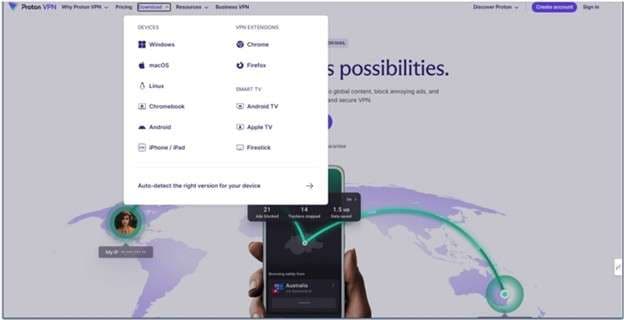
Easy App Experience
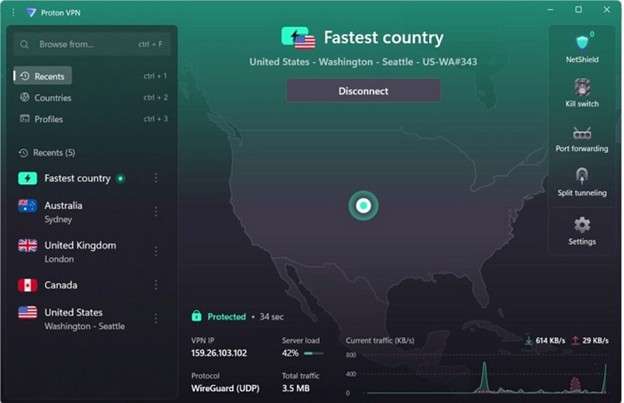
The interface shows connection status clearly and displays useful details like server load after you connect. The interactive map helps users pick locations fast, and the layout stays easy to understand on ProtonVPN for Windows, Mac, and mobile apps.
Smart Profiles Save Time
A useful Profiles feature lets users save favorite setups in a few clicks.
- Preferred country
- Specific server
- Fastest server
- Random server
- Protocol type
- Standard Secure Core P2P or Tor connection
This makes repeat use faster, especially if you often switch between regions.
1-6. Quick Installation Options
Getting a ProtonVPN download is simple across major platforms.
| Device | Where to Install |
|---|---|
| ProtonVPN Android | Play Store F Droid APK on GitHub |
| iPhone iPad | App Store |
| ProtonVPN for PC | Official website |
| ProtonVPN mac | Official website |
| Linux | Website, app, or command line tool |
| Chromebook Android TV | Android app sources |
1-7. ProtonVPN Free vs. ProtonVPN Plus at a Glance
The choice between ProtonVPN Free and ProtonVPN Plus depends on what you need more of. The free plan really does the fundamentals well, but Plus unlocks everything – faster performance, more servers, and a better everyday all-around value.
| Feature | ProtonVPN free | Proton VPN Plus |
|---|---|---|
| Bandwidth | Unlimited | Unlimited |
| No logs policy | Yes | Yes |
| Server access | Limited servers in 5 countries | 18,700 plus servers in 130 plus countries |
| Speed | Medium | High |
| Devices | 1 device | Up to 10 devices |
| Streaming support | No | Yes |
| P2P and torrenting | No | Yes |
| NetShield | No | Yes |
| Secure Core | No | Yes |
| Tor over VPN | No | Yes |
Which plan fits best
For casual browsing with some basic privacy, ProtonVPN Free is a solid option. Which is Better for Streaming? Proton VPN Plus offers faster speeds and works for homes with many devices. It starts at $2.99 per month. If you're interested in more than just a VPN, check out Proton Unlimited for additional secure email, password tools, cloud storage, and much more.
1-8. ProtonVPN Plans and Prices
ProtonVPN Plus is offered in three billing terms, and the features stay the same across all paid plans. The main difference is the monthly cost. Longer plans bring the price down, while the one-month option costs the most.
| Plan Length | Monthly Price |
|---|---|
| 1 month | $9.99 |
| 1 year | $3.99 |
| 2 years | $2.99 |
Payment options
Users can pay with:
- Credit card
- PayPal
- Cryptocurrency after account setup
Supported currencies include USD, CAD, CHF, and EUR. If value matters most, the long-term ProtonVPN plan is the better deal.
Part 2. Pros and Cons of ProtonVPN
Like most VPN services, ProtonVPN has clear strengths and a few tradeoffs. The good side is easy to see, especially for users who care about privacy and simple free access. Still, some limits may matter depending on your needs.
- Secure Core adds another layer of protection by routing traffic through privacy-friendly locations
- Open source apps and transparency reports help build trust
- ProtonVPN free has no data cap, which makes it useful for light or occasional use
- The server network is smaller than many rival VPN brands
- Premium plans cost more than some competing services
- Speeds can feel uneven at times, especially on the free plan
Part 3. Who ProtonVPN Fits Best in Real Use?
ProtonVPN makes the most sense for people who put privacy first. It suits users who want a trusted no-logs VPN, stronger transparency, and extra protection in sensitive situations.
- Privacy-focused users who want stronger security and better anonymity
- Journalists working abroad who need safer contact with sources
- Activists in higher-risk regions who may need Secure Core for added protection
- Users who want a privacy-centered VPN with a strong trust profile
- People who prefer to set ProtonVPN on a router so every home device stays covered

Part 4. Bonus Solution for iPhone Users Under MDM Restrictions
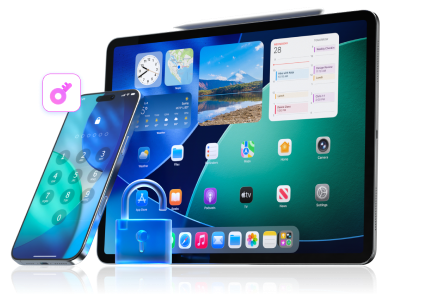
MDM locks help schools and companies manage devices, but they can become a problem when an iPhone or iPad stays tied to old management controls. In that situation, Dr.Fone - Screen Unlock (iOS) is a practical tool that many users consider. It is designed to handle different access issues such as screen locks, Apple ID removal, Screen Time passcode bypass, and MDM bypass support in one toolkit.
 Unlock iPhone/iPad passcode in minutes.
- Remove Face ID, Touch ID, MDM lock, and screen lock.
- Bypass iCloud Activation Lock easily.
- Support all iOS versions and devices.
- Simple steps, no technical skills needed.
-
Step 1Install and launch Dr.Fone
Open the program on your computer, then go to Toolbox > Screen Unlock > iOS.

-
Step 2Choose the MDM tool
Select the option for Unlock MDM iPhone to begin the process.
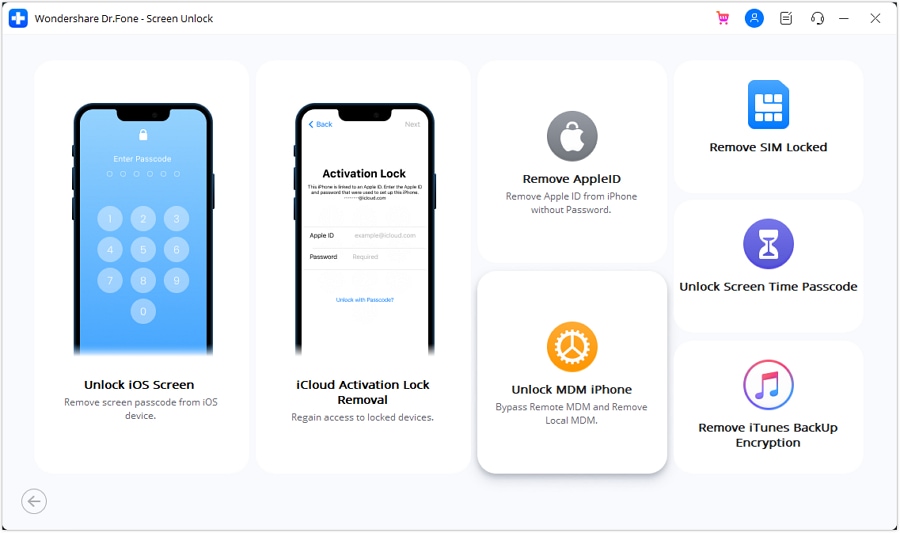
-
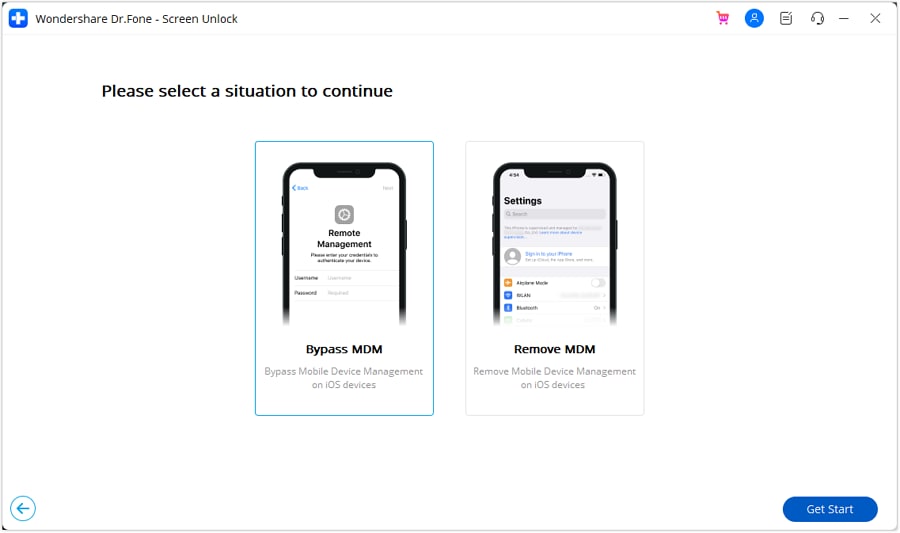
Step 3Pick Bypass MDM
On the next screen, choose Bypass MDM, then click Get Start.
-
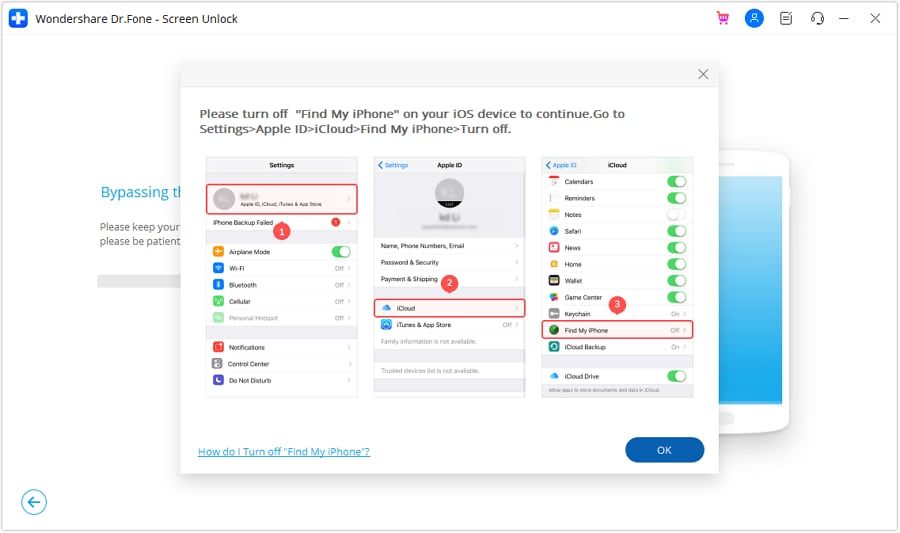
Step 4Turn off Find My iPhone
On the device, open Settings, tap your name, go to iCloud, and switch off Find My. Then confirm on the computer.
-
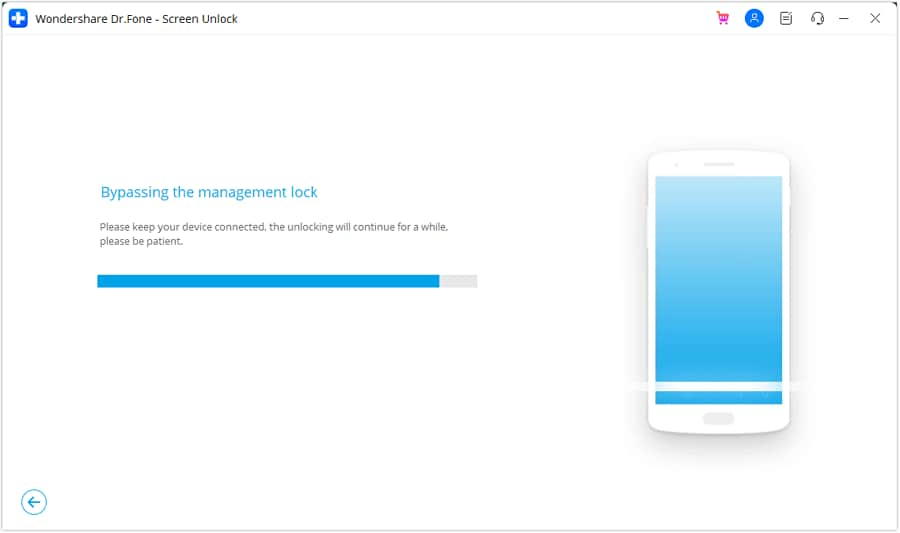
Step 5Start and finish the bypass
Click Start to Bypass and wait while the tool removes the remote MDM restriction. When complete, press Done.
Conclusion
ProtonVPN leaves a strong impression with its privacy focus, stable performance, wide device support, and a free plan that still offers real value. It works best for users who want safer browsing, better streaming access, and simple control across devices. The paid plan suits heavier use, while the free tier fits basic privacy needs well. But when the problem shifts from online protection to device restriction, the answer also changes. For iPhone users stuck under MDM control, Dr.Fone - Screen Unlock (iOS) makes it a smart solution when access matters more than connection privacy.




 Add Wondershare Dr.Fone as a preferred source on Google