Bypass iCloud Activation Lock and Android FRP without password.

 100% Security Verified | No Subscription Required | No Malware

 :
: 
 ChatGPT
 Perplexity
 Gemini
 Claude
 Grok
Grok
Starting a day with a frozen phone feels like a nightmare. You swipe, add a passcode, but the phone stays shut. In many situations, you might get stuck in the “Google Account Verification” after a reset. You have your device back, but a forgotten email or password has turned it into a high-tech paperweight. Both Screen Lock and FRP can be tough barriers, but 2 famous tools are taking charge of bypassing them.
iToolab UnlockGo and Dr.Fone declare that their solutions are one-click and seamless. To determine to what extent this is true, we are going to have a detailed Android unlock tool comparison. This comparison is based on official vendor documentation, product specifications, and publicly available user feedback to ensure accuracy and transparency.
So, review the comparison with us and decide whether Dr.Fone truly delivers on its claim to be the best solution.
In this article
- Part 1. Why Users Depend on Android Unlock Tools Like UnlockGo and Dr.Fone
- Part 2. iToolab UnlockGo (Android) — Android Unlock Review
- Part 3. Dr.Fone Android Unlock — Lock Features Overview
- Part 4. Device and Lock Type Compatibility: UnlockGo vs Dr.Fone Compared
- Part 5. Ease of Use and Performance in Real Android Unlock Cases
- Part 6. Android Unlock Tool Test: Which Is Better - UnlockGo or Dr.Fone
Part 1. Why Users Depend on Android Unlock Tools Like UnlockGo and Dr.Fone
Before we compare iToolab UnlockGo vs Dr.Fone, it's important to know why these tools matter. Thus, this section will break down 5 reasons, highlighting the importance of Android unlocking solutions:
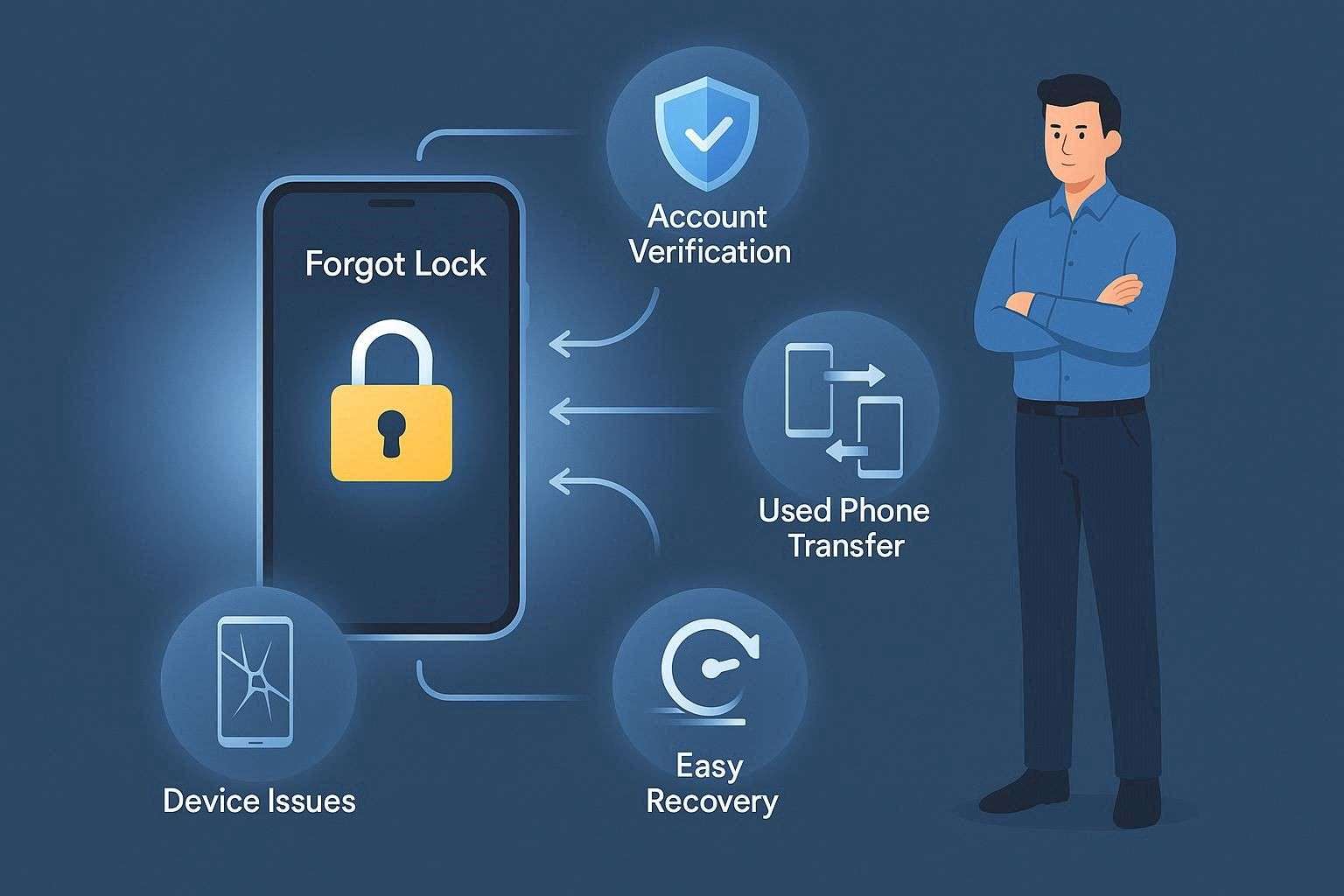
1. Forgot Lock: People often forget their PIN, pattern, or password after changing it or not using the phone for a long time. Additionally, built-in recovery options do not always appear or work on newer Android versions, so access is fully blocked, necessitating the Android Unlock tool.
2. FRP Lock: FRP locks start after a factory reset when the old Google account is still linked to the device. Many users cannot remember their old email or password, so they get stuck on the “Verify your account” screen.
3. Used Phones: Used, gifted, or inherited phones often still carry the previous owner’s screen lock or Google account. When new users cannot reach the original owner and the device shows as locked, Android Unlock tools come in handy.
4. Phone Issues: Some phones experience hardware faults such as broken buttons, touch issues, boot loops, or system errors. Thus, these issues prevent normal unlock or recovery methods, even when the correct steps are known, making the Android Unlock tool vital.
5. Easy Fix: Manual methods like ADB commands or flashing tools feel complex and hard for most regular users. So, unlock tools give a simple PC-based process that helps remove locks faster with fewer technical steps.
Part 2. iToolab UnlockGo (Android) — Android Unlock Review
To start with the iToolab UnlockGo Android review, the tool lets you bypass multiple Android lock types on phones and tablets. It supports 21 brands to unlock screen locks, with the option “Now Data Loss” available only on early Samsung versions. In this list, models such as Galaxy Note Ⅱ/3/4/8, Galaxy S3/S4/S5/S6, and Galaxy Tab have been added.
Key Features Review
To know if this meets your unlocking needs, review some of its key aspects:
1. Android Versions: According to the vendor’s claims, the tool is compatible with Android 16/15/14/13 and earlier versions. However, we noticed that UnlockGo doesn’t clearly mention support for Samsung Android 12 screen lock bypass, which can be a concern for Android users.
2. FRP Bypass: Regarding brand support, the number of available options is limited to 10, and vendors claim a 99% success rate for some Samsung versions. Talking about Samsung versions, UnlockGo only covers models like Galaxy S25 and S24. Other than Samsung, it can bypass Xiaomi, Redmi, vivo, OPPO, and Motorola devices, including Android 5/16.
To know if it's worth a try, glance at this user review first, which tells another story:
It seemed amazing at first and reset my Samsung A71 in seconds, but it failed to remove the PIN or FRP, so it felt like a poor product. - Henning Østergaard
3. US Model Support & Ease of Use: While reviewing their guide, we noticed that it supports major US models. However, there was no option to bypass FRP on Samsung MTK-based devices. Even though the processes are guided and detailed, accessing modes can be time-consuming and confusing for beginners, as the instructions are somewhat unclear.
Unlike other tools, UnlockGo mentioned no disclaimers or data loss alerts while using the FRP bypass tool. In fact, this issue was reported in some of the Trustpilot comments, stating that:
I found this software useless in 2025. It only supports older firmware and keeps giving update errors. It failed to unlock my iPhone and just wasted my money. After the update, it stopped recognizing my devices completely, even when other tools worked fine. - Michael Galaszkiewicz
4. Accessibility & Cost Coverage: Users can access this tool on Windows and Mac, and you can leverage the free version, too. However, the free version only allows you to test the interface and check the device compatibility. Only the Factory Reset option is free; access to other features requires the Pro version. Additionally, the success and method can change with device model, Android version, and security level, so check the official site first.
Even with a paid version, you can access the unlock feature only on 1 PC. As for the mobile device, the number varies from 1 to 5 based on the plan you opt for.
5. Updates and Support: With this tool, you can get free updates; the most recent was v7.10.0 in 2025. Since it's been a long time, we have found that UnlockGo offers limited, infrequent updates. Additionally, the supporters claim to be available 24/7 and responsive, but Trustpilot reviews share another side of the coin:
I found the software outdated for my Xiaomi phone, and the customer service was poor, with no real response after a long wait. - Tran Ngoc Gia Bao
Pros & Cons of iToolab UnlockGo - Android
To choose between the iToolab UnlockGo and Dr.Fone, we have shared the pros and cons of UnlockGo. Through this, you can get an idea of whether to consider this tool or move to the Dr.Fone review.
- Simple desktop app with a clean menu, easy steps for beginners.
- Some older Samsung devices can be unlocked without data loss.
- Removes PIN, pattern, password, and biometrics and bypasses FRP on many Android brands.
- Claims to offer 99% success rate to bypass FRP on Samsung devices.
- Not fully compatible; FRP and unlock may fail on some devices.
- Success varies with Android version and security patches over time.
- The free trial is limited; a paid subscription license is required for full unlock.
- Sometimes slow or stuck during FRP or unlock, needs retries.
- No guarantee for future Android versions; updates may break methods.
- Support for Samsung Android 12 versions remains unclear.
- Limited support and infrequent US model and update availability.
- The “No Data Loss” option is available only on older Samsung devices.
- No support to bypass FRP on Samsung S26 devices.
Part 3. Dr.Fone Android Unlock — Lock Features Overview
If we dive into the Dr.Fone - Screen Unlock (Android) review, this tool by Wondershare claims to offer a 100% success rate in bypassing FRP. Additionally, the site clearly states that users can bypass any type of lock within 5 minutes, with no learning curve. Based on these declarations, we can say that the tool is intuitive and suits the needs of all types of users.
Users can access it on Windows and Mac, where the vendor offers 20% off on the first subscription. Another fine aspect is that the unlocking is 100% local for mobile phones and tablets, and no data is shared with third parties. Unlike UnlockGo, it updates weekly and offers the latest support and updates for all Android versions. To justify this, Dr.Fone is expected to introduce support for Wiko and Samsung Android 12 soon.
 Unlock Android phone in seconds.
- Remove PIN, pattern, password, fingerprint.
- Bypass Google FRP lock easily.
- Works on all Android brands & models.
- No tech skills required – user-friendly.

Key Features
To determine whether it can be the best Android unlock tool for 2026, consider its key aspects.
1. Screen Unlock & Android Version Support: The tool supports 29 brands to unlock screen locks in under 5 minutes. Compared to UnlockGo, it also supports one-click removal for Samsung Android 12 FRP bypass. Plus, it covers many old and new models like NOKIA, POCO, TCL, Maxwest, Doogee, SHARP, Kyocera, and Redmi.
These aspects alone make it a better option for brand coverage than UnlockGo. Additionally, it displays a clear list of devices in its UI, which many tools lack.
This app is good and provides easy solutions for phone screen or PIN code problems. - Zohair
2. FRP & Android Version Support: Here, you get the option to bypass FRP from 12 major brands like Samsung, Huawei, Xiaomi, OPPO, Vivo, LG, OnePlus, etc. Dr.Fone is said to be the first one to offer a one-click AI-powered FRP bypass facility on Samsung devices, including Samsung S26/S25 devices and Samsung Snapdragon devices.
Not to mention, you can remove FRP lock from Samsung Galaxy S26 Series, which was limited to Galaxy S25, S24 in UnlockGo. Furthermore, users can bypass FRP on Samsung devices online, where they can further remove carrier, SIM, and MI Account locks in real-time.
3. No Data Loss Option: Having a separate tab in the tool, this option is available for older Samsung and LG models. For manufacturers like Huawei, Xiaomi, Oppo, and modern Samsung models not on the specific list, the software will require a process that erases all data to remove the lock. The device must usually be put into Download Mode for the software to download a specific recovery package to the phone.
4. US Model and Chipset Support: Dr.Fone also supports multiple US carrier versions of Samsung devices. This list can include Samsung, Qualcomm, MTK-based, and Exynos devices, reducing the need to install APKs. Additionally, it explicitly states that there is no need for root access or hardware to bypass Android locks, making it a foremost choice in our evaluation.
5. Workflow and Modes: Being PC-based, access to special modes is automated across all Android versions. Users can clearly and easily choose between “Unlock Android Screen” and “Bypass FRP” options. Also, step-by-step instructions are tailored to the phone brand and the required mode, such as recovery or EDL.
It took some time, and I needed an EDL cable for my S22 Ultra, but it removed the Google FRP lock. - jaxon
6. Pricing Coverage: Users get 7 days of free access to the tool, during which they can test it and check compatibility to decide if it's best. Upon purchase, they can get the screen and FRP lock bypass option for 1-5 mobile devices and 2 PCs on all plans, not just one.
It kept sending buy notifications, which felt annoying and suspicious. I still tried it because it was cheap, and it actually bypassed Android FRP. - H. Hoits
7. Safety and Usability Features: Guided steps show visual instructions for each brand to enter recovery or download mode and warn about data wipe. Unlike UnlockGo, the confirmation steps require user approval before unlocking to prevent accidental data loss or mistakes. Overall, it is made for beginners and professionals alike with a simple click-through interface and easy tutorials for non-technical users.
I spent hours trying to unlock my phone, but this tool made it easy, and I’m very thankful. - Anne Atkins
Pros & Cons of Dr.Fone Android Unlock
If you think Dr.Fone is the right choice in this Android unlock tool comparison, you must review its given pros and cons to make a preference:
- Simple UI with step-by-step guide, easy for non-technical users.
- Supports PIN, password, pattern, fingerprint, face lock, and FRP.
- Bypasses FRP and sometimes unlocks without data loss on Samsung and LG models.
- Works on Windows and Mac with multiple useful phone tools included.
- Updates weekly and supports the latest Chipsets and US versions.
- Can bypass FRP, carrier, SIM, and MI account lock online.
- Expected to offer Wiko and Android 12 support.
- First to provide one-click FRP bypass support on Android 16.
- Comes with a clear device list and security alerts.
- Supports multiple brands for Screen and FRP lock removal.
- Data loss is still common on most devices.




Part 4. Device and Lock Type Compatibility: UnlockGo vs Dr.Fone Compared
To know which tool is best between UnlockGo vs Dr.Fone 2026, review the given detailed comparison table:
| Metric / Aspect | iToolab UnlockGo (Android) | Dr.Fone – Screen Unlock (Android) |
|---|---|---|
| Screen Lock Types | PIN, pattern, password, fingerprint, face (selected models) | PIN, pattern, password, fingerprint, face (wider brand coverage) |
| FRP (Google Account) Support | Yes, for 10 brands and specific Android versions | Yes, for 12 brands and all Android versions |
| Supported Brands (Approx. Scope) | 21 Mainstream brands; limited niche support | 29 Mainstream + many niche/region‑specific brands |
| New Flagship / Latest Android Support | Partial support; may lag on the newest updates | Faster support for new Android releases and flagships |
| US-Carrier Model Coverage | Limited, only some carrier variants. No clear support for Samsung MTK-based devices. | Better coverage for major US carrier variants on popular models. Samsung, Qualcomm, and MTK-based devices are supported. |
| Data‑loss Unlock (Factory Reset) | Common on most modern devices | Common, with clearer warnings and flows |
| No‑data‑loss Modes (Screen Unlock) | Not available for other brands, only limited to old Samsung models. | Available on more Samsung/LG models with guided “no data loss” modes |
| FRP on Samsung | Supports some Samsung FRP cases. S25 and S24. | Broad Samsung FRP support, including more series and chipsets |
| FRP on Non-Samsung Brands | Works on a subset of models. Xiaomi, Redmi, Vivo, OPPO, and Motorola devices. |
Wider FRP coverage across multiple non‑Samsung brands |
| Support For Very Old Android Versions | Good for some legacy devices; supports Wiko. No clear Samsung Android 12 support | Good for legacy plus more mid‑range and modern devices. Samsung Android 12 and Wiko support are expected. |
| Support For The Latest Patches/Regions | Android 16 supported. May fail on strict regional/patch variants | First to support Android 16 FRP Bypass facility. More region/version‑specific workflows and better overall success |
| Device Detection & Model Selection | Basic detection; some manual selection needed | Detailed brand/model/version selection with in‑app compatibility hints |
| Pricing Model & Free Trial | Mostly subscription for the Android module. Restricted trial, often scan/preview only. | Flexible: single‑module, bundles, and lifetime options. 7-day trial that lets you validate basic compatibility and workflow |
| Typical Monthly Price (Unlock Module) | $14.95 - 1 device, 1 PC $29.95 - 5 devices and 1 PC |
$29.95, Strong value even if you only need Android unlock |
| Typical Annual Price | $39.95 - 5 devices and 1 PC | $39.95, Competitive annual pricing focused on unlock + toolkit extras |
| Lifetime / One‑time Option | $49.95 - 5 devices and 1 PC | $49.95, Common for Screen Unlock: clear one‑time unlock purchase |
| Devices Per License | 1-5 devices and 1 PC | 1-5 mobile devices and 2PCs |
| Best Fit | Solid for common Android scenarios, but narrower device/FRP coverage | Strong, broad compatibility across brands, versions, and FRP scenarios |
Part 5. Ease of Use and Performance in Real Android Unlock Cases
We think usage is the main factor in helping you determine the right option in this Android unlock tool comparison. Thus, we have shared the Screen Unlock guide for all Android versions below for your assistance:
Guide to Bypass Screen Lock with iToolab UnlockGo (Android)
To know how to use UnlockGo, adhere to the simple guide given below:
-
Step 1 Choose the “Remove Screen Locks” option
As you choose the “Remove Screen Locks” option on the main interface, press the “Start” button and choose the model.
-
Step 2 Put the device into Recovery Mode
Now, put the device into Recovery Mode using the instructions provided, then select the “Next” button.
-
Step 3 Wait until the tool bypasses the lock
Since the process can vary, wait until the tool bypasses the lock and press “Done” to conclude.
How to Use Dr.Fone Android Screen Unlock - Most Models
The listed guide for Dr.Fone will help you determine whether it's the best Android unlock tool 2026:
-
Step 1 Access the Dr.Fone Unlock Android Screen Option
Tap the “Unlock Android Screen” option in the Screen Unlock Android tool, then connect the device.

-
Step 2 Choose Done When Android Lock Is Bypassed
Choose the model from the list, and the tool will provide the instructions to enter the special mode, no manual hassle needed. There, as lock bypassing begins, wait 5 minutes, then press “Done” to end the process.


Part 6. Android Unlock Tool Test: Which Is Better - UnlockGo or Dr.Fone
Based on the above guide, we tested ease of use and success rates to compare iToolab UnlockGo vs Dr.Fone. According to our evaluation, UnlockGo required manual steps to access Recovery mode and also provided a video guide. However, the process is quite simple to follow, even for beginners, though some users may still face occasional issues depending on the device.
On the contrary, Dr.Fone still involves guided steps, but it automatically directs users to the required special mode, making the process more structured and easier to follow. Regarding success rate and total time, UnlockGo results varied by model and security patches and took more than 10 minutes. Whereas Dr.Fone lock bypass was completed in about 5 minutes with a high success rate, as claimed by Wondershare’s vendors.
Final Verdict: Best Android Unlock Tool Choice
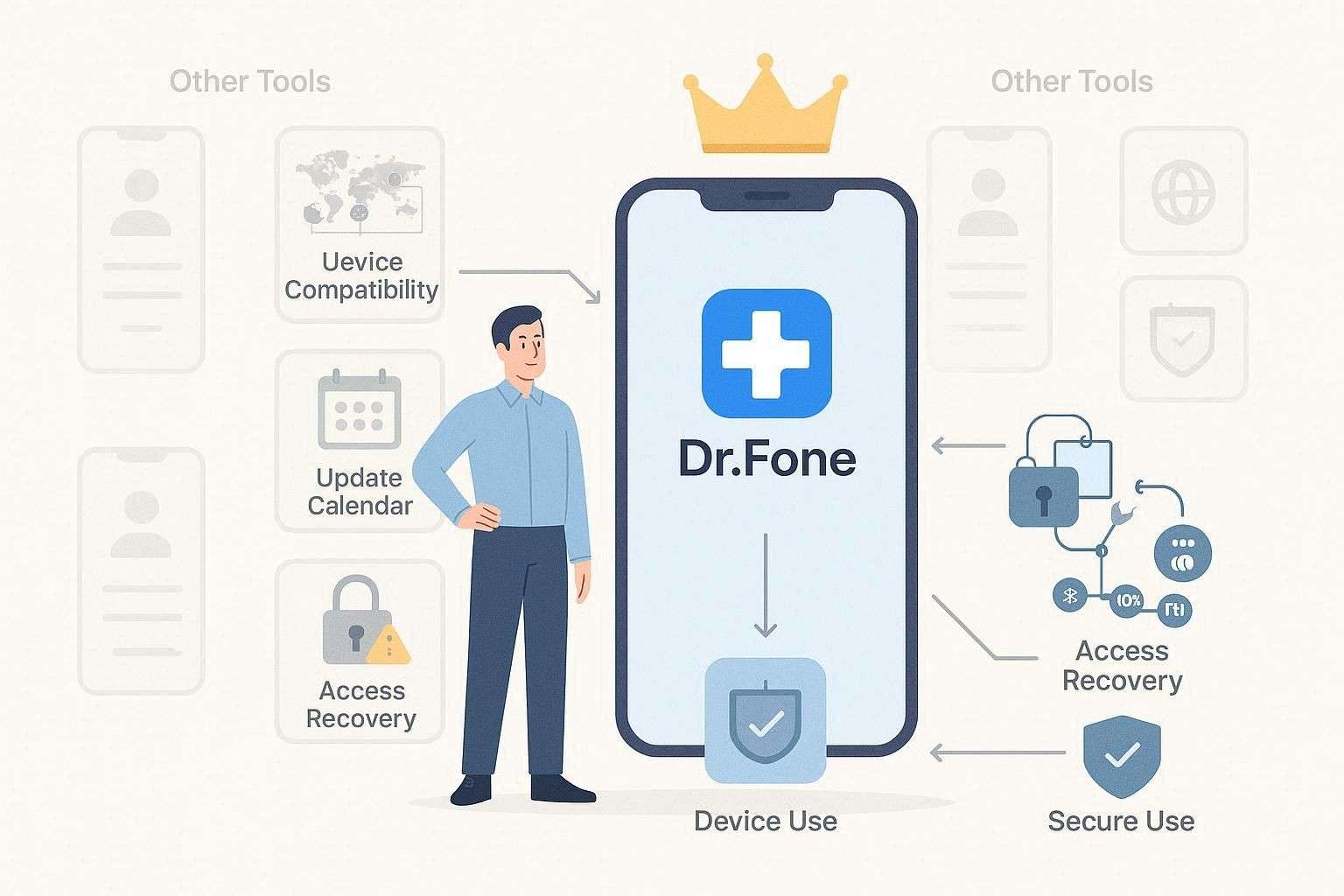
If you ask us now what the best Android unlock tool in 2026 is, we will say it's surely Dr.Fone. Not only does the tool offer broad brand coverage, but it also excels at bypassing. Additionally, it updates weekly, unlike UnlockGo, and offers clear alerts for removing Android locks. Still, we suggest you use Dr.Fone only on devices you own or have full permission to unlock.
Conclusion
The Android unlock tool comparison is a long-running debate in 2026, as either users opt for secondhand phones due to inflation or forget their passcode on a random day. Therefore, this guide has compared 2 frequently searched names, Dr.Fone - Screen Unlock (Android) and UnlockGo, with detailed insights into key features, pros, and cons.
Based on the success rate test and guide, we suggest using Dr.Fone, as it suits the needs of beginners and professionals alike. Additionally, you get better brand coverage, chipset, and device support for up to 2 PCs, and weekly updates.
Frequently Asked Questions
-
1. What are Android unlock tools, and when should I use them?
Best Android unlock tools remove screen locks and FRP protection. Therefore, use them only for your own locked phone access. -
2. Is it legal to use iToolab UnlockGo or Dr.Fone to unlock an Android phone?
It is legal only for your own device use; however, using others’ phones without permission can break the law or rules. Always follow local laws and phone ownership rules before use. -
3. Which tool supports more Android devices and brands?
Dr.Fone supports more Android devices and brands overall, supporting 29 brands for screen unlock and 12 for FRP. Moreover, it works across many Android versions and global phone models, including Samsung S26/S25 and Samsung Snapdragon, Qualcomm, and MTK-based devices. Therefore, compatibility remains higher than that of the UnlockGo unlock tool.
 Add Wondershare Dr.Fone as a preferred source on Google