Bypass iCloud Activation Lock and Android FRP without password.

 100% Security Verified | No Subscription Required | No Malware

 :
: 
 ChatGPT
 Perplexity
 Gemini
 Claude
 Grok
Grok
Imagine you wake up to a phone that refuses to open, a forgotten password, or a sudden system glitch that turns your sleek device into a useless brick. Panic sets in as you realize your photos, chats, and work stay trapped behind a glass wall. You need a way back in, and you need it fast, so you searched for the best Android unlock tool in 2026.
What you see is a long-running debate between DroidKit and Dr.Fone, making it difficult for you to choose the right option. Fear not, as in this guide, we will compare both these tools for you, covering all the major aspects and user guides. We will uncover all data from vendor sources and user testimonials to provide a fair and comprehensive analysis of whether Dr.Fone truly deserves a spot on your desktop.
In this article
Part 1. Android Unlock Tools Explained: Screen Lock vs FRP vs Other Locks
Before you dive into the Android unlock tool comparison, it's important that you know some basics if you're new here. Bear in mind that an Android unlock tool is software for Windows or Mac that connects phones via USB to help users access the device when normal options fail. These solutions use special modes to bypass the FRP lock and screen lock in real-time.
1-1. Screen Lock Removal vs FRP vs SIM/Carrier vs Other Modules
Since these tools are designed to handle various Android lock types, here is a quick review of them. This will help you understand which lock types DroidKit and Dr.Fone cover so you can choose the best one.
| Type | What It Is | When It Happens |
|---|---|---|
| Screen Lock Removal | Local phone lock like PIN, pattern, password, fingerprint, face lock | Phone opens but asks for the code on the screen start |
| FRP (Factory Reset Protection) | Google security lock linked to the Google account | After the reset, the phone asks for the last Google account details |
| SIM/Carrier Unlock | Network lock by the mobile company | Phone only works with one SIM, shows “network lock” or no service with other SIMs |
| Other Modules (OEM, MDM, System Tools) | Extra locks or tools from brands or companies | OEM account lock, work phone restriction, or system issues |
1-2. When You Actually Need an Android Unlock Tool
You need an Android unlock tool 2026 when the phone gets stuck on Google “Verify your account” after a reset, and login details are lost. It also helps when a previous owner’s account blocks setup, or when lock and FRP stay even after a reset. In situations of system errors, broken buttons, no access to the normal settings, or when users need simple one-click steps, Android unlock tools also come in handy.
Part 2. iMobie DroidKit — Review
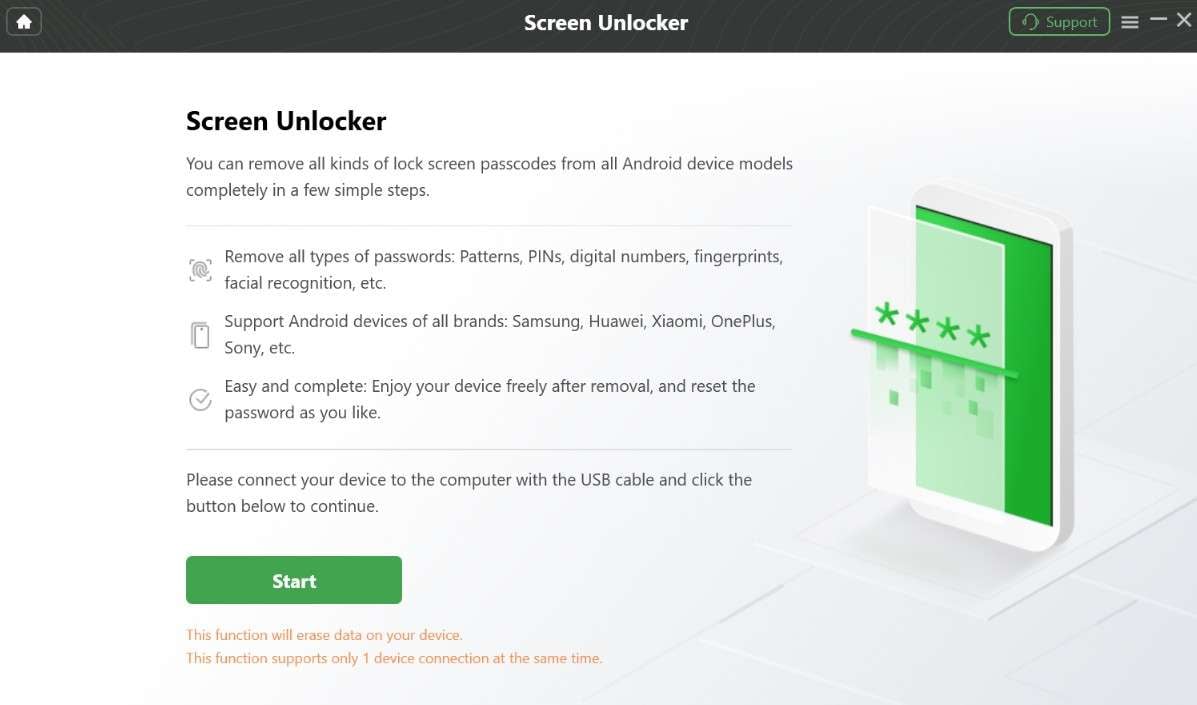
Now, to start with the iMobie DroidKit review, this tool allows you to bypass multiple lock types without a passcode. For screen unlock, this tool supports 16 Android brands and clearly states that users may lose data on some Samsung devices. On Galaxy S3/S4/S5/S6 series, Note 2/3/4, some Tab models, DroidKit can bypass the passcode without losing the data.
2-1. Key Features
Other than basic information, here are some of its key aspects you need to know about:
- FRP Bypass: For FRP bypass, this tool supports 11 brands, including Android 16 versions. Other than desktop, users can remove the FRP lock from Samsung devices online, but the compatibility is limited to the Samsung S25/S24/Z/M/A/C/W series only. iMobie DroidKit now supports Samsung Qualcomm FRP unlock, and it looks like the method used in Dr.Fone.
- Supported Models and Versions: According to the vendor’s data, the Android versions are limited to 6.0 or 16. Additionally, for screen and FRP lock, though it supports 16 to 11 brands, we found that it does not support Tecno, ASUS, Meizu, HTC, Alcatel, TCL, etc, unlike Dr.Fone.
- It also lacks the ability to bypass locks on HONOR, Wiko, SHARP, or Kyocera-branded devices, which means compatibility is somewhat limited.
- US Models and Accessibility: Regarding the US model support, the tool claims to support all Samsung devices running Android 13+, which is likely a marketing claim only. Additionally, users can access iMobie on Windows and Mac, but the system requirements can be challenging for older devices.
- User Experience and Workflow: The screen unlock tool is guided and clearly states that no passcode or root access is required. However, we found that the tool’s interface is a bit cluttered, despite the presence of separate tabs, making navigation hectic.
- For FRP and screen unlock, the tool changes steps based on the phone brand and Android version, such as Samsung or Xiaomi. It gives simple guided steps with visuals instead of hard ADB or fastboot commands.
- Pricing Coverage: For both screen and FRP bypass, the free version only works up to the “Matched Device” process. This implies that full lock removal needs the Pro Version, which can be a bit pricey.

I have a Samsung Tab A (SM-T597V), and it does not show an emergency call option, so I cannot enter the web address needed for the method. I tried the second method as well, but it did not work. I also paid for DroidKit twice and spent two weeks with no success. I study computer science, so I understand how this should work, but nothing helped. The product did not work for my device, and support was almost useless.
Mark Tucker
This program feels too confusing and looks like an ad, even after payment. I cannot tell whether I have activated it because the interface stays the same. It does not feel clear or worth the trouble.
John Raace
FRP bypass doesn't work. I just tried it. It isn't free either.
Ninja_wel
2-2. Step-by-Step Process to Use iMobie DroidKit
To further know what the best option between iMobie DroidKit vs Dr.Fone is, review the given guide for all Android versions:
-
Step 1Choose the Screen Unlocker tool
As you choose the Screen Unlocker tool on the main interface, choose the “Start” button to continue.
-
Step 2Confirm device connection
Confirm “Device Connected” in the tool as you do so, and tap the “Remove Now” button after the tool completes configuration.
-
Step 3Wipe device data and complete unlocking
After that, pick the “Wipe device data (Recommended)” option and follow the instructions to access the Recovery Mode. The tool will start bypassing the Android screen lock, and once it's done, tap “Complete.”
2-3. Pros & Cons of iMobie DroidKit
In addition to usage, explore the perks and pitfalls in this iMobie DroidKit review to see if it meets your needs.
- DroidKit removes screen lock on some old Samsungs without data loss.
- Screen unlock, FRP bypass, recovery work without root, simple and low risk.
- Works on Windows and Mac, uses USB, no risky APKs.
- Modern Android FRP unlocks often require a reset, causing data loss.
- Success rate varies; some phones or patches may fail.
- FRP success varies by brand and version; some devices stay blocked.
- Trial lets you scan only; full unlock requires a paid version.
- No support for Wiko and other major Android brands.
- US model version support is too limited.
- The “No Data Loss” option is only for some Samsung devices.
- High success rate is not guaranteed; results depend on device, region, and firmware.
Part 3. Dr.Fone Android Unlock — Overview
Regarding the Dr.Fone - Screen Unlock (Android) review, this tool by Wondershare claims to offer 100% success rate with the option to bypass all Android locks. With Pattern, PIN, Password, Fingerprint & Face Lock, users can easily use this tool, and it has no learning curve. This software claims to bypass the lock within 5 minutes and gives a detailed list of supported devices in its UI.
In addition, users can remove the Android lock on all versions in only 2 simple steps, and “Modes” access is automated. Since we personally reviewed their detailed guide, users just have to select the model, and the tool will handle the rest. Moreover, for both the screen and the FRP lock, Dr.Fone requires no passcode or Google Account details, ensuring the bypass is local, secure, and seamless.
 Unlock Android phone in seconds.
- Remove PIN, pattern, password, fingerprint.
- Bypass Google FRP lock easily.
- Works on all Android brands & models.
- No tech skills required – user-friendly.

3-1. Key Features
- Brand Support and Compatibility: Unlike DroidKit, this tool supports 29 Android phone and tablet brands. Additionally, users can access this tool on Windows and Mac, and the requirements ensure it works well across all device types.
- FRP Bypass: The FRP bypass facility is AI-powered and supports 12 Android brands in total. This tool works with Samsung, Xiaomi, Redmi, Oppo, Realme, Vivo, Motorola, and Lenovo; it requires no prior details and bypasses FRP after a factory reset. Unlike DroidKit, it also supports Samsung Galaxy S26 Series and all Samsung Snapdragon devices, and can leverage Online bypass too.
- It provides detailed FRP steps for Samsung devices using Download or EDL mode. It also shows button combinations and screenshots for entering Download/Recovery/EDL modes, so users do not have to memorize key sequences.
- Screen Unlock Methods (Data Safe vs Reset Mode): On a limited list of Samsung and LG models, Dr.Fone offers a “Remove Without Data Loss” route that keeps user data while clearing the screen lock. However, for most other devices, it uses a deeper reset‑style method that erases local data but reliably removes the lock when supported.
- A clear disclaimer states it works only on devices you own or have permission to unlock, not on stolen or unauthorized phones.
- US Model Support and Future Improvements: Since Dr.Fone is the first tool to support Samsung Android 16 FRP unlock, it also supports major US carrier versions of Samsung devices. The tool is expected to add a one-click local removal option for Samsung Android 12 and Wiko-branded devices.
- Pricing Coverage: Unlike DroidKit, which limits users to 1 mobile device and 1 PC, Dr.Fone supports a massive number of devices and is affordable. The tool offers a 7-day free trial for validation purposes, but once purchased, users can access 1-5 mobile devices and 2 PCs across all plans.
- Other Lock‑related Capabilities: In its broader toolkit, Dr.Fone offers SIM lock removal, some carrier-specific unlock cases, and online. It works on both desktop and app, so users see it as an all-in-one lock-removal solution across different devices and platforms.
I was told to use Wondershare Dr.Fone to remove FRP lock from an old Samsung tablet I got from a friend. I expected it to be a free-trial trap, but it worked well and fully unlocked the tablet. I am happy with it and would recommend it.
Jos
I keep getting constant notifications to buy the service, which makes me not want to purchase it and even feel suspicious about it. I still took a chance because it cost only £25, and in the end, I am glad I did because it actually bypassed Android FRP as promised.
H. Hoits
3-2. Quick Setup Guide for Dr.Fone Android Unlock
To help you decide if it's actually the right Android unlock tool for you, we’ve shared the detailed guide below:
-
Step 1Pick the Screen Unlock tool on Dr.Fone
Tap on the “Unlock Android Screen” option and connect devices as you choose the “Screen Unlock” tool for “Android” from the toolbox.

-
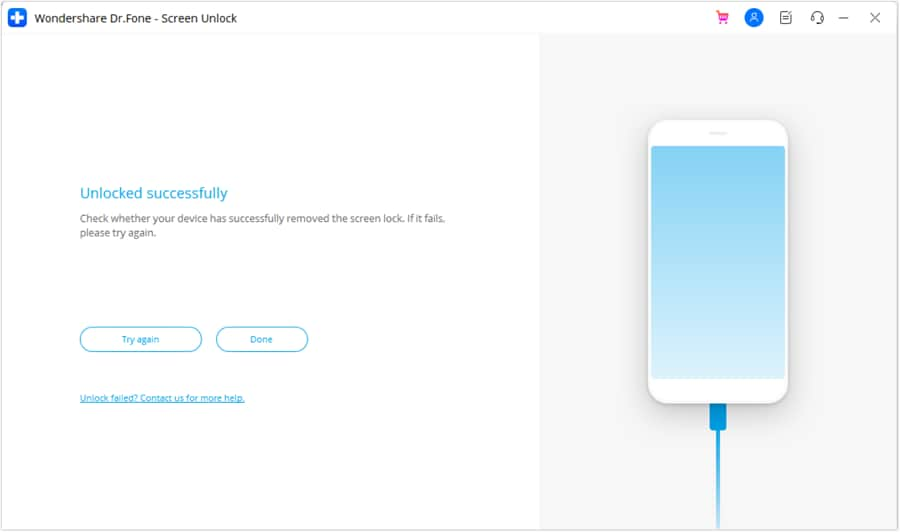
Step 2Choose model to unlock in 5 minutes
Now, select your Android model and wait until the tool automatically accesses a special mode for you. Since this process varies by device, it will begin unlocking once it is done. So, as the Android device is unblocked within 5 minutes, tap on the "Done" button to conclude.

3-3. Pros & Cons of Dr.Fone Android Unlock
In this Android unlock tool comparison, glance at the pros and cons of this tool now:
- Handles PIN, pattern, password, fingerprint, and face lock removal.
- On some Samsung and LG devices, it removes the screen lock without data loss.
- Most unlock and FRP work without root, simple and safe.
- Uses a simple desktop wizard: pick screen unlock, device, and follow the steps.
- On supported phones, screen lock removal takes only 5 minutes.
- Expect support for Android 12 and the Wiko brand.
- Offers weekly updates for all Android versions.
- Support FRP facility for Samsung S26, unlike DroidKit.
- Features major brands' options for screen and FRP lock.
- The FRP facility is AI-powered, with a separate guide for all models.
- Covers of MTK / Qualcomm / Exynos chipsets and major US Samsung models.
- No flashing or commands required for the unlock process.
- 24/7 fast, responsive support in case of failures.
- Massive mobile device and PC coverage in all plans, compared to DroidKit.
- On many Android phones, FRP or unlocking needs a factory reset, erasing data without backup.
- Unlock without data loss works only on some Samsung and LG devices.




Part 4. DroidKit vs Dr.Fone: Feature‑by‑Feature Android Unlock Comparison
For those who seek to make quick decisions regarding iMobie DroidKit vs Dr.Fone, this section is for you. Here, we have compared both tools in detail to help you pick the right tool at a glance:
| Metric / Feature | iMobie DroidKit | Dr.Fone – Screen Unlock (Android) |
|---|---|---|
| Main Focus | All‑in‑one Android toolkit (unlock + recovery + repair) | Dedicated cross‑platform unlock & repair suite |
| Screen Lock Types | PIN, pattern, password, fingerprint, face | PIN, pattern, password, fingerprint, face |
| FRP (Google Account) Bypass | Yes, on many Samsung and other 11 brands | Yes, with a strong Samsung focus and 12 brand support |
| “All Locks” Angle (Screen + FRP+ SIM) | Screen + FRP (SIM/carrier via other tools, not core focus) | Screen + FRP + some SIM/carrier/account scenarios (toolkit-online) |
| Data‑safe Unlock (No Data Loss) | Some older Samsung models only | More Samsung/LG models with guided “no data loss” modes |
| Data‑wipe‑based Unlock | Used on most newer devices | Used on most newer devices |
| Brand Coverage | 16 brands, good breadth | Very broad; 29 popular brands and thousands of models |
| FRP Success On The Latest Patches | Mixed; can lag behind security changes | Generally stronger on recent Samsung/major brands |
| Ease Of Use For Beginners | Simple wizard UI, some steps are more technical | Very guided; brand/model wizards and visual instructions |
| Typical Unlock Time (Supported Phones) | Around 10 minutes for screen unlock | Around 5 minutes for screen unlock/FRP |
| Trial Limitations | Trial scans; most unlock actions require a paid license | Trial detects devices; unlock requires a paid license |
| Transparency On Data Loss | Shows warnings, clearer on Samsung no‑data cases | Clear separation of “with” vs “without data loss” modes |
| Extra Utilities Bundled | Strong (data recovery, system repair, cleaner, etc.) | Strong (backup, recovery, repair, erase, transfer, etc.) |
| Best Suited For | Users wanting a basic Android toolkit | Users are primarily focused on reliable unlock and FRP bypass |
| Best Overall Verdict | All‑round toolkit with a good unlock module | Best choice for most users who care mainly about unlocking/FRP with major brand support. Affordable plans and massive device accessibility. |
Part 5. Pricing, Licensing, and Overall Value for Android Unlock Users
In this Android unlock tool comparison, clear pricing details will also help you pick the right option. So, if you have made a decision on any one tool, learn if it's affordable too via the given table:
| Metric / Feature | iMobie DroidKit | Dr.Fone – Screen Unlock (Android) |
|---|---|---|
| Pricing Model | Subscription‑focused; higher tiers for full toolkit | Flexible: single‑module plans, bundles, and lifetime options |
| Free Trial | Limited (scan/preview, no full unlock on many tools) | Functional trial on supported devices for basic operations |
| Monthly License (Typical) | $35.99, Good value if you need several modules at once | $29.95, Strong value even if you only need Android unlock |
| Annual License (Typical) | $39.99, Cheaper than monthly, but tied to the whole suite | $39.95, Competitive annual pricing focused on unlock + toolkit extras |
| Lifetime / One‑time Option | $55.99, Available mainly as a full toolkit license | $49.95, Common for Screen Unlock: clear one‑time unlock purchase |
| Devices Per Standard License | 1-5 mobile devices | 1-5 mobile devices |
| PCs Per License | 1 PC | 2 PCs |
| Update & Upgrade Policy | Updates within the active plan term | Free software updates and technical support. Regular weekly updates |
| Refund Policy | 60-Day money-back guarantee. Time‑limited; conditions vary by plan | Clear money‑back guarantee with published conditions |
5-1. Should You Choose DroidKit or Dr.Fone in 2026
Between DroidKit vs Dr.Fone, choose the best tool based on the mentioned needs/conditions:
Reasons to Choose Dr.Fone
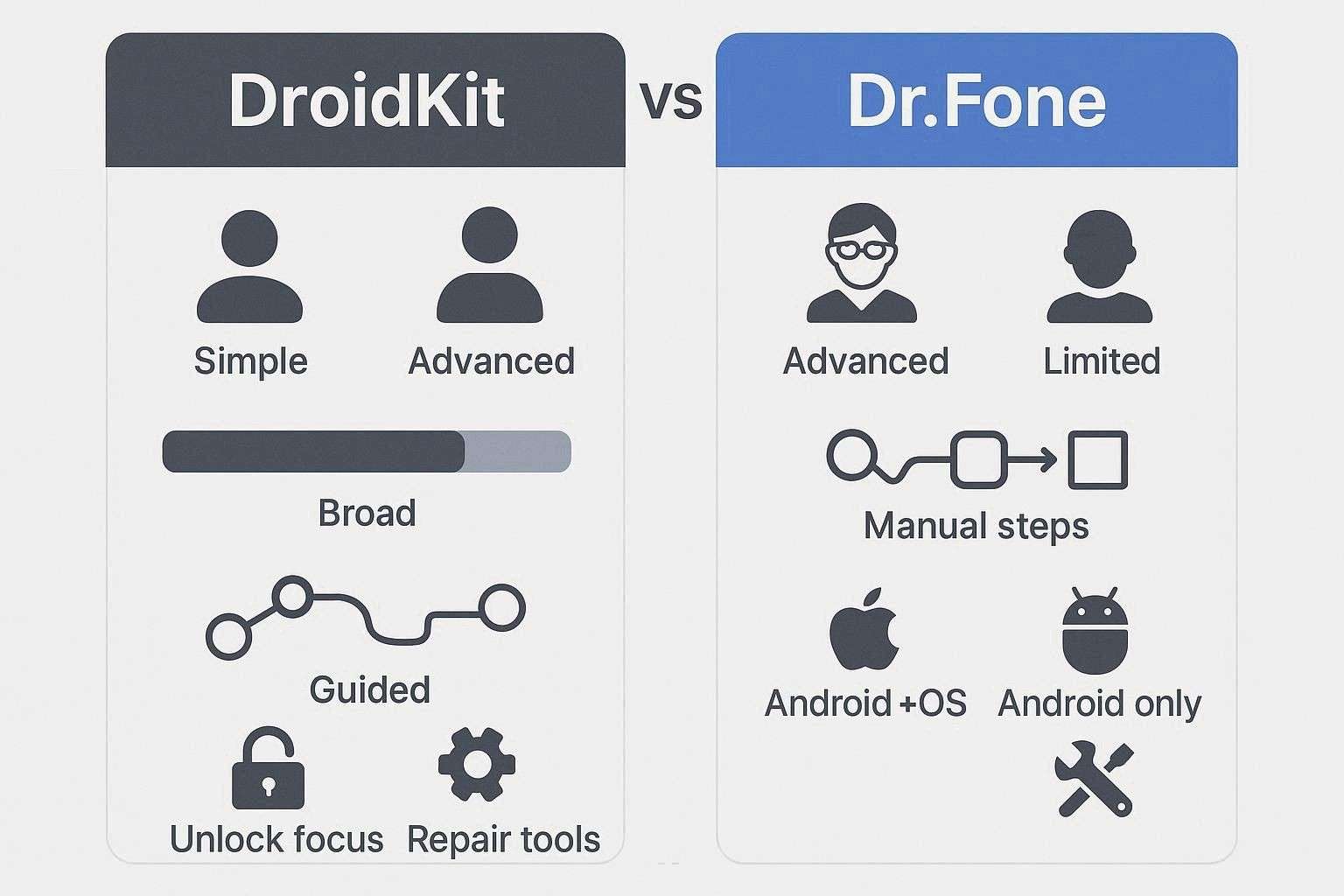
When you need broader brand coverage for screen lock and FRP tools, with a guided, beginner‑friendly interface that makes it easier for non‑technical users to follow the steps correctly. Additionally, this is best suited for users who want access to major PCs, with an affordable bypassing facility in 5 minutes and a high success rate.
Moreover, opt for Dr.Fone for a cross‑platform toolkit for Android and iOS in one suite, so you are not locked into Android‑only tools.
Reasons to Choose DroidKit
Android-only users or technicians who want more repair tools and can handle slightly technical steps. However, note that this tool offers limited brand support and still does not cover Samsung S26 FRP bypass and major US models.
Conclusion
To wrap up, the 2026 hunt is also about choosing the best Android unlock tool that offers a reliable, fast, and effortless bypass facility. Therefore, this guide has compared 2 famous options, DroidKit and Dr.Fone, with detailed key features, a guide, and pros/cons.
According to our evaluation, the DroidKit interface is cluttered and only suitable for technical users. Thus, we recommend using Dr.Fone - Screen Unlock (Android) for all users because the tabs are straightforward, and the UI displays a detailed list of supported brands/models. Most importantly, future updates are expected, unlike DroidKit, and the tool’s brand support is massive. So, always use such tools only on devices you own or have permission to unlock, and check local laws before use.
FAQ
-
1. Which tool is more reliable for FRP bypass
Dr.Fone is the best option to bypass FRP lock because it's AI-powered and supports 12 major brands, unlike DroidKit, which only supports 11. Additionally, it features separate, detailed, precautionary guides for all models, making it the right choice for users of all types. -
2. Do both tools always work on all Android phones
This depends on the model version and security patch, as some supported devices may unlock well. However, newer phones or strict updates can still block success. -
3. Which tool is easier for beginners
Dr.Fone is easier for beginners because it has clear steps and a simple layout, so users can understand it quickly. In contrast, DroidKit may feel less clear at first, but it works once users learn the basic steps.
 Add Wondershare Dr.Fone as a preferred source on Google