Bypass iCloud Activation Lock and Android FRP without password.

 100% Security Verified | No Subscription Required | No Malware

 :
: 
 ChatGPT
 Perplexity
 Gemini
 Claude
 Grok
Grok
If you are searching for xt2163dl unlock, you are most likely trying to regain access to a locked Moto G Pure. This problem is common on backup phones, prepaid devices, or handsets that have been sitting unused for a long time. Users often remember the Google account but forget the screen PIN, pattern, or password.
The good news is that you do have options. The key is choosing a method that matches your exact lock problem and understanding from the start whether your data may be erased in the process.
In this article
Part 1. What Device Is XT2163DL?
The model XT2163DL is identified in carrier and retail references as the Moto G Pure, and the Moto G Pure is widely listed with a MediaTek Helio G25 (MT6762G) chipset, Android 11, a 6.5-inch display, and a 4000mAh battery. These details are useful because they help confirm the device family when selecting an unlock approach.
Part 2. Why Users Search for XT2163DL Unlock
Most people searching xt2163dl unlock fall into one of these situations. They forgot the lock screen after setting a new PIN. They entered the wrong pattern too many times. They restarted the phone and suddenly realized they only remembered fingerprint access, not the fallback password. Or they purchased a used device that is screen-locked but otherwise functional.
In all of these cases, the first step is to identify what kind of lock you are facing. If the phone is asking for the normal lock screen credentials, you are dealing with a screen lock. If it asks for the previous Google account after a reset, that is FRP instead.
Part 3. Things to Check Before Unlocking XT2163DL
Before starting any xt2163dl unlock attempt, make sure the following basics are covered: you should have a stable USB cable and access to a computer, the battery should be sufficiently charged, and you should be prepared for the possibility of data loss depending on the method you choose.
This is especially important because the official Dr.Fone guide states that screen lock removal without data loss is limited to a part of Samsung devices, while most other Android device brands use another unlock route. For a Motorola model such as XT2163DL, users should not assume a lossless result unless their exact situation is specifically supported.
Part 4. How to Unlock Moto Phone Screen Lock with Dr.Fone (For Supported Models)
While Dr.Fone - Screen Unlock (Android) does not officially support the XT2163DL (Moto G Pure), it can still help unlock screen locks on certain supported Motorola devices. If your Moto phone is compatible, Dr.Fone provides a guided desktop solution to remove PIN, pattern, password, and fingerprint locks — though this process may erase device data.
 Unlock Android phone in seconds.
- Remove PIN, pattern, password, fingerprint.
- Bypass Google FRP lock easily.
- Works on all Android brands & models.
- No tech skills required – user-friendly.

Below is the official step-by-step method for using Dr.Fone to unlock a supported Motorola device. Always verify your model’s compatibility before proceeding.
Step-by-Step: Unlock Moto Screen with Dr.Fone
-
Step 1 Install Dr.Fone and Connect Your Moto Phone
Download and install the latest version of Dr.Fone on your computer. Launch the software, connect your locked Motorola phone via USB, and select Toolbox > Screen Unlock from the main interface.
-
Step 2 Choose Android Mode
On the next screen, select Android as your device type. This ensures the software uses the correct unlock workflow for Android-based Motorola phones.
-
Step 3 Select “Unlock Android Screen”
Click on Unlock Android Screen to begin the screen lock removal process. This feature is designed to bypass local screen locks on supported Android devices.

-
Step 4 Choose Motorola as the Device Brand
From the brand selection menu, choose Motorola. Dr.Fone uses this selection to guide you into the correct recovery or download mode required for the unlock process.

-
Step 5 Enter the Required Mode on Your Phone
Follow the on-screen instructions to boot your Moto phone into the correct mode (usually a combination of Power + Volume buttons). This step is critical — entering the wrong mode may cause the process to fail.
-
Step 6 Wait for the Unlock to Complete
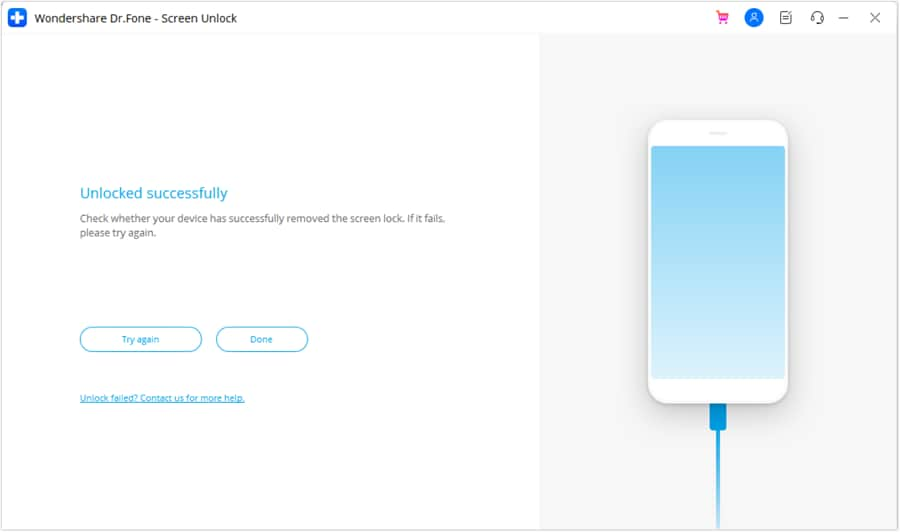
Once the phone is recognized in the correct mode, Dr.Fone will begin the unlock process. Do not disconnect the device. Wait for the tool to finish. If successful, click Done. If it fails, click Try Again and re-enter the correct mode.




Part 5. Important Warning for XT2163DL Users
The official Dr.Fone page clearly separates its workflows into two categories: a no-data-loss route for some Samsung devices and a screen lock removal route for most Android device brands. In practical terms, XT2163DL users should expect the Motorola process to fall under the broader Android path rather than the Samsung-only lossless option.
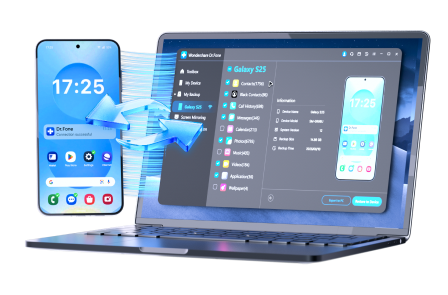
While the Dr.Fone screen unlock process for Motorola devices typically erases all data, you can protect your important files by using Wondershare Dr.Fone before unlocking. This feature allows you to back up contacts, messages, photos, videos, call logs, and other data to your computer with one click. After unlocking, you can restore your backup and get back most of your content — minimizing data loss.
- Effortlessly manage data through preview, delete, export, etc.
- Transfer all data between devices.
- Robust backup solutions for reliable data protection.
- Mirror screens to PC for meetings, teaching, and control.
Part 6. XT2163DL Unlock Tips That Actually Help
A lot of failed attempts happen because users rush. Slow down and verify the model first. XT2163DL is associated with the Moto G Pure family, which helps when choosing a brand and troubleshooting device behavior. Use a reliable cable, avoid USB hubs if possible, keep the battery charged, and read every prompt before clicking forward.
Most importantly, make sure you are not confusing a carrier issue, FRP issue, or SIM restriction with a normal lock screen problem.
Part 8. Final Thoughts
If you're trying to unlock an XT2163DL (Moto G Pure) or another Motorola device, it's important to first confirm whether your specific model is supported by third-party tools like Dr.Fone - Screen Unlock (Android). While Dr.Fone offers a structured solution for removing screen locks on certain Motorola phones, the XT2163DL is currently not supported, and using the tool on incompatible devices may not succeed.
For supported Moto models, Dr.Fone can help bypass PIN, pattern, password, and fingerprint locks through a step-by-step desktop process — but this often comes with the risk of data loss. Always back up your data when possible and verify compatibility before starting.
If your device isn't supported, consider official methods such as factory resetting via Recovery Mode (which erases data) or contacting Motorola support for account-related locks like FRP. The key is to identify your exact lock type, understand the risks, and choose the safest path forward based on your device’s model and situation.
Part 7. FAQ
-
1. What is XT2163DL?
XT2163DL is associated with the Moto G Pure, a Motorola phone family using the MediaTek Helio G25 chipset and a 6.5-inch HD+ display. -
2. Can I perform XT2163DL unlock without losing data?
There is no universal guarantee. The Dr.Fone guide states that no-data-loss unlocking is limited to part of Samsung devices, not most other Android brands. -
3. Is XT2163DL unlock the same as removing FRP?
No. A screen unlock removes the local screen lock, while FRP is Google account verification that can appear after a reset. -
4. Why is model confirmation important?
Because using the wrong workflow can waste time, lead to failure, or create confusion around compatibility and recovery mode.
 Add Wondershare Dr.Fone as a preferred source on Google