Bypass iCloud Activation Lock and Android FRP without password.

 100% Security Verified | No Subscription Required | No Malware

 :
: 
 ChatGPT
 Perplexity
 Gemini
 Claude
 Grok
Grok
We've all faced the same situation: being locked out of Android phones when it's urgent, and a calm situation turns into chaos and panic. You might face a forgotten password or an FRP lock after a reset and wonder how to bypass it. In these cases, a right Android unlock tool can save the day. However, while searching for the best one, you might get confused between iMyFone and Dr.Fone Android Unlock.
Both tools aim to remove screen and FRP locks, but results can vary. Some users need a quick fix, while others want a safe and clear method. So, in this guide, we will compare iMyFone vs Dr.Fone Android Unlock and highlight key differences, use cases, and common issues so that you can choose the best option. By the end, you will understand how and why Dr.Fone Android Unlock might be your finest solution.
In this article
- Part 1. Why Android Unlock Tool Solutions Are Important Today
- Part 2. iMyFone LockWiper Android Unlock - Quick Overview
- Part 3. Dr.Fone Android Unlock (Screen Unlock + FRP) - Overview
- Part 4. iMyFone LockWiper vs Dr.Fone Android Unlock Tool Comparison
- Part 5. Which Unlock Tool Is Easier for Beginners? Step‑by‑Step View
- Part 6. Pricing and Value of Android Unlock Tool Options
- Part 7. Final Verdict: Which Android Unlock Tool Wins the Comparison
- Frequently Asked Questions
Part 1. Why Android Unlock Tool Solutions Are Important Today
Before you dive into the Dr.Fone vs iMyFone LockWiper comparison, you need to know how an Android Unlock tool can be really helpful. Therefore, this section highlights 5 reasons on how these tools can aid Android users in 2026:
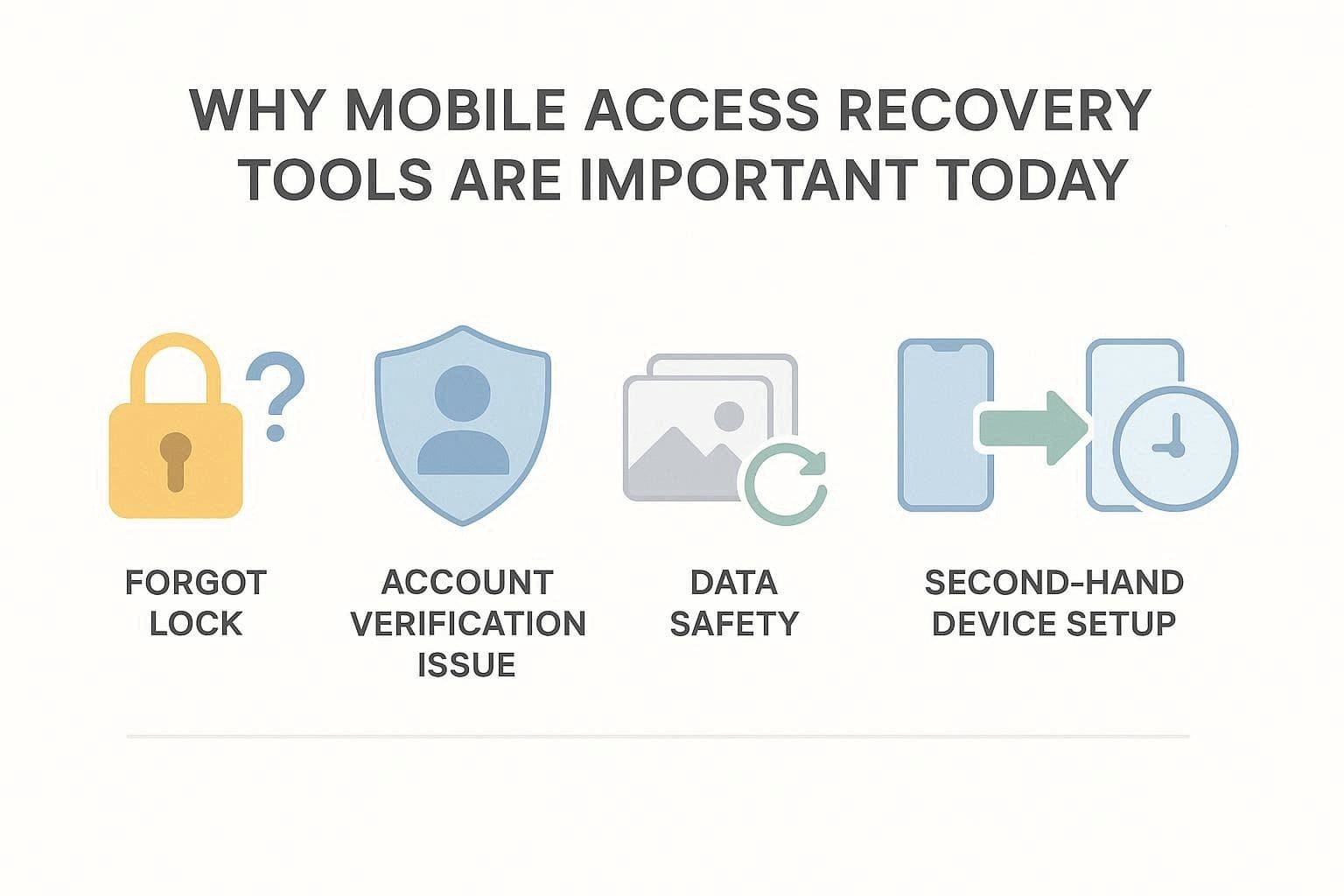
- Forgot Lock Issue: People often forget their PIN, pattern, or password on Android phones. So, when backup options fail, unlock tools help users regain access without waiting long or losing their devices.
- FRP Lock Problem: The FRP lock can sometimes block the real owner after a reset, update, or repair of the device. Therefore, Android unlock tools help remove Google Lock in a guided way when ownership is confirmed.
- Save Important Data: Our phones hold photos, chat, contacts, and files that we cannot afford to lose. Thus, such Android unlockers help us regain access to the device (Especially Samsung or LG without data loss) so we can safely recover and back up our important data.
- Used Phone Lock Issue: Old or second-hand phones may still have a screen lock or an old Google account active. This is why Android unlock tools like Dr.Fone or LockWiper clear previous lock data and ensure that the device works properly for the new owners.
- Fast Fix Option: Service centers can take many days and charge high fees in some regions. On the contrary, unlock tools provide a faster, easier solution that users or small shops can run without special hardware.
Part 2. iMyFone LockWiper Android Unlock - Quick Overview
Now, if we explore the iMyFone LockWiper Android review, note that iMyFone supports 21 Android brands, including Wiko, for screen unlocking. Additionally, the tool can remove major Android unlocks and is the only tool offering unlock support for Samsung devices running Android 12. Most importantly, the tool claims to bypass the Samsung screen lock without losing any data.
Promoting the device’s rightful owner's legal claim, it can also bypass FRP & Google account verification on Samsung, Xiaomi, Redmi, and OnePlus devices without a password. Along with these features, if you want to know other aspects of this tool, review the details given below:
- Unlock Types: From PIN, pattern, password, fingerprints, to face ID, this tool supports all. To further highlight device compatibility, it supports 6,000+ Android phones and tablets (for overall lock types), but fails to unlock Nokia, POCO, TCL, Micromax, Maxwest, and Doogee.
- Automatic System Test: iMyFone LockWiper (Android) detects your phone model and lock type. For passcode locks, it even picks the right setup to unlock your device and helps avoid damage during the process.
- FRP Unlock: The tool’s FRP unlock feature is limited to 4 brands, which may limit options for Android users. Despite that, the process is fully guided and requires code verifications to ensure legal FRP unlock. However, the tool doesn't offer support for Samsung Android 16, as the device compatibility option is limited to Android 12 only.
- US Carrier Models: We can’t overlook that US carriers frequently lock devices to their networks using strict, proprietary software. In reality, iMyFone does not work with Samsung phones from US carriers.
- Factory Reset: In addition to being an Android screen or FRP unlock tool, it can also factory reset Android devices and tablets in 5 minutes.
- The tool features separate modes for FRP and Screen unlock removal.
- Limits the need to install risky APKs and handles USB unlocking.
- Get updates often for new Android versions and security updates.
- Usually offers you 10% off your first subscription.
- Major brands and US‑carrier Samsung phones are not supported.
- FRP bypass is limited to Samsung devices running Android 12 and 4 models.
- For FRP, newer versions or security patches may not yet be supported.
- On many phones, unlocking requires a factory reset and data loss.
- No data loss works only on some Samsung devices.
- It cannot remove SIM or network locks from carriers.
- Can’t bypass blacklisted IMEI or carrier activation blocks.
- The standard plan is limited to 1-5 Android devices only.
- The steps are simple, but recovery or download mode can confuse non-technical users.
Part 3. Dr.Fone Android Unlock (Screen Unlock + FRP) - Overview
By far, you might have a slight idea of “Is iMyFone LockWiper safe,” and to make final decisions, let’s look at Dr.Fone Screen Unlock Options. Dr.Fone - Screen Unlock (Android) supports all the major Android unlock methods, and unlike LockWiper, it can bypass SIM locks and handle IMEI or carrier activation blocks online. The tool claims to offer a 100% success rate for FRP bypass on Samsung Snapdragon devices.
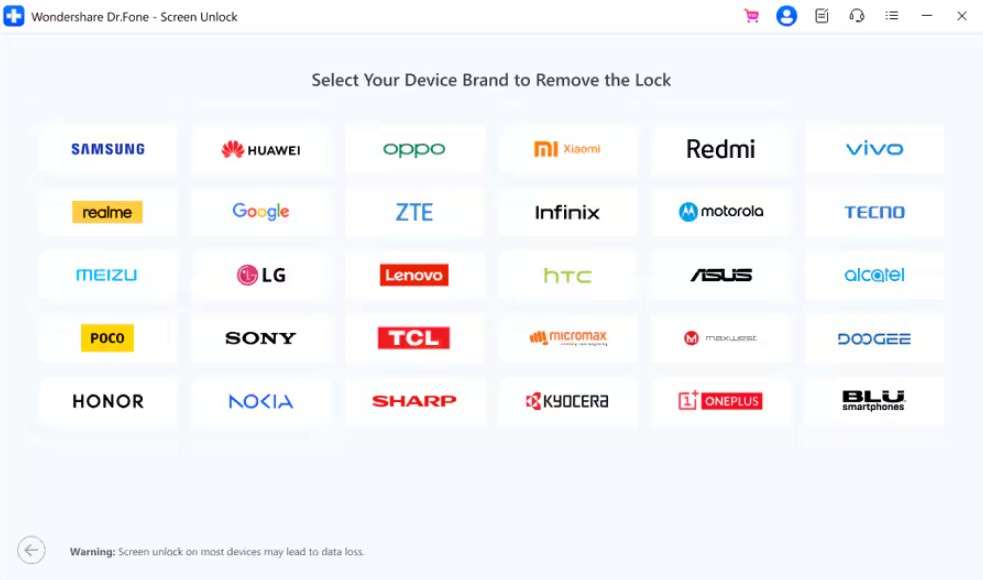
Furthermore, users can access this tool on Windows and Mac, unlike LockWiper, which was limited to Windows only. As for the system requirements, they work ideally on most devices made in the last 10-12 years, provided they meet the listed OS versions. Moreover, the steps are fully guided, and users can choose between 100% screen unlock and “Remove Without Data Loss” for Samsung S6 and Note 4 and LG devices.
 Unlock Android phone in seconds.
- Remove PIN, pattern, password, fingerprint.
- Bypass Google FRP lock easily.
- Works on all Android brands & models.
- No tech skills required – user-friendly.

Key Features of Dr.Fone Android Unlock
Review the mentioned features and decide whether it outshines LockWiper or not:
- Supported Brands: For general screen locks, Dr.Fone supports 29 brands; for FRP bypass, 12. As compared to other tools, this tool is the first one to support Samsung Android 16 FRP unlock. As for the Wiko and one-click screen lock removal for Samsung Android 12, future updates are expected.
- FRP Unlock Support: Compatible with Samsung, Xiaomi, Redmi, Oppo, Realme, Vivo, Motorola, Lenovo, Huawei, Micromax, ZTE, POCO, OnePlus, Honor, TCL, Tecno, Infinix, and iTel phones without a password or Google account. With support for the Samsung Galaxy S26 Series and all Samsung Snapdragon devices, it can bypass FRP after a factory reset and is AI-Powered. Users can also perform this action online, and the tool also supports US carrier versions of Samsung devices.
- Chipset Support: This advanced tool supports Download and EDL modes for all major mobile chipsets, including MediaTek, Qualcomm, and Exynos. It even utilizes advanced low-level access that operates completely invisibly to the user for a seamless experience.
- Other Compatibility Aspects: In addition to these features, it includes the S26 series and other flagship models in its supported lineup to improve clarity. The tool also displays clear, detailed lists of Samsung Qualcomm devices in its interface, which are more structured than many alternatives. As competition grows, other tools are adding S23 and S24 models. However, this broader and clearer support strengthens Dr.Fone’s position in the Android unlock comparison.
- Ease of Use: The process is designed for maximum ease, requiring no flashing, ADB commands, or complex setup. In addition, it functions entirely without root access or any additional hardware dongles.
- Offer separate FRP bypass modes for various Android versions.
- Unlock FRP on computers and online, making it versatile.
- Can also bypass the Mi account lock without a password or a linked number, online.
- Works fine with new and older Android versions and security updates.
- Clear steps help users enter recovery mode without ADB commands.
- Dr.Fone has a mode that removes screen locks without data loss.
- On supported devices, screen lock or FRP removal takes a few minutes, not hours.
- The no data loss option works only on some Samsung devices.
- You need to buy the premium version to bypass FRP smoothly on all Android devices.




Part 4. iMyFone LockWiper vs Dr.Fone Android Unlock Tool Comparison
Between iMyFone vs Dr.Fone Android unlock, if you want to make a quick choice, adhere to the sequential table:
| Metrics | iMyFone LockWiper | Dr.Fone Android Unlock |
|---|---|---|
| Supported Lock Types | PIN, pattern, password, fingerprint, face ID, FRP | Multiple, PIN, pattern, password, fingerprint, FRP, SIM, Carrier, MI Account, etc. |
| Brand Coverage (Screen Lock) | 21 brands for screen unlock, but gaps on Nokia/POCO/TCL, etc. | 29 mainstream brands, esp. Samsung. |
| Brand Coverage (FRP) | Only 4 brands (e.g., Samsung, Xiaomi, Redmi, OnePlus) | Wider FRP coverage on Samsung + other major brands, 12 overall. |
| No‑data‑loss Unlock Modes | Limited, mostly specific Samsung cases | Stronger “no data loss” options on select Samsung/LG |
| FRP Guidance & Workflow | Guided, but fewer brand‑specific paths | More brand‑specific modes and on‑screen guidance |
| Ease Of Use For Beginners | Simple wizard, some steps still confusing | Very polished wizard, clearer prompts and visuals |
| Success Rate (Real‑world Use) | Good, but drops on fringe brands and newer patches | Generally higher on popular models and versions |
| Support For Carrier‑locked Phones | Limited; many US‑carrier Samsung devices are not supported | Better, most Samsung carrier variants |
| Extra Tools in the Same Suite | Mainly unlock‑focused | Part of the full Dr.Fone toolkit (backup, recovery, etc.) |
| Update Frequency | Updated, but less of an ecosystem around it | Regular weekly updates, long‑standing product line |
| Customer Support & Resources | Docs + basic support | Wider tutorials, videos, guides, and support |
| Main Use Case | Screen lock + limited FRP | Screen lock + broader FRP options |
| Pricing Overview | Limited free trial. Plans are limited to 1-5 Android devices; a paid license is required | Access to all features in all plans. Buy one and get Dr.Fone Air for free |
| Best For | Simple screen‑lock fixes on supported phones | Mixed needs: screen lock + FRP + broader device tasks |
Part 5. Which Unlock Tool Is Easier for Beginners? Step‑by‑Step View
In the Dr.Fone vs iMyFone LockWiper comparison, usage is another factor to consider when making the right choice. Thus, this section explains the detailed Screen Unlock working of both tools to determine which one excels:
How to Use iMyFone LockWiper Screen Unlock Tool
-
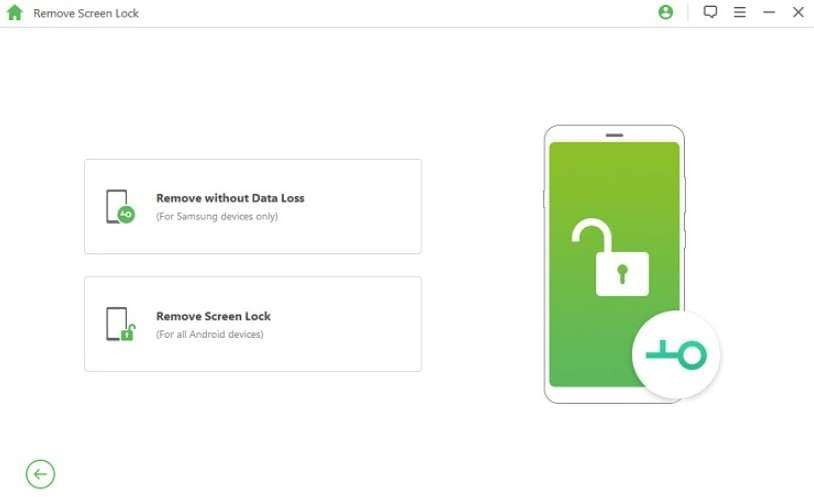
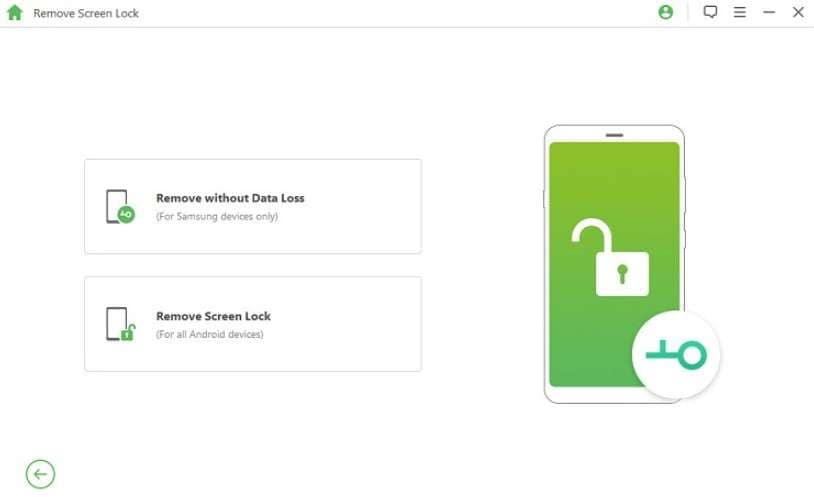
Step 1 As you choose the “Remove Screen Lock” tool, choose the “Remove without Data Loss” option for Samsung Devices only. Otherwise, tap on “Remove Screen Lock” for all Android models.
-
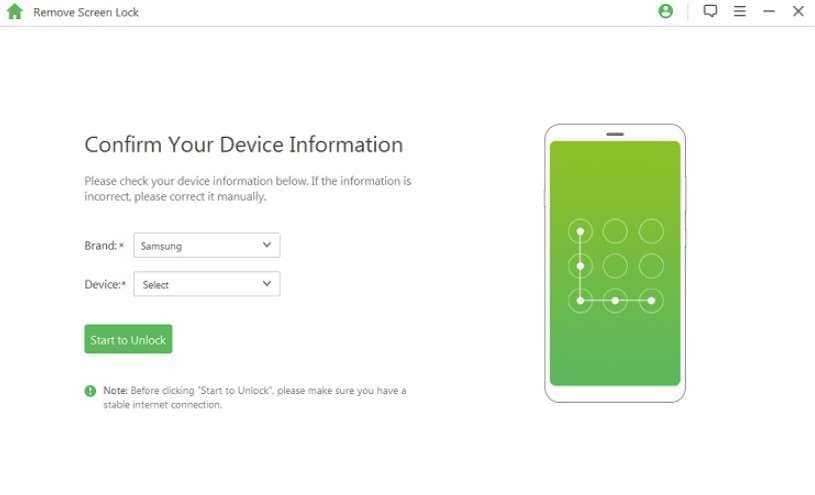
Step 2 To remove the screen lock from your device, tap the “Start” button, then connect the devices. Now, choose the brand and device details, then tap the “Start to Unlock” button.
-
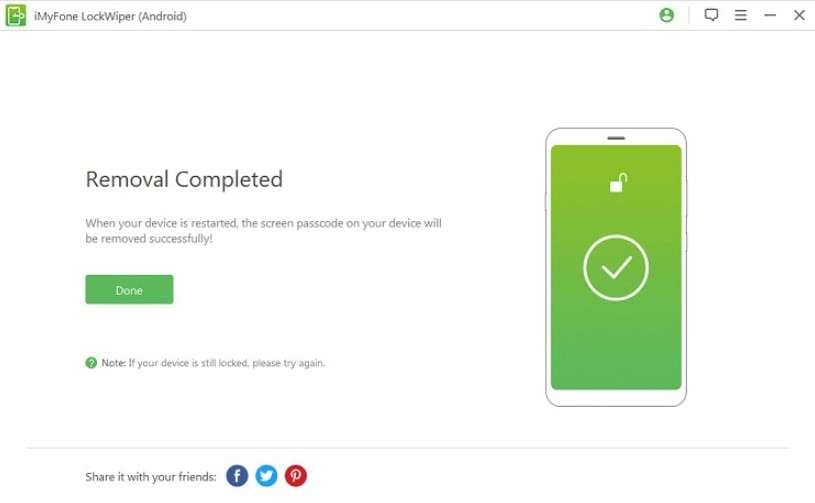
Step 3 When the tool downloads the package, follow the instructions and reset the device. As it's done, pick the “Done” button to conclude the process.

I feel disappointed because the service did not work on a Google Pixel 9. Even with a money-back guarantee, no refund was given, which caused a financial loss.
Patrick Mulligan
Dr.Fone Android Screen Unlock and Bypass Method Explained
To know if it's actually the best Android unlock tool 2026, review the given guide in detail to unlock most Android models:
-
Step 1 Choose the Screen Unlock Android Tool and Pick a Model
On the Screen Unlock tool for Android, choose the “Unlock Android Screen” option. After that, choose the Android models from the list, and the tool will direct you to the specific mode.

-
Step 2 Access the Special Mode and Done to Unlock
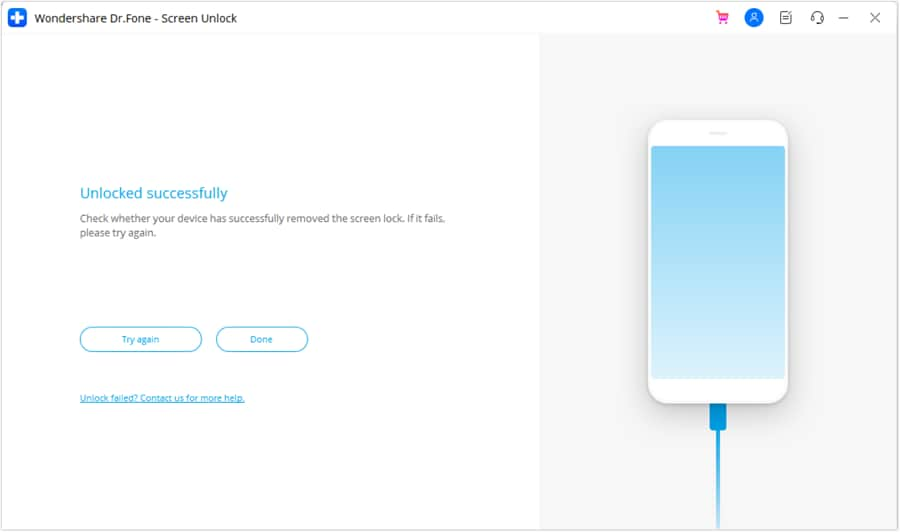
This method may vary by device, so wait until the tool unlocks it. Once done, press the “Done” button and see if the device is locked for under 5 minutes.
If you conclude the Dr.Fone vs iMyFone LockWiper comparison here based on the usage, Dr.Fone Screen Unlock will be the best choice. Dr.Fone is simpler for beginners because it reduces confusion from the start. It uses clearer brand‑based flows and presents the unlock in a very simple way, reducing the risk of incorrect clicks or mistakes.
It also gives clearer, brand-specific instructions for phones like Samsung, Huawei, Oppo, and Vivo, unlike iMyFone. Most actions run automatically, with less manual work like resets, making it feel safer and more beginner-friendly, as stated in one comment:
Dr.Fone is easy to use and works well for unlocking phones and iPads as well as recovering lost data. It helped unlock a device after a forgotten PIN, even after years of not using it, and solved the issue in less than 10 minutes.
Wan

Part 6. Pricing and Value of Android Unlock Tool Options
To further dive into the Dr.Fone and iMyFone LockWiper Android review, let’s have a look at one last factor, price. This will help you determine whether Dr.Fone is the right choice for you.
| Plan type | iMyFone LockWiper (Android) | Dr.Fone - Screen Unlock (Android) |
|---|---|---|
| Free Trial | Very limited / feature‑restricted | 7‑day free trial for Android unlock |
| Monthly Plan | Around $29.99- $49.99/month for 1 device | From $29.95/month, covers up to 1–5 mobile devices and 2 PCs. Free software updates and technical support |
| Annual Plan | Around $49.95–$79.99/year (mostly 1 device) | About $39.95/year, usually 1–5 devices + 2 PCs |
| Lifetime/Perpetual | Around $59.95–$89.99 lifetime, often 5-device only | About $49.95 lifetime for Screen Unlock (Android). One-Time Fee and available for 1-5 mobile devices with 2 PCs |
| Family/Business/Toolkit | Family plan ±$49.95 for up to 6-15 devices | Business/toolkit bundles from ~$99.95 - $115.95 for 1–5 devices, multiple PCs. Includes a free perpetual license of Dr.Fone Air |
| Devices Per License | Often 1 device (some plans 2–5 devices) | 1-5 mobile devices on standard unlock licenses |
| Included Extras | Mainly unlock features only | Part of the Dr.Fone ecosystem; can bundle with the full toolkit |
| Overall Value | Higher cost per device, fewer extras | Better price‑to‑device ratio and more features for the money |
Part 7. Final Verdict: Which Android Unlock Tool Wins the Comparison
If we wrap up the Dr.Fone vs iMyFone LockWiper comparison, here are some points that highlight why Dr.Fone - Screen Unlock (Android) is the better choice than iMyFone:
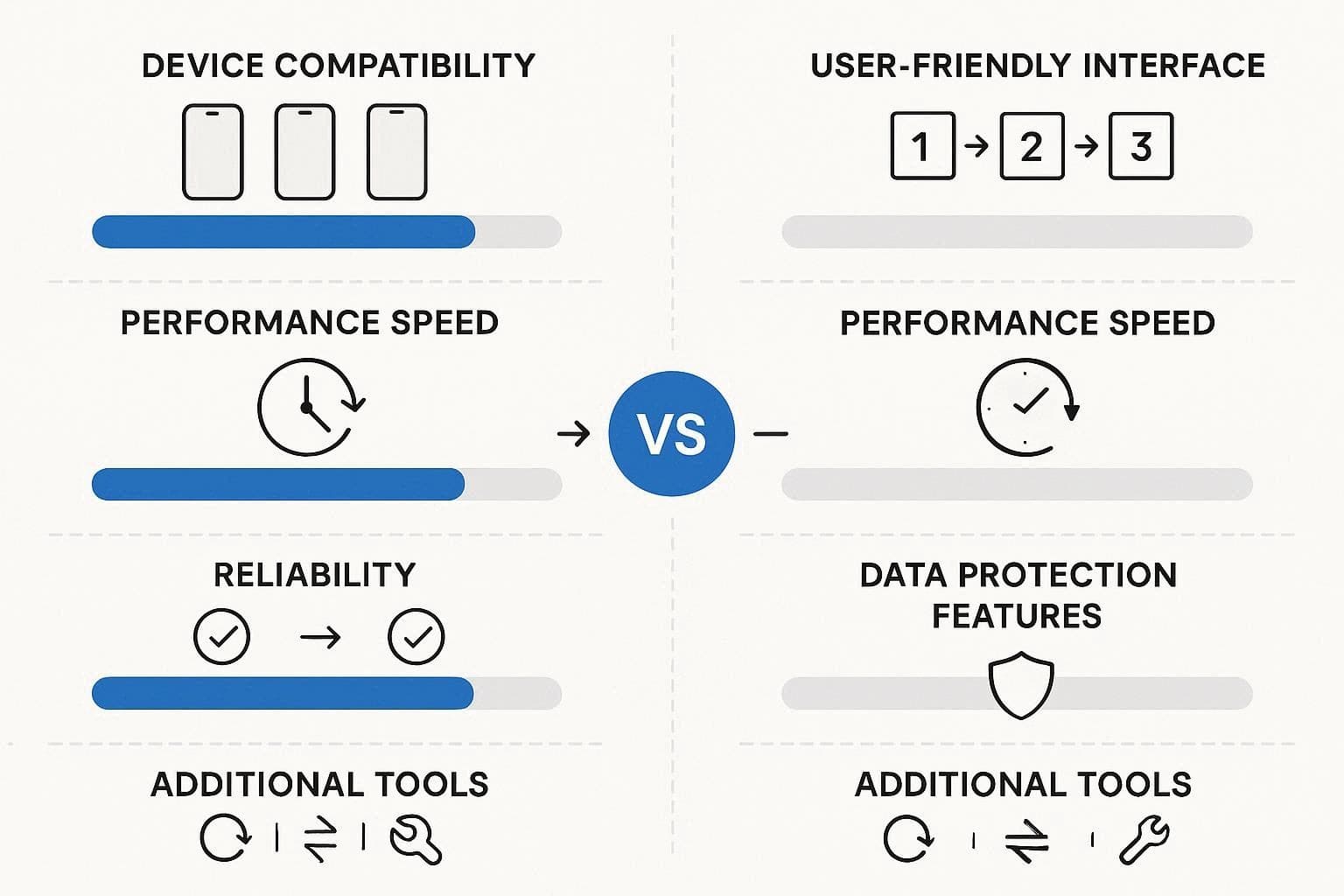
- Device & Brand Support: The tool supports 29 Android brands for screen lock and 12 for FRP. On the contrary, LockWiper is limited to 21 screen unlock brands and 4 FRP bypass brands, with limited options for POCO, TCL, Micromax, Maxwest, and Doogee. Whereas Dr.Fone supports Samsung Android 16 FRP and major US carrier models with the option to bypass SIM and carrier locks online.
- Interface & Ease of Use: Dr.Fone's interface uses a simple wizard, whereas iMyFone provides clear instructions. It also lacks a detailed list of device types in the UI, making Dr.Fone a better option.
- Speed & Success Rate: On supported phones, Dr.Fone removes screen lock or FRP in a few minutes, which helps users and repair shops get fast results. It also automates most steps, reducing mistakes and making the process feel easier and quicker. Whereas iMyFone takes hours and multiple steps, which can fail midway, it's not ideal for novices.
- Data Safety Feature: On some Samsung, LG, and supported phones, Dr.Fone can unlock the screen without deleting data, which is not common in many tools. Even though many devices still need a reset, this option helps users save photos and app data in some cases. As for iMyFone, the No Data Loss option is limited only to some Samsung devices.
- Extra Features & Updates: Dr.Fone is a comprehensive mobile tool that also includes backup, data transfer, recovery, and system repair, not just unlocking. It also gets regular weekly updates and works on Android and iOS, making it a more complete and long-term solution than basic unlock tools.
Conclusion
In conclusion, this guide has wrapped up the iMyFone vs Dr.Fone Android unlock tool debate for users who seek simple and secure ways to bypass Android screen and FRP lock. In this regard, key features, perks, pitfalls, and pricing details are shared to help you make the right choice.
After a detailed evaluation, we must say that Dr.Fone - Screen Unlock (Android) is the best option. This is because the tool offers massive device support, has easier steps, offers some no-data-loss options, and includes extra tools like backup, recovery, and repair.
FAQ
-
1. Which tool is easier for beginners?
Dr.Fone is easier for beginners, as it shows clear steps and automatically selects the correct mode for users. However, iMyFone can confuse users at first, because it asks for mode choice before device setup and action. -
2. Which tool is better for FRP bypass?
Dr.Fone works better for FRP bypass, as it supports 12 brands and newer Android versions, including Android 16, with higher success rates. On the other hand, iMyFone has limited FRP support, so results may vary and fail on many new phones. -
3. Do I need technical skills to use them?
No, you do not need technical skills, as Dr.Fone gives clear steps and auto guidance for easy use. Besides, it reduces confusion in recovery steps, so beginners can complete the process with fewer errors and stress.
 Add Wondershare Dr.Fone as a preferred source on Google