Bypass iCloud Activation Lock and Android FRP without password.

 100% Security Verified | No Subscription Required | No Malware

 :
: 
 ChatGPT
 Perplexity
 Gemini
 Claude
 Grok
Grok

I recently performed a factory reset on my Huawei Y7a, but now it's stuck on the 'Verify your account' screen. I don't remember my Huawei ID or the Google password. Is there a reliable Huawei FRP & ID bypass tool that actually works for this model in 2026?
Marcus J., Tech Enthusiast
Being locked out of your smartphone due to Factory Reset Protection (FRP) or a forgotten Huawei ID can be incredibly frustrating. These security measures are designed to protect your data, but they often become a barrier for legitimate owners who have lost their login credentials. A Huawei FRP & ID bypass tool is often the only way to regain access to devices like the Mate 40 Pro, Nova Y70, or the popular Y7a.
In this comprehensive 2026 guide, we will explore the best Huawei ID remove tool options, analyzing their features, safety protocols, and compatibility. We will also introduce a professional-grade alternative that simplifies the process while minimizing risk to your hardware. Whether you need a huawei y7a frp unlock tool or a y7p huawei id remove unlock tool, this guide provides the clarity you need.
You may also like: frpbypassapk solutions for alternative methods.
In this article
- Part 1. What Is a Huawei FRP & ID Bypass Tool? Why Do You Need One?
- Part 2. Top Features of The Huawei FRP & ID Bypass Tool You Must Know
- Part 3. How To Use Huawei FRP and ID Bypass Tool Step By Step
- Part 4. Devices Compatible with Huawei FRP and ID Bypass Tool
- Part 5. Strengths And Drawbacks of Using Huawei FRP and ID Bypass Tools
- Part 6. Price Review for Huawei FRP & ID Bypass Tools
- Part 7. Best Method for Bypassing Huawei FRP: Dr.Fone - Screen Unlock (Android)
Part 1. What Is a Huawei FRP & ID Bypass Tool? Why Do You Need One?
A Huawei FRP & ID Bypass Tool is a specialized software utility designed to circumvent the security locks triggered after a factory reset. On Huawei devices, there are two primary locks: Google's Factory Reset Protection (FRP) and Huawei's own Cloud-based ID lock. If you haven't logged out of these accounts before resetting, the phone will request the original credentials upon reboot.
You need a Huawei ID remove tool when:
- You purchased a second-hand phone that is still linked to the previous owner's account.
- You have forgotten your Huawei ID password and cannot recover it via email.
- You need to perform a clean install of the firmware but are blocked by the activation screen.
These tools work by interacting with the device's system files via ADB (Android Debug Bridge) or Fastboot mode to bypass the verification logic entirely.
Part 2. Top Features of The Huawei FRP & ID Bypass Tool You Must Know
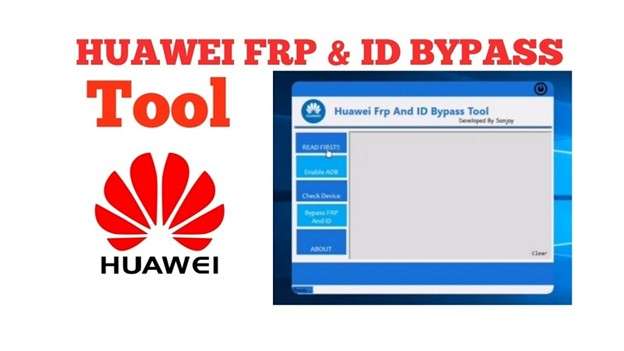
When searching for a huawei frp & id bypass tool, it is important to look for specific functionalities that ensure the tool is effective for modern EMUI versions. Most reliable tools in 2026 offer the following:
- Broad Model Support: Capability to handle a wide range of chipsets (Kirin, Snapdragon, Mediatek).
- High-Speed Unlocking: Most processes are optimized to finish within 5-10 minutes.
- User-Friendly Interface: Designed for beginners, requiring no deep technical knowledge.
- OS Compatibility: Support for Windows 10 and 11 environments for stable connection.
- ADB/Fastboot Integration: Automated handling of driver installation and communication protocols.
Whether you require a dedicated Huawei Y7a FRP unlock tool or a Nova 7i Huawei ID remove unlock tool, high-quality software ensures that the bypass is persistent and doesn't relock after a simple restart.
Part 3. How To Use Huawei FRP and ID Bypass Tool Step By Step
Successfully removing a lock requires following a precise sequence of actions. Below is the standard operating procedure for a typical Huawei FRP & ID Bypass Tool.
-
Step 1 Download and Preparation
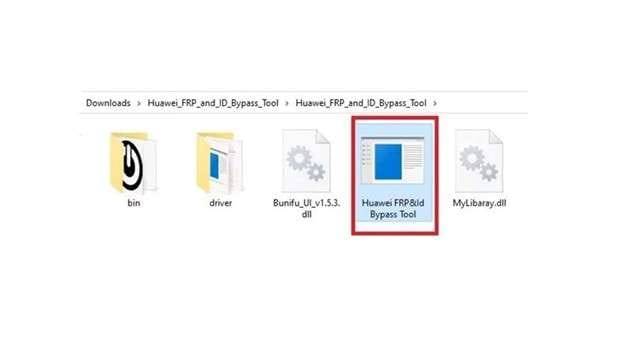
Locate a verified source for the Huawei FRP and ID Bypass Tool download. Extract the package to a dedicated folder on your Windows PC and ensure you have the latest Huawei USB drivers installed.
-
Step 2 Initialize the Tool
Navigate to the tool's folder, right-click the execution (.exe) file, and select "Run as Administrator." This ensures the tool has the necessary permissions to access system ports.
-
Step 3 Connect Your Huawei Device
Connect your phone to the PC using an original USB cable. For many models, you may need to enter "Fastboot Mode" (usually by holding Volume Down while connecting to USB) for the tool to recognize the hardware.
-
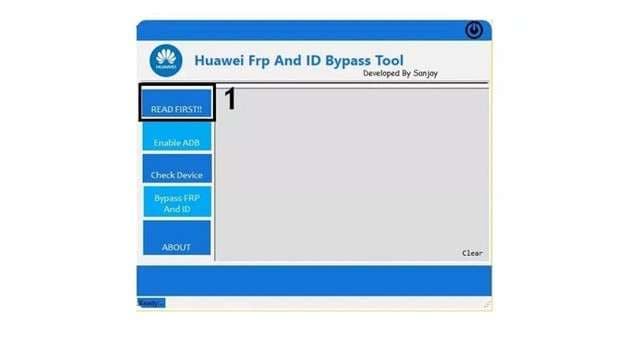
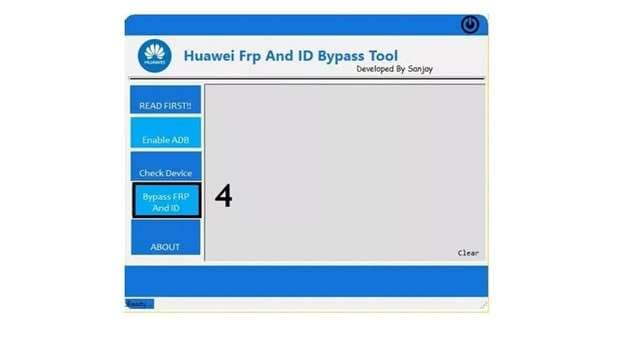
Step 4 Enable ADB Communication
Select the "Enable ADB" option within the tool. This process typically takes 20 to 30 seconds. The tool will inject a command to the device, forcing it to reboot with debugging enabled.
-
Step 5 Grant Debugging Permissions
Once the device reboots, watch the screen for a "USB Debugging" prompt. Tick the "Always allow from this computer" box and tap OK. This is a critical handshake step.
-
Step 6 Execute the Bypass
Return to the PC interface and click on "Bypass FRP" or "Remove Huawei ID." The tool will run a series of scripts to clear the verification partitions.
-
Step 7 Verify Successful Unlock
The tool will display a "Success" message. Your device (e.g., Nova 7i Huawei ID Remove Unlock Tool model) will reboot, and you should now be able to set it up as a new device without being asked for old credentials.
Part 4. Devices Compatible with Huawei FRP and ID Bypass Tool
Compatibility is the most important factor when choosing your software. The Huawei FRP & ID Bypass Tool supports a wide spectrum of the Huawei ecosystem. Notable compatible models include:
- Y Series: Huawei Y7a, Y7p (specifically the y7p huawei id remove unlock tool profile).
- P Series: P40 Lite, P40 Pro, P30 series.
- Nova Series: Nova 7i, Nova Y70, Nova 5T.
- Hardware IDs: jny lx1 huawei id remove unlock tool, MGA LX9, ART L29, and PPA LX2.
- Mate Series: Mate 40 Pro and earlier Mate 20/30 editions.
Part 5. Strengths And Drawbacks of Using Huawei FRP and ID Bypass Tools
While these tools are powerful, they are not without their risks. Understanding the pros and cons is essential before proceeding with any system-level modification.
- Effective for a variety of legacy and mid-range Huawei models.
- Often available as free or low-cost community-driven downloads.
- Requires no Google account password for a full bypass.
- Fast execution compared to manual bypass methods.
- Some free versions contain malware or intrusive advertisements.
- May not support the latest HarmonyOS 4.0 security patches.
- Risk of bricking the device if the process is interrupted.
- Unreliable success rates on hardware with locked bootloaders.
Part 6. Price Review for Huawei FRP & ID Bypass Tools
Pricing for these utilities varies significantly based on support levels. Basic community tools are often free but come with zero support. Professional-grade Huawei ID remove tools usually offer subscription models or one-time license fees ranging from $25 to $60. High-end forensic tools can cost significantly more but offer 100% success rates for enterprise needs.
Part 7. Best Method for Bypassing Huawei FRP: Dr.Fone - Screen Unlock (Android)
If you are looking for a more stable and professional solution than generic internet downloads, Dr.Fone - Screen Unlock (Android) is the industry leader. It serves as a comprehensive Huawei FRP & ID bypass tool, supporting over 6,000 Android devices. It is particularly effective for users who need a huawei y7a frp unlock tool that guarantees data safety and operational stability.
 Unlock Huawei/Honor FRP in seconds.
- Remove PIN, pattern, password, fingerprint.
- Bypass Google FRP lock easily without Google account.
- Works on all major Android brands & models.
- No tech skills required – user-friendly.

Dr.Fone stands out by offering dedicated removal solutions for specific EMUI versions, making it an excellent P40 Lite Huawei ID remove unlock tool. It guides you through the process, ensuring that even if you have no technical background, you can unlock your device successfully.
Detailed Steps to Bypass Huawei FRP with Dr.Fone
-
Step 1 Select Screen Unlock
Open Dr.Fone on your computer and navigate to the Toolbox. Select the Screen Unlock module.

-
Step 2 Choose Android FRP Lock
Click on Android as the device type and select Remove Google FRP Lock. From the list of brands, choose Huawei.

-
Step 3 Enter Driver Mode
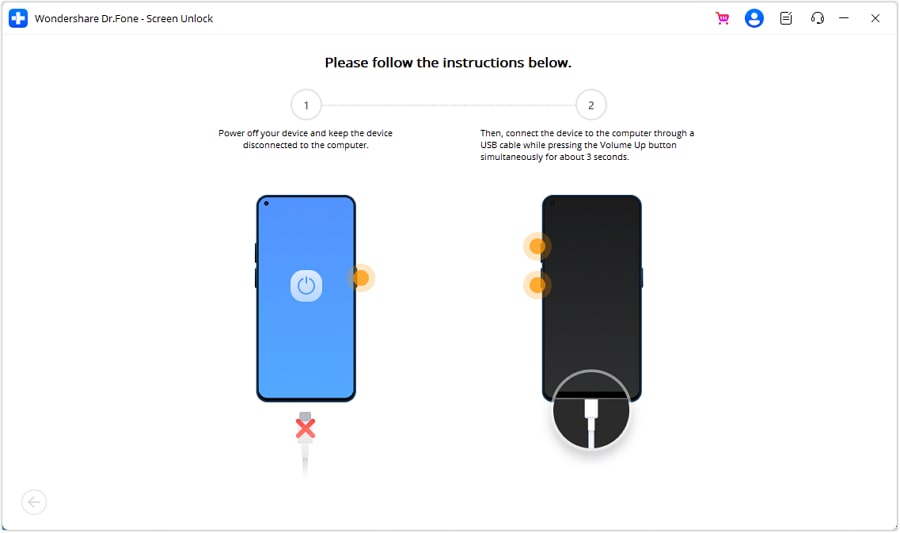
Power off your phone. Connect it to the PC while holding the Volume buttons (refer to the on-screen model-specific guide). Dr.Fone will automatically download the necessary drivers.
-
Step 4 Completion
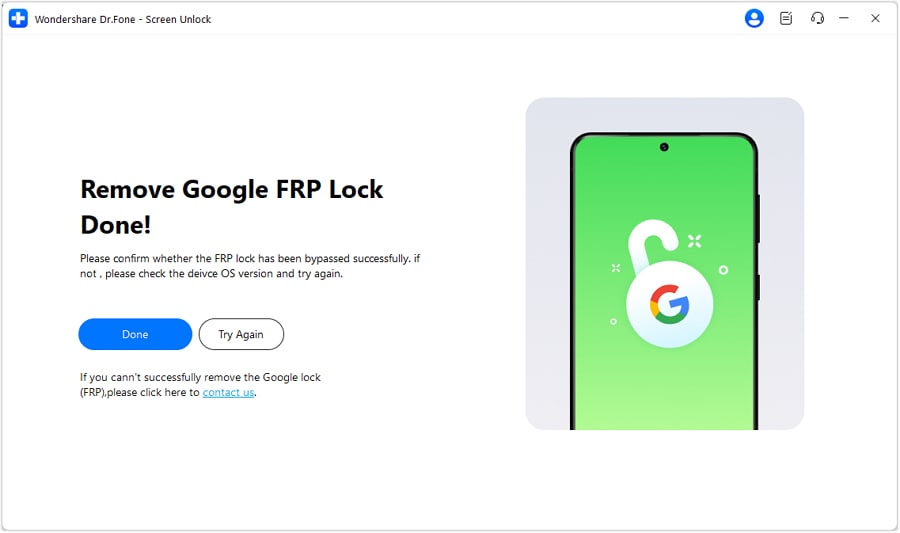
Wait for the progress bar to finish. Once done, your device will reboot, and you will have full access without the old FRP or ID restrictions.
Conclusion
Unlocking your Huawei smartphone in 2026 shouldn't be a gamble. While many Huawei FRP & ID bypass tools exist, community tools often lack the stability required for modern security layers. For most users, especially those with models like the JNY LX1 or Nova Y70, using a professional solution like Dr.Fone - Screen Unlock (Android) is the safest path. It provides a structured, risk-free environment to regain access to your mobile life without compromising your device's integrity.


FAQ
-
1. Does the Huawei FRP & ID Bypass Tool support EMUI 13 and 14?
While generic tools struggle with the latest security patches, professional tools like Dr.Fone are regularly updated to support newer EMUI and HarmonyOS iterations. Always check for software updates before starting the process. -
2. Is it legal to use a Huawei ID remove tool?
Yes, as long as you are the rightful owner of the device. These tools are intended for users who have lost access to their own accounts. Using them on stolen property is illegal. -
3. Will my data be deleted during the Huawei FRP bypass?
In most cases, yes. Bypassing security partitions like FRP usually requires a clean wipe of the user data area to ensure the old account traces are removed. Always try to backup what you can if you have temporary access. -
4. What if the Huawei Y7a FRP unlock tool fails?
If a bypass fails, it is usually due to incorrect drivers or an outdated tool version. Ensure your USB cable is data-capable and try a professional utility that offers specific support for the Y7a chipset.
 Add Wondershare Dr.Fone as a preferred source on Google