Bypass iCloud Activation Lock and Android FRP without password.

 100% Security Verified | No Subscription Required | No Malware

 :
: 
 ChatGPT
 Perplexity
 Gemini
 Claude
 Grok
Grok
Imagine the Android device you rely on for schedules and presentations suddenly refuses to unlock. You might think that your ongoing work is now out of reach, and the data will never be accessible. Moments like these highlight a problem we've all faced, where only an Android screen unlock tool works immensely.
For your assistance, this article examines leading screen lock tools, briefly outlining each one's core features. However, all compiled data is sourced from authentic resources and real-user testimonials to ensure a fair analysis. By the end, you’ll have a clear idea of whether Dr.Fone actually deserves a respected position.
In this article
- Part 1. What Is an Android Screen Unlock Tool and When Do You Need One?
- Part 2. Quick Comparison: 5 Best All‑in‑One Android Screen Unlock Tools Reviewed
- Part 3. How to Choose the Safest Android Screen Unlock Tool for Your Situation
- Part 4. Dr.Fone Screen Unlock: Why It's Recommended as the First Choice
Part 1. What Is an Android Screen Unlock Tool and When Do You Need One?
An Android unlock tool is a software that helps you remove or bypass the lock screen on an Android phone. It handles locks such as PINs, passwords, fingerprints, and sometimes Google’s FRP verification screen after a reset. So, whenever basic methods fail, consider an Android screen unlock platform in situations like:
- Forgotten PIN, Password, or Pattern: When you forget your lock code, and the phone keeps rejecting your attempts. A screen unlock tool helps you quickly remove the lock, giving access to your phone with everything intact.
- Broken or Unresponsive Touch Screen: The screen is damaged or unresponsive, so you cannot draw the pattern or enter the code. With this tool, you can unlock the device from a computer, even when you cannot touch the screen properly.
- Locked Out After Too Many Attempts: Once your phone is locked after too many incorrect tries, it now shows a "try again later" message. An unlock tool can bypass this lockout, so you do not have to wait hours to reset the device from scratch.
- Stuck on Google FRP Verification: After a factory reset, you are stuck on the “Verify your account” (FRP) screen and do not have the original Google account. Such tools can remove or bypass FRP so you can set up the phone with a new Google account.
- Second-Hand Phone with Old Lock: You bought a used phone that still has the previous owner’s screen lock, and you cannot reach them. An unlock tool helps you clear old accounts and locks so you can use the phone as your own.
Part 2. Quick Comparison: 5 Best All‑in‑One Android Screen Unlock Tools Reviewed
Adopting the right solution becomes easier when we step back and compare the leading options side by side. To simplify this decision-making process, we’ve covered the best Android unlock software 2026, ensuring a clear view of capabilities:
1. Dr.Fone - Screen Unlock (Android)
Supported Screen Lock Types: Pattern lock, PIN lock, password, face ID, and fingerprint lock.
A well-known Android unlock tool that guarantees unlocking for major Android brands, including Samsung, Huawei, Vivo, and more. It offers a data-preserving mode that unlocks the screen on a list of Samsung models like Note 2-4 series and earlier Galaxy tabs. However, other non-Samsung devices are usually unlocked by a complete data wipe. During a comparison, we found that Dr.Fone now supports the most Android brands (29) among all tools.
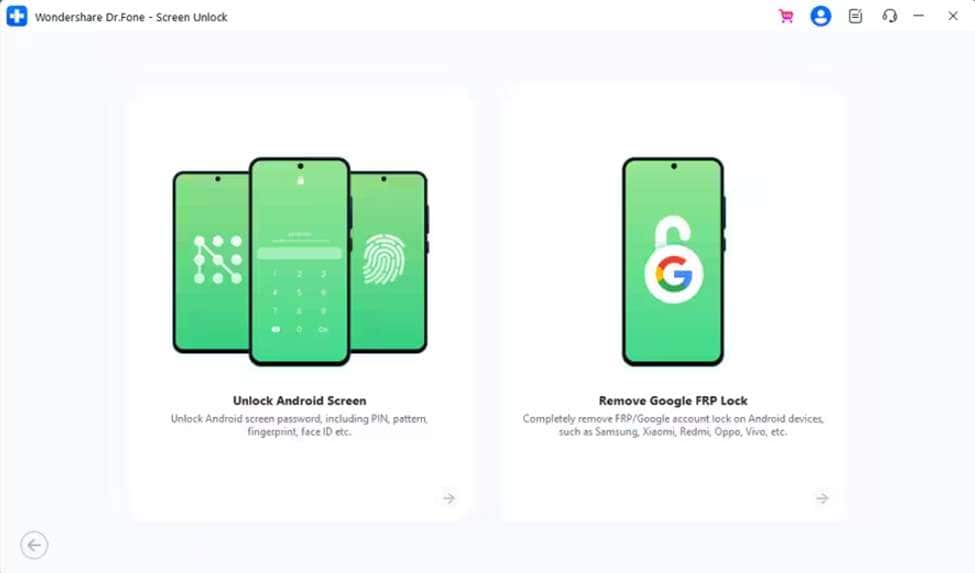
However, this reputable program is expected to add one-click screen removal for Samsung Android 12 in its future updates. Surprisingly, this vendor is the only one that supports LG (data-preserving unlock), a unique competitive advantage. Upon analysis, its tech spec list supports mainstream desktop systems, Windows 11 and earlier, and macOS 10.13 or later. In future updates, the program will surely support the Wiko brand.
 Unlock Android phone in seconds.
- Remove PIN, pattern, password, fingerprint.
- Bypass Google FRP lock easily.
- Works on all Android brands & models.
- No tech skills required – user-friendly.

Key Features
-
1 Specific Mode for Unlock
The tool requires a device-specific mode to load the correct configuration and proceed with the screen unlock.
-
2 Chipset Support
It further supports MTK, Qualcomm, and Exynos chipsets found in global and US Android devices.
-
3 Ease of Use
Upon examining its user guide, the program requires no commands or rooting, and there is no risk of installing third-party APKs.
-
4 Licensing for Multiple Devices and PCs
According to this Android screen unlock tool’s pricing plan, it allows easy access on 1-5 Android devices and 2 PCs per license.
-
5 Automatic Download Mode
As the guide demonstrates, the system will put your Samsung device into download mode based on the identified model.
-
6 Automate Special Mode
You’re further facilitated by an automatic special mode that may vary by your Android device's brand.
User Reviews
- “It was easy to use Dr.Fone software and recommended to those who want to unlock their phone/iPad or recover lost/missing data. From my case, I forgot the pin number to unlock my iPad after like 3 years not using it. Thanks to Dr.Fone for the useful software that can unlock my iPad and resolve the problem in less than 10 minutes.” Wan
- “My experience felt undeceive at first didn't know if it would work, but I see now it turned out to be okay. It's been a hassle to get my phone up and running.” Trae Smith




2. Tenorshare 4uKey for Android
Supported Screen Lock Types: Pattern lock, PIN-code lock, password, fingerprint, face lock/face ID.
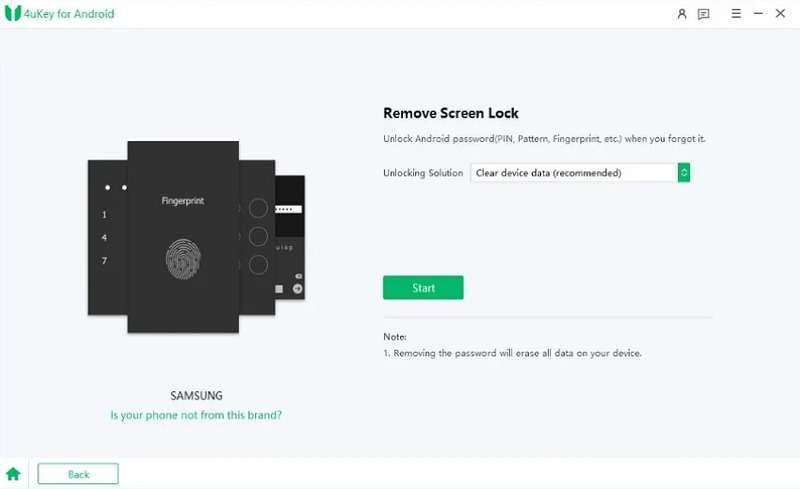
Claiming a 99% success rate, this vendor lets you bypass multiple types of screen locks from 17 major brands. Users can also leverage this facility for tablets and can access this tool on Windows and Mac. Unlike other tools, it also offers a "No Data Loss" option for early Samsung devices, which is easy to differentiate in the guide, too.
Key Features
-
1 Offers detailed guides to access Download/Recovery mode with detailed security prompts.
-
2 Users can access the screen lock facility on 1-5 mobile devices in all plans.
-
3 Provides a 7-day trial to test whether the feature will work on 2PCs after purchase.
User Reviews
- “Tenorshare is a legitimate software company that offers phone-unlocking tools which can work for many common lock scenarios, but results vary by device model, OS version, and lock type; it is not a universal solution and requires caution…” Assistant
- “I got the subscription to try and unlock a tab e, and it did not work at all, so contacted support they said there is nothing I can do if it didn’t work and they offered me another terrible product, then they offer a 30% refund, do not buy this!!, it don’t work at all and they won’t give you your money back it is a scam.” Imfaoboy72301
3. iMyFone LockWiper Android
Supported Screen Lock Types: PIN code lock, pattern lock, password lock, fingerprint, and face lock.
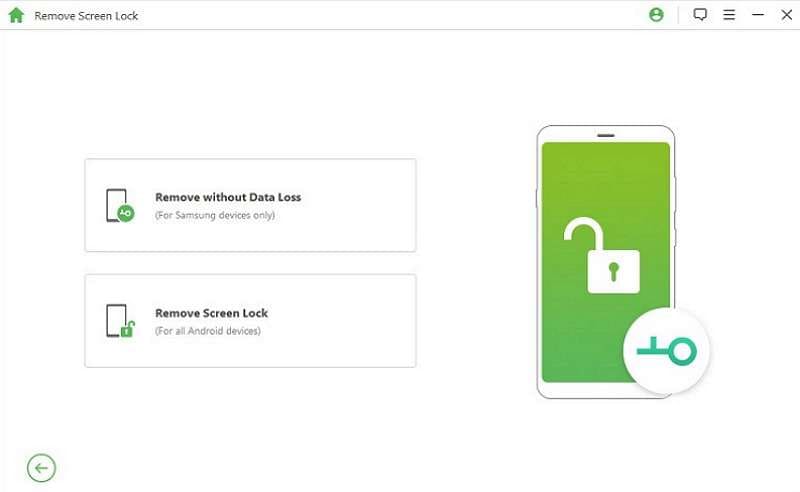
For the fastest way to unlock Android, consider iMyFone, which supports 21 Android brands, including Huawei and Google devices. Besides this, it can remove the Samsung screen lock for S6 or Note 4 without data loss, unlike others. The platform’s device accessibility is limited to 1-5 Android devices; a notable point for the comparison.
Key Features
-
1 The system automatically sends the data package to your device once device confirmation is received.
-
2 According to this Android screen unlock tool, it supports Android versions from 2.3 to 15.
-
3 Simple, guided process: connect the device, download the data package, and remove the lock.
User Reviews
- “It worked, had an S9 Plus. It was locked after a factory reset. Had to fiddle with it at first. They're good at answering questions at customer service.” Sybille Ludwig
- “The app didn't work the best, but I didn't really have the right phones (weren't officially supported). Another thing I didn't like was that only 5 devices could be unlocked on the highest plan possible.” Collywood Studios Animation
4. PassFab Android Unlocker
Supported Screen Lock Types: PIN code lock, password lock, pattern, and fingerprint lock.
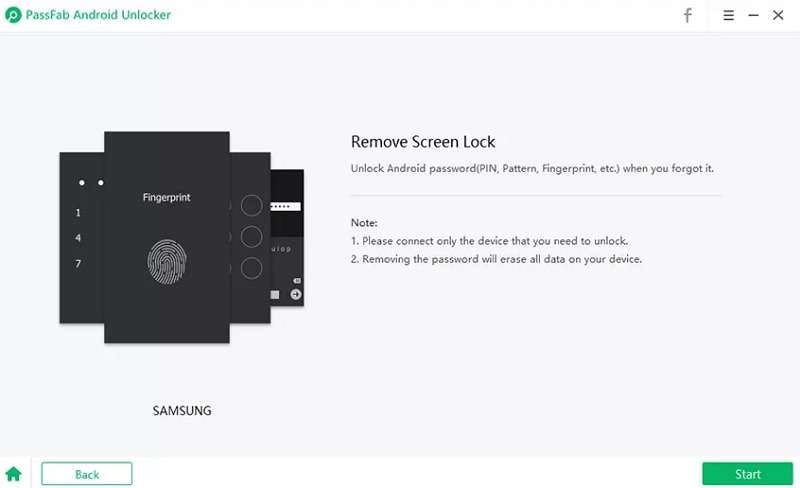
Another Android unlock tool is PassFab, which supports Android 2.0 to Android 13 and handles both legacy and modern phones. Once the removal process is completed, the system asks you to enter recovery mode and perform a factory reset. For some earlier Samsung devices, such as the Galaxy Note 3, it offers an option to remove the lock without data loss.
Key Features
-
1 This tool supports the No Data Loss option for Windows users only.
-
2 Offers an advanced EDL cable method for Samsung models such as S26, S25, and S24.
-
3 Besides older Samsung models, it supports the latest Galaxy S24, S24 Ultra, and S25 Edge.
User Reviews
- “I needed to remove Google Lock from my Android phones in order to give them to my grandkids. I attempted many solutions before landing on PassFab Android Unlock. I purchased the software, and my attempt failed. I contacted their support, and I got a reply giving me more details about how to succeed. Support is outstanding and quick! The software worked!” ptessier
- “Terrible software that does not work, and extremely shady business practice. Once they have your CC information, they will just start billing for random stuff because you didn't see some little box and uncheck it.” Roberto C
5. UnlockGo Android Tool
Supported Screen Lock Types: PIN code, password, pattern, fingerprint, and face recognition.
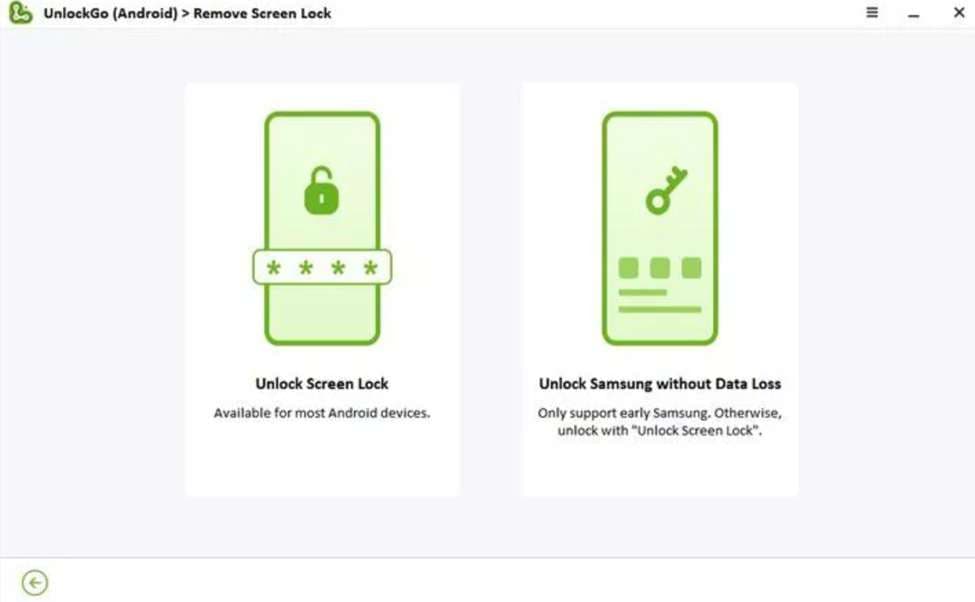
To unlock an Android phone without a password, you can use this tool on 21 brands, including Motorola, Samsung, and Google. However, it supports no data loss removal option for Samsung devices only, such as the S4 mini, S6, and S6 Edge. Supporting over 6000 Android phones and tablets, it offers one-click removal for devices running Android 12.
Key Features
-
1 This Android screen unlocker tech specs indicate support for Android 2.0 and later.
-
2 It supports US-market brands like Google Pixel, OnePlus, LG, and others.
-
3 For newer Samsung phones and tablets, the software adds a one-click factory reset feature.
User Reviews
- “UnlockGo actually works, not like the numerous 'free' software that are mostly scams. Yes, they want you to get a subscription. No, you do not have to do that. I purchased an unlimited-time license for up to 5 devices. I'm not a professional, but in my repair/refurbishing of old devices, I encounter a lot of locks…” Jack Jones
- “This app is a bs, I paid for one month, and the app didn't bypass the rpf, and they don't show any refund case is case it's not working. Dont waste your money on this BS. They ask you to click your Android model, and when I did, they showed me some nonsensical tutorial that didn't match what was showing on my phone screen.” Joe
6. DroidKit
Supported Screen Lock Types: PIN code, password, pattern, fingerprint, and face recognition.
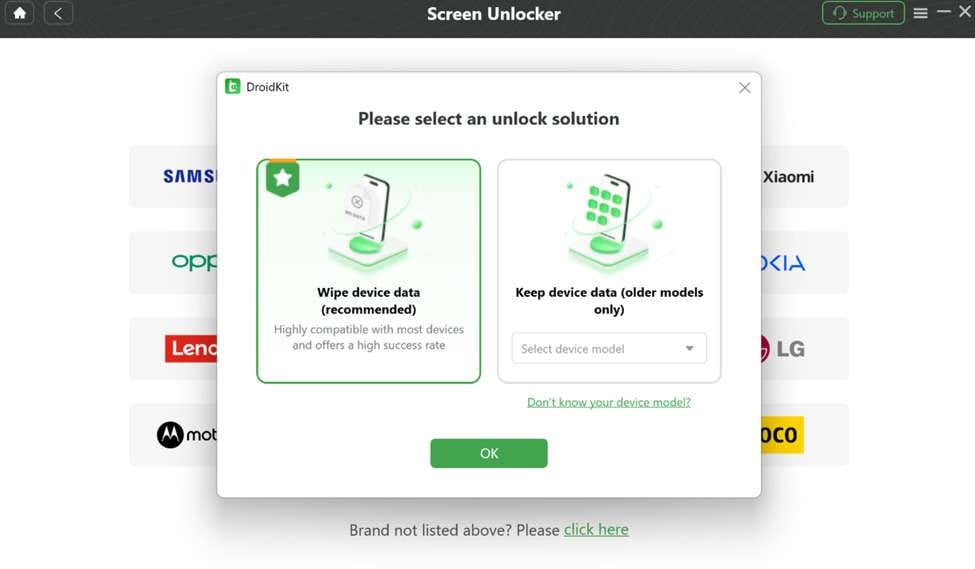
Considering the fact that this vendor supports 11 Android brands for screen lock removal, including Samsung, Huawei, and OPPO. Besides this, it offers data-preserving removal for some Samsung devices, such as the Galaxy Note 3 or Note 4. Since it's available on Windows and Mac, you can remove screen locks without rooting your device.
Key Features
-
1 Using its free version, you get the option to check the device compatibility.
-
2 The software offers comprehensive security prompts and prepares the configuration file for your device.
-
3 Features separate tabs for Data Loss /No Data Loss options, making it an easy-to-use tool.
User Reviews
- “I purchased the iMobie DroidKit for Windows Screen Unlocker to unlock my Android phone. Before the purchase, I tried to open the phone with the forgotten pattern…Excellent after-sales service and customer service.” Pierre Beausejour
- “Waste of money. For Xiaomi Note 12, although you have recovered the screen pin via DroidKit, it is directed to proceed with the boot menu. Consequently, I had to hard reset my phone via factory default and lost all photos. İt is not possible to recover the screen pin through this software.” Mahmut Atilla
Part 3. How to Choose the Safest Android Screen Unlock Tool for Your Situation
To make a confident decision, review the listed conditions, each of which defines the best Android screen tool:
- Forgotten Password, Need Automated Solution: If you simply can’t remember your PIN, pattern, or fingerprint, Dr.Fone is the safest choice. It supports 29 major brands, and the detailed guide for "Most" Android models ensures automated "Special" mode access, needing no manual hassle.
- Protecting Photos: When you own a Samsung or LG and are terrified of losing your files, use Dr.Fone or UnlockGo. These tools are specifically designed to bypass the lock while keeping your data completely safe.
- Mainstream Brands: If you use a popular phone like Xiaomi, Samsung, or Huawei, 4uKey and Dr.Fone are the fastest options. They are “one-job” tools built for high success rates on standard locks without any extra clutter.
- Low-Cost Fix: If you are on a tight budget and just need a basic unlock on Windows, try PassFab. It is a lightweight and efficient tool that gets the job done without the premium price tag. However, if you need screen lock bypass access on 2 PCs rather than 1, Dr.Fone is another cost-effective solution.
- System Lock Issues: When devices face system-related lock problems, Dr.Fone is a reliable option for handling such scenarios efficiently. It allows users to clear passwords quickly without navigating complex or repair-focused software.
Part 4. Dr.Fone Screen Unlock: Why It's Recommended as the First Choice
During the evaluation process of the best Android unlock software 2026, we think Dr.Fone marks its place above all. It's evident because it's the only platform among all that supports the most Android brands (up to 29). Plus, this vendor facilitates users in automating special mode on all Android devices.

Compared to other programs, Dr.Fone's future updates include adding Wiko screen unlock, a comprehensive solution for brand coverage. Upon evaluation, we’ve concluded that it's the only tool that offers screen lock removal support for 2 PCs (among affordable plans). Another notable point we identified was that Dr. Fone offers a “no-data loss” option for LG devices, not just Samsung.
Practical Usage: How to Use Dr.Fone to Screen Unlock Android
To see how well these promises held up in real life, we ran our own hands-on test with Dr.Fone. In the test below, you can use any Android device, as we've used a Huawei and tried to unlock it following the tutorial:
-
Step 1 Open the Dr.Fone Screen Unlock Android Tool
At the beginning, press the “Unlock Android Screen” option on the Screen Unlock tool for Android after connecting the devices.

-
Step 2 Select Your Device Model to Unlock Android
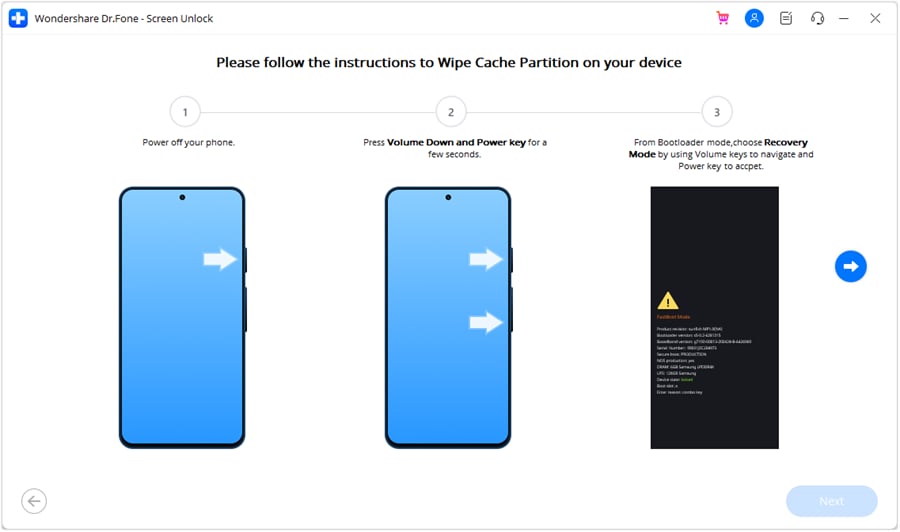
Choose your phone brand, then the tool will automatically direct the device to special mode for unlocking.
1. 100% Success Rate Achieved
The unlock worked every time in our test, matching the advertised success, and the password was removed successfully.
2. Fast and Smooth Process
Plus, the entire process took hardly 5 minutes, and the automated special mode made it much smoother.
Conclusion
Android screen unlock tools in 2026 have been more advanced and offer more practical ways to regain access to locked devices. However, while evaluating different tools serving the same purpose, we’ve concluded that Dr.Fone - Screen Unlock (Android) outshines the rest. For this, the most highlighted feature was its ability to support most Android brands while delivering a 100% success rate.
Frequently Asked Questions
-
Q1. Can screen unlock tools remove all types of locks?
Most advanced tools support multiple lock types, including PINs, passwords, fingerprints, and, sometimes, facial recognition. Still, it's better to verify compatibility, as support can vary depending on the device brand and Android version. -
Q2. Is it legal to use Android screen unlock tools?
Many tools, like Dr.Fone, are legal to use when applied to a device we own or have permission to access. However, unauthorized use of someone else’s device might, without their permission, violate privacy laws and regulations. -
Q3. Do screen unlock tools work if the device is disabled after multiple attempts?
Indeed, tools such as Dr.Fone are designed to handle devices that become disabled after repeated incorrect password attempts. These Android unlock tools provide alternative methods for unlocking that bypass standard restrictions, helping you regain access.
 Add Wondershare Dr.Fone as a preferred source on Google