Resolve common problems and system crashes on both iPhone and Android devices.

 100% Security Verified | No Subscription Required | No Malware

 :
: 
 ChatGPT
 Perplexity
 Gemini
 Claude
 Grok
Grok
If you've been following iPhone 18 chatter, you've probably noticed how quickly the conversation moves beyond the phone itself. People start with camera rumors, design changes, or AI features, and then end up asking a much more immediate question: Can I try the next iPhone experience right now through iOS 27 beta?
That urge makes sense. Installing a beta feels like stepping into the future early. But if the phone in your hand is also the phone you rely on every day, "early" can become "inconvenient" very fast. The real question is not whether you can install the latest beta. It is whether you are ready for what might happen next.
In this article
Part 1. iPhone 18 Hype Makes iOS 27 Beta Hard to Ignore
Every new iPhone cycle creates the same kind of momentum. People do not just want to see the next device—they want to feel closer to it. That is why the software side becomes so tempting. If iPhone 18 is already shaping expectations for the next generation of Apple features, then iOS 27 beta starts to look like the fastest way to preview that future.
For many users, this is not about being reckless. It is about staying ahead. Maybe you want to test interface changes, see how new features behave, or decide whether your current iPhone still feels fresh enough to keep. Beta software becomes part of the upgrade conversation long before the new phone arrives.
Source:MacRumors
But excitement and readiness are not the same thing. It is easy to want the newest build. It is harder to live with a system that may still be unfinished.
Part 2. What You're Really Asking Before You Install
When most people look up iOS beta instructions, they are not just hunting for steps. They are trying to make a decision.
Some readers want the thrill of trying new features first. Some are hoping iOS 27 will make their current iPhone feel new again while they wait to see what iPhone 18 actually brings. Others simply do not want to sit out the conversation while everyone else is already testing the next big thing.
At the same time, a daily-use phone raises a different set of questions. Will your battery take a hit? Will a few must-have apps start acting strangely? Will you be stuck with a version you no longer enjoy?
| What makes beta tempting | What makes beta risky |
|---|---|
| Early access to new features | Bugs and instability |
| A preview of the next iPhone software feel | Battery drain or heat |
| The fun of testing before public release | App compatibility issues |
| A reason to keep your current iPhone longer | The need to roll back later |
That is why this is never just a technical choice. It is a comfort choice too. If your iPhone is your main phone, the bar should be higher.
Part 3. The Part of Beta Testing People Forget
The biggest trap with beta software is focusing only on the install. The harder question usually comes later: what if you do not like living with it?
Most beta problems are not dramatic at first. They tend to show up as small annoyances—random lag, weaker battery life, an app that no longer behaves quite right, or a phone that just feels less dependable than it did a few hours earlier. That is when the excitement starts wearing off.
And then comes the part many people underestimate: going back is rarely as simple as tapping one button. Backup timing matters. Restore options matter. The version your backup was created on matters too. In other words, the beta is easy to try when everything goes well. It becomes serious when you need a clean way out.
Part 4. A More Flexible Way to Try It
If your interest in iPhone 18 is pushing you toward iOS 27 beta, it helps to think beyond the install itself. What most people really want is not just a faster path in—they want a safer path back if the beta does not fit their daily routine.
That is where Dr.Fone – System Repair's iOS Upgrade/Downgrade feature fits naturally. It is useful for people who want to test a newer version without feeling locked in, and just as useful when the smarter move is to return to a more stable build.
-
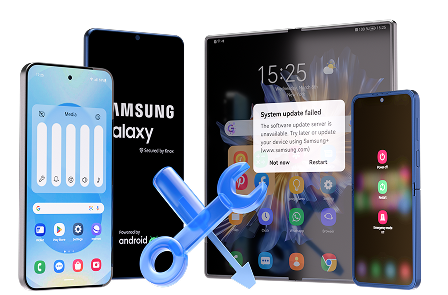
 Fix Android instantly – no skills needed.
- Solve boot loop, black screen, won’t turn on, etc.
- High success rate for all system issues.
- User-friendly interface with easy-to-follow steps.
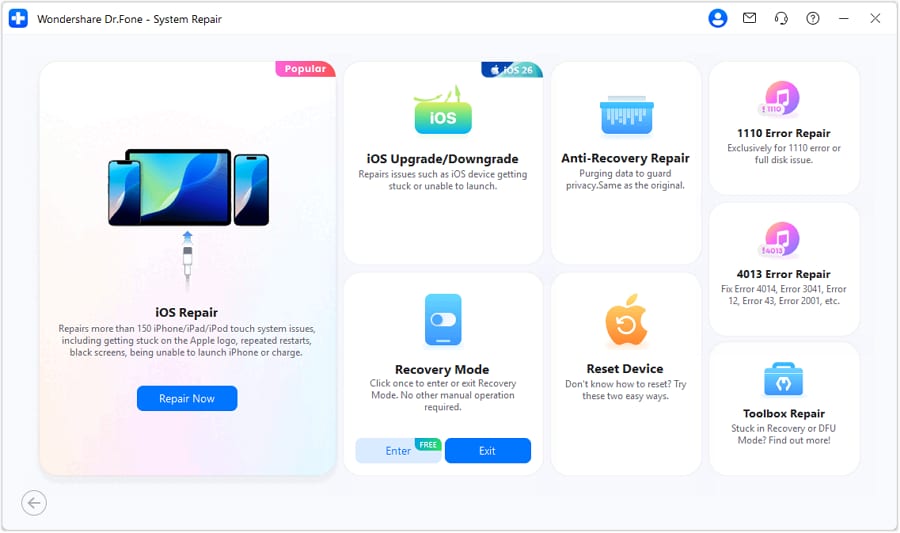
Step 1Choose the iOS path
Launch Dr.Fone, open Toolbox, and enter System Repair.Select iPhone, then go to iOS Upgrade/Downgrade.
-
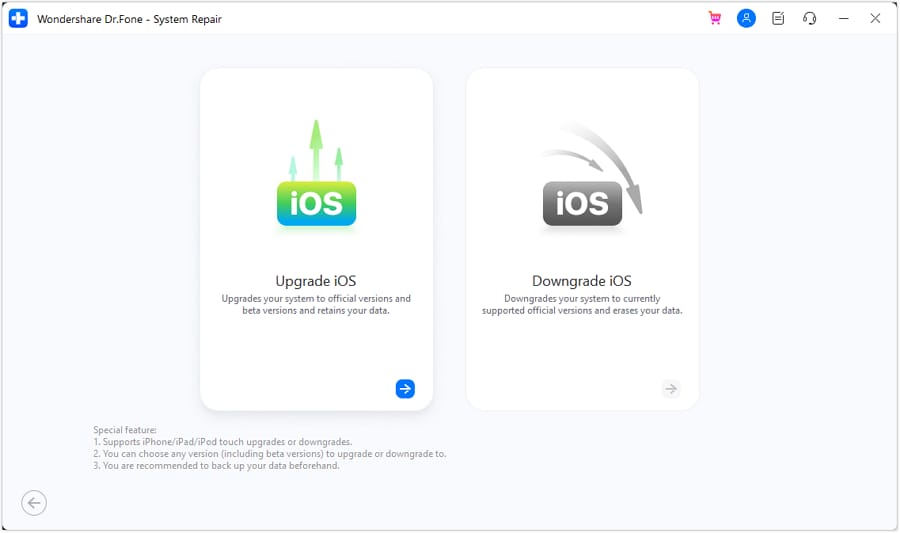
Step 2 Pick your direction
Choose Upgrade iOS if you want to try the latest version, or Downgrade iOS if you want to return to an older one.
-
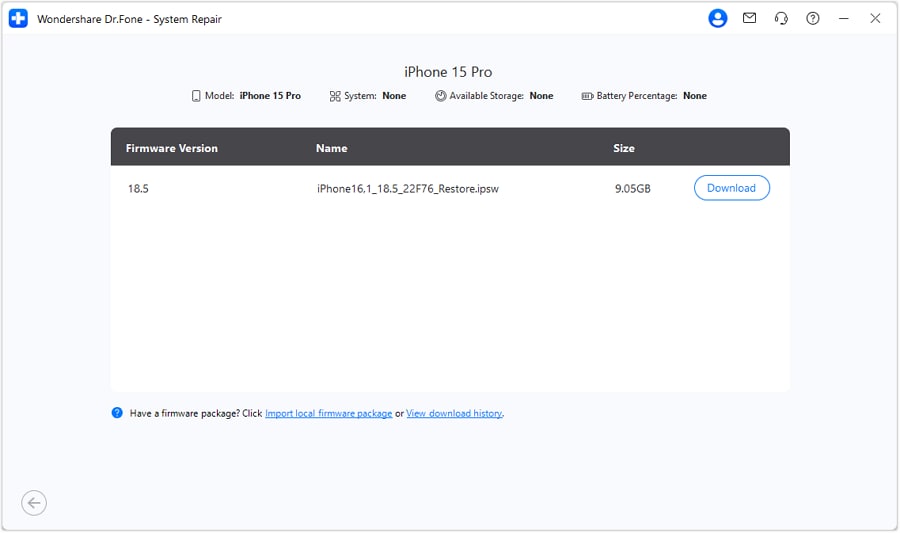
Step 3 Download the target firmware
You will then be asked to connect your iDevice with a USB connection.As the device is attached, it will be automatically detected.Then select the version you want and download the matching firmware package.
-
Step 4 Complete the change
Start the process and let Dr.Fone finish the upgrade or rollback on the device.
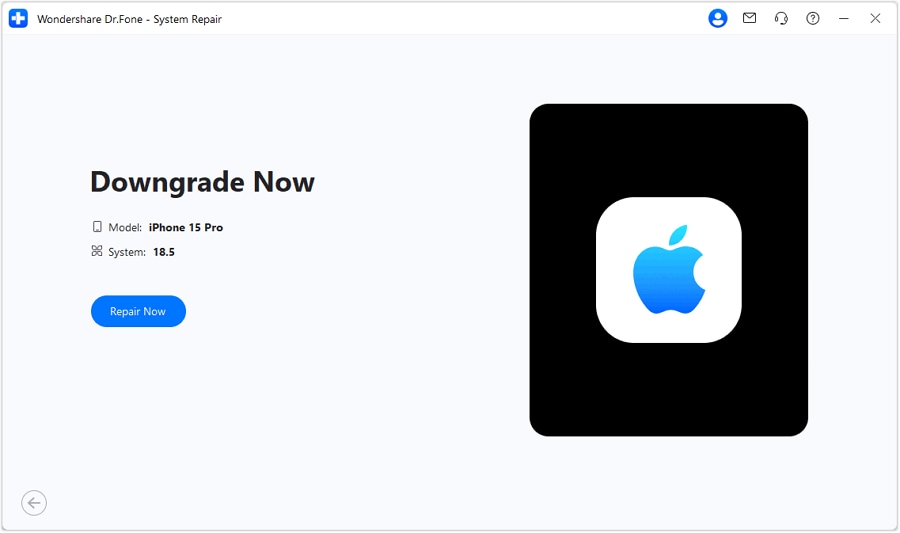
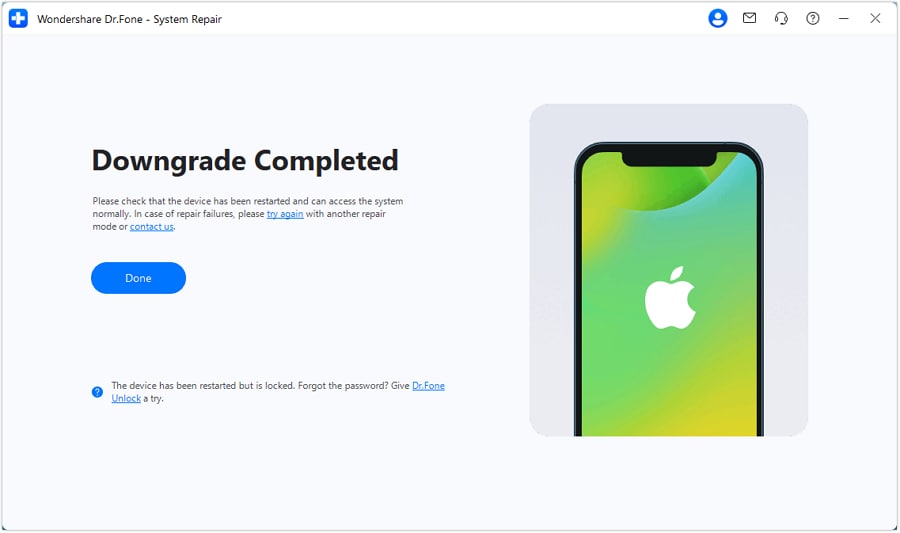
What makes this useful is not hype—it is flexibility. If you want to explore iOS 27 because the iPhone 18 cycle has you curious, having both upgrade and downgrade in one flow simply makes the choice feel less risky.




Part 5. What Happens If You Want Out
Apple's own beta path is clear at the start. You enroll, go into Software Update, and install the beta through Beta Updates. That part is simple enough.
The harder part begins if you decide the beta is not for you. Turning Beta Updates off only stops future beta builds from arriving. It does not automatically take your phone back to the current public version. If you want to leave the beta entirely, the process usually becomes a restore situation rather than a quick settings change.
That matters more than many people expect. If you did not think ahead about backups, the way back can feel much longer than the way in. And if you assumed beta testing would be easy to undo, this is usually the moment that changes your mind.
| Scenario | What it often means |
|---|---|
| You only want to stop future betas | Turn Beta Updates off |
| You want to return to the public iOS version | Restore may be required |
| You want a smooth rollback experience | Backup planning matters first |
So while Apple gives you the official road, it does not remove the need to plan that road carefully.
Part 6. Curiosity Is Fine—Preparation Matters More
Wanting to try iOS 27 because of iPhone 18 hype is completely understandable. In fact, it is one of the most natural things early adopters do. Software often feels closer and more immediate than hardware, so testing the beta becomes a way of joining the next iPhone conversation early.
Still, the smartest move is not rushing to install the first build you see. It is knowing why you want it, what you are willing to tolerate, and how you will recover if the experience stops being fun. That is the difference between testing with confidence and testing on impulse.
Conclusion
If iPhone 18 has you thinking about iOS 27 beta, there is no need to ignore that curiosity. Just do not let curiosity make the whole decision for you. The better approach is simple: enjoy the excitement, but make sure you also have a stable plan, a backup mindset, and a clear way back.
FAQ
-
Why are more people interested in iOS 27 beta because of iPhone 18?
When a new iPhone becomes a major topic, many users want to preview the next software experience early. iOS beta is often the fastest way to feel closer to that next-generation update. -
Should I install the iOS 27 beta on my main iPhone?
Only if you are comfortable with bugs, battery issues, and possible app instability. A beta can be exciting, but it is not always ideal for a daily-use device. -
Who is iOS beta best suited for?
iOS beta is best for users who want early access and can tolerate instability. If you rely heavily on your iPhone for work, payments, or everyday communication, waiting for a more stable release may be the better choice. -
Can I go back to a public iOS version after installing beta?
Yes, but it is not always simple. In many cases, returning to a public version may involve restoring the device, so backup planning matters before you install beta.
 Add Wondershare Dr.Fone as a preferred source on Google