Resolve common problems and system crashes on both iPhone and Android devices.

 100% Security Verified | No Subscription Required | No Malware

 :
: 
 ChatGPT
 Perplexity
 Gemini
 Claude
 Grok
Grok
Battery longevity remains a critical factor for smartphone users, and with the launch of the iPhone 17 lineup, all eyes are on its performance. Whether you're a heavy gamer, a content streamer, or a professional needing a device that lasts through a demanding workday, understanding the iPhone 17 battery capabilities is essential. The introduction of the super-slim iPhone 17 Air alongside the standard, Pro, and Pro Max models has raised both excitement and questions about its endurance.
This comprehensive guide delves into every aspect of the iPhone 17's power performance. We'll cover official battery capacities, analyze real-world usage data, explore new charging technologies, and provide effective solutions for common battery-related problems to help you get the most out of your device.
In this article
Part 1. A Deep Dive into iPhone 17 Series Battery Specifications
Before assessing real-world performance, it's crucial to understand the foundational numbers. Based on official EU energy labels and regulatory filings, the battery capacities for the iPhone 17 lineup have been confirmed, showing a significant boost across the board.
| Model | Battery Capacity (mAh) | Change vs. iPhone 16 | Rated Endurance (Video Playback) |
|---|---|---|---|
| iPhone 17 | 3,692 mAh | +3.7% | Up to 30 hours |
| iPhone 17 Air | 3,149 mAh | New Model | Up to 27 hours |
| iPhone 17 Pro | 4,252 mAh | +18.7% | Up to 33 hours |
| iPhone 17 Pro Max | 5,088 mAh | +8. 6% | Up to 39 hours |
Key Insight: Apple has substantially increased battery sizes for the entire iPhone 17 family, with the Pro models receiving the most impressive upgrades. Remarkably, the ultra-slim iPhone 17 Air maintains a competitive capacity despite its thin 5.5 mm chassis, defying initial expectations.
Engineering Marvel: How the Ultra-Slim iPhone 17 Air Achieves All-Day Battery
The announcement of the iPhone 17 Air and its ultra-thin design initially fueled skepticism about its potential battery life. Many worried that its sleek form factor would lead to significant compromises in endurance. However, with a 3,149 mAh capacity, Apple has demonstrated impressive engineering prowess.
- Advanced Cell Design: The battery cell itself is just 2.49 mm thick, nearly half the thickness of the one found in the iPhone 17 Pro, allowing it to fit within the slim frame.
- eSIM-Only Architecture: Removing the physical SIM card tray created valuable internal space, which Apple utilized to integrate a larger battery than would have otherwise been possible.
- Next-Generation Silicon Anode Chemistry: The use of silicon anode technology significantly boosts energy density, enabling more power to be stored in a smaller physical volume.
The iPhone 17 Air serves as a powerful statement, proving that a thin and light design does not have to come at the expense of all-day battery performance.
Generational Leap: iPhone 17 Battery vs. Previous Models
While raw capacity figures are informative, comparing them to previous generations highlights the scale of improvement:
- The iPhone 17 (3,692 mAh) now offers a noticeable capacity increase over the iPhone 16 base model, promising longer usage times.
- The iPhone 17 Air (3,149 mAh) has a capacity similar to the much thicker iPhone 13, but it achieves comparable endurance through superior hardware and software efficiency.
- The iPhone 17 Pro Max (5,088 mAh) marks a major milestone as the first iPhone to surpass the 5,000 mAh threshold, setting a new standard for flagship battery life.

Part 2. Beyond the Specs: Real-World iPhone 17 Battery Endurance
So, how do these impressive specifications perform in everyday use? Initial hands-on testing reveals a significant leap in real-world stamina across various activities. The combination of larger batteries and the efficiency of the A-series chip delivers a tangible improvement for all user types.
- Extended Video Playback: The iPhone 17 Pro Max leads the pack, capable of up to 39 hours of continuous video playback. The standard iPhone 17 provides a solid 28–30 hours, while the Air holds its own at around 22–24 hours.
- Daily Web & Social Media Use: For typical browsing and social media engagement, the Pro Max can last between 14–16 hours. The iPhone 17 averages 12–13 hours, and the Air delivers a reliable 11–12 hours of screen-on time.
- Intensive Gaming Sessions: The Pro Max once again demonstrates its superior endurance in gaming. However, the iPhone 17 Air surpasses expectations, delivering 5–6 hours of gameplay in graphically demanding titles.
Interestingly, when benchmarked against competitors like Samsung's Galaxy S25 Edge (3,900 mAh), the iPhone 17 Air frequently matches or even outperforms it in longevity tests, despite having a smaller battery. This is a clear testament to Apple's optimization strategy.
Part 3. Troubleshooting Common iPhone 17 Battery Problems
Despite the advanced hardware and software, users may occasionally encounter battery-related issues. These problems can be frustrating, especially on a new device. Some of the most frequently reported concerns include:
- Rapid Battery Drain: The battery depletes much faster than expected, even with light to moderate usage.
- Charging Failures: The iPhone gets stuck at a certain percentage, charges intermittently, or refuses to charge at all.
- Overheating Issues: The device becomes unusually hot during charging or while running intensive applications like games.
- Inaccurate Battery Indicator: The battery percentage displayed on the screen seems inconsistent or jumps unpredictably after an iOS update.
While a deteriorating physical battery can cause these symptoms, they are often rooted in iOS system glitches that disrupt normal power management. Before considering a costly hardware replacement, it's wise to address potential software conflicts first.
 Fix iOS issues, no data loss.
- One-click repair for all iOS problems.
- Solve recovery mode, Apple logo, black screen, etc.
- Upgrade or downgrade iOS without iTunes
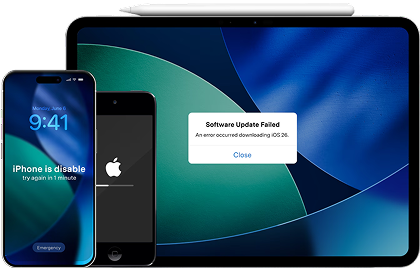
For users experiencing unexplained iPhone 17 battery issues, Dr.Fone – System Repair (iOS) offers a reliable and user-friendly solution. It is designed to resolve a wide range of iOS system errors, including those that cause battery drain and charging problems, without erasing your data.
Follow these steps to repair your iOS system and restore optimal battery performance:
Step 1 Launch Dr.Fone and Connect Your iPhone
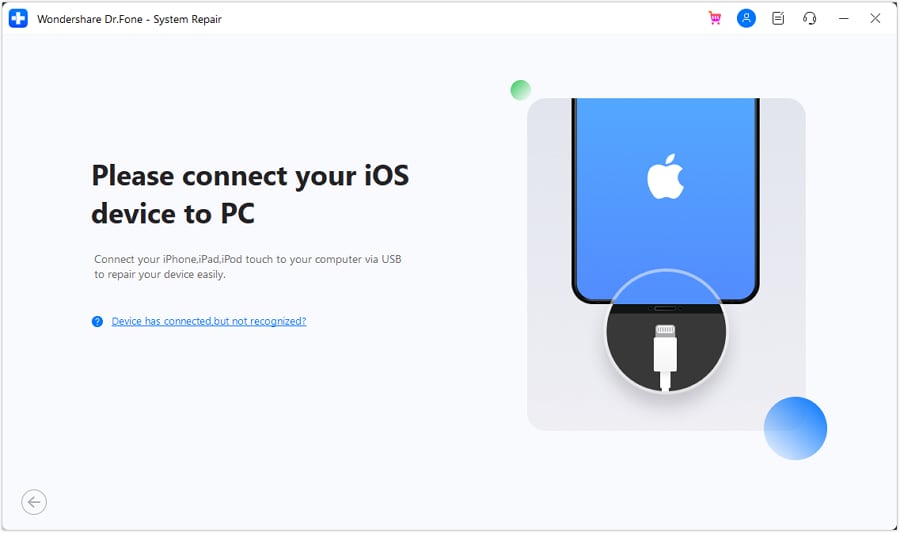
Open the Wondershare Dr.Fone application on your computer. Navigate to the "Toolbox" section on the left panel and select "System Repair." Connect your iPhone 17 to the computer using a USB cable.

Step 2 Select Standard Repair Mode
In the next window, specify your device type by choosing "iPhone." You will then be prompted to select a repair mode. Choose "Standard Repair," which is designed to fix most common iOS issues without affecting your personal data.
Step 3 Enter Recovery Mode
Follow the clear, on-screen instructions provided by Dr.Fone to place your iPhone 17 into Recovery Mode. If the device is unresponsive, the software provides a helpful guide and an alternative option to enter the mode.
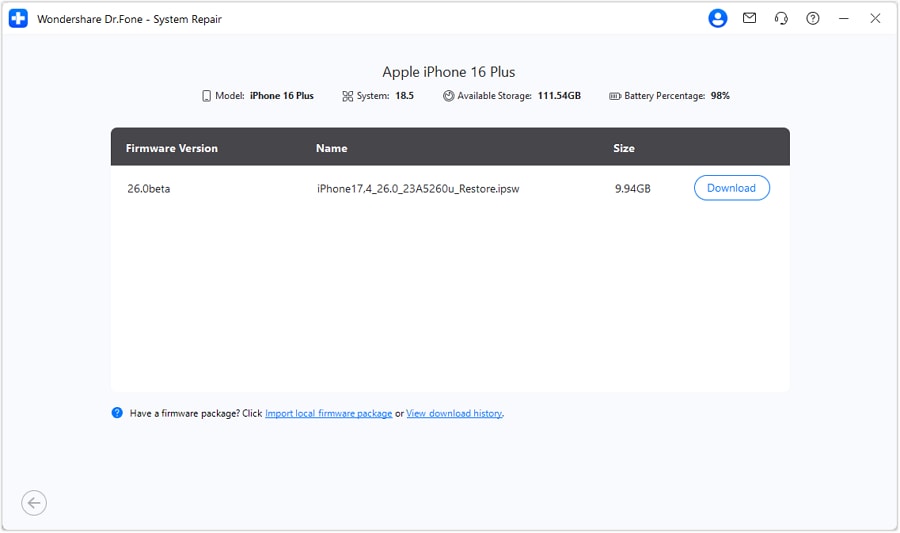
Step 4 Download Firmware and Start Repair
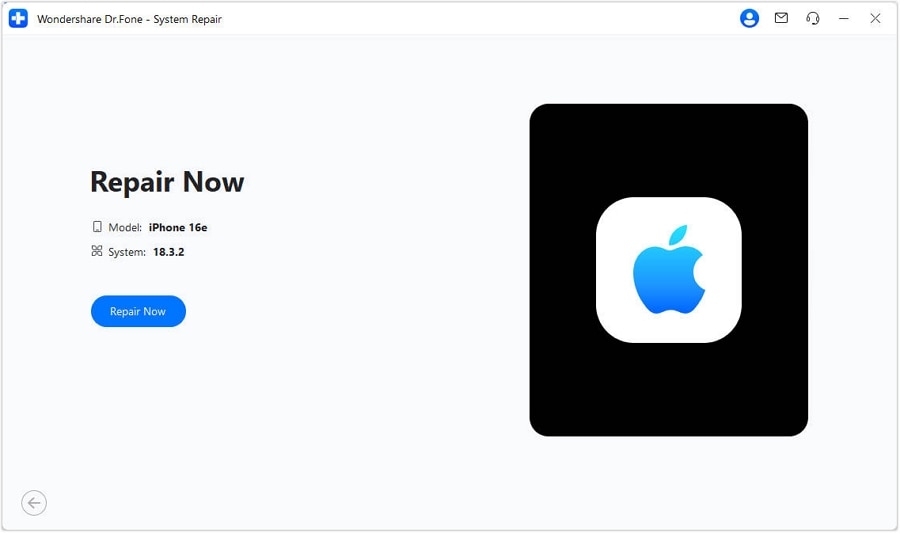
Dr.Fone will automatically detect your iPhone model and display the appropriate iOS firmware for download. Click "Download" to begin. Once the download is complete, click "Repair Now" to initiate the system repair process. Keep your device connected throughout. Your iPhone will restart with the battery issues resolved and all your data intact.
Part 4. Advanced Charging Technology and Maintaining Battery Health
While Apple has not engaged in the ultra-fast charging race, the iPhone 17 series introduces refined charging technologies focused on longevity and user convenience.
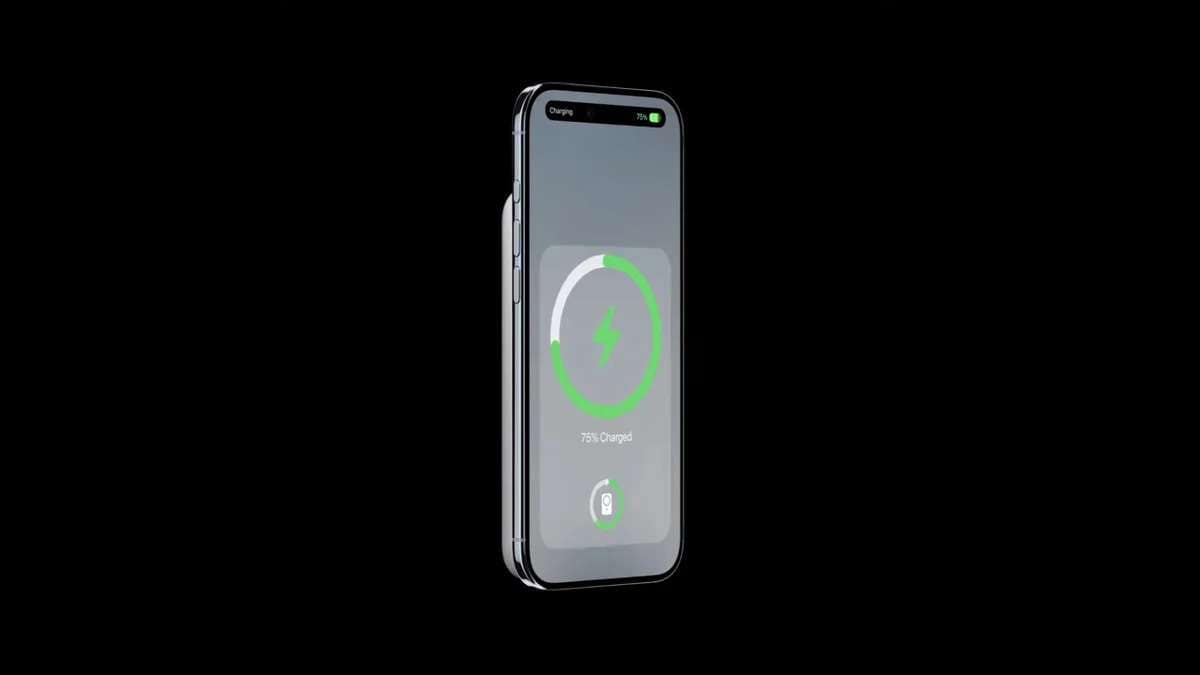
- Wired Charging Speed: The lineup supports up to 30W wired charging via USB-C, which can replenish the battery to 50% in approximately 30 minutes.
- Improved Wireless Charging: MagSafe technology has been enhanced with superior thermal management, ensuring more consistent charging speeds and reduced heat buildup.
- Custom MagSafe Battery Pack: A new, sleeker MagSafe Battery Pack has been designed as an optional accessory, perfectly complementing the ultra-thin profile of the iPhone 17 Air.
Apple's strategy prioritizes long-term battery health over raw charging speed. For the majority of users, the ability to get a 50% charge in half an hour strikes an ideal balance between speed and preserving the battery's lifespan.
Maximizing Longevity: New Battery Health Features in iOS
A large battery is only beneficial if it remains healthy over time. The latest versions of iOS introduce several new tools to help users monitor and extend their battery's lifespan:
- Smarter Optimized Charging: The system learns your daily charging routine and intelligently slows down charging past 80% to reduce stress on the battery cell.
- Transparent Cycle Count: You can now easily view the total number of full charge cycles your battery has undergone, providing a clear indicator of its age and usage.
- Proactive Health Alerts: The system will now proactively notify you if it detects irregular charging patterns or excessive heat exposure that could degrade battery health over time.
User Best Practices for a Healthy iPhone 17 Battery
- Avoid exposing your device to extreme temperatures (above 95°F or 35°C), especially during charging.
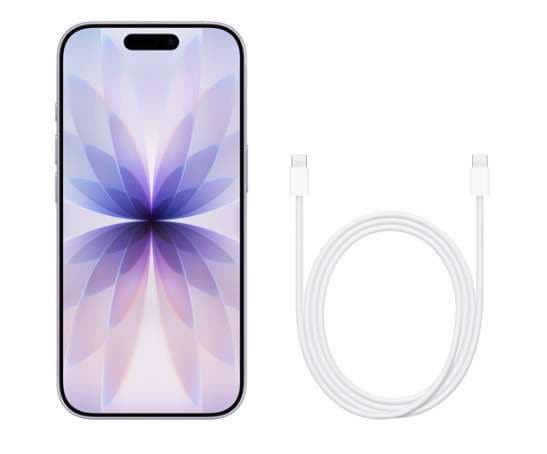
- Always use MFi-certified (Made for iPhone) cables and power adapters to ensure safety and compatibility.
- Regularly update your iOS to benefit from the latest power management optimizations and bug fixes.
Conclusion
The iPhone 17 series successfully demonstrates Apple's commitment to delivering both cutting-edge innovation and exceptional battery endurance. From the surprisingly resilient iPhone 17 Air, powered by silicon anode technology, to the monumental 5,088 mAh battery in the Pro Max, this lineup masterfully balances elegant design with practical, all-day stamina. Charging speeds remain safe and convenient, while new iOS features empower users to maintain long-term battery health.
For those who encounter unexpected iPhone 17 battery glitches or premature battery drain, software-level tools like Dr.Fone – System Repair offer a crucial safety net. This ensures that the advanced hardware can perform at its peak potential. Ultimately, whether your priority is a lightweight design, maximum power, or simply a phone that lasts from morning to night, the iPhone 17 lineup has redefined expectations for iPhone battery life.




FAQ
1. Which iPhone 17 model has the best battery life?
The iPhone 17 Pro Max has the best battery life by a significant margin. With its record-breaking 5,088 mAh battery, it is designed for power users and can easily last through more than a full day of heavy use, making it the top choice for endurance.2. Is the iPhone 17 Air's battery good enough for a full day?
Yes, for most users, the iPhone 17 Air's battery is sufficient for a full day of typical use. Despite its ultra-thin design, its 3,149 mAh battery combined with Apple's efficiency optimizations ensures it can handle daily tasks like browsing, social media, and streaming without needing a midday charge.3. How can I improve my iPhone 17's battery performance?
To improve battery performance, you can enable Low Power Mode, reduce screen brightness, manage background app refresh for non-essential apps, and ensure your device is running the latest version of iOS. Additionally, avoiding extreme temperatures can help preserve long-term battery health.4. Does fast charging damage the iPhone 17 battery?
The iPhone 17's charging system is designed to manage fast charging safely. While all charging generates some heat and contributes to battery aging, Apple's Optimized Battery Charging feature helps mitigate stress by slowing the charging rate after 80%. Using MFi-certified 30W chargers is safe and will not cause premature damage.
 Add Wondershare Dr.Fone as a preferred source on Google