Resolve common problems and system crashes on both iPhone and Android devices.

 100% Security Verified | No Subscription Required | No Malware

 :
: 
 ChatGPT
 Perplexity
 Gemini
 Claude
 Grok
Grok
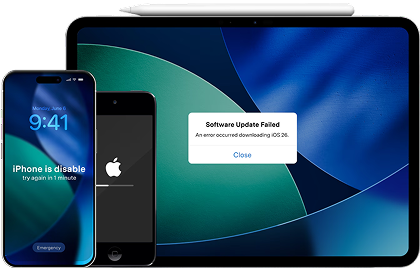
Most iOS glitches vanish with a basic, safe repair. The real test comes when a simple fix fails, because that is where these two tools split paths. Dr.Fone - System Repair (iOS) provides an additional data-preserving option before you move to an erase-based repair.
iMyFone Fixppo moves from Standard Mode directly to Advanced Mode, which erases device data. In this Dr.Fone System Repair vs iMyFone Fixppo comparison, that single difference shapes how both tools perform when your phone hits serious trouble. Review the details, run the test, and learn why Dr.Fone - System Repair (iOS) is a suitable choice.
In this article
- Part 1. Dr.Fone or Fixppo? Quick Buying Verdict
- Part 2. Dr.Fone System Repair vs Fixppo: What Do You Get?
- Part 3. How We Put Dr.Fone and Fixppo to the Test
- Part 4. Which Repair Mode Should You Use?
- Part 5. Three Repair Scenarios, Two Tools
- Part 6. From Firmware Download to Final Reboot
- Part 7. Which Feels Faster and Simpler?
- Part 8. Will Dr.Fone or Fixppo Work with Your Setup?
- Part 9. Dr.Fone vs Fixppo Pricing: What Are You Really Paying For?
- Part 10. Strengths, Weaknesses, and Final Pick
- Final Verdict
- Frequently Asked Questions
Part 1. Dr.Fone or Fixppo? Quick Buying Verdict
5 categories decide the Dr.Fone system repair vs Fixppo comparison below, and Dr.Fone takes 4 of them.
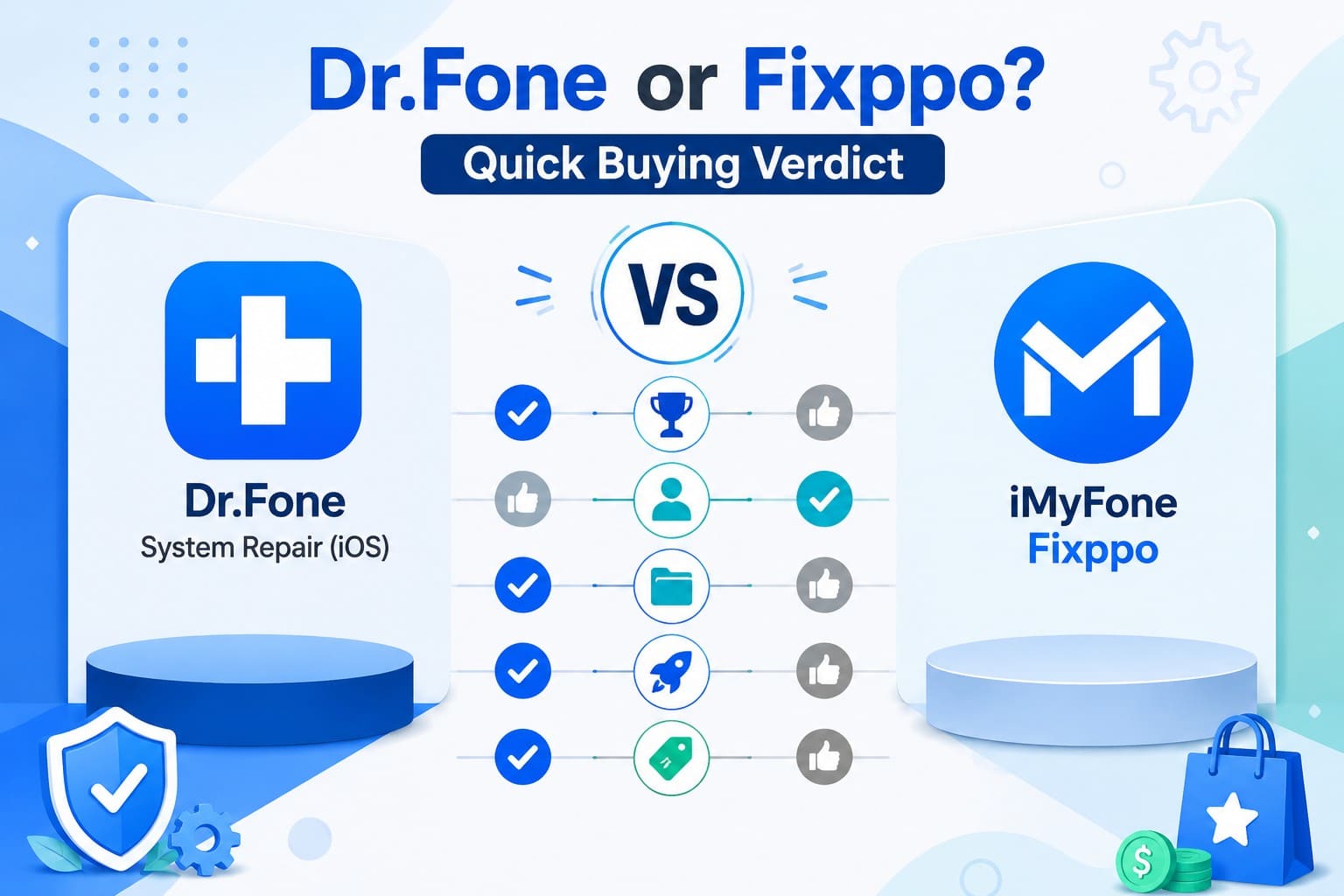
- Best Overall: More repair and reset options, plus broader device allowances, put Dr.Fone - System Repair (iOS) ahead.
- Best for Beginners: Fixppo edges ahead with a lighter setup and only two main repair modes to choose from.
- Best for Data-Preserving Repair: Both offer a data-preserving Standard Mode, while Dr.Fone adds separate reset options before deeper repair.
- Best for Advanced Repair: Dr.Fone provides more recovery and reset options before you need to move to a data-erasing repair.
- Best Value: Dr.Fone costs less on the listed plans while providing additional repair options and useful free recovery tools.
 Fix iOS issues, no data loss.
- One-click repair for all iOS problems.
- Solve recovery mode, Apple logo, black screen, etc.
- Upgrade or downgrade iOS without iTunes
Part 2. Dr.Fone System Repair vs Fixppo: What Do You Get?
Given the overall answer, compare both tools in detail in this Dr.Fone vs Fixppo comparison to see how their features and capabilities differ.
| Coverage Area | Dr.Fone - System Repair (iOS) | iMyFone Fixppo |
|---|---|---|
| Repair Options | 3 modes plus a General Reset | 2 modes, Standard and Advanced |
| Supported Problems | 150+ system faults, plus 200+ iTunes errors | 150+ faults across iOS, iPadOS, and tvOS |
| Data Safety | Standard Mode preserves data; separate reset options are also available | Standard Mode preserves data; Advanced Mode wipes |
| Firmware Tools | Model detected, official package pulled | Model detected, official package pulled |
| Upgrade and Downgrade | Jailbreak-free, plus a free beta install | Jailbreak-free, but back up first |
| Compatibility | iPhone, iPad, iPod Touch | Adds Apple TV and older iPod models |
| Free Limits | Enter or leave Recovery, exit DFU, run General Reset, and install iOS beta for free | Enter or leave Recovery only |
| Pricing | Monthly Plan: $24.95 Annual Plan: $49.95 Perpetual Plan: $69.95 |
Monthly Plan: $49.99 1-Year Plan: $79.99 Lifetime Plan: $89.99 |
Verdict: Fixppo supports more Apple hardware, while Dr.Fone offers more repair and reset options, broader free tools, and lower-priced plans.
Part 3. How We Put Dr.Fone and Fixppo to the Test
This comparison between Dr.Fone iOS system repair vs Fixppo is made against common real-world iPhone and iPad faults.
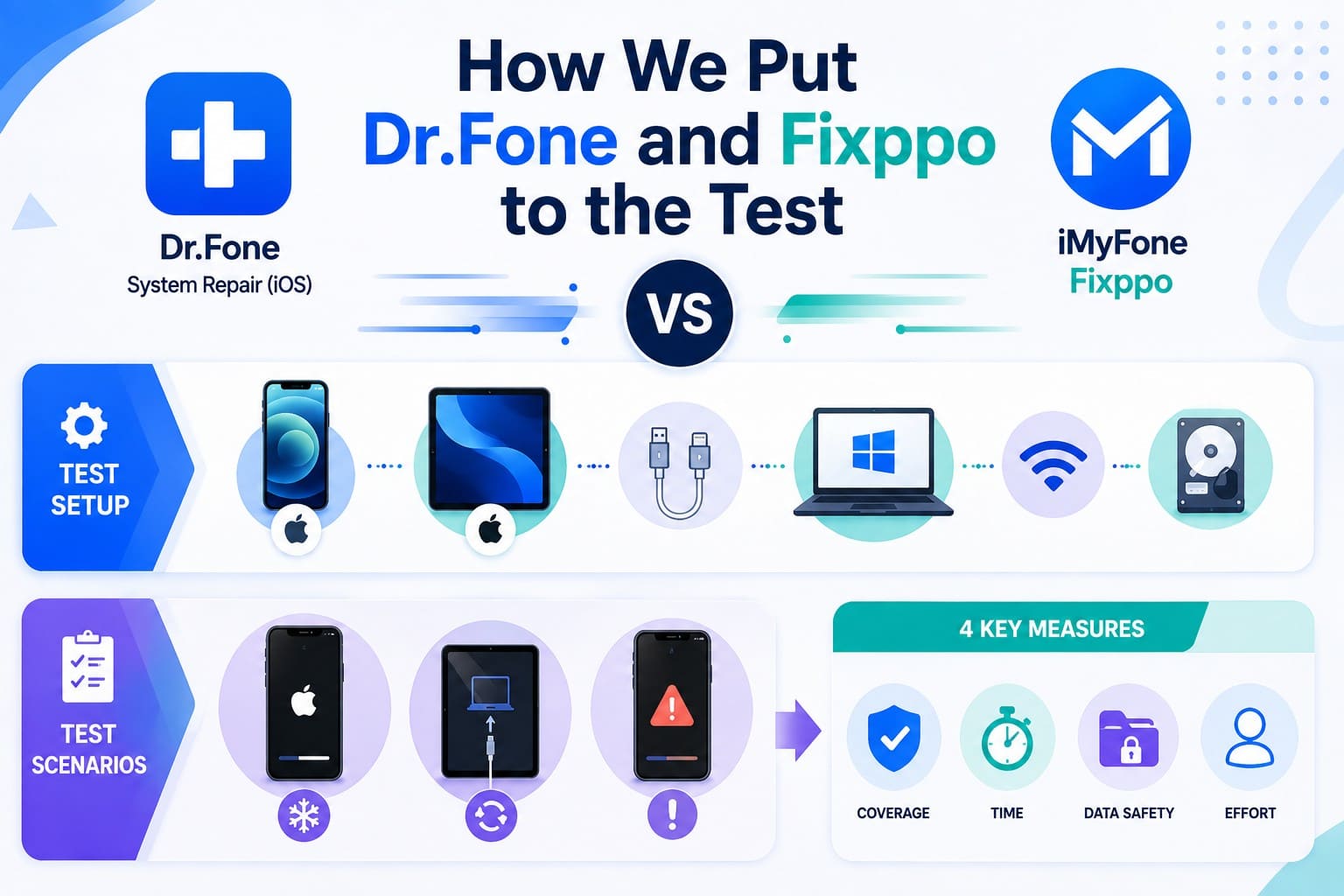
Evaluation Methodology: These scenarios draw directly from published mode descriptions, error coverage lists, free-tier limits, and license terms provided by both vendors.
The devices are an iPhone 14 on iOS 26 and an iPad Pro on iPadOS 26. Both connect by certified cable to a Windows 11 machine on a stable network. Check your free disk space first, since Dr.Fone asks for 7 GB and Fixppo lists 200 MB.
Test Scenarios: An iPhone frozen at the Apple logo, an iPad trapped in a recovery mode loop, and an update that quit partway with an error code. Each round turns on 4 measures:
- Coverage: Does the tool fix the specific fault?
- Time: How long does the vendor estimate the fix takes?
- Data Safety: Do personal files survive the repair?
- Effort: How much extra work must you do?
Part 4. Which Repair Mode Should You Use?
Learn which repair mode to use in this section of the iMyFone Fixppo vs Dr.Fone System Repair comparison.
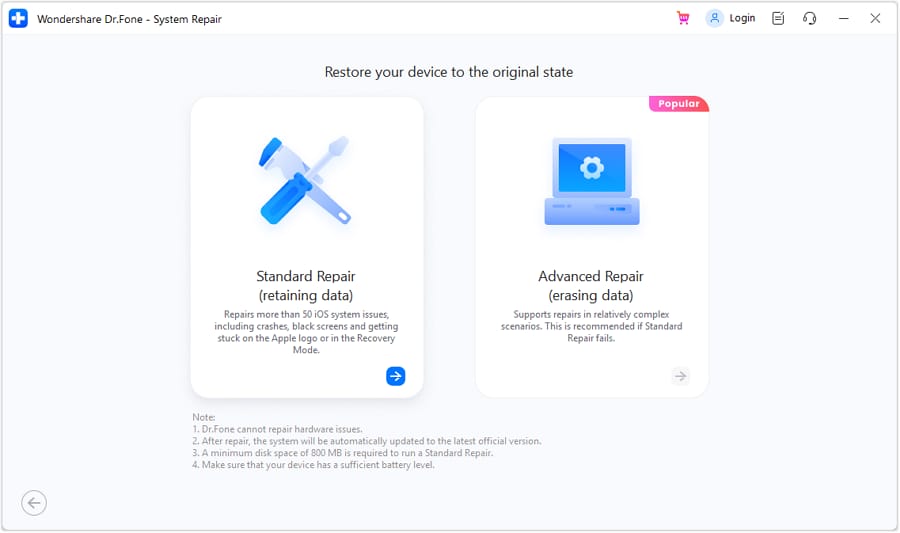
4-1. Dr.Fone - System Repair (iOS) Repair Options
4 settings sit in this menu, and they differ by what survives them. Your files come through General Reset and Standard Mode intact: the first refreshes system settings, and the second repairs iOS while keeping your data intact. Everything goes under Advanced Mode, which returns the handset to factory condition. Anti-Recovery Mode goes even further, for a phone heading to a new owner.
4-2. iMyFone Fixppo Repair Options
Fixppo keeps your choice simpler with 2 repair modes. iMyFone calls Standard Mode the pick for 90% of users and says plainly that Advanced Mode erases the device. Its factory reset sits outside the repair menu, next to the backup and restore tools.
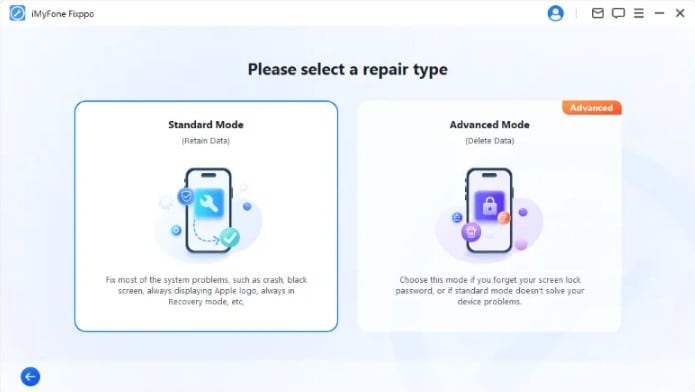
A side-by-side view shows where these tools differ in the Dr.Fone System Repair vs Fixppo match-up:
| Escalation Level | Dr.Fone - System Repair (iOS) | iMyFone Fixppo |
|---|---|---|
| Settings Refresh | General Reset, files intact | No equivalent step |
| Standard Repair | Standard Mode, files intact | Standard Mode, files intact |
| Deep Repair | Advanced Mode, erases everything | Advanced Mode, erases everything |
| Secure Pre-Sale Erase | Anti-Recovery Mode | No such feature is offered |
Apple's own platform support guide applies the same logic, advising a revive before a restore. The safe repair is faster and keeps your data intact. Dr.Fone – System Repair (iOS) gives you one extra safe attempt before a full wipe.

Part 5. Three Repair Scenarios, Two Tools
At this point, you might question: Dr.Fone vs Fixppo, which is better. Get the answer to this query by testing both tools against 3 tests.
Test 1. Stuck on Apple Logo
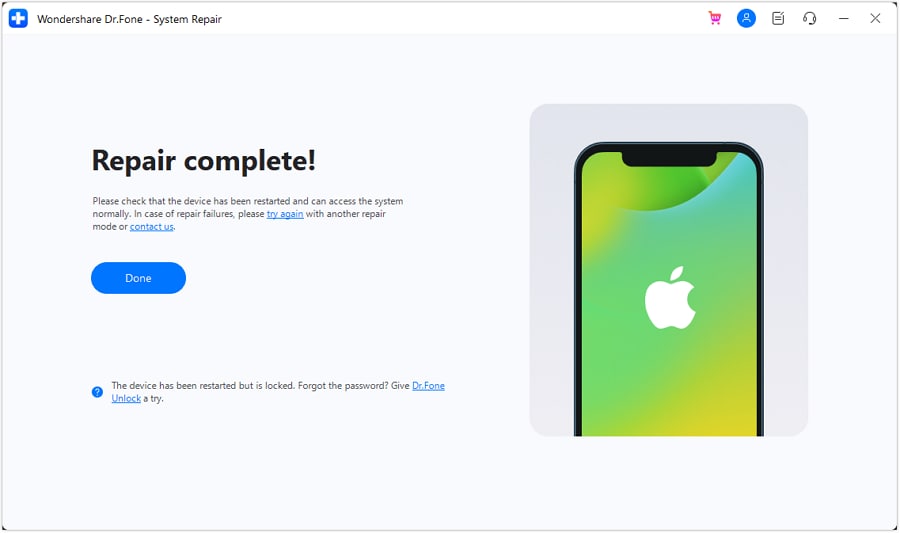
Begin with the fault that brings most people to either app. A phone that shows the logo and goes no further is covered at Standard depth by both, with files kept intact. Dr.Fone stands out by giving you more repair options to try if Standard Mode cannot solve the problem.
Test 2. Recovery Mode Loop
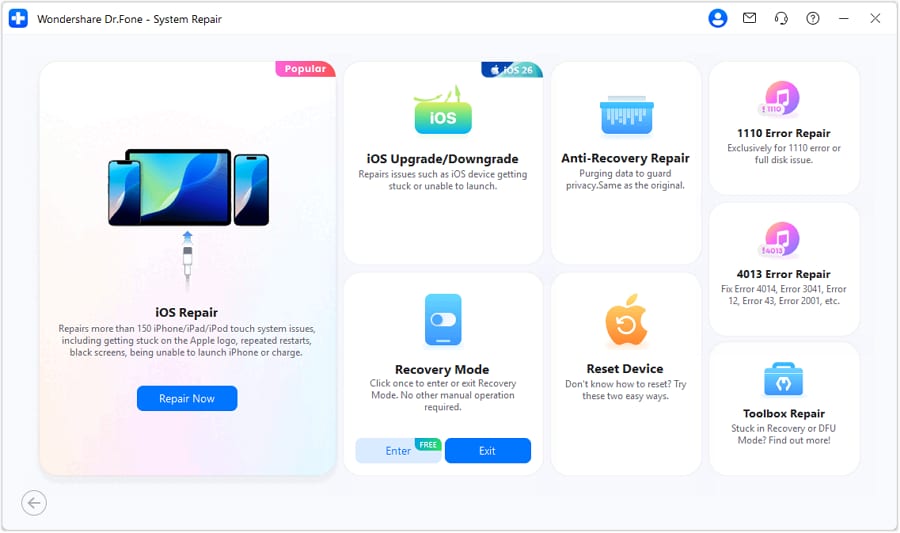
The second fault needs an exit before it needs a repair. An iPad that keeps landing back on the ‘Connect to Computer’ prompt is stuck rather than broken. Both tools let you enter and exit Recovery Mode for free. Dr.Fone goes a step further by also offering a free DFU Mode exit, giving you another recovery option without paying.
Test 3. iOS Update Failure
An interrupted iOS update can leave the device stuck or display an iTunes error code. Both tools cover update-related system failures through Standard Mode without erasing data. Dr.Fone also lists 200+ iTunes errors, including 4013, 4014, 3041, 2001, 43, and 1110, making its published error coverage easier to verify against a specific failure.
To determine if Dr.Fone System Repair or iMyFone Fixppo is the right pick, review the mentioned table after testing:
| Test Measure | Dr.Fone - System Repair (iOS) | iMyFone Fixppo |
|---|---|---|
| Result | All three scenarios covered at Standard depth | All three scenarios covered at Standard depth |
| Stated Repair Time | Roughly 10 minutes after firmware downloads | No specific figure published |
| Data Retained | Standard Mode keeps data intact in all three | Standard Mode keeps data intact in all three |
| Extra Recovery Options | Recovery Mode and DFU exit tools available | Recovery Mode entry and exit available |
| Better Performer | Tests 1, 2, and 3 | — |
Verdict: Both tools cover all 3 common faults, but Dr.Fone comes out ahead with extra recovery options, free DFU exit, and broader published error-code coverage.




Part 6. From Firmware Download to Final Reboot
Every repair depends on downloading the correct firmware first, and delays here can slow the entire process. This section compares the firmware download and installation process between iMyFone Fixppo vs Dr.Fone System Repair.
Dr.Fone Repair Journey
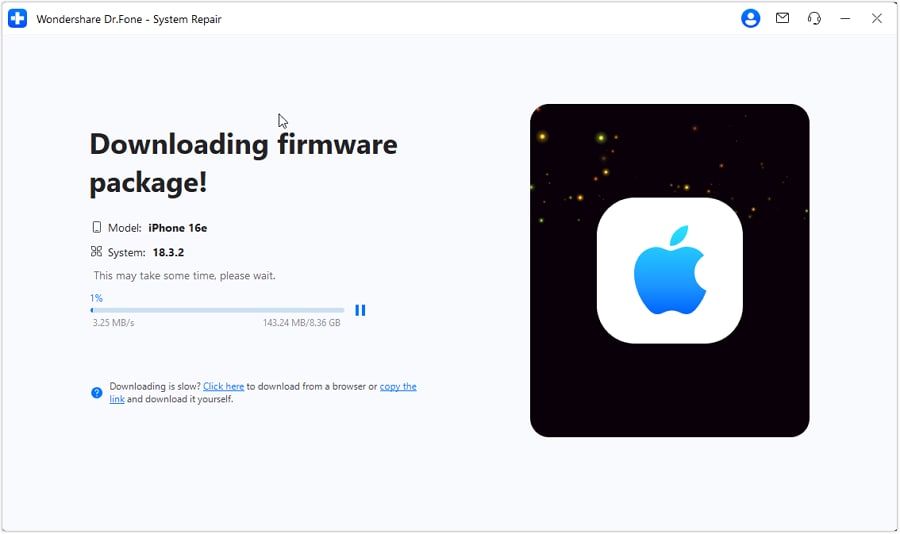
Connect your iPhone by cable and select System Repair. Dr.Fone automatically detects the device and provides the matching firmware package for download and installation. Once the repair finishes, the iPhone restarts automatically. You can also change iOS versions from the same interface and install an iOS beta for free without an Apple Developer account.
Fixppo Repair Journey
Fixppo follows a similar process: it detects the connected device, downloads the matching firmware, and starts the repair. During a downgrade, device data can be erased, so Fixppo recommends backing up beforehand. Unlike Dr.Fone, it does not provide a backup option within the downgrade process itself.
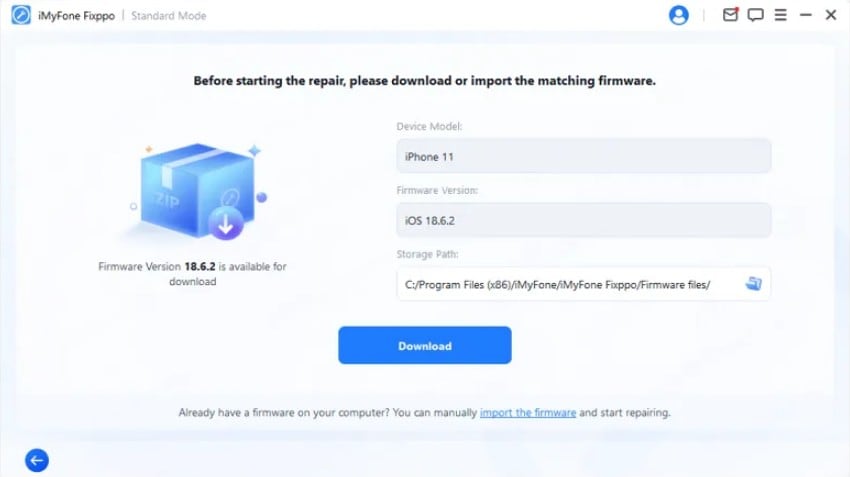
This difference matters if you are downgrading from a beta. Both tools can erase device data during the downgrade, but Dr.Fone lets you create a backup within the downgrade process. Fixppo requires you to prepare a backup separately beforehand.
Part 7. Which Feels Faster and Simpler?
Based on the workflow, compare Dr.Fone System Repair vs Fixppo against 6 metrics to know which one is simpler.
| Friction Point | Dr.Fone - System Repair (iOS) | iMyFone Fixppo |
|---|---|---|
| System Requirements | 7 GB free space, 1 GB RAM | 200 MB free space, 256 MB RAM |
| Device Recognition | Automatic once cabled | Automatic once cabled |
| Mode Choices Presented | 4 | 2 |
| On-Screen Guidance | Guided Recovery and DFU entry | Guided Recovery entry |
| Repair Flexibility | More repair and reset options before deeper fixes | Fewer repair options before Advanced Mode |
| Error Messages Named | More specific codes highlighted | Fewer specific codes highlighted |
Verdict: Fixppo has lighter system requirements, but Dr.Fone takes the lead where repair flexibility matters. It provides more mode choices, guided DFU support, and broader published error-code coverage, giving users more options when a basic repair is not enough.
Part 8. Will Dr.Fone or Fixppo Work with Your Setup?
Check your hardware using the details provided before downloading either Dr.Fone System Repair or Fixppo.
| Setup Requirement | Dr.Fone - System Repair (iOS) | iMyFone Fixppo |
|---|---|---|
| iPhone and iPad | All current models | All current models |
| Other Apple Hardware | iPod Touch | iPod Touch, Nano, Shuffle, Classic, Apple TV |
| iOS and iPadOS | iOS 5.0 and later | iOS 27 Beta back to iOS 9 and earlier |
| Windows | Windows 7 through 11 | Windows 7 through 11 |
| macOS | macOS 10.13 and later | macOS 10.11 through macOS 15 |
| Devices Per License | 1 to 5 on every plan | 1 on monthly and yearly, 5 on lifetime |
Verdict: Fixppo covers more legacy Apple hardware, including Apple TV, but Dr.Fone offers stronger overall flexibility with ongoing macOS support and up to 5 devices across every plan.
Part 9. Dr.Fone vs Fixppo Pricing: What Are You Really Paying For?
Hardware support decides if you can buy. In the Dr.Fone System Repair vs iMyFone Fixppo comparison, what your money actually covers settles which tool you should pick:
| Purchase Detail | Dr.Fone - System Repair (iOS) | iMyFone Fixppo |
|---|---|---|
| Monthly Plan | $24.95 | $49.99 |
| Annual Plan | $49.95 | $79.99 |
| One-Time Plan | $69.95 | $89.99 |
| Devices Covered | 1 to 5 on all plans | 1, rising to 5 only on lifetime |
| Computers Per License | Two computers | A single machine |
| What the Price Buys | System Repair on its own | Full toolkit with unlock and mirroring tools |
| Auto-Renewal | Monthly and annual, cancel anytime | Monthly and annual, cancel anytime |
| Refund Terms | 7 days from purchase | 30 days, granted when a fix isn't found |
Verdict: A 30-day refund window gives Fixppo an advantage over Dr.Fone’s 7-day policy, while its higher price also covers additional iMyFone tools. However, refund eligibility depends on each vendor’s stated conditions rather than being automatic. If you only need iOS system repair, Dr.Fone offers the lower-priced option with broader device allowances.
Part 10. Strengths, Weaknesses, and Final Pick
After comparing all the metrics, if you still wonder which is better, Dr.Fone vs Fixppo, review the key pros and cons of each tool below.
Dr.Fone - System Repair (iOS): Pros and Cons
These pros and cons show where Dr.Fone stands out and what limitations to consider before choosing it.
- Two settings can finish the job without touching a single file.
- Recovery Mode opens and closes at no cost, and a DFU exit is free as well.
- Every plan carries 5 devices and 2 computers, at the lower one-time price.
- Wants 7 GB of disk space cleared before any firmware arrives.
- Apple TV falls outside its range, and 7 days is a short refund claim window.
iMyFone Fixppo: Pros and Cons
These pros and cons show where Fixppo performs well and where Dr.Fone offers a stronger alternative.
- Runs from a 200 MB install with modest memory requirements.
- Repairs Apple TV and older iPod hardware from the same window.
- 30-day refund guarantee with additional iMyFone tools bundled.
- Advanced Mode is the main fallback after Standard Mode fails, and it erases device data.
- Monthly and yearly plans cover only one device, limiting flexibility for multi-device users.
Best for Different Users
Pick Dr.Fone if data protection, multi-device coverage, and more repair options are your priorities. Choose Fixppo if you need Apple TV support, have limited computer storage, or prefer a broader bundle of iMyFone tools.
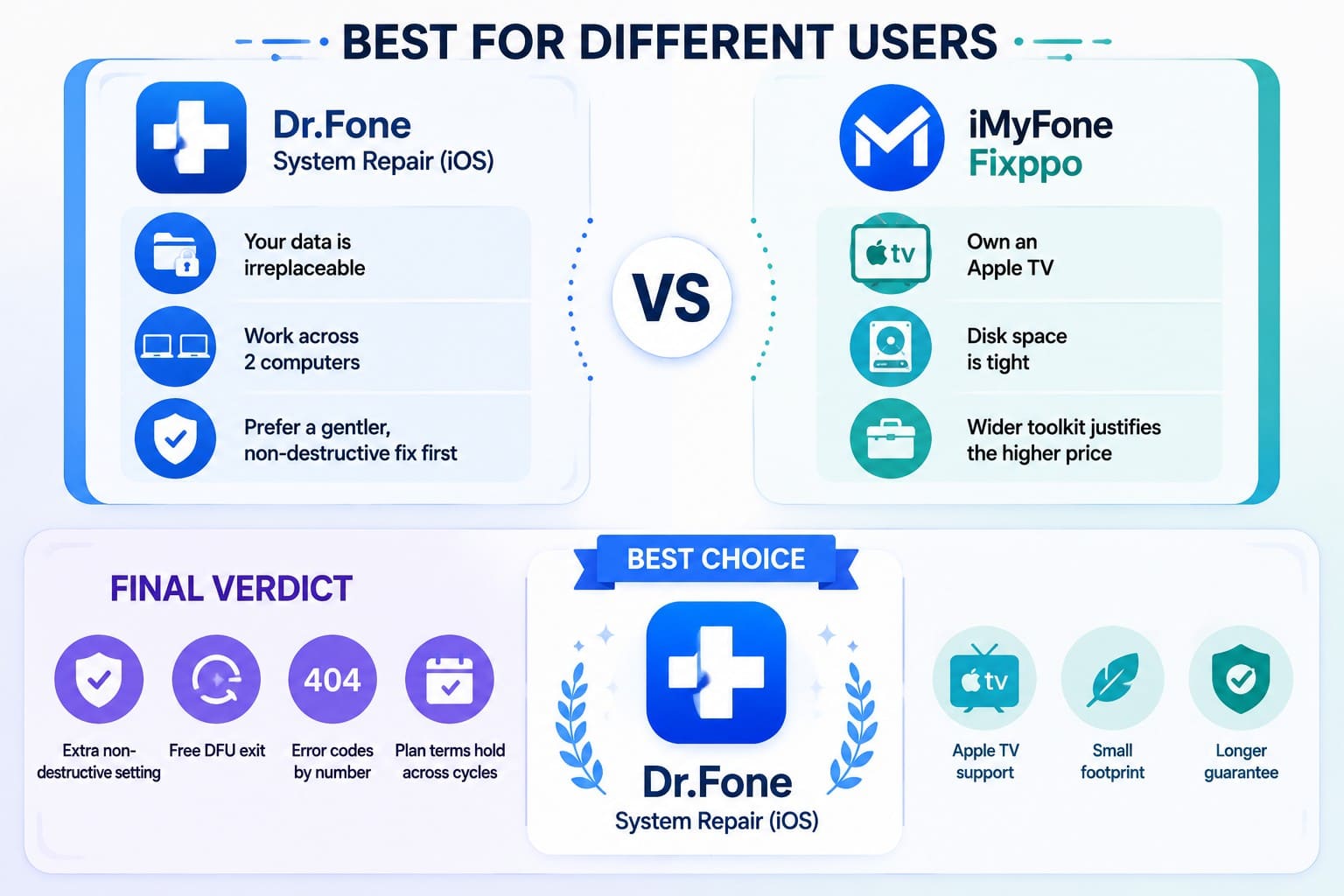
Final Verdict
Deciding between Dr.Fone system repair or Fixppo comes down to how much repair flexibility you want when a basic fix fails. Both handle common iOS faults through Standard Mode, but Dr.Fone provides more recovery and reset options before you need to consider a deeper, data-erasing repair.
Dr.Fone takes the stronger overall position with additional data-preserving options, free DFU exit, broader published error-code coverage, better multi-device allowances, and lower-priced plans. Fixppo still wins on Apple TV support, lighter system requirements, and a longer refund window, but Dr.Fone offers the more complete package for most iPhone and iPad users.
Frequently Asked Questions
-
1. Which is easier for a first-time user, Dr.Fone or Fixppo?
Both are beginner-friendly, but Dr.Fone offers more guided repair and recovery options. Its additional choices give first-time users more ways to solve an issue before moving to a data-erasing repair. -
2. Can Fixppo and Dr.Fone handle an iPhone that keeps restarting?
Yes, both tools cover restart loops among their supported iOS system issues. Standard Mode can repair the system without erasing your data, while Dr.Fone provides additional repair options if the standard fix does not work. -
3. Which tool offers better iOS upgrade or downgrade options?
Dr.Fone has the stronger upgrade and downgrade options. Both work without jailbreaking and can erase data during a downgrade, but Dr.Fone lets you create a backup within the downgrade process before proceeding. -
4. Is Advanced Repair worth using if Standard Repair fails?
Use Advanced Mode only after creating a backup, since it erases data on both tools. Dr.Fone gives you another option first with General Reset, which can resolve settings-related issues without deleting your files.
 Add Wondershare Dr.Fone as a preferred source on Google