Resolve common problems and system crashes on both iPhone and Android devices.

 100% Security Verified | No Subscription Required | No Malware

 :
: 
 ChatGPT
 Perplexity
 Gemini
 Claude
 Grok
Grok
Your iPhone freezes on the Apple logo, and two repair tools keep appearing: Dr.Fone and ReiBoot. Both target common iOS system issues, but their repair modes, free features, compatibility, and pricing differ. This Dr.Fone System Repair vs Tenorshare ReiBoot comparison breaks down those differences to show where each tool stands and why Dr.Fone - System Repair (iOS) is a strong choice in 2026.
In this article
- Part 1. Dr.Fone vs ReiBoot: Quick Verdict
- Part 2. Dr.Fone System Repair vs ReiBoot at a Glance
- Part 3. How We Tested Dr.Fone System Repair vs Tenorshare ReiBoot
- Part 4. Dr.Fone - System Repair (iOS) vs ReiBoot: Repair Modes and Data-Loss Risk
- Part 5. Dr.Fone vs ReiBoot Repair Test Results
- Part 6. Dr.Fone System Repair vs ReiBoot: Firmware and Repair Workflow
- Part 7. Dr.Fone vs ReiBoot: Compatibility, Speed, and Ease of Use
- Part 8. Dr.Fone - System Repair (iOS) vs ReiBoot: Pricing, Free Limits, and Refunds
- Part 9. Dr.Fone vs ReiBoot Pros and Cons
- Part 10. Dr.Fone System Repair or ReiBoot: Which Is Better?
- Frequently Asked Questions
Part 1. Dr.Fone vs ReiBoot: Quick Verdict
If you need a quick answer for this Dr.Fone system repair vs ReiBoot comparison, review the following metrics:
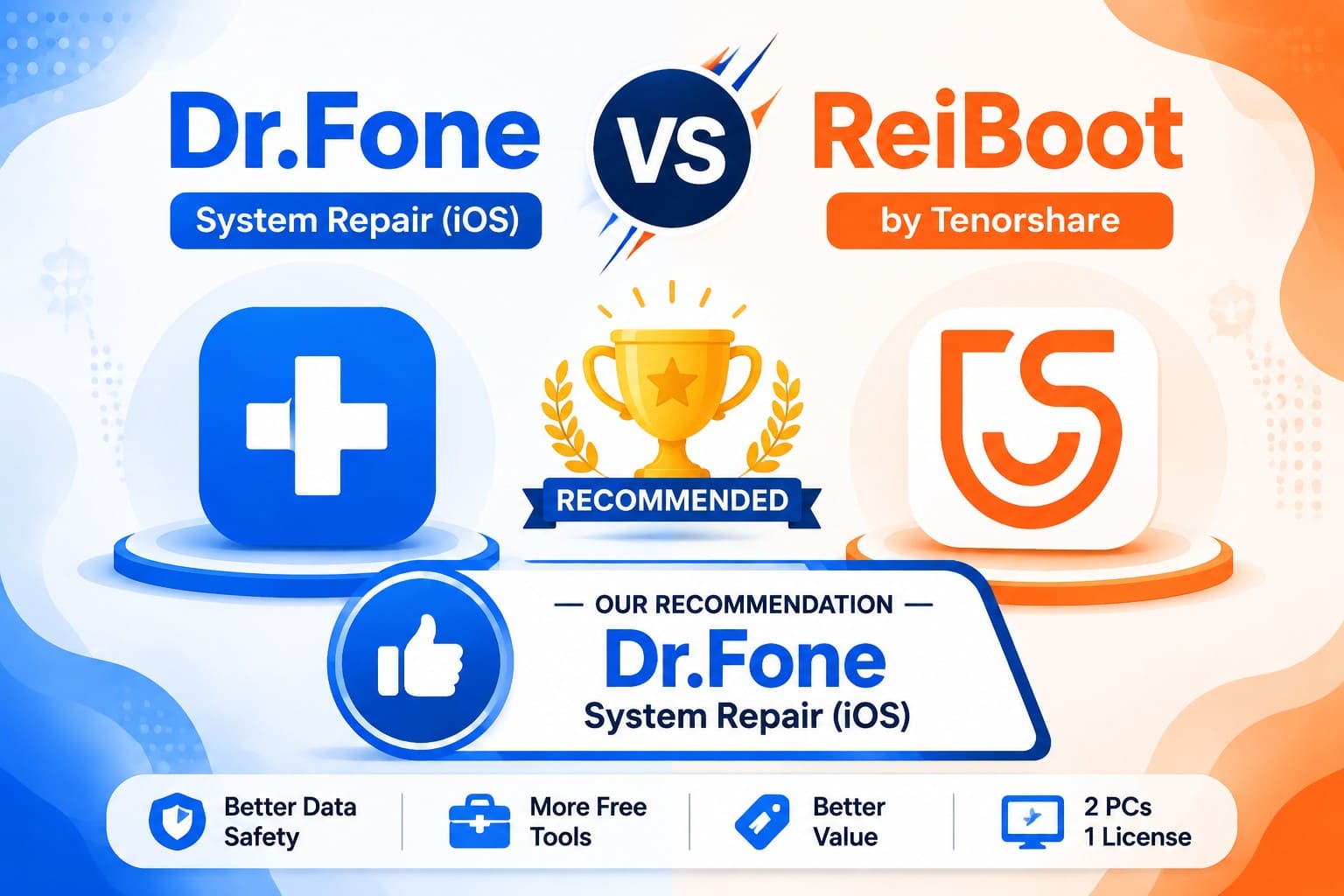
- Best Overall: Dr.Fone - System Repair (iOS), with a deeper free toolkit, an extra data-safe mode, and a cheaper one-time plan.
- Best for Data-Preserving Repair: Dr.Fone, which keeps two routes open before anything erases.
- Best for Serious iOS Issues: A tie, since each has three escalating modes ending in a wipe.
- Best for Ease of Use: A tie on paper, since both publish the same three-step flow.
- Best Value: Dr.Fone, at $69.95 perpetual against $89.95 lifetime, on two computers rather than one.
- One-Line Recommendation: Choose Dr.Fone unless you also repair Macs or Apple TVs, the one place Tenorshare ReiBoot goes further.
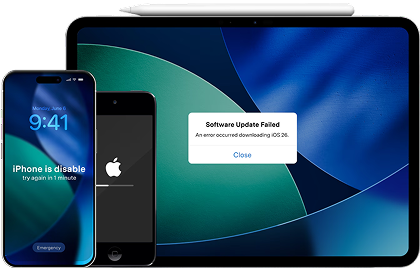
 Fix iOS issues, no data loss.
- One-click repair for all iOS problems.
- Solve recovery mode, Apple logo, black screen, etc.
- Upgrade or downgrade iOS without iTunes
Part 2. Dr.Fone System Repair vs ReiBoot at a Glance
Start with a side-by-side look at Dr.Fone vs ReiBoot to see how their repair modes, data safety, compatibility, free features, and pricing compare.
| Repair Attribute | Dr.Fone - System Repair (iOS) | Tenorshare ReiBoot |
|---|---|---|
| Repair Modes | 3, plus a General Reset that spares files | 3, all from one Start Repair button |
| Supported iOS Issues | 150+ system issues, 200+ iTunes errors | 150+ system issues, iTunes errors not totaled |
| Data-Loss Risk | 2 ways to fix a phone without erasing it | 1, since only Standard Repair keeps data |
| Firmware Handling | Detects the model, pulls the matching package | Same flow, plus a download fallback |
| Upgrade and Downgrade | No jailbreak, beta installs free | No jailbreak, signed versions only |
| Device Coverage | iPhone, iPad, iPod touch on iOS 5.0+ | Same, plus Apple TV and Mac |
| Windows and macOS | Windows 7 to 11, macOS 10.13+ | Windows XP to 11, macOS 10.11 to 26 |
| What You Get Free | Recovery Mode entry/exit, DFU exit, General Reset, beta install | Recovery Mode entry/exit, plus macOS repair |
| Pricing (Windows) | Monthly Plan: $24.95 monthly Annual Plan: $49.95 yearly Perpetual Plan: $69.95 |
1 Year License: $51.95 1 Month License: $24.95 Lifetime License: $89.95 |
| License Reach | 2 PCs, up to 5 mobile devices | 1 PC, up to 5 mobile devices |
| Refund Window | 7 days | 30 days, if support can't solve it |
| Best For | iPhone and iPad repair, free options first | Households with Apple TVs and Macs |
Verdict: Dr.Fone – System Repair (iOS) leads on free access, data safety, and long-term cost. ReiBoot replies with wider hardware reach and a longer refund window.
Part 3. How We Tested Dr.Fone System Repair vs Tenorshare ReiBoot
If you wonder how the Dr.Fone System Repair or ReiBoot comparison was made, this section is for you. The setup assumes an iPhone 15 and an iPad Air on iOS 26, cabled to a Windows 11 laptop. Storage matters more than people expect, since Dr.Fone wants 7 GB free and ReiBoot lists 200 MB. Each scenario was assessed using 3 consistent criteria:
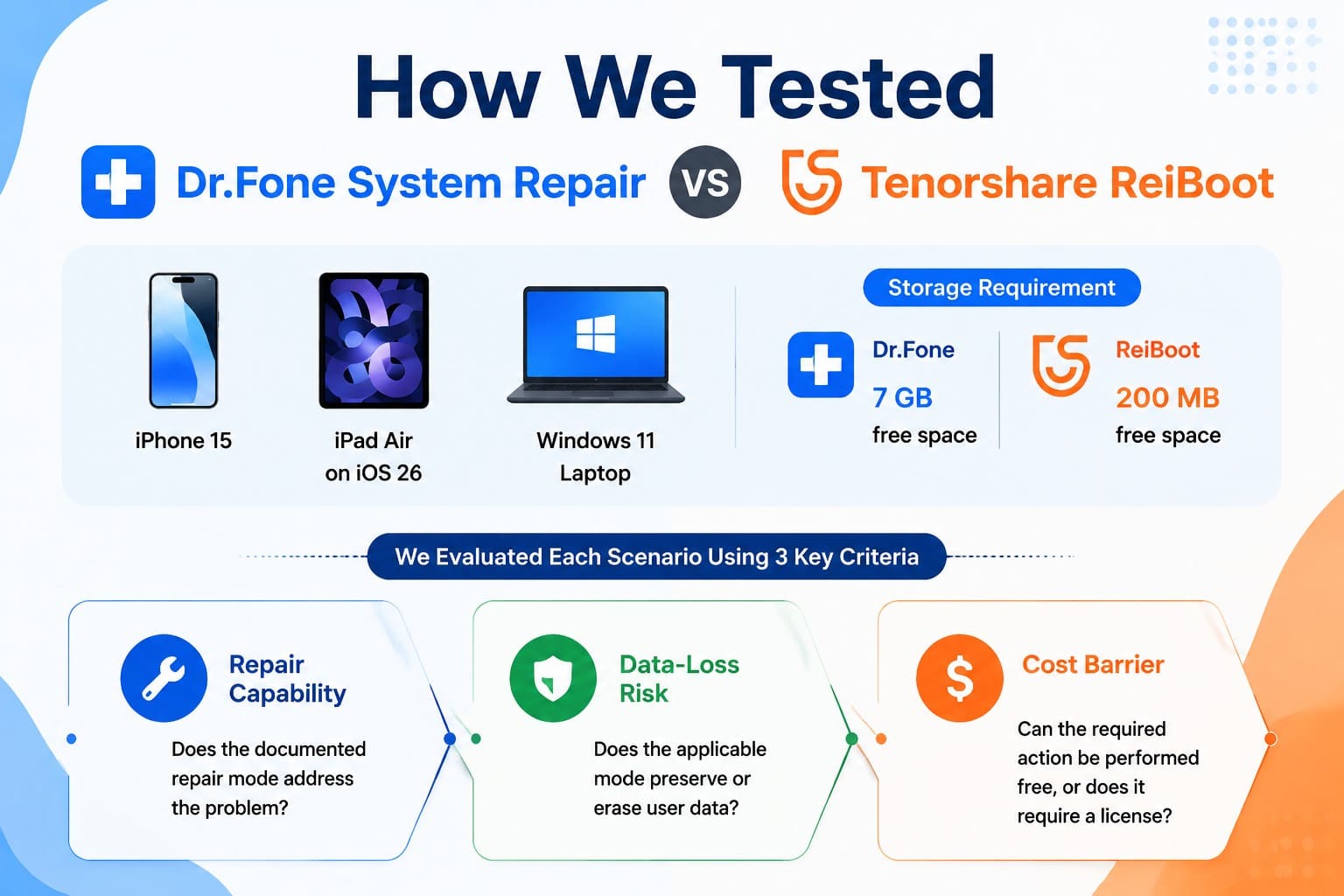
- Repair Capability: Does the documented repair mode address the problem?
- Data-Loss Risk: Does the applicable mode preserve or erase user data?
- Cost Barrier: Can the required action be performed free, or does it require a license?
Evaluation Note: These are modeled comparison scenarios, not independent physical-device tests. Repair success and completion time can vary according to the device condition, iOS version, firmware download speed, connection quality, and underlying system fault.
Part 4. Dr.Fone - System Repair (iOS) vs ReiBoot: Repair Modes and Data-Loss Risk
Between Dr.Fone iOS System Repair vs ReiBoot, this section compares the repair mode and data loss factor for both tools.
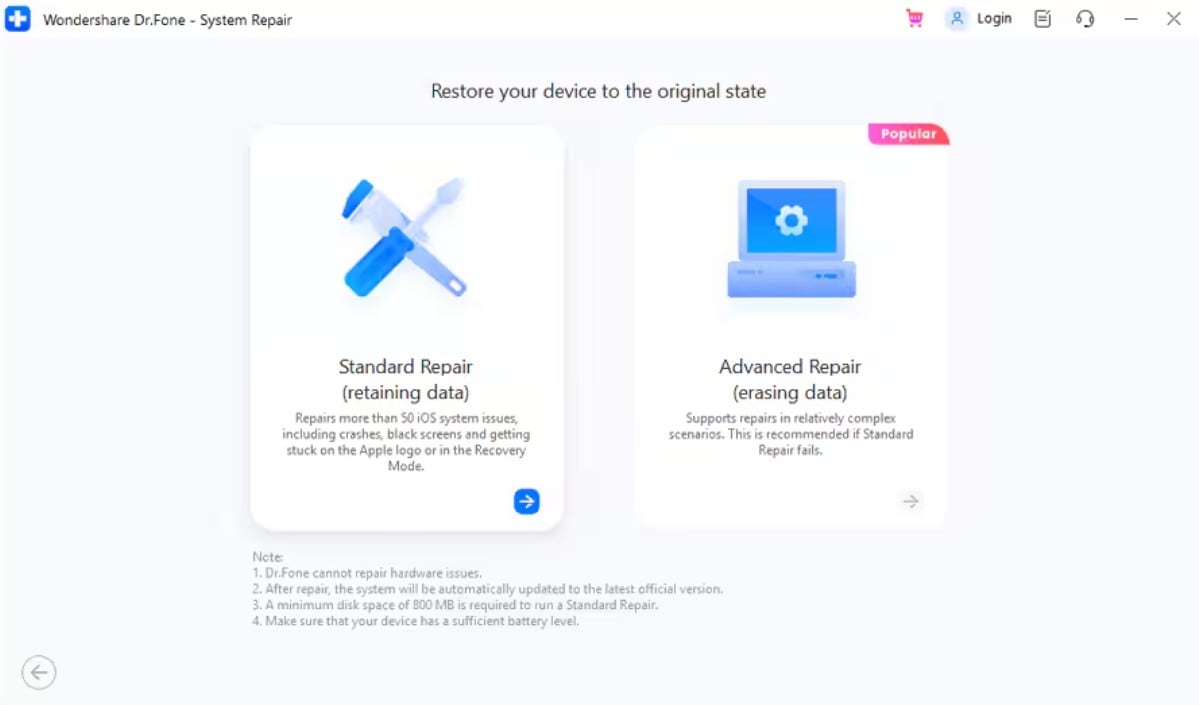
Dr.Fone Standard Repair vs Advanced Repair vs Anti-Recovery Mode
The tool comes with 3 recovery modes, with proper details for each one. Standard Mode reinstalls iOS over the existing system and leaves your files alone. Advanced Mode resets to factory settings, and Anti-Recovery Mode adds a deep erase for resale.
ReiBoot Standard Repair vs Deep Repair
The tool also comes with 3 modes: Standard, Deep Repair, and DFU Repair. Only Standard Repair preserves data, and Tenorshare states roughly 85% of faults clear at that stage.
Which Tool Gives Better Control Over Data Loss?
If you want an answer to Dr.Fone vs ReiBoot for iPhone stuck in recovery mode, this section concludes. 7 modes sit across the 2 apps, and only 3 leave your files alone. Sorting them by outcome shows where each tool asks you to give something up:
| Tool and Mode | What It Is Built For | Does It Erase Data? |
|---|---|---|
| Dr.Fone: General Reset | Network faults, notification bugs, battery drain. | No |
| Dr.Fone: Standard Mode | Apple logo, boot loop, black screen, update failed. | No |
| Dr.Fone: Advanced Mode | Faults that survive a Standard repair. | Yes |
| Dr.Fone: Anti-Recovery Mode | Severe faults, plus secure erasure before resale. | Yes |
| ReiBoot: Standard Repair | Apple logo, boot loop, frozen screen, recovery mode stuck. | No |
| ReiBoot: Deep Repair | Phones that won't turn on, plus complex faults. | Yes |
| ReiBoot: DFU Repair | Severe failure once both other modes fail. | Yes |
Verdict: Both apps warn users before running a mode that erases data. Dr.Fone also offers General Reset for settings-related issues without deleting personal data, giving you another non-destructive option before moving to Advanced Repair.
Part 5. Dr.Fone vs ReiBoot Repair Test Results
With the modes sorted by what they cost you, the 3 scenarios can be run against them. This section tests both tools so that you can choose the right pick between Dr.Fone System Repair vs Tenorshare ReiBoot:
Recovery Mode Test
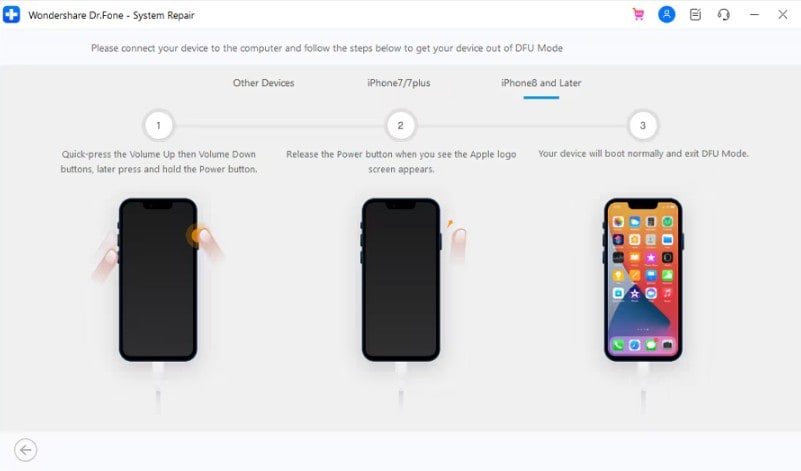
Picture an iPhone stuck on the screen after a failed restore. Dr.Fone exits Recovery Mode and DFU Mode in one click at zero cost. ReiBoot allows free entry into Recovery Mode, but its trial blocks one-click exit behind a paid license. Dr.Fone resolves a frozen restore screen faster without a subscription and a detailed guide.
Apple Logo or Boot Loop Test
A stuck startup sequence forces users to search Dr.Fone vs ReiBoot for iPhone stuck on Apple logo solutions. System crashes like a black screen fall under this exact same repair level. Standard Repair reinstalls iOS without erasing files here, and both quote 3 steps. Apple's platform support guide explains why, because recovery mode reinstalls the system when storage still holds a working copy.
Failed iOS Update Test
The 3rd case narrows further, since an update failure names itself. Dr.Fone covers 200+ iTunes errors, naming 1110, 4013 reinstall, 4014, 3041, and 2001. ReiBoot names 4013, error 11, and 1110 with no total, so matching your code takes digging.
Set the 3 rounds side by side, and review the mentioned table to pick one name:
| Scenario Outcome | Dr.Fone - System Repair (iOS) | Tenorshare ReiBoot |
|---|---|---|
| Recovery Mode Exit | Free, one click | Paid, per its free-trial table |
| Logo Freeze And Boot Loop | Standard Mode, files kept | Standard Repair, files kept |
| Update Error Match | 200+ errors listed by number | Three named, no total |
| Stated Repair Time | About 10 minutes after firmware lands | About 10 minutes average |
| Steps to Complete | 3 | 3 |
| Round Winner | Free tools and update-error coverage | Comparable repair workflow |
Verdict: Dr.Fone stands out for its free recovery tools and broader update-error coverage, while both tools offer similar standard repair workflows and stated repair times.
Part 6. Dr.Fone System Repair vs ReiBoot: Firmware and Repair Workflow
Successful repair depends on firmware downloads, as stalled file transfers abort most recovery sessions. To determine the repair workflow between Dr.Fone vs ReiBoot, review this section in detail.
Dr.Fone - System Repair (iOS) Workflow
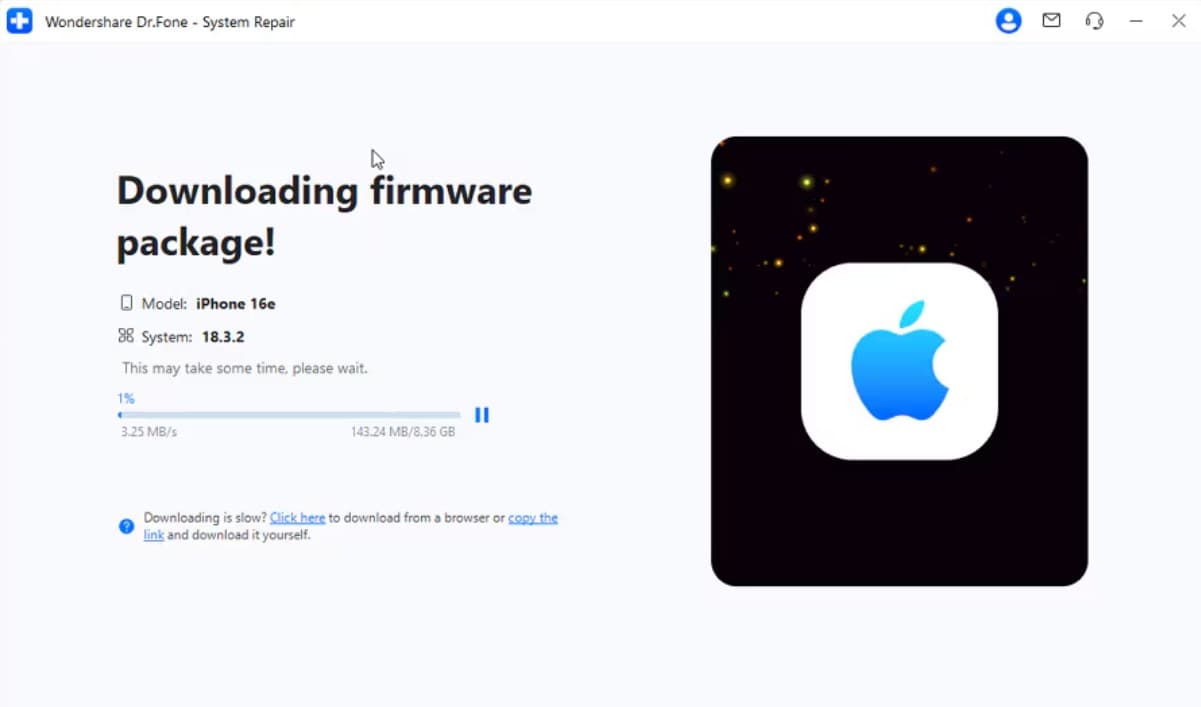
Dr.Fone keeps the sequence in one window. You launch the app, choose System Repair, and connect the iPhone by cable. It identifies the model, offers the matching official package, and repairs once the download finishes. Recovery Mode entry happens in the app, so nobody times a button press.




Tenorshare ReiBoot Workflow
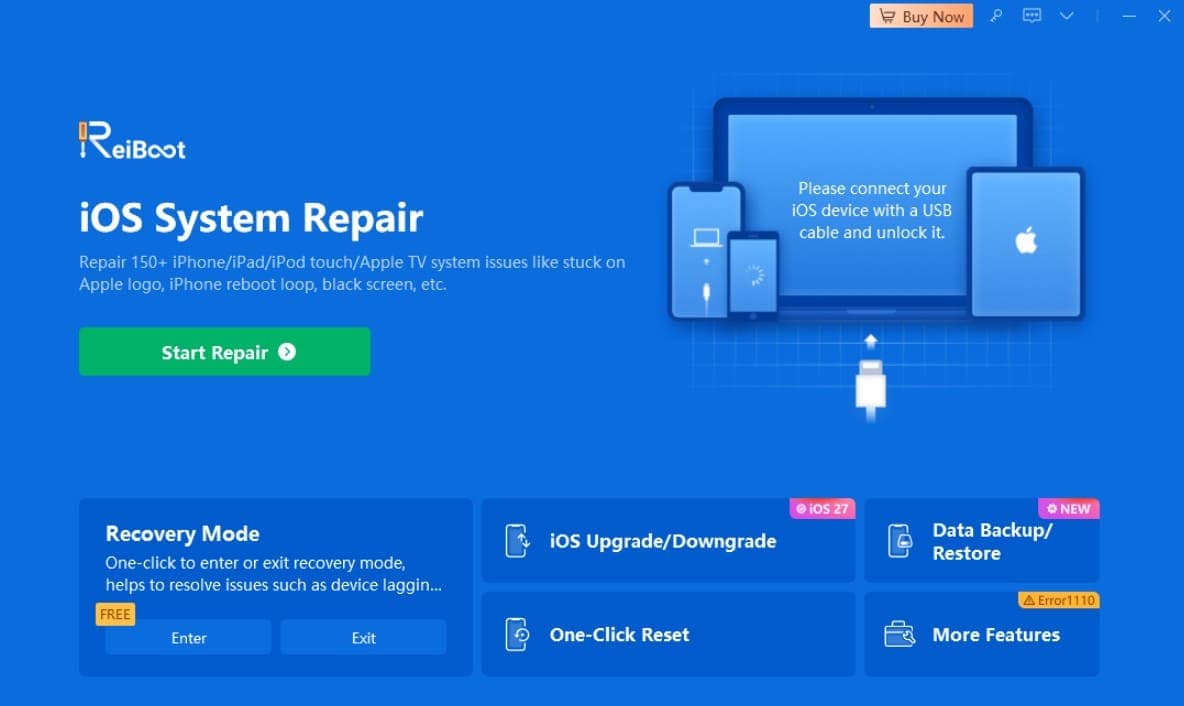
ReiBoot mirrors that shape, so you connect the device, press Start Repair, pick a mode, then download firmware. Tenorshare documents 2 hiccups in its own help material. One is a failed firmware download address, and the other is progress halting at 14.85% or 99.99%.
Recovery Mode and DFU guidance separates them again. Apple notes DFU reaches the hardware directly and needs no working system on storage. Dr.Fone provides a free DFU Mode exit when a restore goes wrong. Both tools rely on Apple-signed firmware for standard downgrades, but Dr.Fone adds free iOS beta installation without requiring a developer account, giving it an extra option for users testing beta releases.
Part 7. Dr.Fone vs ReiBoot: Compatibility, Speed, and Ease of Use
Software performance depends as much on hardware compatibility, process speed, and interface clarity as on core firmware functions.
Device and System Compatibility
Dr.Fone covers iPhone, iPad, and iPod touch back to iOS 5.0, on Windows 7 through 11 and macOS 10.13 or later. ReiBoot matches that and extends it, adding Apple TV generations 1 to 4 and Mac repair.
That extra reach gives ReiBoot a clear advantage in Tenorshare ReiBoot vs Dr.Fone System Repair for users who also need Mac or Apple TV repair. For iPhone and iPad, Dr.Fone provides a broader set of free utilities, including Recovery Mode and DFU Mode exit, General Reset, and beta installation.
Which iOS Repair Software is Faster?
Based on published estimates, both tools take around 10 minutes to complete the repair once the firmware is ready. Real-world speed can still vary with firmware size, internet connection, device condition, and the selected repair mode.
Which iPhone System Recovery Tool is Easier to Use?
Step counts ignore the user experience during a system fix. Since both tools require 3 steps, the scorecard evaluates interface design, speed, and guidance quality instead.
| Usability Checkpoint | Dr.Fone - System Repair (iOS) | Tenorshare ReiBoot |
|---|---|---|
| Steps to a Finished Repair | 3 | 3 |
| Recovery Mode Without Buttons | Enter and exit, both free | Enter and exit, both free |
| Free Compatibility Test | Yes, via free mode tools | Yes, via Recovery Mode tools |
| Repair Guidance | Step-by-step on-screen guidance | Step-by-step on-screen guidance |

Part 8. Dr.Fone - System Repair (iOS) vs ReiBoot: Pricing, Free Limits, and Refunds
To choose the budget-friendly pick between Dr.Fone System Repair or ReiBoot, go through the mentioned table metrics:
| Plan And Terms | Dr.Fone - System Repair (iOS) | Tenorshare ReiBoot |
|---|---|---|
| Monthly | $24.95, auto-renewing | $24.95, auto-renewing |
| Annual | $49.95 | $51.95 |
| One-Time | $69.95 perpetual | $89.95 lifetime |
| Computers Covered | 2 PCs | 1 PC |
| Mobile Devices | Up to 5 | Up to 5 |
| Cross-Platform License | No, Windows and Mac keys differ | No, Windows and Mac keys differ |
| Free Before Paying | Recovery Mode entry/exit, DFU exit, General Reset | Recovery Mode entry on iOS |
| Money-Back Guarantee | 7 days | 30 days, after support review |
Verdict: ReiBoot's 30-day guarantee is the longer safety net, and that's worth saying plainly. It's also a claim you have to file, since Tenorshare grants it when its team can't solve your problem. Dr.Fone's shorter window is easier to live with, since its free tools prove the app sees your iPhone first.
Part 9. Dr.Fone vs ReiBoot Pros and Cons
To further the advantages and disadvantages of Dr.Fone System Repair or ReiBoot, this section is for you.
Dr.Fone - System Repair (iOS) Pros and Cons
Its strengths cluster around what you get before paying, and how late you erase.
- Free Recovery Mode entry and exit, plus a free DFU Mode exit.
- General Reset clears settings-level glitches without erasing files.
- Perpetual license costs $20 less and covers two computers.
- Refund window closes after 7 days.
- Repairs iOS and iPadOS only, with no Mac or Apple TV support.
Tenorshare ReiBoot Pros and Cons
Here are some benefits and drawbacks you get if you choose ReiBoot:
- Repairs Apple TV and Mac systems from the same application.
- Runs on Windows XP and macOS builds as old as 10.11.
- Thirty-day money-back guarantee across every plan.
- Exiting Recovery Mode sits behind the paid tier despite free-tool marketing.
- One computer per license, and the lifetime plan costs $89.95
Part 10. Dr.Fone System Repair or ReiBoot: Which Is Better?
Between Dr.Fone System Repair vs ReiBoot, neither wins outright, so the pick depends on which set of trade-offs describes you.
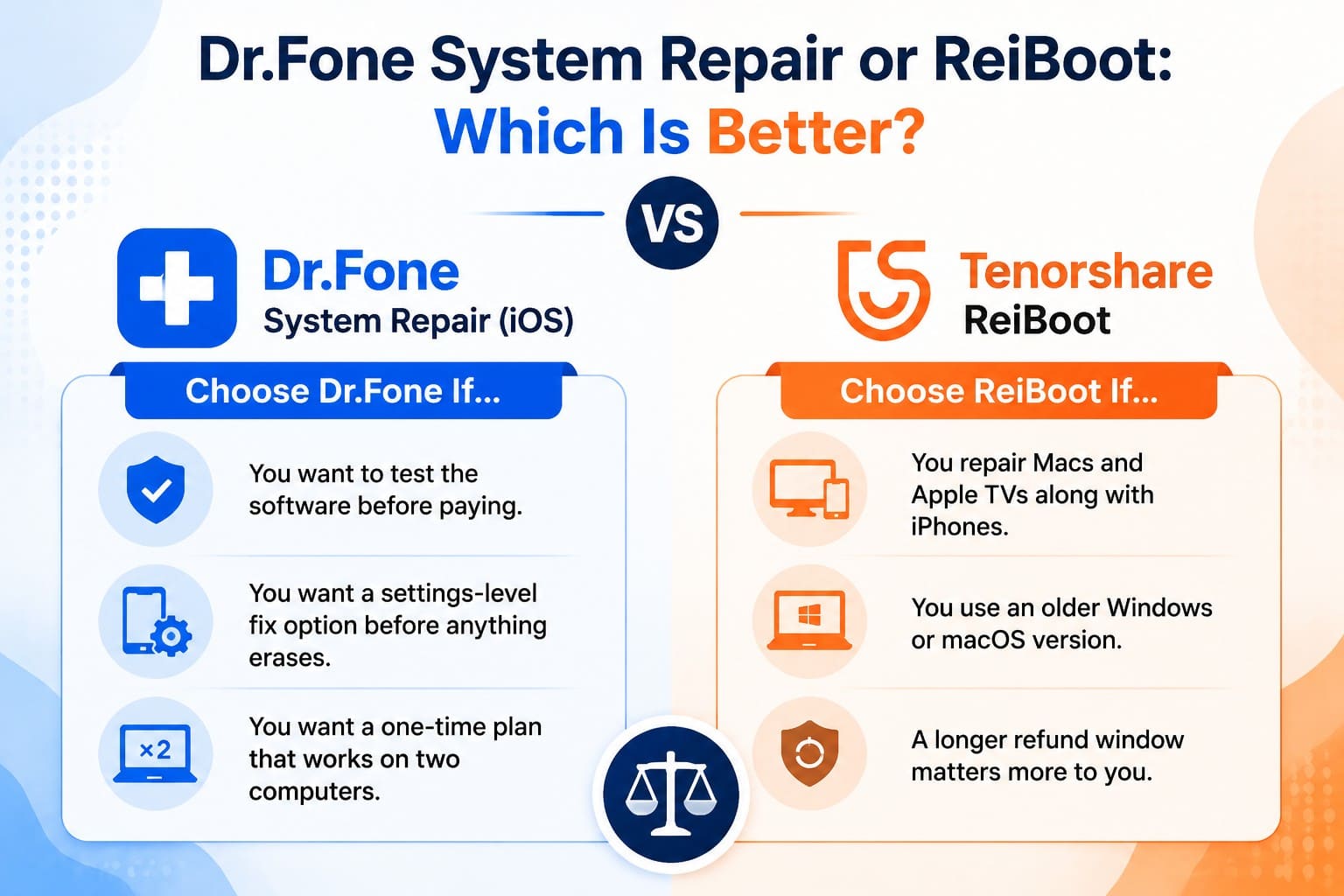
Choose Dr.Fone - System Repair (iOS) If...
Choose Dr.Fone if you mainly repair an iPhone or iPad and want useful free options before paying. It also gives you a settings-level fix before data-erasing modes and a perpetual license covering 2 computers.
Choose Tenorshare ReiBoot If...
The reverse case is narrower but real. Your household repairs Macs and Apple TVs alongside iPhones, or you run an older Windows or macOS build. A longer refund window may also matter more than a deeper free tier.
Final Verdict: Dr.Fone vs ReiBoot
A side-by-side view shows a clear winner. Both tools reinstall official firmware in 3 steps and protect user data in Standard mode. However, Dr.Fone costs less, offers more free single-use tools, and delays data erasure to a later step. ReiBoot excels in broader hardware support and a longer refund window, but Dr.Fone - System Repair (iOS) delivers the more complete package for an unbootable iPhone.
Conclusion
A closer Dr.Fone vs ReiBoot comparison shows that core iOS repair is only part of the decision. Dr.Fone stands out with more free utilities, additional non-destructive options before advanced repair, and a lower perpetual price. ReiBoot counters with support for more Apple platforms and a longer refund window. For users primarily repairing an iPhone/iPad, Dr.Fone offers a more complete balance of repair flexibility, data protection, and long-term value.
Frequently Asked Questions
-
1. Is Dr.Fone System Repair better than ReiBoot?
For iPhone and iPad repair, yes. Both fix 150+ iOS issues using official firmware, but Dr.Fone adds broader iTunes error coverage, more free tools, and lower long-term pricing. -
2. Can Dr.Fone or ReiBoot repair an iPhone without losing data?
Both can, in most cases, though the mode decides it. Dr.Fone Standard Mode and ReiBoot Standard Repair reinstall iOS while keeping files. Advanced, Deep, and DFU modes erase everything, so back up first. -
3. Is Dr.Fone System Repair or ReiBoot free?
Both are free to download, and full repair is paid on either. Dr.Fone includes Recovery Mode entry and exit, DFU Mode exit, General Reset, and beta installs at no cost. ReiBoot's only free iOS feature is Recovery Mode entry. -
4. Which is better for an iPhone stuck on the Apple logo or recovery mode?
Standard Repair in either app clears an Apple logo freeze without data loss. For Dr.Fone vs ReiBoot for an iPhone stuck in recovery mode, Dr.Fone is cheaper, since its one-click exit is free.
 Add Wondershare Dr.Fone as a preferred source on Google