Resolve common problems and system crashes on both iPhone and Android devices.

 100% Security Verified | No Subscription Required | No Malware

 :
: 
 ChatGPT
 Perplexity
 Gemini
 Claude
 Grok
Grok
Dr.Fone and TunesKit iOS System Recovery seem like identical choices at first glance. Both fix the same 150+ iOS faults, both leave your data alone by default, and both cost $24.95 for a month. On paper, both tools seem nearly identical, until a repair begins and their actual ease of use sets them apart.
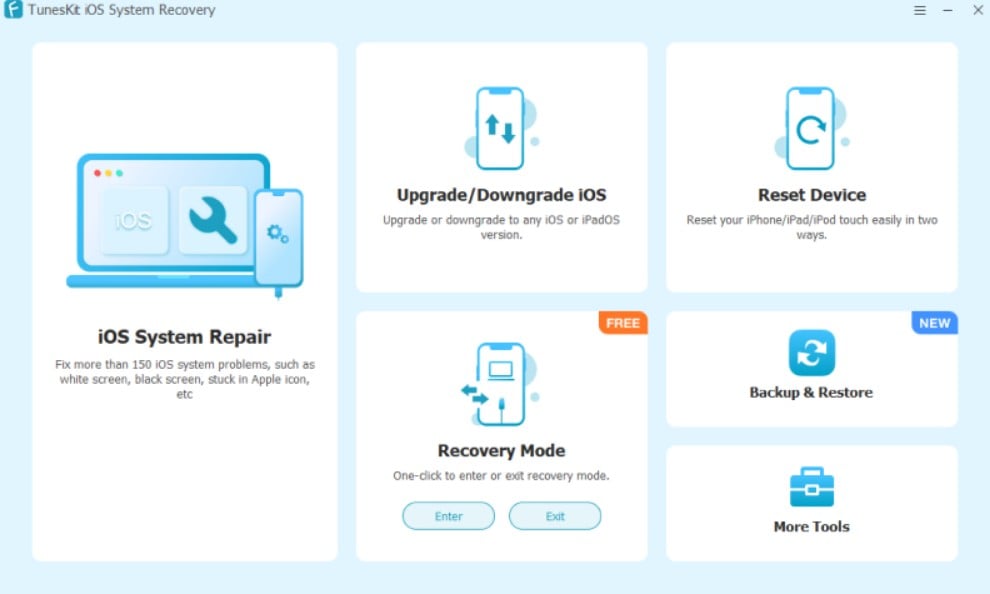
TunesKit's guide asks you to identify your device model, then manually put the handset into DFU/Recovery mode. Dr.Fone - System Repair (iOS) reads the model and handles that step inside the app. Dr.Fone System Repair vs TunesKit iOS System Recovery simply comes down to how much work the software leaves for you. Review this guide to find out what makes Dr.Fone an intuitive repair solution.
In this article
- Part 1. Verdict Before the Details: Dr.Fone or TunesKit?
- Part 2. Dr.Fone and TunesKit Side by Side: Core Differences
- Part 3. Test Lab: Devices, iOS Faults, and Scoring Criteria
- Part 4. Repair Without Losing Data: Where Are the Limits?
- Part 5. Three iPhone Problems: How Did Each Tool Perform?
- Part 6. Firmware Handling Under the Microscope
- Part 7. Which Devices and Computers Can You Repair?
- Part 8. Time, Clicks, and Learning Curve
- Part 9. Free Access, License Cost, and Refund Fine Print
- Part 10. Strengths, Weak Spots, and the Better Fit
- Frequently Asked Questions
Part 1. Verdict Before the Details: Dr.Fone or TunesKit?
The Dr.Fone System Repair vs TunesKit comparison gives you a quick verdict in this section. See which tool stands out before you dive into the details.
- Overall Recommendation: Dr.Fone - System Repair (iOS), which combines guided iOS repair with support for up to 5 devices across 2 computers.
- Better for Keeping Existing Data: Dr.Fone, since its Standard Repair fixes common iOS system problems while preserving existing device data.
- Better for Difficult iOS Failures: Dr.Fone, with multiple repair modes for handling common problems and more severe iOS system failures.
- Better for Quick Troubleshooting: TunesKit iOS System Recovery takes this one, offering free Recovery Mode entry and exit, iTunes error repair, and device backup and restore.
- Better Value: Dr.Fone covers up to 5 devices across 2 computers, giving users greater computer coverage than TunesKit's standard 5-device, 1-computer license.
Part 2. Dr.Fone and TunesKit Side by Side: Core Differences
If you seek to compare both tools, this section answers your query: Dr.Fone vs TunesKit: which is better.
| Core Difference | Dr.Fone - System Repair (iOS) | TunesKit iOS System Recovery |
|---|---|---|
| Repair Modes | Standard, Advanced, and Anti-Recovery modes | Standard, Deep, and Anti-Recovery modes |
| System Issues Covered | 150+ iOS problems and 200+ iTunes errors | 150+ iOS problems and 200+ iTunes errors |
| Data-Loss Risk | Standard preserves data; Advanced and Anti-Recovery erase it | Standard preserves data; Deep and Anti-Recovery erase it |
| Recovery Functions | Recovery Mode entry/exit, DFU Mode exit, plus General Reset | Recovery Mode entry/exit, plus reset tools |
| Firmware Features | Detects device information and matches compatible firmware | Confirms device information before matching firmware |
| Device Coverage | iPhone, iPad, and iPod touch | iPhone, iPad, and iPod touch |
| Free Access | Recovery Mode entry/exit, DFU Mode exit, General Reset, and iOS Beta Installation | Recovery Mode tools, iTunes error repair, and Backup & Restore |
| Paid Plans | Monthly: $24.95 Annual: $49.95 Perpetual: $69.95 |
Monthly: $24.95 Year: $49.95 Lifetime: $79.95 |
| Best Use Case | Guided repair plus several useful free iOS utilities | Free troubleshooting tools before purchasing system repair |
Part 3. Test Lab: Devices, iOS Faults, and Scoring Criteria
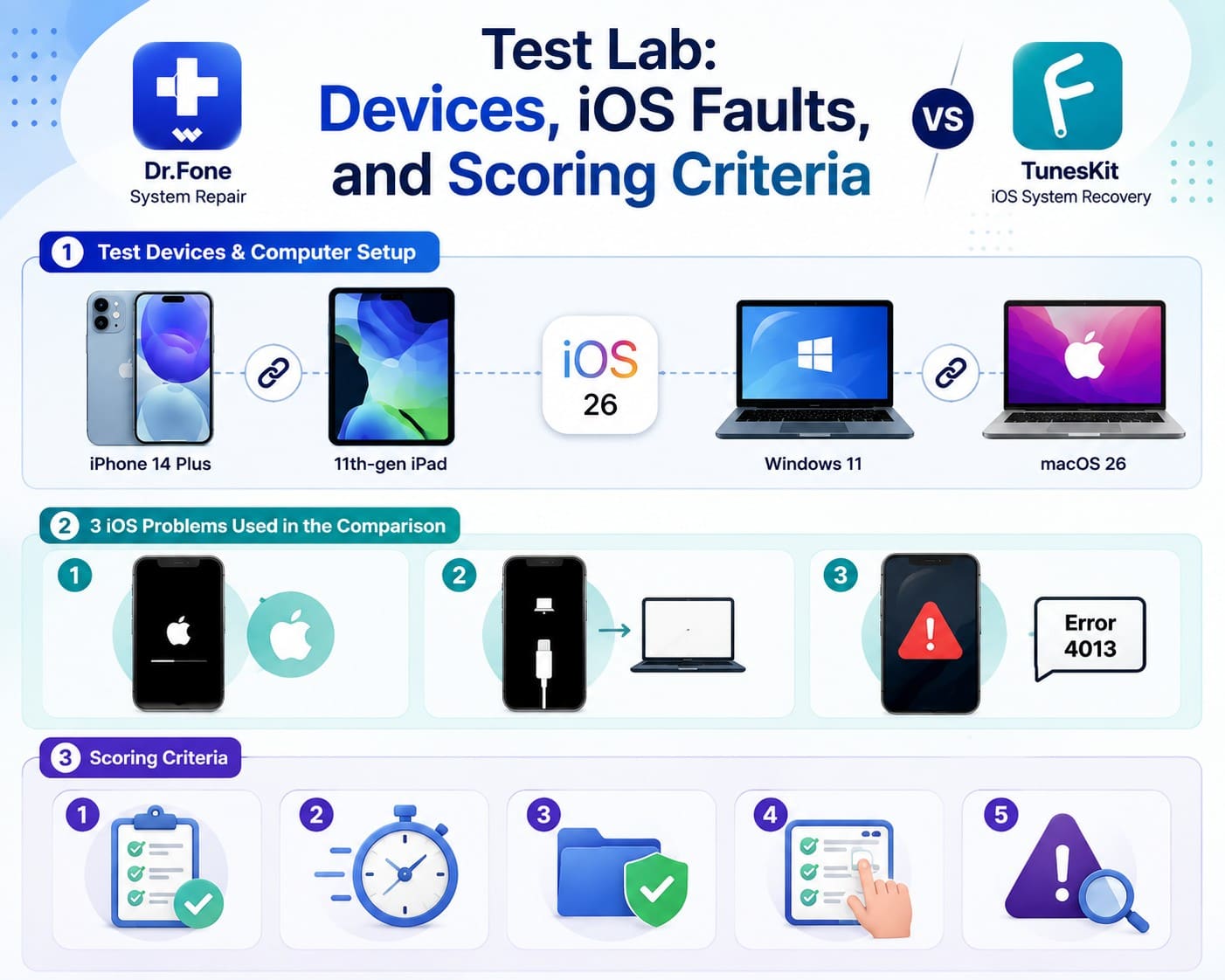
The TunesKit iOS System Recovery vs Dr.Fone System Repair comparison covers 3 failure scenarios: Apple logo freezes, Recovery Mode errors, and iOS update or restore failures.
Test Devices and Computer Setup
The setup links an iPhone 14 Plus and an 11th-gen iPad, both on iOS/iPadOS 26, to Windows 11 and macOS 26 computers.
The 3 iOS Problems Used in the Comparison
- Stuck on Apple Logo: The iPhone freezes on the Apple logo and cannot complete the normal startup process.
- Recovery Mode Failure: A phone that will not leave the Connect to Computer screen.
- Update or Restore Error: An interrupted install that leaves a numbered code behind.
Scoring Criteria
The scoring criteria for the Dr.Fone iOS System Repair vs TunesKit comparison are mentioned below:
- Repair Success (Performance): Evaluates whether the documented workflow successfully fixes the selected fault.
- Completion Time (Speed): Tracks the total published or documented time required to complete the repair.
- Data Retention (Safety): Identifies whether the chosen repair mode preserves or erases user files.
- Manual Steps (Usability): Counts required user actions, such as selecting a device model manually or entering DFU mode.
- Friction Points (Experience): Highlights exact steps where a user risks getting stuck or needs extra intervention.

Part 4. Repair Without Losing Data: Where Are the Limits?
The 4th scoring factor, Manual Steps, matters here because fewer required actions make a data-safe repair easier to complete. Review the repair approaches for Dr.Fone vs. TunesKit to compare their workflows.
Dr.Fone Repair Approach
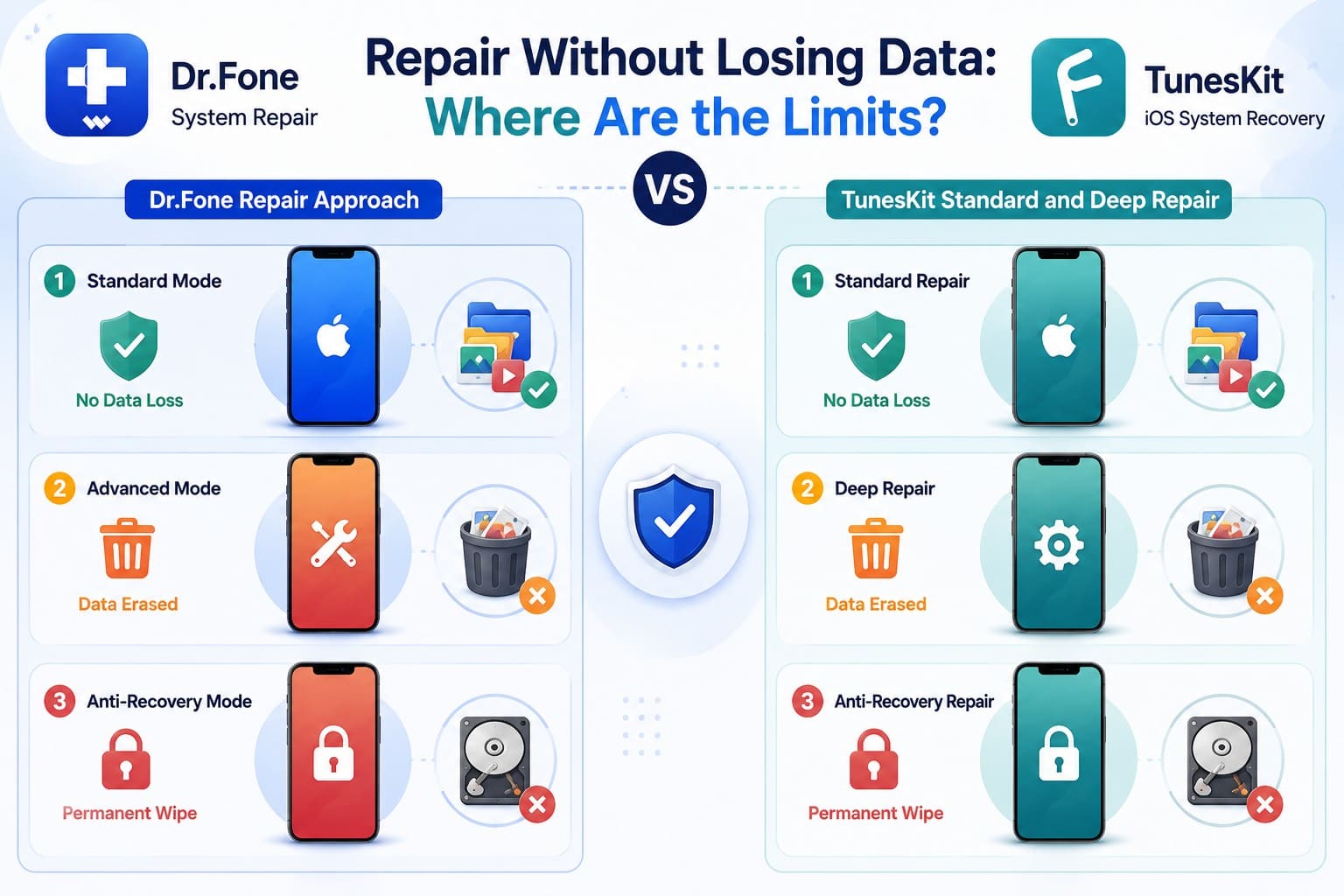
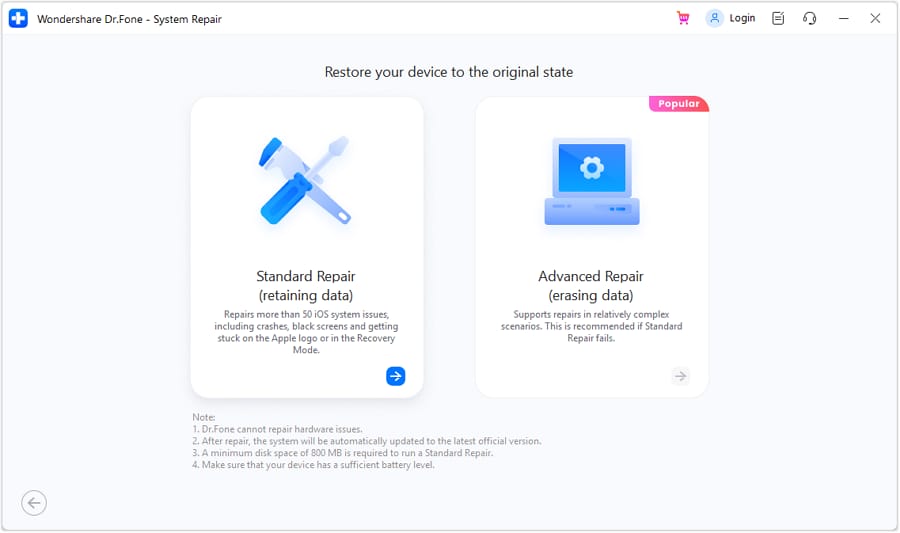
Dr.Fone provides 3 repair modes for iOS devices:
- Standard Mode fixes common system errors without data loss.
- Advanced Mode resolves severe crashes but erases all files.
- Anti-Recovery Mode fixes systems and permanently wipes storage.
TunesKit Standard and Deep Repair
TunesKit offers 3 modes, and only the first leaves your content alone.
- Standard Repair fixes common system errors without data loss.
- Deep Repair resolves severe system issues but erases all device data.
- Anti-Recovery Repair repairs the system and permanently wipes device data.
When Does a Repair Start Putting Data at Risk?
Review the modes' data loss factor in the given Dr.Fone System Repair vs. TunesKit repair mode comparison:
| Risk Point | Dr.Fone - System Repair (iOS) | TunesKit iOS System Recovery |
|---|---|---|
| Gentlest Fix Available | General Reset fixes settings-level issues without deleting personal data | No equivalent General Reset feature |
| Non-Destructive Repair | Standard Mode repairs iOS while preserving existing files | Standard Repair fixes system faults without wiping user data |
| Severe Issue Repair | Advanced Mode handles deeper failures but erases device data | Deep Repair tackles serious problems with complete data loss |
| First Data-Loss Point | Data erasure begins with Advanced Mode | Deep Repair introduces the first destructive repair |
| Permanent Data Erasure | Anti-Recovery Mode permanently wipes stored information | Anti-Recovery Repair removes device data beyond recovery |
| Before Resale | Anti-Recovery Mode securely clears data before device handover | Anti-Recovery Repair permanently wipes information before resale |
Verdict: Dr.Fone edges out TunesKit by offering General Reset before Standard Mode, giving users 2 data-preserving options before moving to Advanced Mode. TunesKit starts with Standard Repair as its only non-destructive repair option before Deep Repair erases data.
Part 5. Three iPhone Problems: How Did Each Tool Perform?
This section compares the 3 selected failure scenarios to show how Dr.Fone and TunesKit approach each iOS problem.
Scenario 1. Frozen Apple Logo Scenario
Both tools can address an iPhone stuck on the Apple logo while preserving data through their standard repair modes. Dr.Fone provides a more guided workflow, while TunesKit requires additional device and recovery-mode preparation.
Scenario 2. Recovery Mode Failure Scenario
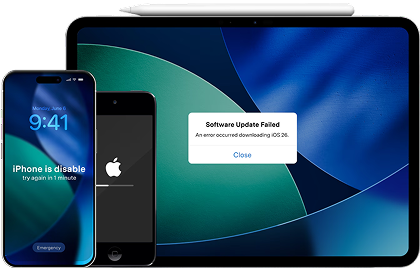
The second scenario involves an iPhone trapped in Recovery Mode after an interrupted update or restore. Both tools provide free one-click Recovery Mode exit, while Dr.Fone adds a free DFU Mode exit for deeper boot-state problems.
Scenario 3. Update or Restore Error Scenario
The 3rd fault shows up as a number, and Apple's error guidance is the free first step before either tool. Both tools claim 200+ iTunes errors. TunesKit repairs them without charge, while Dr.Fone keeps that inside the paid product.
Get the overall verdict for the 3 tests in this Dr.Fone System Repair or TunesKit comparison:
| Repair Outcome | Dr.Fone - System Repair (iOS) | TunesKit iOS System Recovery | Winner |
|---|---|---|---|
| Completion Time | About 10 minutes, per Wondershare | No official completion time published | Dr.Fone |
| Data Status | Standard Mode keeps data intact, with General Reset also available | Standard Repair preserves data before deeper repair | Dr.Fone |
| Manual Actions | Guided connection and repair preparation | Connect, confirm device details, and prepare repair mode | Dr.Fone |
| Problems Encountered | Fewer manual preparation steps in the documented workflow | Additional device and recovery-mode preparation may add friction | Dr.Fone |
| Better Performer | Stronger for Faults 1 & 2 with guided repair and recovery tools | Stronger for Fault 3 with free iTunes error repair | Dr.Fone |
 Fix iOS issues, no data loss.
- One-click repair for all iOS problems.
- Solve recovery mode, Apple logo, black screen, etc.
- Upgrade or downgrade iOS without iTunes




Part 6. Firmware Handling Under the Microscope
Each repair depends on downloading or selecting firmware that matches the connected device. To compare Dr.Fone vs TunesKit based on firmware handling, review how each tool identifies, downloads, and prepares the firmware package.
Finding the Correct Firmware
Dr.Fone reads the connected model and offers the matching package. TunesKit asks you to confirm or pick the model from a list first, then matches firmware to that choice. Naming the wrong handset is a mistake you can only make on one side.
Download and Verification Experience
Neither tool hides what it's about to install, and neither works offline.
- What You See First: Both display the package details before the repair starts, so you can check the build against your iPhone.
- What You Need: Neither offers offline import, so you need a stable connection and several gigabytes every time.
Moving From Firmware to Repair
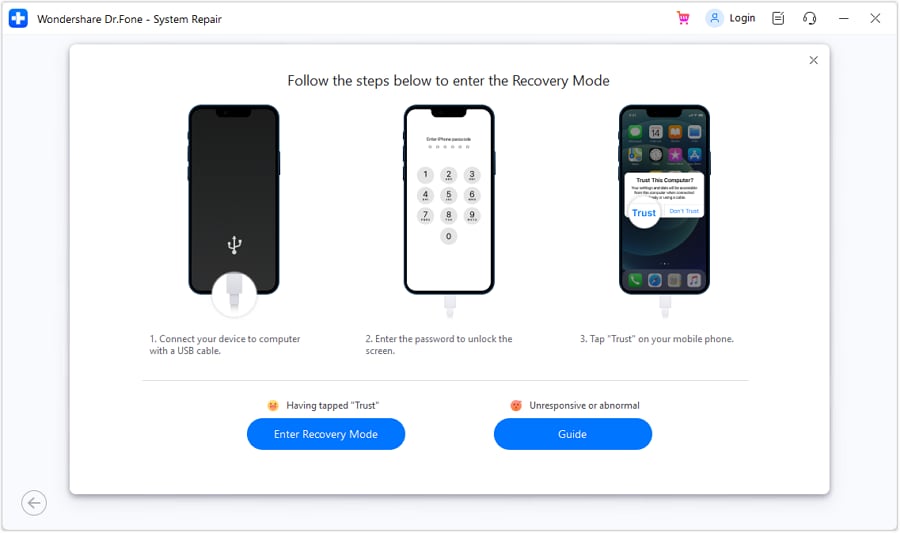
Here, Dr.Fone iOS System Repair vs TunesKit differ in pre-download device preparation. Dr.Fone automates Recovery Mode entry before downloading firmware, while TunesKit requires users to manually enter DFU or Recovery Mode before the firmware download begins.
Both tools support iOS version changes without jailbreaking and use firmware compatible with the connected device. However, Dr.Fone additionally offers free iOS beta installation, making beta upgrades more accessible without a developer account.
Part 7. Which Devices and Computers Can You Repair?
Hardware support is nearly identical here, so the buying decision hides in the last 2 rows:
| Platform Item | Dr.Fone - System Repair (iOS) | TunesKit iOS System Recovery |
|---|---|---|
| Where They Match | Supports iPhone, iPad, and iPod touch on Windows and macOS | Covers the same Apple devices across Windows and macOS |
| System Versions | Supports iOS 5.0 and later | Supports iOS 7 through iOS 26 |
| Devices Per License | Covers up to 5 mobile devices | Covers up to 5 mobile devices |
| Computers Per License | Supports 2 computers | Supports 1 computer |
The TunesKit iOS System Recovery vs Dr.Fone System Repair comparison shows a clear licensing difference. Dr.Fone covers up to 5 devices across 2 computers, making it more practical for multi-computer use. TunesKit covers the same 5 devices but limits its standard personal license to 1 computer.
Part 8. Time, Clicks, and Learning Curve
Compatibility determines whether each tool supports your device, while repair effort determines how smoothly the process works. Compare these factors in the Dr.Fone vs TunesKit workflow below:
| Hands-On Step | Dr.Fone - System Repair (iOS) | TunesKit iOS System Recovery |
|---|---|---|
| Disk Space Required | Requires about 7 GB of available space | No specific requirement published |
| Device Recognition | Detects the connected device automatically | Requires confirming device information |
| Repair Steps | Guided workflow with automated Recovery Mode entry | Requires DFU or Recovery Mode preparation |
| Most Likely Sticking Point | Firmware download may take additional time | Manual device-mode entry may add difficulty |
| Instruction Clarity | Guides and automates Recovery Mode preparation | Provides on-screen DFU and Recovery Mode instructions |
Verdict: Dr.Fone automates setup behind the scenes, whereas TunesKit demands manual inputs and DFU/Recovery mode steps before any fix begins. This seamless automation gives Dr.Fone a clear edge in speed and ease of use.
Part 9. Free Access, License Cost, and Refund Fine Print
Pricing highlights another difference in the Dr.Fone System Repair vs TunesKit iOS System Recovery comparison. Both combine paid repair modes with free utilities, but their free toolsets differ.
Dr.Fone provides 4 free functions: Recovery Mode entry and exit, DFU Mode exit, General Reset, and iOS Beta Installation. TunesKit offers free Recovery Mode entry and exit, repair for 200+ iTunes errors, and device Backup & Restore. Its main system repair modes require a paid license.
| Cost Line | Dr.Fone - System Repair (iOS) | TunesKit iOS System Recovery |
|---|---|---|
| Subscriptions | $24.95/month; $49.95/year | $24.95/month; $49.95/year |
| Buy Outright | $69.95 perpetual license | $79.95 lifetime license |
| Free Functions | 4: Recovery Mode entry/exit, DFU Mode exit, General Reset, iOS Beta Installation | Recovery Mode entry/exit, 200+ iTunes error repair, and Backup & Restore |
| Free Upgrades | Included during the applicable license period | Included during the applicable license period |
| Refund Period | 7 days | 30 days |
Verdict: Dr.Fone offers stronger overall value with a $10 lower perpetual price and support for 2 computers instead of 1. TunesKit counters with a longer 30-day refund window, compared with Dr.Fone’s 7-day policy.
Part 10. Strengths, Weak Spots, and the Better Fit
In addition to the above evaluation, know the pros and cons to decide which is best: Dr.Fone System Repair or TunesKit.
Dr.Fone - System Repair (iOS): Key Strengths and Limitations
Strengths
- Automatically detects device details and simplifies Recovery Mode preparation.
- Offers free General Reset for resolving settings-level iOS problems.
- Provides free iOS Beta Installation without requiring a paid repair license.
Limitations
- iTunes error repair sits behind the paywall.
- 7 days to claim a refund, and 7 GB of disk space is required up front.
TunesKit iOS System Recovery: Key Strengths and Limitations
Strengths
- Free repair for 200+ iTunes errors, plus free backups to your computer.
- 3 repair modes, including a pre-sale erase that matches Dr.Fone's.
- Offers free Recovery Mode entry and exit for quick iOS troubleshooting.
Limitations
- You name the model and reach DFU mode yourself on every repair.
- Its no-data-loss reset needs a passcode, so a locked phone cannot use it.
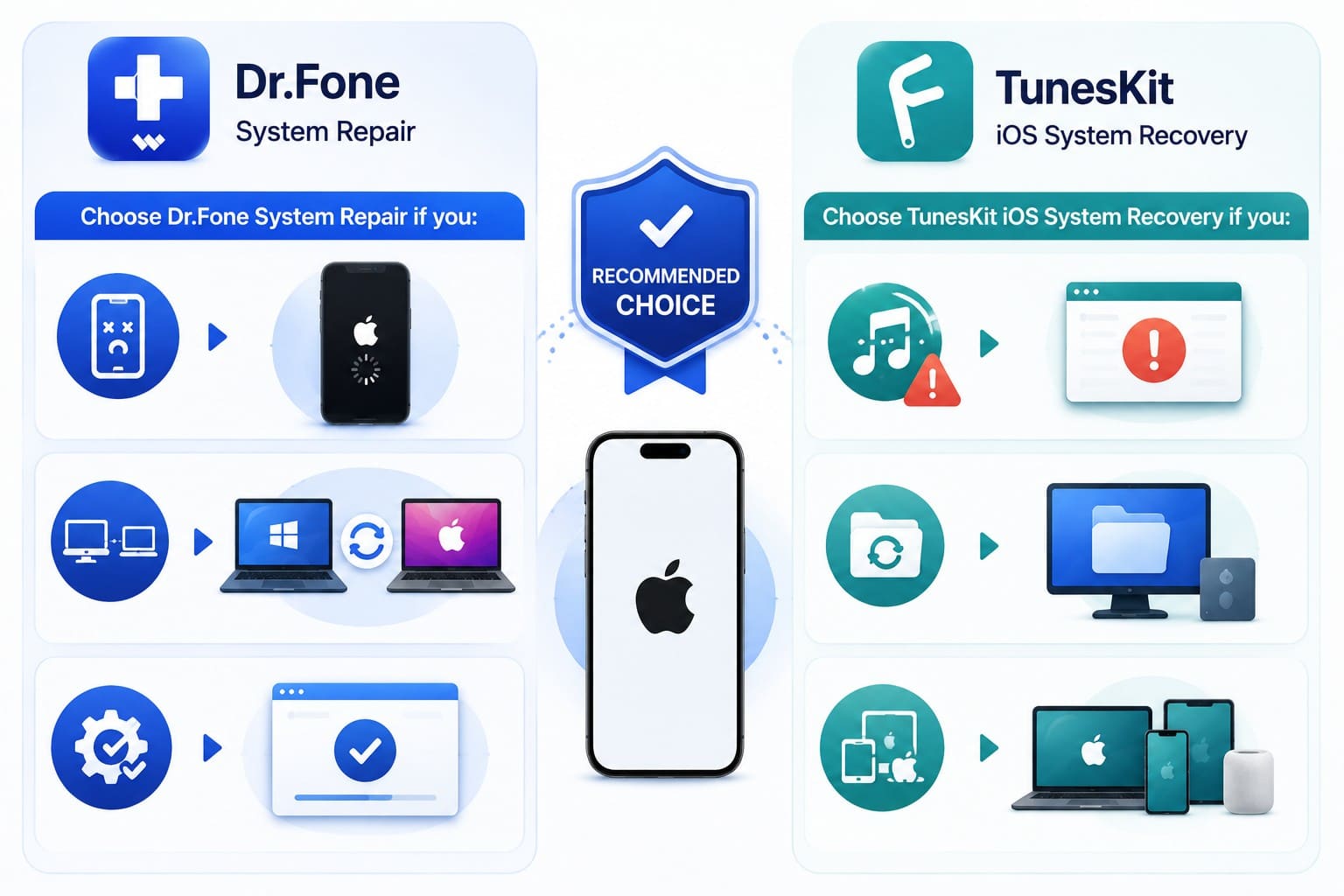
Choose Dr.Fone System Repair If You:
- Need to fix a dead or unresponsive phone that will not boot.
- Require a dual-computer setup across two workstations.
- Prefer an automated fix without executing manual button sequences.
Choose TunesKit iOS System Recovery If You:
- Need to fix recurring iTunes errors for free.
- Want a free local computer backup before updating your firmware.
- Prefer a 30-day refund window for more time to evaluate the purchase.
Final Recommendation After Testing
Choosing between Dr.Fone System Repair vs TunesKit comes down to balancing free extra tools against a simpler repair process with fewer potential mistakes.
| Deciding Factor | Dr.Fone - System Repair (iOS) | TunesKit iOS System Recovery | Edge |
|---|---|---|---|
| Repair Capability | Handles all 3 selected scenarios with Standard Mode | Addresses the same 3 faults through Standard Repair | Tie |
| Data Protection | Adds General Reset before moving to destructive repair | Standard Repair is its main data-preserving repair level | Dr.Fone |
| Firmware Experience | Automatically detects device details and matches firmware | Device information needs confirmation before firmware selection | Dr.Fone |
| Hardware Compatibility | Supports 5 devices across 2 computers | Covers 5 devices but limits use to 1 computer | Dr.Fone |
| Speed & Simplicity | Automates Recovery Mode preparation and guides the repair | Requires more hands-on device-mode preparation | Dr.Fone |
| Overall Value | $69.95 perpetual plan with dual-computer coverage | $79.95 lifetime option for a single computer | Dr.Fone |
Conclusion
In the Dr.Fone System Repair vs. TunesKit iOS System Recovery comparison, Dr.Fone leads with a more guided repair workflow. While TunesKit provides useful free troubleshooting tools, Dr.Fone offers automated Recovery Mode entry, General Reset, free DFU Mode exit, and iOS Beta Installation. Its broader computer coverage and lower perpetual price further make Dr.Fone a stronger overall choice for iOS repair.
Frequently Asked Questions
-
1. Can TunesKit repair iTunes or Finder-related restore problems?
Yes, and it costs you nothing. Its page lists repairs for 200+ iTunes errors as a free feature, including 4013, 75, and 1110. Dr.Fone also supports 200+ iTunes errors, but access to these repairs requires a paid license. -
2. Which tool makes it easier to move from a basic repair to a deeper repair?
Dr.Fone wins this by one rung. Both escalate from a safe reinstall to a full wipe, but Dr.Fone adds General Reset underneath, giving you somewhere to go before anything erases. -
3. Can Dr.Fone and TunesKit install iOS beta versions?
Yes. Both support iOS version changes, but Dr.Fone offers iOS Beta Installation as a free function, adding extra value before purchase. -
4. Which tool makes more sense if you need to repair more than one Apple device?
Both standard personal licenses cover up to 5 devices. However, Dr.Fone supports 2 computers, while TunesKit is limited to 1 computer, giving Dr.Fone greater flexibility for multi-computer use.
 Add Wondershare Dr.Fone as a preferred source on Google