Resolve common problems and system crashes on both iPhone and Android devices.

 100% Security Verified | No Subscription Required | No Malware

 :
: 
 ChatGPT
 Perplexity
 Gemini
 Claude
 Grok
Grok
Every iOS repair requires an Apple firmware selection. One tool hands that choice to you, while the other automates the process entirely. UltFone iOS System Repair lists every version Apple is still signing and asks you to choose one. Dr.Fone - System Repair (iOS) matches a package to your handset and starts.
That single split runs through the whole Dr.Fone System Repair vs UltFone iOS System Repair question. One route gives you control over the downgrade; the other offers a shorter path to a working phone. Go through this comparison in detail and get to know when Dr.Fone - System Repair (iOS) is a better choice than UltFone.
In this article
- Part 1. Bottom Line First: Dr.Fone or UltFone?
- Part 2. What Separates Dr.Fone System Repair from UltFone?
- Part 3. Our Testing Conditions and Repair Scenarios
- Part 4. How Far Can Each Tool Go Before Data Is Erased?
- Part 5. Three iOS Failures Put to the Test
- Part 6. From Device Detection to Final Reboot
- Part 7. Which Tool Fits More Devices and Takes Less Effort?
- Part 8. What Do Free and Paid Plans Actually Include?
- Part 9. Strong Points and Limitations of Both iOS Repair Tools
- Part 10. The Better Choice for Different iOS Repair Needs
- Frequently Asked Questions
Part 1. Bottom Line First: Dr.Fone or UltFone?
5 factors shape the Dr.Fone System Repair vs. UltFone comparison below, with Dr.Fone leading in 4 of them.
- Overall Recommendation: Dr.Fone - System Repair (iOS) takes the lead with multiple repair modes, useful free tools, and broader options for handling iOS system problems.
- Better Choice for Preserving Data: Dr.Fone offers Standard Repair for fixing common iOS issues without erasing personal data, plus separate non-destructive troubleshooting utilities.
- Better Choice for Major iOS Failures: Dr.Fone, since Advanced Repair provides a stronger option when Standard Repair cannot resolve serious system problems.
- Better Choice for Apple TV and macOS: UltFone wins here because its system repair coverage extends beyond iPhone and iPad to Apple TV and Mac.
- Better Choice for Multi-Computer Use: Dr.Fone supports 5 mobile devices across 2 computers, making one license more flexible for users working on multiple machines.
Part 2. What Separates Dr.Fone System Repair from UltFone?
Here’s how the documented features, repair capabilities, device support, and other differences compare between Dr.Fone vs. UltFone in detail below:
| Comparison Angle | Dr.Fone - System Repair (iOS) | UltFone iOS System Repair |
|---|---|---|
| Repair Levels | General Reset, plus three dedicated repair modes | Two repair modes: Standard and Deep |
| Problem Coverage | 150+ iOS faults, 200+ iTunes errors | 150+ iOS faults, plus 36+ Apple TV issues |
| Data Protection | General Reset and Standard Repair preserve personal data | Standard preserves data, while Deep Repair erases it |
| Recovery Functions | Enter/exit Recovery and exit DFU without use limits | Enter Recovery unlimited, exit up to 5 times free |
| Firmware Options | Compatible firmware versions available for repair | Supports firmware upgrades and signed-version downgrades |
| System Compatibility | iPhone, iPad, iPod touch | iPhone, iPad, iPod touch, Apple TV, Mac |
| Free Access | Recovery entry/exit, DFU exit, General Reset, iOS Beta Installation | Recovery entry unlimited, Recovery exit five times free |
| Paid Plans | Monthly Plan: $24.95 Annual Plan: $49.95 Perpetual Plan: $69.95 |
1 Month License: $24.95 1 Year License: $49.95 Lifetime License: $79.95 |
| Best Use Case | iOS repair with more free troubleshooting options | Apple TV and macOS system repair |
Part 3. Our Testing Conditions and Repair Scenarios
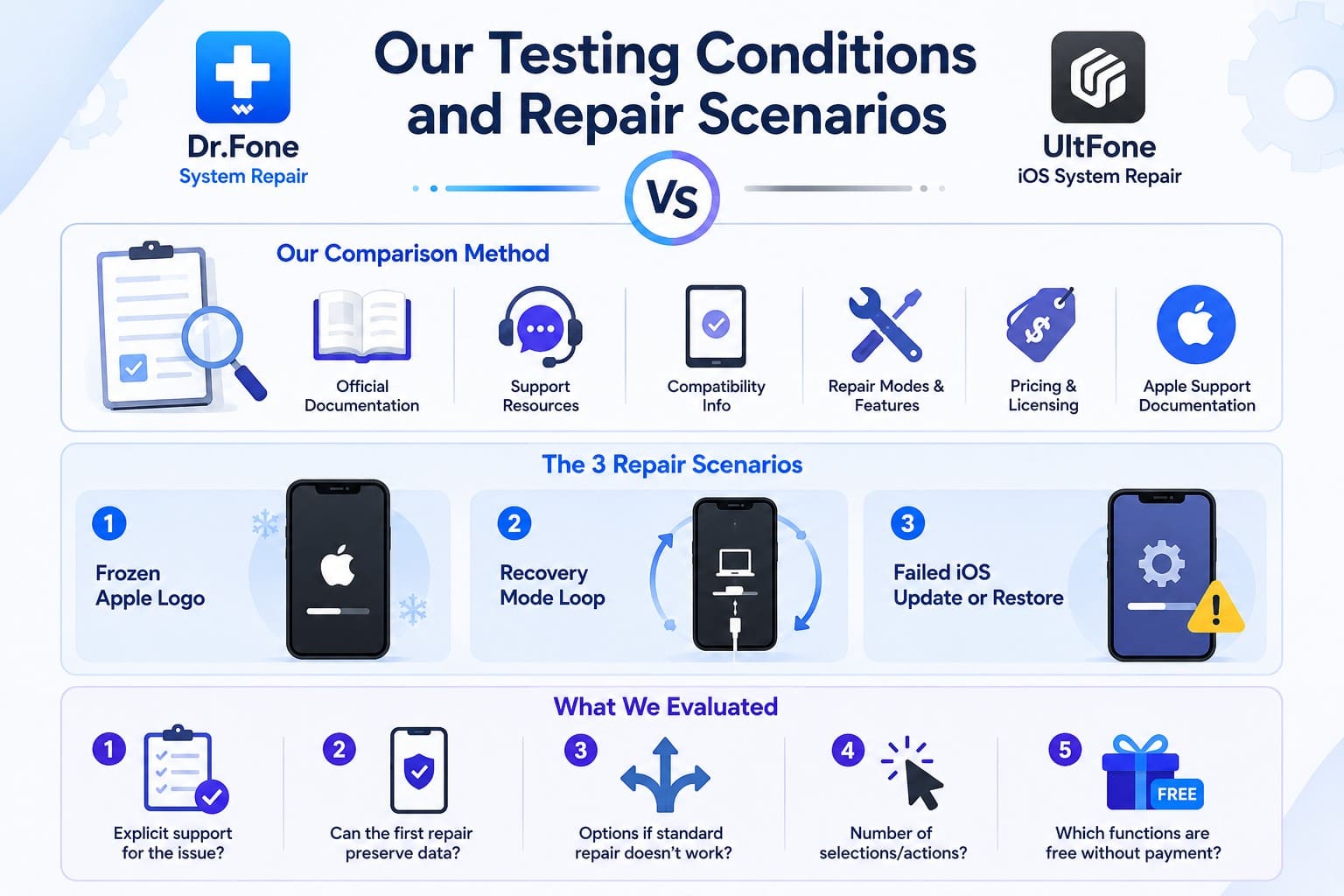
To compare Dr.Fone System Repair vs UltFone fairly, we evaluated both tools against the same 3 common iOS repair scenarios and the same set of criteria. This is a documentation-based comparison, not an independent laboratory test.
Our Comparison Method
The evaluation uses official Dr.Fone and UltFone product documentation, support resources, compatibility information, repair-mode descriptions, free-version limitations, pricing, and licensing terms. Apple Support documentation is used where relevant to verify standard iOS recovery procedures, firmware restrictions, and restore behavior. Product capabilities in this comparison therefore refer to documented functionality rather than independently measured repair-success rates.
The 3 Repair Scenarios
We compared how each tool is documented to handle 3 common situations:
- Frozen Apple Logo: Can the tool address the startup problem without immediately erasing user data?
- Recovery Mode Loop: Can the device exit recovery mode, and is that function available without payment?
- Failed iOS Update or Restore: Does the tool document support for update, restore, or related iTunes/Finder errors?
What We Evaluated
Each scenario is compared between UltFone iOS System Repair vs. Dr.Fone System Repair using 5 consistent factors:
- Does the vendor explicitly list support for the issue?
- Can the first repair attempt preserve personal data?
- What options remain if the standard repair does not work?
- How many selections or manual actions are required?
- Which relevant functions can actually be completed without purchasing a license?
Part 4. How Far Can Each Tool Go Before Data Is Erased?
Data preservation matters most when the first repair attempt fails, since the next repair level may erase your files. This section compares how both tools handle that progression: Dr.Fone System Repair or UltFone.
Dr.Fone Repair Levels Explained
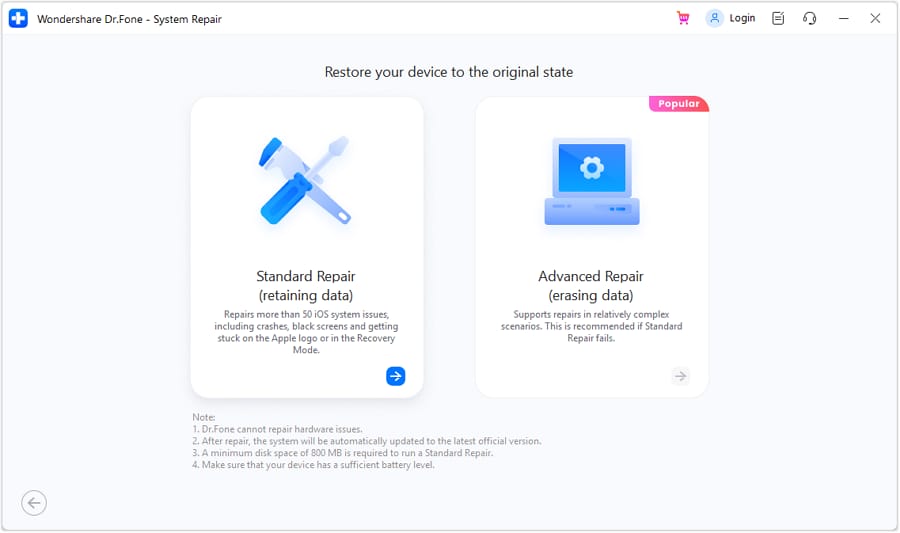
4 settings do the work, and only 2 delete your files. General Reset returns system preferences to default, and Standard Mode reinstalls iOS in place. Advanced Mode drops the handset to factory condition, while Anti-Recovery Mode overwrites deleted data before a sale.
UltFone Standard and Deep Repair
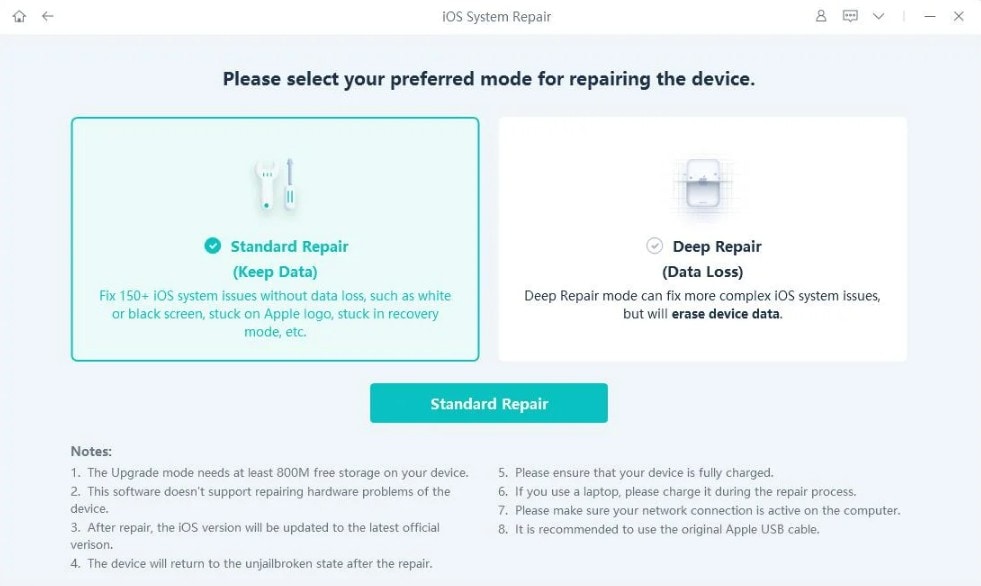
UltFone runs 2 modes and applies Standard by default. It covers common faults while keeping your data intact, from Apple logo and boot loops to black screens and battery drain. Deep Repair handles more severe system issues when Standard Repair fails, but erases all data on the device.
Data Preservation vs Full-System Repair
Further know the difference between Dr.Fone vs UltFone repair mode via the mentioned table:
| Erase Threshold | Dr.Fone - System Repair (iOS) | UltFone iOS System Repair |
|---|---|---|
| Settings-Level Refresh | General Reset, files untouched | No equivalent step |
| Reinstall In Place | Standard Mode, second on the ladder | Standard Repair, first on the ladder |
| Full Wipe | Advanced Mode, one rung still above | Deep Repair, the last rung |
| Passcode Recovery | Runs through Advanced Mode | Built into Deep Repair |
| Pre-Sale Overwrite | Anti-Recovery Mode | Factory reset, without the overwrite |
Verdict: Dr.Fone offers better data safety with an extra non-destructive reset option. UltFone moves from data-preserving Standard Repair to data-erasing Deep Repair when more extensive system repair is required.
 Fix iOS issues, no data loss.
- One-click repair for all iOS problems.
- Solve recovery mode, Apple logo, black screen, etc.
- Upgrade or downgrade iOS without iTunes


Part 5. Three iOS Failures Put to the Test
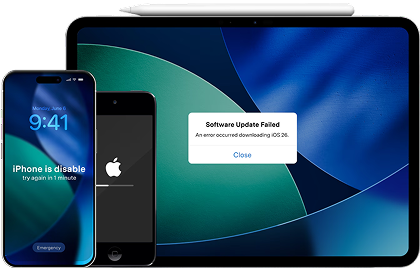
This section compares Dr.Fone vs UltFone, which is better across 3 common iOS failures. See how each tool handles these repair scenarios and where their approaches differ.
Scenario 1. Frozen Apple Logo
Both tools address a frozen Apple logo without immediately erasing personal data. Dr.Fone takes the lead with Standard Repair, backed by General Reset as an additional non-destructive option before moving to data-erasing repairs. UltFone also preserves data in Standard Repair, but offers fewer recovery options before Deep Repair.
Scenario 2. Recovery Mode Loop
The second failure needs a quick way out rather than a full repair. Both tools offer free Recovery Mode controls, but UltFone limits free exits to 5 uses. Dr.Fone takes the lead with unlimited Recovery Mode entry and exit, plus a free DFU Mode exit for another stuck-state scenario.
Scenario 3. Failed Update or Restore
Both tools document support for 200+ iTunes errors, including common update and restore failures. Dr.Fone takes the lead here by combining this broad error coverage with Standard Repair for data preservation and Advanced Repair when more extensive system repair is required.
| Outcome Measure | Dr.Fone - System Repair (iOS) | UltFone iOS System Repair |
|---|---|---|
| Scenario Coverage | Supports all 3 documented scenarios | Supports all 3 documented scenarios |
| Completion Time | Wondershare states about 10 minutes | No specific repair time stated |
| Data Protection | Standard preserves data, with General Reset available | Standard preserves data, Deep erases data |
| Recovery Tools | Unlimited Recovery entry/exit, plus DFU exit | Unlimited Recovery entry, 5 free exits |
| Repair Escalation | Standard, Advanced, and Anti-Recovery options | Standard, followed by Deep Repair |
| Better Performer | Dr.Fone across the 3 scenarios | Capable, but with fewer recovery options |
Part 6. From Device Detection to Final Reboot
Both sequences run 3 screens, so what matters is where they ask you for different things. Review this section in the Dr.Fone iOS System Repair vs UltFone comparison to know the workflow differences.
Starting a Repair with Dr.Fone
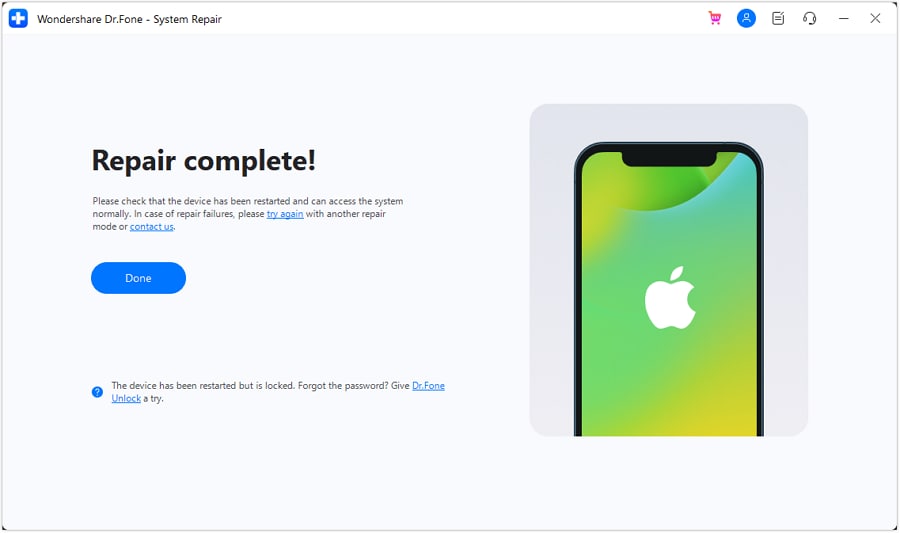
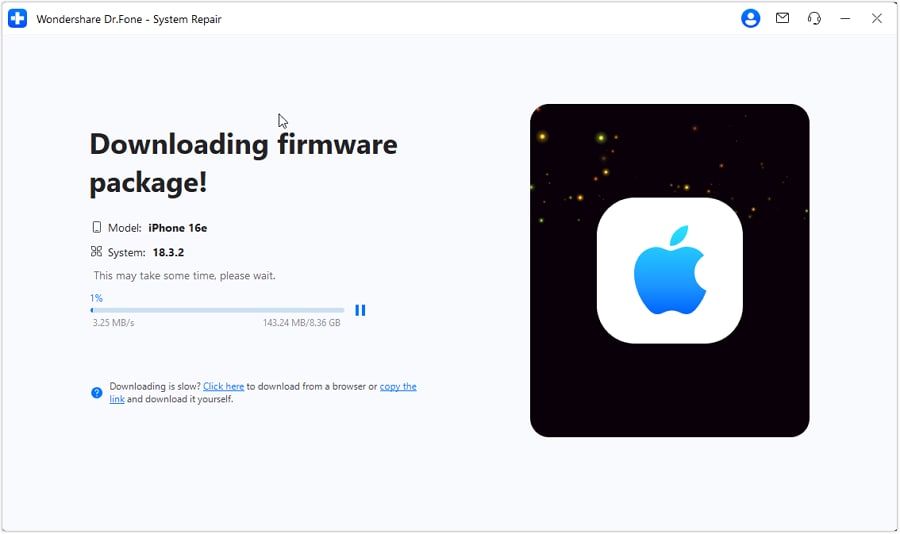
Connect the iPhone, choose System Repair, and select Standard Repair. Dr.Fone detects the device and displays compatible firmware options. Choose and download the appropriate package, start the repair, and let the device restart when the process finishes.
Starting a Repair with UltFone
UltFone follows a similar start, but Standard Repair automatically matches the device with suitable firmware. Users download the recommended package and begin the repair, while manual version selection is mainly available through its upgrade and downgrade functions.
Workflow Verdict
4 points along the sequence differ in comparison of Dr.Fone System Repair vs UltFone iOS system repair.
- Firmware Selection: Dr.Fone displays compatible firmware options for selection, while UltFone Standard Repair automatically matches and recommends suitable firmware.
- Local Firmware: Both tools support importing a previously downloaded firmware package, so users do not always need to download firmware again.
- Recovery and DFU Help: Both provide Recovery and DFU guidance when normal device detection fails, helping users establish a repair connection.
- Version Management: UltFone supports upgrades and downgrades to compatible Apple-signed versions. Dr.Fone also supports iOS upgrades and downgrades, plus free iOS beta installation.
Part 7. Which Tool Fits More Devices and Takes Less Effort?
Before choosing either tool, check whether it supports your device and iOS version. Here is how Dr.Fone System Repair or UltFone compare in compatibility and overall repair coverage.
Hardware and OS Coverage
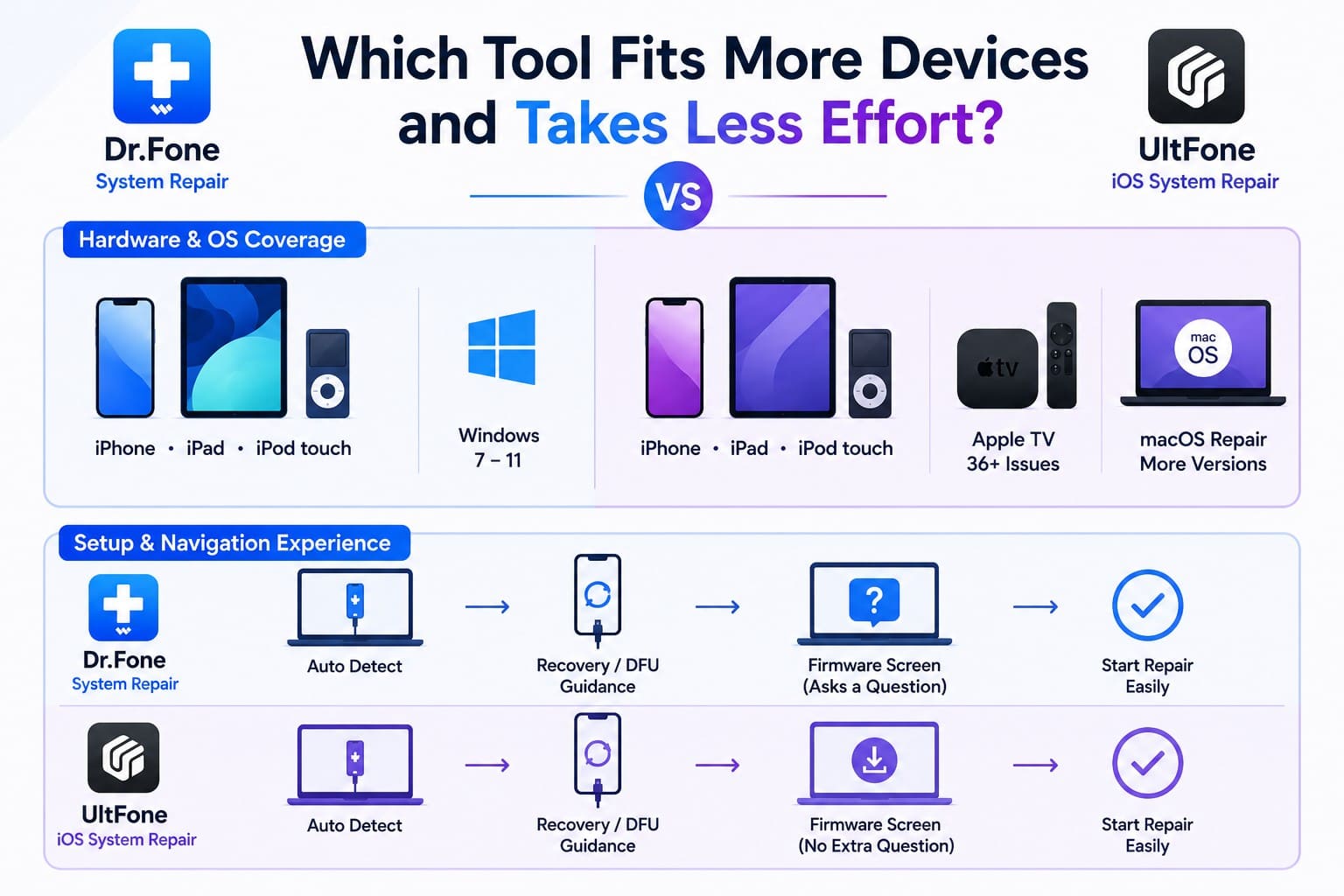
Both support a broad range of iPhone, iPad, and iPod touch models, with desktop support extending from Windows 7 through Windows 11. UltFone covers additional device categories, including 36+ Apple TV issues and macOS system repair, while Dr.Fone focuses its System Repair (iOS) features on iOS and iPadOS devices.
Setup and Navigation Experience
In the Dr.Fone vs UltFone comparison, both automatically detect connected devices and provide Recovery or DFU guidance when detection fails. The key workflow difference is firmware handling: Dr.Fone lets users select compatible firmware, while UltFone Standard Repair matches suitable firmware automatically.
Time Required to Complete a Repair
Dr.Fone quotes roughly 10 minutes once firmware has landed, and UltFone publishes none. Neither figure decides much, since a multi-gigabyte package moves at whatever speed your connection allows. The scorecard tracks effort instead, which you can control.
| Effort Signal | Dr.Fone - System Repair (iOS) | UltFone iOS System Repair |
|---|---|---|
| Decisions Before Repair | Choose repair mode and compatible firmware | Choose mode, firmware matched automatically |
| Apple Hardware Reached | iPhone, iPad, iPod touch | iPhone, iPad, iPod touch, Apple TV, Mac |
| Windows Support | Windows 7 through Windows 11 | Windows 7 through Windows 11 |
| Desktop Platform Support | Windows and macOS | Windows and macOS |
| iOS Version Support | iOS 5 and later | Older iOS versions through current releases |
Part 8. What Do Free and Paid Plans Actually Include?
Both download for free, and both put full repair behind a license. What differs is where each draws that line in this Dr.Fone System Repair vs UltFone comparison.
Dr.Fone - System Repair (iOS) Plan Options
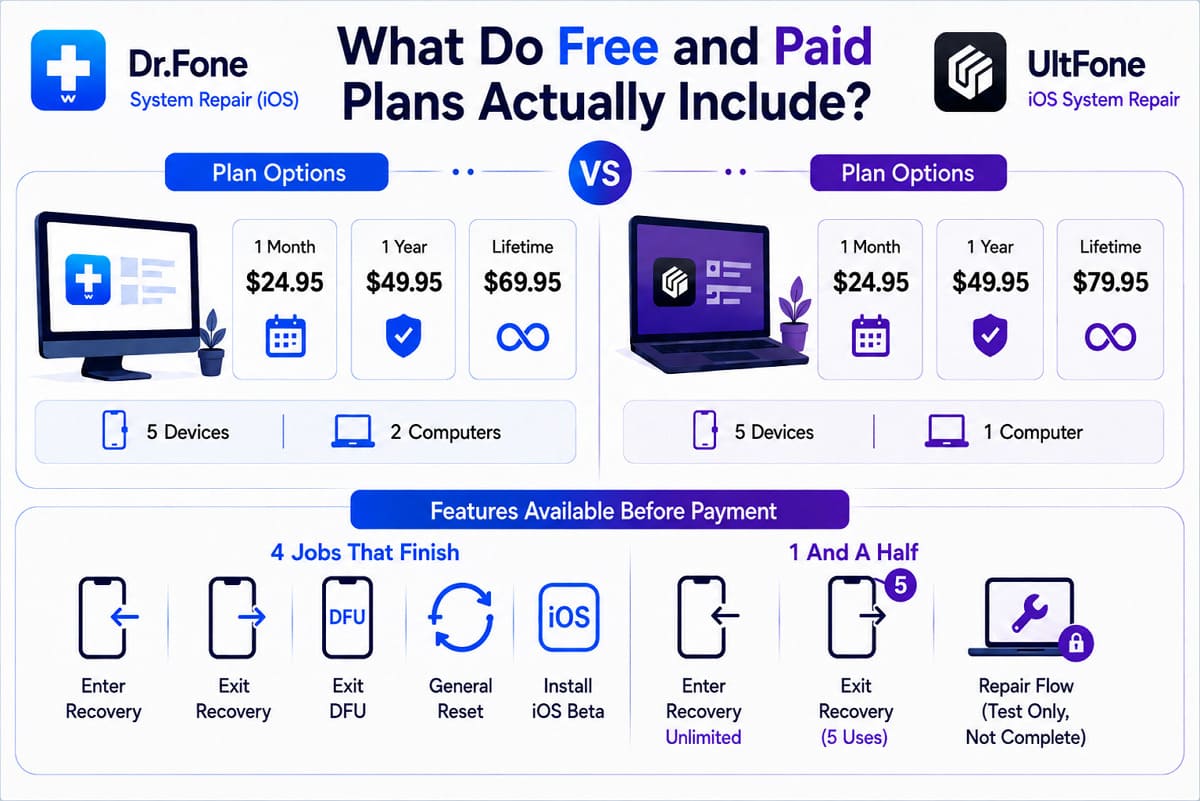
Dr.Fone offers 3 paid tiers, each covering up to 5 mobile devices across 2 computers. The device and computer allowance remain the same whether you choose the monthly, annual, or perpetual plan.
UltFone iOS System Repair Plan Options
UltFone offers 3 paid tiers, with monthly and annual plans matching Dr.Fone at $24.95 and $49.95, while the lifetime license costs $79.95. Each personal plan covers 5 devices on 1 computer, with free upgrades during the license period. Business plans expand coverage to 10, 15, or unlimited devices while remaining limited to 1 computer.
Features Available Before Payment
The free tiers show the clearest difference in what each tool lets you complete without paying.
- Dr.Fone, 4 Jobs That Finish: One handles Recovery Mode entry and exit, the second exits DFU, the third is General Reset, and the fourth installs iOS beta versions.
- UltFone, 1 And A Half: Recovery entry is unlimited, the exit stops after 5 uses, and the repair flow can be tested but never completed.
License and Refund Conditions
Licenses don't cross platforms, so your Windows key won't activate on a Mac. Both subscriptions renew automatically and can be canceled at any time. Compare pricing details in this Dr.Fone iOS System Repair vs UltFone section.
| Plan Detail | Dr.Fone - System Repair (iOS) | UltFone iOS System Repair |
|---|---|---|
| Subscription Tiers | $24.95 monthly, $49.95 annually | Identical on both counts |
| Buy Once | $69.95, no renewal | $79.95, no renewal |
| Devices and Computers | 5 iOS devices across 2 computers | 5 iPhones on a single computer |
| Uncapped Free Operations | 4 | 1 |
| Refund Claim Period | 7 days | 30 days |
Verdict: Both monthly plans cost the same, but Dr.Fone’s one-time license costs $10 less and covers 2 computers. UltFone, however, provides a longer 30-day refund window.
Part 9. Strong Points and Limitations of Both iOS Repair Tools
So far, you know Dr.Fone vs UltFone which is better across key areas. Here’s where each tool performs best to help you choose.
Where Dr.Fone - System Repair (iOS) Performs Well
- General Reset and Standard Repair preserve data before more intensive repairs.
- Four free functions cover Recovery, DFU exit, Reset, and Beta Installation.
- $69.95 perpetual plan covers 5 mobile devices across 2 computers total.
Where Dr.Fone Could Be Better
- No Apple TV or macOS repair anywhere in its range.
- A one-week refund claim period, and 7 GB of storage wanted up front.
Where UltFone Performs Well
- Lists every signed iOS build, so you can downgrade to an exact version.
- Repairs 36+ Apple TV faults and macOS system problems from the same app.
- 30-day guarantee, plus 9 iTunes error codes published by number.
Where UltFone Could Be Better
- Nothing sits past Deep Repair, so a fail-safe run costs you the phone's contents.
- Free recovery exits stop after 5 attempts, and each license covers 1 computer.
Part 10. The Better Choice for Different iOS Repair Needs
Both lists carry weight, so the answer depends on which trade-off you prefer. Between UltFone iOS System Repair vs Dr.Fone System Repair, learn when to use each tool.
Pick Dr.Fone - System Repair (iOS) When...
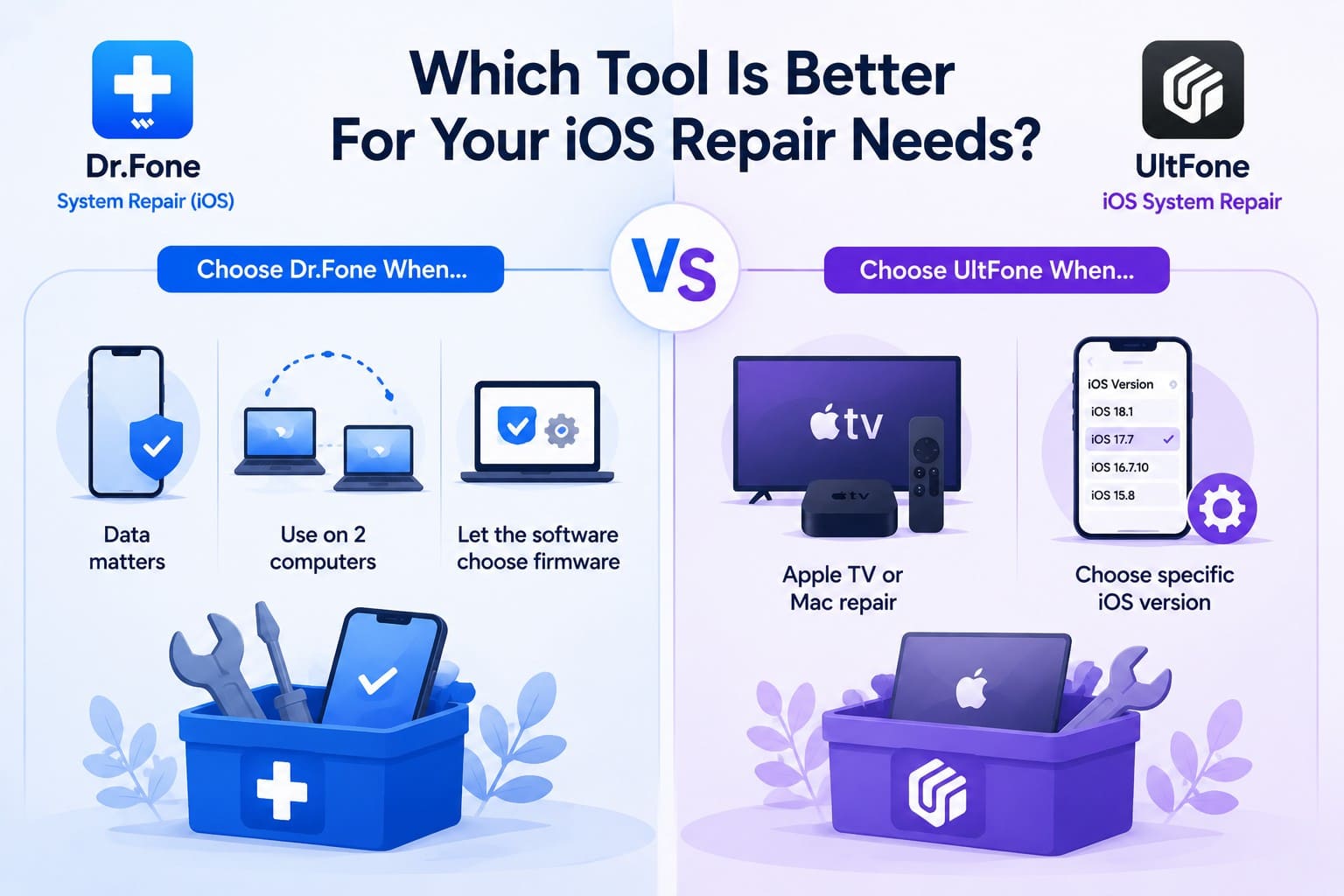
Your iPhone holds unbacked data, you work across two computers, or you want more repair options before data-erasing fixes.
Pick UltFone iOS System Repair When...
Choose UltFone when you need Apple TV or Mac repair, or want dedicated iOS upgrade and downgrade options.
Overall Winner After Testing
Scored across the 6 factors that carried this comparison, the balance sits like this:
| Verdict Category | Stronger Tool | Reason |
|---|---|---|
| Repair Capability | Dr.Fone | More repair options for common and serious iOS system failures |
| Data Protection | Dr.Fone | General Reset adds another non-destructive option before data-erasing repairs |
| Firmware Experience | Tie | Both support compatible firmware handling, upgrades, and downgrades |
| Device Coverage | UltFone | Extends system repair support to Apple TV and Mac |
| Usability | Dr.Fone | More free troubleshooting functions available within one repair toolkit |
| Price-To-Value | Dr.Fone | $10 cheaper perpetual license with coverage across 2 computers |
Conclusion
In the Dr.Fone System Repair vs UltFone iOS System Repair comparison, both tools handle basic iOS issues well. UltFone works best if you need Apple TV support or exact firmware selection. However, Dr.Fone - System Repair (iOS) wins overall with four complete free tools, extra non-destructive recovery options, and a lower price for 2 computers. For safer data protection and better value, Dr.Fone is the superior choice.


Frequently Asked Questions
-
1. Can UltFone repair an iPhone that iTunes or Finder cannot restore?
In many cases, it can, yes. UltFone says its standard repair clears most system issues without the data loss an iTunes restore causes, and it covers 200+ iTunes errors. The company confirms hardware faults stay outside its scope. -
2. Which tool gives more control over firmware selection?
Dr.Fone gives more control during System Repair by displaying compatible firmware options for users to select. UltFone Standard Repair automatically matches the appropriate firmware package. -
3. Do Dr.Fone and UltFone require an internet connection for every repair?
Both require an internet connection for every repair, since neither supports local firmware import. Each repair downloads the required firmware package before proceeding. -
4. Which option is more suitable before taking an iPhone to a repair shop?
Either is worth trying, since both fix software faults you'd otherwise pay for. Neither touches hardware, so physical damage still needs the shop.
 Add Wondershare Dr.Fone as a preferred source on Google