Resolve common problems and system crashes on both iPhone and Android devices.

 100% Security Verified | No Subscription Required | No Malware

 :
: 
 ChatGPT
 Perplexity
 Gemini
 Claude
 Grok
Grok
Dr.Fone System Repair and iToolab FixGo share several key features. Both offer free recovery-mode tools, support data-preserving standard repairs, and provide guided workflows for common iOS system problems.
So, the key difference in Dr.Fone System Repair vs iToolab FixGo comes down to repair options, free features, compatibility, pricing, and overall flexibility. iToolab FixGo walks you through an entire repair, then locks the last click behind payment. Dr.Fone - System Repair (iOS) runs 4 operations start to finish for nothing. Review this guide in detail to find out why Dr.Fone - System Repair (iOS) is a better choice.
In this article
- Part 1. Dr.Fone vs FixGo in 60 Seconds
- Part 2. FixGo vs Dr.Fone System Repair: Side-by-Side Overview
- Part 3. How We Compared Dr.Fone and FixGo
- Part 4. How Dr.Fone and FixGo Approach iOS Repair
- Part 5. Repair Performance Under Real iOS Problems
- Part 6. Which Repair Workflow Is More Straightforward?
- Part 7. Dr.Fone vs FixGo for Compatibility and Speed
- Part 8. Free Features vs Paid Repair: What Changes After You Pay?
- Part 9. Where Dr.Fone and FixGo Each Make Sense
- Part 10. Dr.Fone System Repair or FixGo: Final Decision
- Frequently Asked Questions
Part 1. Dr.Fone vs FixGo in 60 Seconds
Go through the following 6 metrics in this Dr.Fone System Repair vs FixGo comparison section to get a quick verdict:
- Best Overall: Dr.Fone - System Repair (iOS), with more free utilities, broader repair options, and support for two computers per license.
- Best for Standard Repair: Dr.Fone, since Standard Mode addresses common iOS system problems while preserving device data.
- Best for More Severe Problems: Dr.Fone, with Advanced Mode for deeper system repair and a separate Anti-Recovery option for secure data erasure.
- Best Free Utility Access: Dr.Fone, offering General Reset, Enter Recovery Mode, Exit DFU Mode, and Explore iOS Beta without payment.
- Best Value: FixGo, with lower annual and lifetime pricing, making it more economical for users who only need one computer.
- Quick Recommendation: Pick Dr.Fone for broader repair options and free utilities. Choose FixGo for lower pricing or Apple TV support.
Part 2. FixGo vs Dr.Fone System Repair: Side-by-Side Overview
Given these recommendations, the table below compares the key factors to help answer: Dr.Fone vs FixGo, which is better?
| Repair Criterion | Dr.Fone - System Repair (iOS) | iToolab FixGo |
|---|---|---|
| Repair Modes | General Reset, Standard Mode, Advanced Mode, and Anti-Recovery Mode options | Standard Mode and Advanced Mode |
| System Problems | 150+ iOS faults and 200+ iTunes errors | 200+ iOS, iPadOS, and tvOS faults |
| Data Preservation | General Reset and Standard Mode preserve data; deeper options erase it | Standard Mode preserves data; Advanced Mode erases it |
| Recovery Mode Functions | Recovery Mode entry and exit, plus DFU Mode exit, all free | Recovery Mode entry and exit, both free |
| iTunes Errors | 200+ handled within Dr.Fone | Broader iTunes repair handled through TunesPal |
| Device Support | iPhone, iPad, and iPod touch | iPhone, iPad, iPod touch, and Apple TV |
| Free Access | General Reset, Recovery Mode entry/exit, DFU Mode exit, and iOS Beta installation | Recovery Mode entry and exit |
| Pricing | Monthly: $24.95 Annual: $49.95 Perpetual: $69.95 |
Monthly: $29.95 Annual: $35.95 Lifetime: $49.95 |
| Best For | Broader repair options and more functional free utilities | Lower pricing and Apple TV support |
Verdict: Dr.Fone offers better overall value with more functional free utilities and broader repair options. FixGo offers lower annual and lifetime pricing, plus Apple TV support.
 Fix iOS issues, no data loss.
- One-click repair for all iOS problems.
- Solve recovery mode, Apple logo, black screen, etc.
- Upgrade or downgrade iOS without iTunes
Part 3. How We Compared Dr.Fone and FixGo
Matching specifications won't tell you which tool gets your phone working. To compare Dr.Fone vs. FixGo, we tested 3 common faults on both apps.
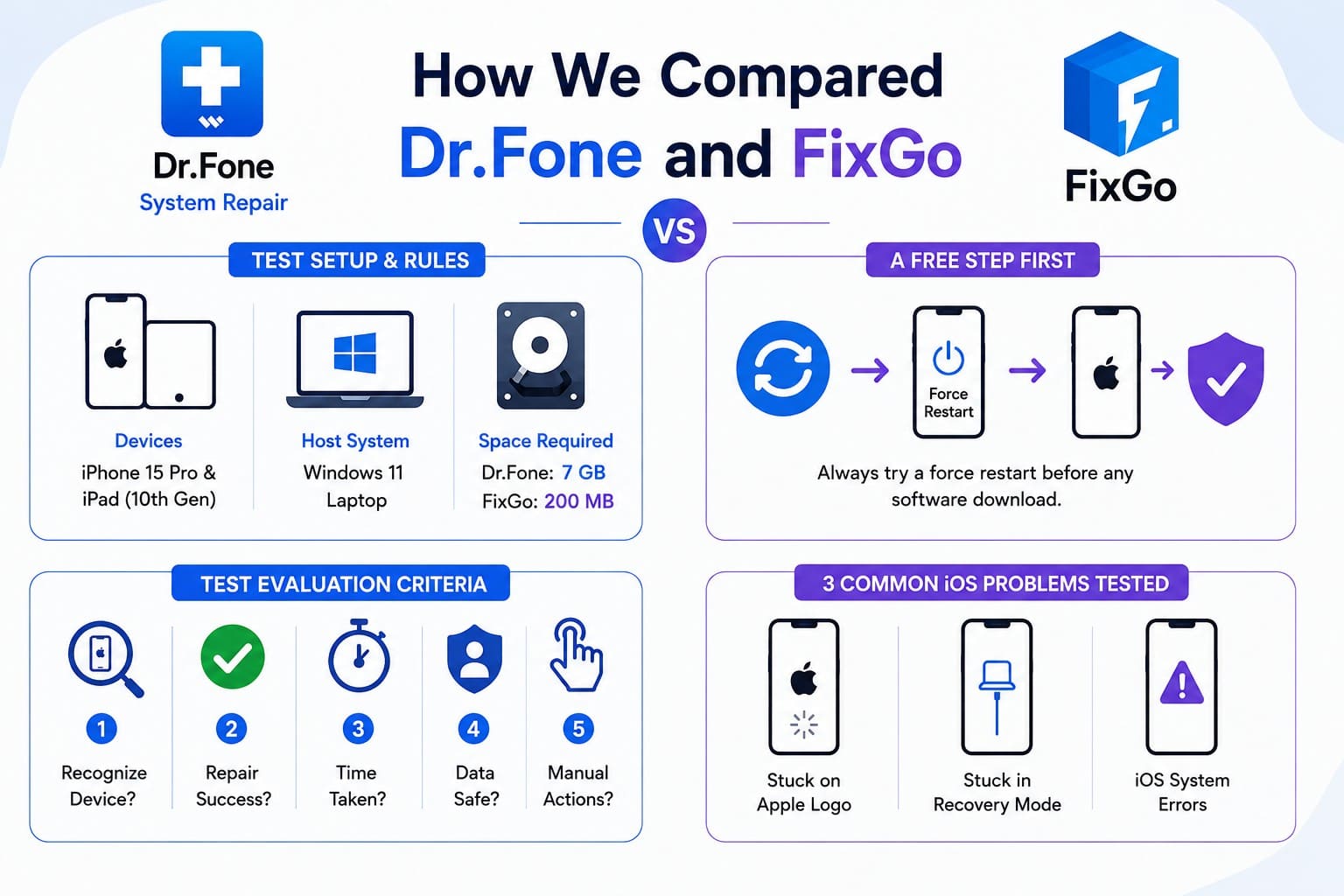
Test Setup & Rules
- Test Devices: iPhone 15 Pro and iPad (10th Gen) on iOS 26.
- Host System: Windows 11 Laptop.
- Space Requirements: Dr.Fone requires 7 GB of free space; iToolab requires 200 MB.
- Method: Results rely on published specs, tool modes, trial limits, and official vendor terms.
A Free Step First: Always attempt a force restart before any software download. A plain freeze often clears with a quick button combination. The 3 tests below cover faults that survive a basic reboot.
Test Evaluation Criteria
- Does the app recognize the connected phone?
- Does the repair succeed?
- How long does the process take?
- Does your personal data stay intact?
- How many manual actions do you perform?
The article evaluated how Dr.Fone and FixGo address 3 common iOS problems using official product documentation, repair-mode descriptions, compatibility specifications, trial restrictions, pricing, and vendor support resources. Apple Support documentation was used to verify relevant iOS recovery procedures and error codes.
Part 4. How Dr.Fone and FixGo Approach iOS Repair
To start with the iToolab FixGo vs Dr.Fone System Repair comparison, let’s see the iOS Repair approach of both tools.
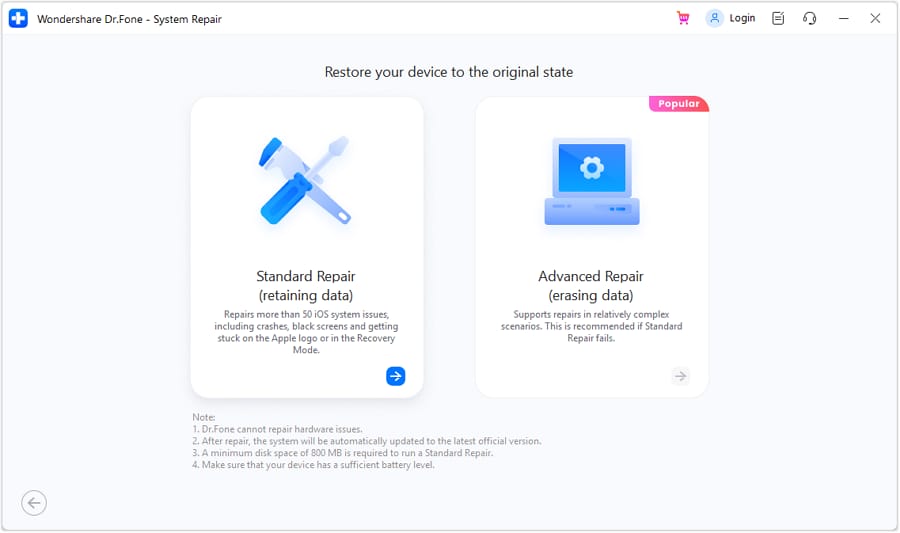
Dr.Fone Standard and Advanced Repair
4 settings share the work here, and only the top 2 cost you anything. General Reset restores system preferences while keeping your content intact. Standard Mode reinstalls the operating system in place. Beyond those, Advanced Mode performs a deeper repair that erases device data, while Anti-Recovery Mode securely wipes data when preparing a device for resale.
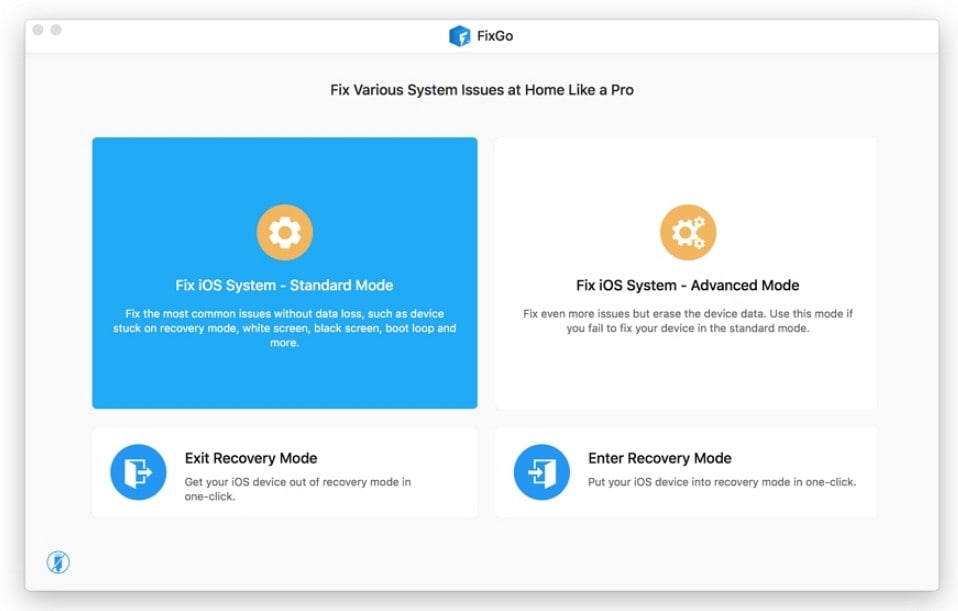
FixGo Standard and Advanced Modes
FixGo Standard Mode covers common stuck and frozen iOS problems while keeping your data intact. Advanced Mode handles more severe system issues when Standard Mode cannot resolve them, but the deeper repair erases device data.
Compare both tools’ modes so that the answer to Dr.Fone iOS System Repair vs FixGo becomes clear:
| Repair Depth | Dr.Fone - System Repair (iOS) | iToolab FixGo |
|---|---|---|
| Settings-Level Fix | General Reset, content preserved | No equivalent option |
| Standard Repair | Standard Mode, data preserved | Standard Mode, data preserved |
| Deep Repair | Advanced Mode, data erased | Advanced Mode, data erased |
| Secure Data Erasure | Anti-Recovery Mode | No equivalent option |
| Best Approach | More repair levels for different situations | Simpler two-mode repair approach |
Verdict: Dr.Fone provides a wider range of fix options, with extra choices both before and after a full wipe. FixGo limits you to standard modes with no extra backup steps.
Part 5. Repair Performance Under Real iOS Problems
Based on the comparison criteria mentioned in Part 3, this section examines common iOS problems to determine Dr.Fone vs. FixGo, which is better.
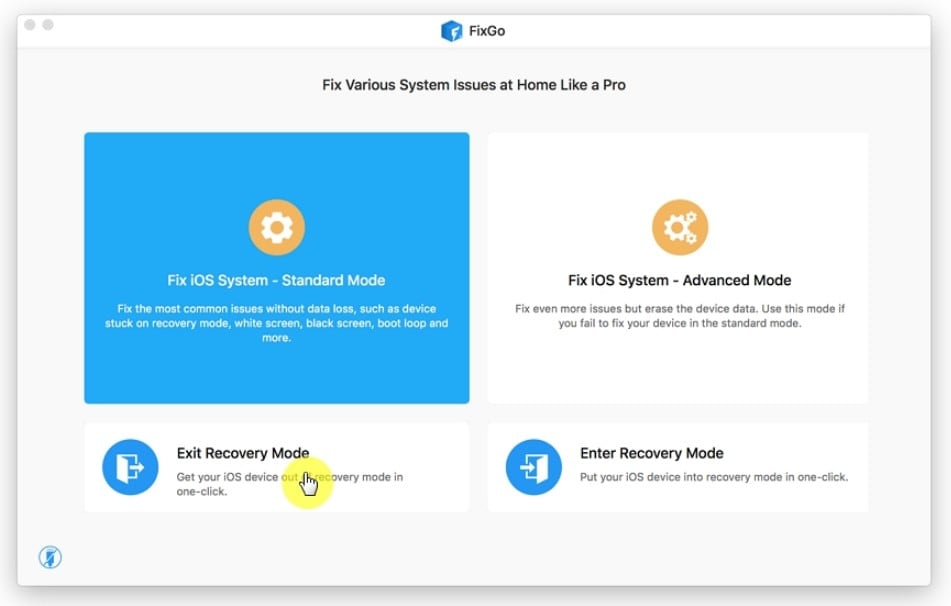
Recovery Mode Loop
Problem: The iPhone stays stuck on the 'Connect to Computer' screen.
- Winner: Tie
- Result: Both apps clear this fault in one click at zero cost.
Details: Neither tool requires payment to exit Recovery Mode. FixGo provides free Recovery Mode entry and exit, while Dr.Fone offers the same functions for free and also includes free DFU Mode exit.
Frozen Apple Logo
Problem: The iPhone will not boot past the static Apple logo screen.
- Winner: Dr.Fone
- Result: Both tools can use Standard Mode to repair the issue while preserving data. Dr.Fone provides additional repair options for different situations.
Details: Dr.Fone Standard Mode repairs common Apple logo problems without erasing existing data, making it a practical first repair option before moving to deeper methods.
Failed or Interrupted iOS Update
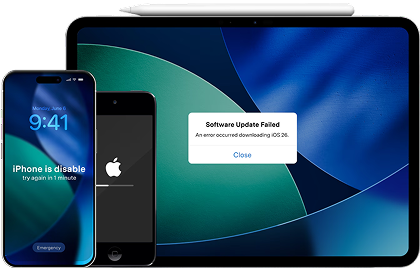
Problem: The phone crashes or freezes during a system update, or iTunes throws an error code.
- Winner: Dr.Fone System Repair
- Result: Dr.Fone resolves system updates and iTunes errors inside a single app. FixGo forces a second app download to cover all iTunes errors.
Details:
- FixGo: Fixes main update errors like 4013 and 4005. For broader iTunes errors, it redirects you to TunesPal, a separate app download.
- Dr.Fone: Handles 200+ iTunes error codes natively (including codes 3041, 2001, and 4014), along with standard iOS update repairs.
The given table gives the overall answers for all 3 tests in this Dr.Fone iOS System Repair vs FixGo:
| Performance Metric | Dr.Fone - System Repair (iOS) | iToolab FixGo |
|---|---|---|
| Detection | Automatically detects connected devices | Automatically detects connected devices |
| Repair Success | Supports all 3 tested problem types | Supports all 3 tested problem types |
| Speed | Wondershare states repairs can take about 10 minutes | Repair time varies by firmware and connection |
| Data Retained | Preserved when using Standard Mode | Preserved when using Standard Mode |
| Repair Process | Guided firmware download and system repair | Guided firmware download and system repair |
| Recovery Utilities | Free Recovery Mode entry/exit and DFU exit | Free Recovery Mode entry and exit |
| Overall Winner | Dr.Fone – broader repair and recovery options | Strong for standard iOS repairs |
Verdict: Dr.Fone handles frozen Apple logos and iTunes errors far better than FixGo. It protects your data through extra recovery steps and keeps all repairs inside one app.




Part 6. Which Repair Workflow Is More Straightforward?
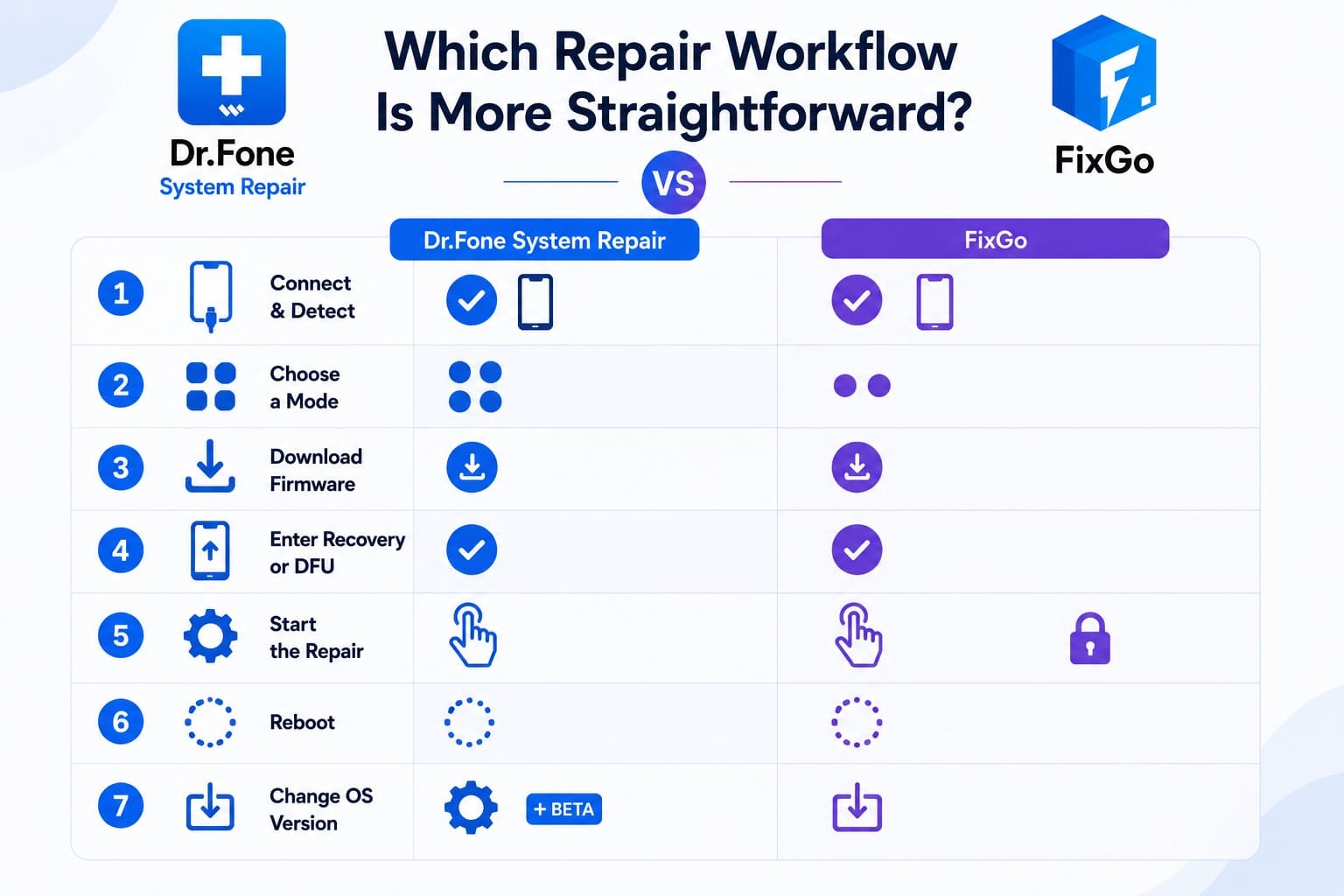
Small differences in output make process and usability key. Both apps handle a 7-step repair sequence behind the scenes, while users typically complete only 3 main steps on screen. Compare the workflow and system support between Dr.Fone System Repair or FixGo to choose the right pick.
Step-by-Step Workflow Comparison
-
Step 1 Connect and Detect
Both tools detect the connected Apple device and identify the device model.
-
Step 2 Choose a Mode
Dr.Fone provides General Reset, Standard, Advanced, and Anti-Recovery options, while FixGo offers Standard and Advanced modes.
-
Step 3 Match Firmware
Both tools identify compatible firmware and offer the appropriate firmware package for download.
-
Step 4 Enter Recovery or DFU
When needed, both tools provide on-screen instructions to place the device into Recovery or DFU Mode.
-
Step 5 Start the Repair
Both tools require a paid plan for full system repair. Once activated, the selected repair process begins through the interface.
-
Step 6 Complete and Reboot
After a successful repair, the device restarts so you can check whether the original system problem is resolved.
-
Step 7 Change iOS Version
Both tools provide options for changing supported iOS versions. Dr.Fone also offers free iOS beta installation as a separate function.
Regional Availability & System Support
- Platform Support: Both applications run on Windows 11 down to Windows 7 and recent macOS releases.
- Global Server Speed: Dr.Fone uses localized content delivery network (CDN) servers across North America, Europe, and Asia for faster firmware downloads. FixGo relies on centralized servers, which can slow down large firmware pulls in regions outside North America.
Workflow Verdict
- Dr.Fone: Better for users who need clear repair paths and fast firmware downloads worldwide.
- FixGo: A simpler choice for users who prefer fewer initial screen options.
Part 7. Dr.Fone vs FixGo for Compatibility and Speed
If compatibility and speed are your concerns in this Dr.Fone System Repair vs FixGo comparison, the following table gives you a quick verdict:
| Compatibility Item | Dr.Fone - System Repair (iOS) | iToolab FixGo |
|---|---|---|
| iOS/iPadOS Coverage | iOS 5.0 and later, including iOS 27 | iOS 9 and later, including iOS 27 |
| Supported Devices | iPhone, iPad, and iPod touch | iPhone, iPad, iPod touch, and Apple TV |
| Desktop OS | Windows 7–11, macOS 10.13 and later | Windows 7–11, macOS 10.11–14 |
| Disk Space | 7 GB free space | 200 MB free space |
| License Coverage | 5 devices on 2 computers | 5 devices on 1 computer |
| Key Advantage | Wider OS range and license coverage | Adds Apple TV support |
Verdict: Dr.Fone demands far more storage space, which slows down older laptops. FixGo lacks official support for newer macOS versions past Sonoma.
Part 8. Free Features vs Paid Repair: What Changes After You Pay?
Both apps require a large download, but Dr.Fone lets you complete actual repairs for free. To further understand the price reality in this Dr.Fone System Repair vs iToolab FixGo, this section is for you.
iToolab FixGo
FixGo limits almost all repair work behind a paywall. Its free trial serves as a simple preview:
- Allows one-click entry and exit for recovery mode.
- Runs through the full repair scan to confirm device detection.
- The Catch: Stops right at the final click for Standard and Advanced repairs until you buy a license.
Dr.Fone System Repair
Dr.Fone provides several practical, non-destructive fixes without payment:
- Completes full operations for Recovery Entry, Recovery Exit, DFU Exit, and General Reset.
- Lets you install iOS beta builds for free.
- The Advantage: Offers real functional repair solutions under the trial version rather than basic product demos.
Here is how the free access and paid limitations compare between the two tools:
| Access Tier | Dr.Fone - System Repair (iOS) | iToolab FixGo |
|---|---|---|
| Free and Complete | General Reset, Recovery Mode entry/exit, DFU Mode exit, and iOS Beta installation | Recovery Mode entry and exit |
| Full System Repair | Paid plan required | Paid plan required |
| Monthly | $24.95 | $29.95 |
| Annual | $49.95 | $35.95 |
| One-Time | $69.95 | $49.95 |
| License Covers | 5 devices, 2 computers | 5 devices, 1 computer |
| Updates Included | Included with an active plan | Free with lifetime license |
| Refund Terms | 7 days | 30 days |
Part 9. Where Dr.Fone and FixGo Each Make Sense
Given all the detailed evaluation, you might still wonder: Dr.Fone vs FixGo, which is better? This section lays out the pros and cons of both tools for clarity.
Dr.Fone - System Repair (iOS) Advantages and Drawbacks
Here are the benefits and drawbacks for Dr.Fone - System Repair (iOS):
Advantages
- Dr.Fone completes four free fixes, including DFU mode exit.
- FixGo lacks Dr.Fone's extra reset and deep-repair options.
- One license covers 2 computers and fixes 200+ iTunes errors.
Drawbacks
- Asks for 7 GB before firmware lands, where the rival needs 200 MB.
- 7 days to claim a refund, and no Apple TV anywhere in its range.
iToolab FixGo Advantages and Drawbacks
FixGo answers with broader reach and a lower price, but it omits some rungs.
Advantages
- Lifetime access at $49.95 with a 30-day guarantee and free updates.
- Recovery mode entry and exit are included in both directions.
- Apple TV and tvOS repair, from a 200 MB install.
Drawbacks
- One computer per license, so a second machine means a second purchase.
- Nothing sits past Advanced Mode, and Mac support ends at Sonoma.
Best for Different Types of Users
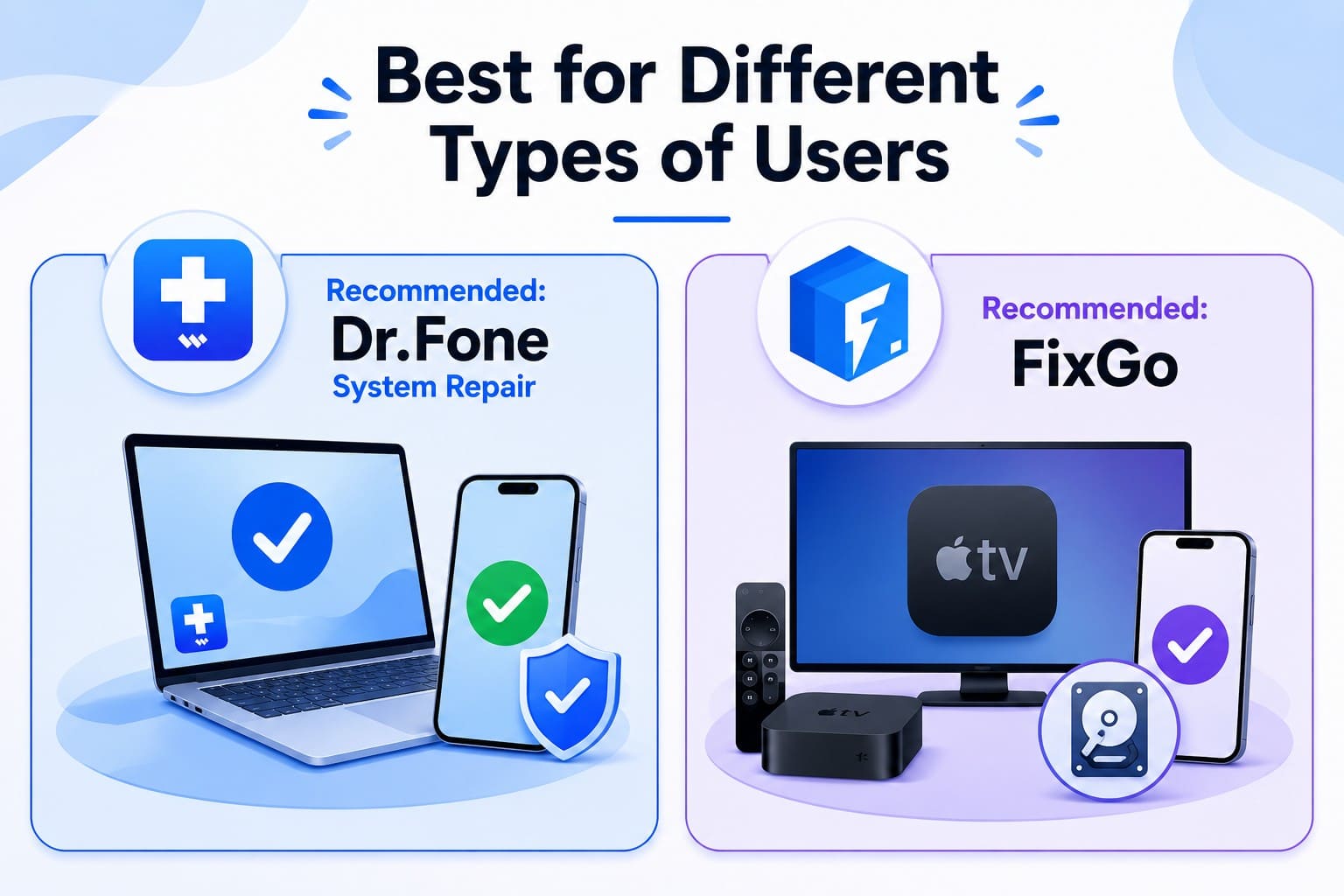
Use Dr.Fone if you want more repair paths, extra free utilities, and one license that works on two computers. Choose FixGo if Apple TV support, lighter storage requirements, or a lower annual and lifetime price matters more.
Part 10. Dr.Fone System Repair or FixGo: Final Decision
Compared side by side, the key factors in this Dr.Fone System Repair vs FixGo comparison reveal clear strengths for each tool:
| Deciding Factor | Stronger Tool | What Settles It |
|---|---|---|
| Repair Performance | Dr.Fone | Broader repair options for different levels of iOS problems |
| Data Safety | Dr.Fone | General Reset provides an additional data-preserving option |
| Firmware Workflow | Dr.Fone | More repair choices within a guided firmware workflow |
| Speed | Tie | Performance varies with firmware size and internet connection |
| Ease of Use | Dr.Fone | More repair options while maintaining a simple 3-step workflow |
| Pricing | FixGo | Lower annual and lifetime prices |
The choice comes down to value, repair flexibility, and the features you need. Dr.Fone provides more complete free utilities and broader repair options, while FixGo focuses on a simpler two-mode workflow. For deeper problems, both eventually require data-erasing repair modes.
Conclusion
In the Dr.Fone System Repair vs. iToolab FixGo debate, both tools handle common iOS system problems through guided repair workflows. FixGo stands out with its lower lifetime price and Apple TV support. However, Dr.Fone wins overall with more free utilities, broader repair options, and support for two computers per license, making it the stronger choice for most iOS repair needs.
Frequently Asked Questions
-
1. Does FixGo let you enter or exit recovery mode for free?
Yes, in both directions and with one click. That's a real strength, and it puts FixGo ahead of several rivals that charge for the exit. Dr.Fone matches it and adds a free DFU exit. -
2. Which tool is better when an iPhone is not detected normally?
Both put the device into recovery mode from the app, which usually restores detection. Dr.Fone edges ahead because it'll also exit DFU mode for free, and DFU is where a failed restore tends to strand a handset. -
3. Can Dr.Fone or FixGo fix an iPhone after an interrupted iOS installation?
Both can, and neither has to erase the phone to do it. Each uses safe mode to reinstall iOS over what's already there. Back up anyway, since a second attempt may need the wiping mode. -
4. Which tool offers better value for a one-time repair?
FixGo costs less at $49.95 lifetime, while Dr.Fone’s $69.95 plan adds two-computer coverage, more free utilities, and broader repair options.
 Add Wondershare Dr.Fone as a preferred source on Google