Bypass iCloud Activation Lock and Android FRP without password.

 100% Security Verified | No Subscription Required | No Malware

 :
: 
 ChatGPT
 Perplexity
 Gemini
 Claude
 Grok
Grok
The hardest part about MiracleThunder in 2026 may not be using it; it is knowing which version you can actually trust. Miracle Box 2.82 can still be found on download sites, but newer listings now appear for Miracle Thunder 3.40, while unofficial Miracle Box crack packages claim to have similar repair functions without normal activation. Nonetheless, the download file you choose may influence security, drivers, phone support, and even whether the tool works.
Miracle Thunder remains a technician-focused utility for flashing, unlocking, and servicing supported phones. But age and unofficial releases make the choice less straightforward today. This Miracle Thunder review separates the useful features from the real risks and shows when a dedicated Android screen-unlock tool may make more sense.
In this article
- Part 1. Miracle Thunder Explained: Miracle Box Features and Version Differences
- Part 2. Is Miracle Thunder Crack Download Safe?
- Part 3. Miracle Thunder Crack on Windows 10: Why It May Not Work
- Part 4. Miracle Box Driver Installation Guide: Set It Up on Windows
- Part 5. Miracle Box Crack: Small Convenience, Bigger Risks
- Bonus Part: Need Screen Unlocking Instead? Try Dr.Fone - Screen Unlock (Android)
Part 1. Miracle Thunder Explained: Miracle Box Features and Version Differences
Miracle Box is an Android servicing tool made mainly for phone technicians. It is linked with tasks such as reading device details, installing firmware, handling some screen locks, and performing selected FRP operations. Miracle Thunder is the software interface often used with Miracle Box.
The term Miracle Box crack usually refers to modified third-party builds or loaders. These are different from a verified software release and may not offer the same support or reliability.
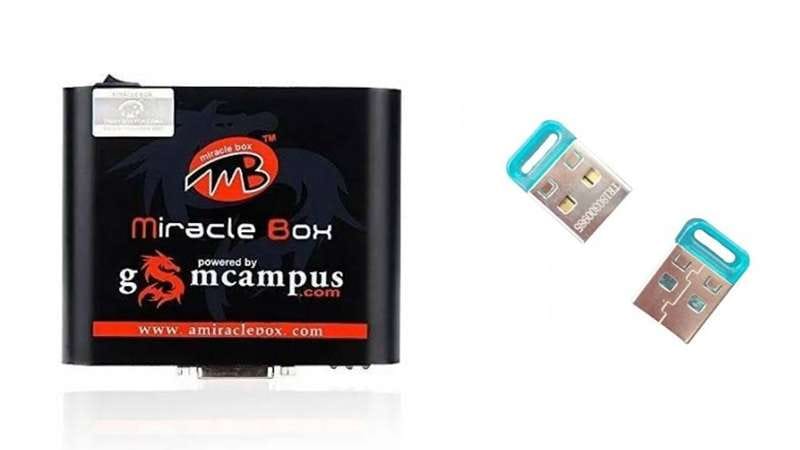
1. Key Features of Miracle Box
The Miracle Box software functions because of the phone and mostly vary between phones. Support relies on the device's model and chipset, its Android version and security patch, and its software build.
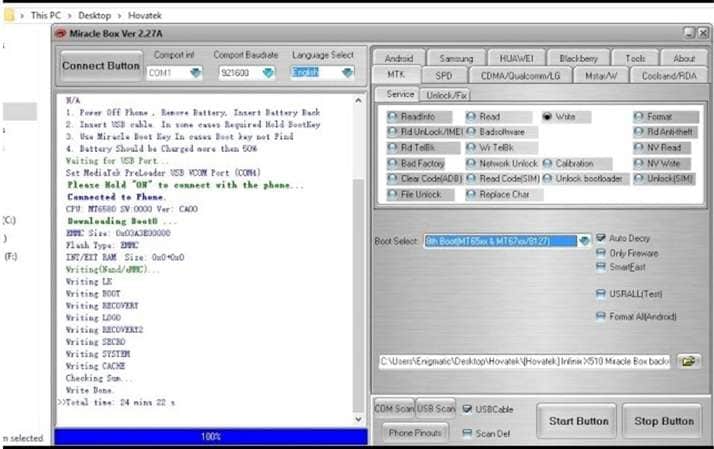
Firmware Flashing
The Miracle Box flash tool can install or reinstall firmware on supported phones. Flashing may help replace damaged software, update the phone system, or fix certain software-related problems. The correct firmware must match the device. Support varies by Android phone.
Device Unlocking
Miracle Box can also handle pattern, PIN, and password locks on selected Android devices.
This feature does not work with every model. Newer phones may have stronger security that an older Miracle Box build cannot handle.
FRP-Related Functions
Some versions include functions for handling Factory Reset Protection on supported devices.
FRP can appear after a factory reset and may ask for the Google account that was previously linked to the phone. Use these functions only on a device you own or have permission to service.
2. Miracle Thunder Versions and "Latest Version" Claims
Version numbers can make a Miracle Thunder download confusing. Some older pages advertise Miracle Thunder 3.40, while other pages show different releases.
The information available here has no consistent official release record. Because of that, a file labeled "latest version" does not automatically mean it is official, current, or unchanged.
| Version or Package | Availability | Compatibility Note |
|---|---|---|
| Miracle Thunder latest version | Mostly found on unofficial mirrors | Version details and compatibility may not be independently verified |
| Older Miracle Thunder packages | Available through archived third-party sources | Older Windows support is often claimed |
| Miracle Box crack packages | Distributed through unofficial third-party sources | May not work with newer devices or recent security patches |
This difference between normal releases and modified packages matters. A file may carry a familiar version number but still come from an unofficial source. That leads to the next question: Is Miracle Thunder Crack Download Safe?
Part 2. Is Miracle Thunder Crack Download Safe?
A Miracle Thunder crack or Miracle Box crack is usually shared through unofficial websites. As these files are modified or third-party files, you cannot verify their safety in all instances. Before opening or installing any downloaded parcel, check a few important points first.
1. Verify the Download Source
Check for clear information about the software publisher, version number, release date, and file source. Watch out for download buttons, pop-ups, and redirects on websites. When the source is unclear, do not assume that this file is authentic.
2. Scan the Files Before Running Them
Scan both the downloaded archive and the extracted files with Windows Security or another trusted security tool. Do not turn off antivirus protection just because a Miracle Thunder crack download asks you to. Check any unknown executable before allowing it to run.
3. Check the File and Publisher Details
Pay attention to the file name, publisher information, and installer behavior. A changed executable, an unexpected setup file, or a request for permissions unrelated to phone servicing should be treated as a warning sign.
4. Confirm Device and PC Compatibility
Before connecting a phone, make sure the software supports its model, chipset, Android version, and security patch. Also check whether the build supports your Windows version. A file may open on a PC but still fail to communicate with the device.
5. Protect Your Phone Data
Back up important files before using any repair or servicing function. Use the software only on a phone you own or have permission to repair. This reduces the risk of data loss and improper use.
6. Choose a Verified Tool When Details Are Unclear
If you cannot confirm the source, license, version, or compatibility of the package, an official or licensed Android servicing tool is the safer choice.
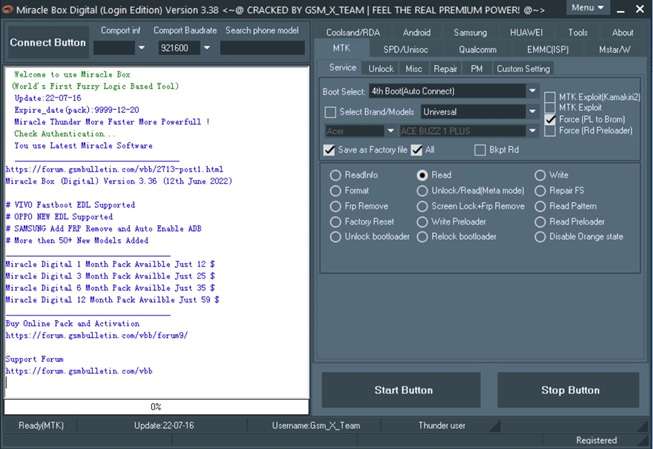

Safety is only one concern. Even when a cracked build opens successfully, Windows may still create driver, detection, or compatibility problems. The next section covers the most common issues with Miracle Thunder crack on Windows 10.
Part 3. Miracle Thunder Crack on Windows 10: Why It May Not Work
A Miracle Thunder crack download for Windows 10 may open with errors or fail during FRP and other repair tasks. Most problems come from outdated files, missing drivers, or device compatibility.
- Tool Does Not Start - The package may be incomplete, damaged, outdated, or linked to an unstable loader.
- Windows Blocks the File - A modified or unknown executable can trigger Windows Security. Do not disable protection just to make the file run.
- Phone Is Not Detected - Check the USB cable, port, device or chipset driver, and the required connection mode.
- Repair Operation Fails - The selected phone model, chipset, Android version, or security patch may not be supported by that build.
- Program Freezes or Crashes - Older Miracle Thunder crack builds may not work well with an updated Windows 10 system.
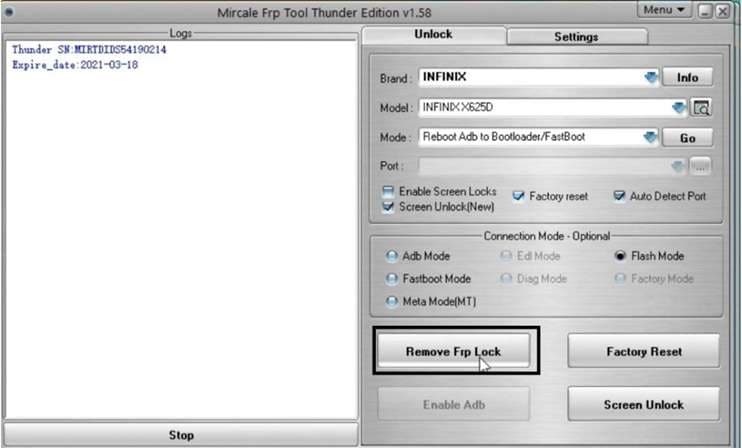
Important: Opening the software successfully does not mean FRP removal or screen unlocking will work. The result still depends on the exact device and software setup. Many detection issues also come down to drivers.
Part 4. Miracle Box Driver Installation Guide: Set It Up on Windows
The Miracle Box driver allows Windows to recognize Miracle Box hardware correctly. If the driver is missing or not installed properly, the software may fail to detect the connected box or phone.
How to Install the Miracle Box Driver
Step 1: Download the Driver
Get the required driver package and save it on your PC. Once downloaded, extract the ZIP file to a folder.
Step 2: Start the Installation
Go to the extracted folder and open setup.exe. Use the instructions on the screen to install the Miracle driver.
Step 3: Restart Your PC
Restart Windows after the setup finishes. This helps the newly installed driver load correctly.
Step 4: Confirm the Driver
Launch Device Manager and verify if the Miracle Box driver is installed correctly. If you got a warning from Windows or the device is missing, then the driver might not have installed properly.
Part 5. Miracle Box Crack: Small Convenience, Bigger Risks
A Miracle Box crack may look appealing because some unofficial loaders claim to work without a physical box. Certain builds also combine flashing, device information, and selected unlock functions. Older releases may still be useful for some legacy Android phones and chipsets.
Still, the trade-offs are serious:
- Modified installers may carry Trojans, spyware, ransomware, or other harmful files.
- A Miracle Thunder crack usually comes without reliable updates, compatibility fixes, or technical support.
- Cracked builds may freeze, crash, damage files, or conflict with Windows.
- Using unauthorized cracked software can also create copyright and legal concerns.
- Malicious software embedded in a cracked Miracle Box package can access your private data.
In general, the minor convenience afforded by a cracked build seldom outweighs the risks of being afflicted by malware, losing one's data, and enduring unstable performance issues, as well as a lack of official support. For users who primarily want an Android Unlocking tool, a dedicated legitimate one is the more practical way. This leads us to our next option.
Bonus Part: Need Screen Unlocking Instead? Try Dr.Fone - Screen Unlock (Android)
A Miracle Box crack may seem useful when you need flashing, device servicing, and several repair functions in one package. But if your main problem is a forgotten Android PIN, pattern, or password, you may not need a technician-focused tool at all.
Dr.Fone - Screen Unlock (Android) gives users a more guided way to remove supported Android screen locks. According to Wondershare, it can handle patterns, PINs, passwords, fingerprint locks, and Face Lock on supported devices. The current product page lists support for 32 brands and more than 2,000 Android phone and tablet models.
 Unlock Android phone in seconds.
- Remove PIN, pattern, password, fingerprint.
- Bypass Google FRP lock easily.
- Works on all Android brands & models.
- No tech skills required – user-friendly.

Key Features of Dr.Fone - Screen Unlock
- Removes supported PIN, password, pattern, fingerprint, and Face Lock screens.
- Covers major Android brands such as Samsung, Motorola, Huawei, Xiaomi, Lenovo, OPPO, vivo, and LG.
- Uses a guided process, so users do not have to work through the type of complex servicing interface often linked with Miracle Thunder software.
- Offers screen removal without data loss for selected older Samsung devices only. For many other Android phones, removing the lock can erase device data.
How to Unlock an Android Phone with Dr.Fone
-
Step 1 Open the Android Screen Removal Tool
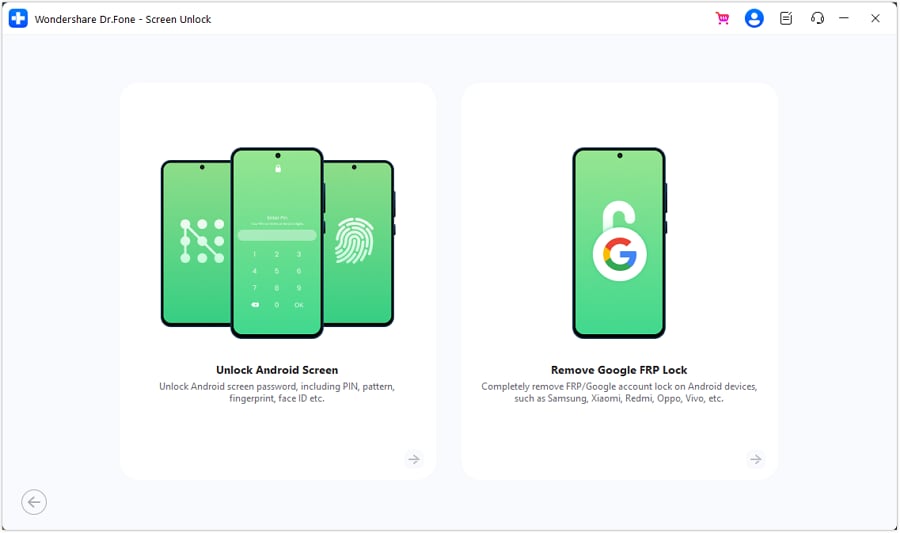
Launch Dr.Fone and go to Screen Unlock > Android. Select Unlock Android Screen to begin removing the lock from your device.
-
Step 2 Choose the Phone Brand and Enter the Required Mode
Select the brand of the locked Android phone. Dr.Fone will then show the correct steps for placing that device in the required mode.
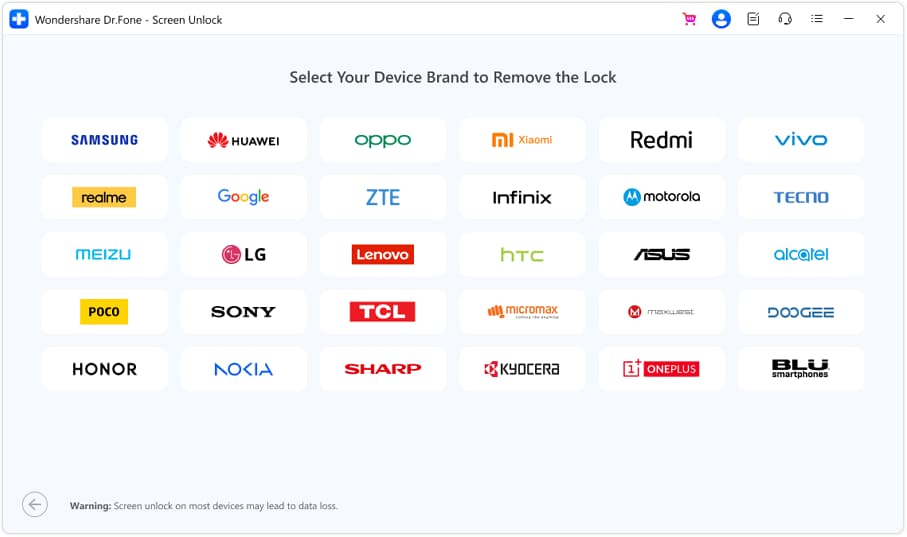
For Samsung phones that don't allow unlocking without data loss, choose Samsung first and then select 100% Remove Screen Lock.
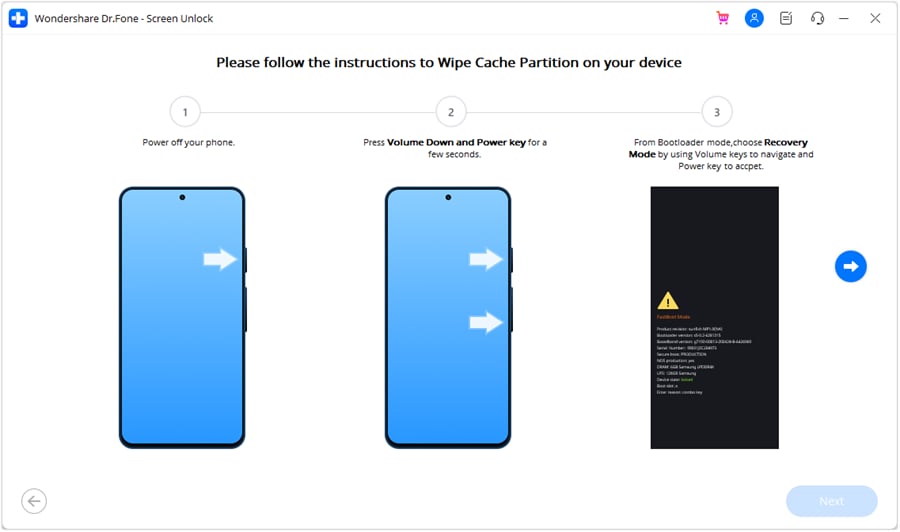
Do what you see on the screen. The button combination varies by phone manufacturer. When the device goes into the correct mode, Dr.Fone will start removing the lock. The technique could result in the removal of all information on cellphone.
-
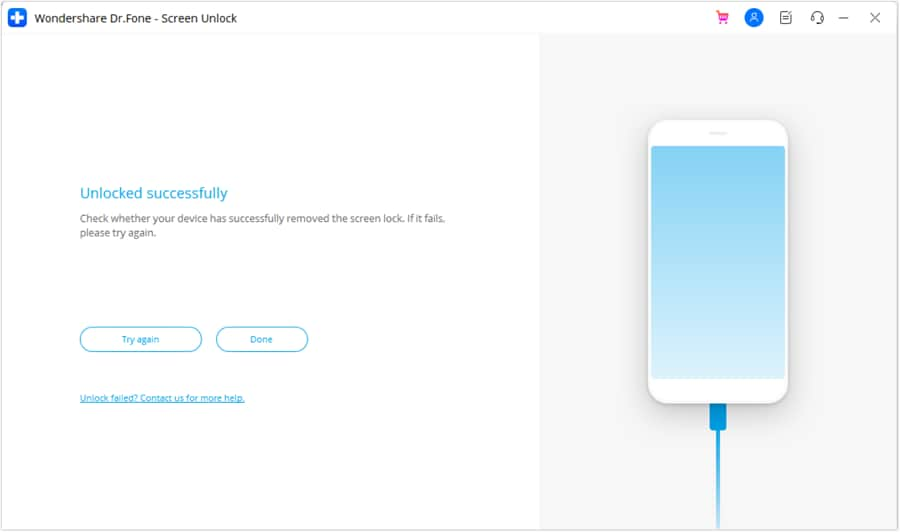
Step 3 Complete the Unlock Process
Keep the phone connected while Dr.Fone removes the screen lock. When the process finishes successfully, click Done.
If the attempt does not work, select Try Again and repeat the instructions carefully.




Conclusion
MiracleThunder still has value for technicians working with supported Android devices, especially for flashing, device checks, and selected unlock tasks. However, the real concern is source quality. A Miracle Box crack or unofficial Miracle Thunder crack can bring malware, driver errors, unstable performance, and poor compatibility with newer phones. Even a correct Miracle Box driver does not guarantee that every device or security patch will work.
If your goal is only to remove a forgotten Android screen lock, Dr.Fone - Screen Unlock (Android) offers a more guided option with clear device-specific steps. Always confirm compatibility and possible data loss before starting.
 Add Wondershare Dr.Fone as a preferred source on Google