Bypass iCloud Activation Lock and Android FRP without password.

 100% Security Verified | No Subscription Required | No Malware

 :
: 
 ChatGPT
 Perplexity
 Gemini
 Claude
 Grok
Grok
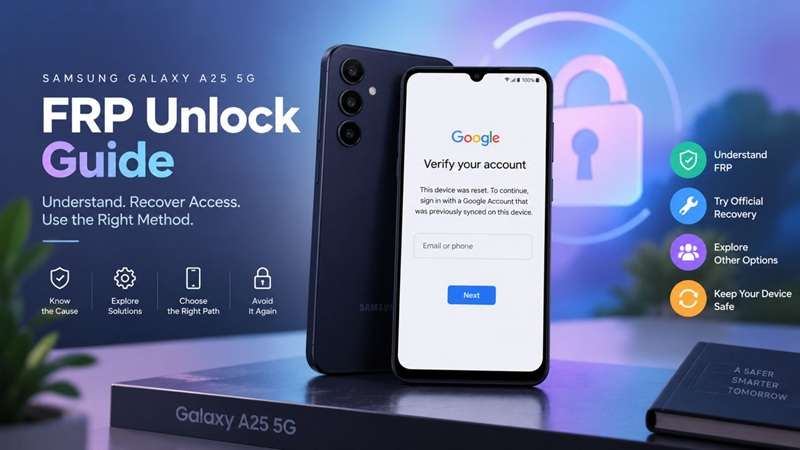
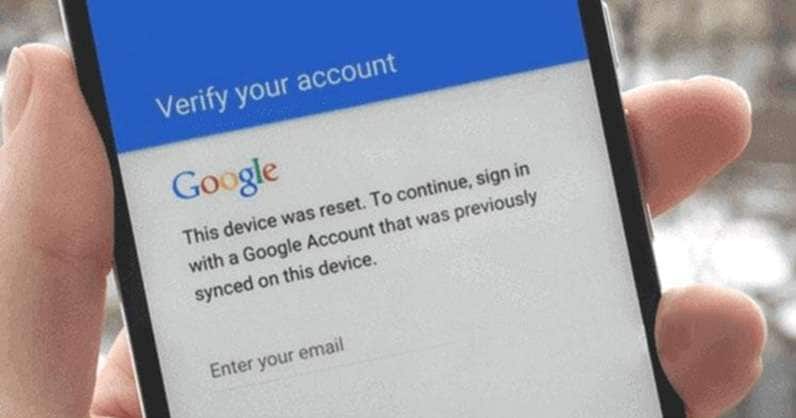
A factory reset does not always give a Galaxy A25 5G a clean start. If Google device protection was active, setup can stop at “Verify your account” and require a Google account that was previously synced with the phone. Google uses this check to prevent an erased device from being activated without proof of ownership.
For a Samsung A25 FRP unlock, the exact device setup matters. The Galaxy A25 5G uses Samsung’s Exynos 1280 platform and launched with Android 14 and One UI 6.0. Later Android, One UI, and security updates can affect recovery compatibility. This guide focuses on safe, ownership-based ways to regain access while helping you choose a route that matches the phone’s current software.
In this article
- Part 1. Why Does Your Galaxy A25 5G Stop at Google Verification?
- Part 2. Try Official Recovery Before Using an FRP Tool
- Part 3. Unlock Galaxy A25 FRP With Dr.Fone - Screen Unlock (Android)
- Part 4. Other Galaxy A25 FRP Recovery Options
- Part 5. Galaxy A25 FRP Recovery Compared: Which Option Fits Your Phone?
- Part 6. Avoid Another Galaxy A25 FRP Lock Before Resetting
Part 1. Why Does Your Galaxy A25 5G Stop at Google Verification?
Before choosing a recovery path, it helps to understand lock-related errors, possible causes, and the importance of Galaxy A25 5G hardware.
1-1. What FRP Actually Protects
Factory Reset Protection, or FRP, is part of Android’s device protection. It helps prevent someone from erasing and activating a lost or stolen phone.
If a protected Galaxy A25 is reset through Recovery mode or another protected reset route, setup may require the previous screen lock or a Google Account that was already added and synced to the device.
FRP is different from a normal screen lock. A PIN, pattern, password, fingerprint, or face unlock controls day-to-day access. FRP checks ownership after a factory reset. Samsung account verification is separate and may appear during certain Samsung account or reset actions.
1-2. Why the Galaxy A25’s Exynos 1280 Matters
The Galaxy A25 5G uses Samsung’s Exynos 1280 processor. Samsung also confirms that the phone launched with Android 14 and One UI 6.0.
For a Samsung A25 FRP unlock, compatibility can depend on the exact configuration, including:
- model number
- Exynos 1280 chipset
- Android version
- One UI build
- security patch
- current tool support
Software updates can change which recovery procedures remain compatible. For this reason, do not reuse instructions for Samsung phones based on Snapdragon or MediaTek for the A25 unless you confirm they support Exynos 1280.
Part 2. Try Official Recovery Before Using an FRP Tool
For an owned Galaxy A25 5G, start with official account recovery.
2.1 Sign In With a Previously Synced Google Account
At the verification screen, enter a Google Account that was previously added and synced to the Galaxy A25. Google states that you can use any previously synced account, as long as it wasn't added only as a guest. A newly created account will not satisfy this ownership check.
If you used several Google accounts on the phone, try the legitimate accounts you recognize.
2.2 Recover Forgotten Google Credentials
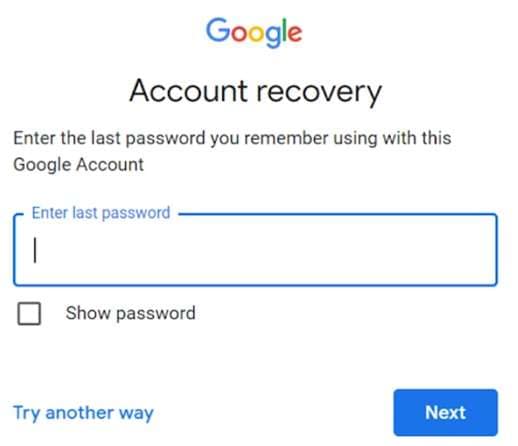
Use Google Account Recovery if you forgot the password. When you recover an account, we offer a way to help restore it.
The timing also matters. Google states that you should wait for approximately 24 hours after resetting your password before performing a factory reset. Samsung states that Google may impose a 24-hour wait time before the protected Galaxy device can be unlocked again.
So a newly changed password may be correct even if the phone does not accept it immediately.
2.3 Use Samsung Support When Account Recovery Fails
If you can't retrieve the Google account, take the device and valid proof of purchase to an authorized Samsung Service Center.
Keep these details ready:
- purchase receipt or invoice
- model and IMEI/serial details
- proof of ownership requested by the service center
If ownership is verified but account recovery still fails, the next step is to check whether a supported Samsung A25 FRP unlock solution matches the phone’s exact firmware and security patch.
Part 3. Unlock Galaxy A25 FRP With Dr.Fone - Screen Unlock (Android)
The Galaxy A25 5G has an Exynos 1280, so a guided tool that requires the user to check the connected device before choosing the recovery path that suits the user’s requirements is useful.
Dr.Fone - Screen Unlock (Android) includes Samsung Google FRP bypass and a Smart Recommendation feature. Wondershare says this feature reviews device details and the Android system version, then suggests a suitable FRP workflow. Its current Screen Unlock page also lists support for Android 16.
For a supported Samsung A25 FRP unlock, this reduces the need to guess between different Android or chipset-based routes.
 Unlock Android phone in seconds.
- Remove PIN, pattern, password, fingerprint.
- Bypass Google FRP lock easily.
- Works on all Android brands & models.
- No tech skills required – user-friendly.

Key Dr.Fone Features
- Samsung Google FRP removal
- Smart recommendations for device-based FRP guidance
- Support for current Android versions, including Android 16
- Guided on-screen instructions
- Support for many Samsung phones and tablets
How to Use Dr.Fone for Galaxy A25 FRP Removal
-
Step 1 Open Screen Unlock
Launch Wondershare Dr.Fone on your computer and connect the Galaxy A25 5G. Open Toolbox, then select Screen Unlock.
-
Step 2 Choose Samsung FRP Removal
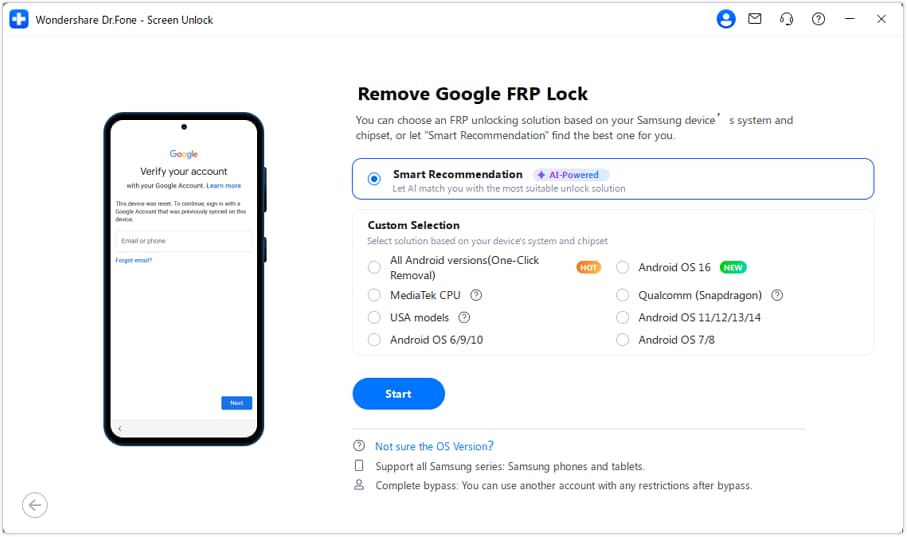
Select Android, then choose Remove Google FRP Lock. Select Samsung and click Start.
-
Step 3 Use Smart Recommendation
Choose Smart Recommendation (AI-Powered). Dr.Fone will check the connected device and Android environment, then recommend the most suitable FRP route.
-
Step 4 Follow the Guided Process
Follow the instructions shown in Dr.Fone. Follow only the path recommended for the connected Galaxy A25, rather than mixing steps from other Samsung models or Android versions.
-
Step 5 Finish the FRP Removal
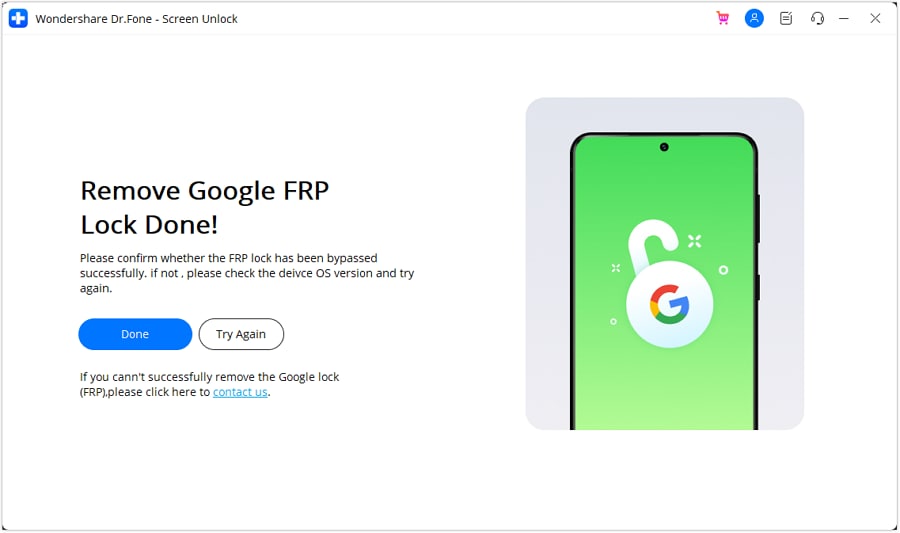
Dr. Fone will show the removal progress on the computer. When the procedure is completed, click Done. The software has a Try Again option if it fails to complete.
Since Samsung firmware and security patches change over time, check whether Dr.Fone is compatible with your Galaxy A25 configuration before starting.




Part 4. Other Galaxy A25 FRP Recovery Options
A Galaxy A25 5G can have different FRP recovery requirements depending on its model number, Android build, One UI version, and security patch. That is why it helps to compare more than one recovery route before choosing the option that fits the phone’s current software.
Method 2: Use a Remote FRP Removal Service
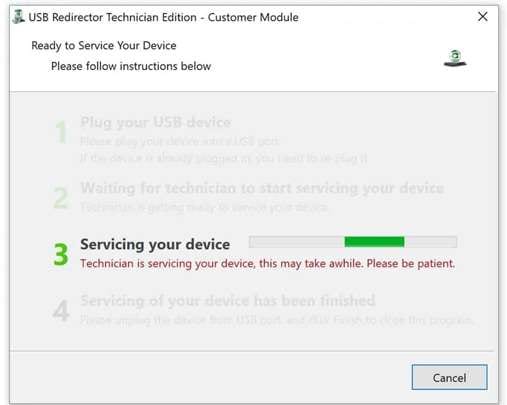
UnlockBoot offers a technician-assisted FRP service for the Galaxy A25 5G. The latest FCC listing shows that the Galaxy A25 supports a removable battery. This service uses remote technician access, an Internet connection, a USB cable, and a Windows PC.
This may suit users who want help with a Samsung A25 FRP unlock but do not want to handle a professional repair tool themselves.
Claims such as permanent removal, warranty safety, or money-back protection come from the provider and should be checked before purchase.
Method 3: Check SamFw FRP Service
SamFw also offers a paid Samsung FRP service. Its current service page says support changes with Android version and security level, and it advises connecting the phone before buying credits to confirm compatibility.
At the time of checking, SamFw states that some older service servers are offline and that its currently available route is focused on Android 16 devices. This makes firmware verification especially important before paying.
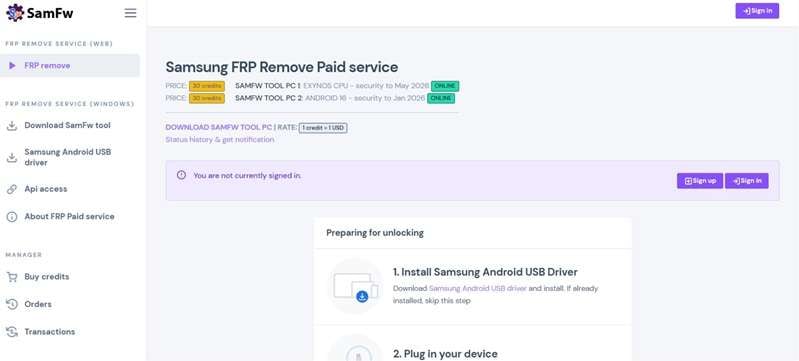
Other SamFw firmware listings show that Galaxy A25 5G Android 16 builds include 2026 security patches, showing how quickly the A25 software may have changed.
Method 4: Use a Professional Tool or Repair Technician
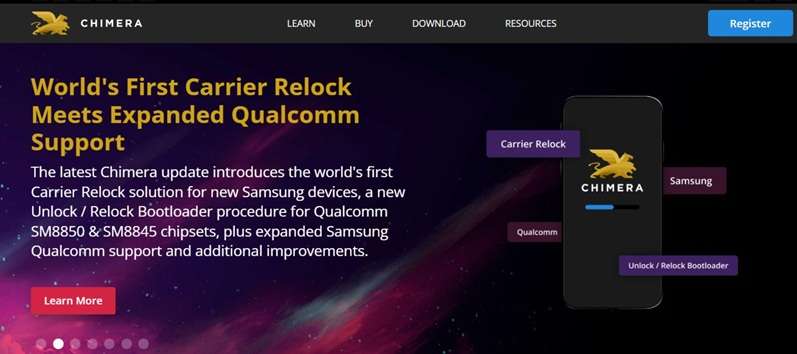
Chimera is a technician-focused Samsung service tool. Its August 2026 update added FRP support for Exynos 1280 devices, including the Galaxy A25 5G SM-A256E, SM-A256B, SM-A256U, and SM-S256VL. The provider says supported procedures can run from Samsung Download Mode on compatible devices.
For U.S. Galaxy A25 models, Chimera also lists newer FRP support for SM-A256U and SM-A256U1 on supported Android 15 and Android 16 builds.
Repair technicians are better suited to professional tools, as their firmware, boot mode, and sometimes hardware-level access may be disabled for ordinary users.
A professional route makes more sense when:
- the phone has a recent security patch
- consumer software reports no compatible method
- the exact A25 model is supported by a service tool
- the owner prefers technician assistance
Part 5. Galaxy A25 FRP Recovery Compared: Which Option Fits Your Phone?
The right Samsung A25 FRP unlock route depends on what access you still have and how recent the phone’s software is. This quick comparison shows the main differences.
| Option | Best For | What You Need | Key Check |
|---|---|---|---|
| Google / Samsung Recovery | Owners with account access or proof of purchase | Previous Google account or ownership proof | Previously synced account or Samsung service eligibility |
| Dr.Fone - Screen Unlock | Users who want a guided PC method | Computer, USB cable, supported device build | Current Galaxy A25 and Android compatibility |
| UnlockBoot Remote Service | Users who prefer technician help | Windows PC, USB cable, internet | Exact model and firmware support |
| SamFw FRP Service | Supported Samsung firmware | Windows PC, USB connection, credits | Android version and security level |
| Chimera / Repair Technician | Recent or more complex firmware | Professional tool or technician | Model, firmware, and service-mode support |
Bought the Galaxy A25 Second-Hand?
Do not rush into bypass services. Ask the seller to resolve the existing Google account association. If transferring a phone, delete the previous owner's account from the phone. It is normally best to hand the phone in rather than try to work around an account that may not belong to you if the seller can't prove ownership.
FRP exists specifically to prevent an erased phone from becoming easy to reuse after unauthorized possession.
Part 6. Avoid Another Galaxy A25 FRP Lock Before Resetting
Take a little time now to avoid repeating this later. Confirm first that you know the phone's Google account and password. Before deleting anything, always back up important files.
Before resetting your Galaxy A25 to sell it, trade it, or give away your smartphone, remove your Google accounts from the Galaxy A25. Google says that removing the Google account turns off device protection for that account. When possible, use Samsung's normal reset path:
Settings > General management > Reset > Factory data reset
Samsung states that a Recovery-menu reset may trigger Google Device Protection, while the normal Settings workflow includes the required ownership checks before erasing the phone. Finally, complete the reset and check the setup screen before handing the phone to a new owner.
Conclusion
FRP on the Galaxy A25 5G is not a one-size-fits-all problem. A Samsung A25 FRP unlock can depend on the Exynos 1280 chipset, Android version, One UI build, security patch, and exact model number. Official Google recovery or Samsung support should come first when account access is available.
For supported devices, Dr.Fone - Screen Unlock (Android) offers a clear guided path, with Smart Recommendation helping match the phone to a suitable FRP workflow. Remote services and repair tools remain useful alternatives for specific firmware. Before starting, verify ownership and compatibility so the recovery method actually fits your Galaxy A25.
FAQ
-
1. Does Dr.Fone support Samsung FRP removal?
Yes. Wondershare currently offers Samsung FRP removal through Dr.Fone - Screen Unlock and advertises Android FRP support through Android 16 and below. Still, check exact firmware compatibility before you start. -
2. Can Galaxy A25 FRP be removed without knowing the old Google account?
Officially, Google recommends recovering the previously associated account. Owners who cannot recover it can contact Samsung with proof of purchase. Third-party tools and professional services may offer supported recovery options for eligible devices. -
3. Can a remote FRP service work with Galaxy A25 5G?
Some companies advertise remote FRP services for the Galaxy A25. UnlockBoot currently lists several A25 5G variants and requires a Windows PC and USB connection for its technician-assisted service. -
4. Does FRP recovery restore erased data?
No. Removing or resolving FRP does not restore data erased during the factory reset. Only information stored in an existing backup may be recoverable. -
5. What should I do with a second-hand FRP-locked A25?
Contact the previous owner first. Ask them to resolve the account association and provide proof that the phone was legitimately sold. If you can't establish ownership, consider returning the device instead of attempting a bypass.
 Add Wondershare Dr.Fone as a preferred source on Google