Bypass iCloud Activation Lock and Android FRP without password.

 100% Security Verified | No Subscription Required | No Malware

 :
: 
 ChatGPT
 Perplexity
 Gemini
 Claude
 Grok
Grok
A fake blocking text message is a prank text written to look like the notice a phone shows when someone has blocked your number. This guide covers how to write one manually, build a realistic chat screenshot with Replient, and pick from five ready templates for different tones.
It explains when the joke lands best and which phrases to avoid. Along the way, this article will also cover how to keep your real conversations manageable with Dr.Fone Basic.
In this article
Part 1. What is a Fake Blocked Text Message?
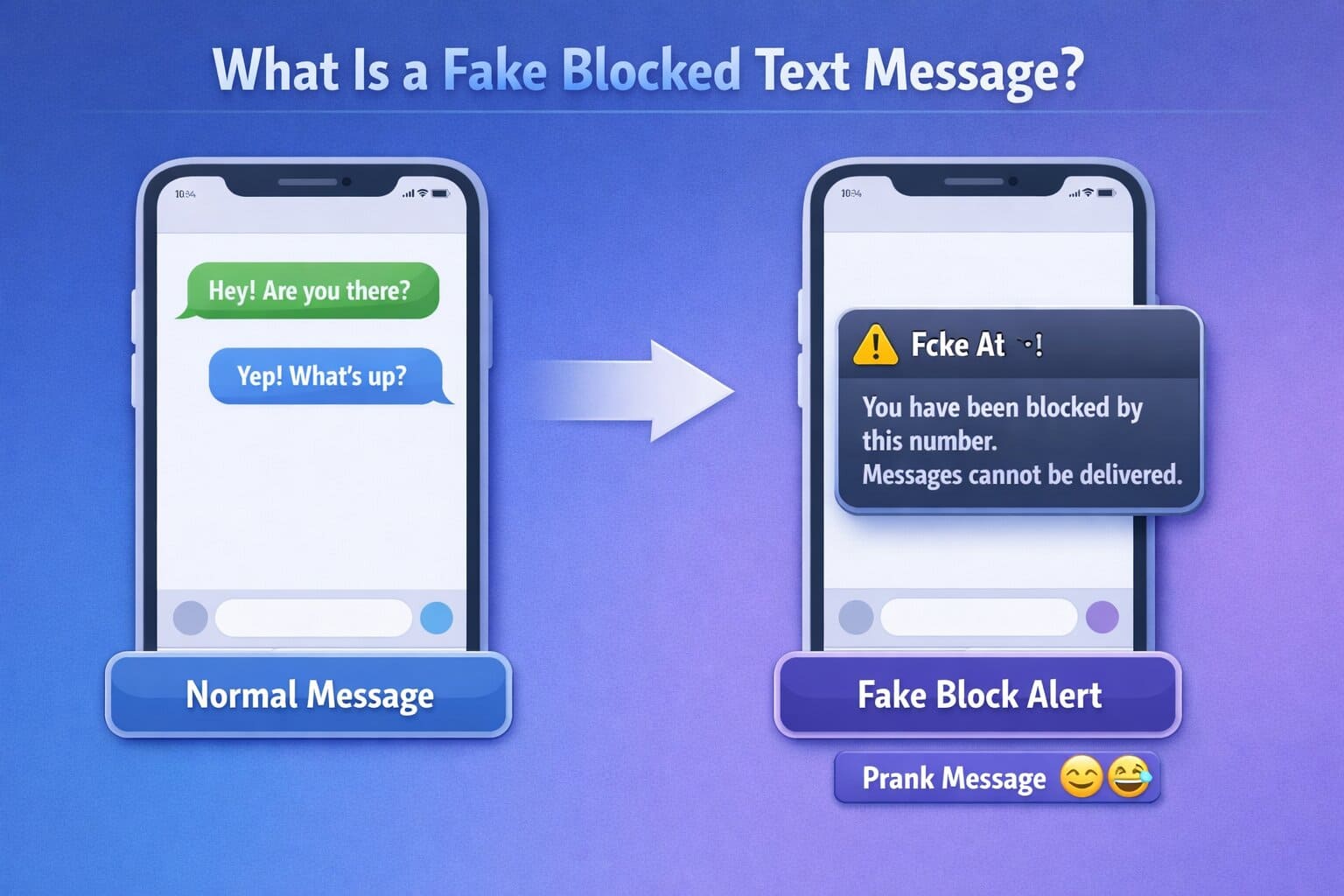
A fake blocked message is a prank message that makes someone think that they have been blocked. Sometimes, people use it as a joke or to create a fake situation to avoid conversation. These messages can look real because they copy the actual style of phone notifications. Before writing one, it helps to know what a real block looks like and why the fake version fools people so easily.
What Does a Fake Blocked Message Look Like?
A real block doesn't come with an explanation. According to Apple and Google Support, a blocked contact's messages won't be delivered, and they won't get any notification that they've been blocked. A fake blocked text message fills that gap by copying the kind of alert people expect to see. A common prank line reads: “This message could not be delivered because the recipient has blocked this number.”
Since the wording sounds official, it convinces the recipient that a real block happened, at least until the joke is revealed. Picture texting a friend as usual, then suddenly receiving what looks like a delivery failure notice mid-conversation. The abrupt shift from normal chat to formal-sounding errors is what catches people off guard.
Is It Okay to Send a Fake Blocked Text Message?
This prank works best between close friends who already joke around this way. It can feel genuinely hurtful if sent to someone going through a real falling out, a breakup, or a rough patch. Before sending a fake number block message, make sure your friend has a good sense of humor about this kind of joke.
According to the WhatsApp Help Center, users should be cautious about suspicious or misleading messages. Only send a fake block message to someone who would laugh if the same prank were played on them.
Why Do People Send Fake Blocked Messages?
Most people send a fake message to block someone purely for a laugh, catching a friend off guard with a message that looks alarmingly official. If you want to know about any other reasons, go through the following 5 causes:
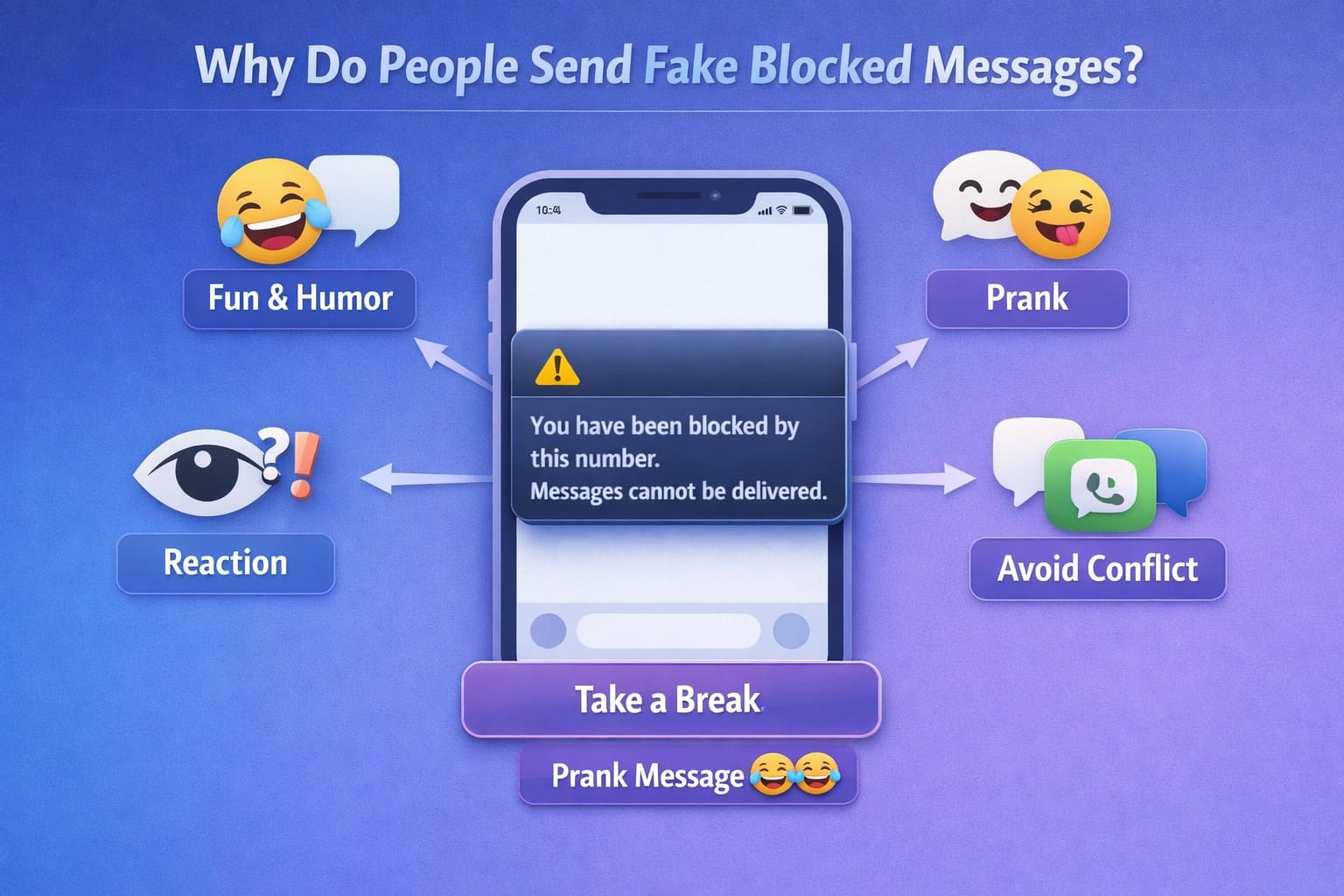
- For Humor and Entertainment: Create a funny moment by making your friend believe that they have been blocked. It works as a funny joke to get a surprising reaction.
- To Prank Friends and Family: You can play a safe digital prank because these messages look like real notifications. Therefore, it makes people wonder what happened before they realize that it was a joke.
- Testing Reaction: A fake blocked notification is sometimes used to see how someone reacts before the prank is revealed. These messages can gauge your response to see if you can reach out to them on other platforms.
- Avoiding Confrontation: Some people jokingly send these fake messages to pause a conversation among close friends. It helps you avoid conversation when you do not want to talk or need space.
- Prevent Arguments: If the conversation becomes overwhelming, you can send a fake blocked text message to take a break. This can give you time to calm down without blocking a person.
Part 2. How to Create a Fake Blocked-Message Prank
There are 2 practical ways to do it, and it depends on how convincing you want the result to look. The table below breaks down how each block prank text method compares before you pick one.
| What to Consider | Method 1: Manual Text | Method 2: Replient Screenshot |
|---|---|---|
| Tools Needed | None, just your messaging app | A browser-based chat screenshot generator |
| Time Needed | Under a minute | A few minutes to create the screenshot |
| Believability | Good for a quick, live reaction | More convincing because it resembles a real chat screenshot |
| Editing Before Sending | Limited to rewriting the text | Full control before exporting the image |
| Realism Level | Looks natural in an active conversation | Looks like a realistic chat screenshot |
| Privacy | No third-party tool required | Requires using a third-party tool |
| Best For | Sending directly to a friend | Sharing a fake chat screenshot or "proof" |

Method 1. Write and Send a Fake Blocked Text Manually
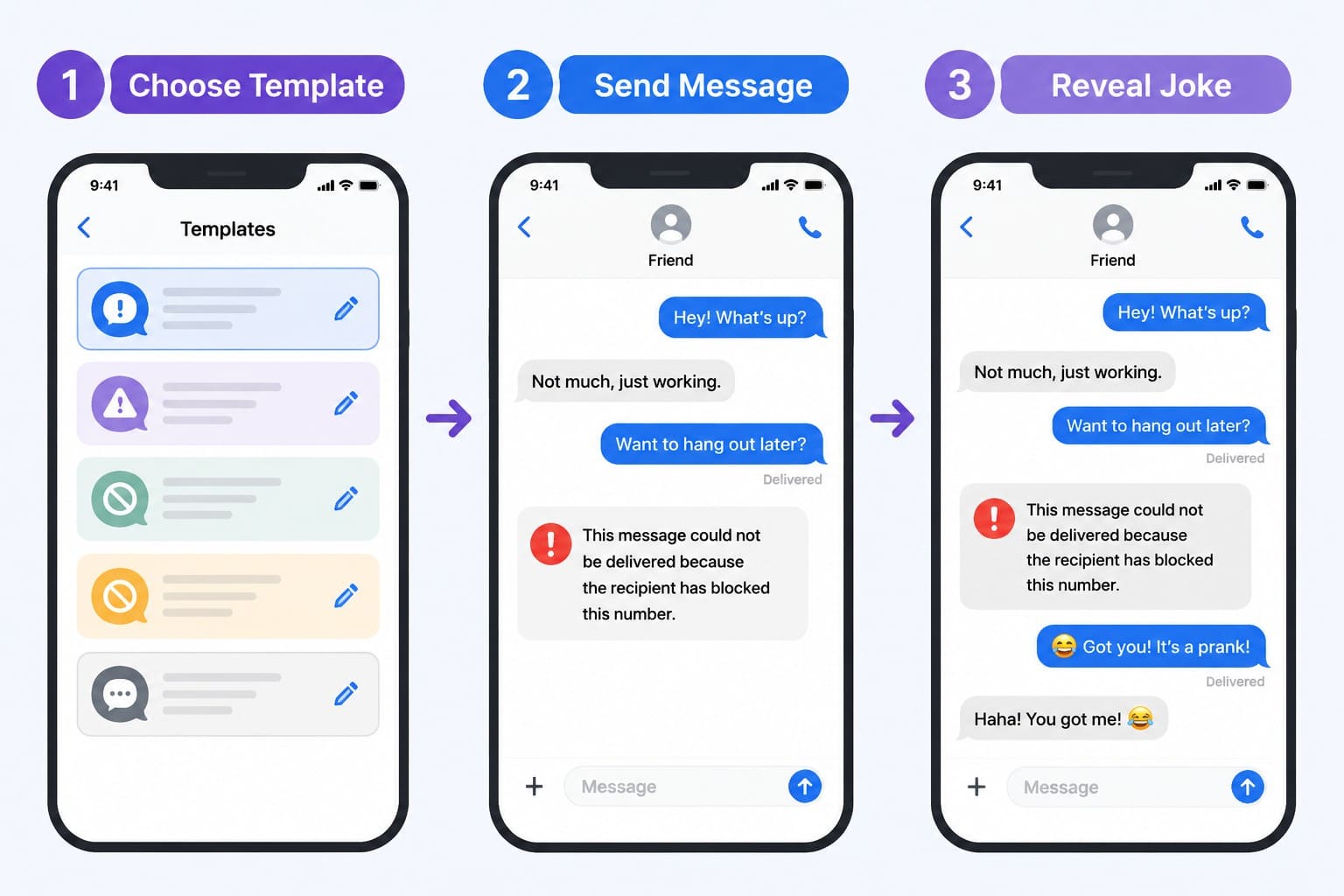
A blocked number text message prank like this needs no app or design tool, just wording convincing enough to pass as automated. Write the text as though the phone system generated it, then send it directly to the person you're pranking. This version of a blocked number text prank works especially well over text threads you already have going, since the sudden shift feels more jarring, as guided below:
Method 2. Create a Fake Chat Screenshot with Replient
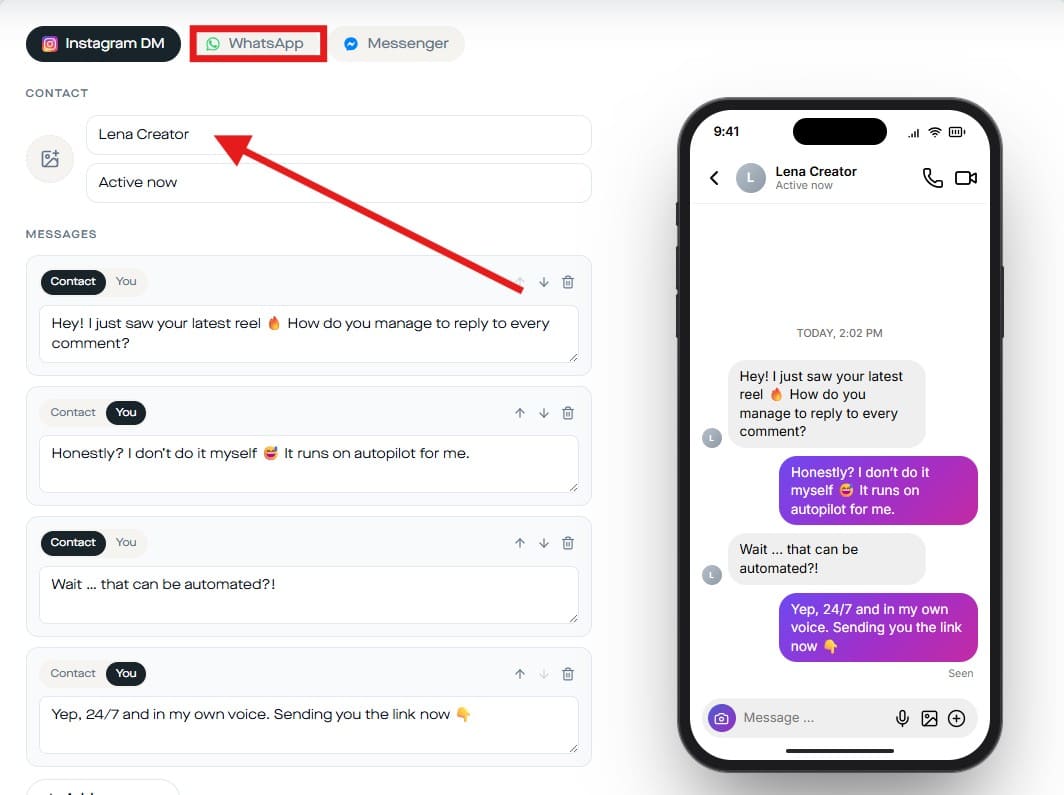
For a more convincing fake block text, Replient's free chat generator lets you create a realistic conversation screenshot instead of a single text. The tool offers templates that resemble WhatsApp, Messenger, and Instagram conversations. That means the blocked-style message sits inside a chat thread that looks like a genuine screenshot. Adhere to the following steps to create a fake screenshot:
-
Step 1 Go to the “Replient Free Generator” chat and pick a platform, such as “WhatsApp.” After selecting the platform, write your “Contact Name” and choose “Avatar.”
-
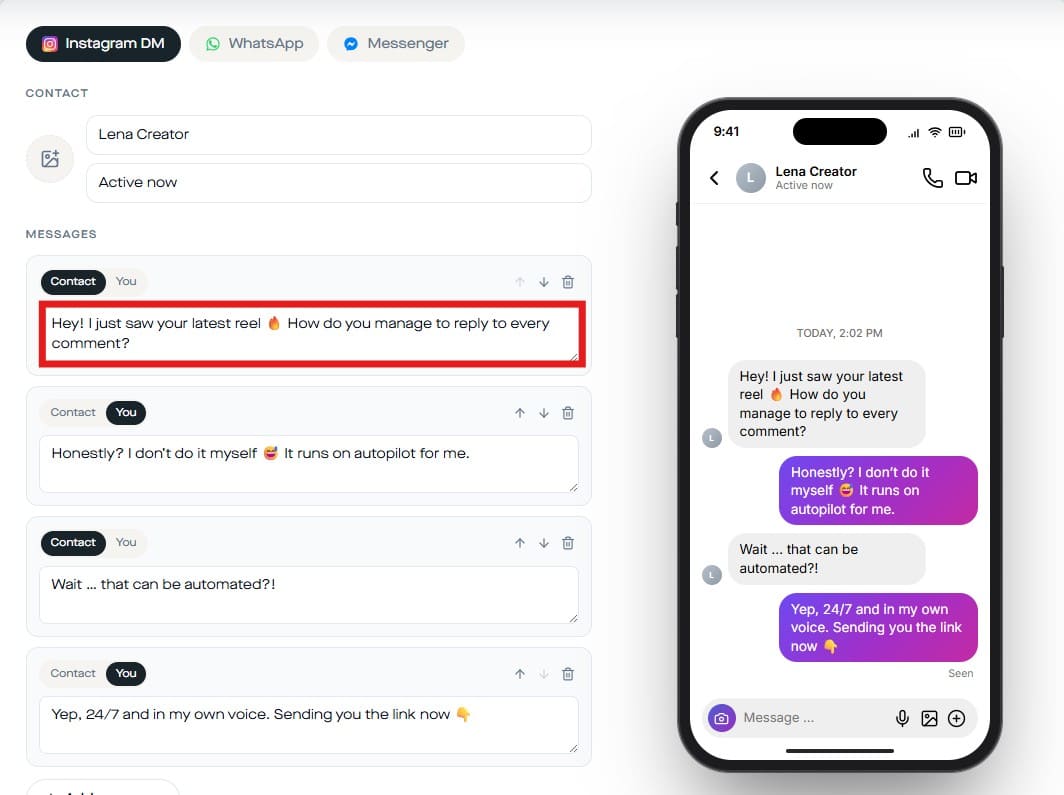
Step 2 Then, start writing the message in the “Conversation Box” and make sure to end it with a message styled to look like a blocked or undelivered notice.
-
Step 3 Adjust the core settings such as “Timestamp,” “Read Status,” “Dark Mode,” “Blue Ticks,” and “Device frame.” Next, after all the necessary processes, click on “Free PNG With Watermark” to download the image.
Which App Works Best for This Prank?
Texting apps like iMessage and SMS work well for Method 1, since the prank is just a normal text with convincing wording. There's no special formatting to match, so any messaging app works the same way. WhatsApp and Messenger tend to suit Method 2 better, since Replient's screenshot generator directly recreates those interfaces.
If your friend mostly uses iMessage, the wording alone from Method 1 will look more natural than a WhatsApp-style screenshot. Either way, matching the prank to the platform your friend actually uses makes the moment feel more real.
Part 3. Best Wording for "You Are Blocked" Texts
Each fake text block example below fits a different tone, from obviously silly to close to believable. Adjust the wording to match how your friend actually texts.
Template 1. Light and Playful
A blocked message prank that stays obviously silly works well as an opener: “Hey, just so you know, it looks like you've blocked this number. Wanted to check before I gave up for good.” The casual tone makes it easy to walk back if your friend catches on right away.
- Adapt it: Swap in a phrase or emoji your friend already uses, so the message still sounds like you.
- Avoid: Skip sarcasm-heavy lines that could be read as genuinely annoyed instead of joking.
- Reveal: This tone is low stakes, so reveal it within a minute or two of sending it.
Template 2. Short and Believable
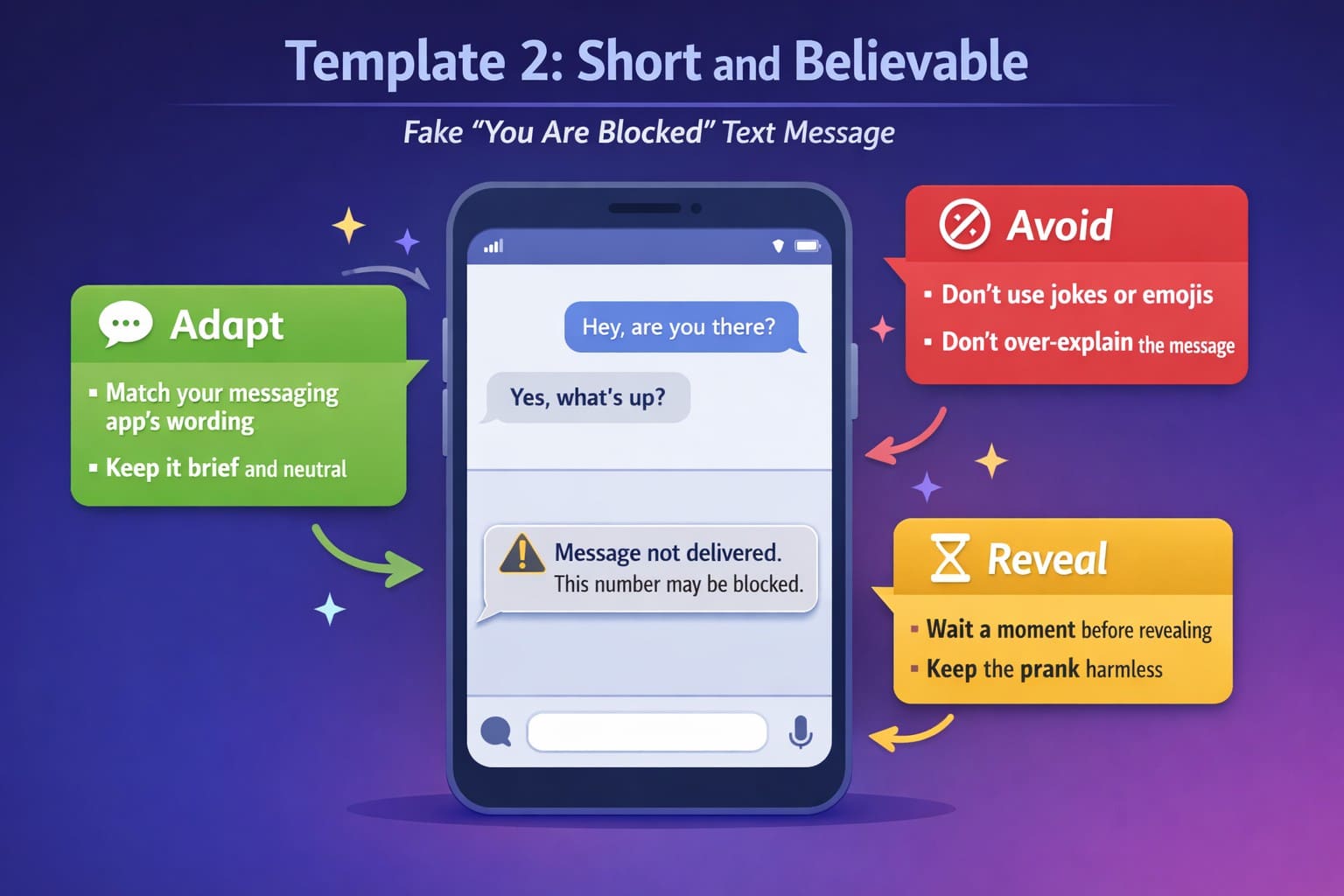
A shorter line reads more like a real system message: “Message not delivered. This number may be blocked.” Keeping it brief and neutral is what sells it, since real notifications rarely explain themselves.
- Adapt it: Match the wording your carrier or messaging app typically uses for failed messages.
- Avoid: Don't add jokes or emojis here, since anything playful breaks the illusion instantly.
- Reveal: Let it sit a little longer, since the brief moment of doubt is the whole point.
Template 3. Friendly System-Style Message
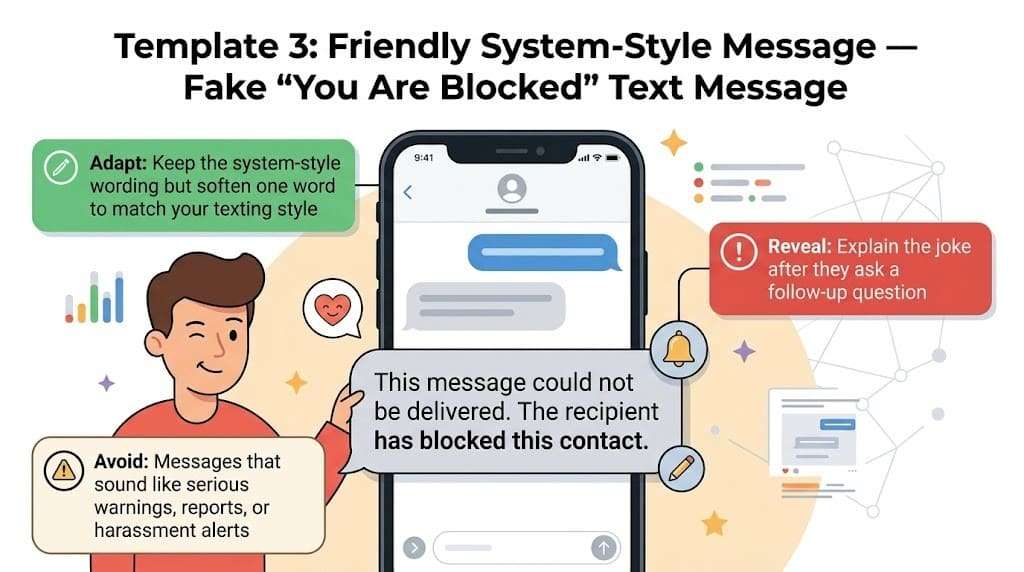
For a fake blocked number message that still sounds automated but a little warmer, try this: “This message could not be delivered. The recipient has blocked this contact.” It mimics real delivery failure wording, which tends to land best on someone who hasn't seen this prank before.
- Adapt it: Keep the system-style phrasing, but soften one word to fit how you normally text.
- Avoid: Steer clear of anything that sounds like a real warning about harassment or reporting.
- Reveal: Reveal it once they ask a follow-up question, which is usually when suspicion kicks in.
Template 4. Funny Blocked-Contact Message
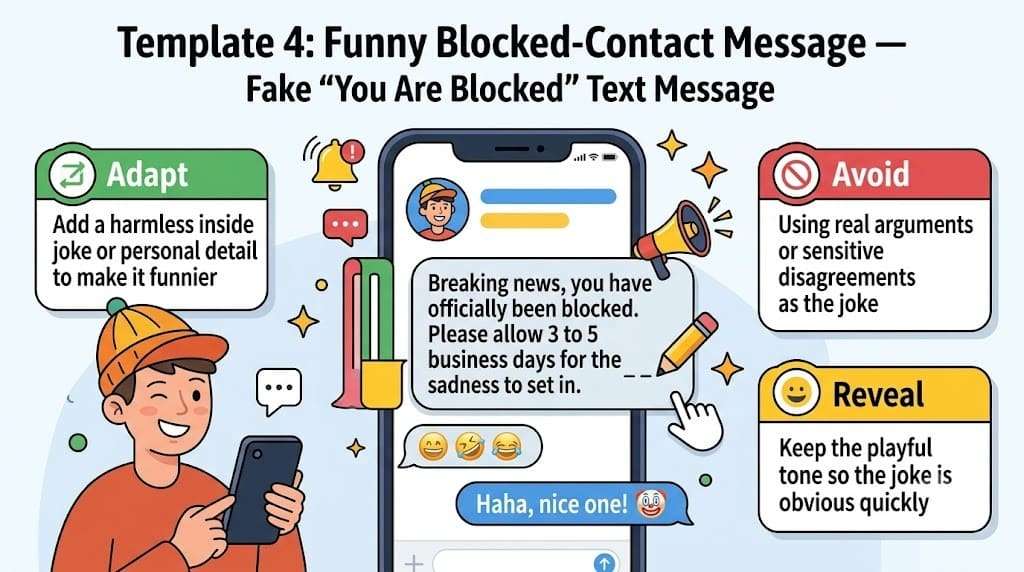
When the goal is a laugh rather than a convincing scare, lean into it: “Breaking news, you have officially been blocked. Please allow 3 to 5 business days for the sadness to set in.” This works well with friends who'd rather be in on the joke immediately.
- Adapt it: Add a specific and harmless detail, such as a shared inside joke, to make the line land.
- Avoid: Don't attach it to a real disagreement the two of you have actually had.
- Reveal: The tone already signals a joke, so most friends catch on within seconds.
Template 5. Temporary Blocking Prank
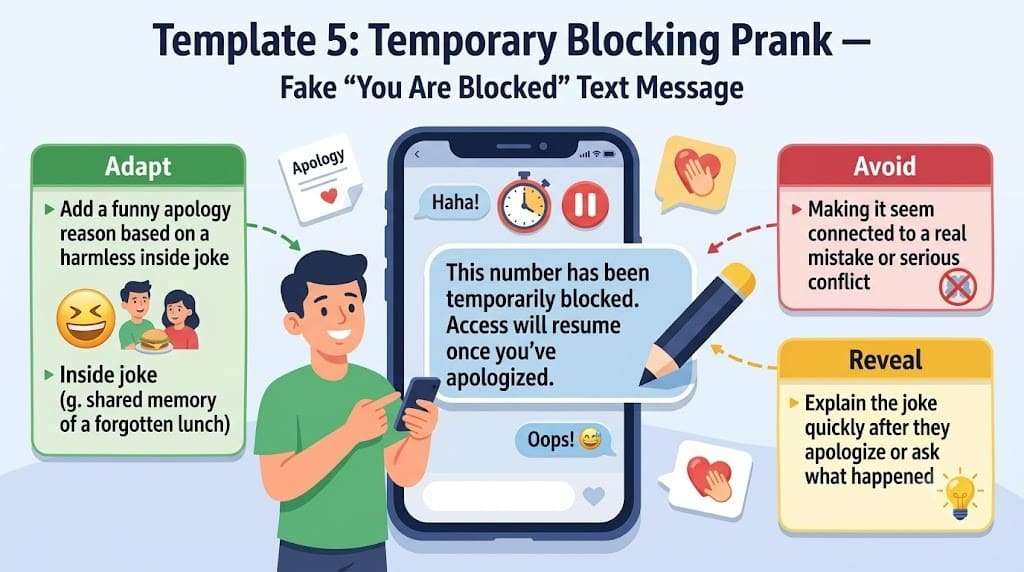
A softer option suggests the block isn't permanent: “This number has been temporarily blocked. Access will resume once you've apologized.” It gives the prank a built-in reason to bring up something funny between the two of you.
- Adapt it: Fill in the apology reason with something genuinely funny between the two of you.
- Avoid: Never imply the block is tied to something they actually did wrong.
- Reveal: Reveal it as soon as they apologize or ask what happened, before it turns into a real conversation.
Part 4. Keep Your Real Text Messages Safe
Pranks aside, the messages worth keeping are the real ones. Wondershare Dr.Fone includes tools for device backup, data transfer, and screen mirroring between your phone and computer. It lets you move data without relying on iTunes, Google Drive, or iCloud. You can also import and export messages in bulk, making large conversations easier to manage.
Besides, it supports thousands of Android devices and iPhone models and offers USB connectivity, with the Dr.Fone Link app available for added convenience. You can also transfer, export, and organize selected data without technical expertise. Most tasks take just a few simple steps, making message management quick and straightforward.
How to Manage Text Messages with Dr.Fone Basic
While knowing how to make fake block messages, keep your original messages saved with Dr.Fone Basic. To know how it’s done, review the following guide and perform a real-world test:
-
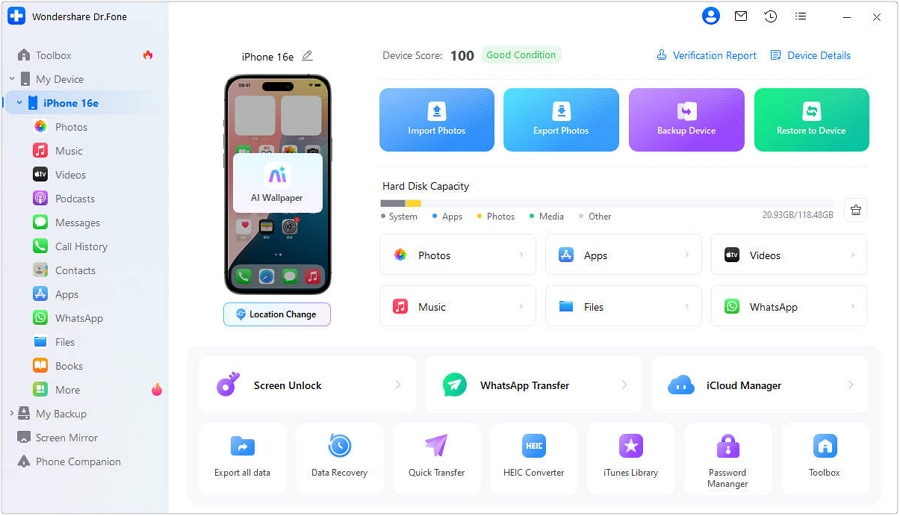
Step 1 Connect Your Phone and Begin
Connect your device to the computer using a verified and original USB cable. Once it is detected, click “Export All Data” in the “Quick Start” section to move forward.
-
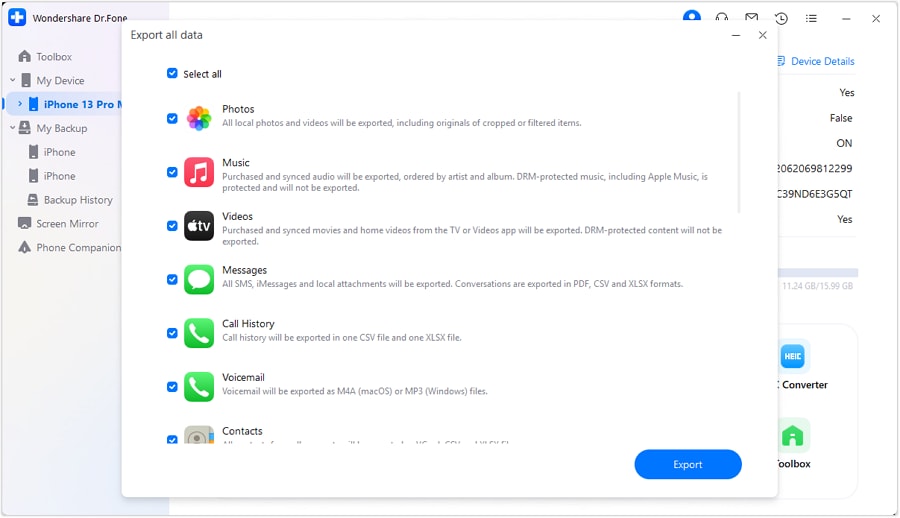
Step 2 Choose Messages as the Data Type
Select “Messages” from all the available listings of data categories. After that, click “Export” at the bottom and choose a folder for your exported messages.
-
Step 3 Access Your Exported Messages
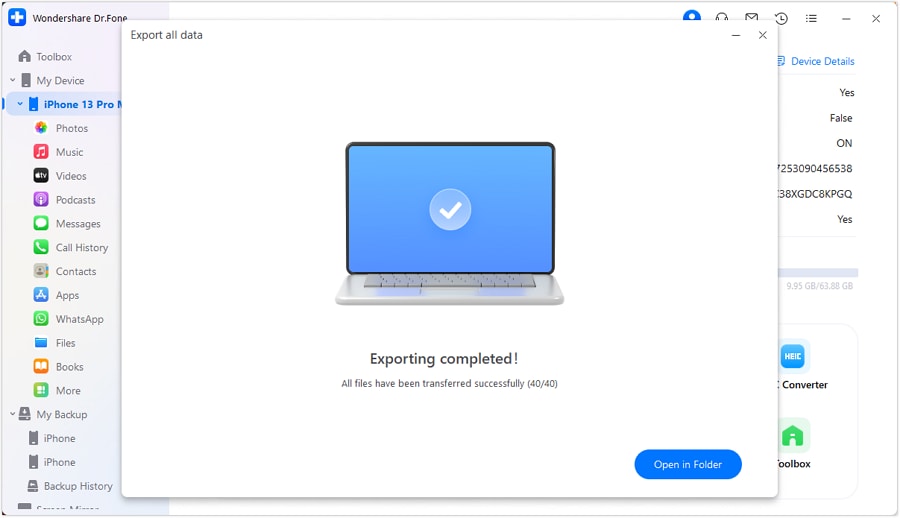
Once your export is complete, a confirmation window pops up on screen. Click “Open in Folder” to go straight to the folder where your messages have been saved.




Part 5. Also Try: Dr.Fone - Screen Unlock (iOS/Android)
 Unlock Android phone in seconds.
- Remove PIN, pattern, password, fingerprint.
- Bypass Google FRP lock easily.
- Works on all Android brands & models.
- No tech skills required – user-friendly.

You've learned how to send a fake blocked text message and how to back up your real conversations — but what if you can't even access your phone to do either? Whether you've forgotten your passcode, your child locked the screen, or your iPhone shows "Disabled, Try Again in 15 Minutes," a locked device blocks everything.
Dr.Fone - Screen Unlock (iOS) | Dr.Fone - Screen Unlock (Android) helps you bypass iPhone and Android screen locks safely and quickly. It removes 4-digit/6-digit passcodes, Face ID, Touch ID, patterns, and PINs — even when the device is disabled or stuck on the Apple logo. No technical skills needed. Just connect your phone to a computer, and the tool handles the rest.
Conclusion
A blocked fake text message works best as a quick joke between friends who will find it funny once revealed. Whether written manually or built as a realistic screenshot with Replient, the templates above cover most situations. Reveal the joke soon after sending it, and keep the wording light enough to read as fun rather than upsetting.
While you are at it, manage your real conversations with Dr.Fone Basic so nothing important gets lost. In simple words, a little planning turns a simple text into a prank your friend will actually enjoy looking back on.
FAQ
-
1. What Message appears when someone blocks your number?
Nothing appears automatically, since iPhone and Android don't send a notice when someone blocks a number. Texts simply stop showing as delivered. This silence is exactly why a fake-worded message convinces people. -
2. Can someone tell that a blocked message is fake?
Yes, if the recipient checks how blocking actually behaves, since neither platform sends an explicit blocked notice. Most people don't know that, which is why the prank works until someone looks closely or asks directly. -
3. How can I make a blocked text look believable?
Believable versions stay short and neutral, closer to how a real system error would read. Adding a personal detail only the two of you would recognize also helps sell it more than exact wording does. -
4. Can a fake chat generator access my real messages?
No, tools like Replient's chat generator run in the browser and don't connect to your real messages or accounts. You type the conversation yourself, so nothing from an actual chat app gets pulled in.
 Add Wondershare Dr.Fone as a preferred source on Google