Bypass iCloud Activation Lock and Android FRP without password.

 100% Security Verified | No Subscription Required | No Malware

 :
: 
 ChatGPT
 Perplexity
 Gemini
 Claude
 Grok
Grok
An Alamy image downloader is any tool or method used to save images from Alamy. The Alamy platform actually sells licensed photos, illustrations, vectors, and videos worldwide. Every image comes as either a free preview or a paid download.
This guide explains how Alamy's free previews differ from licensed downloads. It also covers 4 ways to get images from the site and why watermark removal tools carry real legal risk. You will also learn how to keep your downloaded images organized with tools like Dr.Fone Basic.
In this article
- Part 1. What Is Alamy? Key Facts to Know
- Part 2. Can You Download Alamy Images Without a Watermark?
- Part 3. How to Download Alamy Images Legally: 4 Methods
- Bonus Tool: Dr.Fone – Screen Unlock (For Full Access to Your Device)
- Pro Tip. Save and Manage Downloaded Alamy Photos with Dr.Fone Basic
- Frequently Asked Questions
Part 1. What Is Alamy? Key Facts to Know
Alamy is a stock photography marketplace that licenses photos, illustrations, vectors, and video from independent contributors. The catalog spans over 450 million stock photos and more, as per Alamy's Licensing Page. Prior to downloading, this part helps to understand what Alamy sells and how its system works:
What Types of Content Are Available on Alamy?
Content falls into 2 broad categories: editorial and commercial. Editorial images, like news photography, don't come with model or property releases. Commercial images, in contrast, come pre-cleared for marketing use from the start. Moreover, Alamy requires no subscription, since every image is priced and licensed individually.
Two main license categories cover most of the catalog: royalty-free and rights-managed. Royalty-free licenses allow repeated use across multiple projects after a single purchase. Meanwhile, rights-managed licenses are priced and scoped for one specific use, like a single ad campaign. The table below compares reuse rights and pricing for each license type:
| License Type | Reuse Across Projects | Typical Pricing Basis |
|---|---|---|
| Royalty-Free (RF) | Allowed within license terms | One flat fee per image |
| Rights-Managed (RM) | Limited to the licensed use | Based on size, duration, and placement |
Watermarked Previews vs Licensed Images
Every image on Alamy has two versions for different purposes and users. A free Alamy photo download preview includes watermarks, while licensed files remain watermark-free. In the given table, you can explore the main difference to choose the better option:
| What to Consider | Watermarked Preview | Licensed Download |
|---|---|---|
| Cost | Free | Requires purchase |
| Resolution | Lower, comp quality | Full resolution |
| Watermark | Visible across the image | None |
| Allowed Use | Internal testing and layout only | Whatever your license permits |
Why Do Alamy Preview Images Have Watermarks?
Alamy watermarks protect copyrighted images, even when users search for Alamy download free options online. The main reasons behind Alamy's watermark system are explained through these points:
- Protects Copyright: Watermarks prevent others from using a photographer's original work.
- Prevents Theft: They stop people from using preview images without purchasing a license first.
- Protects Revenue: Watermarks ensure photographers get paid whenever their images are used commercially.
- Maintains Ownership: The watermark keeps ownership details visibly connected to the original creator.
- Allows Previewing: Buyers can compare multiple images safely before committing to a purchase.
Part 2. Can You Download Alamy Images Without a Watermark?
When an Unwatermarked Download Is Available
To download Alamy images without watermark files, a license purchase is the trigger. An unwatermarked file becomes available once you purchase a license through Alamy. This unlocks the HD download tied to your specific account. You can then download that file as many times as needed. A lot of licenses also allow you to re-download it later. This helps if you lose the original file or device.
Can You Remove the Alamy Watermark Yourself?
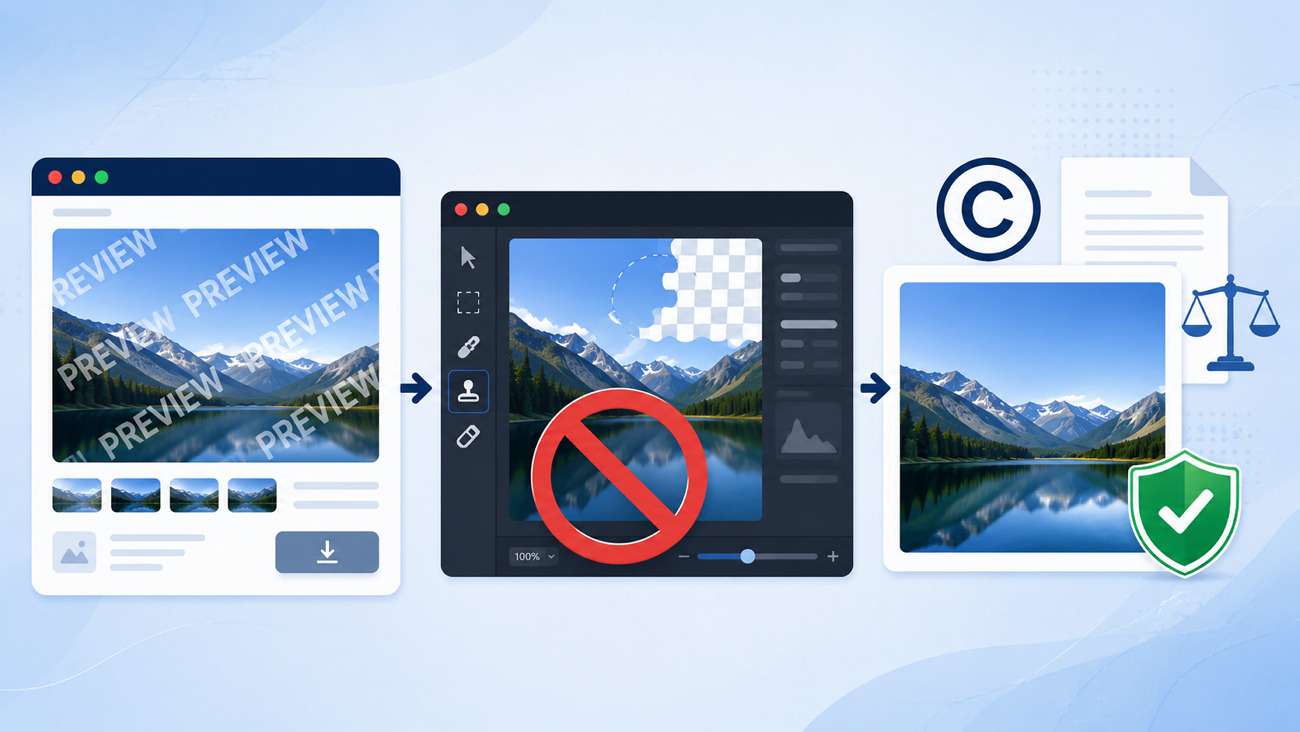
Technically, photo editing tools can blur or clone out a watermark. Some third-party services even claim to do this convincingly. Doing so, however, doesn't change the image's licensing status at all.

Can Alamy Images Be Used for Free?
Rarely, only a small slice of Alamy's catalog qualifies as free. Searches for Alamy images free download or Alamy download free mostly return standard paid results. Alamy occasionally includes historical material where usage rights work differently. Most images require purchasing a license before any real use.
Part 3. How to Download Alamy Images Legally: 4 Methods
There are a few ways to help users save Alamy images without violating a photographer's copyright. So, these 4 methods cover the realistic ways to get Alamy images:
-
Method 1 Download a Licensed Image from Your Alamy Account
This is the standard way to download Alamy content as a finished, unwatermarked file ready for real use. It requires purchasing the image first, but it's the only method Alamy itself guarantees will work. So, follow the given steps to help you export your desired image:
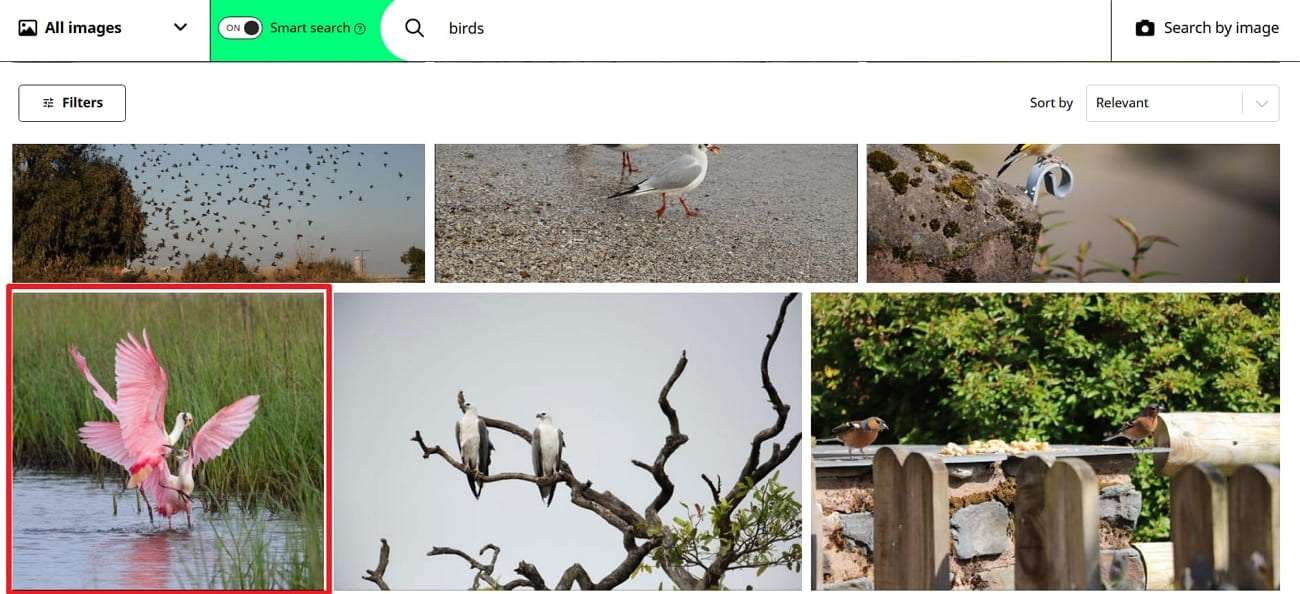
Step 1. After creating an Alamy account, search for and select your desired photo to access its purchase page.
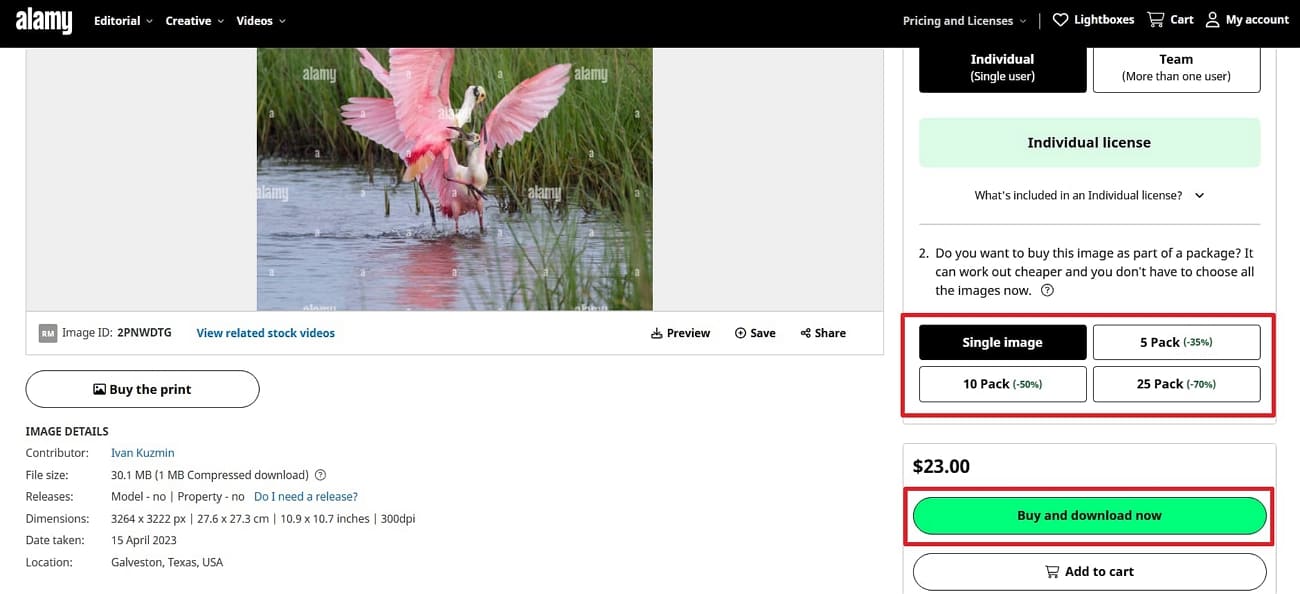
Step 2. Choose the correct license type for your intended use and press “Buy and Download Now.” After that, you can download the watermark-free file from your account's order history.
-
Method 2 Download a Watermarked Preview for Testing
A watermarked preview is a free Alamy photo download useful for testing how an image looks in a layout. For example, a designer building a client mockup can drop a preview into the draft to get approval on the composition. Therefore, go through the following guide to download the watermarked preview for testing:
Instructions. Upon choosing the image for testing, click the “Preview” option to get the watermarked version.
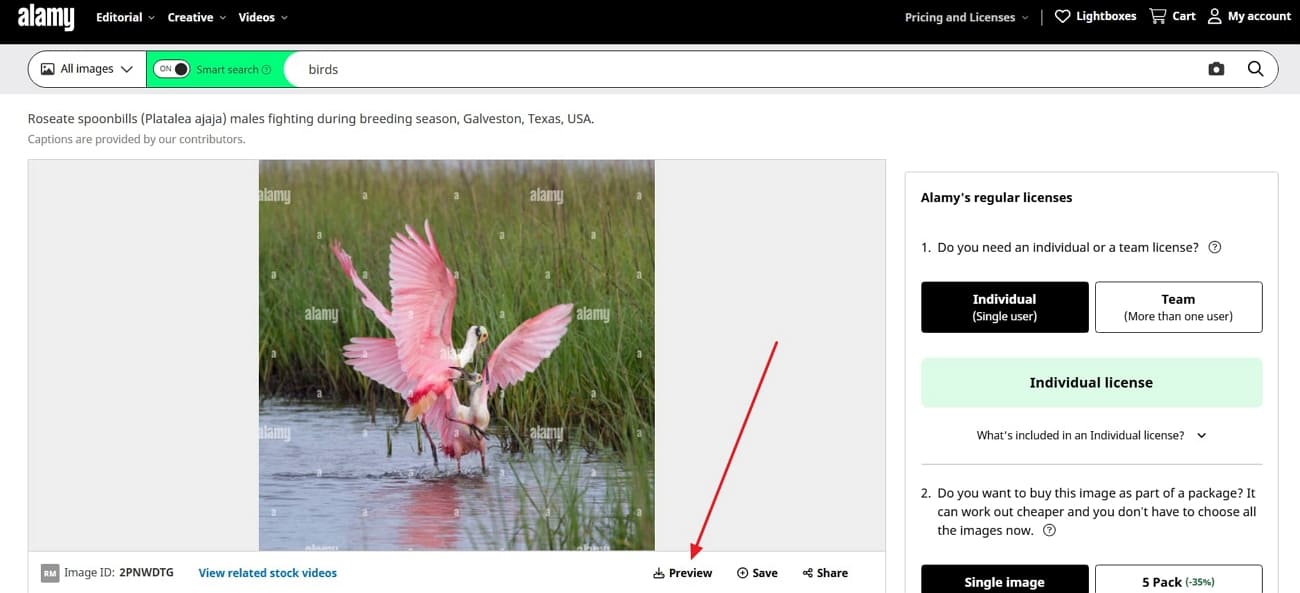 Expert Note: A watermarked preview should never appear in finished, published, or publicly distributed work, even in drafts shared for client approval. Treat it strictly as a placeholder until the real license is purchased.
 -
Method 3 Download Public-Domain or Free-to-Use Images When Available
A small portion of Alamy's catalog qualifies as a genuine Alamy free download. This isn't the norm, so each image needs individual verification before use. Review the given steps to get free images, if available, from this platform:
Instructions. Head to the “Alamy Free Images Page” or “Alamy Public Domain Hub” page to find free images. Yet, check the license information displayed on the image's preview page before assuming it's free. Then, download only after confirming the image's actual usage rights for your intended purpose.
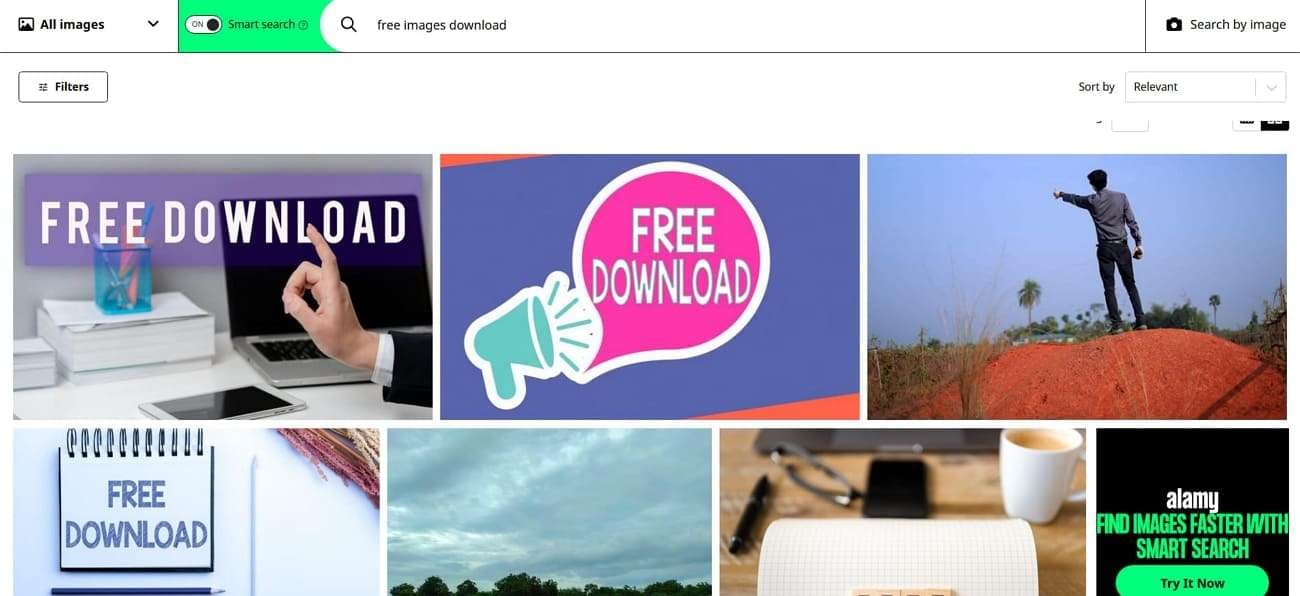 Note: Contact Alamy support directly if the licensing terms for a specific image are unclear. This extra verification step takes a minute but prevents an expensive mistake if the image turns out to require a paid license.
 -
Method 4 Online Alamy Downloaders
Searches for an Alamy downloader HD often surface third-party sites. Remember that downloaded files remain unlicensed and may create copyright or legal issues later. If you still want to review how these websites work, explore the given tools:
1. Steptodown
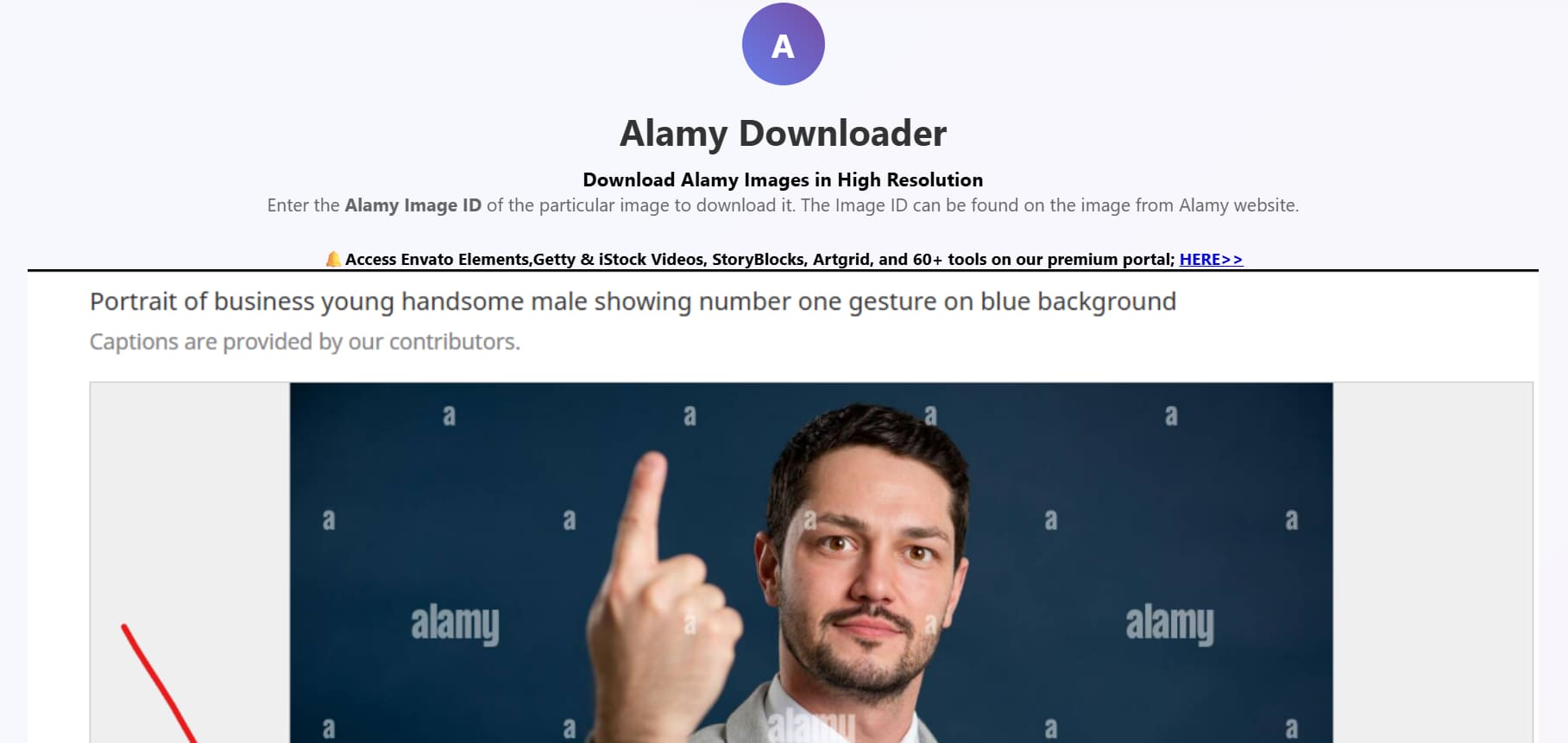
Steptodown works as an online Alamy picture downloader that pulls images through an Image ID. Users paste the ID into the tool and receive a downloaded file claiming no visible watermark. The interface stays simple, requiring no account creation or software installation.
 Cons
Cons- Legality is unclear, so it can expose users to copyright disputes later.
- Without licensing proof, the file may remain unauthorized for publication use.
2. Downpic
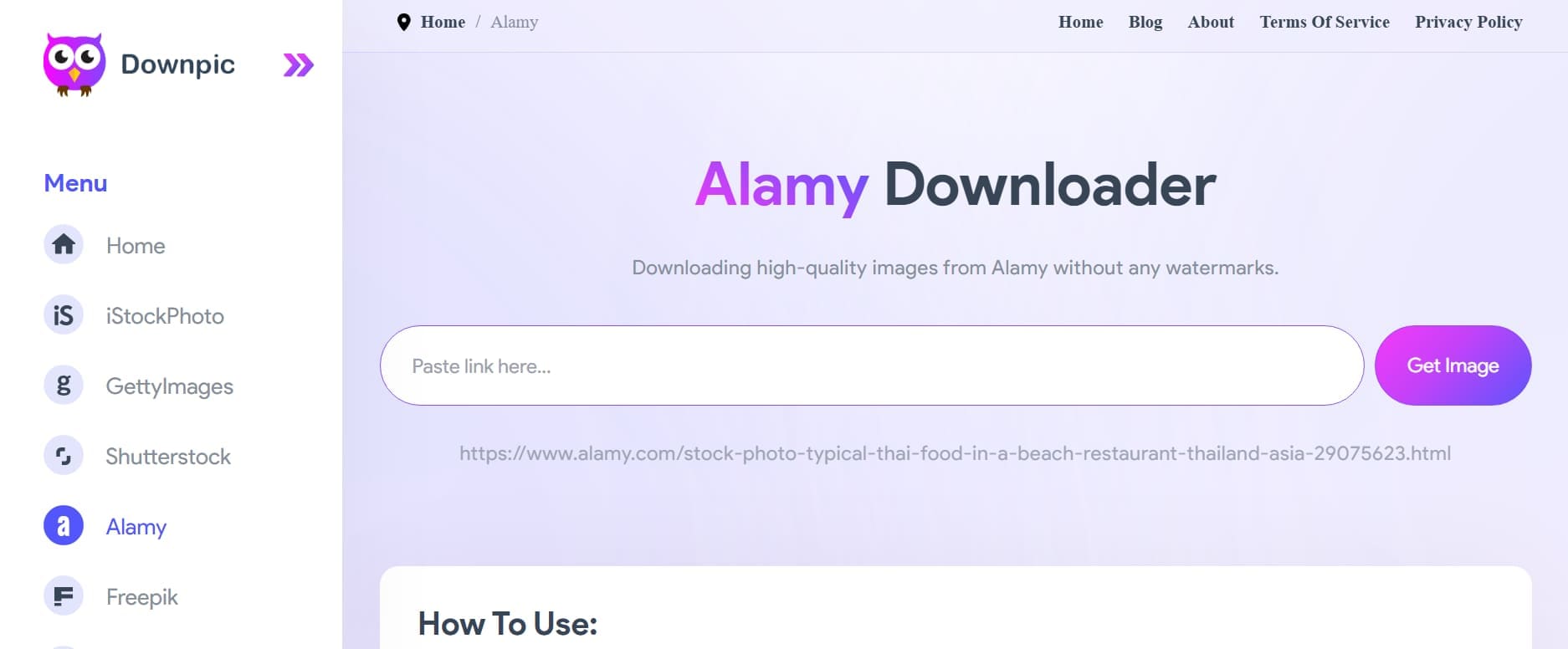
It also positions itself as a simple web tool for pasting an Alamy URL and fetching an image. You can submit an image URL and receive an HD file, positioned as a quicker alternative to Alamy's standard purchase process. The site emphasizes speed and zero cost, appealing to designers who want fast access without paying.
 Cons
Cons- Promotional claims don't grant any legal right to commercial image usage.
- No account requirement also means no verification of image sourcing accuracy.
3. BeatSnoop
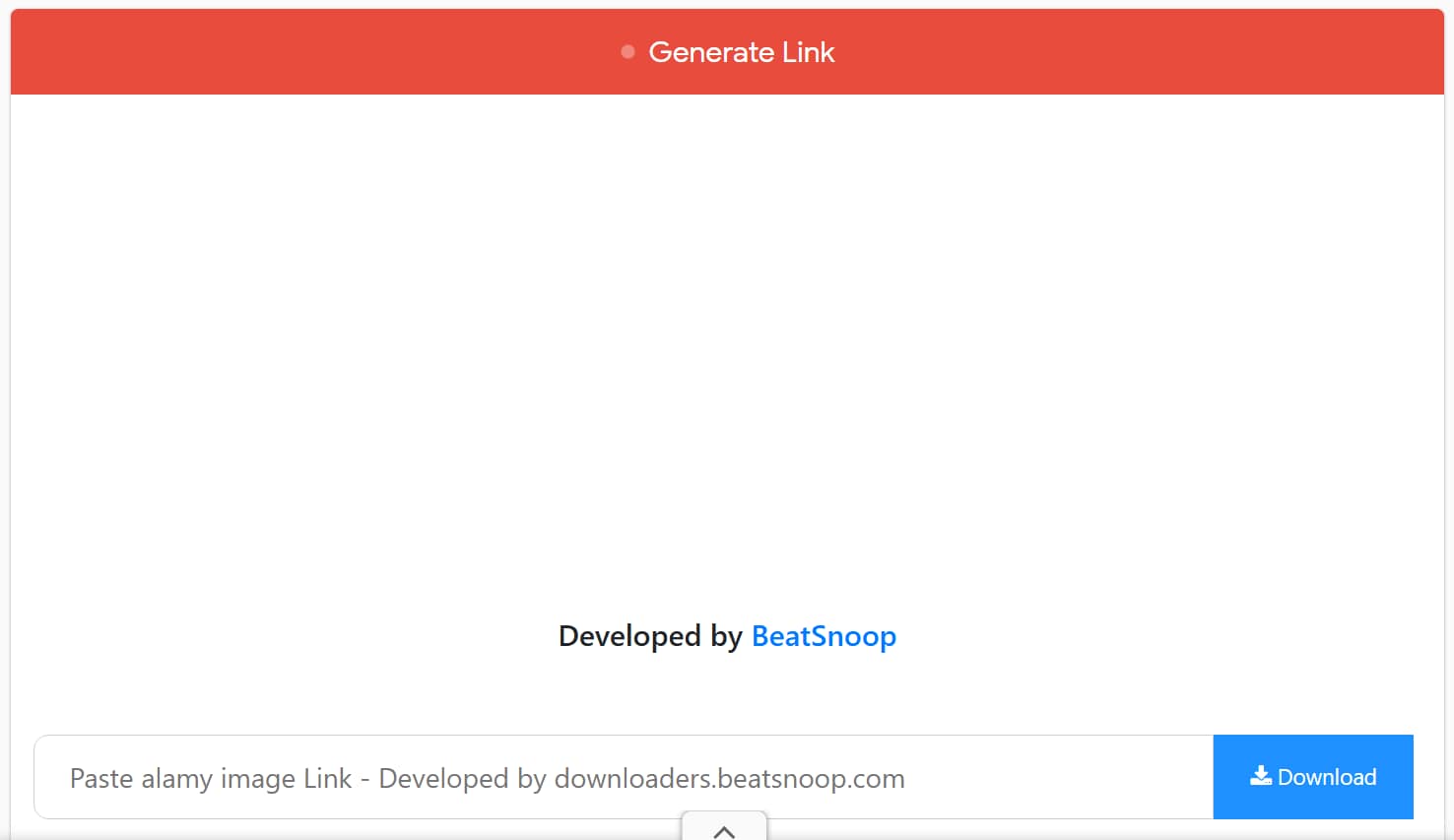
BeatSnoop is another downloader supporting desktop and mobile devices through a simple URL-based workflow. It advertises free downloads and compatibility with multiple operating systems for convenience. The platform also claims users can save watermark-free images after pasting an Alamy image link.
 Cons
Cons- Output quality may vary, so results are not always dependable.
- Unclear sourcing makes it difficult to confirm the exact image origin.
Bonus Tool: Dr.Fone – Screen Unlock (For Full Access to Your Device)
Before you can manage or back up your downloaded Alamy images, you need full access to your phone. If your iPhone or Android is locked due to a forgotten password, disabled screen, or software crash, Dr.Fone - Screen Unlock (Android) can help you regain access in minutes — without technical skills.
Whether you're locked out of your device after an update or can't remember your PIN, this tool supports removing various lock types while preserving your data (where possible). It's trusted by over 50 million users worldwide and fully compatible with the latest iOS and Android versions.

Dr.Fone - Screen Unlock
Unlock iPhone & Android Without Password
Unlock your phone in 5 minutes — even if it's disabled or stuck in recovery mode.
Supports 15000+ Android models and all iPhone models from iPhone 5s to iPhone 15. No data loss in most standard unlock cases.
-
Step 1 Launch Dr.Fone – Screen Unlock
Install and open Dr.Fone on your computer. Select “Screen Unlock” from the main interface.
-
Step 2 Connect Your Locked Device
Use a USB cable to connect your iPhone or Android. The tool will automatically detect the device model and lock type.
-
Step 3 Confirm Device Info & Start Unlock
Follow on-screen instructions to enter download mode (Android) or recovery mode (iPhone). The tool will download the necessary firmware and remove the lock.




Pro Tip. Save and Manage Downloaded Alamy Photos with Dr.Fone Basic
After every Alamy photo download, organizing licensed files across devices becomes equally important. Scattered image collections often make finding purchased photos difficult during future creative projects. Backing up licensed images also reduces accidental loss from device failures or deletion. In such cases, Wondershare Dr.Fone simplifies photo management between computers and supported phones.
Phone Manager lets you move licensed images between a computer and your phone, so you can review or present them on the go. This works for both iPhone and Android, keeping your photo library consistent across whichever device you're using. It also makes it easier to back up purchased images separately from your regular camera roll. You can also organize videos, messages, and other phone data from one interface.
-
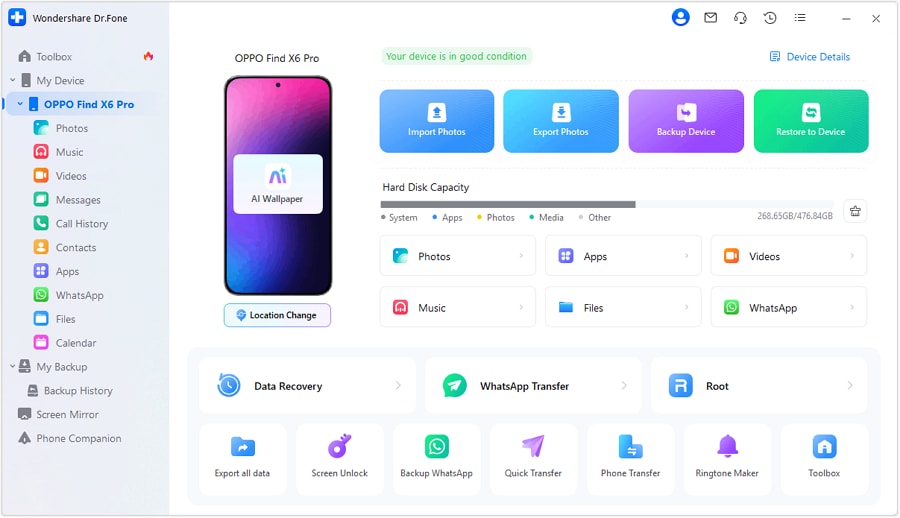
Step 1 Access the Phone Manager Feature of Dr.Fone
Upon connecting your phone to a computer, open the “My Device” section and choose your connected phone.
-
Step 2 Manage Your Alamy Photos
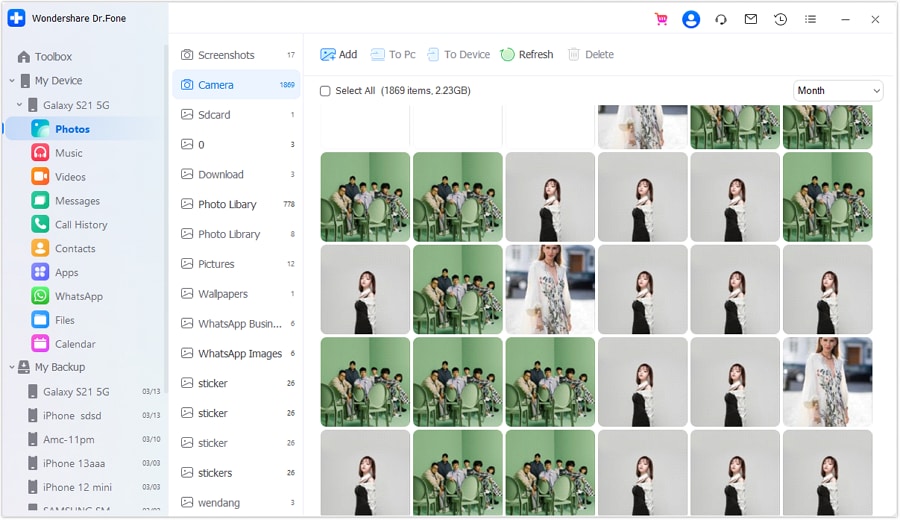
Following that, select “Photos” from the available data types. After that, you will be able to sort Alamy images into folders or albums directly from the computer interface. Dr.Fone also lets you add Alamy photos from your computer or export them from your phone.
Conclusion
An Alamy picture downloader is really just Alamy's own licensing and preview system. That's the only method guaranteed to deliver a file you're actually allowed to use. Free previews work well for testing layouts, while a purchased license is required for anything published. Once your images are downloaded, Phone Manager in Dr.Fone Basic can help keep them organized across your devices.
FAQ
-
1. Can I publish an Alamy watermarked preview?
No, watermarked previews are only for checking an image before purchase. They cannot be used in published or final projects. Using them without a license can violate the photographer’s copyright and may result in a removal request or payment claim. -
2. Does royalty-free mean there is no license fee?
No, royalty-free describes how you pay, not whether you pay at all. According to Alamy's own guidance, you pay one fee for unlimited use over time, without paying extra royalties per use. -
3. Can I use an Alamy image on social media?
It depends on the specific license you purchased, since some cover social media use and others don't. Check the license details on the purchase page before posting a licensed image publicly. -
4. Are online Alamy downloaders safe?
Generally not, since many bundle malware or intrusive ads alongside the actual download. They also provide unlicensed files, creating copyright risks alongside potential malware, scams, or other security threats.
 Add Wondershare Dr.Fone as a preferred source on Google