 Bypass iCloud Activation Lock and Android FRP without password.

 100% Security Verified | No Subscription Required | No Malware

 :
: 
 ChatGPT
 Perplexity
 Gemini
 Claude
 Grok
Grok
In this article
- Part 1. What Is iActivate MDM Bypass?
- Part 2. iActivate Features and What Testing Reveals
- Part 3. iActivate Pros and Cons at a Glance
- Part 4. What Real Users Say About iActivate
- Part 5. How Does iActivate MDM Bypass Work?
- Part 6. When iActivate MDM Is Not the Right Fit: Try Dr.Fone - Screen Unlock (iOS)
A managed iPhone or iPad can seem normal until a Remote Management screen limits setup or access. iActivate MDM bypass is often considered in this situation, but its real value depends on device support, reliability, reset behavior, pricing, and the type of restriction involved. Strong customer ratings may look reassuring, yet they do not remove the need to understand what iActivate software can actually handle and where its limits begin.
This iActivate review checks its current features, performance, limitations, pricing, and real user feedback. It also helps you decide whether iActivate MDM is a good fit for your device or whether another iOS management solution may work better.
Part 1. What Is iActivate MDM Bypass?
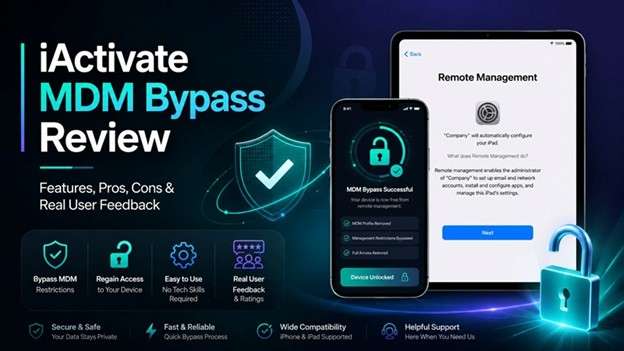
iActivate is a tool designed to remove Apple MDM profile from iPhone/iPad/iPod devices. It is intended to make the process quick and simple and works on both Windows and Mac computers.
What Does iActivate Do?
The iActivate MDM bypass targets embedded MDM controls on supported Apple devices. Once these controls are removed, users can regain access to device features that were limited by an organization.
It may also remove management conditions linked to:
- Device supervision
- Organizational restrictions
- Remote locking
- Remote device erasure
A Tool Built Mainly for MDM
Unlike general unlocking programs, iActivate software has a much more specific purpose. Its main focus is the Remote Management screen that may appear after a factory reset.
The program supports Windows and macOS and aims to handle this MDM issue through a simple, one-click process.
This focused design sounds convenient, but features alone do not show how useful a tool really is. Next, we look at its key features and real-world performance.
Part 2. iActivate Features and What Testing Reveals
A review is more useful when it looks beyond user opinions. To judge iActivate more fairly, we tested installation, device connection, compatibility, and MDM-related tasks.
How the Tool Was Tested
| Test Area | What Was Checked |
|---|---|
| Installation | The software was downloaded and installed on a test computer. |
| Device Connection | An iOS device was connected to the computer for testing. |
| Compatibility | Support across different iOS devices and versions was checked. |
| Device Management | The test focused on MDM restrictions and the claimed iCloud-related function. |
| Final Result | The MDM restriction was bypassed, but it returned after the test device was restarted. |
The result suggests that iActivate MDM bypass can work, but the effect may not always remain permanent.
1. Bypass MDM Restrictions
MDM controls can limit app installation, internet access, and other device functions. iActivate MDM claims to bypass these restrictions so users can regain more control over the device.
The main concern is durability. Reviews and the test results suggest that the bypass may only be temporary. In testing, MDM appeared again after the device restarted.
2. Remove MDM Configuration Profiles
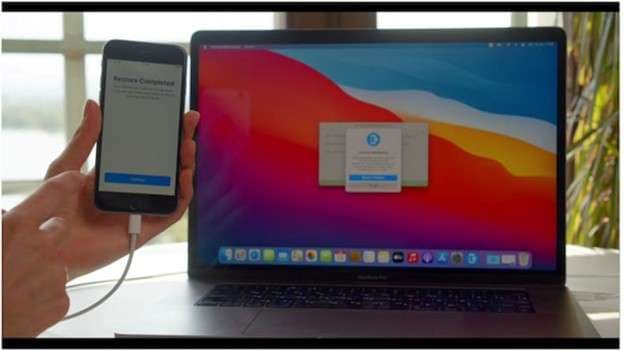
MDM profiles contain rules that control how a managed device works. iActivate claims to remove these profiles and restore access to settings and functions that were previously restricted.
There is also a security consideration. Some MDM profiles contain security settings. Removing them may also remove protections that were applied through the profile.
3. Bypass the MDM Authentication Screen
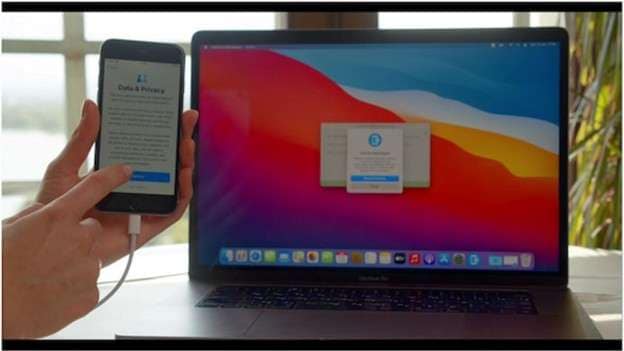
Some managed devices ask for MDM login details during activation. The tool claims to pass this authentication screen without requiring those credentials.
This may make activation easier, but the feature may not work with every MDM setup. Bypassing an authentication layer may also create security concerns.
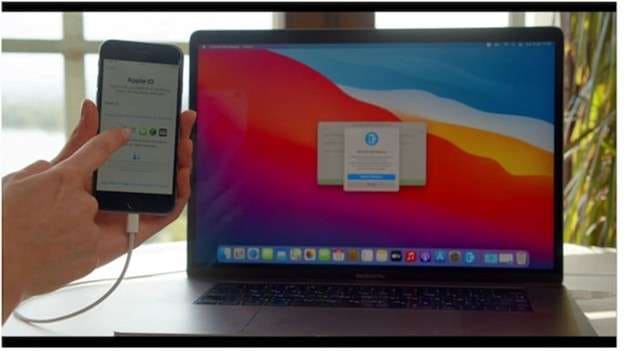
4. Claimed iActivate iCloud Function
The reviewed content also describes an iActivate iCloud feature for devices still linked to a previous owner's iCloud account. It is described as a way to deal with Activation Lock when the original account details are unavailable.
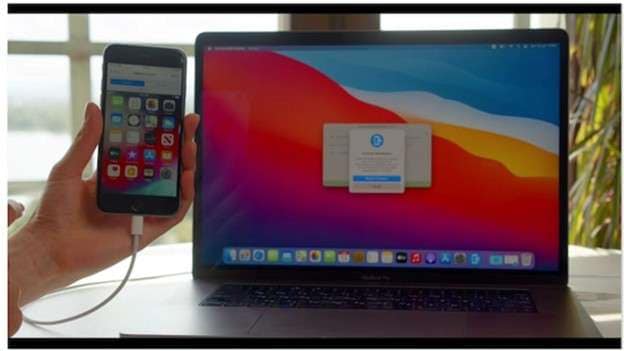
However, this type of security lock protects the device and its data. Using any such function without proper authorization may bypass protections placed on the device.
Overall, iActivate offers useful MDM-focused functions, but testing also points to important limits, especially around how long the bypass lasts. These strengths and weaknesses become clearer when we compare its main pros and cons next.
Part 3. iActivate Pros and Cons at a Glance
Considering the pros and cons of iActivate can go a long way before using it. The application is user-friendly, but the results may vary per device.
- Easy to use: iActivate software has a simple setup, so users do not need strong technical skills.
- Fast MDM removal: The tool can remove MDM restrictions quickly and restore access to the device without a long process.
- No jailbreak needed: iActivate MDM bypass works without requiring users to jailbreak the device.
- Suitable for one-time use: Its pricing can make sense for users who only need the service for a single device.
- Updated for newer iOS versions: The software is updated from time to time to support newer iOS versions.
- Outcomes can differ: The tool may activate differently on distinct devices, so a successful bypass is not assured.
- Possible data loss: There is still a chance that device data could be lost during the bypass process.
- Support could be slow: You can contact customer support, but users have experienced delays and have to wait.
Part 4. What Real Users Say About iActivate
Real user feedback helps show how iActivate performs outside controlled testing. Reviews from Reddit and Trustpilot show both successful bypasses and some important limits.
Reddit: Results Are Mixed
Reddit has limited discussion about iActivate software, but the available experiences are quite different.
- Positive experience: One user reported that the tool worked smoothly on iOS 15.3.1 with no major issues.
- Negative experience: Another user said it failed on iOS 14.7. They also reported receiving no help from customer support after losing US$45.
Takeaway: Results can differ by device and iOS version, while support quality may also affect the experience.
Trustpilot: Strong Rating, but Not Perfect
In the provided feedback, iActivate holds a 4.8/5 rating from more than 1,800 reviews. Many users appear satisfied, but some reviews highlight practical limits.
One customer said the bypass worked, but restoring a backup to another phone also moved the MDM configuration. A second bypass was then needed.
Another user reported that the iActivate MDM bypass worked initially, but the MDM profile returned after restoring the phone.
Part 5. How Does iActivate MDM Bypass Work?
The iActivate MDM bypass process is built around a few simple steps. You place an order, install the program, connect the device, and let the software detect it before starting the bypass.
How to Use iActivate
-
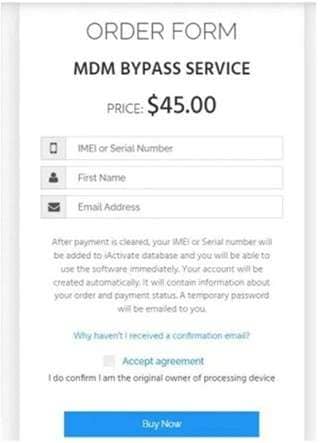
Step 1 Verify and Order the Service
Open the iActivate pricing page. Input your device IMEI or serial, insert your first name and a valid email address. This checks the device and completes the order request.
-
Step 2 Download iActivate Software
After ordering, download the correct iActivate software version for Windows or macOS. Install it on your computer and open the program.
-
Step 3 Connect Your iPhone or iPad
Use a USB cable to connect the device. Unlock it and tap Trust when the “Trust This Computer” message appears.
-
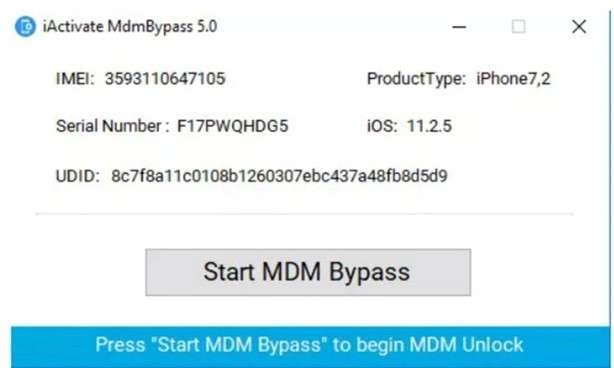
Step 4 Let iActivate Detect the Device
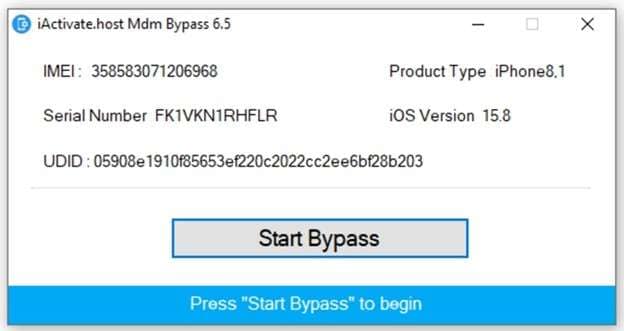
The tool detects the device once connected. It is capable of displaying details like device IMEI, serial number, UDID, iOS version, and model.
Is iActivate Safe to Use?
iActivate is generally considered safer when downloaded from its official website and used as instructed. The provided information states that it does not contain malware or spyware and does not access personal data during the MDM process.
Still, there are limits. The tool has no free trial, so you must pay first. Success is also not guaranteed on every device or iOS version.
To stay safer, avoid cracked copies or downloads from unknown websites. These versions pose a security risk and violate the software licensing agreement as well.
If iActivate MDM does not suit your device or needs, the next section looks at another option for handling MDM restrictions on iOS.
Part 6. When iActivate MDM Is Not the Right Fit: Try Dr.Fone - Screen Unlock (iOS)
As shown above, an iActivate MDM bypass may not work on every device. Its bypass can also fail in some situations. For another option that can handle various types of MDM restrictions, you should try Dr.Fone - Screen Unlock (iOS).
Dr. Fone MDM handling is divided into two options: Use Remote MDM Bypass and Use Local MDM Remove. This is useful because these restrictions do not always appear in the same form. According to Wondershare, its MDM feature works without jailbreaking and is designed to avoid data loss during supported MDM removal.
 Unlock iPhone/iPad passcode in minutes.
- Remove Face ID, Touch ID, MDM lock, and screen lock.
- Bypass iCloud Activation Lock easily.
- Support all iOS versions and devices.
- Simple steps, no technical skills needed.
What Dr.Fone - Screen Unlock (iOS) Offers
Besides MDM handling, Screen Unlock (iOS) includes tools for:
- iPhone and iPad screen locks
- Apple ID removal
- iCloud Activation Lock
- Screen Time passcodes
- SIM restrictions
- iTunes backup encryption
For MDM specifically, users can choose between bypassing a Remote Management lock and removing a local MDM profile.
How to Bypass Remote MDM with Dr.Fone
-
Step 1 Open Screen Unlock
Launch Dr.Fone on your computer. Go to Toolbox > Screen Unlock > iOS.

-
Step 2 Choose the MDM Option
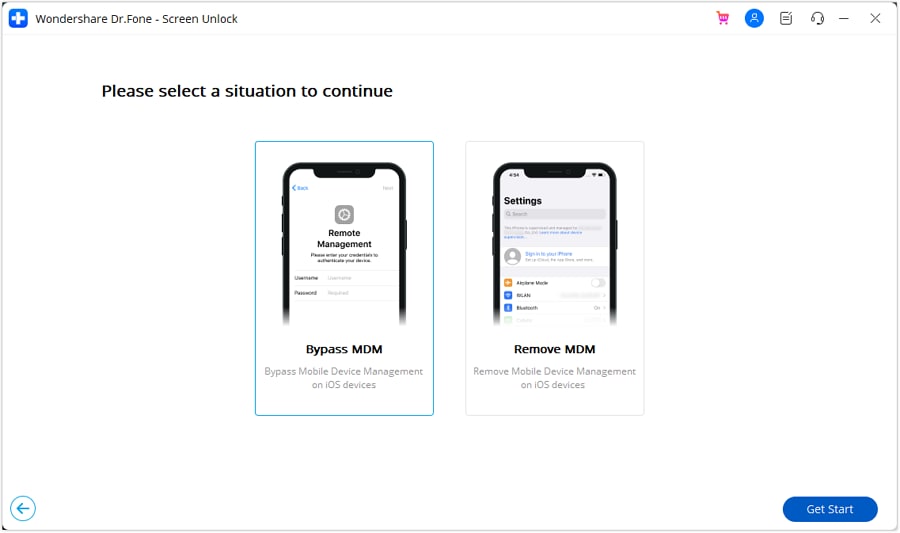
Select Unlock MDM iPhone. Then choose Bypass MDM and click Get Started.
-
Step 3 Begin the Bypass
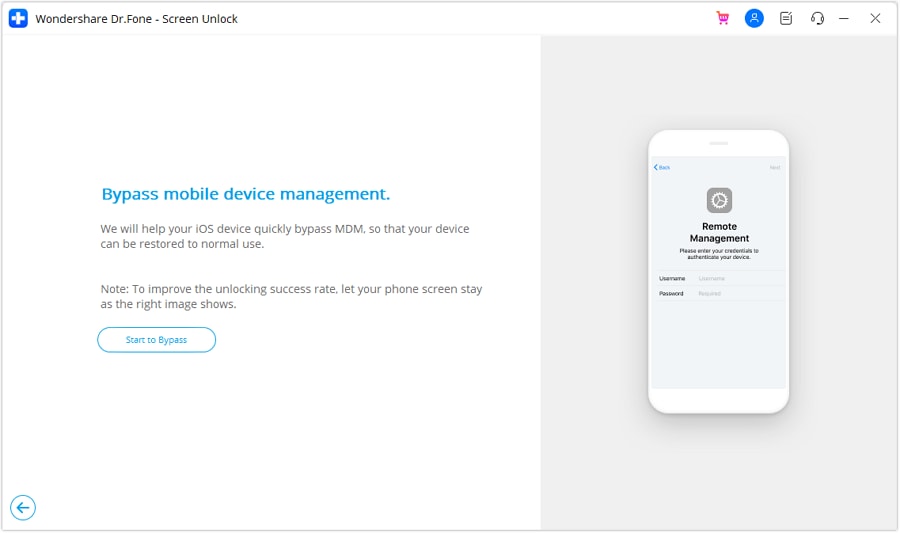
On the next screen, click Start to Bypass to begin processing the Remote MDM lock.
-
Step 4 Turn Off Find My if Asked
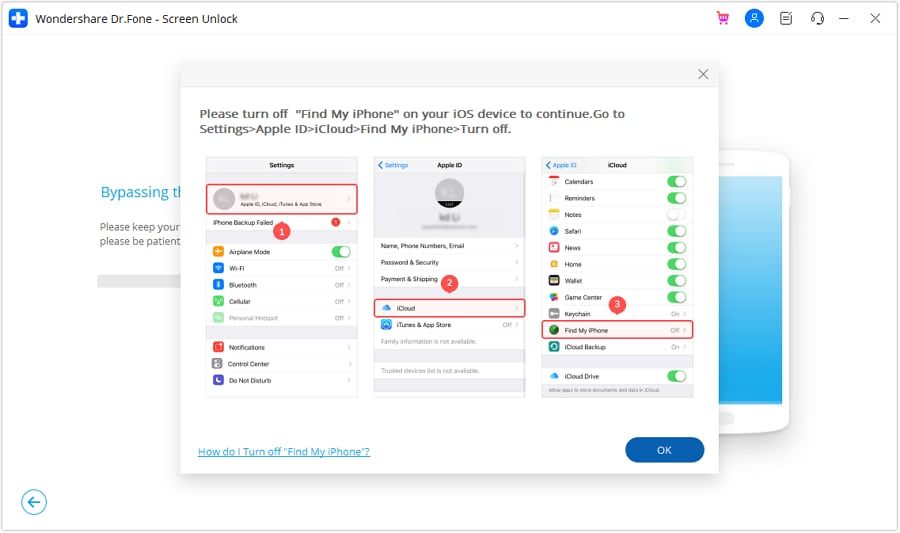
Dr.Fone may ask you to disable Find My on the iPhone or iPad. Follow the on-screen instructions and confirm the change on your computer.
-
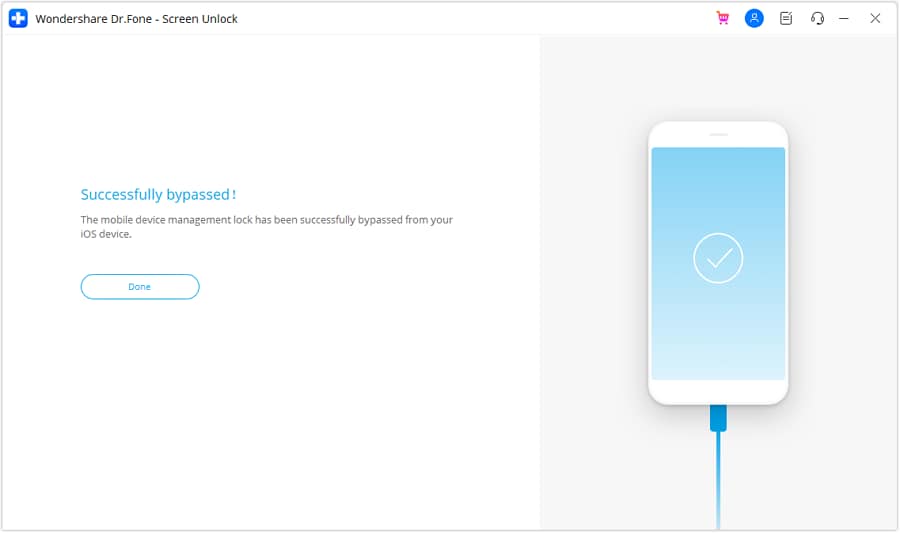
Step 5 Complete the Process
Keep the device connected while Dr.Fone shows the bypass progress. Once it finishes, click Done.
Conclusion
Overall, iActivate is a focused option for users dealing with Remote Management on a supported Apple device. The iActivate MDM bypass is simple, requires no MDM credentials or jailbreak, and has largely positive user feedback. However, it is still a bypass rather than permanent server-side removal: a factory reset can bring MDM back, although the same device can be re-bypassed without another payment. iActivate software also does not remove iCloud Activation Lock.
If you need broader MDM handling, Dr.Fone - Screen Unlock (iOS) is a practical alternative, with separate options for remote MDM bypass, local MDM removal, and charge-only restrictions.




 Add Wondershare Dr.Fone as a preferred source on Google



