Bypass iCloud Activation Lock and Android FRP without password.

 100% Security Verified | No Subscription Required | No Malware

 :
: 
 ChatGPT
 Perplexity
 Gemini
 Claude
 Grok
Grok
Activation Lock links an iPhone to an Apple Account through Apple’s servers, preventing unauthorized activation. While third-party tools cannot remove this server-side connection, some can bypass the setup screen on supported devices. The iSkip tool follows this approach on older A9 to A11 devices using a jailbreak-based workflow. However, cellular service and some Apple features may remain unavailable, while a factory reset can restore the Activation Lock screen.
These limitations make it important for legitimate owners to understand what iSkip can and cannot do before using it. This guide reviews its compatibility, working process, risks, and key restrictions. It also explores Dr.Fone - Screen Unlock (iOS) as an alternative and covers Apple’s official options for resolving Activation Lock.
In this article
- Part 1. What Is the iSkip Tool and How Does It Work?
- Part 2. iSkip Supported Devices, iOS Versions, and Limitations
- Part 3. Is iSkip Safe and Worth Using in 2026?
- Part 4. A Better Alternative to iSkip: Dr.Fone - Screen Unlock (iOS)
- Part 5. What Should You Do If the Device Is Still Activation Locked After iSkip?
Part 1. What Is the iSkip Tool and How Does It Work?
The iSkip tool is an unofficial utility designed to bypass the Activation Lock setup screen on some older iPhones and iPads. It is mainly associated with checkm8-compatible A9–A11 devices rather than newer Apple hardware. Since Apple does not develop or support iSkip, the tool relies on a jailbreak-based workflow involving palera1n.
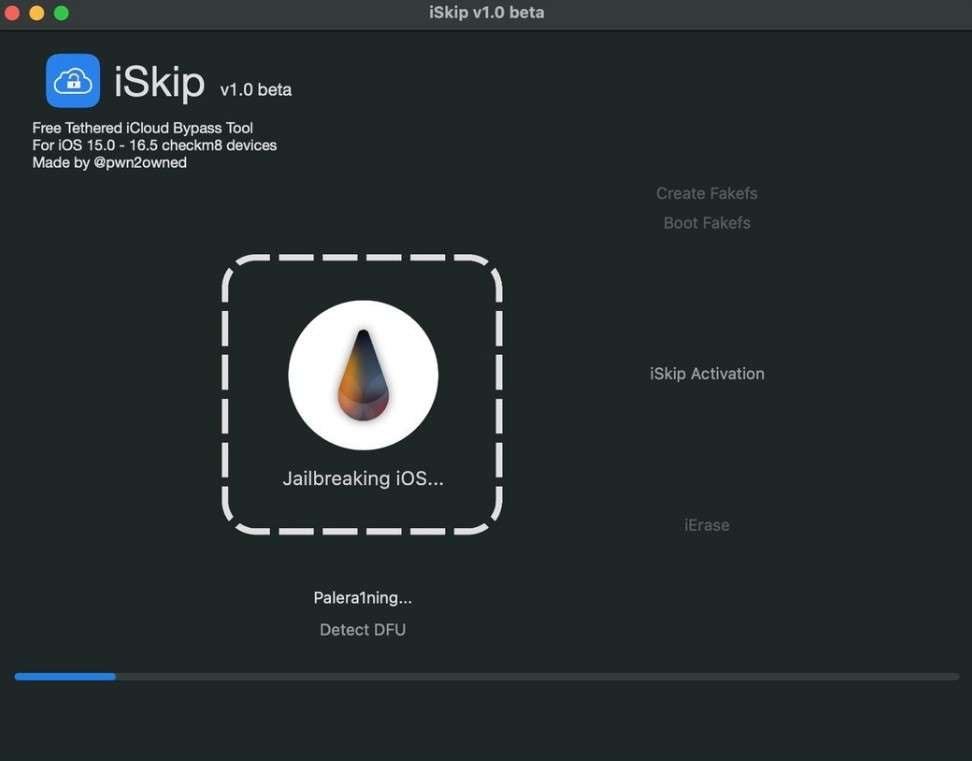
Palera1n uses the checkm8 exploit and supports A11 and earlier devices on compatible iOS versions. However, an iSkip iCloud bypass should not be confused with removing Activation Lock. A bypass may provide access past the setup screen, while the device can remain linked to the previous owner's Apple Account on Apple's servers.
According to Apple, Activation Lock remains tied to the linked Apple Account during activation. For a second-hand device, the previous owner should remove it from their account. Once removed, the new owner can activate the device with their own Apple Account.
Is iSkip Free?
iSkip is commonly available as a free download, with no advertised license fee or subscription. The bigger issue is where you get it since it does not have an official website. So current iSkip iCloud bypass downloads are difficult to authenticate.
Part 2. iSkip Supported Devices, iOS Versions, and Limitations
Before using iSkip, it is important to understand exactly which devices and system versions it can support. The table below breaks down its reported compatibility by chipset, iPhone models, iOS versions, and computer platform:
| Factor | iSkip Support | What to Know |
|---|---|---|
| Chipset | A9 to A11 only | iSkip-specific support is not authoritatively documented. palera1n officially supports A8–A11 hardware. |
| iPhone Models | iPhone 6s through iPhone X | These models cover A9–A11 iPhones associated with the relevant palera1n workflow. |
| iOS Versions | Commonly reported for iOS 15 to 16.5 | Palera1n supports compatible devices on iOS 15 and later, subject to device-specific restrictions. |
| Windows | Supported through palen1x | Palera1n does not run natively on Windows. Windows users can use palen1x from a bootable USB drive. |
| macOS | Supported | Official palera1n binaries are available for macOS. |
| A12 and Newer | Not supported | The checkm8-based palera1n compatibility range ends at A11. |
What Works and What Remains Limited After an iSkip Bypass?
Getting past the Activation Lock screen does not restore every iPhone function. What remains available depends on the device, iOS version, and bypass workflow. Here are the main limitations of an iSkip iCloud bypass:
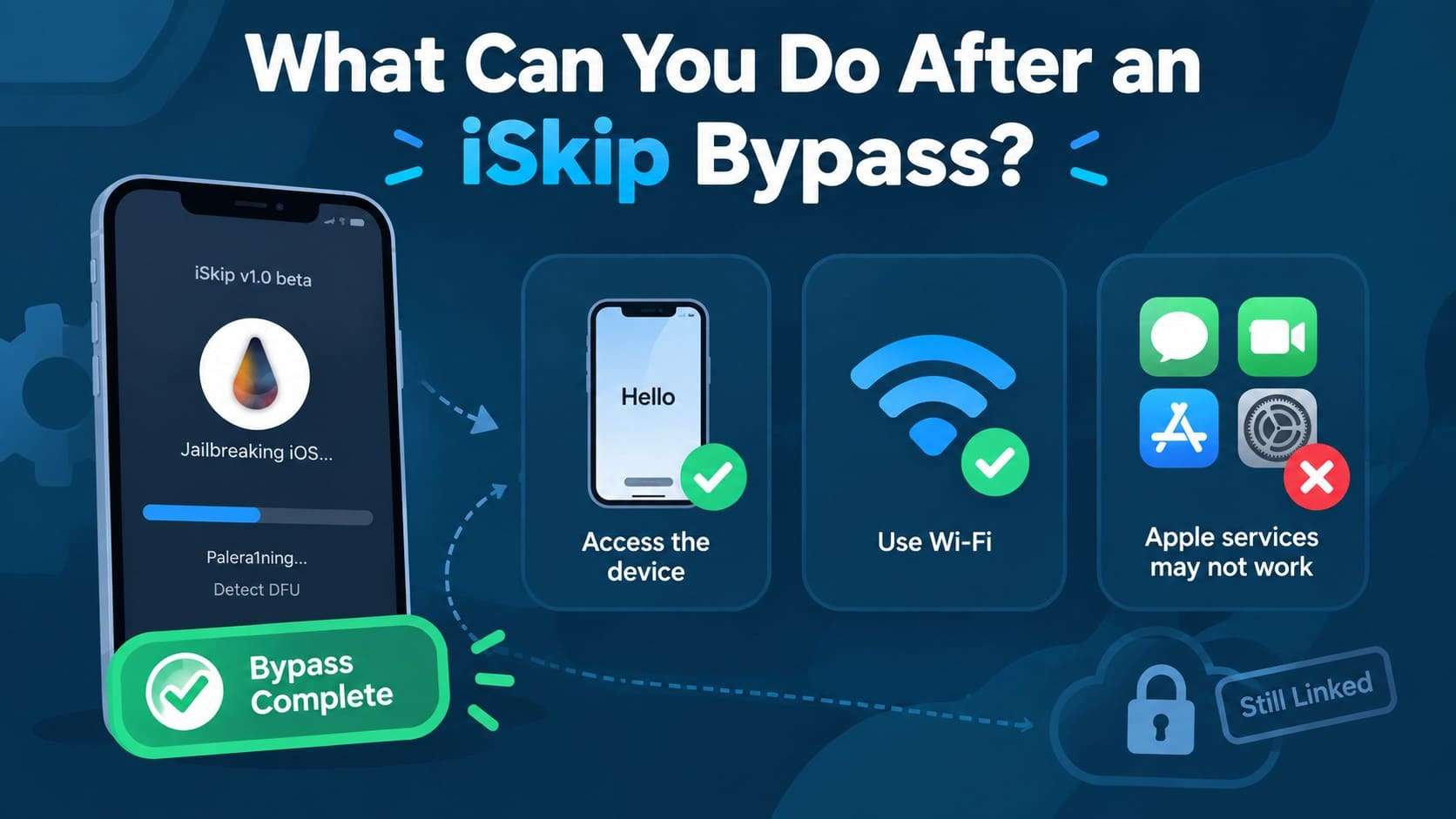
- Device Access: The bypass may provide access beyond the Activation Lock setup screen. However, the device can remain linked to the original Apple Account.
- Network Access: Wi-Fi may remain available with some checkm8-based bypass workflows, while cellular calling and mobile data may not work.
- Apple Services: iMessage, FaceTime, Apple Account sign-in, and other Apple services may remain unavailable depending on the bypass workflow.
Part 3. Is iSkip Safe and Worth Using in 2026?
An iSkip iCloud bypass comes with both advantages and disadvantages, especially on older supported devices. While it can bypass the Activation Lock screen without a paid license, its limited compatibility, jailbreak requirement, and restricted post-bypass functionality are important considerations.
- Commonly described as free to use
- Can bypass the Activation Lock setup screen on supported devices
- Can be used through workflows involving Windows or macOS
- Provides device access without removing the linked Apple Account
- Uses the hardware-based checkm8 exploit on compatible devices
- Limited mainly to older A9–A11 devices
- Requires a jailbreak-based workflow
- Cellular service may remain unavailable in some workflows
- Does not remove Activation Lock from Apple’s servers
- Unofficial download sources may carry security risks
5 Risks to Check Before Using the iSkip Tool
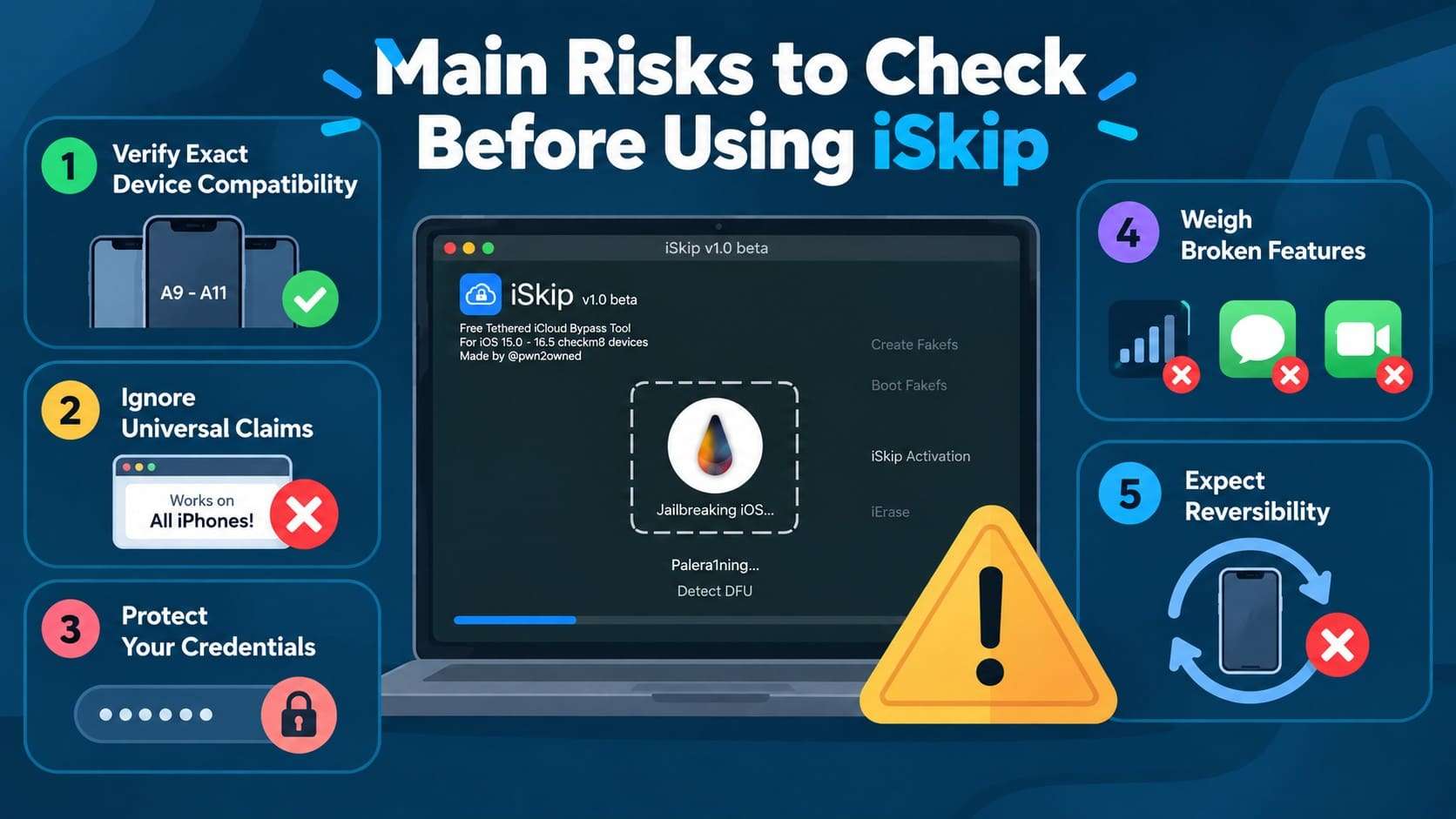
Using iSkip involves more than checking whether your device is compatible. Its unofficial distribution, jailbreak requirements, and post-bypass limitations can introduce security and usability concerns. Review these 5 key risks before using the tool:
-
1 Verify Exact Device Compatibility
Confirm that your hardware falls within the A9 to A11 range commonly associated with iSkip. Unsupported hardware or iOS versions may prevent the bypass from working.
-
2 Ignore Universal Claims
Treat download pages claiming to support every iPhone model with caution. The underlying checkm8 exploit has strict hardware limitations and does not support newer chips.
-
3 Protect Your Credentials
Avoid entering Apple Account credentials into unofficial tool interfaces or unverified download sites. Doing so can expose your account information to potential security risks.
-
4 Weigh Broken Features
The iSkip iCloud bypass will leave cellular service, mobile data, FaceTime, iMessage, or other Apple services unavailable. Available functionality can vary by device and iOS version.
-
5 Expect Reversibility
Activation Lock remains associated with the linked Apple Account unless properly removed. A factory reset or other system changes may require the device to complete activation again.
Part 4. A Better Alternative to iSkip: Dr.Fone - Screen Unlock (iOS)
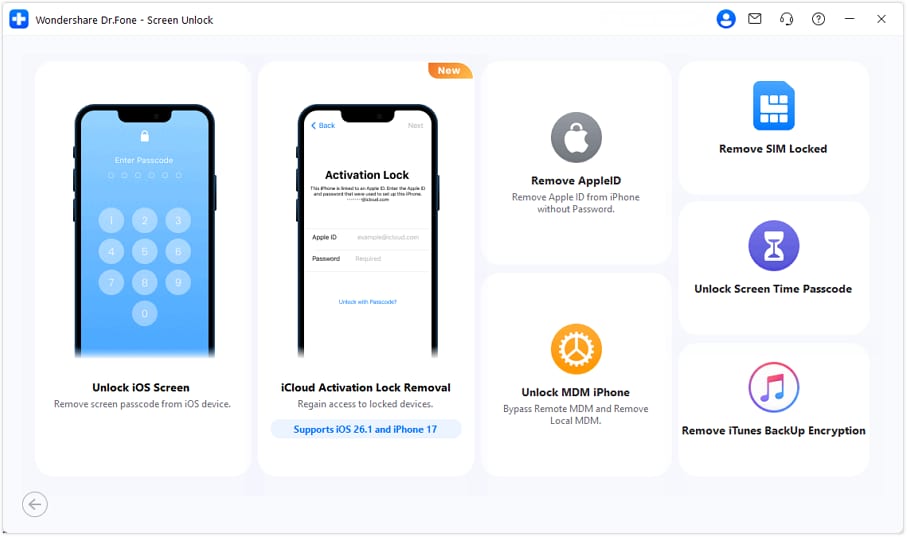
For device owners looking beyond the iSkip tool, Dr.Fone - Screen Unlock (iOS) provides a more broadly documented option for bypassing Activation Lock. It supports Windows and macOS, while its available methods vary according to the device model and iOS version. Current compatibility includes older Apple devices through the latest iPhone 18 series, with iOS 26.2 support.
iSkip vs Dr.Fone - Screen Unlock (iOS)
| Factor | iSkip | Dr.Fone - Screen Unlock (iOS) |
|---|---|---|
| Device Range | Commonly associated with older A9–A11 devices. | Supports iPhone 5S through the iPhone 18 series, alongside supported iPad and iPod touch models. |
| iOS Version Support | Commonly reported for older iOS versions, with no authoritative iSkip compatibility list available. | Current specifications list iOS 27 and below, with iPhone 18 series and iOS 26.2 support specifically highlighted. |
| Windows Support | No native palera1n support. Windows users need the bootable palen1x environment. | Windows is supported. |
| macOS Support | Supported through palera1n. | macOS is supported. |
| Jailbreak Requirement | Associated with a jailbreak-based palera1n workflow. | Depends on the device and iOS version. Some supported configurations do not require jailbreaking. |
| Newer iPhone Support | A12 and newer devices fall outside the checkm8/palera1n route. | Supports newer models, including the iPhone 18 series, subject to compatible iOS versions. |
| Interface | More technical and dependent on community-documented procedures. | Provides a guided interface with device detection and version-specific workflows. |
| Documentation | No authoritative iSkip documentation could be verified. | Provides maintained compatibility information and detailed official documentation. |
| Main Limitation | Has a narrow hardware range and limited authoritative compatibility documentation. | Available workflows and post-removal functionality vary by device and iOS version. |
How Dr.Fone - Screen Unlock (iOS) Handles Activation Lock
 Unlock iPhone/iPad passcode in minutes.
- Remove Face ID, Touch ID, MDM lock, and screen lock.
- Bypass iCloud Activation Lock easily.
- Support all iOS versions and devices.
- Simple steps, no technical skills needed.
Unlike iSkip, Dr.Fone - Screen Unlock does not use the same Activation Lock workflow for every supported device. The available method depends on the iPhone or iPad model and iOS version, while jailbreak requirements also vary. Despite these differences, the basic process remains similar across supported configurations, as provided below:
-
Step 1 Open the Tool and Connect Your Device
Go to the “Screen Unlock” tool for “iOS” and select the “iCloud Activation Lock Removal” tool. Connect your iPhone to the computer using a compatible USB cable. The software interface will display your connected device model and serial number.
-
Step 2 Review Requirements for iOS Versions
iOS 17.0.1-18.6 and iOS/iPadOS 18.6–18.7.1 & 26.0–26.1: Select “Start” followed by “Unlock Now,” accept the agreement, and select “Got It!”. For iOS/iPadOS 15.0-16.7.11: Accept the terms and follow instructions to enter Recovery Mode. For iOS/iPadOS 12.0–14.8.1: The workflow differs for GSM and CDMA devices.
-
Step 3 Complete the Removal
Once the process is complete, select “Done” to finish. Jailbreak requirements and post-removal functionality vary by workflow.




Part 5. What Should You Do If the Device Is Still Activation Locked After iSkip?
If the iSkip iCloud bypass does not resolve Activation Lock, the next step is to use Apple’s supported recovery options. These methods address the lock through the linked Apple Account or Apple’s official support process rather than bypassing the setup screen.
-
1 Use the Linked Apple Account or Device Passcode
When the locked device belongs to you, start with the Apple Account originally linked to it. Enter the associated email address or phone number and password. If the device passcode option appears, enter the passcode previously used on that device.
-
2 Ask the Previous Owner to Remove the Device
If a second-hand iPhone is still linked to someone else’s Apple Account, contact the previous owner. The previous owner can remove the device remotely. Ask them to open Find My and choose “Remove.”
-
3 Request Help from Apple with Proof of Purchase
When the previous owner cannot remove Activation Lock, and you have valid proof of ownership, Apple’s Activation Lock support request is the next official option. Apple requires proof-of-purchase documentation.
Conclusion
The iSkip tool can bypass the Activation Lock screen on a limited range of older devices, but its capabilities stop there. Activation Lock remains tied to the original Apple Account, while cellular connectivity, Apple services, and bypass persistence can remain limited.
For legitimate owners seeking another option, Dr.Fone - Screen Unlock (iOS) provides documented workflows for a broader range of supported devices. Apple’s official recovery routes also remain available.
FAQ
-
1. Is the iSkip tool really free?
Yes, iSkip is commonly described as a free tool with no purchase price or subscription. However, it has no verified official website, so downloads typically come from third-party sources that require careful verification. -
2. Does iSkip work on iPhone 11, iPhone 12, or newer iPhones?
No. The iSkip tool is commonly associated with older A9–A11 devices using a checkm8-based workflow. iPhone 11, iPhone 12, and newer models use later chips outside this supported hardware range, so this iSkip workflow does not work with them. -
3. Can you use cellular service after an iSkip iCloud bypass?
Cellular service after an iSkip iCloud bypass is not guaranteed. Since iSkip lacks authoritative compatibility documentation, there is no confirmed standard for cellular functionality after bypassing Activation Lock. -
4. What is the difference between iSkip and Dr.Fone - Screen Unlock?
iSkip is an unofficial tool associated with older A9–A11 devices and a jailbreak-based workflow. Dr.Fone - Screen Unlock (iOS) offers documented compatibility, guided Windows and macOS workflows, and broader device and iOS support, with jailbreak requirements varying by device.
 Add Wondershare Dr.Fone as a preferred source on Google