 Bypass iCloud Activation Lock and Android FRP without password.

 100% Security Verified | No Subscription Required | No Malware

 :
: 
 ChatGPT
 Perplexity
 Gemini
 Claude
 Grok
Grok
An APK being available does not mean its method still works, and Remote GSMEdge highlights that difference. The utility remains available through older FRP repositories, but its technique relies on Android setup routes Google has progressively restricted. A download page dated 2026 does not confirm that the underlying method still works on current devices.
Remote GSMEdge is a legacy Android FRP APK associated mainly with older Samsung workflows. It circulates freely without a current official home, while modern Android security limits its usefulness. For locked-out owners seeking a maintained option, Dr.Fone - Screen Unlock (Android) provides an alternative for supported devices. This Remote GSMEdge review covers its versions, compatibility, limitations, safety, and available alternatives.
In this article
Part 1. What Is Remote GSMEdge APK?
Remote GSMEdge is a legacy Android APK associated with older Google FRP workflows, particularly on Samsung devices. It has circulated under several names, including Remote 1 GSMEdge APK, Remote GSM APK, and Remote TeamGSMEdge. TeamGSMEdge's older FRP resource page also lists "REMOTE GSMDGE" among its downloadable files, confirming its historical connection to these workflows.
The older Remote TeamGSMEdge APK should not be confused with TeamGSMEdge's current services. This APK served as a phone-side helper for older FRP methods. In contrast, the current GSMEDGE site focuses on remote technician services, mobile servicing, firmware resources, and support for newer devices.
Remote GSMEdge APK vs GSMEDGE Remote Service
Searching for Remote 1 GSMEdge can lead to both the legacy APK and GSMEDGE's current services, but they serve different purposes. Remote GSMEdge belongs to older phone-side FRP workflows, while GSMEDGE now provides technician-based services. Their key differences are compared below:
| Factor | Remote GSMEdge APK | Current GSMEDGE Remote Service |
|---|---|---|
| Product Type | Android APK for older FRP workflows | Technician-run remote service |
| Installed on Phone | Yes | Generally, no service APK required |
| Technician Required | No, for the APK itself | Yes |
| Main Purpose | Legacy FRP bypass | Model-specific device servicing |
| FRP Support | Associated with older FRP methods | Available for supported current devices |
| Current Device Support | Mainly documented for older devices | Varies by model, region, software, and service |
| Update Status | Historical download still referenced | Current services remain actively listed |
Current service requirements vary. GSMEDGE states that some remote services require a Windows computer, USB cable, and remote connection. Other supported services may instead be handled through IMEI.
Part 2. What Can Remote GSMEdge APK Do?
The Remote GSM APK worked as a helper in older Android FRP workflows, supporting several functions used during account verification. Its historical uses and current limitations are compared below:
| Function | How It Was Used | Current Limitation |
|---|---|---|
| Google FRP Bypass | Assisted older Android FRP bypass workflows. | No verified support for current Android releases. |
| Samsung FRP | Used in legacy Samsung account-verification methods. | Compatibility varies by Android version and security patch. |
| Google Account Access | Worked alongside Google Account Manager during older FRP methods. | Modern Android security restricts these older access routes. |
| APK-Based Access | Installed directly on the device to support the FRP workflow. | Requires a working APK installation route on the locked device. |
Which Phones and Android Versions Does Remote GSMEdge Support?
The Remote 1 GSMEdge APK appears mainly in older Android FRP workflows, with Samsung devices frequently referenced in historical examples. Go through the following table to explore the available compatibility evidence across Android versions and device brands:
| Device / Android Version | Documented Remote GSMEdge Evidence | What to Know Today |
|---|---|---|
| Samsung Phones | Used in older Samsung FRP workflows, with Galaxy J7 (SM-J700F) as an example. | Exact supported Galaxy models were not officially documented. |
| Android 7.x | Remote GSMEdge appears in legacy Android FRP workflows. | Historical use does not confirm current compatibility. |
| Android 8 / 8.1 | Remote GSMEdge APK use is documented for Android 8.1. | Stronger legacy evidence, but not current support. |
| Android 10 | Remote GSMEdge appears in historical Samsung Android 10 FRP methods. | Does not establish support across all Android 10 devices. |
| Android 11–13 | No reliable APK-specific compatibility documentation found. | Compatibility remains unverified. |
| Android 14–16 | No reliable APK-specific compatibility documentation found. | Modern compatibility remains unverified. |
Part 3. Is Remote GSMEdge APK Still Working in 2026?
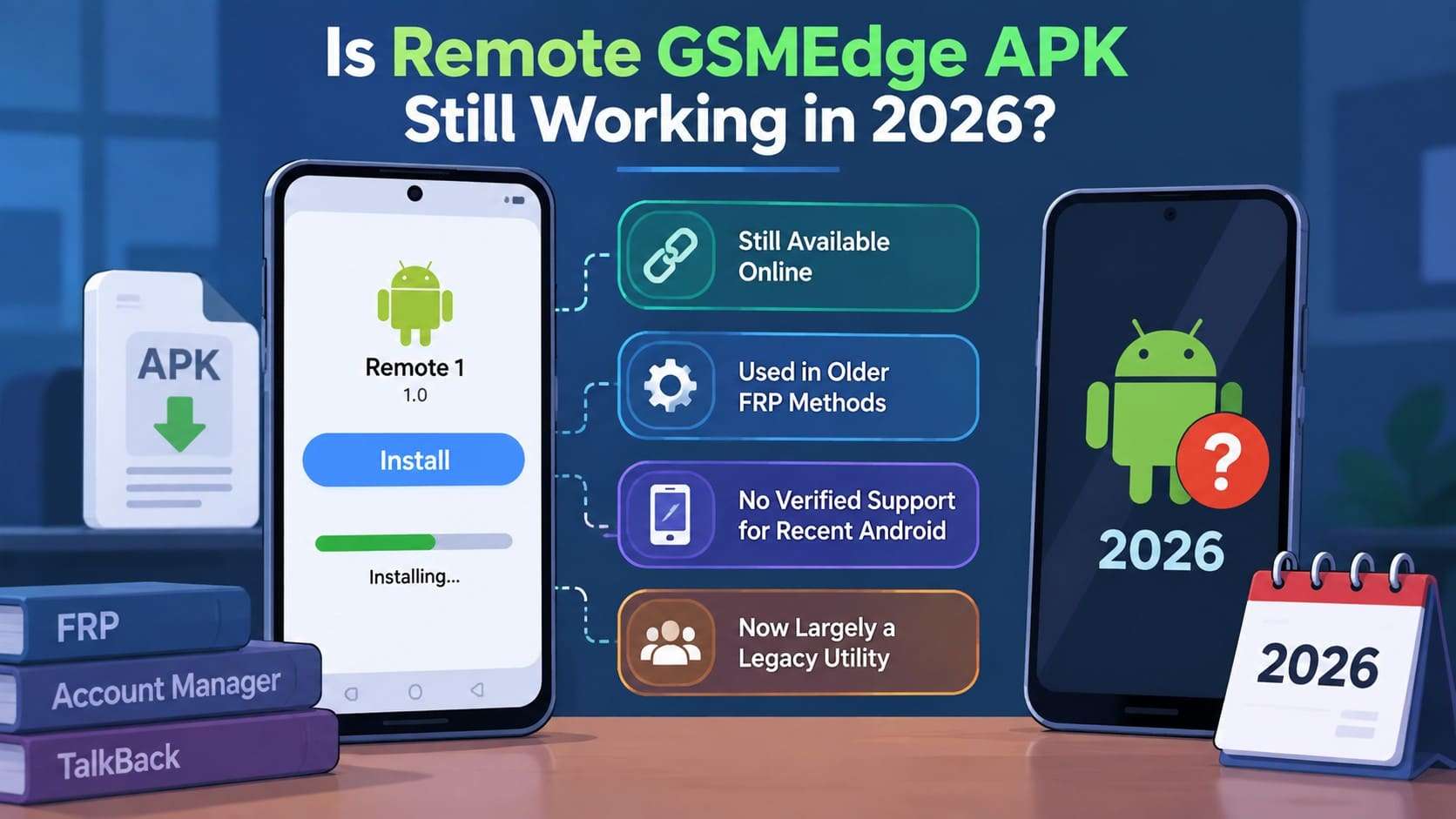
The Remote TeamGSMEdge APK can still be found online, but its availability does not confirm compatibility with current Android phones. Documented Remote GSMEdge methods come from older FRP workflows that relied on Settings, Google Account Manager, Google Play Services, TalkBack, and similar utilities.
In 2026, no verified current Remote GSMEdge release or compatibility documentation confirms reliable support for recent Android versions. TeamGSMEdge still lists the APK among its historical FRP resources, while its current site focuses on model-specific technician services and remote support for newer devices. Remote GSMEdge is better documented as a legacy FRP utility than a verified solution for modern Android phones.
What Is the Latest Remote GSMEdge Version?
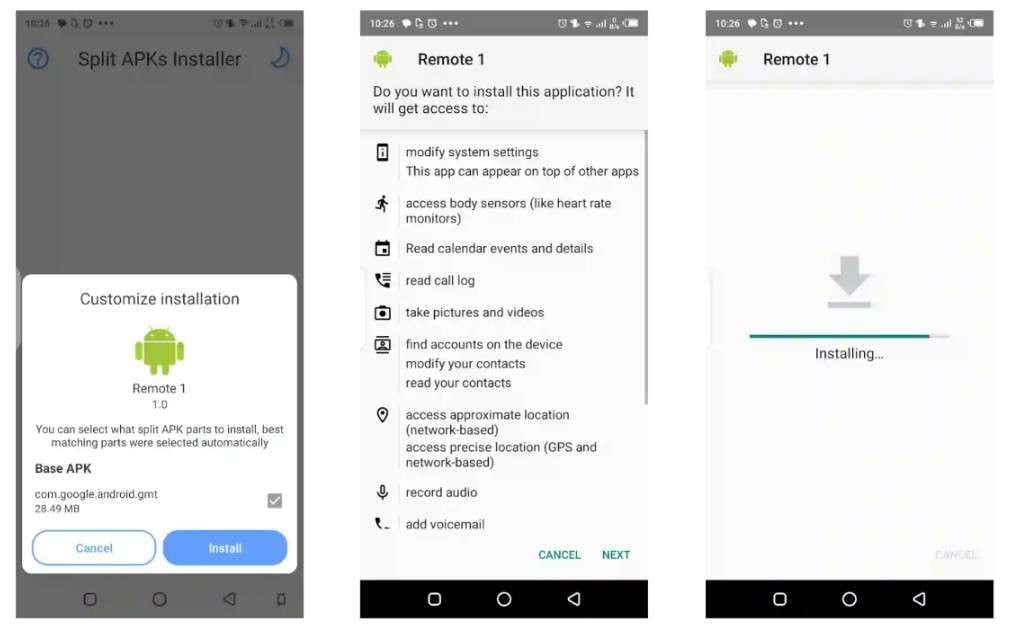
There is no verified latest version of the Remote GSM APK from TeamGSMEdge itself. A third-party listing identifies Remote 1 GSMEdge APK version 1.0 at around 28 MB. Another source lists version 2.0, but its origin is not sufficiently verified to consider it an official or newer TeamGSMEdge release.
| Version Claim | What the Sources Show | Verification Status |
|---|---|---|
| 1.0 | Listed as Remote 1 GSMEdge at around 28 MB. | Third-party listing only |
| 2.0 | Listed as Remote GSMEdge at around 28.5 MB. | Third-party listing only |
| Official Current Version | TeamGSMEdge's historical page lists "REMOTE GSMDGE" without a version. | Not established |
| Official Changelog | No current TeamGSMEdge changelog was found. | Not verified |
| 2026 Release | Recent download pages exist, but their dates do not prove a 2026 APK update. | Not verified |
Why "Remote GSMEdge APK 2026" Can Be Misleading
A page labeled Remote 1 GSMEdge 2026 does not prove the APK received a new release that year. TeamGSMEdge already listed "REMOTE GSMDGE" in its 2021 FRP resources. Without an official changelog confirming a newer build, third-party publication dates should not be treated as software release dates.
Compatibility depends more on the Android build and security level. Google lets users check the Android version, security update, Google Play system update, and build number. Verify these details alongside the APK source and documented compatibility before relying on a "2026" listing.
Part 4. Is Remote GSMEdge APK Safe to Download?
There is no current trusted source confirming the Remote TeamGSMEdge APK is safe to install. Copies from third-party sites may lack reliable developer, update, and data-safety information. Google warns that apps from unknown sources can put device data and personal information at risk.
That does not mean every Remote GSMEdge APK is malicious. Keep Google Play Protect enabled to scan sideloaded apps and flag potentially harmful software. Avoid copies that require disabling security protections or request permissions unrelated to their stated purpose.
Main Remote GSMEdge Limitations
The Remote GSM APK has several limitations due to its legacy FRP workflow, uncertain version history, and reliance on third-party distribution. Its main limitations and what they mean for users today are outlined below:
- Legacy FRP Workflow: Documented methods rely on older Android account and Settings workflows.
- Unclear Version History: No verified official changelog confirms a definitive current release.
- No Current Compatibility Chart: Support cannot be reliably confirmed by device model or Android version.
- Third-Party Distribution: Available copies mainly come from older or third-party repositories.
- Unverified Modern Android Support: No reliable APK-specific support is documented for recent Android versions.
- No Current APK Support: GSMEDGE remains active but focuses on remote services rather than APK updates.
Part 5. Dr.Fone - Screen Unlock (Android) as a Modern Remote GSMEdge Alternative
The Remote 1 GSMEdge APK relies on older FRP workflows, leaving its compatibility with newer Android versions and security patches uncertain. For supported modern devices, Dr.Fone - Screen Unlock (Android) provides guided desktop workflows for Google FRP and common screen locks, including PINs, patterns, passwords, fingerprints, and face locks. Dr.Fone lists screen-unlock coverage across 32 brands and over 2,000 Android phones and tablets, with available methods varying by device.
 Unlock Android phone in seconds.
- Remove PIN, pattern, password, fingerprint.
- Bypass Google FRP lock easily.
- Works on all Android brands & models.
- No tech skills required – user-friendly.

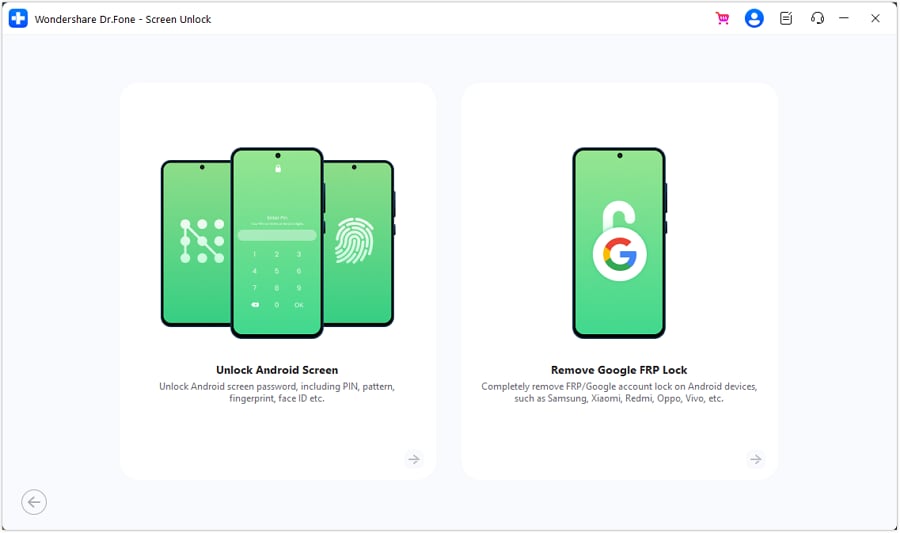
Unlike Remote GSMEdge's legacy APK approach, Dr.Fone uses AI-powered Smart Recommendation to analyze device information and Android versions before suggesting a suitable Samsung FRP method. Current documentation covers Android 16 and newer devices, including the Galaxy S26 and S25 series, with online FRP removal also available for supported Samsung devices. Screen locks can be removed without data loss on selected Samsung and LG models, while other workflows may erase stored data.
Remote GSMEdge vs Dr.Fone - Screen Unlock (Android)
For users considering a Remote TeamGSMEdge APK alternative, the key difference lies in how each solution works. Remote GSMEdge relies on legacy, phone-side FRP methods, while Dr.Fone - Screen Unlock (Android) uses a maintained desktop workflow. The comparison below highlights their differences in FRP support, screen-lock removal, modern Android compatibility, installation, and guided assistance:
| Factor | Remote GSMEdge APK | Dr.Fone - Screen Unlock (Android) |
|---|---|---|
| Main Purpose | Legacy FRP bypass | FRP and screen-lock removal |
| Google FRP bypass | Documented mainly in older Android workflows | Supports FRP removal across 21 brands |
| Screen Lock Removal | Not its primary purpose | PIN, pattern, password, fingerprint, and face locks across 32 brands |
| Modern Android Support | No verified support for recent Android versions | Supports recent Android versions, including Android 16 |
| Samsung Support | Historical Samsung FRP workflows | Supports newer Samsung devices, including Galaxy S26/S25 series |
| AI Assistance | None documented | AI-powered Smart Recommendation for Samsung FRP workflows |
| Other Brands | Limited APK-specific evidence | Xiaomi, Redmi, OPPO, Vivo, Motorola, and other supported brands |
| Installation | APK installed directly on the phone | Desktop-based guided workflow |
| Online FRP Option | No documented option | Available for supported Samsung devices |
| Documentation | Mainly historical and third-party material | Official guides and maintained documentation |

Conclusion
Remote GSMEdge can still be found online, but its documented use is largely tied to older Android FRP workflows. With no verified 2026 release or current compatibility chart, its effectiveness depends heavily on the phone model, Android version, security patch, and APK source.
Those limitations make a maintained solution worth considering for newer devices. Dr.Fone - Screen Unlock (Android) provides guided desktop workflows for Google FRP and common screen locks on supported devices, backed by current documentation and device-specific instructions.




FAQ
-
1. Is Remote GSMEdge APK still working on newer Samsung phones?
No verified compatibility list confirms reliable Remote GSMEdge support for newer Samsung phones. Most documented methods involve older Samsung FRP workflows, so compatibility depends on the exact Galaxy model, Android version, and security patch. -
2. Is Remote 1 GSMEdge the same as Remote GSMEdge?
The names generally refer to the same legacy FRP tool family, with Remote TeamGSMEdge also appearing in older references. However, third-party sites use inconsistent names and version numbers, so downloaded packages may differ. -
3. What is the latest official Remote GSMEdge APK version?
No official latest version has been verified. Third-party sites list versions 1.0 and 2.0, but no TeamGSMEdge changelog confirms either as the current official release. -
4. Is Dr.Fone - Screen Unlock better suited to modern Android FRP locks?
Dr.Fone - Screen Unlock (Android) supports Google FRP removal across 21 brands, with guided workflows for supported devices. It also removes PINs, patterns, passwords, fingerprints, and face locks across 32 brands. Unlike Remote GSMEdge's legacy APK approach, Dr.Fone provides maintained documentation and support for newer Android versions.
 Add Wondershare Dr.Fone as a preferred source on Google



