 Bypass iCloud Activation Lock and Android FRP without password.

 100% Security Verified | No Subscription Required | No Malware

 :
: 
 ChatGPT
 Perplexity
 Gemini
 Claude
 Grok
Grok
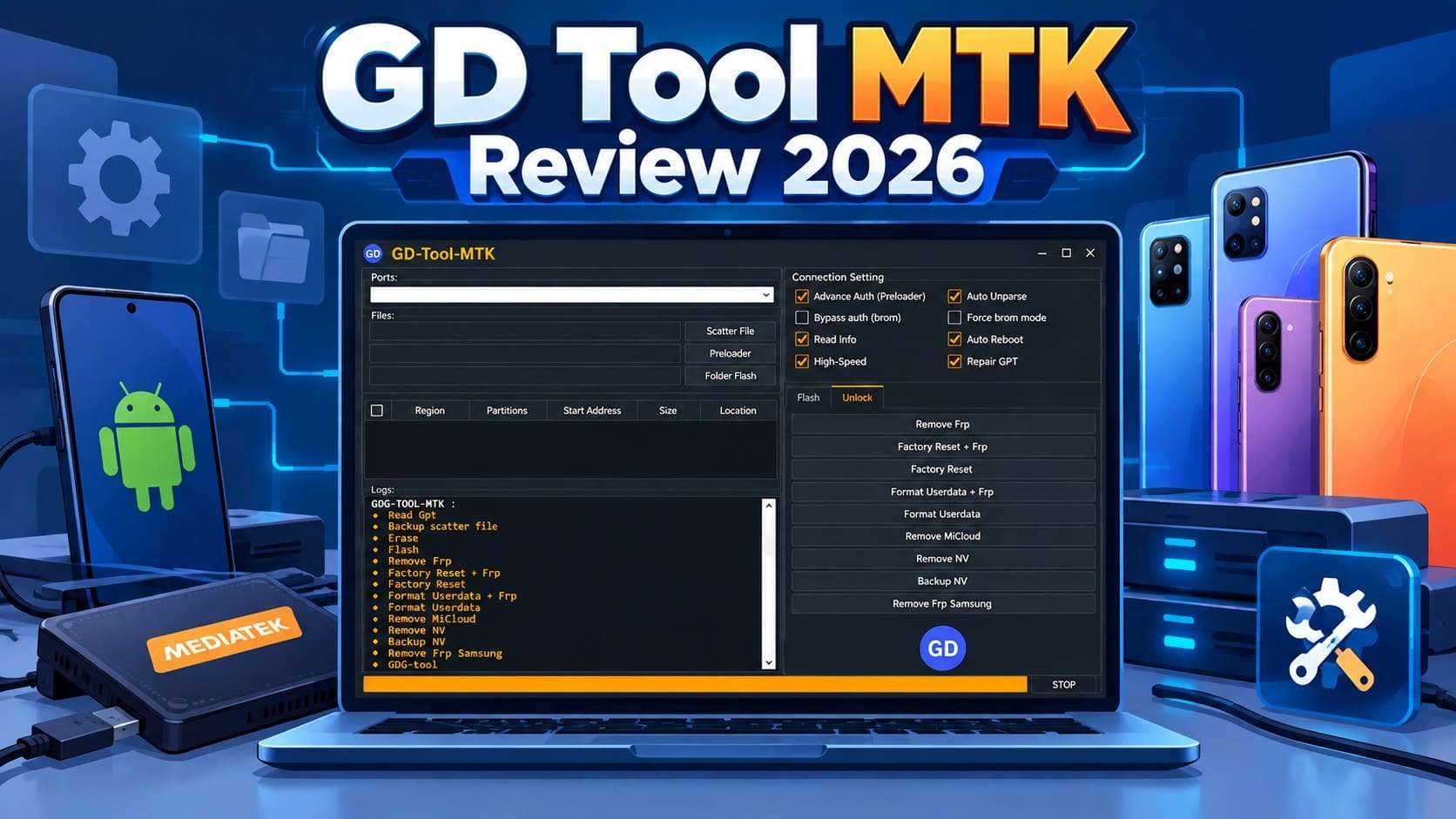
You may be dealing with FRP or a locked screen and looking at GD Tool MTK as a possible solution. The problem is that many download sites list outdated or modified builds as the latest release. GD Tool MTK mainly targets MediaTek Android devices, while actual compatibility depends on the chipset, device model, security version, and download source.
This guide explains what GD Tool MTK does, which devices it may support, and what risks to consider before downloading it. It also compares the tool with Dr.Fone - Screen Unlock (Android), a maintained alternative for screen lock and Google FRP removal.
In this article
Part 1. What Is GD Tool MTK?
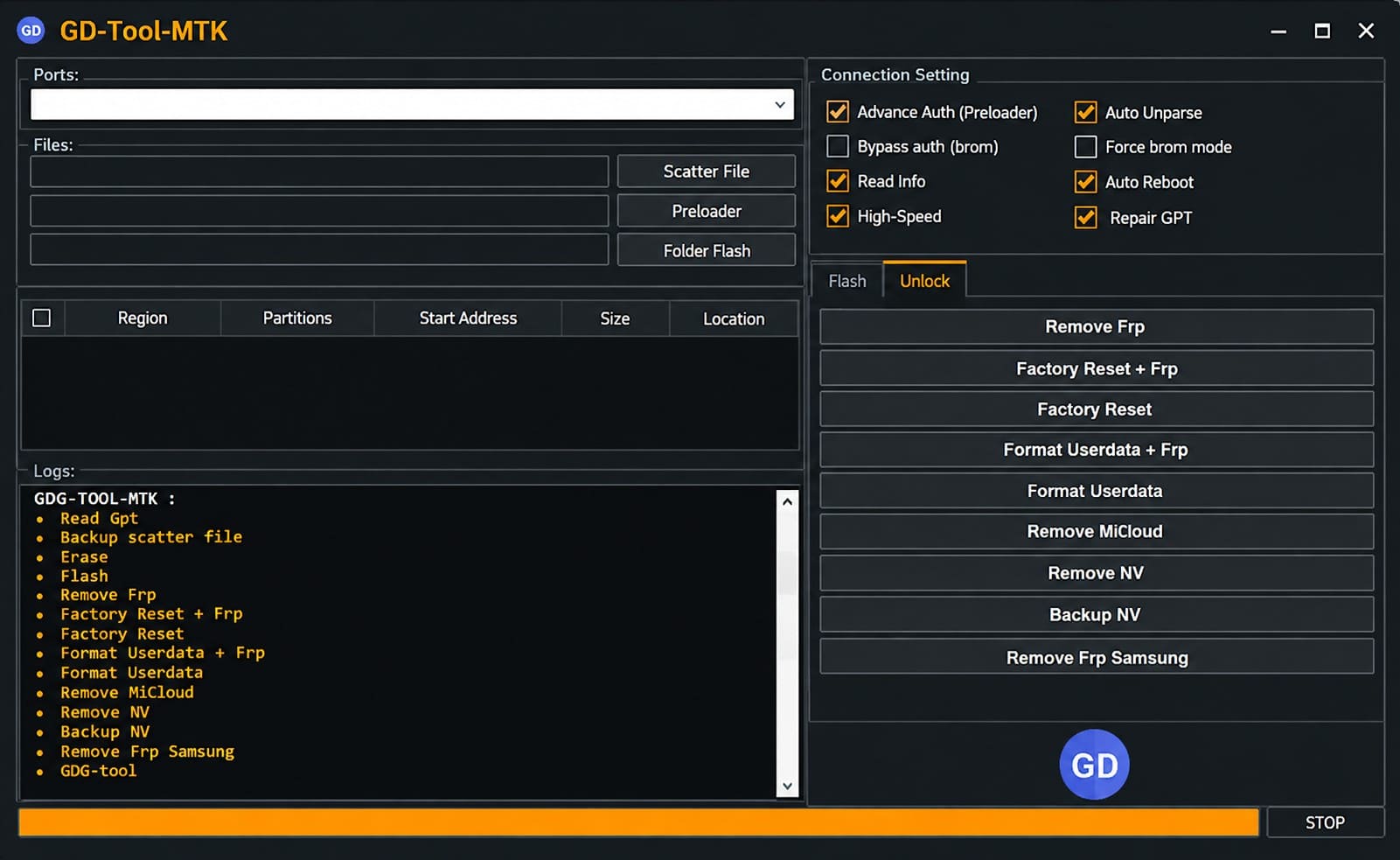
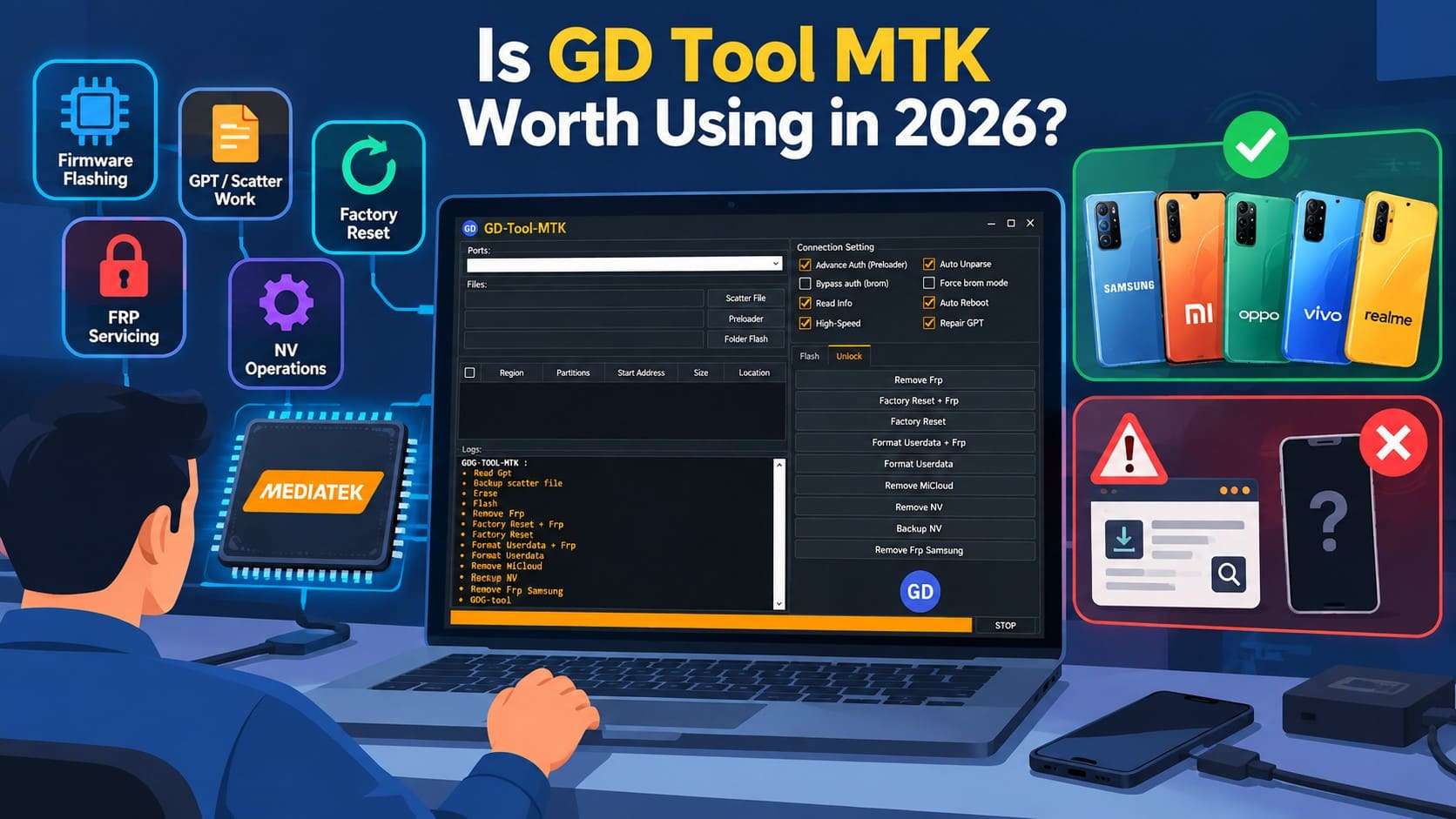
GD Tool MTK, also known as the GDG-Tool-MTK, is a Windows servicing utility. The tool is mainly for Android devices using MediaTek chipsets. Current pages associate it with functions such as reading GPT information, backing up scatter data, and flashing firmware. It can handle factory resets, format user data, handle supported FRP cases, and work with NV data.
Additionally, the tool is distributed through GSM, repair, forum, Telegram, and download pages rather than a clearly verified developer website. A Windows software listing also documents GDG-Tool-MTK 1.00 as an installed application with GDG-Tool-MTK.exe and MTK.exe. Together, these references indicate that GDG-Tool-MTK is the same MediaTek-focused utility discussed across current repair sources.
GD Tool MTK vs GD Service Tool
The 2 names are similar, but current search results do not support them as the same product. GD Tool MTK / GDG-Tool-MTK is consistently described as MediaTek-specific operations. However, a 2025 Gadgets Doctor page presents GD Service Tool V1.0 as a separate Windows utility with broader chipset coverage.
That page specifically advertises support for MediaTek, Qualcomm, and SPD/Spreadtrum. It also covers functions such as firmware flashing, screen-lock work, QCN operations, and FRP servicing. To make the distinction clearer, the table below compares how GD Tool MTK and GD Service Tool V1.0 are positioned and which chipsets they target:
| Tool | Main Positioning | Chipset Scope |
|---|---|---|
| GD Tool MTK / GDG-Tool-MTK | MediaTek-focused Android servicing | Mainly MTK / MediaTek |
| GD Service Tool V1.0 | Broader Android servicing utility | MTK, Qualcomm, SPD |
Part 2. What Can GD Tool MTK Do?
The GD Tool MTK interface puts several MediaTek servicing functions in one Windows tool. There is no official compatibility list, though, so not every function is guaranteed to work on every device. The table below summarizes the main GD Tool MTK functions and the limitations you should consider before using them:
| Feature | What It Is Used For | Main Risk or Limitation |
|---|---|---|
| Read GPT | Reads the phone's partition layout | Wrong partition work can affect booting |
| Backup Scatter File | Saves MTK partition-mapping information | Device-specific; not interchangeable between phones |
| Flash Firmware | Writes compatible firmware/scatter files | Wrong firmware can cause boot failure or data loss |
| Remove FRP | Handles supported Google FRP cases | Device/security-version support varies |
| Factory Reset | Returns supported devices to factory state | Erases personal data |
| Format Userdata | Wipes the userdata partition | Removes locally stored user data |
| Remove MiCloud | Advertised for some Xiaomi/MTK account-lock cases | Support is unclear and device-specific |
| Backup / Remove NV | Works with non-volatile radio/device data | Incorrect changes can affect network or calibration data |
| Samsung MTK FRP | FRP function listed for supported Samsung MTK phones | Limited to compatible MediaTek-based Samsung devices |
Which Phones Does GD Tool MTK Support?
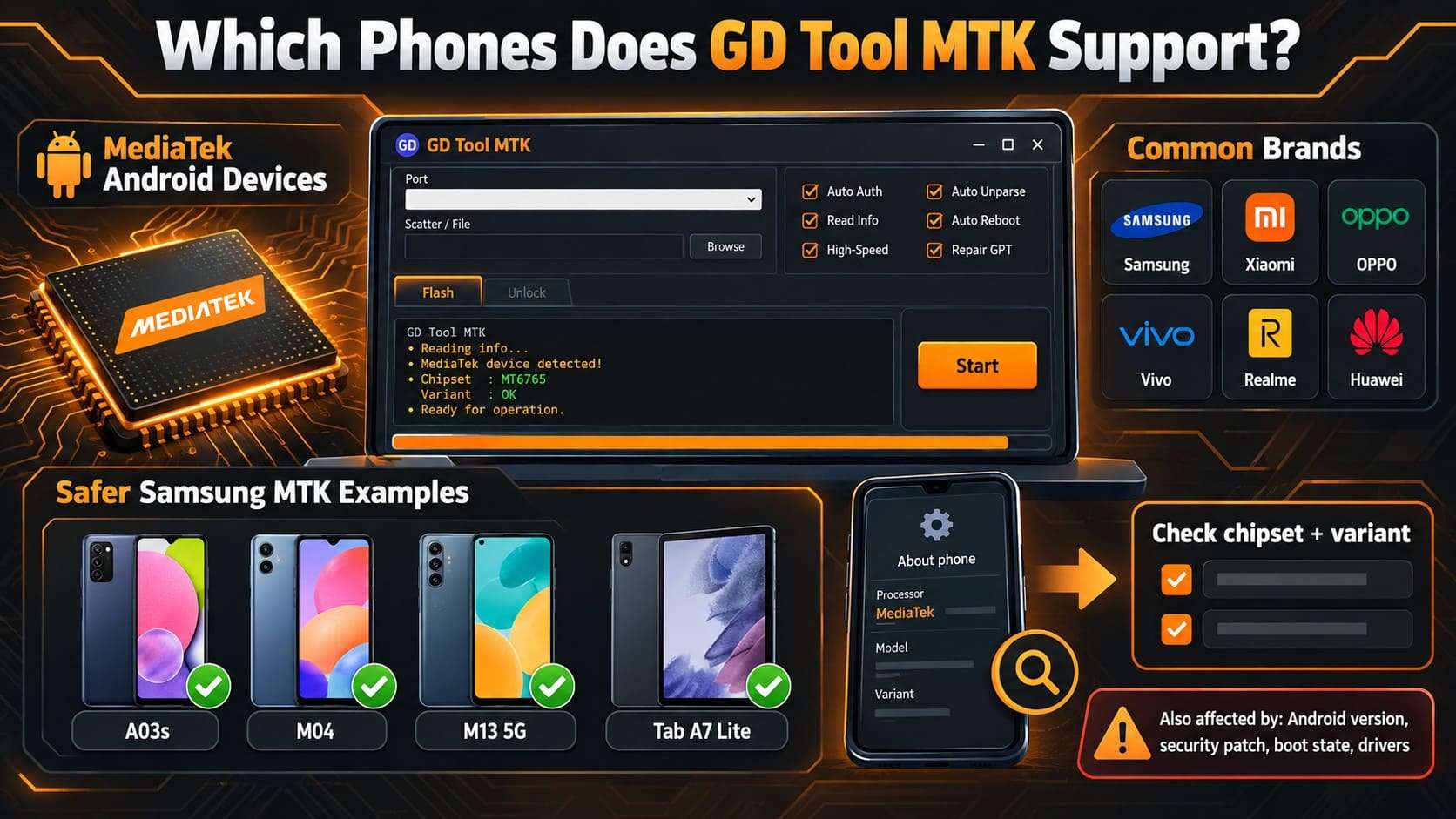
As mentioned, GD Tool MTK mainly supports Android devices that use MediaTek chipsets. Some pages mention brands such as Samsung, Xiaomi, OPPO, Vivo, Realme, Huawei, and others. However, no authoritative GD Tool compatibility database confirms every model or Android version. For Samsung, safer MediaTek examples include the Galaxy A03S, Galaxy M04, Galaxy M13 5G, and Galaxy Tab A7 Lite.
Samsung confirms that the A03S uses the MediaTek Helio P35, while the M13 5G uses the MediaTek Dimensity 700. Compatibility also depends on the exact chipset and model variant, not just the phone brand or model name. Android version, security patch, boot state, drivers, and the GD Tool build can also affect whether a function works.
What Is the Latest GD Tool MTK Version?
There is no clearly verified official 2026 GD Tool MTK version number. Some download pages label it as the “latest 2026” release. However, they do not provide an official developer changelog or a confirmed new version number. Hence, the best-documented release is still the 2024 GD Tool MTK / GDG-Tool-MTK build. This lists functions such as Read GPT, Backup Scatter File, Flash, Remove FRP, Factory Reset, Format Userdata, MiCloud, and NV operations.
Part 3. Is GD Tool MTK Free, Safe, and Reliable?
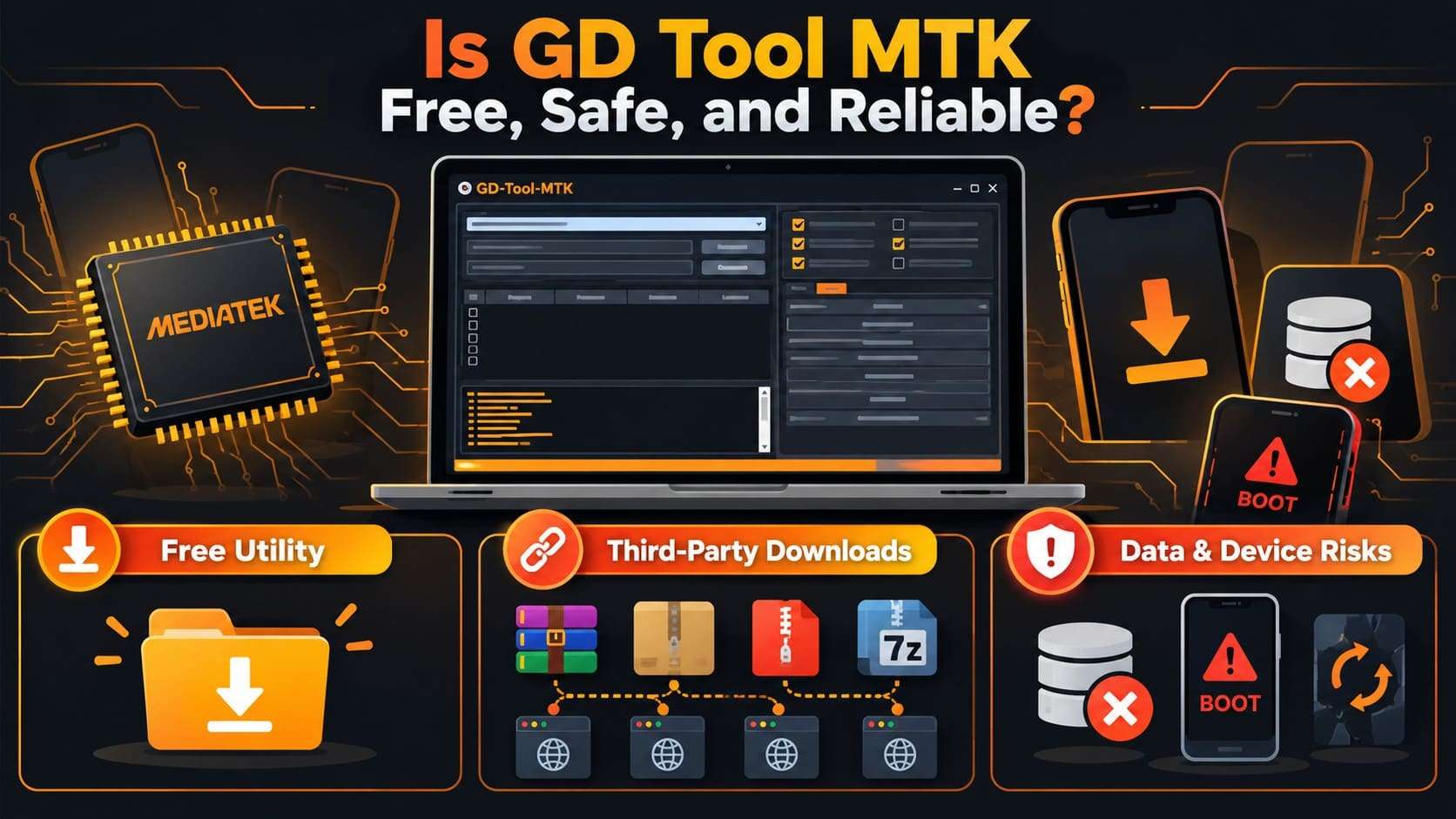
GD Tool MTK is commonly available as a free Windows utility. However, its safety and reliability cannot be guaranteed across every download or device. Download searches also lead to GSM and mobile-repair sites rather than a clearly verified developer download page.
Free GD Tool MTK Downloads Can Vary
The available packages are not distributed in one consistent way. The documented 2024 archive from Arieff Service Center is password-protected. At the same time, another guide lists a different RAR password and tells users to install the required MediaTek drivers separately. So, this makes the download source important.
Why GD Tool MTK Can Carry Data and Device Risks
Some GD Tool MTK functions, like Flash, Factory Reset, Format Userdata, Remove NV, and partition operations, change device storage rather than simply reading information. Android's flashing documentation also warns that flashing system images can erase data or, in some circumstances, leave parts of a device unusable.
How Reliable Is GD Tool MTK?
There is no single reliability figure for GD Tool MTK. A function that works on one MediaTek phone may fail on another. This is because the chipset revision, Android build, security patch, boot state, USB drivers, or GD Tool package differs. Even MediaTek's Windows flashing documentation requires the correct USB/fastboot environment and device drivers for supported hardware.
Main Risks to Check Before Downloading GD Tool MTK
Since GD Tool MTK is mainly shared through third-party download pages, the main concern is not just whether the tool is free. The source, package version, and the operation you plan to run can all affect both PC security and phone stability. Before downloading the tool, consider these risks that may affect your computer, phone, or stored data:
| Risk | Why It Matters |
|---|---|
| No Official Download Source | There is no clearly identified central developer page or official release archive for GD Tool MTK. Current copies are mainly hosted on third-party repair sites. |
| Different Third-Party Packages | Mirrors bundle the tool differently, with different passwords, drivers, or extra files included. |
| Old Builds Sold as Current | Some pages reuse the 2024 feature set but call it the latest release, with no real changelog. |
| Modified Executables | Microsoft warns against downloading Windows software outside trusted publishers, since third-party files can be altered or bundled with unwanted programs. |
| Firmware or Partition Errors | Flashing the wrong image or editing the wrong partition can leave a phone unable to boot, as Google notes for incompatible system-image flashing. |
| Permanent Data Loss | Factory reset and user data formatting can wipe personal data, a risk Android's own documentation confirms for unlock and flash workflows. |
Is GD Tool MTK Worth Using in 2026?
GD Tool MTK can still be useful for technicians working with compatible MediaTek devices. It will help when they need functions such as firmware flashing, GPT or scatter work, factory reset, FRP servicing, or NV operations. The 2024 GDG-Tool-MTK release still covers these jobs, and copies continue to circulate on repair-focused download sites.
Its main drawback in 2026 is not the lack of features, but the lack of a clear official support channel. Compatibility details are scattered across third-party pages. No verified developer database shows exactly which devices, Android versions, or security patches it supports.
Part 4. Dr.Fone - Screen Unlock (Android): A GD Tool MTK Alternative
For users who only need to remove an Android screen lock or Google FRP, Dr.Fone - Screen Unlock (Android) takes a different approach from GD Tool MTK. It is a maintained, guided unlocking tool for legitimate device owners. The tool does not focus on firmware flashing, GPT editing, scatter files, or NV servicing. Instead, it supports common Android lock types, including PIN, pattern, password, fingerprint, and face lock on compatible devices.
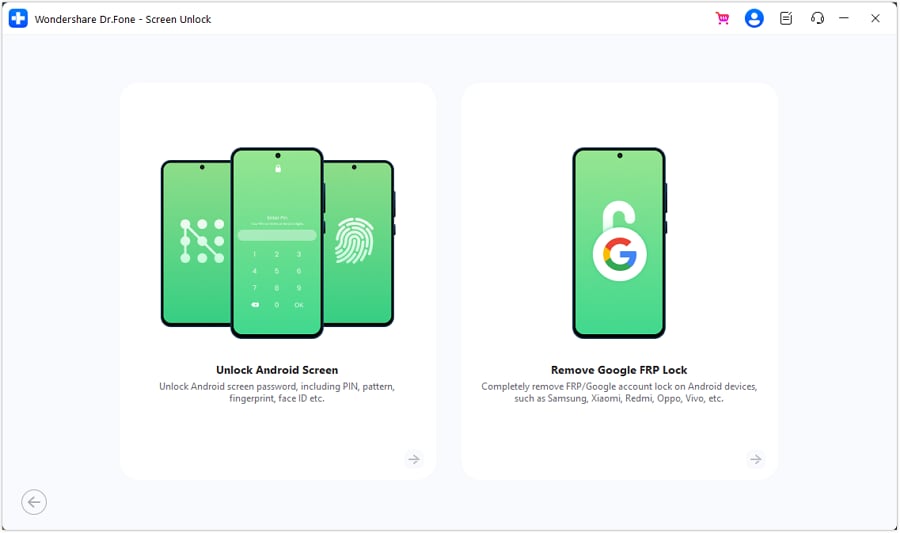
The tool also supports Google FRP bypass across 21 brands and screen-lock removal across 32 brands. For supported Samsung devices, Dr.Fone also provides Android 16 FRP workflows. Users can follow device-specific unlocking guides, while certain screen-unlock methods require a confirmation code. On supported Samsung and LG models, screen locks can be removed without data loss. Samsung FRP removal is also available through an online workflow.
GD Tool MTK vs Dr.Fone - Screen Unlock (Android)
The main difference lies in what each tool is designed to do. GD Tool MTK focuses on MediaTek servicing tasks, while Dr.Fone - Screen Unlock (Android) handles guided screen-lock and FRP removal. The following table compares their key functions and supported use cases:
| Factor | GD Tool MTK | Dr.Fone - Screen Unlock (Android) |
|---|---|---|
| Main Purpose | MTK servicing and repair tasks | Android screen and FRP unlocking |
| Screen Lock Removal | Limited / device-dependent | Yes, for 32 brands |
| Google FRP Removal | Yes, for supported MTK devices | Yes, for 21 brands |
| MediaTek Functions | Core focus | No MTK-specific servicing panel |
| Firmware Flashing | Yes | No |
| GPT / Scatter Tools | Yes | No |
| NV Operations | Yes | No |
| Supported Chipsets | Mainly MediaTek | Multiple Android brands/chipsets |
| Recent Android Support | Not clearly documented | Current support includes selected Android 16 workflows |
| Interface | Technician-style utility | Guided graphical interface |
| Official Documentation | No clearly verified official source | Official Dr.Fone guides available |
| Best Suited For | Experienced MTK repair users | Device owners needing screen-lock or FRP removal |
Part 5. How to Use Dr.Fone - Screen Unlock (Android) to Unlock Screen or FRP Lock
If your main goal is to remove a screen lock or FRP from a device you own, use Dr.Fone - Screen Unlock (Android). After you know how it differs from GD Tool MTK, follow these guides to remove the screen lock and FRP:
 Unlock Android phone in seconds.
- Remove PIN, pattern, password, fingerprint.
- Bypass Google FRP lock easily.
- Works on all Android brands & models.
- No tech skills required – user-friendly.

-
Step 1 For Screen Unlock (Android)
Choose Unlock Android Screen
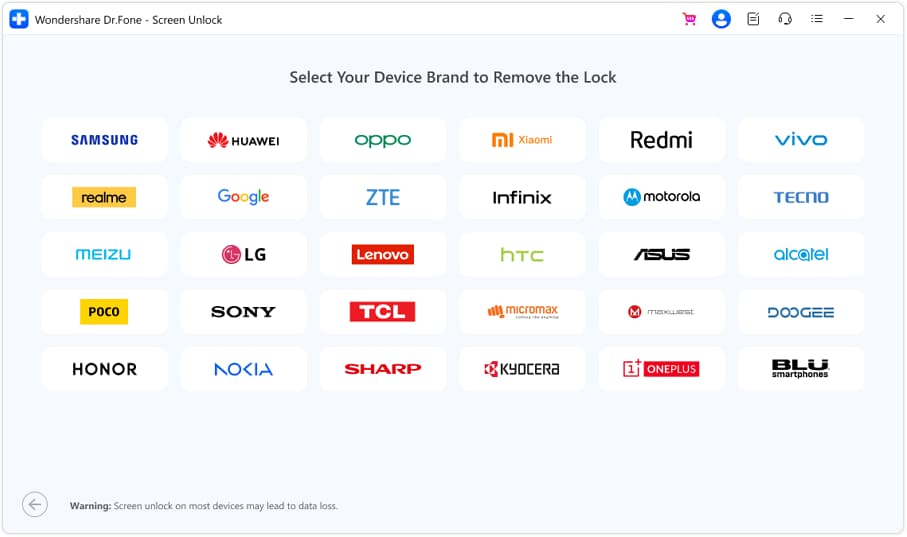
Open the “Screen Unlock” tool in Dr.Fone and choose “Unlock Android Screen.” Select the matching phone brand and model from the available options.
Prepare the Phone for Unlocking
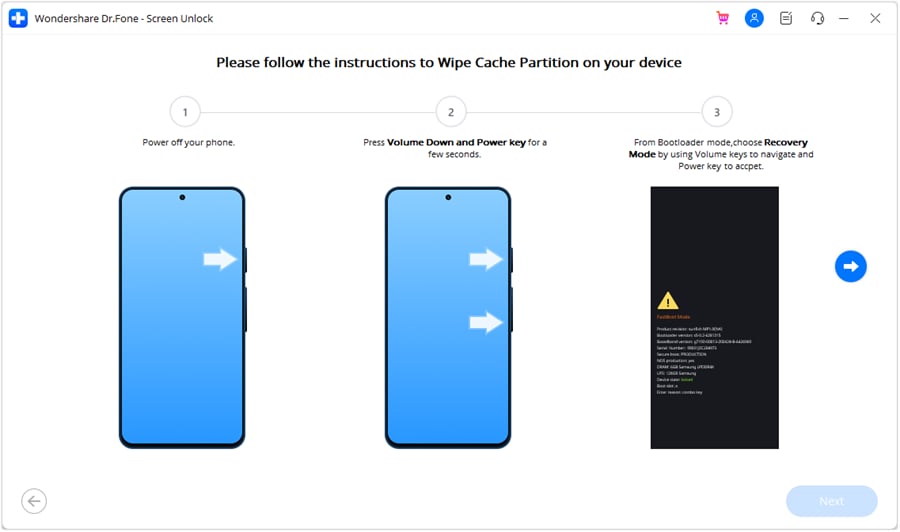
Dr.Fone will display instructions for the required device mode. Complete those prompts until the phone reaches “Special Mode,” then continue with the unlock procedure.
-
Step 2 For FRP bypasses (Example: Samsung)
Open the FRP Removal Option
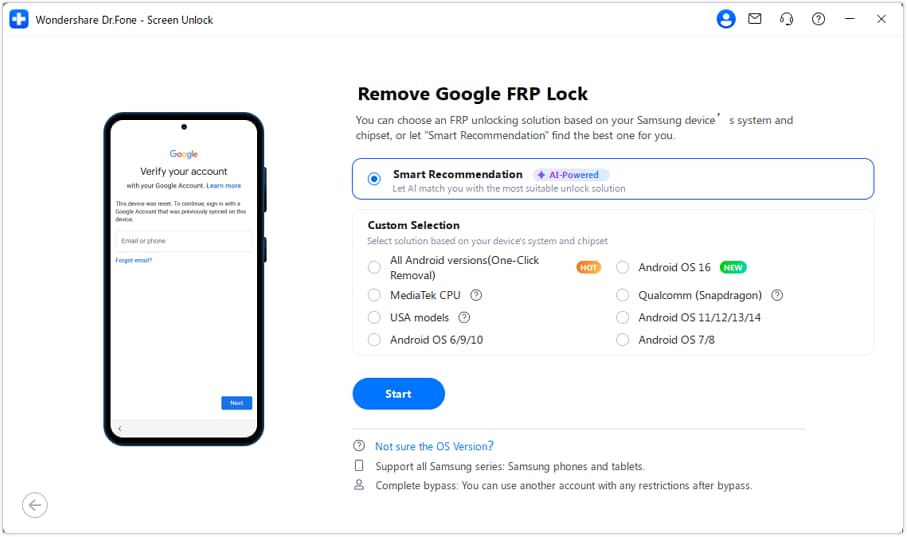
Launch Dr.Fone on your computer and connect the Samsung phone or tablet via USB. On the Screen Unlock tool for Android, choose “Remove Google FRP Lock.” Select a model like “Samsung” and click “Start.”
Let Smart Recommendation Detect the Right Method
Select “Smart Recommendation (AI-Powered),” and Dr.Fone automatically matches your connected device to the best-fit unlock method. Follow the guided steps; the software walks you through the exact workflow for your device instead of a generic one.
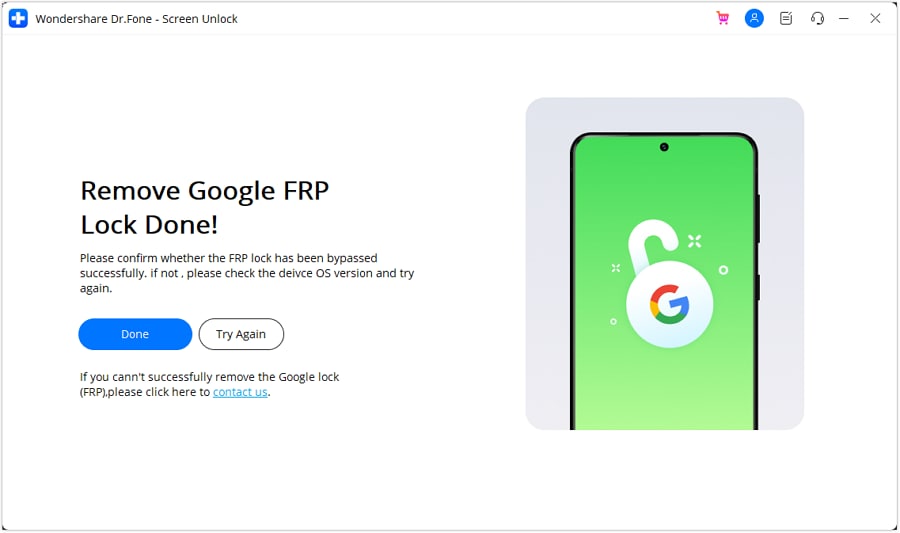
Finish the FRP Removal Process
After the FRP lock is removed successfully, select “Done” to close the process and finish the workflow.

Conclusion
GD Tool MTK remains a practical option for experienced users working with compatible MediaTek devices. It combines firmware flashing, FRP servicing, factory resets, scatter operations, and NV-related tasks in one Windows utility. However, unclear download sources and limited compatibility records mean users should verify files and device support carefully before proceeding.
Users who mainly need screen-lock or FRP removal can choose Dr.Fone - Screen Unlock (Android) for its guided workflow and official documentation. It also supports a broader range of compatible Android devices than GD Tool MTK's MediaTek-focused approach.




Frequently Asked Questions
-
1. Is GD Tool MTK the same as GD Service Tool?
No, GD Tool MTK / GDG-Tool-MTK is mainly associated with MediaTek servicing. GD Service Tool V1.0 is presented as a separate utility. This covers MTK, Qualcomm, and SPD devices. Do not mix their features unless separately verified. -
2. Does GD Tool MTK work on Qualcomm or Snapdragon phones?
The current evidence does not clearly support Qualcomm or Snapdragon compatibility for GD Tool MTK. Its documented functions are centered on MediaTek devices. Qualcomm support belongs to the separate GD Service Tool unless a GD Tool MTK source confirms otherwise. -
3. Can GD Tool MTK erase phone data during FRP or factory-reset operations?
Yes, some functions can erase data. Factory Reset and Format Userdata are specifically listed as operations that remove personal or locally stored data. Flashing or partition work can also cause device problems or data loss if you use the wrong files or settings. -
4. Does Dr.Fone - Screen Unlock flash Android firmware like GD Tool MTK?
No. Dr.Fone - Screen Unlock (Android) focuses on removing supported Android screen locks and Google FRP locks. It does not include GD Tool MTK-style firmware flashing, GPT/scatter management, or NV servicing features.
 Add Wondershare Dr.Fone as a preferred source on Google



