Bypass iCloud Activation Lock and Android FRP without password.

 100% Security Verified | No Subscription Required | No Malware

 :
: 
 ChatGPT
 Perplexity
 Gemini
 Claude
 Grok
Grok
Are you stuck with a locked phone and not sure if UnlockRiver can actually fix it? UnlockRiver is an online tool that offers carrier unlocking, IMEI checks, and network checks. It requires no desktop setup, but it depends heavily on the specific brand, original network, and status. This guide covers its current platform services, pricing, customer ratings, and key limitations.
If you need an alternative, learn how Dr.Fone - Screen Unlock and Dr.Fone Online Unlock fit in. Know how these tools provide dedicated solutions for carrier restrictions, FRP bypass, remove iCloud activation lock, and other device limitations.
In this article
- Part 1. What Is UnlockRiver and What Services Does It Offer?
- Part 2. How Does UnlockRiver Work?
- Part 3. Is UnlockRiver Free?
- Part 4. Is UnlockRiver Legit, Safe, and Reliable?
- Part 5. Best UnlockRiver Alternatives for iPhone and Android Unlocking
- Part 6. What Should You Check Before Using UnlockRiver or Another Unlock Service?
Part 1. What Is UnlockRiver and What Services Does It Offer?
UnlockRiver is an online tool used to unlock phones and check device status. The tool supports 600+ carriers and 4,000+ models. The list includes iPhones. Samsung, Motorola, etc. Most carrier-unlock and device-check services use the phone's IMEI and other basic device details. So, they do not require a traditional desktop application.
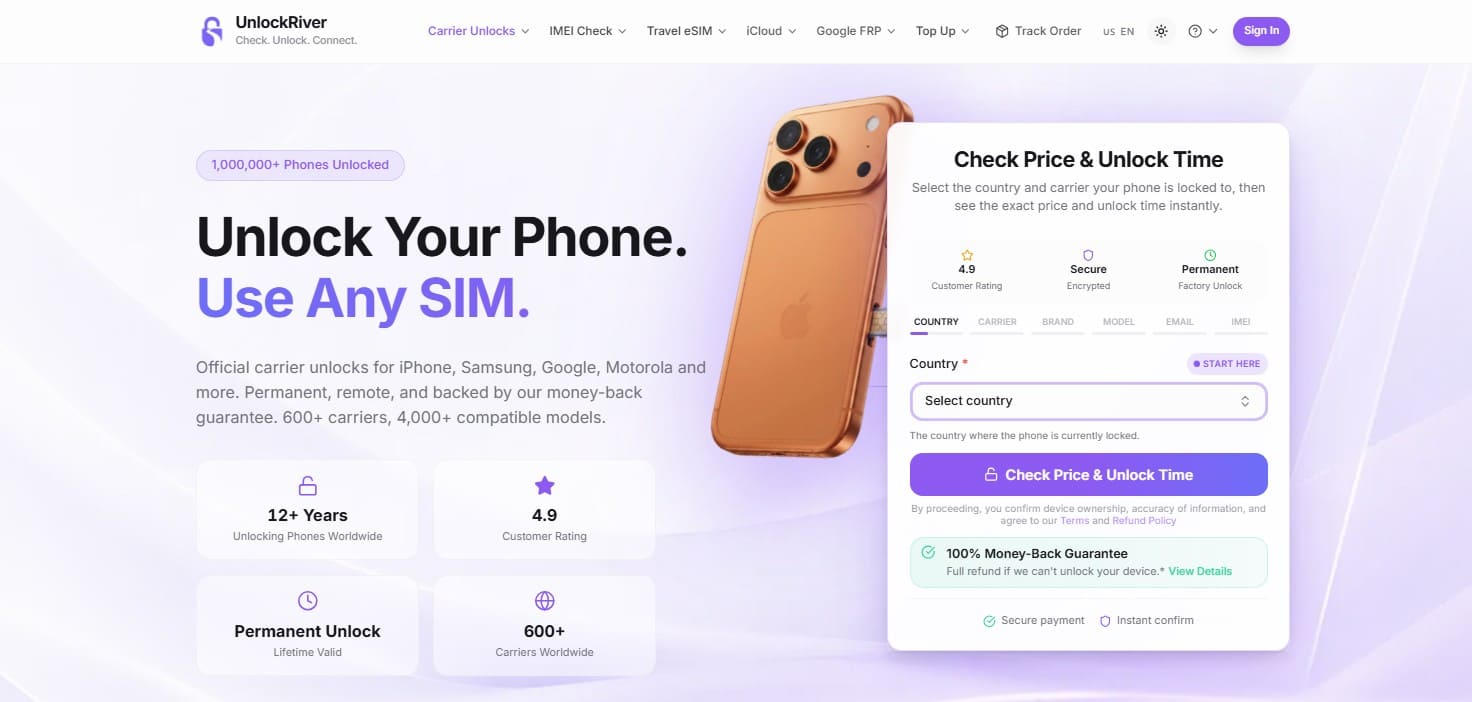
Some UnlockRiver services follow a different process. For example, UnlockRiver's MDM removal service requires a Windows or Mac application, while its main offering remains remote carrier or network unlocking. The platform also provides iCloud Activation Lock removal, Google FRP removal, and MDM-related services for supported Apple devices. However, the iCloud and FRP pages currently list these services as temporarily unavailable or under maintenance.

Part 2. How Does UnlockRiver Work?
Once you choose an UnlockRiver service, most of the process takes place online. Whether you check an UnlockRiver iPhone or request a carrier unlock, you start by providing the required phone and carrier details. UnlockRiver then shows the relevant service options before you submit your request. Since the exact process differs between carrier unlocking and IMEI/device checks, the table below explains the typical steps:
| Stage | What You Do | What Happens Next |
|---|---|---|
| Select a Service | Choose carrier unlock, carrier check, IMEI check, or another available service | UnlockRiver opens the relevant order or checking process |
| Enter Device Details | Select the country, original carrier, brand, model, and other requested details | The platform identifies the applicable service and available options |
| Provide the IMEI | Enter the requested IMEI and email address | UnlockRiver uses the details to create a device-specific request |
| Review the Order | Verify the submitted device and carrier information | The available price and estimated processing time appear where applicable |
| Submit & Track | Pay for the selected service and submit the order | UnlockRiver processes the request and provides available tracking information |
| Receive the Result | Check the delivered result and follow any provided instructions | You receive an unlock code, completion notice, or device-status report, depending on the service |
How Carrier Unlocking Works
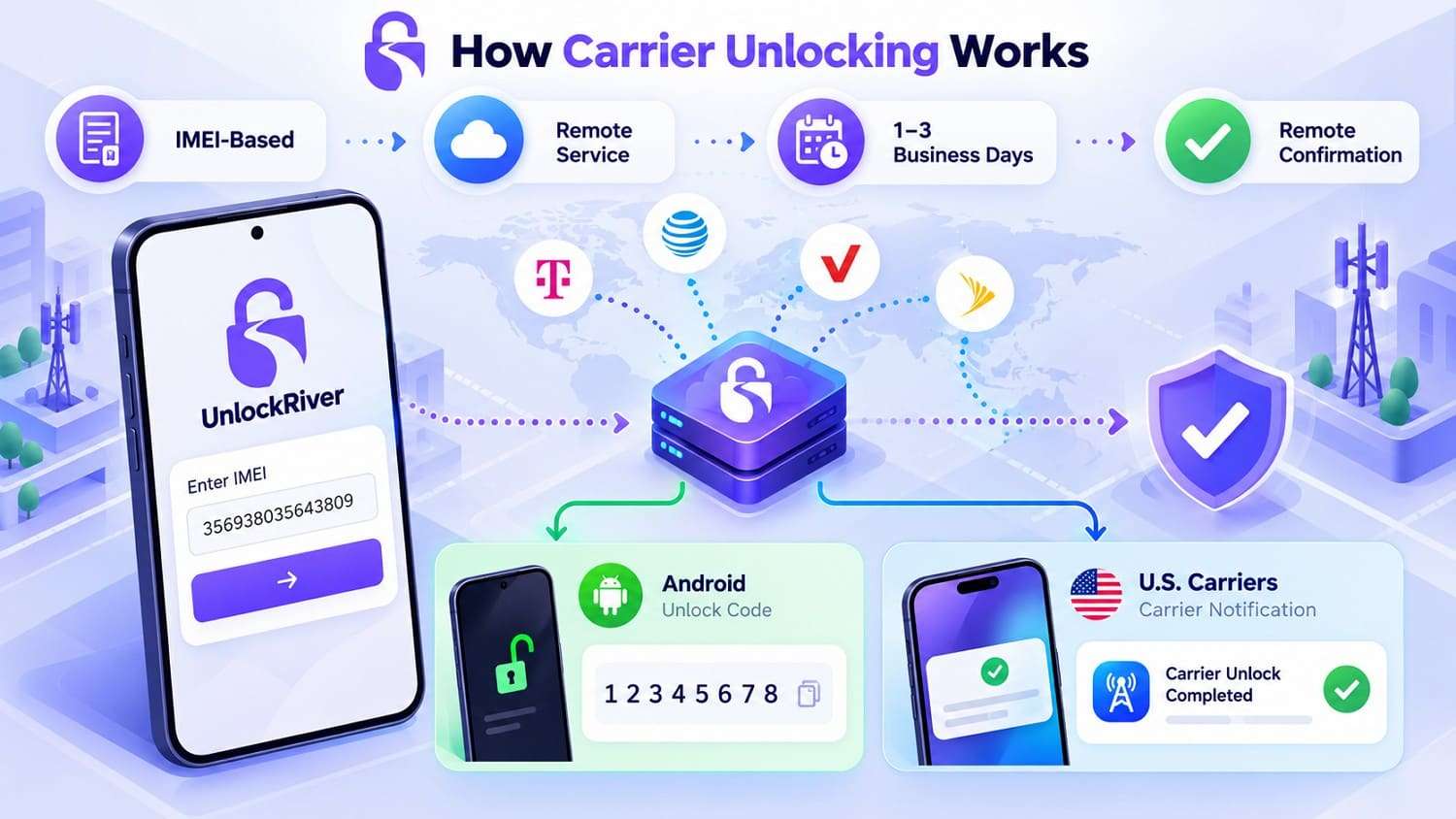
UnlockRiver carrier unlocking is primarily an IMEI-based remote service. There is normally no need to mail in the phone or modify its hardware. The final method depends on the device and network. UnlockRiver says that many Android services provide an unlock code. However, U.S. carrier services, including T-Mobile, MetroPCS, and Sprint, can use a notification-based process that does not require a manual code.
For processing time, UnlockRiver says carrier requests usually take about 1–3 business days, though some carriers can take longer. Once processing is complete, the user receives either an unlock code or confirmation with any remaining instructions.
Which Phones and Carriers Does UnlockRiver Support?
As mentioned, the tool advertises compatibility with 4,000+ phone models across major brands. This includes Samsung, Google, Motorola, Xiaomi, OnePlus, Sony, LG, and Nokia. It also supports 600+ carriers worldwide, such as AT&T, Verizon, T-Mobile, Vodafone, Orange, O2, Bell, Rogers, and others.
One important aspect matters here. For an UnlockRiver iPhone, Samsung phone, or another supported brand, the brand name alone does not confirm eligibility. The exact result depends on the original carrier, country, model, IMEI, and device status.
Part 3. Is UnlockRiver Free?
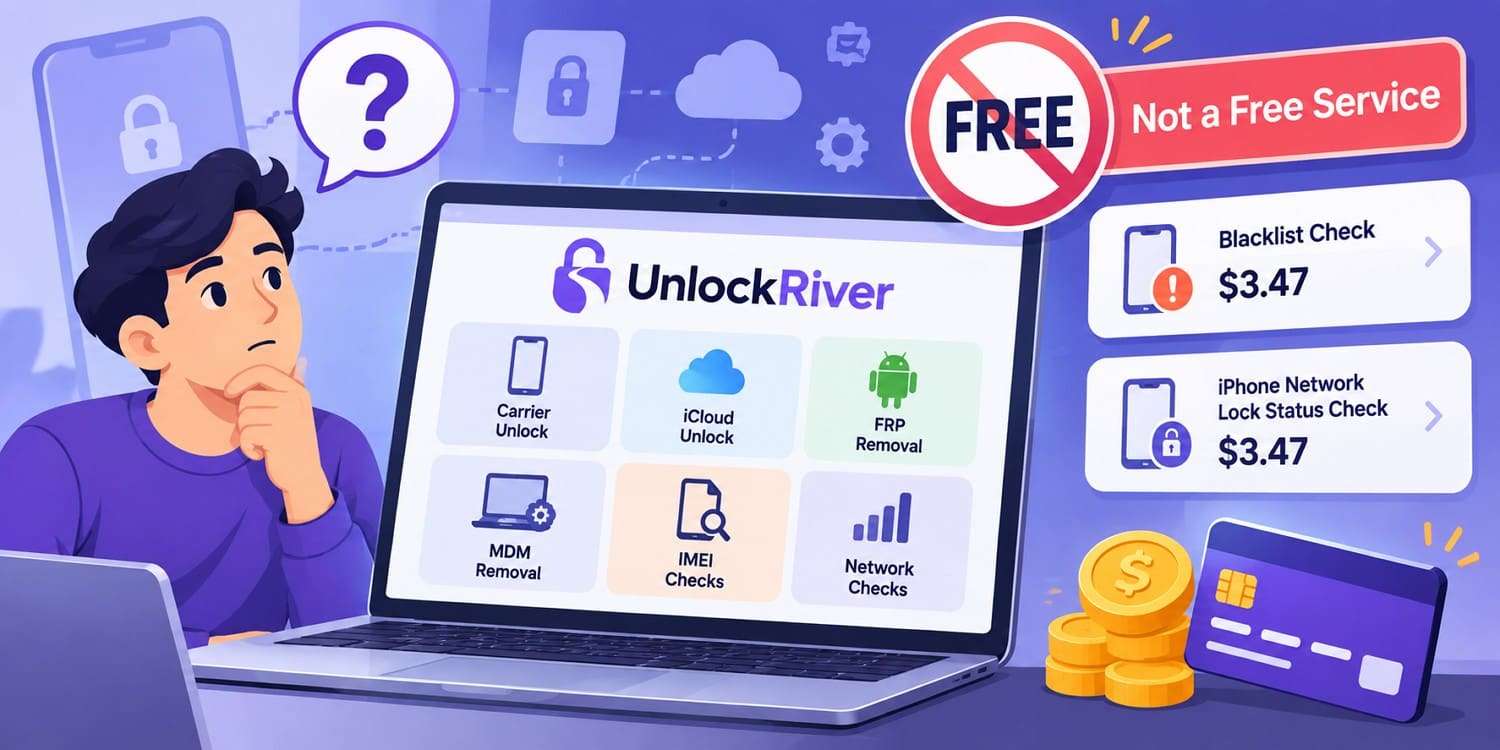
The answer to searches for “UnlockRiver.com free” is no, since it is a primarily paid service. Carrier unlock orders are priced based on your country, carrier, phone model, and specific service you pick. UnlockRiver also charges separately for several device-status reports. Its blacklist check, for example, costs $3.47, and its iPhone network-lock status check also costs $3.47.
Why Do People Search for "UnlockRiver.com Free"?
Searches for “www UnlockRiver.com free” can be misleading because UnlockRiver offers both free informational resources and paid services. Its Guides & Tutorials section provides free content on IMEI checks, iPhone verification, resets, eSIMs, and other phone-related tasks. However, these guides are separate from its paid unlocking and device-check services.
How Much Does UnlockRiver Cost?
There is no single price on UnlockRiver.com for every carrier unlock. On its current order page, users first select their country and original carrier, then provide device details to view the price and estimated unlock time. Device checks are priced separately from carrier-unlock services, with current examples including:
| UnlockRiver Service | Current Listed Price | What You Receive |
|---|---|---|
| Blacklist Check | $3.47 | GSMA blacklist-status report |
| iPhone Network Lock Check | $3.47 | Locked/unlocked status report |
| Complete iPhone Check | $3.47 | Wider device, carrier, Find My, and blacklist details |
| Carrier Unlock | Varies | Price appears after carrier/device details are selected |
Part 4. Is UnlockRiver Legit, Safe, and Reliable?
Evaluating the tool’s safety requires more than reviewing its advertised services. A useful UnlockRiver review should also examine its reliability, customer feedback, refund policy, support, and data handling, as outlined below:
| Review Factor | What It Indicates | Current Finding |
|---|---|---|
| Website History | Operating track record | Claims 12+ years in business with an established review presence |
| Device & Carrier Coverage | Scope of supported services | Advertises support for 600+ carriers and 4,000+ phone models |
| Customer Reviews | User-reported experiences | Feedback includes successful unlocks alongside service and support complaints |
| Unlock Success | Service reliability | Results vary by carrier, device, lock status, and eligibility |
| Processing Time | Expected turnaround | Carrier unlocks usually take 1–3 business days, although some take longer |
| Customer Support | Access to assistance | Chat and ticket support are available, while reported response experiences vary |
| Refund Policy | Protection for failed orders | Eligible failed orders may qualify for refunds, subject to stated exclusions |
| IMEI & Payment Handling | Data and payment security | UnlockRiver states SSL/TLS protection, with payments processed through Stripe |
What Do Current UnlockRiver Reviews Say?
As of September 2026, UnlockRiver has a 4.3/5 TrustScore from about 3,392 reviews. Around 77% are 5-star reviews, while 13% are 1-star reviews. An August 2026 reviewer reported receiving an unlock code that did not work and having difficulty contacting support.
Refund experiences also vary, with some 2026 reviews reporting problems after unsuccessful services. Overall, the reviews do not support describing UnlockRiver as either completely reliable or a scam. User experiences differ based on the service ordered, phone, carrier, eligibility, and handling of unsuccessful requests. The following reviews show both sides of the customer experience:

Well, it was easy to navigate to the services I needed. I didn't like the answer I got back, especially since I couldn't be helped with my issue...
Casey Cale
Would give a ZERO, but not an option. Website took payment. Received an unlock code that doesn't work. No way to contact Customer Support...email is INVALID; the website's AI chat goes straight to " having technical difficulties, check back later" despite repeated attempts.
Oregonian
What Does UnlockRiver's Refund Policy Cover?
Based on this UnlockRiver review, checking the refund terms is just as important as comparing the unlock price. UnlockRiver’s policy covers full refunds, partial refunds, and non-refundable situations depending on the order issue. The table below summarizes how these refund conditions apply:
| Refund Situation | Current UnlockRiver Policy |
|---|---|
| Unlock Fails | Full refund may apply if all required instructions were followed |
| Order Exceeds Full ETA | Full refund may apply if the stated maximum processing time is exceeded |
| Wrong Carrier, Brand, or Model | Partial refund may apply after a 15% deduction |
| Wrong IMEI | Generally non-refundable if an incorrect IMEI was submitted |
| Order Already Processing | Generally non-refundable once processing has started |
| Refund Deadline | Refund requests generally must be submitted within 60 days |
Important Limitations to Check Before Ordering
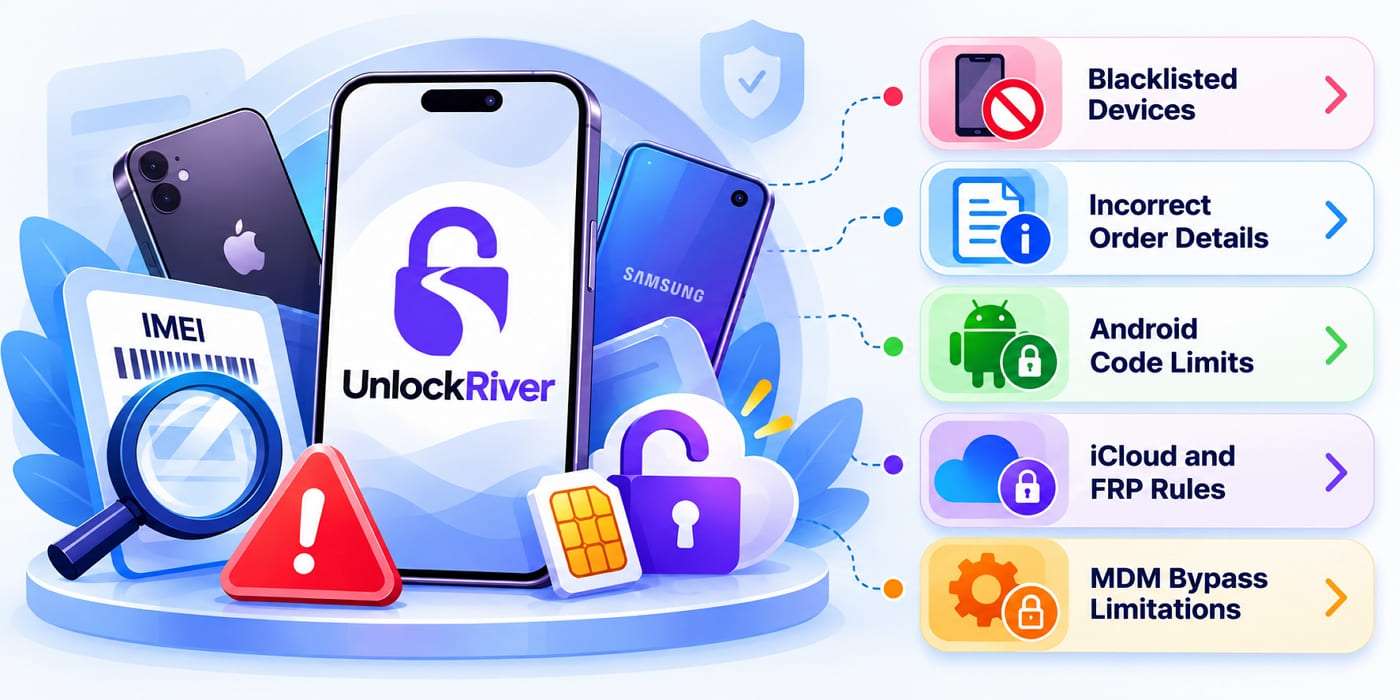
Before placing an UnlockRiver iPhone or Android order, confirm the device status and review the service requirements carefully. Eligibility can depend on several conditions, so keep the following limitations in mind:
-
1 Blacklisted Devices Can Be Rejected
Lost, stolen, or blacklisted devices do not qualify for standard carrier unlocking. iCloud and FRP services also require a clean IMEI.
-
2 Incorrect Order Details Can Reduce Refunds
A wrong carrier, brand, or model can lead to a 15% refund deduction, while an incorrect IMEI is generally non-refundable.
-
3 Android Code Requirements Can Restrict Refunds
For code-based Android unlocks, refunds may not apply if the device does not prompt for an unlock code after following the required instructions.
-
4 iCloud and FRP Have Strict Eligibility Rules
iCloud devices must meet ownership, payment, and device-status requirements. FRP requires lawful ownership, while Samsung Knox Guard restrictions can make devices ineligible.
-
5 MDM Bypass Is Not Permanent Removal
UnlockRiver’s MDM service bypasses Remote Management rather than permanently removing it. The restriction can return after a full device erase or restore.
Part 5. Best UnlockRiver Alternatives for iPhone and Android Unlocking
An UnlockRiver order depends on the lock type and device involved. For broader coverage, Wondershare offers Dr.Fone - Screen Unlock for iOS and Android, plus Dr.Fone Online Unlock. Together, these options cover supported screen locks, FRP, iCloud Activation Lock, SIM restrictions, account locks, and device-status checks.
1. Dr.Fone - Screen Unlock (iOS) | Dr.Fone - Screen Unlock (Android)
Designed for both Apple and Android devices, Dr.Fone - Screen Unlock covers a wider range of lock scenarios than a carrier-focused UnlockRiver service. The iOS version handles several Apple-specific access and management restrictions, while the Android version focuses on screen-lock removal and Google FRP bypass. Compatibility still depends on the device model, lock type, and operating-system version.

Key Features
- iPhone and iPad Screen Unlock: Removes supported passcodes, PINs, passwords, Face ID, and Touch ID locks from compatible Apple devices.
- Apple ID Removal: Removes supported Apple ID accounts when users cannot access credentials linked to the locked device.
- iCloud Activation Lock Removal: Provides dedicated Activation Lock removal for supported iPhone and iPad models across compatible software versions.
- MDM and Screen Time Removal: Removes supported MDM restrictions, management profiles, and Screen Time passcodes on compatible Apple devices without requiring credentials.
- iPhone SIM Lock Removal: Removes supported carrier restrictions from compatible iPhones, allowing use with other eligible mobile networks after successful unlocking.
- Android Screen Lock Removal: Unlocks supported pattern, PIN, password, fingerprint, and face locks across compatible Android phones and tablets.
- Google FRP Bypass: Removes Factory Reset Protection across 21+ supported Android brands, including Samsung, Xiaomi, Redmi, and others.
 Unlock Android phone in seconds.
- Remove PIN, pattern, password, fingerprint.
- Bypass Google FRP lock easily.
- Works on all Android brands & models.
- No tech skills required – user-friendly.

2. Dr.Fone Online Unlock
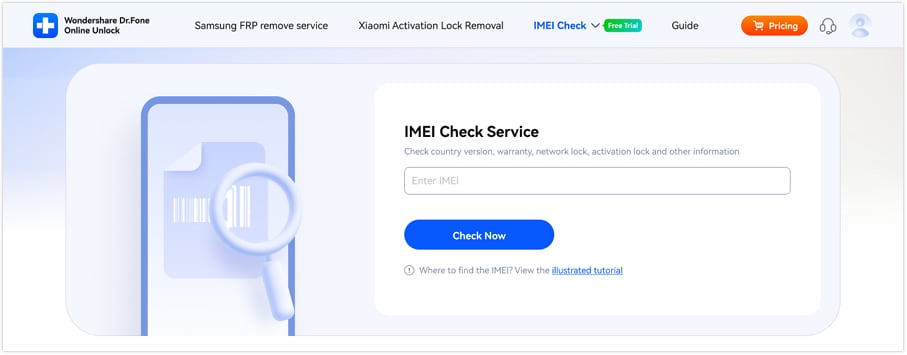
Dr.Fone Online Unlock is Wondershare’s web-based platform for supported unlocking and device-check tasks. It allows users to begin eligible services directly through a browser without installing the full desktop toolkit. The platform uses device-specific information to check compatibility and process supported requests remotely. This makes it a convenient option for users who prefer a simpler online workflow for selected unlocking and device-status needs.
Key Features
- Online SIM Unlock: Supports remote carrier unlocking for eligible devices using IMEI and carrier information.
- Samsung FRP Removal: Provides an online Google FRP removal workflow for supported Samsung phones and tablets.
- iCloud Activation Lock Removal: Handles supported iPhone and iPad Activation Lock cases using device-specific information such as ECID.
- Xiaomi Account Lock Removal: Supports selected Xiaomi, Redmi, and POCO devices affected by Mi Account restrictions.
- IMEI and Device Status Checks: Provides multiple device checks covering blacklist status, carrier lock, Activation Lock, MDM, Samsung Knox Guard, warranty details, and related device information.
Where the Dr.Fone Tools Fit as UnlockRiver Alternatives
- Unlock iPhone/iPad passcode in minutes.
- Remove Face ID, Touch ID, MDM lock, and screen lock.
- Bypass iCloud Activation Lock easily.
- Support all iOS versions and devices.
- Simple steps, no technical skills needed.
A stronger alternative to UnlockRiver is the Dr.Fone unlocking ecosystem, which combines dedicated iOS, Android, and online tools. While UnlockRiver mainly focuses on carrier unlocking and selected remote services, Dr.Fone covers a wider range of screen locks, account restrictions, FRP scenarios, SIM locks, and device checks. The comparison below shows where each Dr.Fone option fits:
| Unlock Need | UnlockRiver | Dr.Fone Alternative | Why Dr.Fone Fits |
|---|---|---|---|
| Carrier / SIM Lock | Carrier unlocking service | Dr.Fone Online Unlock / Screen Unlock (iOS) | Provides supported SIM and carrier unlocking options |
| iPhone Screen Lock | Not a primary service | Dr.Fone - Screen Unlock (iOS) | Removes supported passcodes and other iPhone screen locks |
| iCloud Activation Lock | Separate iCloud service | Dr.Fone - Screen Unlock (iOS) / Online Unlock | Provides dedicated Activation Lock removal for supported devices |
| Apple ID / Account Lock | Limited focus | Dr.Fone - Screen Unlock (iOS) | Handles supported Apple ID and account-removal scenarios |
| MDM Restriction | MDM bypass service | Dr.Fone - Screen Unlock (iOS) | Provides dedicated MDM removal and profile-removal features |
| Android Screen Lock | Not a core service | Dr.Fone - Screen Unlock (Android) | Removes PIN, pattern, password, fingerprint, and face locks |
| Google FRP Lock | Separate FRP service | Dr.Fone - Screen Unlock (Android) | Supports FRP removal across 21+ Android brands |
| Samsung FRP | FRP service | Dr.Fone - Screen Unlock (Android) / Online Unlock | Offers both desktop and supported online FRP options |
| Xiaomi / Redmi / POCO FRP | FRP service | Dr.Fone - Screen Unlock (Android) | Provides dedicated FRP removal for supported Xiaomi-family devices |
| Xiaomi Account Lock | Limited focus | Dr.Fone Online Unlock | Offers a dedicated online Xiaomi account-lock service |
| IMEI / Lock Check | IMEI checking services | Dr.Fone Online IMEI Check | Provides remote device and lock-status checking |
Part 6. What Should You Check Before Using UnlockRiver or Another Unlock Service?
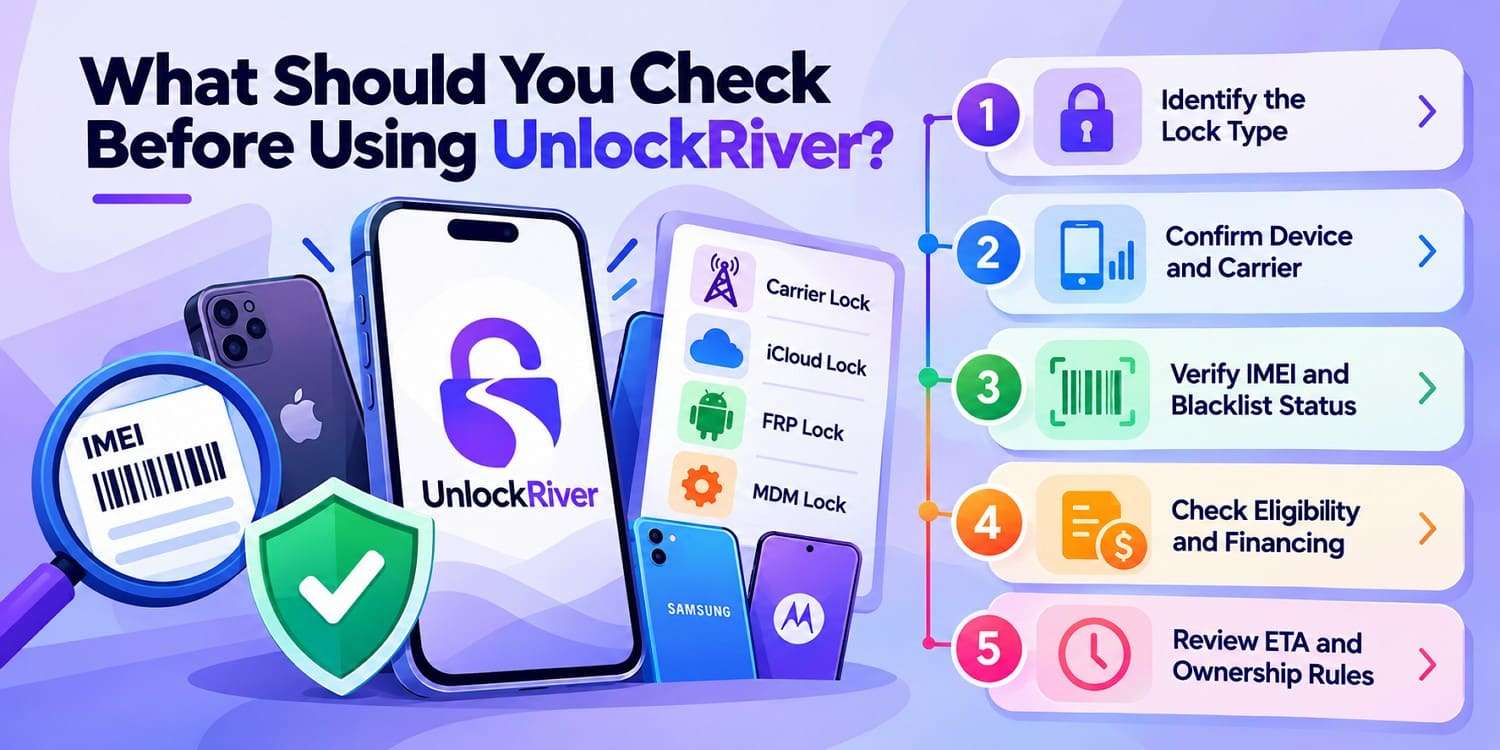
Before using UnlockRiver.com or another phone-unlocking service, take a moment to review the requirements before placing an order. The following checks can help you determine whether the selected service is suitable for your device:
-
1 Identify the Lock Type
Determine whether the restriction is a carrier/SIM lock, iCloud Activation Lock, FRP, MDM restriction, or another issue. UnlockRiver handles these through separate services with different requirements.
-
2 Confirm Device and Carrier Details
Verify the country, original carrier, brand, and model before ordering. UnlockRiver uses these details to determine service availability, pricing, and estimated processing time.
-
3 Verify IMEI and Blacklist Status
Confirm the device’s 15-digit IMEI and check its blacklist status. Lost, stolen, or blacklisted devices do not qualify for standard carrier unlocking.
-
4 Check Financing and Service Eligibility
Review any financing status and the requirements for your selected service. UnlockRiver supports financed devices for carrier unlocking, while its iCloud service requires full payment and legitimate ownership.
-
5 Review ETA, Refund, and Ownership Terms
Check the quoted processing time, refund conditions, and ownership requirements before paying. Meeting these terms can help prevent eligibility or refund issues after submitting the order.
Conclusion
Overall, UnlockRiver offers carrier unlocking and device-check services, but pricing, eligibility, and results depend on the phone, original carrier, and device status. Reviewing service requirements, refund terms, and current availability before ordering can help avoid unexpected limitations.
For other lock types, Dr.Fone - Screen Unlock provides dedicated tools for supported iOS and Android devices, covering screen locks and additional platform-specific restrictions. Dr.Fone Online Unlock also provides remote options for supported SIM locks, Samsung FRP, iCloud Activation Lock, Xiaomi account locks, and IMEI checks.




Frequently Asked Questions
-
1. Can UnlockRiver unlock a financed phone?
UnlockRiver states that some financed phones may qualify for carrier unlocking. Eligibility depends on the original carrier, device status, and selected service, so having an active device payment plan does not guarantee approval. -
2. Can UnlockRiver unlock a blacklisted or reported-lost phone?
Usually not. UnlockRiver states that lost, stolen, or blacklisted phones are ineligible for standard carrier unlocking. Dr.Fone should only be used on devices you own or have authorization to manage, not to bypass blacklist restrictions. -
3. Does UnlockRiver carrier unlocking erase phone data?
UnlockRiver’s remote carrier-unlock process generally does not require a factory reset, so personal data should remain intact. Dr.Fone Online Unlock also provides supported SIM-unlock services, while Dr.Fone - Screen Unlock covers other supported iOS and Android lock types. -
4. Can an UnlockRiver unlock stop working after a software update?
A completed carrier unlock should generally remain after a routine software update. For example, updating iOS or Android should not normally restore a carrier lock. For other restrictions, such as iCloud Activation Lock, MDM, or FRP, Dr.Fone provides dedicated unlocking solutions for supported devices.
 Add Wondershare Dr.Fone as a preferred source on Google