Bypass iCloud Activation Lock and Android FRP without password.

 100% Security Verified | No Subscription Required | No Malware

 :
: 
 ChatGPT
 Perplexity
 Gemini
 Claude
 Grok
Grok
Most platform reviews focus primarily on software capabilities. However, evaluating the GSMGermany Service Tool also requires examining download security. The developer site instructs users to disable antivirus protection before running the tool, while required files are hosted on external third-party repositories rather than directly on corporate servers.
The tool primarily runs on Windows and uses checkm8-based workflows for legacy Apple hardware. GSMGermany also uses different naming conventions across its service pages. This guide examines its features, compatibility, download concerns, and limitations for legitimate device owners. It also explores alternatives like Dr.Fone - Screen Unlock (iOS), which offers more structured workflows.
In this article
- Part 1. What Is the GSMGermany Service Tool?
- Part 2. GSMGermany Service Tool Features and Compatibility
- Part 3. Is the GSMGermany Service Tool Free and Safe to Download?
- Part 4. Dr.Fone - Screen Unlock (iOS) as a GSMGermany (GSMB Tool v7) Alternative
- Part 5. What to Do Before Using Any Activation Lock Bypasser?
- Frequently Asked Questions
Part 1. What Is the GSMGermany Service Tool?
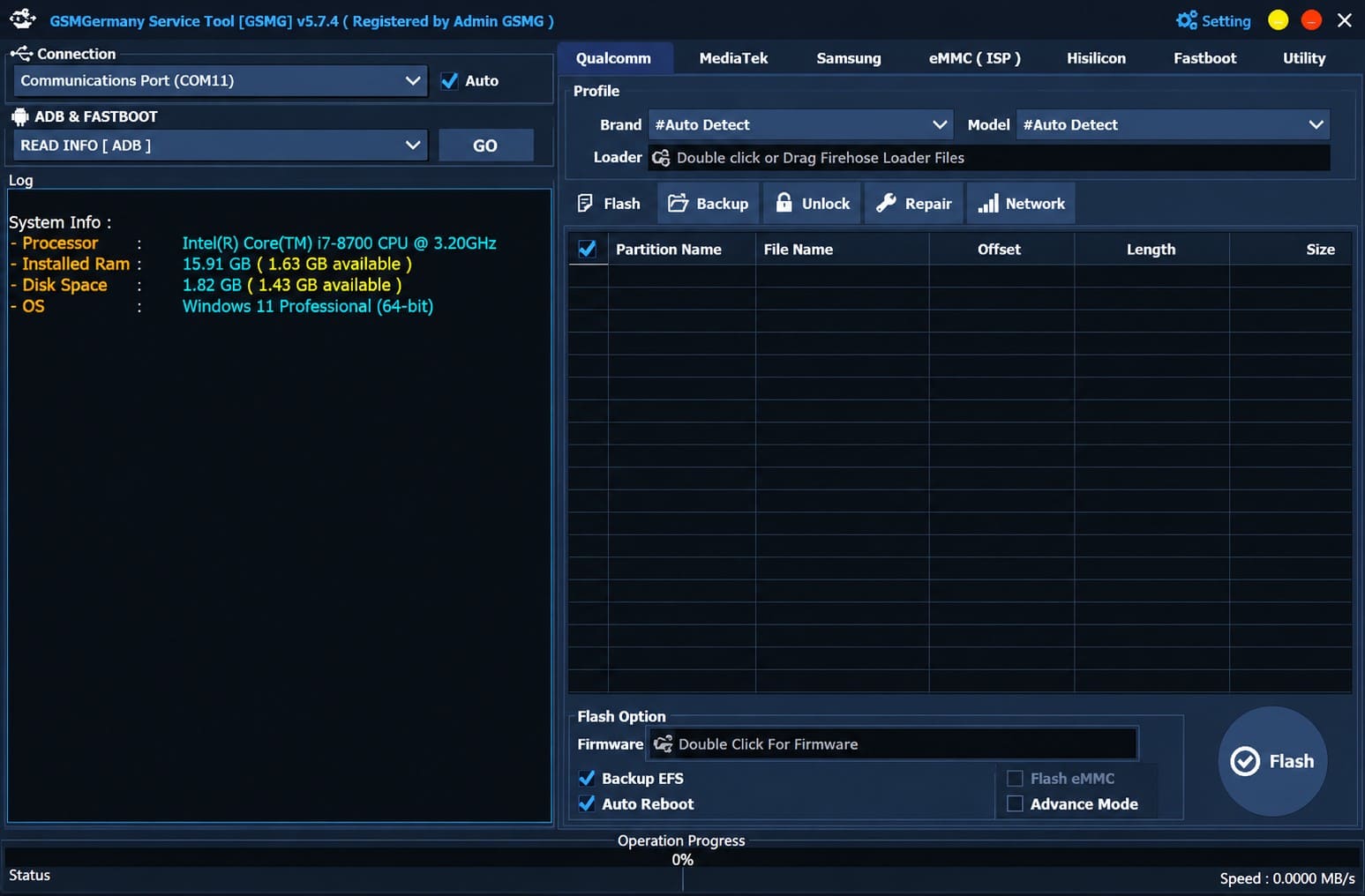
The GSMGermany Service Tool, also called GSMG Tool, is a third-party utility for phone unlocking and device-service tasks. GSMGermany's current pages focus heavily on iPhone Activation Lock and Hello Screen workflows. The service also advertises Android FRP alongside other repair and unlocking functions. However, it is not an official tool from Apple, Google, Samsung, or another device manufacturer.
What Does the GSMGermany Service Tool Do? & Is It Official?
GSMGermany Service Tool covers several functions, but availability depends on the specific GSMGermany product or workflow. Here are a few of them mentioned for your clarity:
- Activation Lock and Hello Screen: GSMGermany provides workflows for iPhones and iPads that remain on the Activation Lock or Hello Screen during device setup.
- GSMG Tool v7: GSMG Tool v7 is a Windows utility that uses ramdisk and checkm8-based workflows for older Apple hardware. GSMGermany documents compatibility with Windows 10 and 11.
- Passcode and Ramdisk Functions: GSMG Tool v7 provides passcode backup and activation alongside ramdisk functions. Other documented options include ramdisk booting, device reset, and Purple Mode functions.
- Android FRP: GSMGermany also advertises separate FRP-related services for Android devices. These services cover different phone brands and are separate from the Apple-focused GSMG Tool v7 workflows.
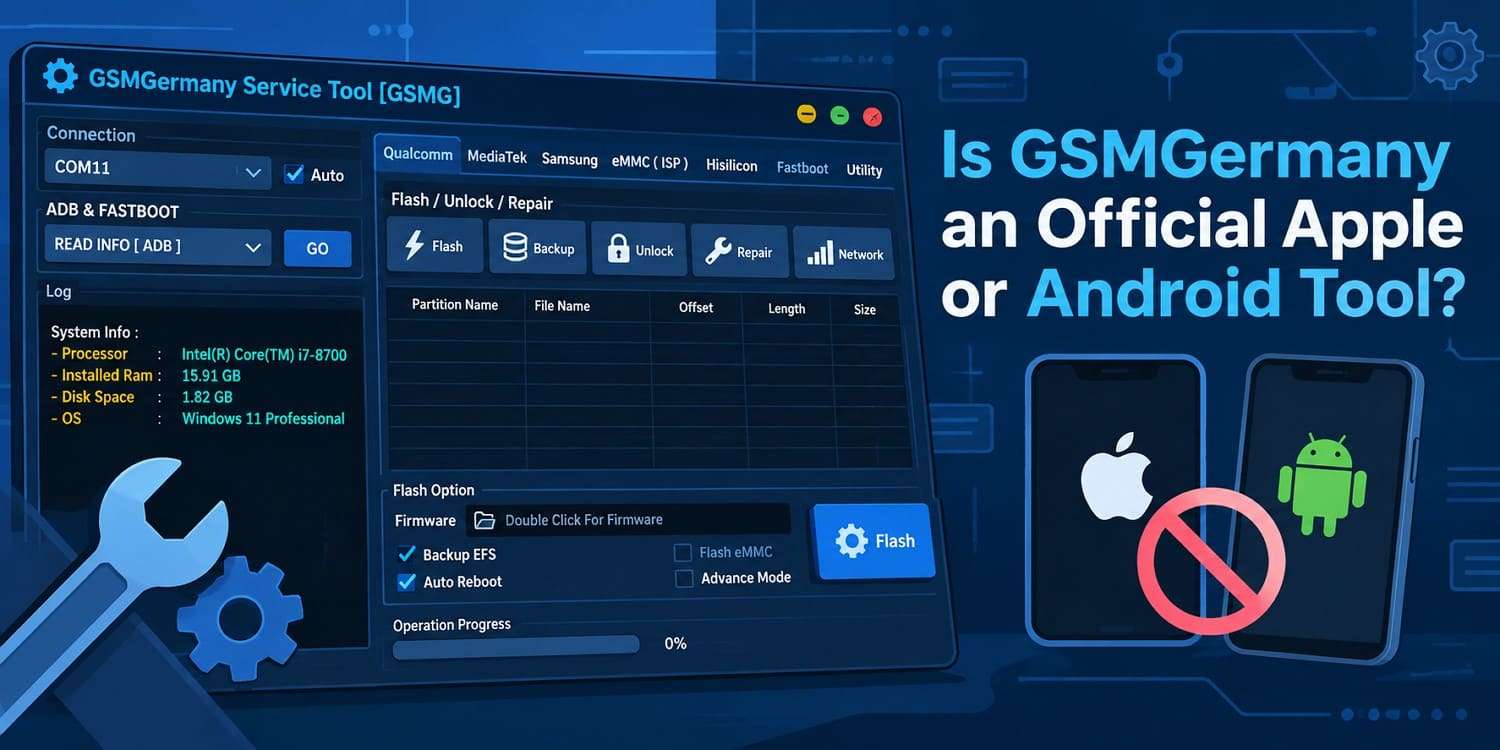
No, GSMGermany Service is third-party software and should not be confused with an official Apple or Android manufacturer recovery utility. For Apple devices, supported Activation Lock options include using the linked Apple Account or device passcode. You can also ask the previous owner to remove the device from their account or request Apple assistance with proof of purchase.
GSMGermany Service Tool vs GSMG Tool v7
| Factor | GSMGermany Service Tool / Services | GSMG Tool v7 |
|---|---|---|
| What It Refers To | Broader GSMGermany phone unlocking and device-service offerings | A specific utility within the GSMGermany ecosystem |
| Main Focus | Apple unlocking services, Android FRP, and other device-service functions | Older Apple-device workflows, including Hello Screen and passcode functions |
| Platform | Varies depending on the individual service or product | Windows 10 and Windows 11 |
| Core Technology | Varies by the selected service | Ramdisk and checkm8-based workflows |
| Apple Hardware | Support varies across separate GSMGermany products | Primarily older checkm8-compatible Apple devices |
| Android Support | Android FRP services are advertised separately | Android services are not documented as part of GSMG Tool v7 |
| Newer iPhones | Separate GSMGermany services may support specified newer Apple hardware | Classic v7 checkm8 workflows do not extend to A12+ hardware |
Part 2. GSMGermany Service Tool Features and Compatibility
The GSMGermany Service Tool covers several device-service functions, but their hardware, iOS, and platform requirements vary. GSMG Tool v7 specifically includes Hello Screen, passcode, ramdisk, reset, and Purple Mode functions for older checkm8-compatible Apple devices. The table below outlines these features and their key compatibility limitations:
| Feature | What GSMGermany Documents | Compatibility / Limitation |
|---|---|---|
| Hello Screen | Hello Activation, Activation Creation, and Data Erasure | GSMG Tool v7 is documented for checkm8 devices running iOS 12–16. On iOS 15–16.6, Hello Screen removal may result in loss of SIM signal. |
| Passcode Functions | Backup Passcode, Read Owner Information, and Passcode Activation | GSMGermany states that signal support is available when the passcode route is used, distinguishing it from Hello Screen removal. |
| Ramdisk Functions | Device Compatibility Check, iOS Booting, and Ramdisk Full Reset | The listed booting function specifically mentions iOS 15 or iOS 16. GSMG Tool v7 itself supports Windows 10 and Windows 11. |
| Purple Mode | Boot Purple Mode, Change SN, Factory Reset, and Fix Diag Recovery | These are listed as GSMG Tool v7 features. GSMGermany does not provide a separate iOS range specifically for Purple Mode on this page. |
| DFU Assistance | Assistance with entering DFU Mode | GSMGermany states that this assistance eliminates the need for jailbreaking. It does not document DFU Assistance as a separate bypass function. |
| Android FRP | FRP bypass/removal is advertised by the broader GSMGermany Service Tool | Not documented as a GSMG Tool v7 feature. Broader Service Tool covers Apple and Android functions, v7 specifically documents iOS/checkm8 functions. |
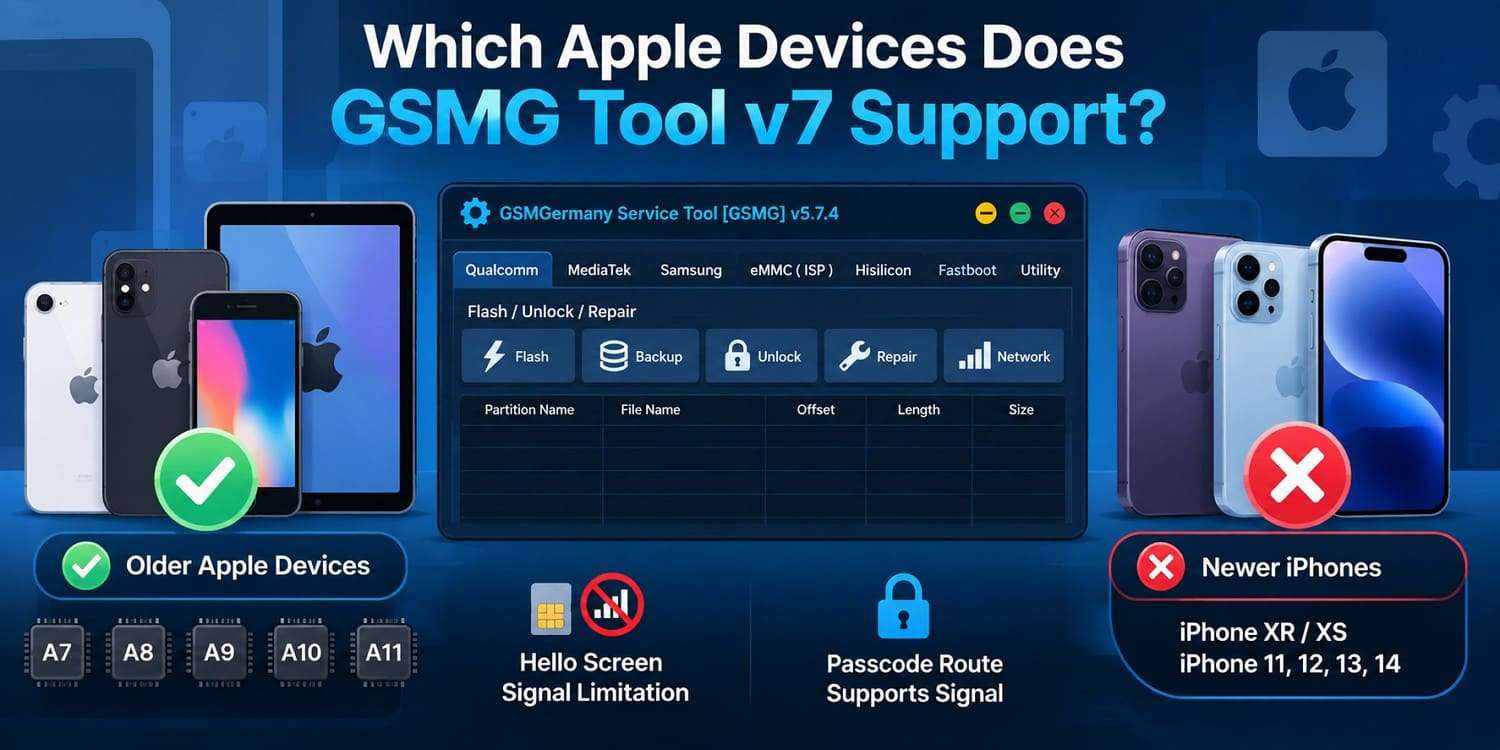
Which Apple Devices Does GSMG Tool v7 Support?
The GSMGermany Service Tool documentation limits GSMG Tool v7 to older checkm8-vulnerable Apple hardware rather than current iPhones. However, GSMGermany's own page is inconsistent about the exact lower boundary. Its description specifies A8–A11, while its supported-device list states A7–A11.
Part 3. Is the GSMGermany Service Tool Free and Safe to Download?
The GSMGermany Service Tool is advertised as free, with GSMGermany stating that GSMG Tool v7 has no feature charges or registration requirements. However, downloading the tool involves separate security considerations. The table below summarizes its cost, file-hosting method, antivirus instructions, and registration requirements:
| Issue | What GSMGermany States | What Users Should Check |
|---|---|---|
| Tool Cost | GSMG Tool v7 is advertised as free, with no feature charges or registration requirements. | Confirm that you are downloading GSMG Tool v7 rather than a separate GSMGermany service. |
| File Hosting | Required v7 files and components are provided through MEGA. | Follow the official GSMGermany page and verify the file source before opening it. |
| Antivirus Requirement | GSMGermany instructs users to disable antivirus protection for the checkm8-based tool. | Investigate any security warning instead of automatically treating the file as safe. |
| Offer/Survey Gates | The separate USBLITER8 registration process can involve sponsored offers. | Some offers may require email verification, purchases, subscriptions, or trials. |
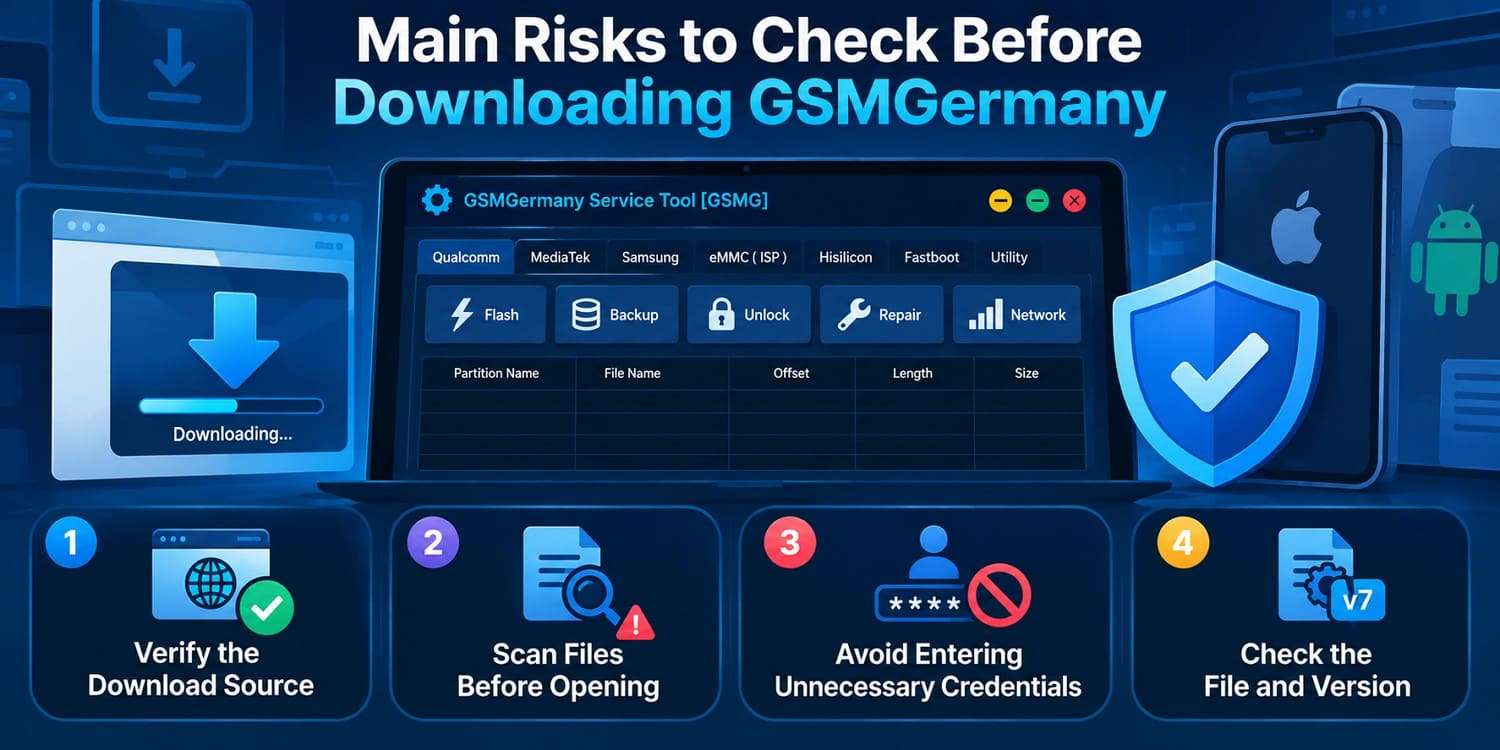
Main Risks to Check Before Downloading GSMGermany
-
Step 1 Verify the Download Source
Use the official download route provided by GSMGermany instead of unrelated mirror sites. This reduces the risk of downloading modified or incorrect files.
-
Step 2 Scan Files Before Opening
Check downloaded files with security software before running them. If a file triggers a warning, investigate the specific detection rather than dismissing it because GSMGermany recommends disabling antivirus protection.
-
Step 3 Avoid Entering Unnecessary Credentials
Avoid providing Apple Account passwords, payment details, or other sensitive information on unofficial download pages. Only enter information required by a specific service after verifying the destination.
-
Step 4 Check the File and Version
Confirm that the downloaded file matches the GSMGermany product and version you intend to use. GSMG Tool v7 and other GSMGermany services follow different requirements and are not interchangeable.
Part 4. Dr.Fone - Screen Unlock (iOS) as a GSMGermany (GSMB Tool v7) Alternative
If the GSMGermany Service Tool does not support your device or its download process raises concerns, use Dr.Fone - Screen Unlock (iOS). The tool offers a more documented alternative for devices you own. It provides a dedicated Activation Lock workflow for Windows and macOS, with the available method determined by the device model and iOS version.
GSMGermany Service Tool vs Dr.Fone - Screen Unlock (iOS)
| Factor | GSMGermany Service Tool | Dr.Fone - Screen Unlock (iOS) |
|---|---|---|
| Supported Device Range | GSMG Tool v7 focuses on older checkm8-compatible hardware | Covers a broader documented range of iPhones and iPads |
| Recent iOS Support | Primarily supports iOS 12–16 through the v7 workflow | Supports newer iOS versions through device-specific workflows |
| Windows Support | Supported | Supported |
| macOS Support | Not supported by the v7 workflow | Supported |
| Jailbreak Requirement | DFU assistance is documented without requiring jailbreaking | Depends on the device, iOS version, and selected workflow |
| Download Process | Some v7 files provided through MEGA | Downloaded directly from the vendor |
| Documentation | Information is spread across different GSMGermany products | Centralized documentation with workflow-specific guidance |
| Main Limitations | Some Hello Screen workflows can affect cellular functionality | Compatibility and post-removal functionality vary by workflow |
How Dr.Fone - Screen Unlock (iOS) Handles Activation Lock
 Unlock iPhone/iPad passcode in minutes.
- Remove Face ID, Touch ID, MDM lock, and screen lock.
- Bypass iCloud Activation Lock easily.
- Support all iOS versions and devices.
- Simple steps, no technical skills needed.
Unlike the GSMGermany Service Tool, Dr.Fone uses different workflows based on the supported device. The available process varies by iPhone or iPad model and iOS version. The steps for each supported version are discussed below:
Step 1. Open Activation Lock Removal
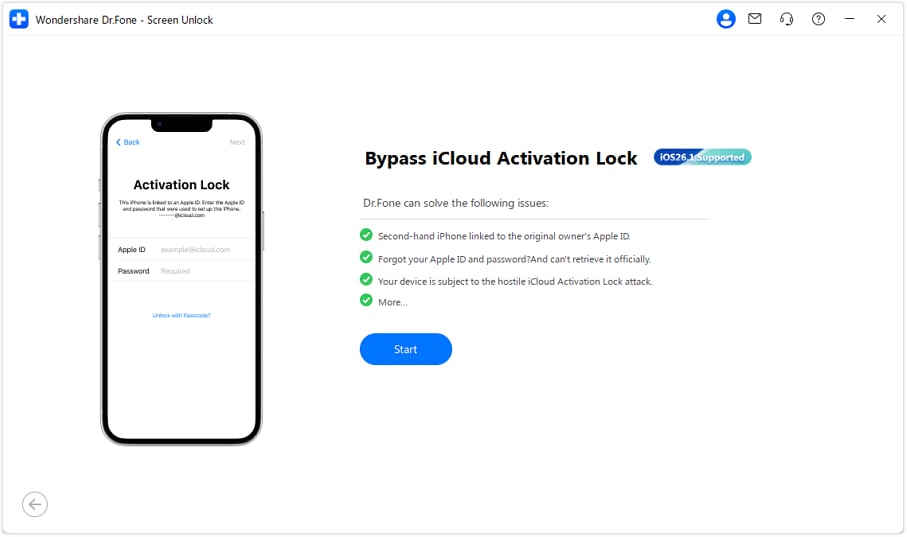
Open Dr.Fone and navigate to “Screen Unlock > iOS > iCloud Activation Lock Removal.” Connect your iPhone and let the tool identify its device information. Review the displayed details, then click “Start” to proceed.
Step 2. Follow the Workflow for Your iOS Version
Dr.Fone uses different Activation Lock removal workflows depending on the installed iOS or iPadOS version:
- iOS/iPadOS 18.6–18.7.1 and 26.0–26.1: Supported newer devices use a local workflow without jailbreaking. Tap “Unlock Now,” agree to the terms, and download the required drivers.
- iOS 17.0.1–18.6: This route is documented specifically for iPhone XR. Dr.Fone automatically displays a System Upgrade Guide.
- iOS/iPadOS 15.0–16.7.11: Agree to the terms and follow the instructions to enter Recovery Mode and then DFU Mode. Dr.Fone will start the jailbreak process.
- iOS/iPadOS 12.0–14.8.1: Dr.Fone first identifies the applicable device route. GSM devices regain calling and cellular data after unlocking. CDMA devices lose cellular service but retain App Store and Apple ID access.
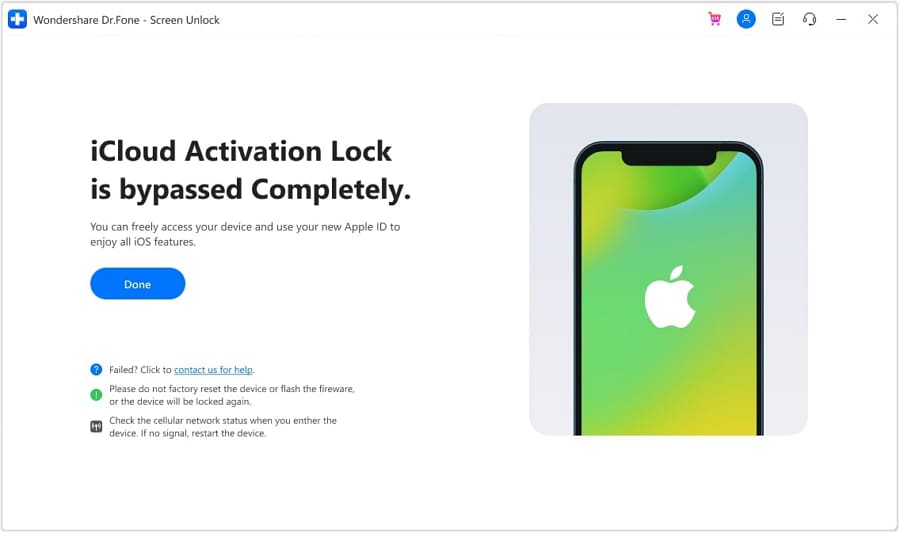
Step 3. Complete the Activation Lock Process
Keep the device connected while Dr.Fone completes the selected workflow. Once the process is complete, the program will display a confirmation screen. Click “Done” to finish.
Part 5. What to Do Before Using Any Activation Lock Bypasser?
Before using GSMGermany Service Tool or another Activation Lock utility, check whether Apple’s supported recovery options can resolve the lock first. These methods address the device’s connection to an Apple Account rather than working around the Activation Lock screen.
-
Step 1 Confirm the Device Belongs to You
Before taking ownership, confirm that the device has been erased and removed from the previous owner’s Apple Account. If setup displays iPhone Locked to Owner, the device is still linked to that account.
-
Step 2 Ask the Previous Owner to Remove Activation Lock
For a second-hand device, the previous owner can remove Activation Lock remotely. The previous owner can sign in to “Find Devices,” select the iPhone, and click “Remove.”
-
Step 3 Recover Your Apple Account
If Activation Lock is tied to your own Apple Account but you have forgotten the password, reset it instead of using a bypass utility. Go to Apple’s official Activation Lock support website.
-
Step 4 Ask Apple for Activation Lock Support
Apple provides an Activation Lock support request for eligible ownership cases. Apple requires proof-of-purchase documentation.




Conclusion
GSMG Tool v7 mainly targets older checkm8-compatible Apple hardware, with documented limitations involving device support, cellular functionality, and downloads. These restrictions make checking compatibility especially important before using the GSMGermany Service Tool.
Dr.Fone - Screen Unlock (iOS) offers a more guided approach with direct vendor downloads and documented support for additional device and iOS combinations. Before proceeding with either option, confirm your device compatibility and explore Apple’s official Activation Lock recovery methods first.
FAQ
-
1. Is GSMGermany Service Tool really free?
GSMG Tool v7 is advertised as free, with no feature charges or registration required. However, separate GSMGermany Service products like USBLITER8 may use different registration processes involving sponsored offers, which are not part of the standard v7 download. -
2. Does GSMGermany Service Tool work on newer iPhones?
GSMG Tool v7 primarily supports older checkm8-compatible hardware, not newer A12+ iPhones. GSMGermany provides separate services for some newer devices, while Dr.Fone - Screen Unlock (iOS) documents Activation Lock workflows across additional supported iPhone and iOS combinations. -
3. Why can GSMG Tool lose cellular signal after an Activation Lock bypass?
GSMGermany states that some Hello Screen workflows on iOS 15–16.6 may result in lost SIM signal. Its passcode workflow handles cellular functionality differently, so the outcome depends on the device, iOS version, and selected GSMG workflow. -
4. Is Dr.Fone - Screen Unlock (iOS) easier to use than GSMGermany Service Tool?
Dr.Fone - Screen Unlock (iOS) provides a guided interface, direct vendor downloads, and Windows and macOS support. GSMG Tool v7 is more technical and checkm8-focused, making Dr.Fone a more straightforward option for supported devices and iOS versions.
 Add Wondershare Dr.Fone as a preferred source on Google