 Bypass iCloud Activation Lock and Android FRP without password.

 100% Security Verified | No Subscription Required | No Malware

 :
: 
 ChatGPT
 Perplexity
 Gemini
 Claude
 Grok
Grok
A carrier lock can stop an otherwise working phone from accepting a SIM from another network. SIM Unlocker Pro is built to handle network-unlock and related servicing tasks on supported Android devices, but it is not a simple “works on every phone” solution. Model support, security patches, server availability, and credit costs can all affect the result. Technician discussions also show both successful unlocks and failed attempts, which makes compatibility checks important before spending money.
This review examines what the tool really offers, whether it is free, how its credit system works, and what to know about unofficial or cracked downloads. It also covers its main strengths, limitations, and a practical iPhone alternative.
In this article
Part 1: What Is the SIM Unlocker Pro Tool?
SIMUnlockPro is an online phone-unlocking service that offers several device-related solutions in one place. It can help remove a SIM lock, check a phone’s IMEI status, bypass FRP on Android devices, and remove iCloud activation lock from supported Apple products.
This makes it different from the SIM-Unlock Pro tool, which focuses mainly on SIM unlocking. SIMUnlockPro covers a wider range of lock and device-check services. It supports popular brands such as iPhone, Samsung, and Huawei.
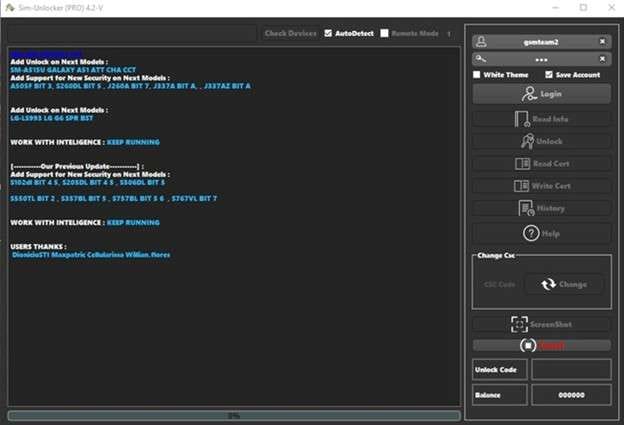
Here is a quick look at its main services:
| Features | When It Is Used | Supported Devices | Price per Device |
|---|---|---|---|
| SIM Unlock | Change carriers or use another SIM while traveling | iPhone and Android phones | $5–$230 |
| iCloud Unlock | Remove iCloud Activation Lock | iPhone, iPad, Apple Watch | $18.50 |
| FRP Unlock | Bypass Google account lock | Android phones | $25 |
| IMEI Check | Check the current status of a phone | iOS and Android phones | $1.3–$1.5 |
Part 2: SIM Unlocker Pro Free Download: Why Cracked Copies Are Risky
Users search for a free download of SIM Unlock Pro via cracked or unofficial versions. Nevertheless, there are viruses, malware, and more in these files. Your device will get damaged, or your private data will get leaked.
To stay secure, download software from a legitimate source. Stay away from pirated copies. Although they seem like a quick fix, they only create more problems later on.
Part 3: How SIMUnlockPro Services Work
SIMUnlockPro works online. You provide the phone’s IMEI number, pay for the selected service, and we handle the request remotely. The service then contacts the carrier when a SIM unlock is required.
1. SIM Unlock
Carrier restrictions are removed by a mobile SIM unlocking service. Thus, the device can connect to another compatible network. For instance, if you buy a locked second-hand phone for one carrier, unlocking it can help. Or, when you travel and want to use a local SIM on your phone, unlocking it can help as well.
2. IMEI Check
The IMEI check provides details about the phone’s lock status, blacklist status, and warranty. This can help when checking a used phone before purchase.
3. iCloud Unlock
According to SIMUnlockPro, users can remove Activation Lock from iPhone, iPad, and Apple Watch. It aims at users who don’t remember their Apple ID information or purchased an iCloud-locked device. On the other hand, there are reports of longer wait times for users.
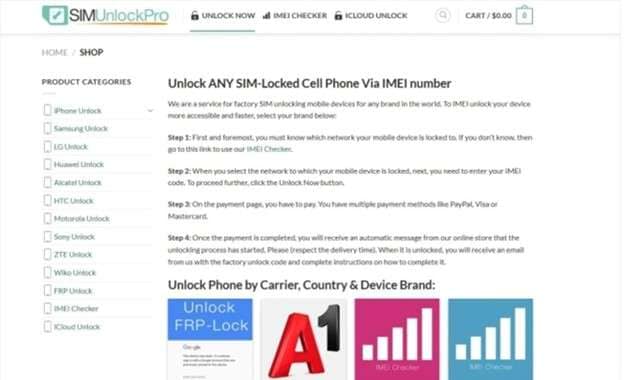
Steps to Use SIMUnlockPro
-
Step 1 Visit simunlockpro.com and select UNLOCK NOW.
-
Step 2 Go to PRODUCT CATEGORIES, select the service you want and click UNLOCK NOW.
-
Step 3 Choose the device model and type in the IMEI number.
-
Step 4 Wait for remote process to finish. You will get a notice after the service is done.
These services make the platform easy to use, but it's worth checking the advantages and drawbacks before paying.
Part 4: SIM Unlocker Pro Pros and Cons at a Glance
- SIM Unlocking: The tool lifts carrier limitations for various networks. This can help when switching providers or utilizing a local SIM overseas.
- It works with inexpensive and high-end Android phones.
- The Easy Interface: It’s no hassle for a beginner or an expert to manage.
- Credits Are Required: Every unlock operation uses credits. The number needed depends on the device and function.
- Limited Android Support: Works with Android 4 through Android 10.
- Windows only: Windows only, not for Mac.
Part 5: A Practical iPhone Alternative to SIM Unlocker Pro
The limits above matter if you use an iPhone or need a tool beyond Android SIM unlocking. In that case, Dr.Fone - Screen Unlock (iOS) is another option worth considering. Its Screen Unlock toolkit covers several types of iOS locks, including carrier SIM restrictions.
Dr.Fone - Screen Unlock (iOS)
Dr.Fone - Screen Unlock (iOS) is an iPhone unlocking tool from Wondershare. Its SIM unlock feature is designed for issues such as “SIM Not Supported,” “Invalid SIM,” “SIM Locked,” and no network service. According to the official guide, AT&T, Sprint, T-Mobile, and Verizon are officially supported.
For SIM unlocking, Wondershare says that the program works on iPhone 5S through X, iOS 12.0–14.8.1, and requires a jailbreak.
 Unlock iPhone/iPad passcode in minutes.
- Remove Face ID, Touch ID, MDM lock, and screen lock.
- Bypass iCloud Activation Lock easily.
- Support all iOS versions and devices.
- Simple steps, no technical skills needed.
Key Features
- Remove carrier limitations on compatible iPhones with SIM Lock Removal.
- Manages all of iOS's screen locks, including passcodes, Face ID, Touch ID, and more.
- You can deactivate an Apple ID on compatible devices using this feature.
- Tools to Bypass iCloud Activation Lock Are Included.
- MDM and Screen Time Removal: Also handles supported MDM and Screen Time restrictions.
How to Unlock a SIM with Dr.Fone
-
Step 1 Install and open Dr.Fone. Go to Toolbox > Screen Unlock > iOS.

-
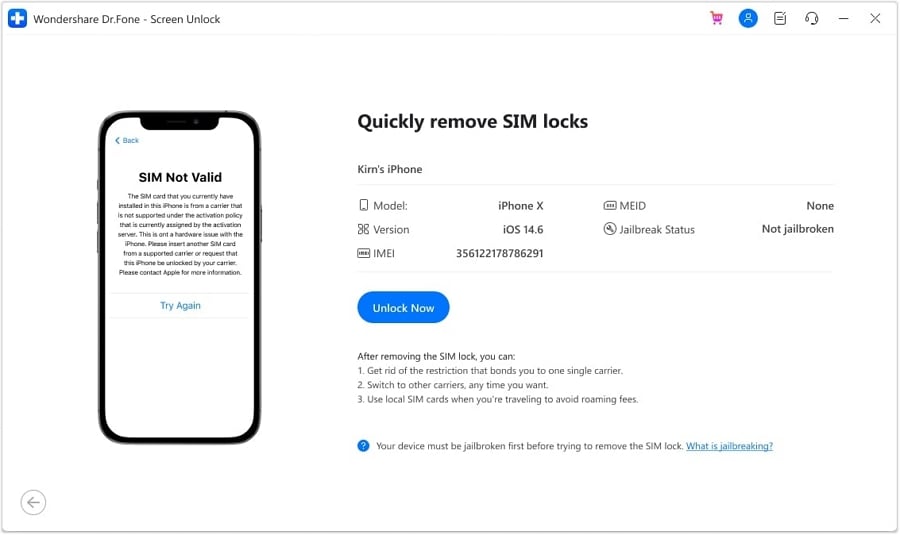
Step 2 Choose Remove SIM Locked, click Start, confirm the detected device details, and select Unlock Now.
-
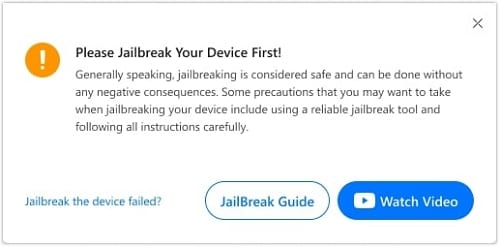
Step 3 Execute the jailbreak needed as per the Jailbreak Guide or video exhibited by Dr.Fone.
-
Step 4 Remove your SIM card. Forget saved Wi-Fi networks, and turn Wi-Fi off. Put the SIM back then hit Continue.
-
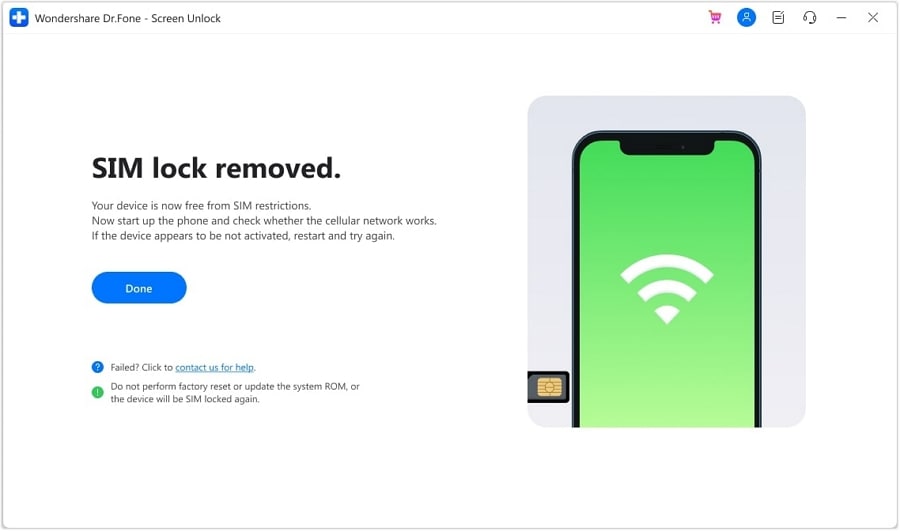
Step 5 Let Dr.Fone complete the SIM-unlock process. When the completion message appears, click Done.
Conclusion
If your phone carrier and operating system are compatible, SIM Unlocker Pro can be beneficial. However, it may not be a solution for everyone. Because of credit costs, device limitations, and mixed results, check compatibility before paying. A free SIM Unlock Pro download from an unofficial source is also a poor trade-off because cracked files may bring security risks.
For iPhone users, Dr.Fone - Screen Unlock (iOS) offers a guided SIM-lock option for supported iPhone 5S to iPhone X models on iOS 12.0–14.8.1, with jailbreak required. Choose based on your device, lock type, and support needs rather than price alone or marketing.




 Add Wondershare Dr.Fone as a preferred source on Google




